---
**ursoTTS™: batch voice-cloned narration for video creators.** Write your scripts as plain text files, record your voice once, and get finished narration (WAV + MP3 + subtitles) for every video. It runs on your own machine with open-source models, so there are no per-character credits. Use it as a desktop app, from a simple web page in your browser, or from the command line.
Built for the [@ursomics](https://youtube.com/@ursomics) bioinformatics video series (English + Korean), and developed with Claude Code.
📖 **New here? Read the [manual](docs/MANUAL.md).** It covers setup with Claude Code (VS Code, the desktop app or the CLI), the web UI, terminal commands, writing scripts and fixing pronunciation.
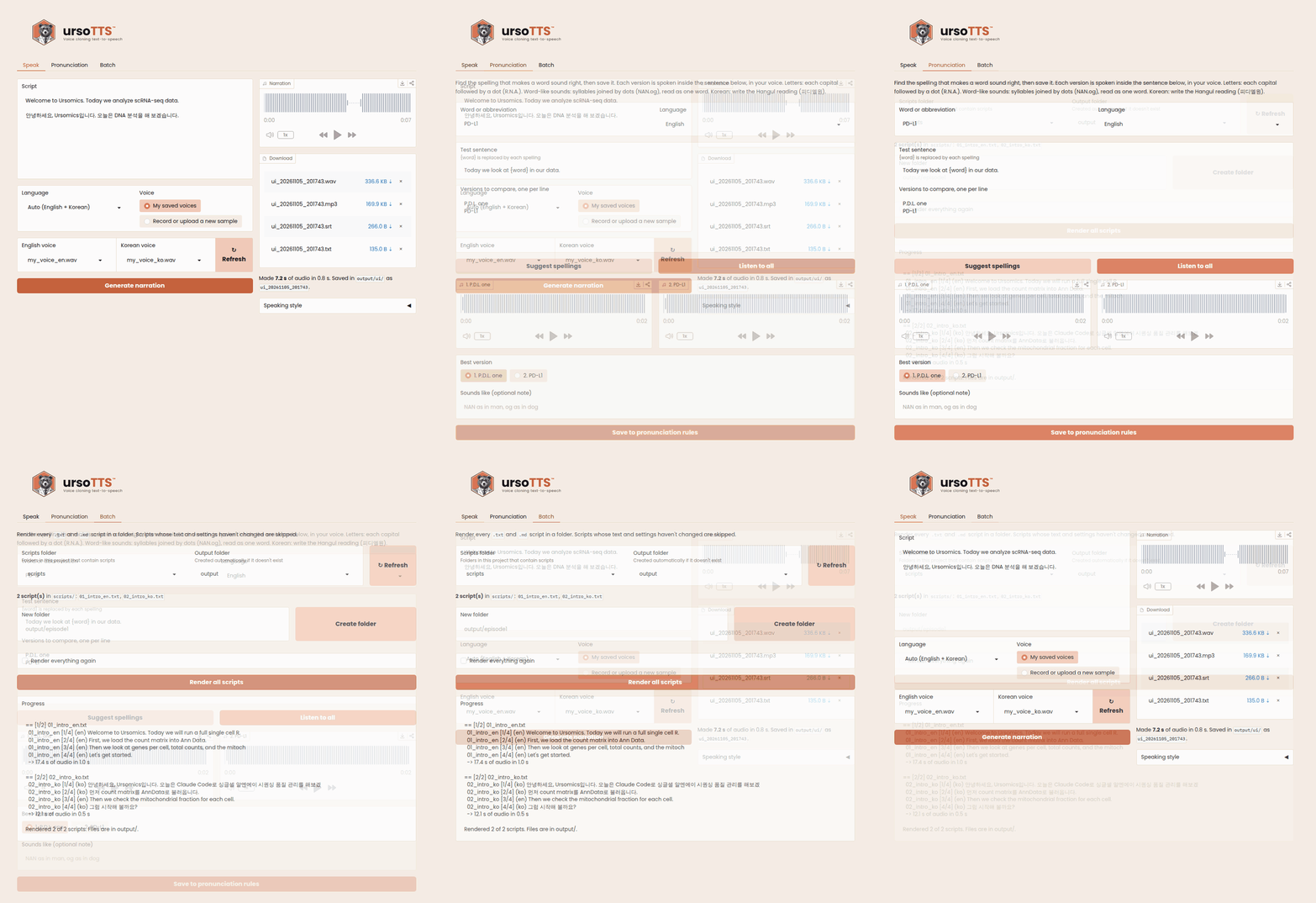
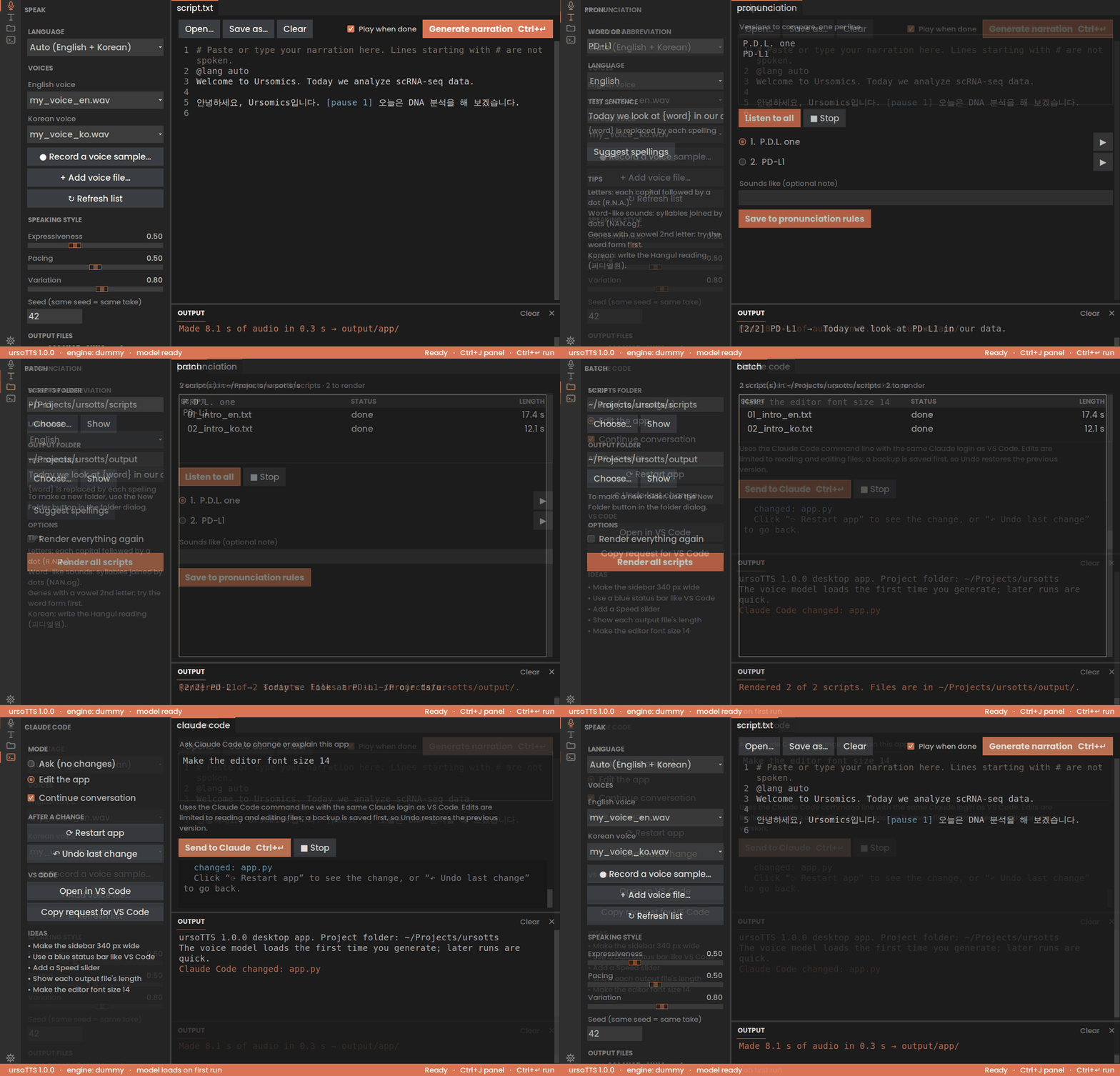
Speak: generate narration in your voice · Pronunciation: compare spellings by ear · Batch: render a whole folder
## Why
Cloud voice-cloning services charge per character. That adds up quickly across a series of hundreds of videos. ursoTTS uses [Chatterbox](https://github.com/resemble-ai/chatterbox) (MIT-licensed, by Resemble AI) locally. After setup, each extra video costs only GPU time.
## Features
- **Web UI.** Paste text, record or upload a voice sample in the browser, adjust the speaking style with sliders, and download the result.
- **Batch mode.** Point it at a folder of scripts and get one narration per script.
- **Bilingual.** It detects English and Korean **per sentence**, so mixed Korean-English scripts work. Each language can use its own voice sample.
- **Smart re-rendering.** A script is redone only when its text or the settings change, and even then only the changed sentences are generated again. Fixing a typo in a 10-minute script takes seconds.
- **Subtitles included.** An `.srt` file is timed to the narration and keeps your original spelling (`scRNA-seq`, not the phonetic version).
- **Smooth abbreviations.** All-caps words like `DNA` or `ATP` are spelled letter by letter, smoothly and naturally (`D.N.A.`). Turn this off with `spell_acronyms: false` in `config.yaml`.
- **Exact pronunciation for jargon.** Define how gene names and tools sound (`CD8: C.D. eight`, `NANOG: NAN.og`). Ships with about 60 bioinformatics terms.
- **Pronunciation lab.** Compare versions of a tricky word by ear in the web UI and save the best one.
- **Pause control.** Write `[pause 1.5]` anywhere in a script. Blank lines become paragraph pauses.
- **YouTube-ready MP3s.** Exports are loudness-normalized to -14 LUFS.
- **Reproducible takes.** A fixed seed gives the same take on every re-run.
- **Test engine.** `--engine dummy` checks your scripts and timing without a GPU.
## What you can use it for
- **YouTube tutorials and lectures:** narrate screen recordings and slides in your own voice.
- **Paper summaries and journal clubs:** short videos or audio summaries of articles.
- **Online courses and lab training:** e-learning modules, protocol and SOP walkthroughs, onboarding for new lab members.
- **Presentations:** voice-over for slides, recorded conference talks, poster pitches, or a lab meeting you can't attend.
- **Rehearsal:** hear your talk script before presenting and check its timing.
- **Podcasts and audio versions:** turn blog posts, newsletters or your own writing into audio.
- **Bilingual content:** English and Korean versions of the same video from one set of visuals.
- **Short-form video:** narration for YouTube Shorts, Instagram Reels and TikTok.
- **Product and app demos:** demo videos, walkthroughs and release announcements.
- **Accessibility:** audio versions of documents, with subtitles for viewers who read along.
Only clone your own voice, or a voice you have permission to use.
## Download the app (no Python needed)
Get the installer for your computer from the [latest release](https://github.com/ursomics/ursotts/releases/latest):
| Computer | File | Install |
|---|---|---|
| **Mac** (Apple Silicon) | `ursoTTS-1.0.0-mac-arm64.dmg` | Open it and drag **ursoTTS** into **Applications** |
| **Windows** (64-bit) | `ursoTTS-1.0.0-windows-setup.exe` | Run it and follow the steps |
- **First open:** the app isn't signed with a paid developer certificate yet, so you confirm it once. Mac: open ursoTTS, then **System Settings → Privacy & Security → Open Anyway**. Windows: in the SmartScreen window, **More info** → **Run anyway**. Both are shown [step by step with screenshots](docs/MANUAL.md#72-install-without-python-dmg--exe).
- **First narration** downloads the voice model (a few GB) once, so you need an internet connection the first time.
- Your files live in a **`ursoTTS`** folder in your home folder: put voice samples in `voices/`, scripts in `scripts/`, and find results in `output/`.
Prefer the command line or the web UI? Install from source with the quick start below.
## Quick start
The project is called **ursoTTS**; the command you type is `ursotts`.
Tested on:
| System | Python | What was tested |
|---|---|---|
| macOS (Apple Silicon) | 3.13 | Everything, in real use with the voice model; the installer (.dmg) too |
| Linux (Ubuntu) | 3.10–3.13 | Automated tests on every update: the commands, web UI and pipeline, with the test engine |
| Linux (Ubuntu) | 3.12 | The desktop app, the installer build and the launcher, with the test engine |
| Windows (64-bit) | 3.11 (in the installer) | The installer (.exe): installed and used |
Python 3.10 or newer works. On Linux the voice model itself hasn't been tested yet; reports are welcome.
```bash
# 1. Get the project: unzip ursotts.zip, or run
# git clone https://github.com//ursotts.git
# Keep the "ursotts" folder somewhere that is NOT synced by iCloud,
# OneDrive or Dropbox (for example ~/Projects/). Syncing the large
# .venv and cache folders slows sync down and can break the environment.
# Then go into the folder. Run every ursotts command from here, because
# it reads config.yaml (your voice settings) from the current folder:
cd ~/Projects/ursotts
# 2. Create a virtual environment and install everything (CLI + web UI)
python3.13 -m venv .venv
source .venv/bin/activate # do this in every new terminal
pip install -e ".[all]"
# 3. Add your voice samples to voices/ (see below), then check the setup
ursotts check
```
The first real run downloads the Chatterbox model weights from Hugging Face, which takes a few GB.
## Use it
### In the browser
```bash
ursotts ui
```
This opens **http://127.0.0.1:7860**. It runs only on your computer, so nothing is uploaded anywhere.
It follows your system's light or dark mode.
- **Speak tab:** paste a script, choose a language and a saved voice for each language, and click **Generate narration**. To use a new voice, choose *Record or upload a new sample*, record 10–30 seconds, and keep it with **Save to my voices**. Adjust expressiveness, pacing and variation under **Speaking style**. Results are saved in `output/ui/`.
- **Pronunciation tab:** hear several spellings of a word side by side and save the best one.
- **Batch tab:** choose a scripts folder and an output folder (or create a new one), then render them all, the same as `ursotts batch`.
A step-by-step guide to every tab is in the [manual](docs/MANUAL.md#6-using-the-web-ui).
### As a desktop app