
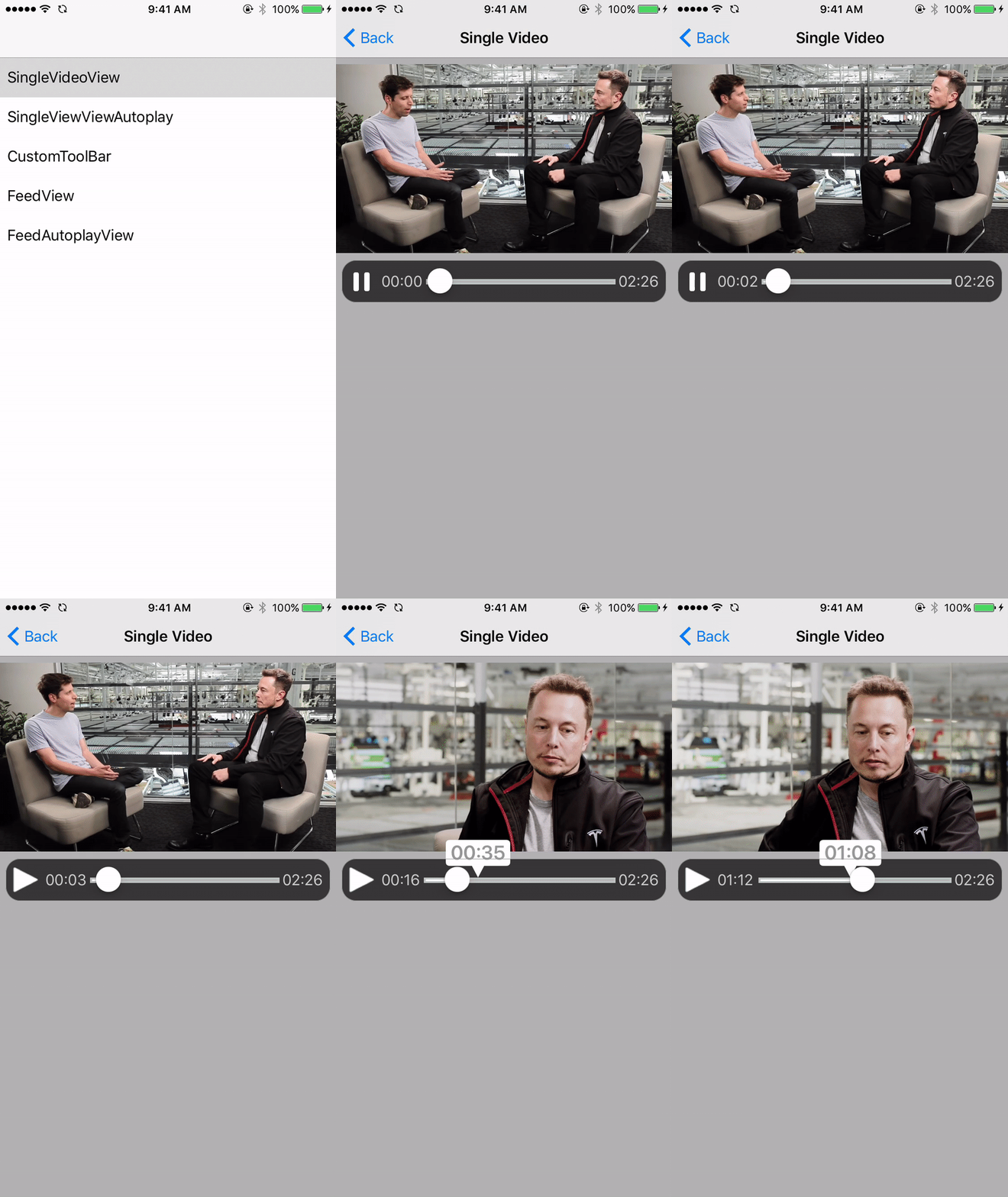
 1. Define the Video Type (local or remote). This is the ENTITY represented in the VIPER structure
```swift
let videoType = VPKVideoType.local(videoPathName: "Elon_Musk", fileType: "mp4", placeholderImageName: "elon_1")
```
2. Build the video view
```swift
VPKVideoPlaybackBuilder.vpk_buildVideoView(for: videoType, shouldAutoplay: self.shouldAutoPlay, playbackBarTheme: self.toolBarTheme) { [weak self] (videoView) in
self?.view.addSubview(videoView)
videoView.snp.makeConstraints({ (make) in
make.height.equalTo(self?.view.snp.height).dividedBy(2)
make.top.equalTo(self?.view.snp.top).offset(10)
make.left.right.equalTo(self?.view)
})
}
```
### Play a video in a feed
1. Define the Video Type (local or remote). This is the ENTITY represented in the VIPER structure
```swift
let videoType = VPKVideoType.local(videoPathName: "Elon_Musk", fileType: "mp4", placeholderImageName: "elon_1")
```
2. Build the video view
```swift
VPKVideoPlaybackBuilder.vpk_buildVideoView(for: videoType, shouldAutoplay: self.shouldAutoPlay, playbackBarTheme: self.toolBarTheme) { [weak self] (videoView) in
self?.view.addSubview(videoView)
videoView.snp.makeConstraints({ (make) in
make.height.equalTo(self?.view.snp.height).dividedBy(2)
make.top.equalTo(self?.view.snp.top).offset(10)
make.left.right.equalTo(self?.view)
})
}
```
### Play a video in a feed
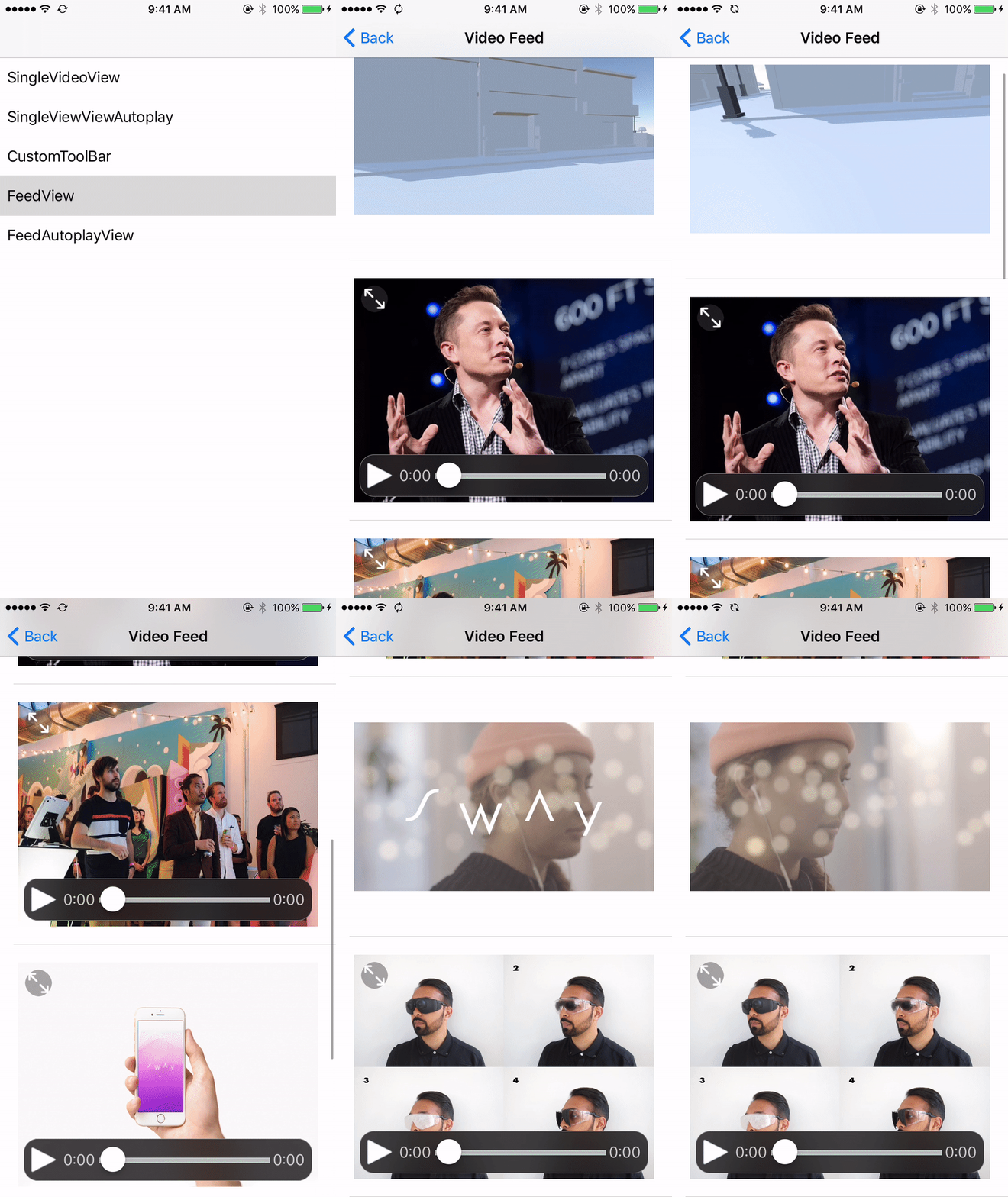 1. Create a UITabieViewCell that conforms to VPKViewInCellProtocol
```swift
class VideoTableViewCell: UITableViewCell, VPKViewInCellProtocol {
static let identifier = "VideoCell"
var videoView: VPKVideoView? {
didSet {
self.setupVideoViewConstraints()
layoutIfNeeded()
}
}
override func prepareForReuse() {
super.prepareForReuse()
prepareForVideoReuse() //Extension default
}
}
```
2. Register cell in UIViewController, set up tableview. Add videoview to cell
```swift
tableView.register(VideoTableViewCell.self, forCellReuseIdentifier: VideoTableViewCell.identifier)
tableView.estimatedRowHeight = 400
tableView.rowHeight = UITableViewAutomaticDimension
datasource.asObservable().bind(to: tableView.rx.items(cellIdentifier: VideoTableViewCell.identifier)) { index, model, cell in
guard let cell = cell as? VideoTableViewCell else { return }
VPKVideoPlaybackBuilder.vpk_buildViewInCell(for: model, at: NSIndexPath(item: index, section: 0), completion: { [weak self] (videoView) in
cell.videoView = videoView
cell.layoutIfNeeded()
})}.addDisposableTo(disposeBag)
tableView.rx.setDelegate(self)
}
```
### Autoplay Videos in a feed
1. Conform to the VPKTableViewVideoPlaybackScrollable protocol
Implement the following:
```swift
extension FeedViewController: VPKTableViewVideoPlaybackScrollable {
func scrollViewDidScroll(_ scrollView: UIScrollView) {
handleAutoplayInTopVideoCell() // default implementation
trackVideoViewCellScrolling() // default implementation
}
func scrollViewDidEndDecelerating(_ scrollView: UIScrollView) {
if shouldAutoplayVideos {
handleAutoplayInTopVideoCell()
}
}
}
```
### Play video in feed, pre-fetch video asset data. *** Recommended especially for auto playing video in a feed ***
1. Create a VPKTableViewPrefetchSynchronizer object
```swift
videoPrefetcher = VPKTableViewPrefetchSynchronizer(videoItems: datasource.value)
```
2. Conform to the UITableViewDataSourcePrefetching tableview protocool
```swift
tableView.prefetchDataSource = self
extension FeedViewController: UITableViewDataSourcePrefetching {
func tableView(_ tableView: UITableView, prefetchRowsAt indexPaths: [IndexPath]) {
videoPrefetcher?.tableView(tableView, prefetchRowsAt: indexPaths)
}
func tableView(_ tableView: UITableView, cancelPrefetchingForRowsAt indexPaths: [IndexPath]) {
videoPrefetcher?.tableView(tableView, cancelPrefetchingForRowsAt: indexPaths)
}
}
```
## Contact:
- Email: sonam@ustwo.com
1. Create a UITabieViewCell that conforms to VPKViewInCellProtocol
```swift
class VideoTableViewCell: UITableViewCell, VPKViewInCellProtocol {
static let identifier = "VideoCell"
var videoView: VPKVideoView? {
didSet {
self.setupVideoViewConstraints()
layoutIfNeeded()
}
}
override func prepareForReuse() {
super.prepareForReuse()
prepareForVideoReuse() //Extension default
}
}
```
2. Register cell in UIViewController, set up tableview. Add videoview to cell
```swift
tableView.register(VideoTableViewCell.self, forCellReuseIdentifier: VideoTableViewCell.identifier)
tableView.estimatedRowHeight = 400
tableView.rowHeight = UITableViewAutomaticDimension
datasource.asObservable().bind(to: tableView.rx.items(cellIdentifier: VideoTableViewCell.identifier)) { index, model, cell in
guard let cell = cell as? VideoTableViewCell else { return }
VPKVideoPlaybackBuilder.vpk_buildViewInCell(for: model, at: NSIndexPath(item: index, section: 0), completion: { [weak self] (videoView) in
cell.videoView = videoView
cell.layoutIfNeeded()
})}.addDisposableTo(disposeBag)
tableView.rx.setDelegate(self)
}
```
### Autoplay Videos in a feed
1. Conform to the VPKTableViewVideoPlaybackScrollable protocol
Implement the following:
```swift
extension FeedViewController: VPKTableViewVideoPlaybackScrollable {
func scrollViewDidScroll(_ scrollView: UIScrollView) {
handleAutoplayInTopVideoCell() // default implementation
trackVideoViewCellScrolling() // default implementation
}
func scrollViewDidEndDecelerating(_ scrollView: UIScrollView) {
if shouldAutoplayVideos {
handleAutoplayInTopVideoCell()
}
}
}
```
### Play video in feed, pre-fetch video asset data. *** Recommended especially for auto playing video in a feed ***
1. Create a VPKTableViewPrefetchSynchronizer object
```swift
videoPrefetcher = VPKTableViewPrefetchSynchronizer(videoItems: datasource.value)
```
2. Conform to the UITableViewDataSourcePrefetching tableview protocool
```swift
tableView.prefetchDataSource = self
extension FeedViewController: UITableViewDataSourcePrefetching {
func tableView(_ tableView: UITableView, prefetchRowsAt indexPaths: [IndexPath]) {
videoPrefetcher?.tableView(tableView, prefetchRowsAt: indexPaths)
}
func tableView(_ tableView: UITableView, cancelPrefetchingForRowsAt indexPaths: [IndexPath]) {
videoPrefetcher?.tableView(tableView, cancelPrefetchingForRowsAt: indexPaths)
}
}
```
## Contact:
- Email: sonam@ustwo.com
