# uze **Agents come and go. Your work stays.** [![CI](https://img.shields.io/github/actions/workflow/status/uze-sh/uze/ci.yml?branch=main&style=flat-square&labelColor=1e1f20&label=CI)](https://github.com/uze-sh/uze/actions/workflows/ci.yml) [![Rust](https://img.shields.io/badge/rust-1.97%2B-7d97c9?style=flat-square&labelColor=1e1f20)](Cargo.toml) [![License](https://img.shields.io/badge/license-Apache_2.0-A22136?style=flat-square&labelColor=1e1f20)](LICENSE) [![Status](https://img.shields.io/badge/status-beta-e0b567?style=flat-square&labelColor=1e1f20)](https://uze.sh/docs/roadmap) Give every coding agent you use the same plugins and the same project instructions, and run several of them at once without one stepping on another. uze is not an agent itself: no model, no API key, your agents keep their own logins.
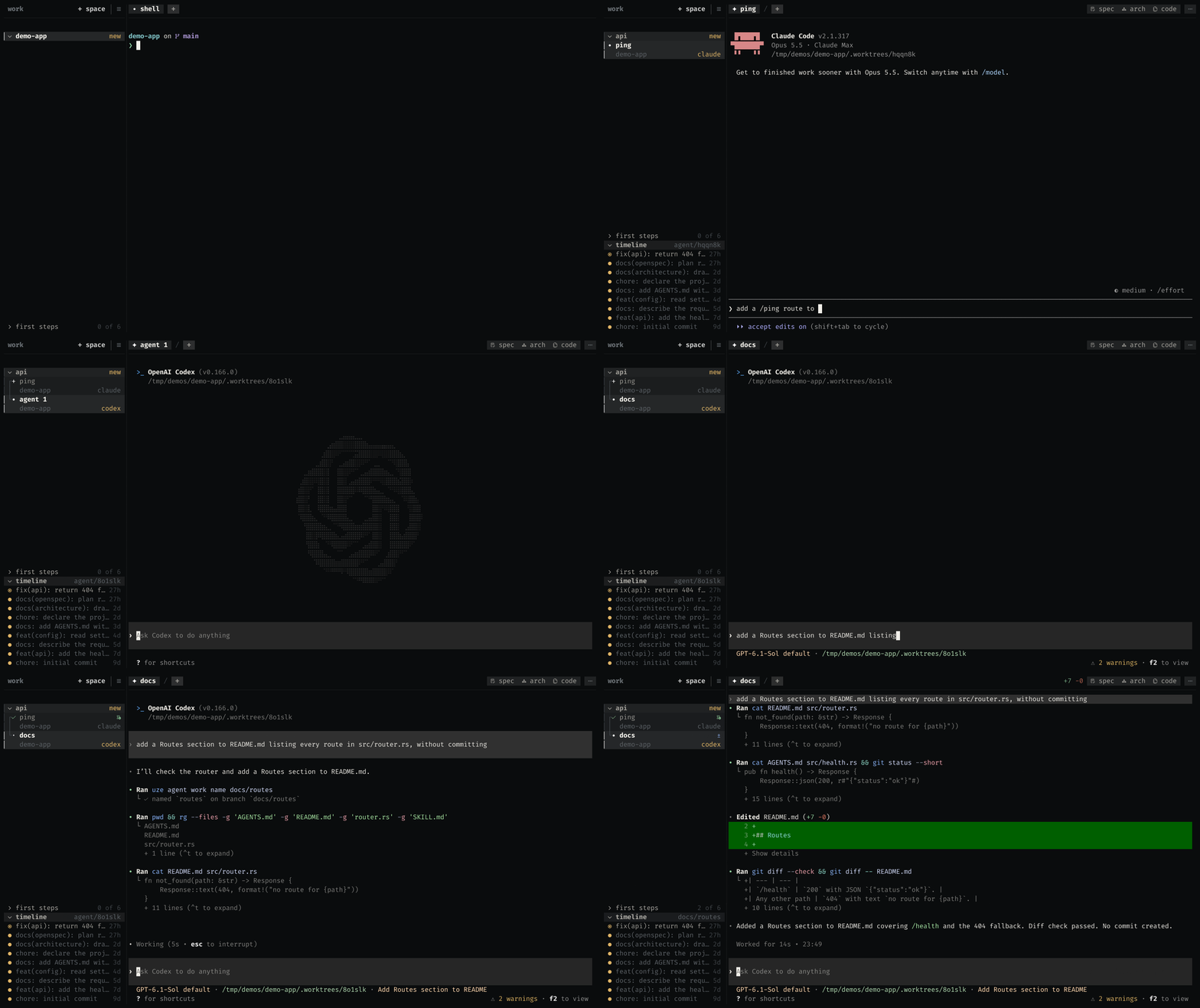
The uze terminal: two agents at once, each on its own branch in its own checkout, with the checkout's diff, its map and the project's own architecture diagrams a keystroke away

## Install macOS and Linux: ```sh curl -fsSL https://uze.sh/i | sh ``` Windows: ```powershell irm https://uze.sh/i | iex ``` Then follow the [quickstart](https://uze.sh/docs/quickstart), or read the [full documentation](https://uze.sh/docs). To take uze off the machine, run `uze uninstall`: it removes the program and leaves every plugin it delivered working. `uze uninstall --purge` also takes back everything it delivered to your coding agents and removes `~/.uze`. Removing `~/.uze` by hand is not supported: your coding agents read their plugins from it. If something in it was deleted or damaged, `uze doctor` reports it. ## Two tools, one binary Each works without the other: use the package manager with agents you start yourself, the workspace to run them, or both. - **Package manager.** Install a plugin once and Claude Code, Codex, OpenCode and Antigravity each receive it through their own native mechanism. One `AGENTS.md` holds the project's instructions for all of them, and `agents.yaml` records the project's plugins, so a teammate gets the same setup with `uze install`. - **Workspace.** Run agents side by side in one terminal, each on its own branch in a checkout of its own. See what each one changed, bring the work home when it is ready, and close the terminal without losing any of it. ## Roadmap - [x] Harness management · Skills & MCP portability · Project context · Marketplace · TUI - [x] Agent & hook portability · Native package delivery - [x] Environment maintenance · Terminal workspace with isolated agents - [x] Reproducible project environments · Theming · Linux releases · macOS releases · Windows releases - [x] Spec, Architect, Code & Review extensions · Plugin freshness · Records that survive an upgrade - [ ] Requirements & dependencies · Plugin versioning · Security & trust - [ ] Signed Windows binaries · Runtime context projection · Migration tooling · Ecosystem expansion --- Built in Rust. Licensed under the Apache License 2.0. Contributions are welcome under the rules in [CONTRIBUTING.md](CONTRIBUTING.md). Security reports go through [SECURITY.md](SECURITY.md), never a public issue. **Trademarks.** All product names, logos and brands are the property of their respective owners. The coding agents uze interoperates with are named for identification only. This is an independent project and is not affiliated with, endorsed by, or sponsored by any of them. The marks it ships as artwork, and the terms each comes under, are credited in [CREDITS.md](CREDITS.md). Author: [Romullo Sousa (hiukky)](https://github.com/hiukky) · [Apache License 2.0](LICENSE)

Built with 🖤 by hiukky
