# Email input
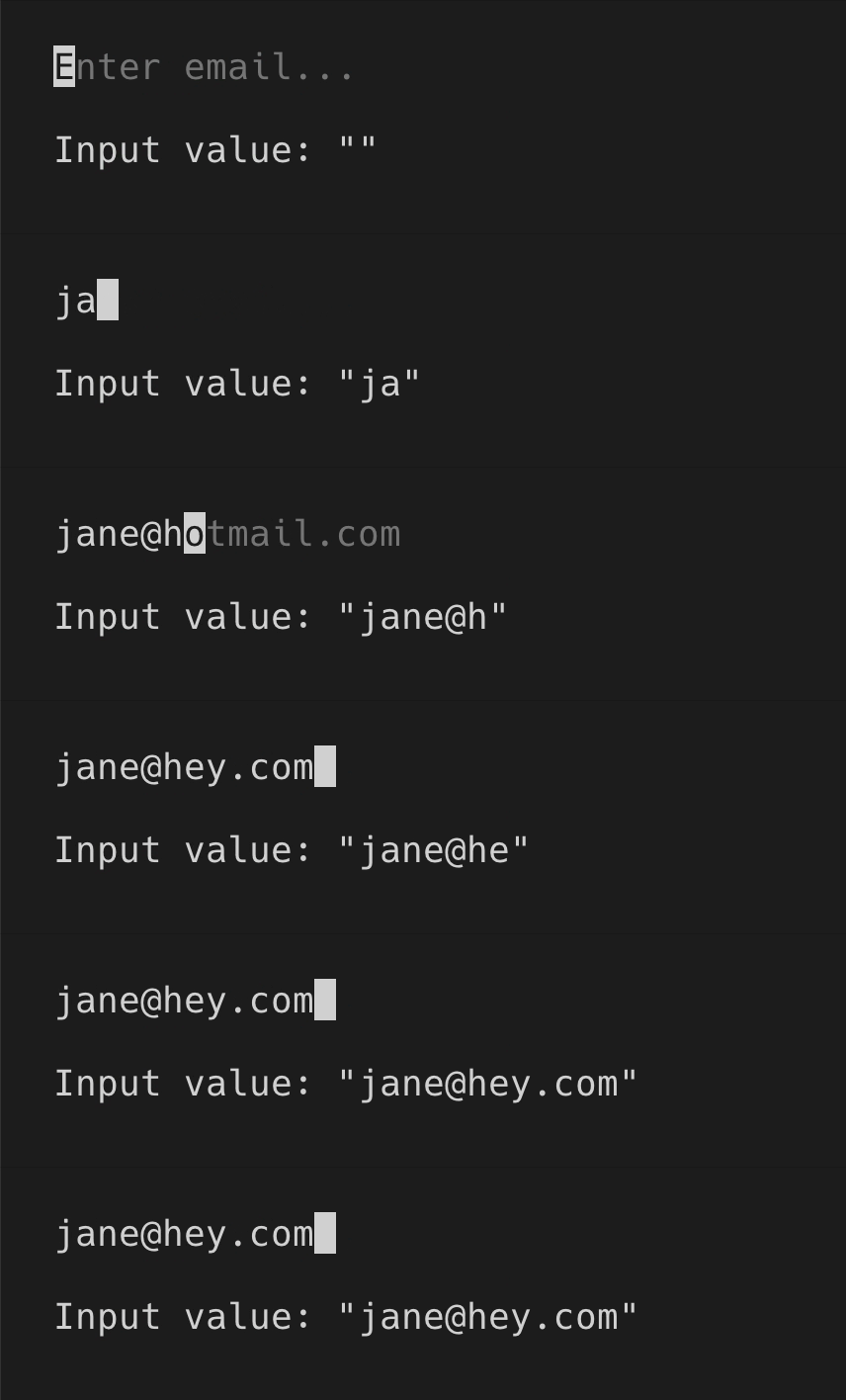
> `EmailInput` is used for entering an email. After "@" character is entered, domain can be autocompleted from the list of most popular email providers.
[Theme](../source/components/email-input/theme.ts) | [Example code](../examples/email-input.tsx)
## Usage
`EmailInput` is an uncontrolled component. You can listen to value changes via `onChange` prop.
```tsx
import React, {useState} from 'react';
import {render, Box, Text} from 'ink';
import {EmailInput} from '@inkjs/ui';
function Example() {
const [value, setValue] = useState('');
return (
Input value: "{value}"
);
}
render();
```
 ### Default value
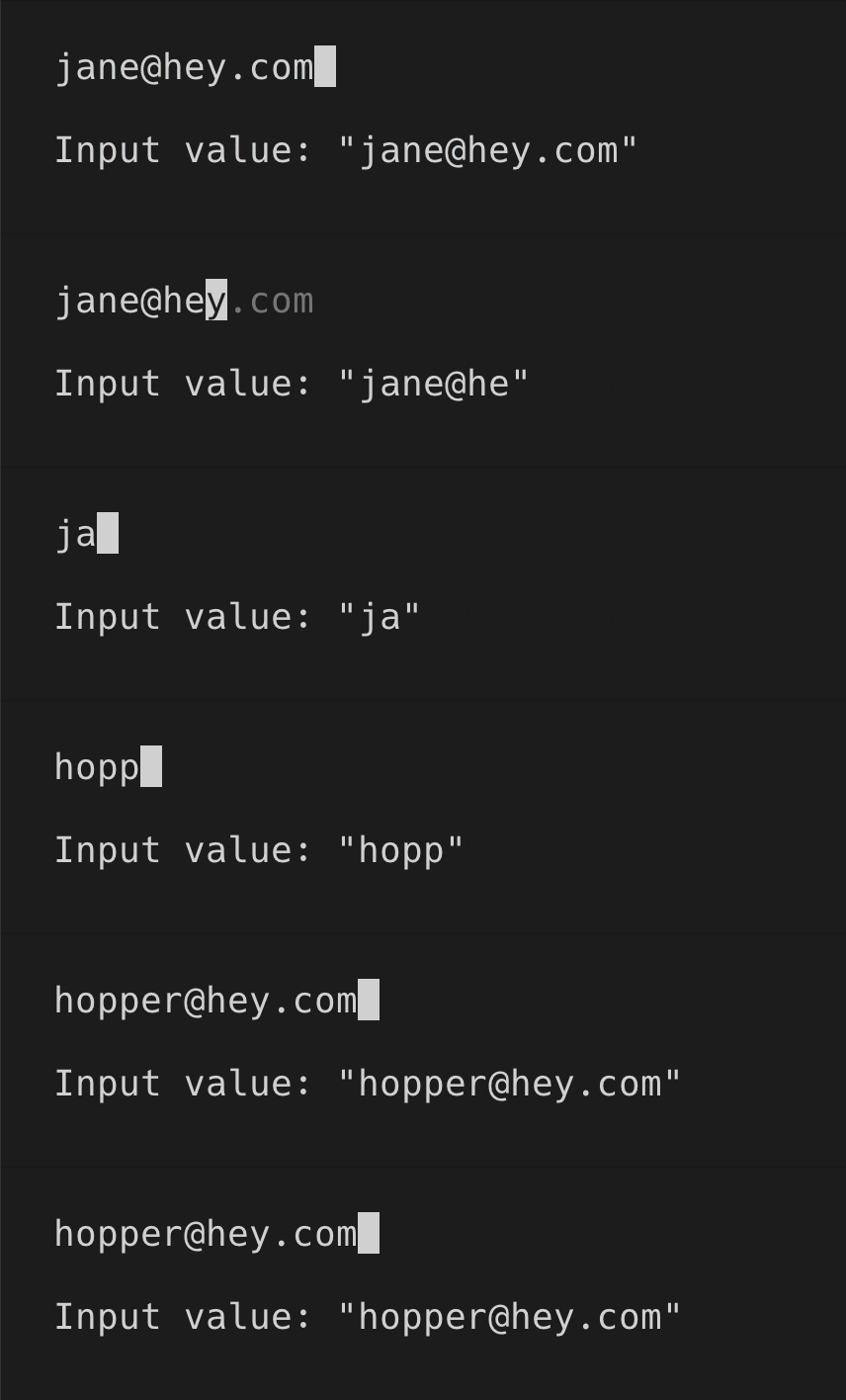
Default value can be set via `defaultValue` prop.
```tsx
import React, {useState} from 'react';
import {render, Box, Text} from 'ink';
import {EmailInput} from '@inkjs/ui';
function Example() {
const [value, setValue] = useState('jane@hey.com');
return (
Input value: "{value}"
);
}
render();
```
### Default value
Default value can be set via `defaultValue` prop.
```tsx
import React, {useState} from 'react';
import {render, Box, Text} from 'ink';
import {EmailInput} from '@inkjs/ui';
function Example() {
const [value, setValue] = useState('jane@hey.com');
return (
Input value: "{value}"
);
}
render();
```
 ### Autocomplete
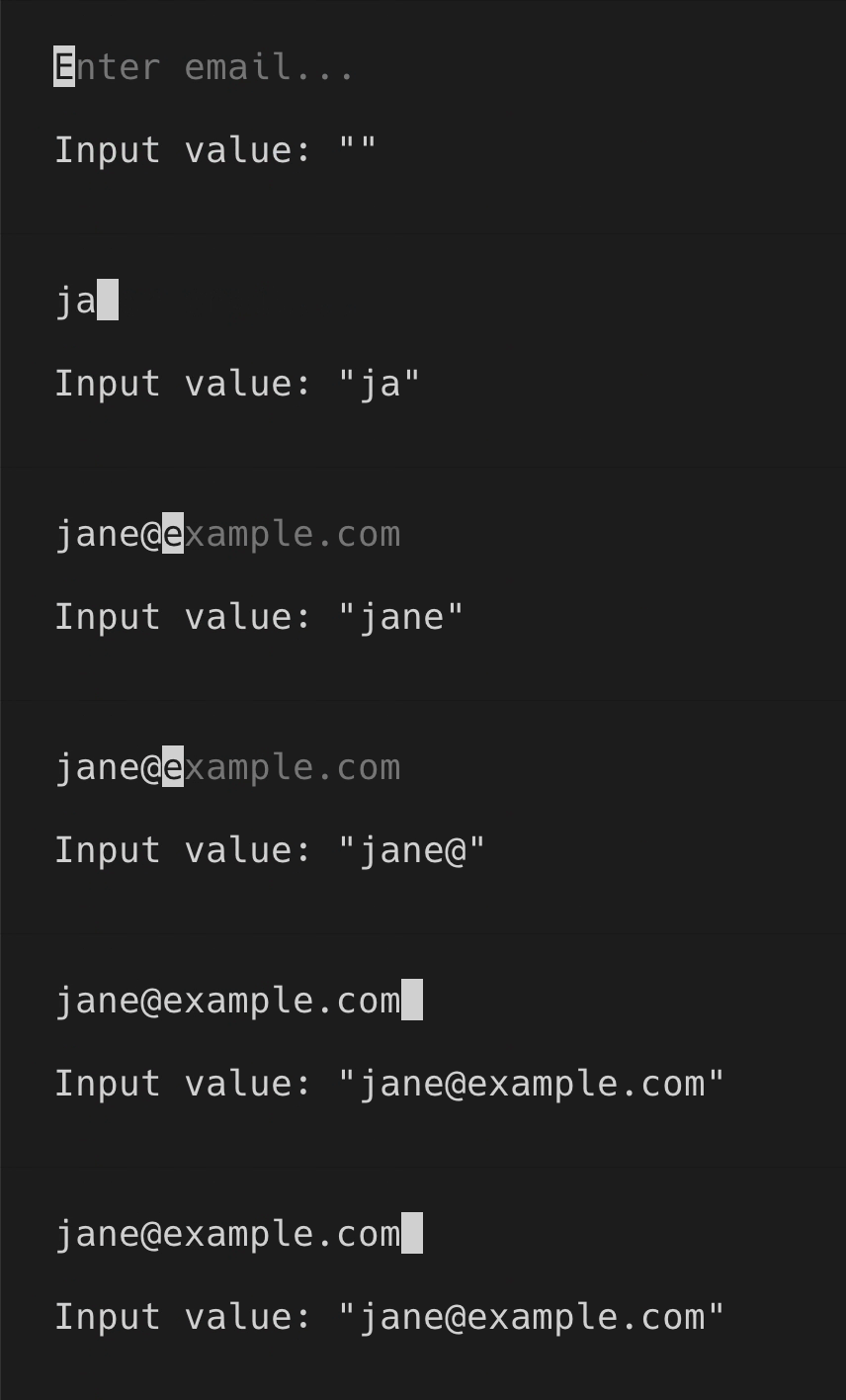
`EmailInput` suggests the domains of popular email providers once "@" character is entered. You can also customize the list of suggested domains by providing an array of strings in `domains` prop.
When user presses enter, current suggestion will replace the input value.
```tsx
import React, {useState} from 'react';
import {render, Box, Text} from 'ink';
import {EmailInput} from '@inkjs/ui';
function Example() {
const [value, setValue] = useState('');
return (
Input value: "{value}"
);
}
render();
```
### Autocomplete
`EmailInput` suggests the domains of popular email providers once "@" character is entered. You can also customize the list of suggested domains by providing an array of strings in `domains` prop.
When user presses enter, current suggestion will replace the input value.
```tsx
import React, {useState} from 'react';
import {render, Box, Text} from 'ink';
import {EmailInput} from '@inkjs/ui';
function Example() {
const [value, setValue] = useState('');
return (
Input value: "{value}"
);
}
render();
```
 ### Submit on enter
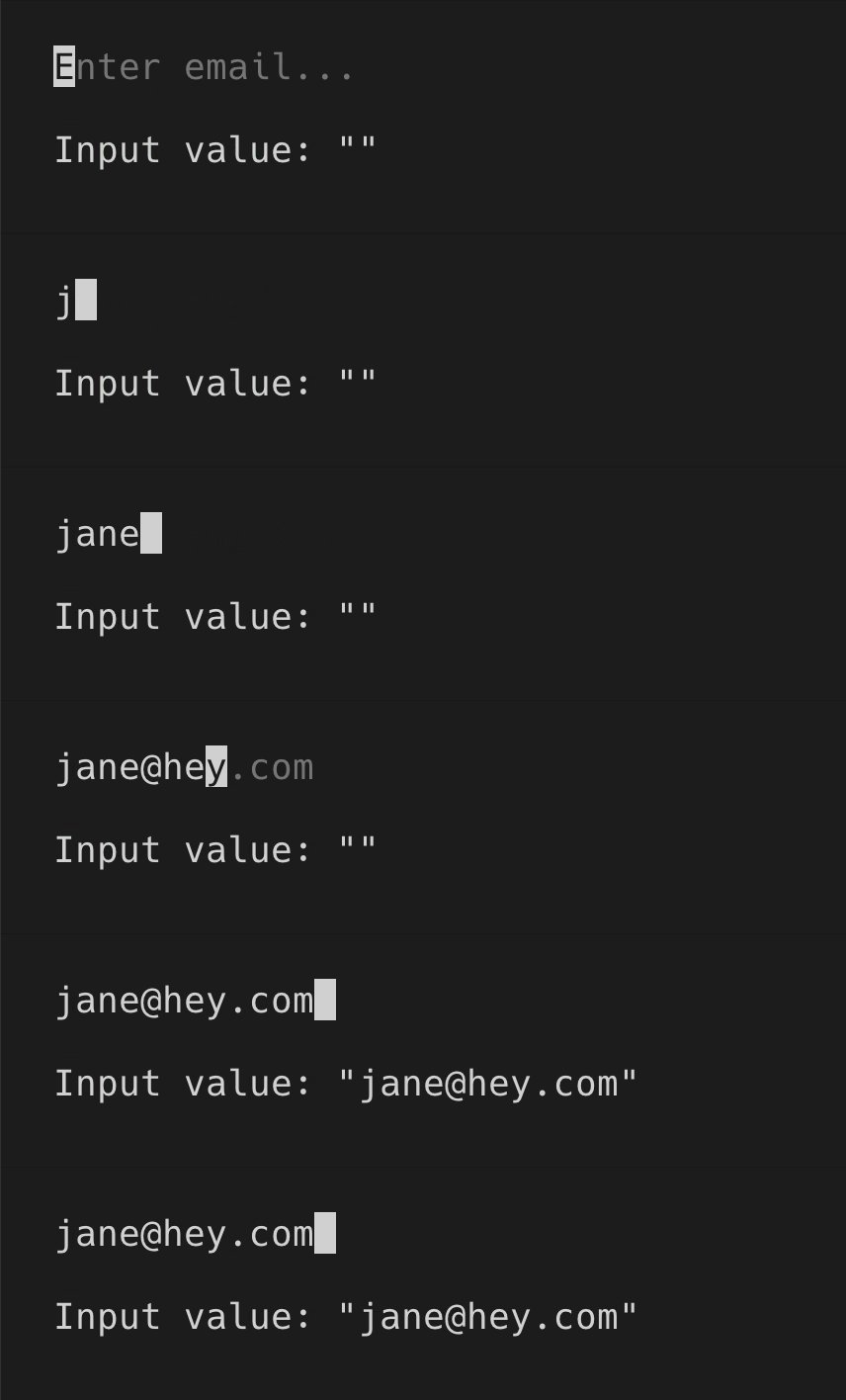
When you're only looking for the final value when user presses enter, you can use `onSubmit` instead of `onChange` prop.
```tsx
import React, {useState} from 'react';
import {render, Box, Text} from 'ink';
import {EmailInput} from '@inkjs/ui';
function Example() {
const [value, setValue] = useState('');
return (
Input value: "{value}"
);
}
render();
```
### Submit on enter
When you're only looking for the final value when user presses enter, you can use `onSubmit` instead of `onChange` prop.
```tsx
import React, {useState} from 'react';
import {render, Box, Text} from 'ink';
import {EmailInput} from '@inkjs/ui';
function Example() {
const [value, setValue] = useState('');
return (
Input value: "{value}"
);
}
render();
```
 ### Disabled
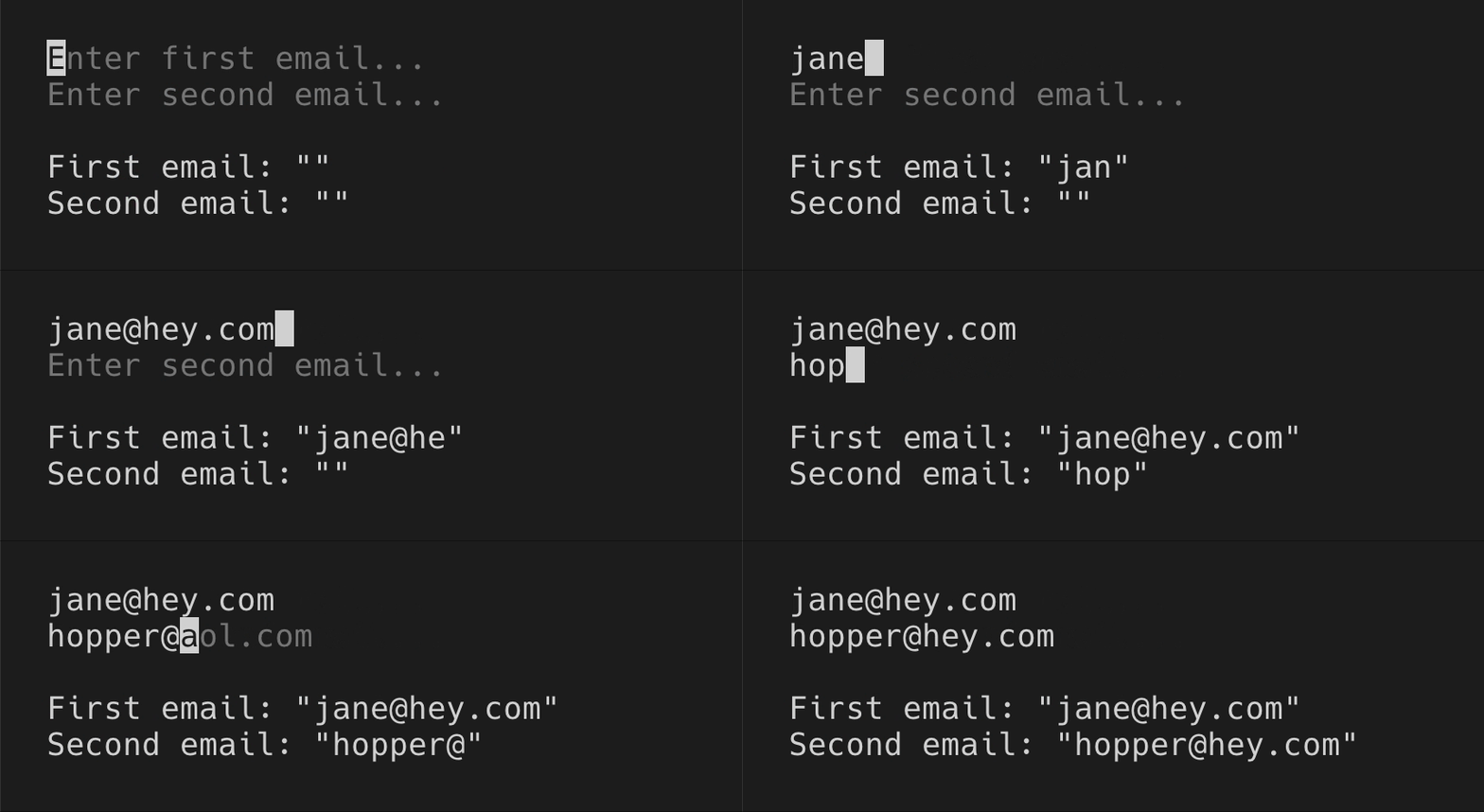
When there are two or more text inputs, only one should be receiving user input at a time, while others should be disabled via `isDisabled` prop.
```tsx
import React, {useState} from 'react';
import {render, Box, Text} from 'ink';
import {EmailInput} from '@inkjs/ui';
function Example() {
const [activeInput, setActiveInput] = useState('first');
const [first, setFirst] = useState('');
const [second, setSecond] = useState('');
return (
{
setActiveInput('second');
}}
/>
{
setActiveInput('none');
}}
/>
First email: "{first}"
Second email: "{second}"
);
}
render();
```
### Disabled
When there are two or more text inputs, only one should be receiving user input at a time, while others should be disabled via `isDisabled` prop.
```tsx
import React, {useState} from 'react';
import {render, Box, Text} from 'ink';
import {EmailInput} from '@inkjs/ui';
function Example() {
const [activeInput, setActiveInput] = useState('first');
const [first, setFirst] = useState('');
const [second, setSecond] = useState('');
return (
{
setActiveInput('second');
}}
/>
{
setActiveInput('none');
}}
/>
First email: "{first}"
Second email: "{second}"
);
}
render();
```
 ## Props
### isDisabled
Type: `boolean`\
Default: `false`
When disabled, user input is ignored.
### placeholder
Type: `string`
Text to display when input is empty.
### defaultValue
Type: `string`
Default input value.
### domains
Type: `string[]`\
Default: `["aol.com", "gmail.com", "yahoo.com", "hotmail.com", "live.com", "outlook.com", "icloud.com", "hey.com"]`
Domains of email providers to autocomplete.
### onChange(value)
Type: `Function`
Callback when input value changes.
#### value
Type: `string`
Input value.
### onSubmit(value)
Type: `Function`
Callback when enter is pressed.
#### value
Type: `string`
Input value.
## Props
### isDisabled
Type: `boolean`\
Default: `false`
When disabled, user input is ignored.
### placeholder
Type: `string`
Text to display when input is empty.
### defaultValue
Type: `string`
Default input value.
### domains
Type: `string[]`\
Default: `["aol.com", "gmail.com", "yahoo.com", "hotmail.com", "live.com", "outlook.com", "icloud.com", "hey.com"]`
Domains of email providers to autocomplete.
### onChange(value)
Type: `Function`
Callback when input value changes.
#### value
Type: `string`
Input value.
### onSubmit(value)
Type: `Function`
Callback when enter is pressed.
#### value
Type: `string`
Input value.