# Password input
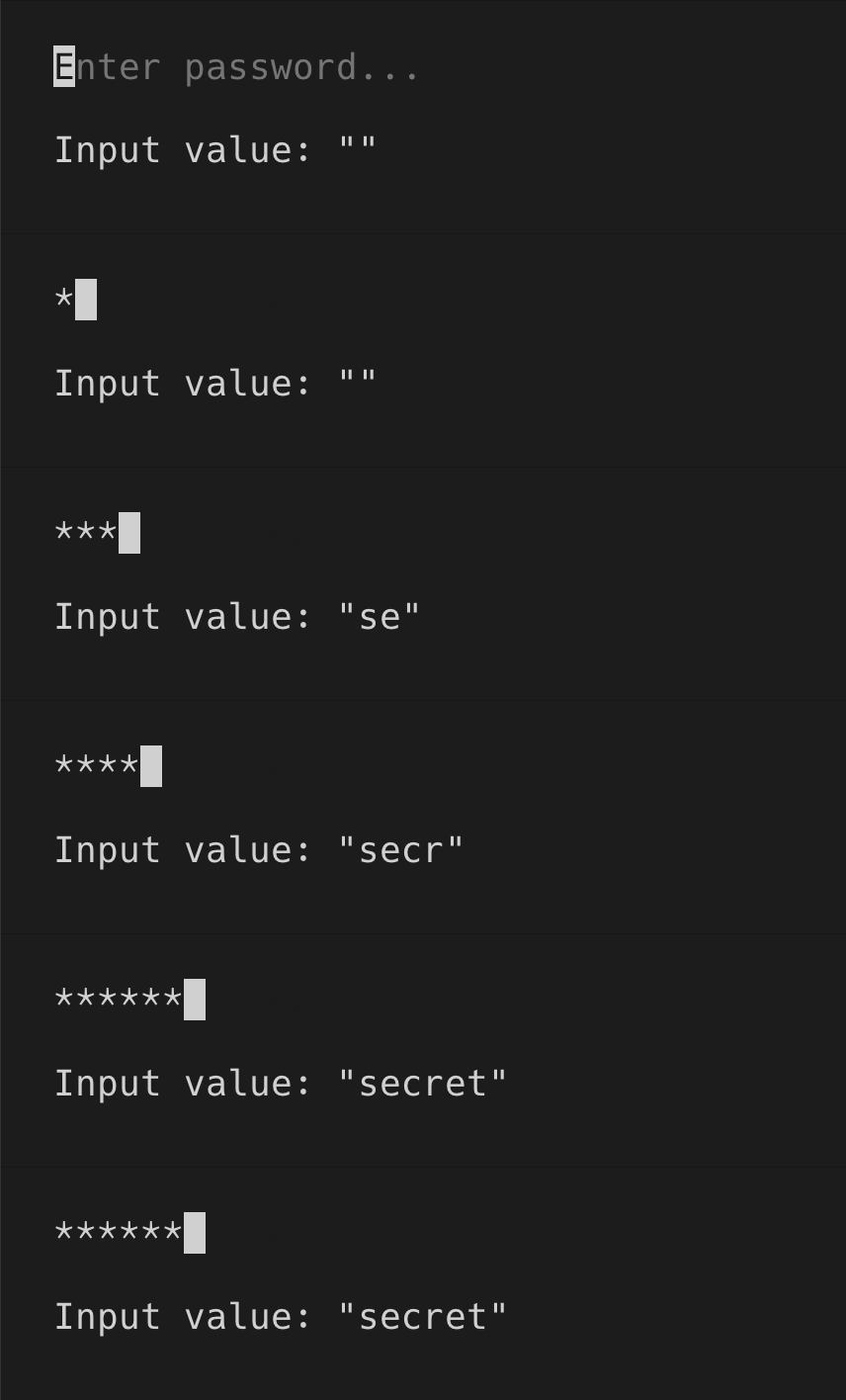
> `PasswordInput` is used for entering sensitive data, like passwords, API keys and so on. It works the same way as `PasswordInput`, except input value is masked and replaced with asterisks ("\*").
[Theme](../source/components/password-input/theme.ts) | [Example code](../examples/password-input.tsx)
## Usage
`PasswordInput` is an uncontrolled component. You can listen to value changes via `onChange` prop.
```tsx
import React, {useState} from 'react';
import {render, Box, Text} from 'ink';
import {PasswordInput} from '@inkjs/ui';
import input from '../helpers/input.js';
function Example() {
const [value, setValue] = useState('');
return (
Input value: "{value}"
);
}
render();
```
 ### Submit on enter
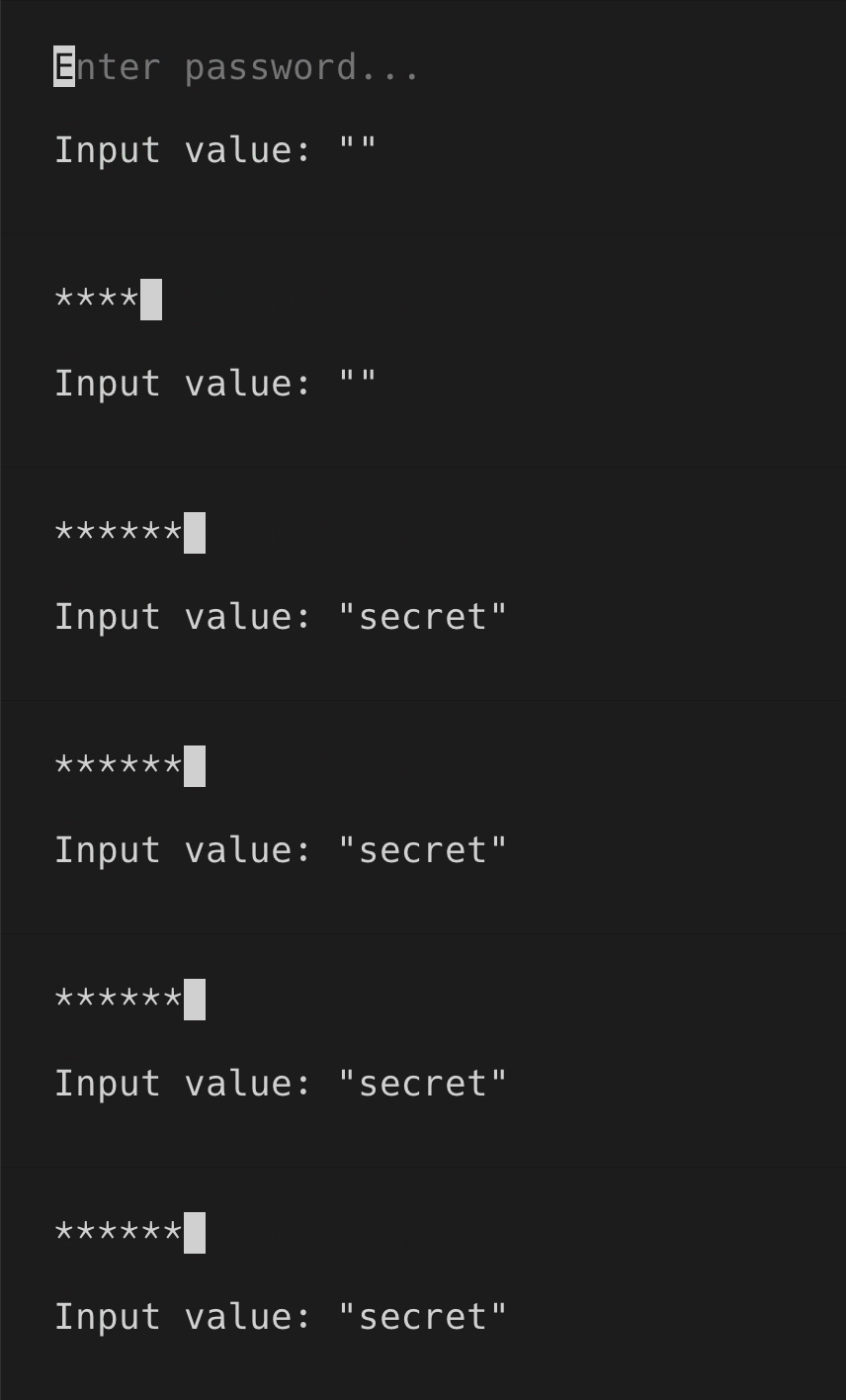
When you're only looking for the final value when user presses enter, you can use `onSubmit` instead of `onChange` prop.
```tsx
import React, {useState} from 'react';
import {render, Box, Text} from 'ink';
import {PasswordInput} from '@inkjs/ui';
function Example() {
const [value, setValue] = useState('');
return (
Input value: "{value}"
);
}
render();
```
### Submit on enter
When you're only looking for the final value when user presses enter, you can use `onSubmit` instead of `onChange` prop.
```tsx
import React, {useState} from 'react';
import {render, Box, Text} from 'ink';
import {PasswordInput} from '@inkjs/ui';
function Example() {
const [value, setValue] = useState('');
return (
Input value: "{value}"
);
}
render();
```
 ### Disabled
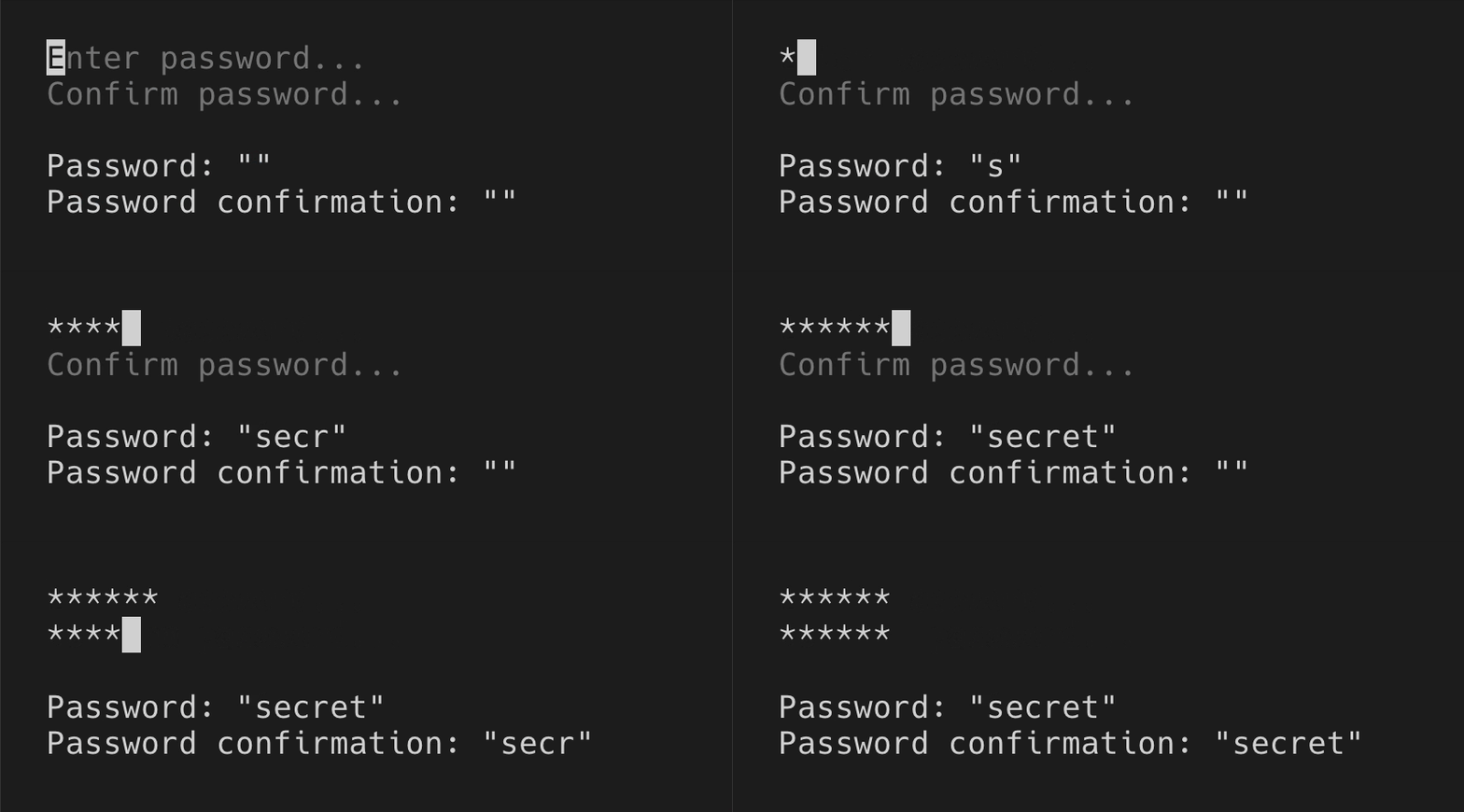
When there are two or more password inputs, only one should be receiving user input at a time, while others should be disabled via `isDisabled` prop.
```tsx
import React, {useState} from 'react';
import {render, Box, Text} from 'ink';
import {PasswordInput} from '@inkjs/ui';
import input from '../helpers/input.js';
import press from '../helpers/press.js';
function Example() {
const [activeInput, setActiveInput] = useState('password');
const [password, setPassword] = useState('');
const [passwordConfirmation, setPasswordConfirmation] = useState('');
return (
{
setActiveInput('passwordConfirmation');
}}
/>
{
setActiveInput('none');
}}
/>
Password: "{password}"
Password confirmation: "{passwordConfirmation}"
);
}
render();
```
### Disabled
When there are two or more password inputs, only one should be receiving user input at a time, while others should be disabled via `isDisabled` prop.
```tsx
import React, {useState} from 'react';
import {render, Box, Text} from 'ink';
import {PasswordInput} from '@inkjs/ui';
import input from '../helpers/input.js';
import press from '../helpers/press.js';
function Example() {
const [activeInput, setActiveInput] = useState('password');
const [password, setPassword] = useState('');
const [passwordConfirmation, setPasswordConfirmation] = useState('');
return (
{
setActiveInput('passwordConfirmation');
}}
/>
{
setActiveInput('none');
}}
/>
Password: "{password}"
Password confirmation: "{passwordConfirmation}"
);
}
render();
```
 ## Props
### isDisabled
Type: `boolean`\
Default: `false`
When disabled, user input is ignored.
### placeholder
Type: `string`
Text to display when input is empty.
### onChange(value)
Type: `Function`
Callback when input value changes.
#### value
Type: `string`
Input value.
### onSubmit(value)
Type: `Function`
Callback when enter is pressed.
#### value
Type: `string`
Input value.
## Props
### isDisabled
Type: `boolean`\
Default: `false`
When disabled, user input is ignored.
### placeholder
Type: `string`
Text to display when input is empty.
### onChange(value)
Type: `Function`
Callback when input value changes.
#### value
Type: `string`
Input value.
### onSubmit(value)
Type: `Function`
Callback when enter is pressed.
#### value
Type: `string`
Input value.