欢迎使用 react-antd-column-resize
> English | [中文文档](README.md) [](https://npmjs.org/package/react-antd-column-resize) [](https://npmjs.org/package/react-antd-column-resize)
## Introduction
react-antd-column-resize is a React component for resizing the width of columns in antd tables using react hooks. It supports antd4, antd5, ant-design/pro-components, and any other table components built with antd. The core hook `useAntdColumnResize` allows you to customize the minimum width, maximum width, and default width for column resizing with ease.
## Install
```bash
npm install --save react-antd-column-resize
# or use yarn
yarn add react-antd-column-resize
```
## Usage
```jsx
import { Button, Divider, Table } from 'antd';
import React from 'react';
import { useAntdColumnResize } from 'react-antd-column-resize';
const App = () => {
const columns = [
{
title: 'Name',
dataIndex: 'name',
key: 'name',
width: 200,
align: 'center',
},
{
title: 'Age',
dataIndex: 'age',
key: 'age',
width: 100,
},
{
title: 'Address',
dataIndex: 'address',
key: 'address',
width: 300,
},
{
title: 'phone',
dataIndex: 'phone',
key: 'phone',
fixed: 'right',
},
];
const data = [
{
key: '1',
name: 'John Doe',
age: 32,
address: '123 Street, City',
phone: '1588553336',
},
{
key: '2',
name: 'Jane Smith',
age: 28,
address: '456 Road, Town',
phone: '1588553336',
},
];
const { resizableColumns, components, tableWidth, resetColumns } =
useAntdColumnResize(() => {
return { columns, minWidth: 100 };
}, []);
return (
);
};
export default App;
```
## useAntdColumnResize API
useAntdColumnResize(setup: () => resizeDataType, dependencies: any[])
| 参数 | 说明 | 类型 | 默认值 |
| ------------ | ----------------- | ------------------------------ | ------ |
| setup | get Column config | `() => resizeDataType` | - |
| dependencies | dependencies | `any[]` | - |
| Parameter | Description | Type | Default Value |
| --------- | ------------- | --------------------------- | ------------- |
| columns | Column config | object[] antd table columns | - |
| minWidth | Minimum width | number | 120 |
| maxWidth | Maximum width | number | 2000 |
## Notes
1、When setting the `width` property for each column in `columns`, it indicates that the column is resizable.
2、At least one column in `columns` should not have a width specified in order to enable resizing. The `minWidth` will be used as the minimum width for columns without a specified width. This is because when the sum of the specified widths in `columns` is less than the table width, resizing may behave unexpectedly.
3、`minWidth` and `maxWidth` represent the draggable distance. It is recommended to set minWidth to be less than or equal to the `minimum` width specified in `columns`.
### Contribution
Contributions, issues, and feature requests are welcome. Feel free to check out the contribution guidelines for more information
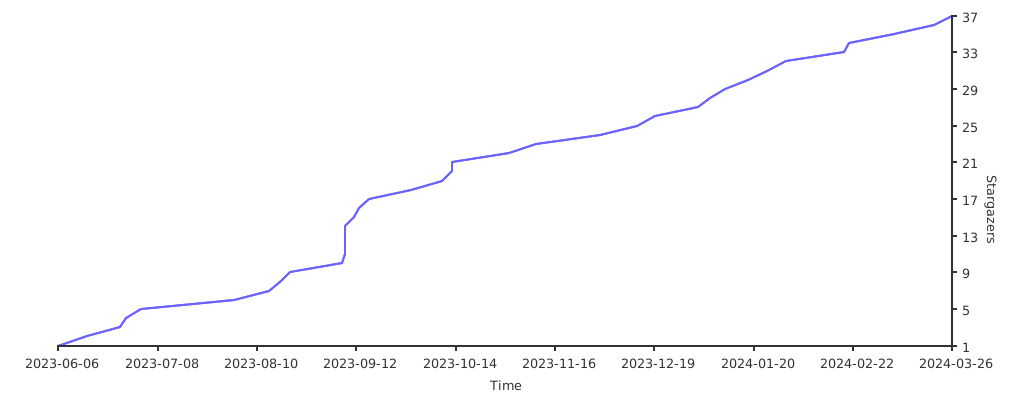
## Stargazers over time
[](https://starchart.cc/varown/react-antd-column-resize)