
# PI-Desktop
### A modular desktop workspace for AI agents
**Bring projects, agents, models, plugins, and workflows into one persistent desktop environment.**
Local-first · Model-agnostic · Plugin-powered · macOS / Windows / Linux
[](https://github.com/vastsa/PI-Desktop/releases/latest)
[](https://github.com/vastsa/PI-Desktop/releases)
[](https://github.com/vastsa/PI-Desktop/stargazers)
[](https://github.com/vastsa/PI-Desktop/actions/workflows/ci.yml)
[](LICENSE)
[](https://www.reddit.com/r/AIUO/)
**[Download](https://github.com/vastsa/PI-Desktop/releases/latest)** ·
[Documentation](https://pi-docs.aiuo.net/) ·
[Build a Plugin](docs/plugin-development.md) ·
[Screenshots](docs/guide/screenshots.md) ·
[简体中文](README.zh-CN.md)
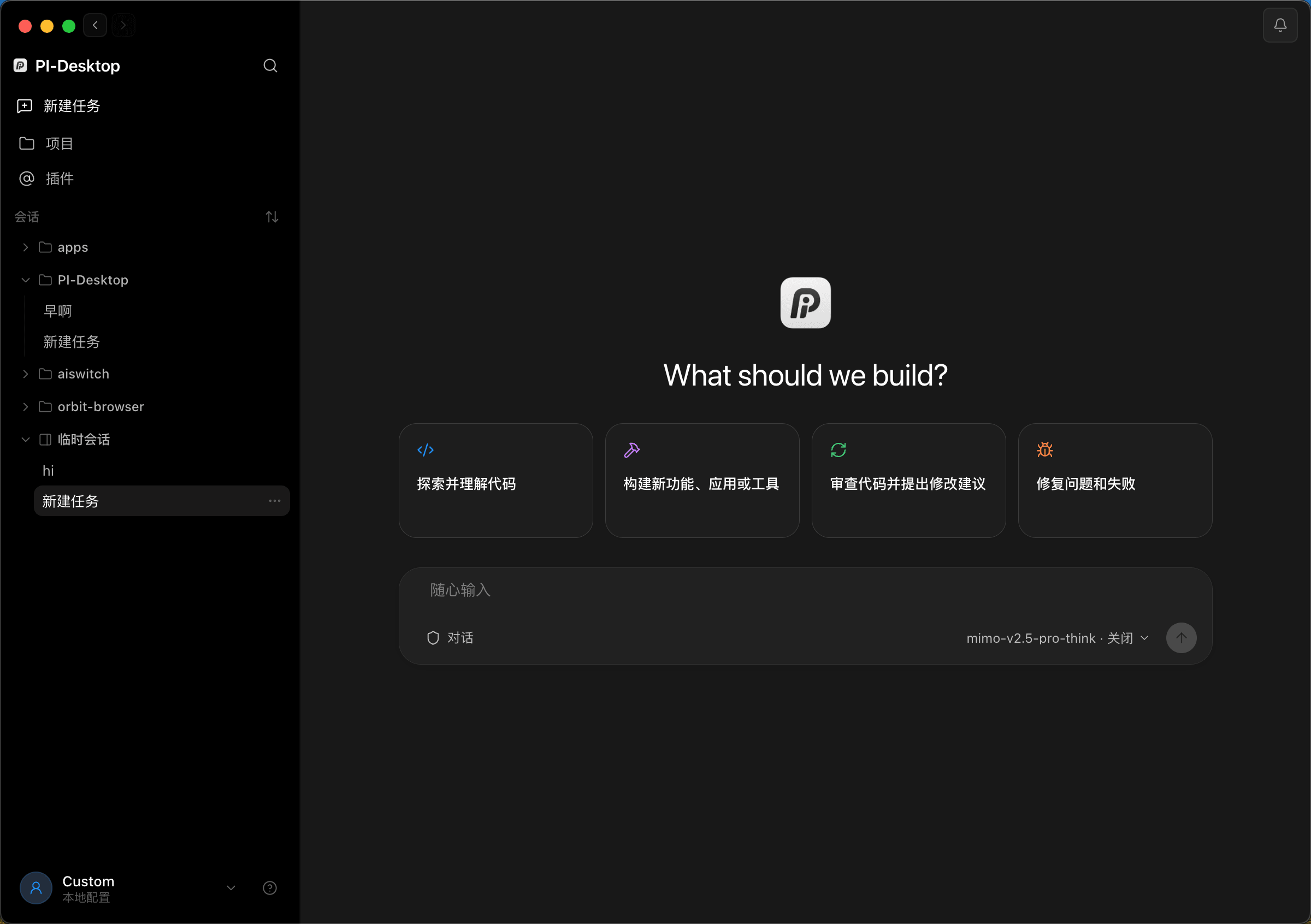
**Your projects stay local · Your models stay replaceable · Your workspace stays yours**
> **Current release line: 0.21.x (Early Preview).**
---
## Why PI-Desktop?
Terminal agents are great at execution. IDE agents are great at living inside an editor.
PI-Desktop goes one step further:
> **Give AI agents a persistent, independent, and extensible desktop workspace of their own.**
|
### Independent Workspace
No dependency on a specific IDE or terminal.
Projects, sessions, reviews, previews, and agents all live in their own workspace.
|
### Plugin-Powered
Plugins extend more than the agent.
Add panels, views, widgets, tools, MCP servers, themes, and background services.
|
### Agent Orchestration
One agent is not always enough.
Delegate to Subagents or coordinate full Worker Sessions in parallel.
|
### Model Freedom
Cloud models, local models, custom gateways, compatible APIs.
Switch models without rebuilding your workflow.
|
**It is not a wrapper around one model. It is not another IDE extension.**
### It is a desktop platform for agent workflows.
---
## Plugins are part of the workspace, not an afterthought
PI-Desktop keeps the Core focused.
**Your actual workflow is assembled through extensions.**
|
### Agent
Extend what the agent can do
**Agent Tools**
**Skills**
**Completion**
**pi Extensions**
|
### Workspace
Extend the desktop itself
**Commands**
**Panels**
**Work Panel Views**
**Floating Widgets**
**Themes**
|
### Platform
Extend the runtime
**MCP Servers**
**Resident Services**
**Plugin Message Bus**
|
A plugin does not have to be “just another tool.”
It can be an entire product:
```text
Voice Agent
├── Floating Widget
├── Speech Service
├── Agent Tool
└── Commands
GitHub Workspace
├── Work Panel
├── MCP Server
├── Agent Tools
└── Background Service
Session Analytics
├── Dashboard
├── Commands
└── Workspace View
```
### What can a plugin add?
| Capability | What it enables |
| ------------------- | -------------------------------------------------------------- |
| **Command** | Add actions to the global command system |
| **Panel** | Open a standalone plugin interface |
| **Floating Widget** | Build voice orbs, status lights, timers, and other floating UI |
| **Work Panel View** | Add new views to the right-side workspace |
| **Agent Tool** | Register tools callable by the agent |
| **Completion** | Use the models already configured by the user |
| **Skill** | Add reusable agent capabilities and workflows |
| **Theme** | Customize workspace appearance |
| **MCP Server** | Connect local or remote MCP servers |
| **Service** | Run persistent background work |
| **Message Bus** | Let plugins communicate with each other |
Plugins can be distributed as `.piplug` packages or installed through the marketplace.
### [Build your first plugin →](docs/plugin-development.md)
---
## One foundation, many workflows
```text
PI-Desktop
│
┌──────────────────┼──────────────────┐
│ │ │
Agent Workspace Platform
│ │ │
Agent Tools Panels MCP
Skills Widgets Services
Subagents Views Message Bus
pi Extensions Themes
│ │ │
└──────────────────┼──────────────────┘
│
Your Workflow
```
PI-Desktop can simply be your coding agent.
Or you can turn it into:
**AI Development Workspace · Voice Agent · DevOps Console · GitHub Workspace · Data Assistant · Multi-Agent Control Center · Automation Platform**
> **The Core provides the foundation. Plugins decide what your workspace becomes.**
---
## Three ways to work
|
### Agent
**Give it a task. Let it work.**
Read code, edit files, run commands, test, and iterate.
Best for day-to-day development.
|
### Plan
**Review the approach before execution.**
The agent studies the project first and produces an implementation plan.
Best for refactors and high-risk changes.
|
### Goal
**Define the outcome. Let the agent choose the path.**
Lock the objective and acceptance criteria, then let the agent drive execution.
Best for complex and long-running tasks.
|
Privileged operations still pass through PI-Desktop's permission layer.
---
## When one agent is not enough
Complex work should not be forced into one context window.
PI-Desktop provides two levels of delegation.
### Subagents
Delegate independent work to background agents:
**Code exploration · Implementation · Test analysis · Research · Review**
Each Subagent gets its own context and reports the result back to the parent agent.
### Session Orchestrator
For longer-lived work, delegate to full Worker Sessions.
```text
Main Session
│
├── Worker A
│ └── Frontend
│
├── Worker B
│ └── Backend
│
├── Worker C
│ └── Tests
│
└── Worker D
└── Review
```
Workers are full PI-Desktop sessions:
**Independent context · Independent execution · Directly inspectable · Reusable · Full transcript**
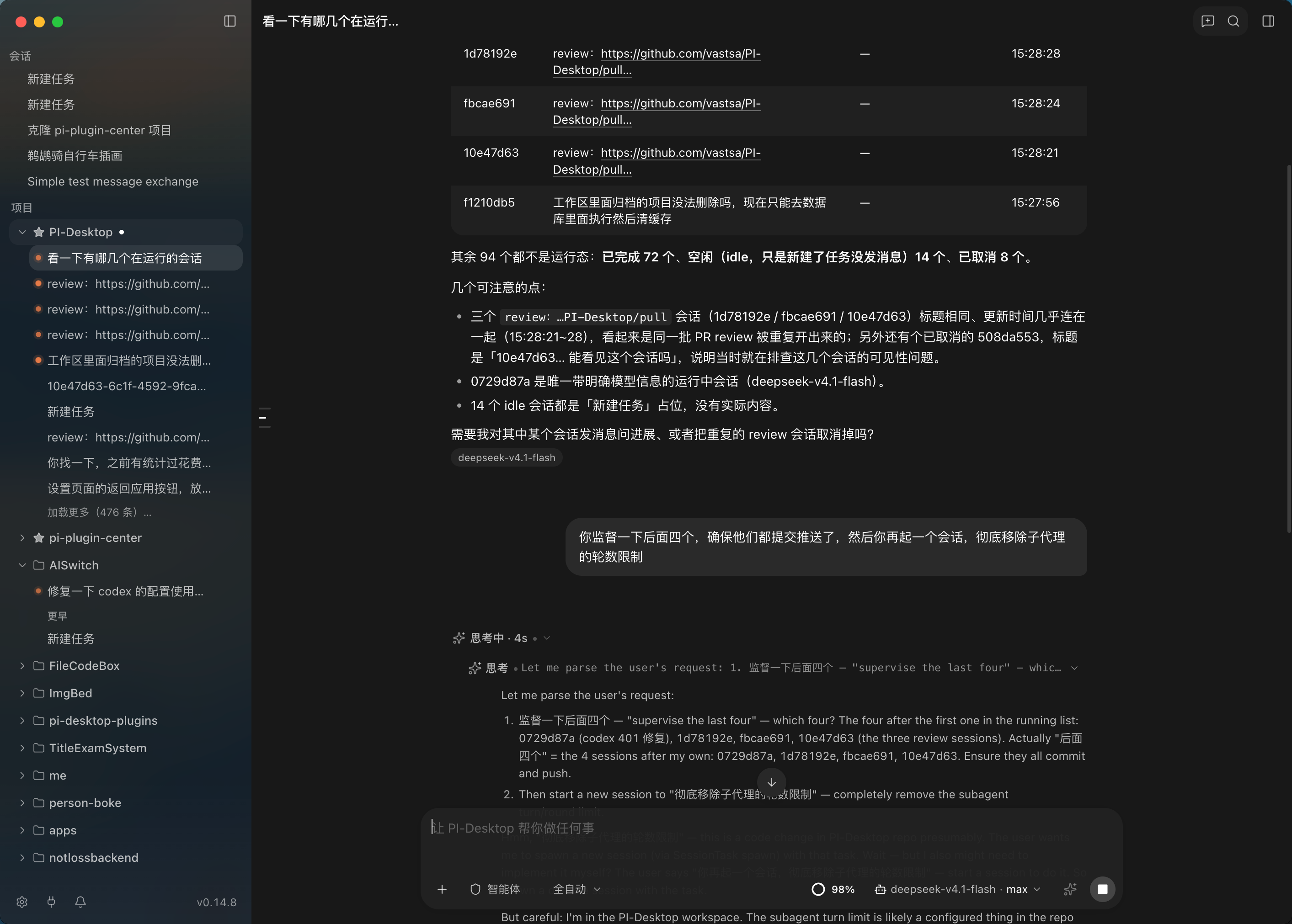
Coordinate multiple Worker Sessions from one parent Session
|
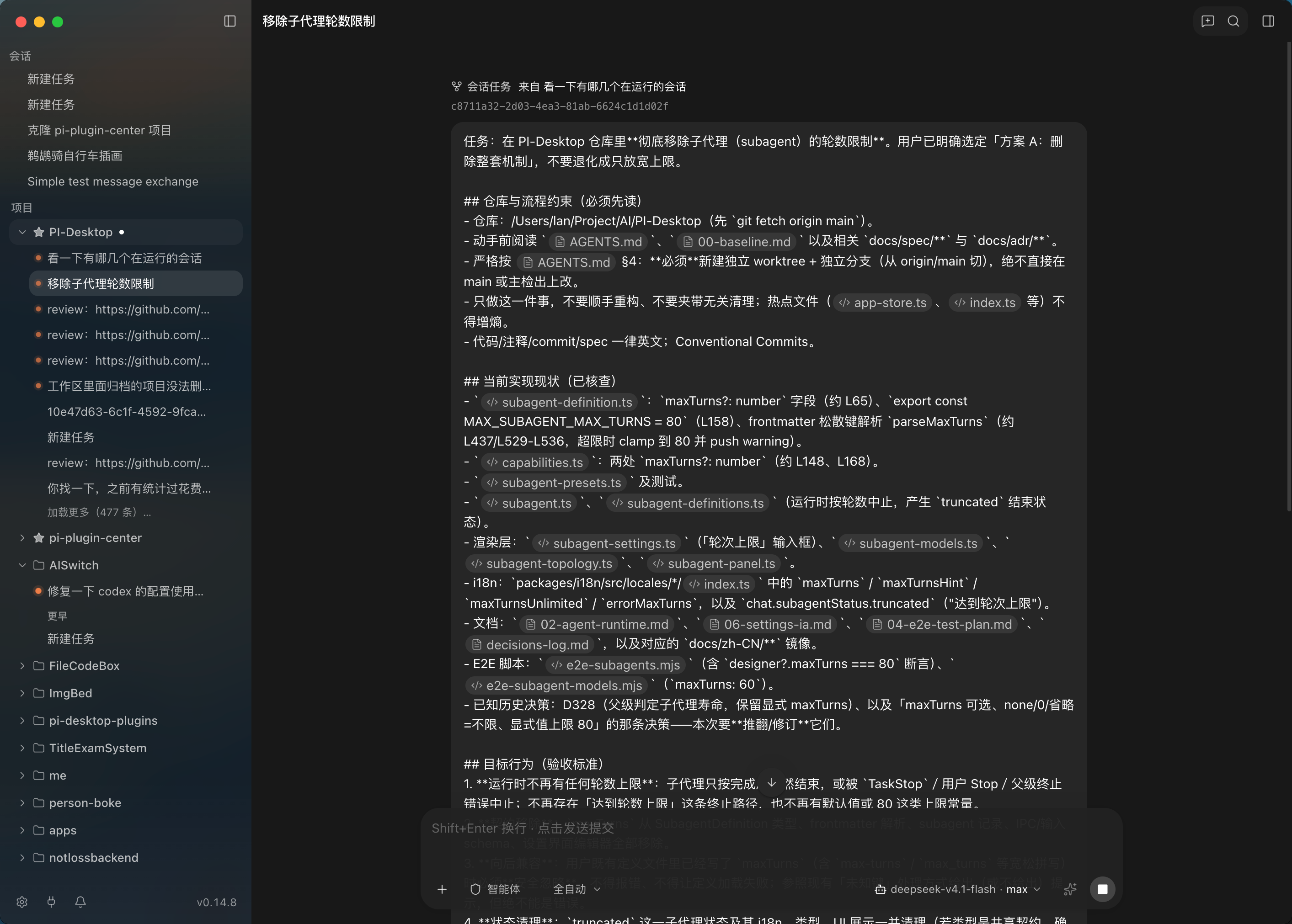
Each Worker remains a full, inspectable Session
|
**Move from “one agent helps me code” to “multiple agents divide and complete the work.”**
---
## Built for work that lasts
PI-Desktop is organized around:
### Project → Session → Agent → Work
—not around disposable chat threads.
You can:
* Manage multiple projects and sessions
* Pin, archive, branch, and search sessions
* Queue prompts while an agent is already running
* Reference project files with `@`
* Use slash commands
* Review diffs
* Inspect command output
* Work with the right-side Work Panel
* Keep streaming checkpoints
* Recover interrupted work whenever possible
**A Session can continue across multiple app launches.**
---
## See what the agent is doing
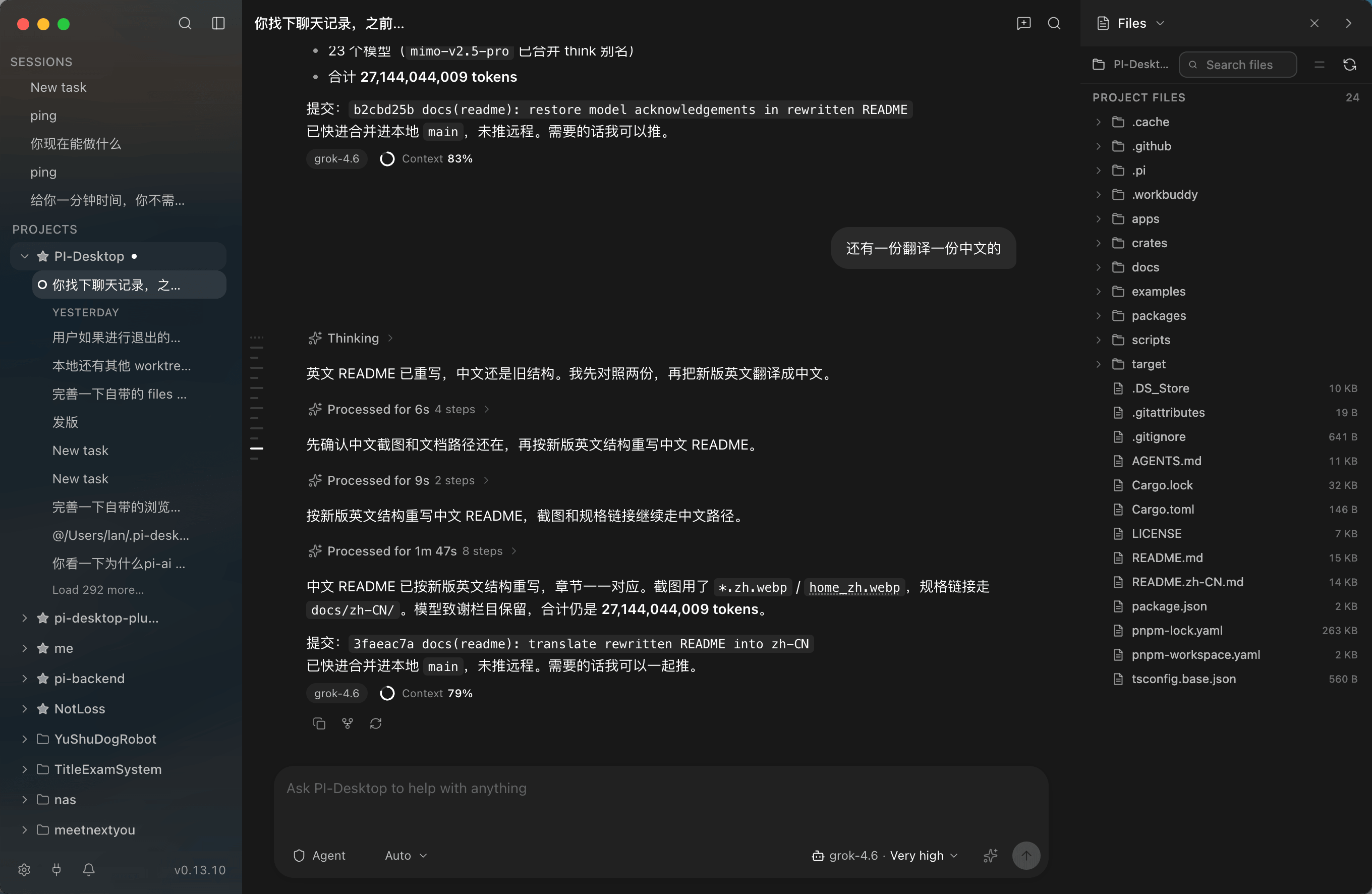
Persistent Sessions instead of disposable chats
|
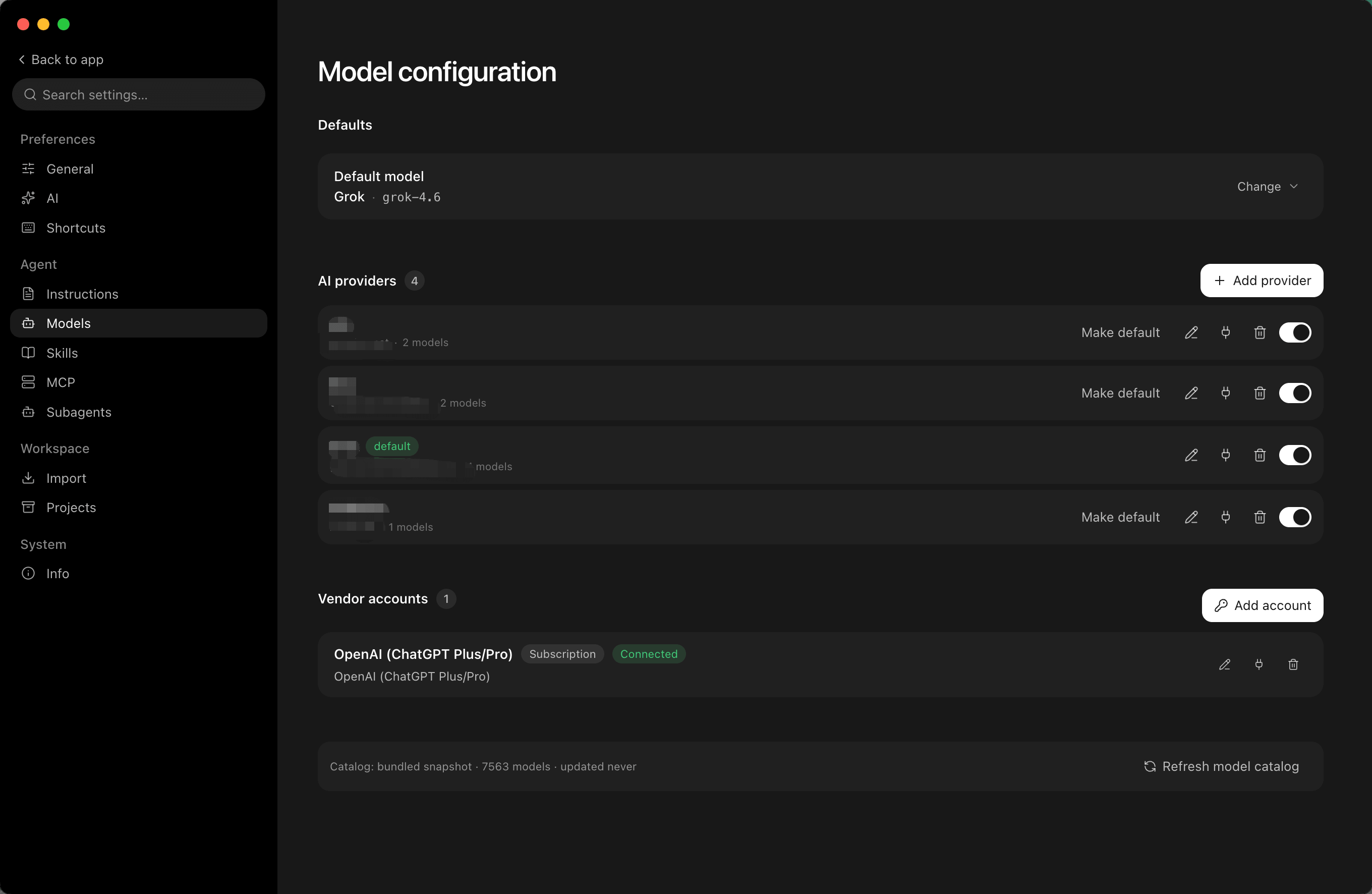
Switch models and reasoning levels inside the Session
|
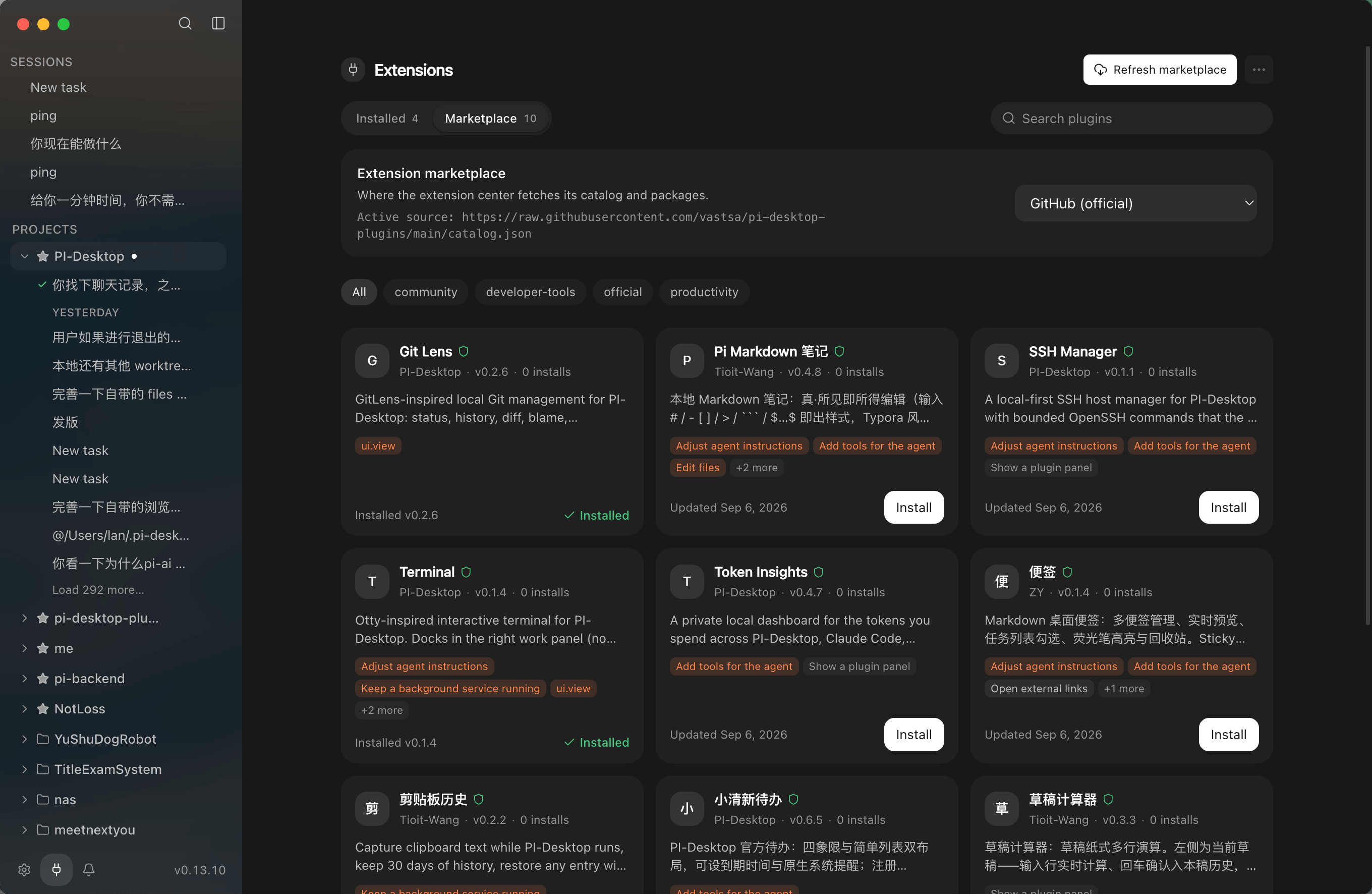
A plugin marketplace that extends both the agent and the desktop
|

Connect your own provider, gateway, or local model
|
**[Explore more screenshots →](docs/guide/screenshots.md)**
---
## Swap the model, keep the workflow
PI-Desktop does not tie your workflow to a single model vendor.
Use:
**OpenAI · Anthropic · OpenAI-Compatible APIs · Custom Gateways · Ollama · LM Studio · Local Models**
Configure each model independently:
**Provider · Model ID · Context Window · Output Limit · Reasoning / Thinking · Temperature · OAuth · API Key · Endpoint**
Different Sessions can use different models.
The same Session can switch models at any time.
```text
Planning → Model A
Coding → Model B
Review → Model C
Private Task → Local Model
```
> **The model is a replaceable component of the workflow — not the workflow itself.**
---
## Already using another coding agent?
Keep your existing work.
PI-Desktop can import local sessions from:
**Claude Code · Codex · OpenCode · Pi**
---
## Local-first
PI-Desktop does not require you to move your development environment into our cloud.
| Data | Default behavior |
| -------------------- | ----------------------------------------- |
| Projects | Local |
| Sessions | Local |
| Settings | Local |
| Logs | Local |
| API credentials | OS Keychain |
| PI-Desktop telemetry | None |
| Model requests | Sent directly to your configured provider |
**No mandatory PI-Desktop account.**
**No mandatory PI-Desktop relay.**
When using a remote model, the context required for the request is sent directly to that provider.
---
## You control the permissions
Agents can read files, edit code, run commands, call tools, use extensions, and delegate work.
Privileged operations still pass through the permission layer:
```text
Agent
↓
Tool Request
↓
Permission Layer
↓
Allow / Ask / Deny
↓
Execution
```
**You decide how much autonomy each Session gets.**
---
## Get started
|
### 01
**Download**
Install PI-Desktop
|
### 02
**Connect a model**
Configure a Provider
|
### 03
**Open a project**
Choose a local repository
|
### 04
**Start working**
Agent / Plan / Goal
|
### [Download PI-Desktop →](https://github.com/vastsa/PI-Desktop/releases/latest)
**macOS · Windows · Linux**
### Packages
| Platform | Architecture | Package |
| -------- | ------------- | --------------------------------------- |
| macOS | Apple Silicon | `.dmg` / `.zip` |
| macOS | Intel | `.dmg` / `.zip` |
| Windows | x64 | Installer / `.zip` |
| Linux | x64 / ARM64 | `.AppImage` / `.deb` / `.rpm` / `.asar` |
macOS releases are signed with a Developer ID certificate and notarized by Apple.
Linux Compatibility
Linux packages require **glibc 2.35+**.
Common supported distributions include:
* Ubuntu 22.04+
* Debian 12+
* Fedora 36+
Check your current version with:
```bash
ldd --version
```
---
## Built on Pi
PI-Desktop is built on the [pi](https://github.com/badlogic/pi-mono) ecosystem.
The Agent Runtime uses:
* `pi-ai`
* `pi-agent-core`
* `pi-coding-agent`
> **Pi provides the Agent Engine. PI-Desktop builds the persistent desktop workspace, sessions, permissions, plugins, and agent orchestration around it.**
---
## For Developers
PI-Desktop can also serve as a host platform for building agent products.
You can build:
**Plugins · MCP Servers · Skills · Agent Tools · pi Extensions · Themes · Panels · Floating Widgets · Background Services**
### Plugin quick start
Built-in templates include:
* `panel-basic`
* `agent-tool-basic`
* `skill-pack`
* `full-demo`
Plugins can be created and loaded directly as Development Plugins.
**[Plugin Development Guide →](docs/plugin-development.md)**
### Run from source
Development Setup
#### Requirements
* Node.js `>=22.19`
* pnpm `>=10`
* Stable Rust Toolchain
#### Start
```bash
git clone https://github.com/vastsa/PI-Desktop.git
cd PI-Desktop
pnpm install
cargo build -p host-core
pnpm build:js
pnpm dev
```
#### Validate
```bash
pnpm typecheck
pnpm lint
pnpm test
```
### Documentation
[Documentation](https://pi-docs.aiuo.net/) ·
[Architecture](docs/spec/02-architecture/01-architecture.md) ·
[Specification](docs/spec/README.md) ·
[Plugin Development](docs/plugin-development.md) ·
[E2E Test Plan](docs/spec/06-delivery/04-e2e-test-plan.md) ·
[Release Runbook](docs/spec/06-delivery/06-release-runbook.md) ·
[AGENTS.md](AGENTS.md)
---
## Contributing
Contributions are welcome:
**Issues · Pull Requests · Plugins · Skills · MCP Integrations · Documentation · Translations**
For standalone capabilities, consider one question first:
> **Would this be better as a Plugin?**
Keep the Core focused. Let the ecosystem grow.
**[Report an Issue](https://github.com/vastsa/PI-Desktop/issues/new/choose)** ·
[Open Issues](https://github.com/vastsa/PI-Desktop/issues) ·
[Build a Plugin](docs/plugin-development.md)
---
## Project Trend
---
## Friends
[Linux.Do](https://linux.do/) — A new ideal community
---
## Model Acknowledgements
> **Not by a lone genius, but by a token-powered construction crew.**
PI-Desktop has been built with the help of models from multiple providers.
More than **27 billion tokens** have been used across development, refactoring, review, design, and debugging.
Thanks to every human contributor — and every model that helped us build it.
---
## License
PI-Desktop is licensed under the **GNU Lesser General Public License v3.0**.
See [LICENSE](LICENSE) for details.
---
## PI-Desktop
### Build your own Agent workspace.
**Your models · Your agents · Your plugins · Your workspace**
**[Download](https://github.com/vastsa/PI-Desktop/releases/latest)** ·
[Documentation](https://pi-docs.aiuo.net/) ·
[Build a Plugin](docs/plugin-development.md)
Local-first · Model-agnostic · Plugin-powered