# Rogue Galaxy Recompiled
**Rogue Galaxy** (Level-5 / SCE, PlayStation 2) as a native Windows game: a
static recompilation of the USA release (SCUS-97490), built on
[PS2Recomp](https://github.com/ran-j/PS2Recomp). You build it from your own
disc image; nothing of the game is distributed.
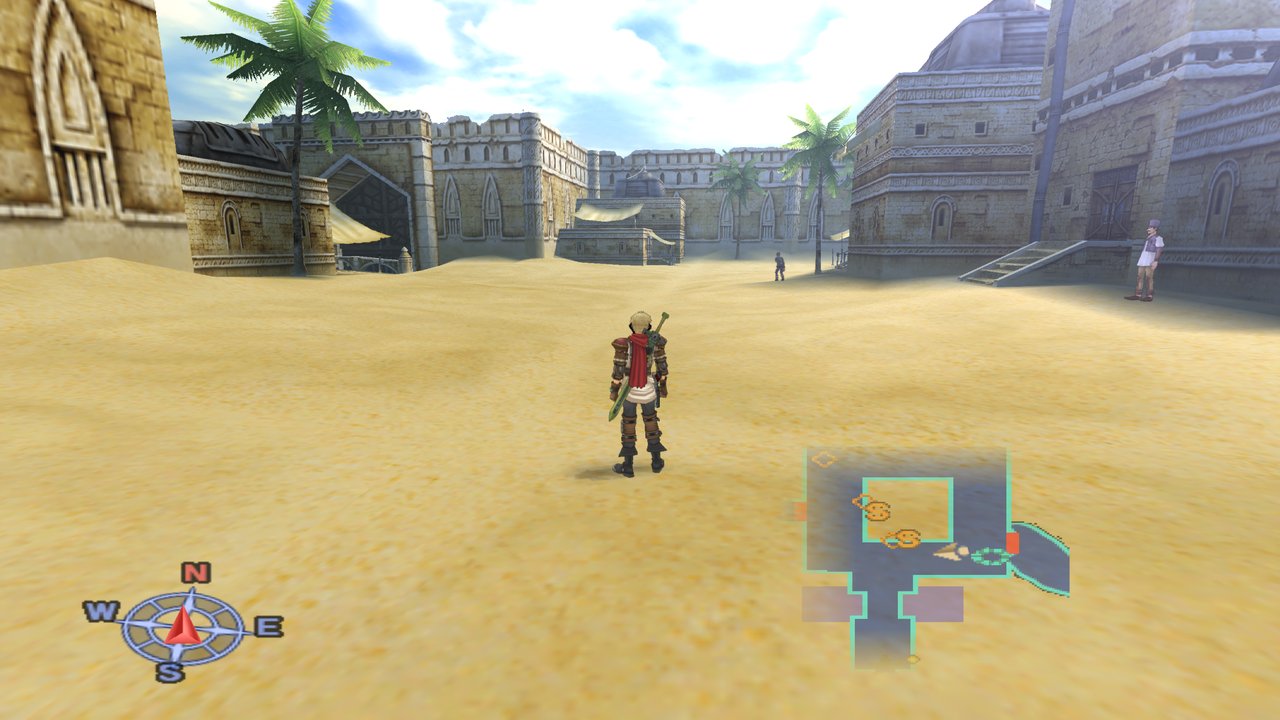
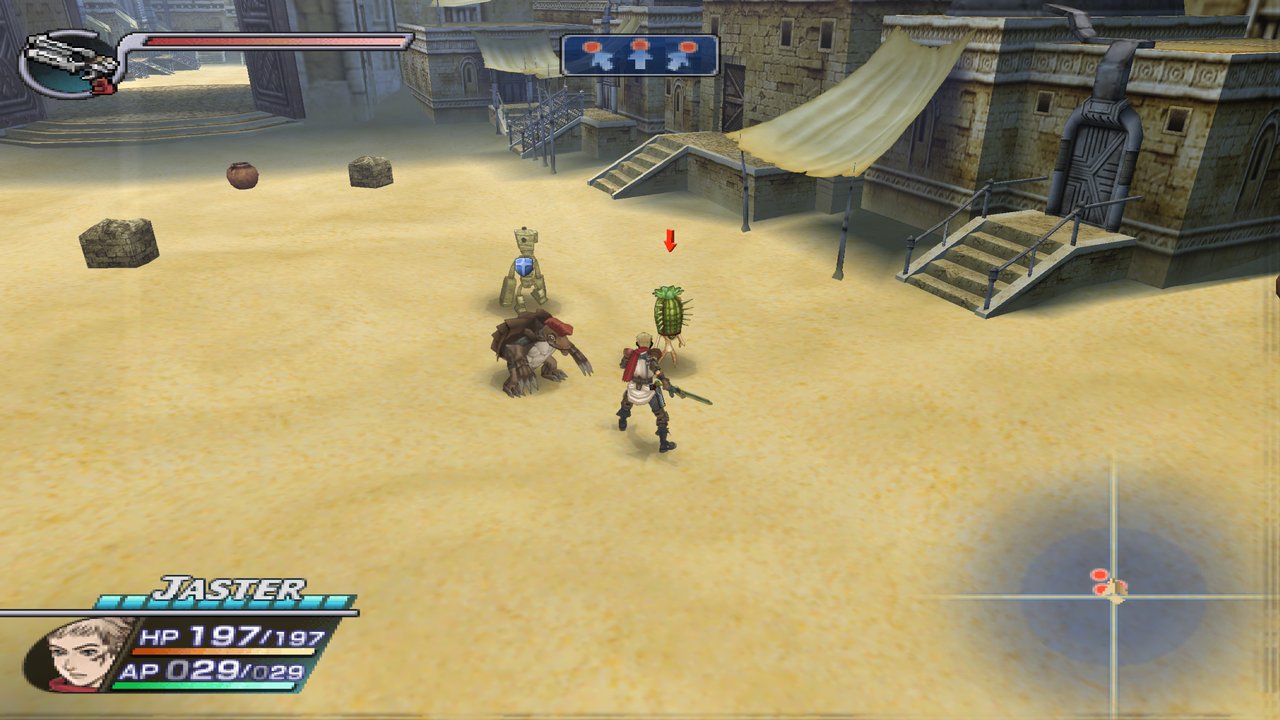
- 60 fps, or the original 30
- Widescreen, up to 32:9
- Up to 8x internal resolution
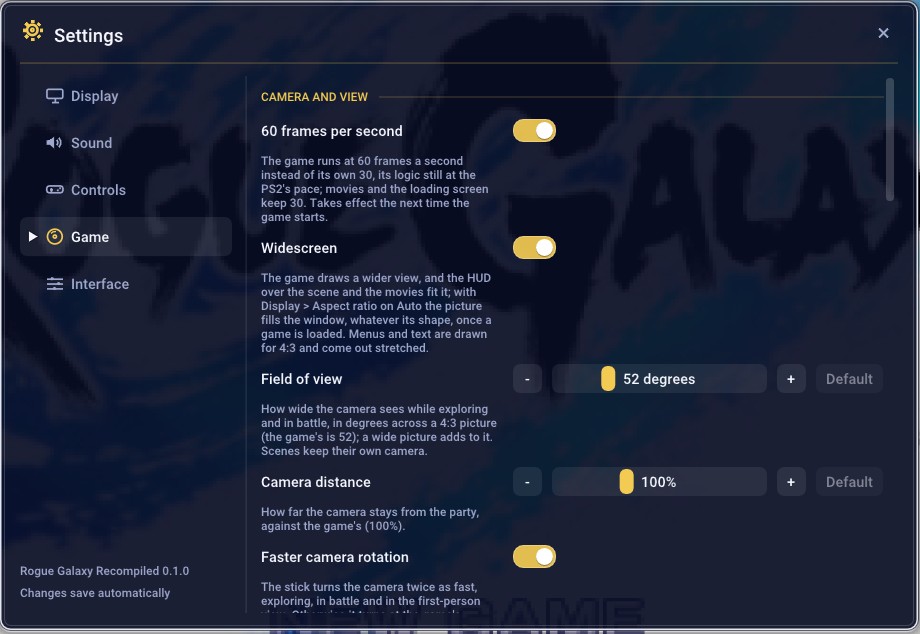
- An in-game menu (F1) for graphics, sound and controls
- Game options: camera, field of view, draw distance, instant text,
encounter rate, experience, money, item drops, shop prices and more
([all of them](docs/OPTIONS.md))
## What to expect
This is an early pre-release (0.1.0). The whole game is recompiled and
plays, but:
- **It has not been played from start to finish.** Most of the testing
covers the early game; later chapters, the Factory and Insectron have not
been checked, and something may break further in.
- **It has been tested on one PC** (Windows 11, an NVIDIA RTX 4070 Ti, an
Intel i7-10700K). Other graphics cards, AMD and Intel ones above all, and
slower PCs may behave differently.
- **Expect bugs**: graphics glitches, slowdowns, maybe a freeze. Save often,
in more than one slot, and copy your memory card (`disc\mc0`) now and
then.
- **Only the USA disc** (SCUS-97490) works.
Found a problem? Open an [issue](../../issues) with what you were doing and
the game's log, `build\last-run.log` (for the install, `install.log`). Each
start replaces the log; the one before is `build\last-run.prev.log`. Each
release's known issues are in the [CHANGELOG](CHANGELOG.md).
## Install (Windows)
You need Windows 10 or 11 (64-bit), about 16 GB free, an internet connection
and your own image of the disc: Rogue Galaxy, USA, SCUS-97490
([`docs/DISC.md`](docs/DISC.md)).
1. Download `RogueGalaxy-.zip` from the [releases](../../releases)
page (not "Source code").
2. Extract it to a short folder, such as `C:\RogueGalaxy`.
3. Double-click `Install.bat` and choose your disc image.
4. Wait about 20 minutes on a fast PC, up to an hour on a slower one: it
downloads the build tools (about 300 MB) into the folder, extracts your
disc and builds the game. Nothing is installed in Windows.
5. Play with `Rogue Galaxy.exe`.
If it stops, `install.log` says why; running `Install.bat` again continues
where it stopped. If an antivirus removes the compiler, restore it and run
it again. To uninstall, delete the folder (your saves are in `disc\mc0`).
### Undub (optional)
To play with the Japanese voices and movies, you also need your own image of
the Japanese Director's Cut (SCPS-17013). After `Install.bat`, double-click
`Install-Undub.bat` and choose that image (or drop it onto the file). It copies
the voices and movies, about 3 GB, into the folder. Then turn the undub on in
the game: F1 > Settings > Language.
### Update
The game says at start when a newer version is out, and F1 > Rogue Galaxy >
About links to it. Nothing changes by itself: to update, double-click
`Update.bat`. It downloads the newest release, replaces only the files that
changed and rebuilds what depends on them: a few minutes when little
changed, about as long as the first install when the new version changes
how the game's code is translated. The build tools stay unless the new
version needs newer ones. Your disc, saves (`disc\mc0`), settings
(`%APPDATA%\RogueGalaxy\Recompiled`), textures and the undub's files
(`disc\JA`) are not touched. `update.log` and `install.log` say what
happened. A zip downloaded by hand from the [releases](../../releases) page
can be dropped onto `Update.bat` instead.
Version 0.1.0 has no `Update.bat`, so the first update from it is by hand:
download the new `RogueGalaxy-.zip`, extract it where your game
folder is (for `C:\RogueGalaxy`, into `C:\`, so that the zip's `RogueGalaxy`
folder merges into yours; let Windows replace the files it asks about), then
double-click `Install.bat` again. It does not ask for the disc image. From
then on `Update.bat` is in the folder.
Updating into a fresh folder works too, but then the tools are downloaded,
the disc extracted and everything built again, as the first time; copy
`disc\mc0` (and `disc\mc1`) from the old folder to keep your saves.
## Controls
The game window takes a keyboard or a gamepad (PlayStation layout).
| Pad | Keyboard |
|---|---|
| Left stick | W A S D |
| D-pad | Arrow keys |
| ✕ / ○ / ▢ / △ | X or Space / C or Esc / Z / V |
| L1 / R1 / L2 / R2 | Q / E / Left Shift / Right Shift |
| Start / Select | Enter / Tab |
| Right stick | I J K L |
**F1** (or the Guide button, or Back+Start) opens the menu: display, sound,
controls, and the Game page with the options above. F11 or Alt+Enter
toggles fullscreen, F12 takes a screenshot. The options are also on the
game's own Settings screen (System > Settings, L1 and R1 to turn the page).
See [docs/OPTIONS.md](docs/OPTIONS.md) for each one.
## Roadmap
**Done, in 0.1.0**
- The whole game recompiled into native Windows code, built on your PC by
the installer from your own disc image
- 60 fps, with the parts of the game that count frames (jumps, enemies,
cutscenes, menus, the clock) fixed to keep their speed
- Widescreen up to 32:9, following the window's shape
- Internal resolution up to 8x
- The F1 menu: display, sound, keyboard and controller remapping, and the
game options, also on the game's own Settings screen
- Fixes for the freezes, falls through the floor and graphics errors found
so far
**In progress**
- Xbox buttons in the game's text
- New options (weapon growth, minimap and compass size) and a notice when a
new version is out
- Fixes: the free camera getting the game stuck, a choppy walk in the later
parts of Salgin
- Improving performance: the heaviest battles and some bosses still drop
below 60 fps
- A native Linux build, for Linux PCs and the Steam Deck (the Windows build
through Proton is prepared but untested:
[BUILDING.md](docs/BUILDING.md#steam-deck-untested))
- The European release's languages and the Japanese voices, read from your
own disc of that version (being studied)
**Planned**
- Turning the camera with the mouse
- Faster Factory scenes, as with the transporters
## More
- [CHANGELOG.md](CHANGELOG.md): what each release brings, and its known issues
- [docs/OPTIONS.md](docs/OPTIONS.md): the menu and every game option
- [docs/BUILDING.md](docs/BUILDING.md): building by hand, and the project's layout
- [docs/DEVELOPMENT.md](docs/DEVELOPMENT.md): the debug launchers, profiling and
the environment variables
- [docs/STATUS.md](docs/STATUS.md): how the work went, and what the game needs
## Legal
You must own the game. No game data, BIOS or disc-derived files are part of
this repository: `disc/` and disc images are gitignored and must never be
committed.
## Credits
- [PS2Recomp](https://github.com/ran-j/PS2Recomp) by ran-j, and the
[fork](https://github.com/Sinan-Karakaya/PS2Recomp) by Sinan Karakaya.
- [DQ8-Recompiled](https://github.com/Sinan-Karakaya/DQ8-Recompiled) by Sinan
Karakaya, the reference for MWo3 overlays on PS2Recomp, and the source of
the SDL3 GPU GS backend and the in-game menu in `thirdparty/dq8-gfx`.
- [Dear ImGui](https://github.com/ocornut/imgui) by Omar Cornut (MIT), which
the menu is drawn with, and its Roboto Medium font (Apache 2.0).
- [RGDecomp](https://github.com/Dorgengoa/RGDecomp) (CC0), the function maps
and names for this build (`config/SCUS_974.90/functions_*.csv` derive from
it).
- [Redump](http://redump.org/disc/6567/) and [PCSX2](https://github.com/PCSX2/pcsx2)
(GameDB, patches) for disc and hardware notes.
## License
GPL-3.0, the same as PS2Recomp, which the built executable links. See
[`LICENSE`](LICENSE).