## See it in action
https://github.com/user-attachments/assets/04056f61-d2e7-4eb8-b0e4-48a342b298d3
---
## Why Shire?
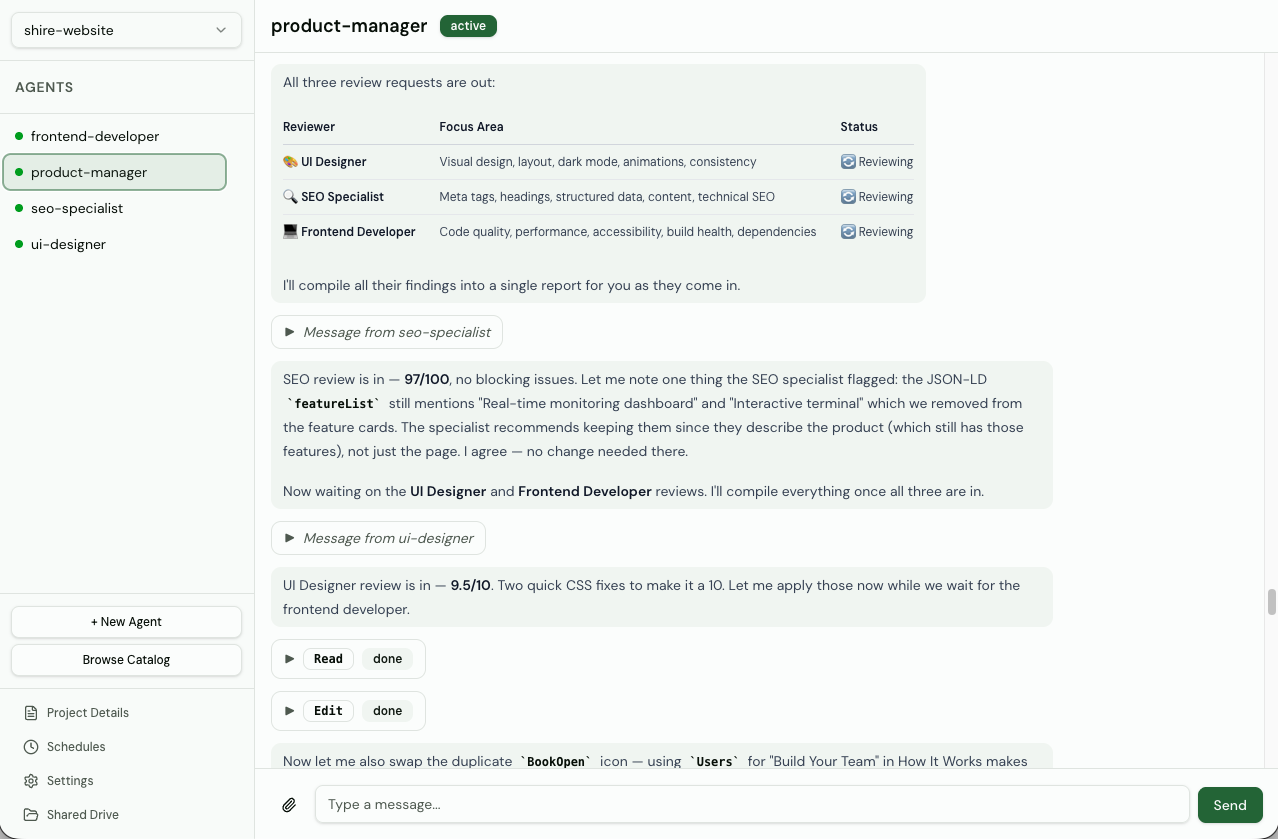
Most AI agent tools follow the same pattern — you give an instruction, an agent executes it, you get the output. The agent disappears. Next time, you start from scratch. Shire is different. Your agents persist between sessions. They communicate with each other autonomously. They build on yesterday's work. You give feedback, iterate, adjust direction — like working with a real team.
- **Works with any model** — Not locked to one AI provider. Supports Claude Code, OpenCode, Pi Agent, and Codex. Shire is the infrastructure layer — bring whatever model fits your workflow.
- **Autonomous agent communication** — Agents discover peers and collaborate on their own — no orchestrator required. Direct messaging, shared context, real teamwork between agents.
- **Community catalog** — Browse and deploy from a community-maintained library of pre-built agent templates. Powered by [agency-agents](https://github.com/msitarzewski/agency-agents). Get a capable team running in seconds.
- **Shared drive** — A communal filesystem across all agents for collaborative work on shared artifacts.
- **Scheduled tasks** — Automate agent work with one-time or recurring scheduled messages. Set custom intervals and let agents run on autopilot.
- **Alert channels** — Get notified when agents need attention. Send alerts to Discord, Slack, or Telegram — configured per project.
- **Agent skills** — Upload custom tools and instructions that extend what your agents can do. Skills persist per-agent across sessions.
- **Multi-project architecture** — Organize agents into projects, each with its own shared drive, settings, and environment.
- **Real-time dashboard** — Monitor, chat with, and manage agents from a live web UI with streaming updates.
- **Optional authentication** — Protect your instance with username/password login. JWT-based with automatic token refresh, rate limiting, and secure cookie handling. Disabled by default for local use.
## Tech Stack
| Layer | Technology |
| --------------- | --------------------------------------------------------------------------- |
| Runtime | [Bun](https://bun.sh) |
| Backend | Hono, Drizzle ORM, SQLite |
| Frontend | React 19, React Router 7, shadcn/ui (Radix), Tailwind CSS 4, TanStack Query |
| Bundler | Bun (fullstack dev server + production builds) |
| Agent Harnesses | Claude Code SDK, OpenCode SDK, Pi Agent SDK, Codex SDK |
| Scheduling | node-schedule (cron-based) |
| Testing | Bun test + Testing Library + happy-dom + MSW |
| Validation | Zod, TypeScript strict mode |
## Installation
Install Shire globally via npm — no other dependencies required:
```bash
npm install -g agents-shire
shire
```
Visit [localhost:8080](http://localhost:8080) to open the dashboard.
This installs a standalone binary for your platform (macOS, Linux, or Windows). All data is stored at `~/.shire/`.
### Setting Up Agent Harnesses
Shire supports multiple agent harnesses. Each agent is configured with a harness type in the dashboard.
#### Claude Code
Install [Claude Code](https://claude.ai/download) and authenticate via one of:
```bash
# Interactive login (opens browser)
claude login
# Or set an environment variable
export ANTHROPIC_API_KEY=sk-ant-...
# or
export CLAUDE_CODE_OAUTH_KEY=...
```
#### OpenCode
Install [OpenCode](https://opencode.ai) and set the API key for the provider you want to use:
```bash
# Install OpenCode
npm install -g opencode
# Set an API key (same environment variables as Pi Agent)
export ANTHROPIC_API_KEY=sk-ant-...
# or
export OPENAI_API_KEY=sk-...
```
OpenCode auto-detects API keys from environment variables and `.env` files. Shire automatically manages the OpenCode server process — no manual `opencode serve` setup required.
**Model format:** OpenCode requires the `provider/model` format (e.g. `anthropic/claude-sonnet-4-6`, `openrouter/google/gemini-2.5-pro`). This differs from the other harnesses which accept just the model name.
See the [OpenCode provider docs](https://opencode.ai/docs/providers/) for the full list of supported providers and models.
#### Pi Agent
The [Pi Agent](https://github.com/badlogic/pi-mono) harness uses the `@mariozechner/pi-coding-agent` SDK, which supports a wide range of AI providers. Set the API key for the provider you want to use as an environment variable:
| Provider | Environment Variable |
| ---------- | -------------------- |
| Anthropic | `ANTHROPIC_API_KEY` |
| OpenAI | `OPENAI_API_KEY` |
| Google | `GOOGLE_API_KEY` |
| Groq | `GROQ_API_KEY` |
| xAI | `XAI_API_KEY` |
| Mistral | `MISTRAL_API_KEY` |
| OpenRouter | `OPENROUTER_API_KEY` |
You can also store keys in `~/.pi/agent/auth.json` (takes precedence over env vars):
```json
{
"anthropic": { "type": "api_key", "key": "sk-ant-..." },
"openai": { "type": "api_key", "key": "sk-..." }
}
```
See the [Pi Agent docs](https://github.com/badlogic/pi-mono/blob/main/packages/coding-agent/docs/providers.md) for the full list of supported providers and subscription services.
#### Codex
Install the [Codex CLI](https://github.com/openai/codex) and set your OpenAI API key:
```bash
# Install Codex
npm install -g @openai/codex
# Set the API key
export OPENAI_API_KEY=sk-...
```
Codex uses OpenAI models (e.g. `o4-mini`, `gpt-4.1`, `codex-mini`). See the [Codex docs](https://developers.openai.com/codex/cli) for more details.
## Getting Started (Development)
### Prerequisites
- [Bun](https://bun.sh) (v1.3.11+)
- [Claude Code](https://claude.ai/download) (only if using the `claude_code` harness)
- [OpenCode](https://opencode.ai) (only if using the `opencode` harness)
- [Codex CLI](https://github.com/openai/codex) (only if using the `codex` harness)
### Quick Start
```bash
git clone https://github.com/victor36max/shire.git && cd shire
bun install
bun run dev
```
Visit [localhost:8080](http://localhost:8080) to open the dashboard.
By default, Shire uses **SQLite** for storage. Agents run as local processes on your machine — no external services required. All data is stored at `~/.shire/`.
---