# VT Code
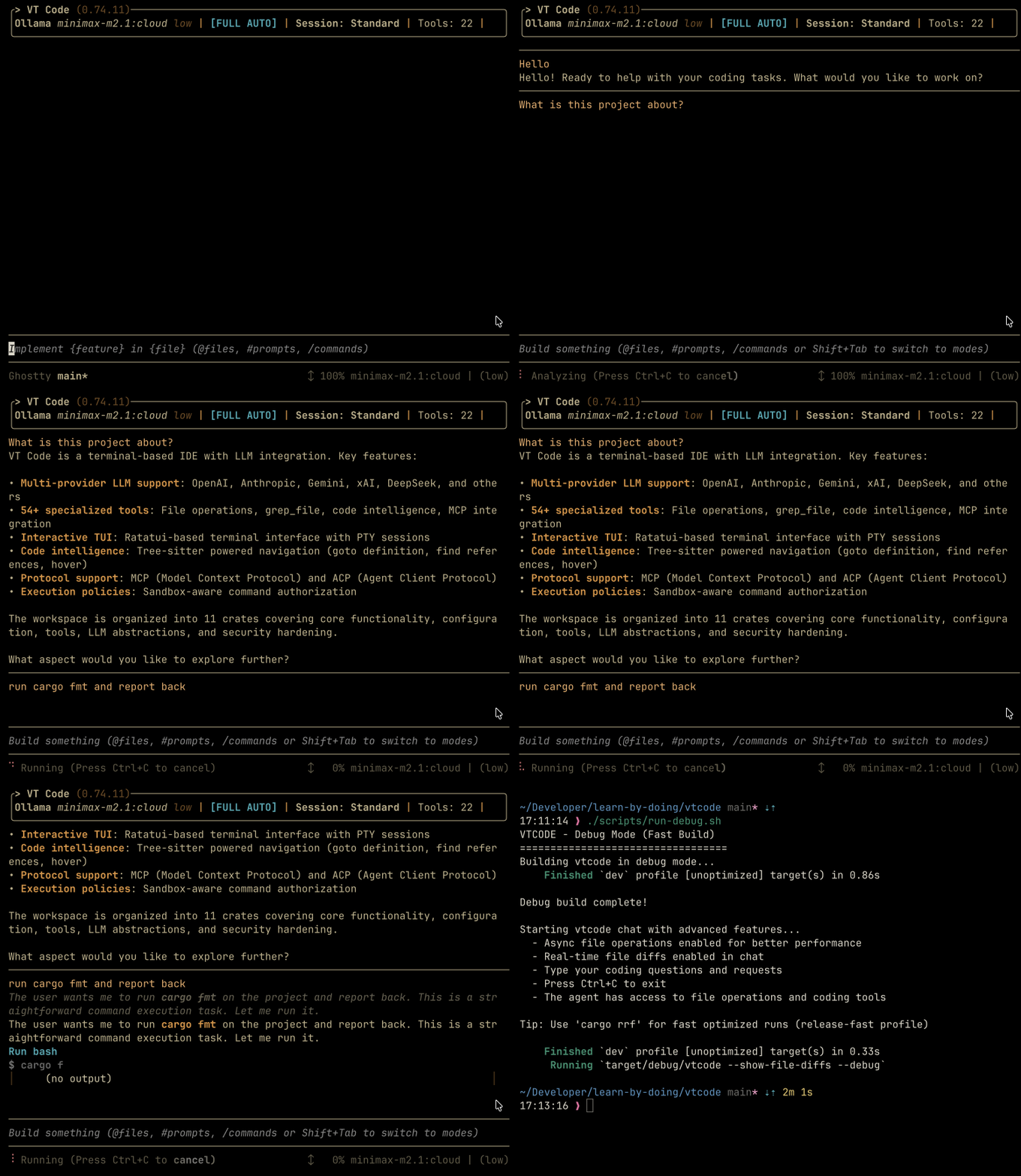
VT Code **An open-source terminal coding agent built in Rust.** Plan, run, and review coding work from your terminal, with hosted or local models, sandboxed execution, and resumable sessions. [![GitHub release](https://img.shields.io/github/release/vinhnx/vtcode.svg)](https://github.com/vinhnx/vtcode/releases) [![Rust](https://img.shields.io/badge/rust-1.98.1%2B-000000?style=flat-square&logo=rust&logoColor=white)](https://github.com/vinhnx/VTCode) [![License](https://img.shields.io/badge/License-MIT_OR_Apache--2.0-30363D?style=flat-square)](#license) [![Agent Skills](https://img.shields.io/badge/Agent_Skills-BFB38F?style=flat-square)](https://agentskills.io/) [![Agent Client Protocol](https://img.shields.io/badge/Agent_Client_Protocol-383B73?style=flat-square&logo=zedindustries&logoColor=white)](./docs/guides/zed-acp.md) [![Model Context Protocol](https://img.shields.io/badge/Model_Context_Protocol-A63333?style=flat-square&logo=modelcontextprotocol&logoColor=white)](./docs/guides/mcp-integration.md) [![Agent Plugins](https://img.shields.io/badge/Agent_Plugins-5865F2?style=flat-square)](./docs/guides/agent-plugins.md) [![Ask DeepWiki](https://deepwiki.com/badge.svg)](https://deepwiki.com/vinhnx/vtcode) VT Code demo: plan, then review changes in the terminal


Contents - [VT Code](#vt-code) - [Overview](#overview) - [Quick start](#quick-start) - [1. Install](#1-install) - [2. Configure your project](#2-configure-your-project) - [3. Run your first task](#3-run-your-first-task) - [Usage](#usage) - [Interactive](#interactive) - [Headless](#headless) - [Scheduled tasks](#scheduled-tasks) - [Sessions](#sessions) - [Integrations](#integrations) - [Documentation](#documentation) - [Development](#development) - [Contributing](#contributing) - [Security](#security) - [Community](#community) - [Security Advisors](#security-advisors) - [Main Contributor](#main-contributor) - [Core Contributors](#core-contributors) - [Contributors](#contributors) - [Resources](#resources) - [Share VT Code](#share-vt-code) - [Sponsorship](#sponsorship) - [License](#license)
## Overview Explore a codebase, plan changes, run tools, and review edits in the interactive TUI, or run `vtcode exec` headless. Pick your model and set your permissions; the runtime handles context management, tools, and execution policy. | At a glance | What you get | | ---------------- | ------------------------------------------------------------------------------------------ | | **Planning** | [Plan read-only](./docs/guides/planning-workflow.md), then review turn diffs. | | **Safety** | [Auditable command policy](./docs/security/SECURITY_MODEL.md) and sandboxing. | | **Long runs** | [Headless exec](./docs/user-guide/exec-mode.md) with compaction, resumption, and logs. | | **Integrations** | [MCP](./docs/guides/mcp-integration.md), Skills, plugins, and editor bridges. | | **Models** | [Hosted or local providers](./docs/README.md#provider-index), chosen per task. | The sections below follow that arc: install, configure, run a first task, then go deeper. ## Quick start Requirements: macOS, Linux, or Windows/WSL. The Cargo path also needs Rust 1.98.1+ (edition 2024). ### 1. Install ```bash curl -fsSL https://raw.githubusercontent.com/vinhnx/VTCode/main/scripts/install.sh | bash ``` The installer also sets up `ripgrep` and `ast-grep` on macOS/Linux. Or use Homebrew or Cargo: ```bash brew trust vinhnx/tap brew install vinhnx/tap/vtcode # Or install with Rust (requires Rust 1.98.1+) cargo install vtcode ``` Verify the install with `vtcode --version`, then see the [installation guide](./docs/installation/README.md) for prerequisites, other methods, and the installer script to review before running. > [!NOTE] > Windows artifacts are best-effort and may lag behind macOS/Linux. ### 2. Configure your project In your project, initialize configuration and instructions, then add provider credentials. For example, with OpenAI: ```bash cd path/to/your/project vtcode init # scaffolds config + AGENTS.md; review before committing vtcode secret add openai # stores an OpenAI API key in your OS keyring ``` Replace `openai` with your provider. Credentials can also come from environment variables or a workspace `.env`; `vtcode login` handles supported login flows. See [Getting started](./docs/user-guide/getting-started.md) and [Provider guides](./docs/providers/PROVIDER_GUIDES.md). > [!NOTE] > ChatGPT OAuth reuses the Codex CLI's public client identity via an unofficial compatibility flow; prefer your > own OpenAI API key. GitHub Copilot uses the official `copilot` CLI. See > [OAuth authentication](./docs/guides/oauth-authentication.md). > [!CAUTION] > Never commit API keys or put them in `vtcode.toml`. ### 3. Run your first task ```bash vtcode # open the interactive TUI in your project ``` Start with a focused request, such as "Explain how this project handles authentication," then review the diff and test results before committing. See [Usage](#usage) for automation and session commands, or [getting started](./docs/user-guide/getting-started.md) for a guided tour. ## Usage ### Interactive Use `vtcode` to explore, plan, and implement changes in the TUI. For larger tasks, start with [read-only planning](./docs/guides/planning-workflow.md), then review [turn diffs](./docs/development/diff-preview.md) before committing. See the [interactive guide](./docs/user-guide/interactive-mode.md) for controls. After a task, `/explain` reviews outcome, changes, decisions, verification, and review priorities without another model call: - `/explain --details` adds evidence. - `/explain diagram` shows execution relationships. - `/explain --web` opens the browser view with an offline fallback. - `/explain --export html` saves a standalone report. Scopes and report options: [explanation usage](./docs/user-guide/commands.md#execution-explanations). ### Headless Run tasks without the TUI: `ask` for a tool-free answer, `exec` for a tool-enabled coding task, and `review` for uncommitted changes: ```bash vtcode ask "explain Rc vs Arc" # one-shot answer, no session, no tools vtcode exec "refactor main.rs" # headless task with the full tool loop vtcode review # agent review of uncommitted changes ``` `exec` requires `[automation.full_auto]` plus `full_auto` workspace trust. Terminals prompt for trust; non-TTY runs fail unless `VTCODE_TRUST_WORKSPACE=full-auto` is set. The tool allow-list, explicit denies, and execution policy still apply. See [exec mode](./docs/user-guide/exec-mode.md) and [full automation](./docs/guides/full-automation.md) for trust, output, and configuration details. For repeatable, environment-checked results, use the [eval framework](./docs/guides/eval.md). A completion message alone is not verification. ### Scheduled tasks For recurring work, use [scheduled tasks](./docs/user-guide/scheduled-tasks.md): durable prompt jobs on the same exec runtime. ```bash # Weekly dependency audit (Mondays 09:00) vtcode schedule create --name "weekly-dep-audit" \ --cron "0 9 * * 1" \ --prompt "Check for outdated dependencies and report known vulnerabilities" ``` ### Sessions Resume or inspect earlier work from the same commands: ```bash # Resume the most recent interactive session vtcode continue # Continue the last headless run with a follow-up prompt vtcode exec resume --last "continue the refactor" # Inspect the execution log vtcode trajectory ``` Use `vtcode continue --session-id ` to fork an earlier session. ## Integrations Enable these only when you need them; none are required for the quick start. | Integration | What it gives you | | --------------------------------------------- | --------------------------------------------------------------------------------------------------------------------------------------------------------------------------------------------------------------------------------------------------------------------------------- | | [MCP](./docs/guides/mcp-integration.md) | Connect external tools and data sources. | | [Agent Skills](./docs/skills/SKILLS_GUIDE.md) | Load reusable prompt packages on demand. | | [Plugins](./docs/guides/agent-plugins.md) | Extend the agent with plugin manifests. | | [ACP with Zed](./docs/guides/zed-acp.md) | Drive VT Code from the Zed editor. | | [WebMCP](./docs/user-guide/webmcp.md) | Pair the TUI with an authenticated browser editor via `/webmcp pair `; the hosted app ([site](https://vtcode.vinhnx.chatgpt.site/), [mirror](https://vinhnx.github.io/VTCode/)) connects through this bridge. See the [deployment reference](./docs/reference/webmcp.md). | | [Memcode MCP](./docs/guides/memcode-mcp.md) | Carry context between tasks; see the [design write-up](https://memcode.in/blogs/vt-code-memory-across-threads). | ## Documentation Guides by task; the full catalog lives in the [documentation index](./docs/INDEX.md), the [docs overview](./docs/README.md), and the [Wiki](https://github.com/vinhnx/VTCode/wiki): | Goal | Guides | | -------------------- | -------------------------------------------------------------------------------------------------------------------------------------------------------------------------------------------------------------------------------------------------------------------------------------------------------------- | | Get started | [Installation](./docs/installation/README.md) · [Getting started](./docs/user-guide/getting-started.md) · [Providers](./docs/providers/PROVIDER_GUIDES.md) · [OAuth login](./docs/guides/oauth-authentication.md) · [FAQ](./docs/FAQ.md) · [Compatibility](./docs/COMPATIBILITY.md) | | Work in the TUI | [TUI](./docs/user-guide/interactive-mode.md) · [Command reference](./docs/user-guide/commands.md) · [Planning](./docs/guides/planning-workflow.md) · [Turn diffs](./docs/development/diff-preview.md) · [Configuration](./docs/config/CONFIG_FIELD_REFERENCE.md) · [Safety](./docs/security/SECURITY_MODEL.md) | | Automate | [Exec mode](./docs/user-guide/exec-mode.md) · [Full automation](./docs/guides/full-automation.md) · [Scheduled tasks](./docs/user-guide/scheduled-tasks.md) · [Hooks](./docs/guides/hooks-guide.md) | | Extend and integrate | [Skills](./docs/skills/SKILLS_GUIDE.md) · [Plugins](./docs/guides/agent-plugins.md) · [MCP](./docs/guides/mcp-integration.md) · [Editors (ACP)](./docs/guides/zed-acp.md) · [WebMCP](./docs/user-guide/webmcp.md) · [Memcode](./docs/guides/memcode-mcp.md) | | Develop and evaluate | [Development](./docs/development/README.md) · [Testing](./docs/development/testing.md) · [Evals](./docs/guides/eval.md) · [Architecture](./docs/ARCHITECTURE.md) · [Protocols](./docs/protocols/OPEN_RESPONSES.md) · [Loop engineering](./docs/project/PLAN-loop-engineering.md) | ## Development ```mermaid graph LR BIN[vtcode binary] --> CORE[vtcode-core harness] BIN --> EVAL[vtcode-eval] CORE --> LLM[vtcode-llm] CORE --> SAFETY[vtcode-safety] CORE --> EVENTS[vtcode-exec-events] CORE --> CONFIG[vtcode-config] CORE --> MEMORY[vtcode-memory] CORE --> UI[vtcode-ui] ``` The full 23-crate map lives in the [architecture guide](./docs/ARCHITECTURE.md). Building requires Rust 1.98.1+ (edition 2024); tests need `cargo-nextest`: ```bash git clone https://github.com/vinhnx/VTCode.git cd VTCode ./scripts/run-debug.sh # build and launch a debug binary ./scripts/check-dev.sh # fast gate: clippy, fmt, check cargo nextest run # tests (requires cargo-nextest) ``` CI sets `RUSTFLAGS="-D warnings"` and builds with `--locked`; match locally with `RUSTFLAGS="-D warnings" cargo check --locked`. Setup and checks: [development overview](./docs/development/README.md) and the [testing guide](./docs/development/testing.md). Release binaries and notes: [GitHub releases](https://github.com/vinhnx/VTCode/releases). ## Contributing Contributions are welcome in every form: - **Code**: pick or propose an issue; keep changes surgical and tested. - **Docs**: every user-facing feature lands with its documentation. - **Evals**: new suites and regression cases are high-leverage; see the [eval guide](./docs/guides/eval.md). - **Bug reports**: include `vtcode trajectory` output when possible. Before a PR, see the [contribution guide](./docs/CONTRIBUTING.md): Conventional Commits (`type(scope): subject`), `./scripts/check-dev.sh` + `cargo nextest run`, and a focused diff. ## Security Report vulnerabilities privately via [GitHub private vulnerability reporting](https://github.com/vinhnx/VTCode/security/advisories/new); never open a public issue. Details: [security policy](./docs/SECURITY.md). ## Community Thanks to everyone who builds, tests, and improves VT Code. For partnerships and collaboration, reach the maintainer at `vinhnguyen2308 [at] gmail [dot] com`; bugs and feature requests belong in [GitHub Issues](https://github.com/vinhnx/VTCode/issues).
View all contributors ### Security Advisors @glmgbj233  @nnfrog  ### Main Contributor @kernitus  ### Core Contributors @7jrxt42BxFZo4iAnN4CX  @oiwn  @Sachin-Bhat  @chenrui333  @xcrong  @netbrah  @mouse-value-add  @leonj1  @gzsombor  ### Contributors @ct-jaryn  @vivekgupta-memcode  @S2thend  @uiYzzi  @TuanLe-bk18  @Sanjays2402  @RobertBorg  @raphamorim  @poelzi  @morler  @ForrestThump  @EvoLinkAI  @ericcurtin  @diegosouzapw 
Want to see your avatar here? Every bit counts: one-line fixes, bug reports, and feedback are all welcome. [Report a bug](https://github.com/vinhnx/VTCode/issues/new?template=bug_report.md) · [Request a feature](https://github.com/vinhnx/VTCode/issues/new?template=feature_request.md) · [Share feedback](https://github.com/vinhnx/VTCode/discussions) · [Star the repo](https://github.com/vinhnx/VTCode/stargazers) · [Contribute](./docs/CONTRIBUTING.md) #### Resources - [Building VT Code, a year in](https://huggingface.co/blog/vinhnx90/building-vtcode-a-year-in): harness design, evals, security, and lessons learned. - [Podcast](https://www.youtube.com/watch?v=XLoswcd5rH0) · [Video](https://www.youtube.com/watch?v=PvL_kPjgU6o) #### Share VT Code If VT Code helped you ship something, telling other developers is the easiest way to support it: [Share on X](https://twitter.com/intent/tweet?text=VT%20Code%20is%20an%20open-source%20coding%20agent%20for%20your%20terminal&url=https%3A%2F%2Fgithub.com%2Fvinhnx%2Fvtcode) · [Share on Hacker News](https://news.ycombinator.com/submitlink?u=https%3A%2F%2Fgithub.com%2Fvinhnx%2Fvtcode&t=VT%20Code%20%E2%80%93%20Open-source%20coding%20agent%20for%20your%20terminal) · [Share on LinkedIn](https://www.linkedin.com/sharing/share-offsite/?url=https%3A%2F%2Fgithub.com%2Fvinhnx%2Fvtcode) · [Share via Email](mailto:?subject=VT%20Code%3A%20open-source%20coding%20agent%20for%20your%20terminal&body=Check%20out%20VT%20Code%2C%20an%20open-source%20coding%20agent%20for%20your%20terminal%3A%20https%3A%2F%2Fgithub.com%2Fvinhnx%2Fvtcode) · [Share via SMS](sms:?&body=Check%20out%20VT%20Code%2C%20an%20open-source%20coding%20agent%20for%20your%20terminal%3A%20https%3A%2F%2Fgithub.com%2Fvinhnx%2Fvtcode) #### Sponsorship VT Code is maintained in spare time; a [sponsorship](https://github.com/sponsors/vinhnx) keeps it independent.
[![@dnhn](https://avatars.githubusercontent.com/u/2561973?s=80)](https://github.com/dnhn)  [![@codemod](https://avatars.githubusercontent.com/u/78830094?s=80)](https://github.com/codemod)  [![@coderabbitai](https://avatars.githubusercontent.com/u/132028505?s=80)](https://github.com/coderabbitai)  [![@KhaiRyth](https://avatars.githubusercontent.com/u/273723951?s=80)](https://github.com/KhaiRyth) [![GitHub Sponsors](https://img.shields.io/badge/Sponsor-30363D?style=for-the-badge&logo=github-sponsors&logoColor=%23EA4AAA)](https://github.com/sponsors/vinhnx) [![Buy Me a Coffee](./resources/screenshots/qr_donate.png)](https://buymeacoffee.com/vinhnx)
## License First-party code is **MIT OR Apache-2.0** under [LICENSE](LICENSE). Third-party code keeps its original licenses, listed in [THIRD-PARTY-NOTICES](THIRD-PARTY-NOTICES).