
The V Programming Language
[vlang.io](https://vlang.io)
| [Docs](https://github.com/vlang/v/blob/master/doc/docs.md)
| [Changelog](https://github.com/vlang/v/blob/master/CHANGELOG.md)
| [Speed](https://fast.vlang.io/)
| [Contributing & compiler design](https://github.com/vlang/v/blob/master/CONTRIBUTING.md)
[![Sponsor][SponsorBadge]][SponsorUrl]
[![Patreon][PatreonBadge]][PatreonUrl]
[![Discord][DiscordBadge]][DiscordUrl]
[![X][XBadge]][XUrl]
[![Modules][ModulesBadge]][ModulesUrl]
## Key Features of V
- Simplicity: the language can be learned over the course of a weekend
- Fast compilation: ≈110k loc/s with a Clang backend,
≈500k loc/s with native and tcc backends *(Intel i5-7500, SSD, no
optimization)* ([demo video](https://www.youtube.com/watch?v=pvP6wmcl_Sc))
- Easy to develop: V compiles itself in less than a second
- Performance: as fast as C (V's main backend compiles to human-readable C)
- Safety: no null, no globals, no undefined behavior (wip), immutability by default
- C to V translation ([Translating DOOM demo video](https://www.youtube.com/watch?v=6oXrz3oRoEg))
- Hot code reloading
- [Flexible memory management](https://vlang.io/#memory). GC by default, manual via `v -gc none`,
arena allocation via `v -prealloc`, autofree via `v -autofree`
([autofree demo video](https://www.youtube.com/watch?v=gmB8ea8uLsM)).
- [Cross-platform UI library](https://github.com/vlang/ui)
- Built-in graphics library
- Easy cross-compilation
- REPL
- [Built-in ORM](https://github.com/vlang/v/blob/master/doc/docs.md#orm)
- [Built-in web framework](https://github.com/vlang/v/blob/master/vlib/veb/README.md)
- C and JavaScript backends
- Great for writing low-level software ([Vinix OS](https://github.com/vlang/vinix))
## Stability, future changes, post 1.0 freeze
Despite being at an early development stage, the V language is relatively stable, and doesn't
change often. But there will be changes before 1.0.
Most changes in the syntax are handled via vfmt automatically.
The V core APIs (primarily the `os` module) will also have minor changes until
they are stabilized in V 1.0. Of course, the APIs will grow after that, but without breaking
existing code.
After the 1.0 release V is going to be in the "feature freeze" mode. That means no breaking changes
in the language, only bug fixes and performance improvements. Similar to Go.
Will there be V 2.0? Not within a decade after 1.0, perhaps not ever.
To sum it up, unlike many other languages, V is not going to be always changing, with new features
introduced and old features modified. It is always going to be a small and simple
language, very similar to the way it is right now.
## Installing V from source
**This is the preferred method.**
### Linux, macOS, Windows, \*BSD, Solaris, WSL, etc.
Usually, installing V is quite simple if you have an environment that already has a
functional `git` installation.
Note: On Windows, run `makev.bat` instead of `make` in CMD, or `./makev.bat` in
PowerShell.
To build with Visual Studio, run `makev.bat -msvc`. If the bundled TCC bootstrap cannot be
compiled or fails while building the next compiler stage, the script retries with MSVC,
then Clang and GCC.
`makev.bat -clang` keeps Clang's installed target: LLVM-MinGW uses its GNU runtime,
while Visual Studio's Clang uses the adjacent `clang-cl.exe` and the MSVC SDK.
Note: On FreeBSD, OpenBSD, NetBSD, DragonFly, and Solaris, install GNU `make` and run it as
`gmake`.
Note: On Ubuntu/Debian, you may need to run `sudo apt install git build-essential make` first.
To get started, execute the following in your terminal/shell:
```bash
git clone --depth=1 https://github.com/vlang/v
cd v
make
```
That should be it, and you should find your V executable at `[path to V repo]/v`.
`[path to V repo]` can be anywhere.
On Unix-like systems, `make` and the `v self` bootstrap fallback stream compatibility fixes
for older `vc/v.c` snapshots to the C compiler. These match the peak RSS helper's return type
to `i64`, guard Linux-only `prctl` code, and teach pre-`uint` compilers the new integer
spelling and allocator signatures. The snapshot stays unchanged on disk.
The compatibility filter uses the system `sh`; Bash is not required.
On Windows, builds use PowerShell to prepare a temporary snapshot with the same integer
compatibility fixes. `makev.bat` generates the first compiler stage as C and links it directly.
This also works with older bootstrap snapshots whose process-spawn code is broken.
Direct TCC links add the installed bundle's `thirdparty\tcc\lib\openlibm.o`, when present,
for C99 math functions such as `remainder`. Each bundle ships this object for its own compiler,
so an existing amd64 or i386 checkout links a matching object even when it differs from the
branch selected by the host, `-tcc32`, or `TCC_BRANCH`.
For paths longer than 260 characters, see [Long paths on Windows](doc/windows_long_paths.md).
(Like the note above says, on Windows, use `makev.bat`, instead of `make`.)
Now try running `./v run examples/hello_world.v` (or `v run examples/hello_world.v` in cmd shell).
- *Trouble? Please see the notes above, and link to
[Installation Issues](https://github.com/vlang/v/discussions/categories/installation-issues)
for help.*
Note: V is being constantly updated. To update V to its latest version, simply run:
```bash
v up
```
This also refreshes the bundled TCC binaries used for fast C compilation.
Previously cached modules are validated with the updated compiler. Successful checks that
produce no output remain quiet; `Caching module ...` reports actual C compilation.
Different build configurations can compile the same module separately.
Use `v up -v` to show progress for every checked cache configuration, including reused objects.
> [!NOTE]
> If you run into any trouble, or you have a different operating
> system or Linux distribution that doesn't install or work immediately, please see
> [Installation Issues](https://github.com/vlang/v/discussions/categories/installation-issues)
> and search for your OS and problem.
>
> If you can't find your problem, please add it to an existing discussion if one exists for
> your OS, or create a new one if a main discussion doesn't yet exist for your OS.
### Void Linux
```bash
# xbps-install -Su base-devel
# xbps-install libatomic-devel
$ git clone --depth=1 https://github.com/vlang/v
$ cd v
$ make
```
### Docker
Official images for V are published as [`thevlang/vlang`](https://hub.docker.com/r/thevlang/vlang),
built from [`vlang/docker`](https://github.com/vlang/docker):
```bash
docker run --rm -it -v "$PWD":/src -w /src thevlang/vlang:latest
```
The release workflow targets these variants; each tag is available after successful publication:
| Tag | Base | Notes |
| --- | --- | --- |
| `:latest`, `:debian` | Debian | the default: programs built here run on Debian, Ubuntu, Fedora |
| `:alpine` | Alpine | musl; use this one for static executables |
| `:nix` | `nixos/nix` | pinned nixpkgs toolchain; `nix-shell -p ` works inside |
| `:static-` | `scratch` | a static V compiler; base for compiled static programs |
| `:-dev` | the `-build` image | a full V checkout; excludes the `scratch` static variant |
Release builds target both `linux/amd64` and `linux/arm64`. Podman reads the same
Dockerfiles and needs no daemon, so `podman build -f ... .` works too;
In rootless mode, Podman maps the container's root user to your user, so files written
into a mounted source tree stay owned by you.
Manual release publishing accepts a numeric release tag such as `0.5.2`, or a `weekly.*` tag.
The input is limited to 120 characters so each generated Docker image tag fits its limit.
To build one locally instead:
```bash
git clone --depth=1 https://github.com/vlang/v
cd v
docker build -t vlang .
docker run --rm -it vlang:latest
```
### Docker with Alpine/musl
```bash
git clone --depth=1 https://github.com/vlang/v
cd v
docker build -t vlang_alpine - < Dockerfile.alpine
alias with_alpine='docker run -u 1000:1000 --rm -it -v .:/src -w /src vlang_alpine:latest'
```
Compiling *static* executables, ready to be copied to a server, that is running
another linux distro, without dependencies:
```bash
with_alpine v -prod -cc gcc -cflags -static -compress examples/http_server.v
with_alpine v -prod -cc gcc -cflags -static -compress -gc none examples/hello_world.v
ls -la examples/http_server examples/hello_world
file examples/http_server examples/hello_world
examples/http_server: ELF 64-bit LSB executable, x86-64, version 1 (SYSV), statically linked, no section header
examples/hello_world: ELF 64-bit LSB executable, x86-64, version 1 (SYSV), statically linked, no section header
```
You should see something like this:
```
-rwxr-xr-x 1 root root 16612 May 27 17:07 examples/hello_world
-rwxr-xr-x 1 root root 335308 May 27 17:07 examples/http_server
```
### FreeBSD
On FreeBSD, V needs `boehm-gc-threaded` and GNU `make` packages preinstalled. After installing
them, use `gmake` to build V:
```bash
pkg install boehm-gc-threaded gmake
git clone --depth=1 https://github.com/vlang/v
cd v
gmake
```
### OpenBSD
On OpenBSD (release 7.8), V needs `boehm-gc` and `openssl-3.5` packages preinstalled. After
installing them, use GNU `make` (installed with `gmake` package), to build V.
```bash
pkg_add boehm-gc openssl%3.5 gmake
git clone --depth=1 https://github.com/vlang/v
cd v
gmake
```
### Termux/Android
On Termux, V needs some packages preinstalled - a working C compiler, also `libexecinfo`,
`libgc` and `libgc-static`. After installing them, you can use the same script, like on
Linux/macos:
```bash
pkg install clang libexecinfo libgc libgc-static tcc make git
pkg update
git clone --depth=1 https://github.com/vlang/v
cd v
make
./v symlink
```
Note: there is *no* need for `sudo ./v symlink` on Termux (and sudo is not installed by default).
For faster development builds, keep the Termux `tcc` package installed; V will use it by default
when no compatible bundled `thirdparty/tcc` binary is available on the host.
### C compiler
The [Tiny C Compiler (tcc)](https://repo.or.cz/w/tinycc.git) is downloaded for you by `make` if
there is a compatible version for your system, and installed under the V `thirdparty` directory.
For regular non-production builds on supported hosts, V prefers a working bundled TCC, then a
working `tcc` from `PATH`, before using the platform compiler. The system fallback is selected only
when required V runtime artifacts are available, including the bundled `libgc.a` used by default
glibc and Windows Boehm builds.
On macOS, regular builds and `v self` use TCC by default, including on Darwin 27 and later.
Use a current TCC bundle built with the Mach-O zero-fill fix for
[#29744](https://github.com/vlang/v/issues/29744); older bundles can corrupt global variables.
An explicit `-cc` overrides the default, and `CC` also overrides the compiler used by `v self`.
`-prod` builds never default to TCC, which cannot do their optimizations. On x64 Windows,
without `-cc`, a `-prod` build uses MSVC when an x64 Visual Studio Developer environment is
active (`cl` on `PATH`, with `INCLUDE` and `LIB` set; not for `-o file.o`), otherwise a `clang`
that targets x86_64 MinGW, otherwise `gcc`. A native `-prod` build on another Windows
architecture uses `gcc`. An explicit `-cc` always wins.
An explicit `-cc msvc` on Windows does not need a Developer environment. When `INCLUDE` or `LIB`
is not set, V finds the Visual Studio C++ tools (the `cl` on `PATH`, `VCToolsInstallDir`, or the
newest installation `vswhere` reports) and the Windows SDK (`WindowsSdkDir`, the `KitsRoot10`
registry value, or `Program Files (x86)\Windows Kits\10`). Expandable registry values use the
current environment. V puts a `cl` for the architecture V
builds for on `PATH` when none is there, or when the one there is for another architecture (unless
`-cc` names it by its path), and sets the missing variables for the C compiler. Variables that are
already set, as in a Developer Command Prompt, are left as they are. The program that `v run`
starts gets the environment it was started with, not these changes. If V cannot find tools for
the requested architecture or a usable SDK, it reports what is missing before `cl` fails.
On macOS, `-cc tcc -gc boehm` uses a persistent bundled `libgc.dylib` store when the physical V
installation path contains a comma. The store is under `$XDG_DATA_HOME/v-tcc-libgc-v1`, or
`$HOME/.local/share/v-tcc-libgc-v1` when the XDG variable is unset or empty. V creates the fallback
directories with private permissions. An explicit `XDG_DATA_HOME` must already be absolute,
user-owned, not group/world-writable, and have a safe, comma-free canonical path. Compiled binaries
can depend on this store at runtime, so do not delete it while they are in use.
This compiler is very fast, but does almost no optimizations. It is best for development builds.
For production builds (using the `-prod` option to V), it's recommended to use clang, gcc, or
Microsoft Visual C++. If you are doing development, you most likely already have one of those
installed.
Otherwise, follow these instructions:
- [Installing a C compiler on Linux and macOS](https://github.com/vlang/v/wiki/Installing-a-C-compiler-on-Linux-and-macOS)
- [Installing a C compiler on Windows](https://github.com/vlang/v/wiki/Installing-a-C-compiler-on-Windows)
### Symlinking
> [!NOTE]
> It is *highly recommended*, that you put V on your PATH. That saves
> you the effort to type in the full path to your v executable every time.
> V provides a convenience `v symlink` command to do that more easily.
On Unix systems, it creates a `v` symlink in `/usr/local/bin` by
default. To do that, run:
```bash
sudo ./v symlink
```
You can also pass a different directory, for example:
```bash
./v symlink ~/.local/bin
```
On Windows, start a new shell with administrative privileges, for example by pressing the
Windows Key, then type `cmd.exe`, right-click on its menu entry, and choose `Run as
administrator`. In the new administrative shell, cd to the path where you have compiled V, then
type:
```bat
v symlink
```
(or `.\v symlink` in PowerShell)
You can pass a different directory there too, for example
`v symlink C:\Users\you\bin`.
That will make V available everywhere, by adding it to your PATH. Please restart your
shell/editor after that, so that it can pick up the new PATH variable.
> [!NOTE]
> There is no need to run `v symlink` more than once - v will still be available, even after
> `v up`, restarts, and so on. You only need to run it again if you decide to move the V repo
> folder somewhere else.
## Editor/IDE Plugins
- [Atom](https://github.com/vlang/awesome-v#atom)
- [CodeLite](doc/codelite.md)
- [Emacs](https://github.com/vlang/awesome-v#emacs)
- [JetBrains](https://plugins.jetbrains.com/plugin/20287-vlang/docs/syntax-highlighting.html)
- [Sublime Text 3](https://github.com/vlang/awesome-v#sublime-text-3)
- [Vim](https://github.com/vlang/awesome-v#vim)
- [Vim/Neovim Runtime Files](editors/vim)
- [VS Code](https://marketplace.visualstudio.com/items?itemName=VOSCA.vscode-v-analyzer)
- [Zed](https://github.com/lv37/zed-v)
To bring IDE functions for the V programming languages to your editor, check out
[v-analyzer](https://github.com/vlang/v-analyzer). It provides language server capabilities.
`v ls --check` reports whether the VLS launcher has an installed, executable language server.
It exits successfully when none is installed. Use `--path` to check a specific executable.
## Testing and running the examples
Make sure V can compile itself:
```bash
$ v self
$ v
V 0.3.x
Use Ctrl-C or `exit` to exit
>>> println('hello world')
hello world
>>>
```
`v self` defaults to `-gc none` and includes only the C backend. Selecting an omitted backend
automatically builds and runs a cached full compiler. Later requests reuse it while its sources
are current. Use `v -all-backends self` or `v -compile-backend fastc self` to include optional
backends in the main executable. Pass `-gc ` if you need a different GC mode.
On non-Windows hosts, `v -prod self` uses profile-guided optimization (PGO) when the selected C
compiler is Clang and `llvm-profdata` is available. Clang's reported installation directory and
resolved executable directory are searched before `PATH` and macOS `xcrun` for the profile tool,
keeping LLVM versions together.
Both `-cc clang` and `-cc=clang` select that toolchain; the last compiler option takes precedence.
It builds an instrumented compiler, trains it on
uncached self-compilation, then builds the optimized compiler. This takes longer to build the
production compiler. Other C toolchains and failed PGO attempts use a regular production build.
Use `v -prod -parallel-cc self` to skip PGO and compile the generated C units in parallel.
Explicit `-no-prod-options` or profile-related `-cflags` also skip automatic PGO.
Use `v -b arm64 file.v` on macOS ARM64 or `v -b x64 file.v` on Linux AMD64 to compile
with a native backend. Use `v -b arm64 self` or `v -b x64 self` to rebuild
the full compiler with the selected native backend. A backend-specific `self x2` replaces
the compiler twice, so the second build runs the compiler produced by the first native
build. Use `-o v_arm64` or `-o v_x64` to keep the current compiler and write a separate
executable. Native self-builds use `-gc none` and retain commands such as `self`, `fmt`,
and `version`. The native compiler includes the C backend and leaves out FastC by default.
For x64, add `-prod` to enable SSA optimization, register allocation and optimized C helpers.
Very large x64 modules may skip the global SSA pass to bound compiler memory. The ARM64
backend retains its existing optimization behavior.
```bash
cd examples
v hello_world.v && ./hello_world # or simply
v run hello_world.v # this builds the program and runs it right away
v run word_counter/word_counter.v word_counter/cinderella.txt
v run news_fetcher.v
v run tetris/tetris.v
```
When a project has a `.vvmrc` file, `v ` and `v run ` try
to use the requested V binary (for example `v0.4.6`) before falling back to
the current compiler.
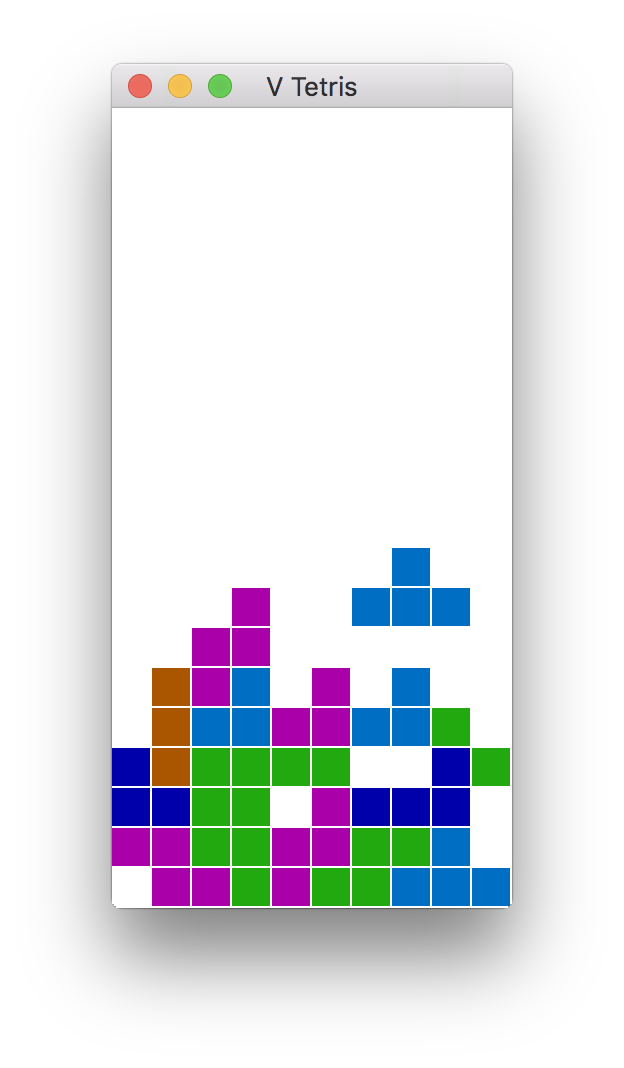 ## Sokol and GG GUI apps/games:
In order to build Tetris or 2048 (or anything else using the `sokol` or `gg` graphics modules),
you will need to install additional development libraries for your system.
| System | Installation method |
|---------------------|----------------------------------------------------------------------------------------------------|
| Debian/Ubuntu based | Run `sudo apt install libxi-dev libxcursor-dev libgl-dev libxrandr-dev libasound2-dev` |
| Fedora/RH/CentOS | Run `sudo dnf install libXi-devel libXcursor-devel libX11-devel libXrandr-devel libglvnd-devel` |
| | |
| NixOS | Add `xorg.libX11.dev xorg.libXcursor.dev xorg.libXi.dev xorg.libXrandr.dev libGL.dev` to |
| | to `environment.systemPackages` |
## V net.http, net.websocket, `v install`
The net.http module, the net.websocket module, and the `v install` command may all use SSL.
V comes with a version of mbedtls, which should work on all systems. If you find a need to
use OpenSSL instead, you will need to make sure that it is installed on your system, then
use the `-d use_openssl` switch when you compile.
Note: Mbed-TLS is smaller and easier to install on windows too (V comes with it), but if you
write programs, that do lots of http requests to HTTPS/SSL servers, in most cases, it is *best*
to compile with `-d use_openssl`, and do so on a system, where you do have OpenSSL installed
(see below). Mbed-TLS is slower, and can have more issues, especially when you are doing parallel
http requests to multiple hosts (for example in web scrapers, REST API clients, RSS readers, etc).
On windows, it is better to run such programs in WSL2.
To install OpenSSL on non-Windows systems:
| System | Installation command |
|---------------------|----------------------------------|
| macOS | `brew install openssl` |
| Debian/Ubuntu based | `sudo apt install libssl-dev` |
| Arch/Manjaro | openssl is installed by default |
| Fedora/CentOS/RH | `sudo dnf install openssl-devel` |
On Windows, OpenSSL is simply hard to get working correctly. The instructions
[here](https://tecadmin.net/install-openssl-on-windows/) may (or may not) help.
## V sync
V's `sync` module and channel implementation uses libatomic.
It is most likely already installed on your system, but if not,
you can install it, by doing the following:
| System | Installation command |
|---------------------|-------------------------------------|
| macOS | already installed |
| Debian/Ubuntu based | `sudo apt install libatomic1` |
| Fedora/CentOS/RH | `sudo dnf install libatomic-static` |
## V UI
## Sokol and GG GUI apps/games:
In order to build Tetris or 2048 (or anything else using the `sokol` or `gg` graphics modules),
you will need to install additional development libraries for your system.
| System | Installation method |
|---------------------|----------------------------------------------------------------------------------------------------|
| Debian/Ubuntu based | Run `sudo apt install libxi-dev libxcursor-dev libgl-dev libxrandr-dev libasound2-dev` |
| Fedora/RH/CentOS | Run `sudo dnf install libXi-devel libXcursor-devel libX11-devel libXrandr-devel libglvnd-devel` |
| | |
| NixOS | Add `xorg.libX11.dev xorg.libXcursor.dev xorg.libXi.dev xorg.libXrandr.dev libGL.dev` to |
| | to `environment.systemPackages` |
## V net.http, net.websocket, `v install`
The net.http module, the net.websocket module, and the `v install` command may all use SSL.
V comes with a version of mbedtls, which should work on all systems. If you find a need to
use OpenSSL instead, you will need to make sure that it is installed on your system, then
use the `-d use_openssl` switch when you compile.
Note: Mbed-TLS is smaller and easier to install on windows too (V comes with it), but if you
write programs, that do lots of http requests to HTTPS/SSL servers, in most cases, it is *best*
to compile with `-d use_openssl`, and do so on a system, where you do have OpenSSL installed
(see below). Mbed-TLS is slower, and can have more issues, especially when you are doing parallel
http requests to multiple hosts (for example in web scrapers, REST API clients, RSS readers, etc).
On windows, it is better to run such programs in WSL2.
To install OpenSSL on non-Windows systems:
| System | Installation command |
|---------------------|----------------------------------|
| macOS | `brew install openssl` |
| Debian/Ubuntu based | `sudo apt install libssl-dev` |
| Arch/Manjaro | openssl is installed by default |
| Fedora/CentOS/RH | `sudo dnf install openssl-devel` |
On Windows, OpenSSL is simply hard to get working correctly. The instructions
[here](https://tecadmin.net/install-openssl-on-windows/) may (or may not) help.
## V sync
V's `sync` module and channel implementation uses libatomic.
It is most likely already installed on your system, but if not,
you can install it, by doing the following:
| System | Installation command |
|---------------------|-------------------------------------|
| macOS | already installed |
| Debian/Ubuntu based | `sudo apt install libatomic1` |
| Fedora/CentOS/RH | `sudo dnf install libatomic-static` |
## V UI
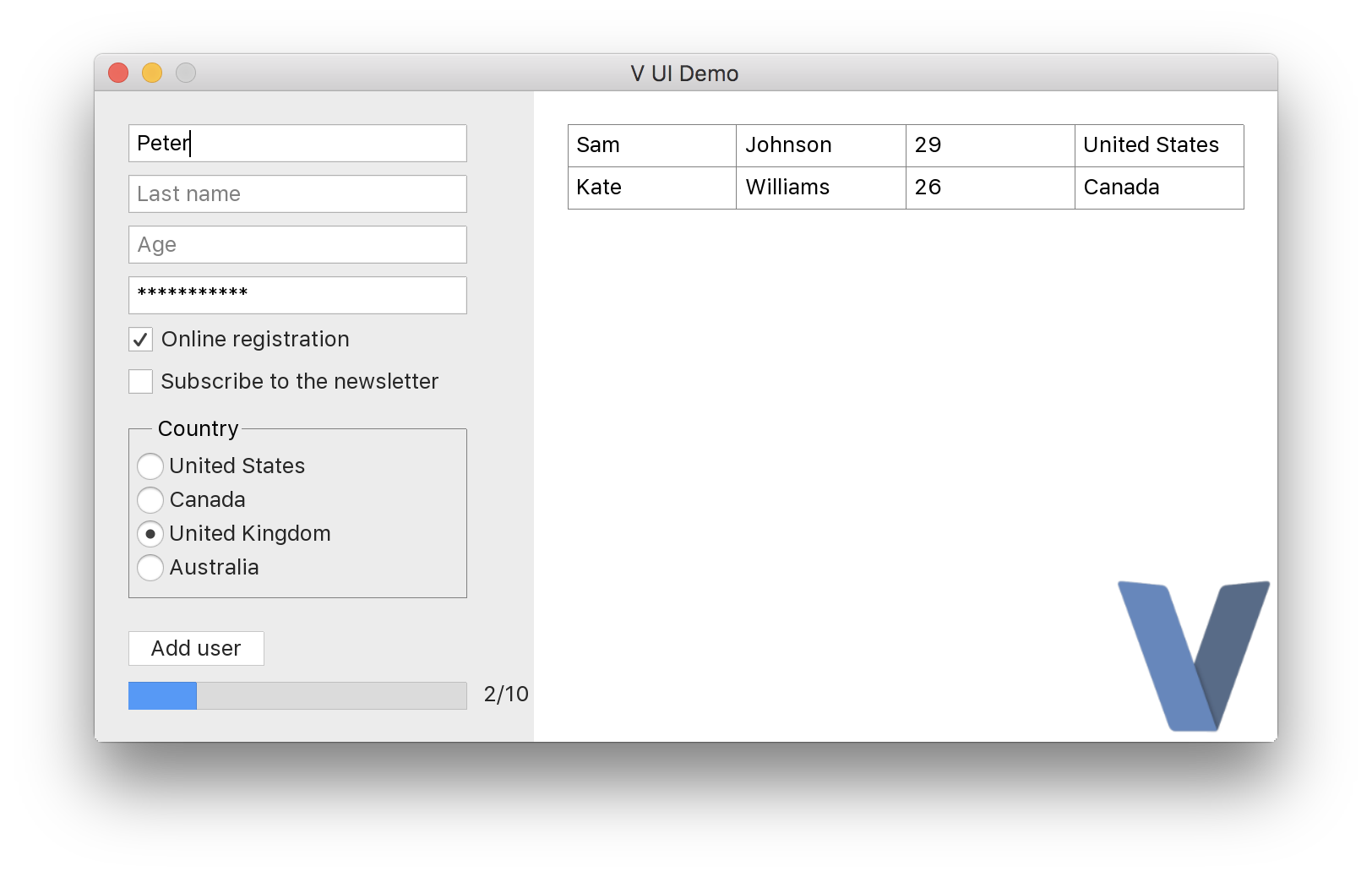 https://github.com/vlang/ui
## Android graphical apps
With V's `vab` tool, building V UI and graphical apps for Android can become as easy as:
```
./vab /path/to/v/examples/2048
```
[https://github.com/vlang/vab](https://github.com/vlang/vab).
https://github.com/vlang/ui
## Android graphical apps
With V's `vab` tool, building V UI and graphical apps for Android can become as easy as:
```
./vab /path/to/v/examples/2048
```
[https://github.com/vlang/vab](https://github.com/vlang/vab).
 ## Developing web applications
Check out the
[Building a simple web blog](https://github.com/vlang/v/blob/master/tutorials/building_a_simple_web_blog_with_veb/README.md)
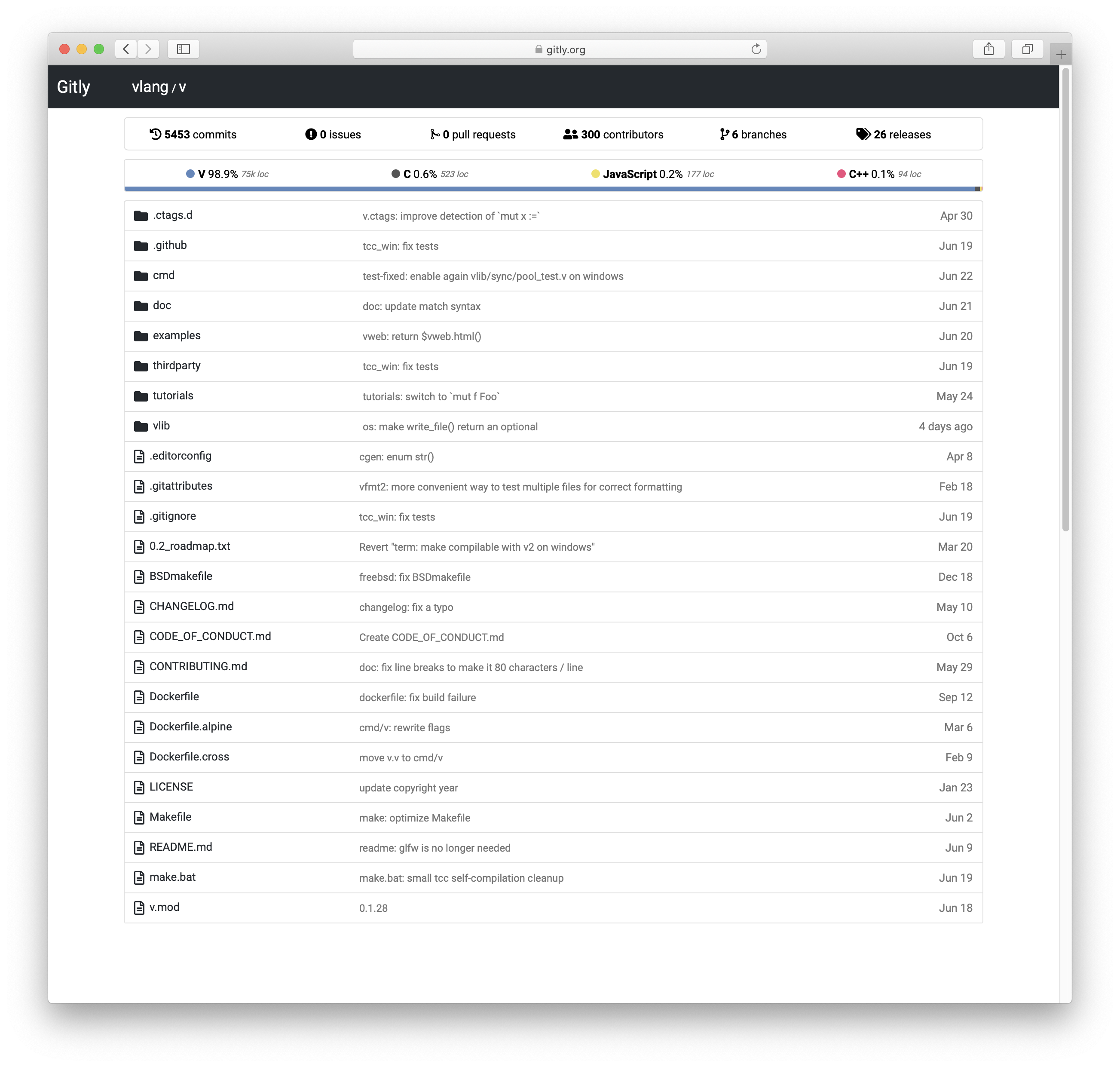
tutorial and Gitly, a light and fast alternative to GitHub/GitLab:
https://github.com/vlang/gitly
## Developing web applications
Check out the
[Building a simple web blog](https://github.com/vlang/v/blob/master/tutorials/building_a_simple_web_blog_with_veb/README.md)
tutorial and Gitly, a light and fast alternative to GitHub/GitLab:
https://github.com/vlang/gitly
 ## Vinix, an OS/kernel written in V
V is great for writing low-level software like drivers and kernels.
Vinix is an OS/kernel that already runs bash, GCC, V, and nano.
https://github.com/vlang/vinix
## Vinix, an OS/kernel written in V
V is great for writing low-level software like drivers and kernels.
Vinix is an OS/kernel that already runs bash, GCC, V, and nano.
https://github.com/vlang/vinix

 ## Acknowledgement
### TCC
V thanks Fabrice Bellard for his original work on the
[TCC - Tiny C Compiler](https://bellard.org/tcc/).
Note the TCC website is old; the current TCC repository can be found
[here](https://repo.or.cz/w/tinycc.git).
V utilizes pre-built TCC binaries located at
[https://github.com/vlang/tccbin/](https://github.com/vlang/tccbin/).
On Linux, `make` retries the portable `thirdparty-linuxmusl-*` TCC bundle when
the host-specific bundle does not run on the current system.
To rebuild the bundled `thirdparty/tcc` in place from upstream TinyCC on the
platforms that have an in-tree build script, run `make latest_tcc_source`.
Pass `TCC_COMMIT=` to pin a specific upstream revision.
### PVS-Studio
[PVS-Studio](https://pvs-studio.com/pvs-studio/?utm_source=website&utm_medium=github&utm_campaign=open_source) - static analyzer for C, C++, C#, and Java code.
## Troubleshooting
Please see the
[Troubleshooting](https://github.com/vlang/v/wiki/Troubleshooting)
section on our
[wiki page](https://github.com/vlang/v/wiki).
[WorkflowBadge]: https://github.com/vlang/v/workflows/CI/badge.svg
[DiscordBadge]: https://img.shields.io/discord/592103645835821068?label=Discord&logo=discord&logoColor=white
[PatreonBadge]: https://img.shields.io/endpoint.svg?url=https%3A%2F%2Fshieldsio-patreon.vercel.app%2Fapi%3Fusername%3Dvlang%26type%3Dpatrons&style=flat
[SponsorBadge]: https://img.shields.io/github/sponsors/medvednikov?style=flat&logo=github&logoColor=white
[XBadge]: https://img.shields.io/badge/follow-%40v__language-1DA1F2?logo=x&style=flat&logoColor=white
[ModulesBadge]: https://img.shields.io/badge/modules-reference-027d9c?logo=v&logoColor=white&logoWidth=10
[WorkflowUrl]: https://github.com/vlang/v/commits/master
[DiscordUrl]: https://discord.gg/vlang
[PatreonUrl]: https://patreon.com/vlang
[SponsorUrl]: https://github.com/sponsors/medvednikov
[XUrl]: https://x.com/v_language
[ModulesUrl]: https://modules.vlang.io
## Acknowledgement
### TCC
V thanks Fabrice Bellard for his original work on the
[TCC - Tiny C Compiler](https://bellard.org/tcc/).
Note the TCC website is old; the current TCC repository can be found
[here](https://repo.or.cz/w/tinycc.git).
V utilizes pre-built TCC binaries located at
[https://github.com/vlang/tccbin/](https://github.com/vlang/tccbin/).
On Linux, `make` retries the portable `thirdparty-linuxmusl-*` TCC bundle when
the host-specific bundle does not run on the current system.
To rebuild the bundled `thirdparty/tcc` in place from upstream TinyCC on the
platforms that have an in-tree build script, run `make latest_tcc_source`.
Pass `TCC_COMMIT=` to pin a specific upstream revision.
### PVS-Studio
[PVS-Studio](https://pvs-studio.com/pvs-studio/?utm_source=website&utm_medium=github&utm_campaign=open_source) - static analyzer for C, C++, C#, and Java code.
## Troubleshooting
Please see the
[Troubleshooting](https://github.com/vlang/v/wiki/Troubleshooting)
section on our
[wiki page](https://github.com/vlang/v/wiki).
[WorkflowBadge]: https://github.com/vlang/v/workflows/CI/badge.svg
[DiscordBadge]: https://img.shields.io/discord/592103645835821068?label=Discord&logo=discord&logoColor=white
[PatreonBadge]: https://img.shields.io/endpoint.svg?url=https%3A%2F%2Fshieldsio-patreon.vercel.app%2Fapi%3Fusername%3Dvlang%26type%3Dpatrons&style=flat
[SponsorBadge]: https://img.shields.io/github/sponsors/medvednikov?style=flat&logo=github&logoColor=white
[XBadge]: https://img.shields.io/badge/follow-%40v__language-1DA1F2?logo=x&style=flat&logoColor=white
[ModulesBadge]: https://img.shields.io/badge/modules-reference-027d9c?logo=v&logoColor=white&logoWidth=10
[WorkflowUrl]: https://github.com/vlang/v/commits/master
[DiscordUrl]: https://discord.gg/vlang
[PatreonUrl]: https://patreon.com/vlang
[SponsorUrl]: https://github.com/sponsors/medvednikov
[XUrl]: https://x.com/v_language
[ModulesUrl]: https://modules.vlang.io