 dsh-video2text dsh-video2text
Paste a video link, get the publishing copy and a full spoken transcript — and hand agents two tools that read the transcript and watch the frames.



17s · paste a WeChat Channels link → queued → transcribed
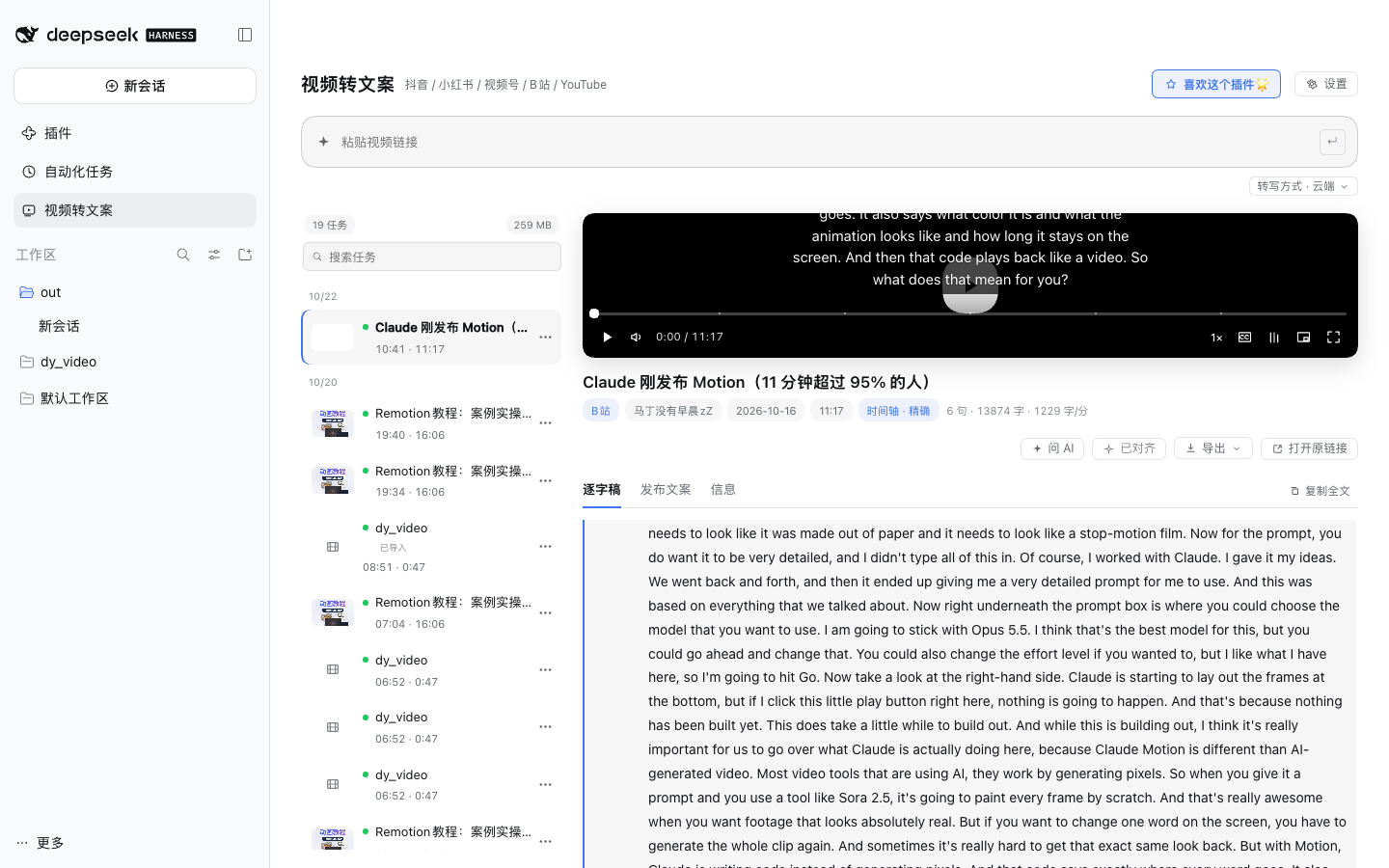 Chinese-first, works for Douyin, Xiaohongshu, WeChat Channels, Bilibili and YouTube. Transcription runs in the cloud by default (faster, better Chinese punctuation) and can be switched entirely to local. The media is written to disk before transcription finishes, so you can watch while it runs. The same video is also readable by agents: `video_text` returns a timestamped transcript window, `video_frames` returns one contact sheet with per-cell timestamps (or a single high-resolution frame). No panel needed, no internal concepts to learn. > 中文说明见 [README.md](README.md)。 ## Why Getting copy out of a video usually means: open the page → copy the description → transcribe by hand → reformat. Do that ten times and you have ten rounds of busywork, plus a timeline you forgot to build. This plugin moves the whole loop into the dsh sidebar: paste, press Enter, and parsing / download / transcription / alignment / layout all happen locally. Everything lands in one directory you can open, export, or hand to an agent. ## Install ```sh dsh plugin --profile web add dsh-video2text # to track the latest commit instead: dsh plugin --profile web add "github:vlln/dsh-video2text" ``` Restart `dsh web` afterwards (the Node half registers at boot). A "Video to Text" entry then appears in the sidebar. Requirements: macOS, Python 3.9+, `ffmpeg`, `node`; `playwright` + Chrome for WeChat Channels; `mlx-whisper` (Apple Silicon) or `whisper.cpp` for local transcription. ### Skill only, without the plugin `skills/video2text/` in this repo is the complete video2text skill (engine scripts + `SKILL.md`), usable on its own: ```sh git clone --depth 1 --filter=blob:none --sparse https://github.com/vlln/dsh-video2text cd dsh-video2text git sparse-checkout set skills/video2text # fetch just that subfolder ``` To install it into another agent (e.g. `~/.claude/skills/video2text`), `SKILL.md` and `scripts/` must sit side by side — the `scripts` entry under `skills/video2text/skills/video2text/` is a relative symlink and breaks when copied alone: ```sh mkdir -p ~/.claude/skills/video2text cp skills/video2text/skills/video2text/SKILL.md ~/.claude/skills/video2text/ cp -R skills/video2text/scripts ~/.claude/skills/video2text/ ``` Self-check after installing: `python3 ~/.claude/skills/video2text/scripts/video2text --status` (for Douyin, run `--setup-douyin` first). ## What you get | Capability | Notes | |---|---| | Platforms | Douyin / Xiaohongshu / WeChat Channels / Bilibili / YouTube / local files | | Cloud ASR | Qwen3-Omni via Bailian — noticeably better on names and punctuation | | Local ASR | mlx-whisper / whisper.cpp, offline and free | | Sentence alignment | One-shot action; refines boundaries with local word timestamps | | Player | Custom controls, synced transcript, subtitles, PiP, fullscreen | | Export | Publish draft / SRT / ZIP | | Accounts | Douyin & Xiaohongshu QR sign-in; WeChat Channels sign-in + session check | | Jobs | Search, day groups, retry-in-place, delete, import from other folders | | Agent handoff | "Ask AI" opens a session in the task workspace with context pre-filled | ## For agents (`video_text` / `video_frames`) The package also ships a panel-independent plugin row, `dsh-video2text/inspect`, exposing two tools: | Tool | Input | Output | |---|---|---| | `video_text` | media path or `vid_xxxxxxxx`, optional `from`/`to` | timestamped transcript lines; starts a background job if not transcribed yet | | `video_frames` | same, plus `mode` (shots/uniform), `size` (overview/detail), `at` | one contact sheet with per-cell timestamps, or one high-resolution frame | Behaviour: - **No job ids to learn**: pass a media path once; the tool returns `vid_<8hex>` derived from the file fingerprint, and every later call can use it. - **25 s soft deadline**: transcription or long-video sampling beyond that becomes a background job (`v2t-video-