中文
# Features
dsh-zotero lets DSH's LLM conversations query your Zotero library directly. Eight tools cover the full workflow from search to export, and the web-side Sources panel shows literature, evidence, and citations in real time.
## Search
`zotero_search` calls Zotero's own quick search.
**Two search modes:**
- `metadata` (default) — matches title, author, year
- `everything` — also searches indexed full text
**Three search scopes:**
- Entire library (default)
- By collection name or `zotero://` ref
- By saved search name or ref
The first page of results (offset 0) also scans note bodies. Matches are reported via `noteMatches` and do not count toward the pagination total. Search results return stable `zotero://` refs for use by subsequent tools.
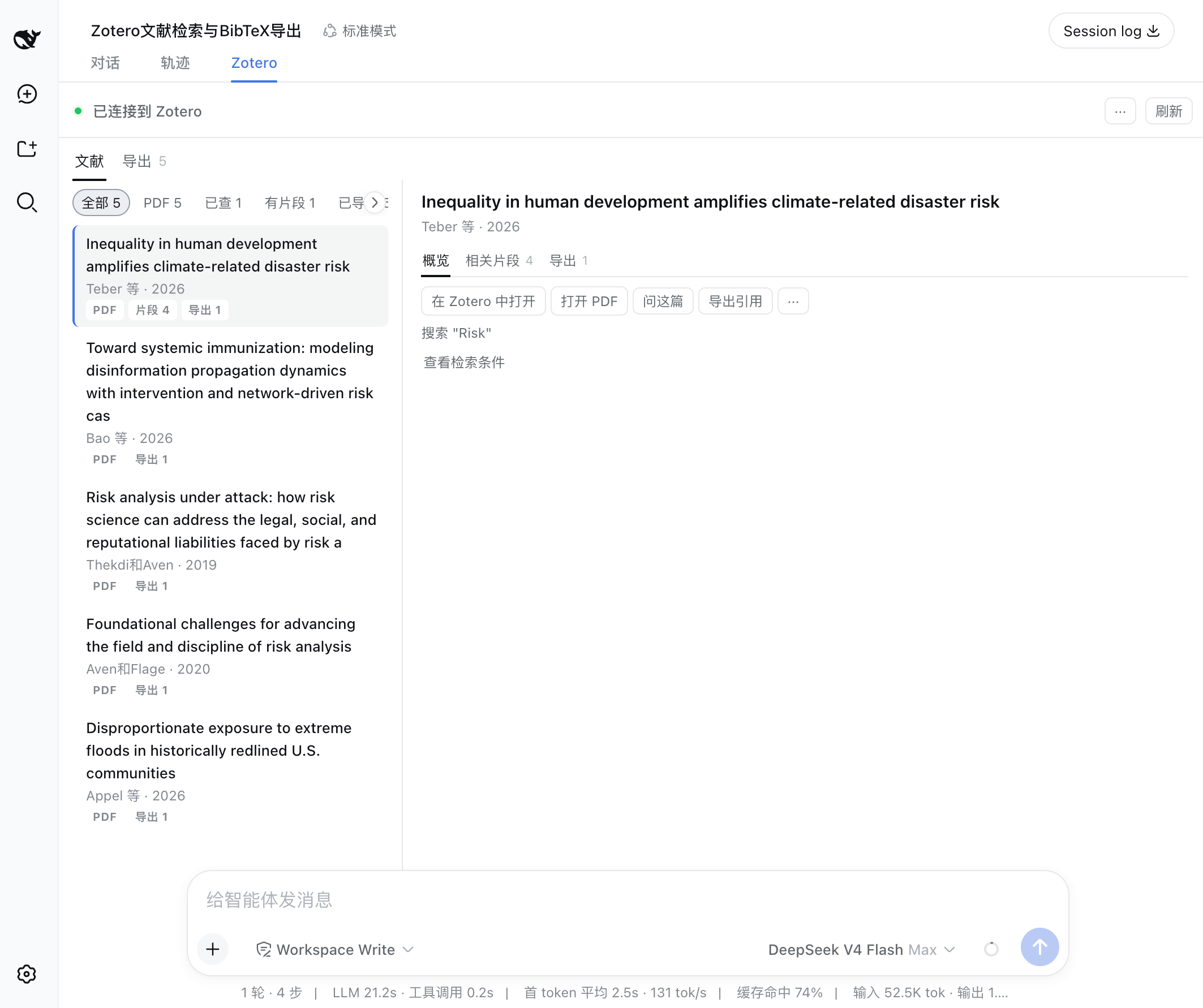
Search results list and item action panel: title, author, year, type, and actions like "Open in Zotero", "Open PDF", "Ask about this paper", "Export citation".
## View metadata and notes
`zotero_get` reads a single item's metadata. By default it returns only basic fields like title, authors, DOI, and abstract.
Pass an `include` array to load child items:
- `notes` — child notes with their body text (has a character budget)
- `annotations` — PDF annotations, highlights, comments, page labels
- `attachments` — attachment list (type, link mode)
Notes and annotations each carry a `truncated` flag when they exceed their budget.
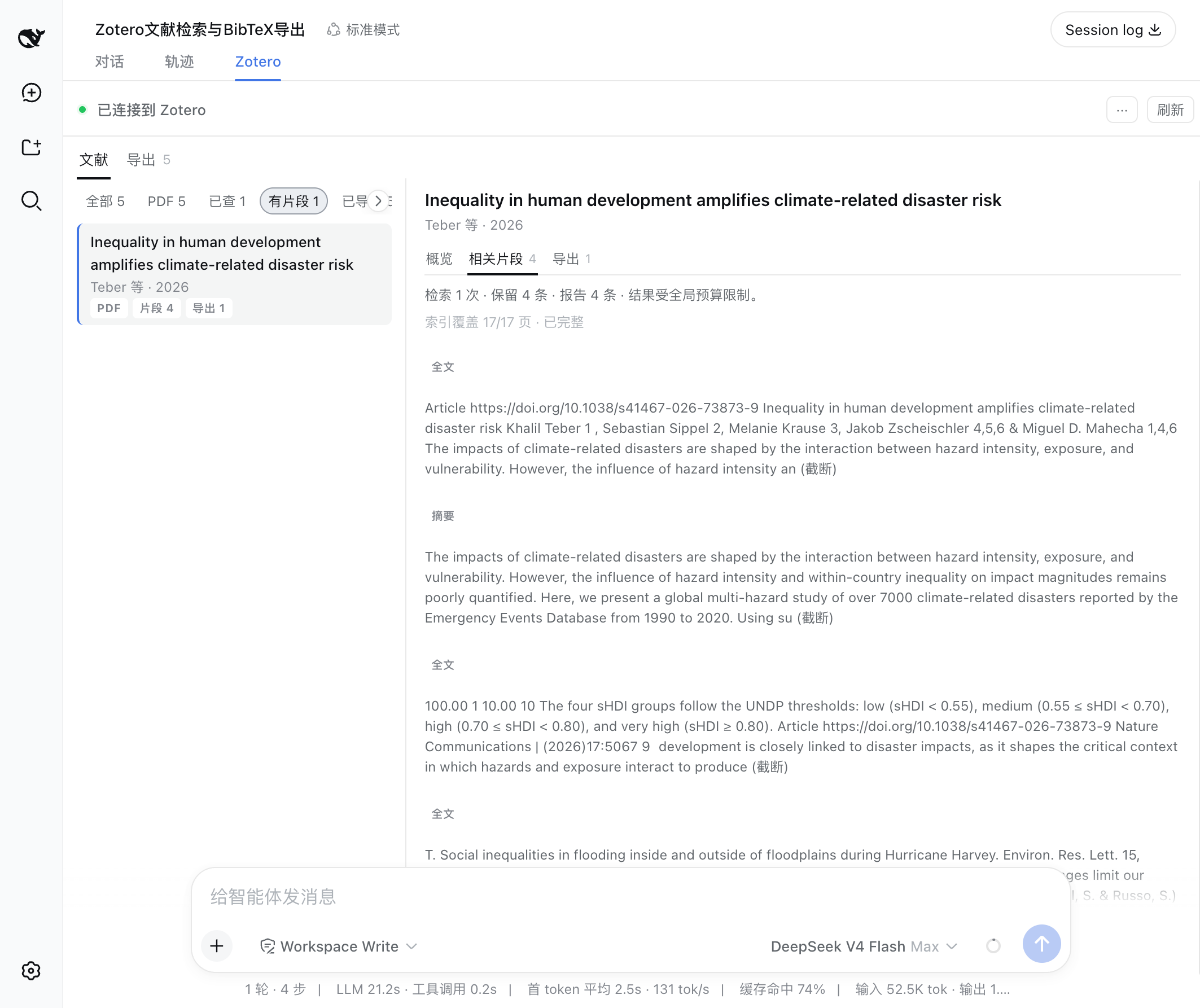
Evidence passages: relevant text segments grouped by source, showing page labels, index coverage, and source availability.
## Extract evidence
`zotero_retrieve` is the core information extraction tool. It collects text segments from four sources, ranks them with BM25, and returns the most relevant passages:
| Source | Description |
| ------------ | ----------------------------------------------------------------------------------------------------------------------------------------------- |
| `annotation` | PDF annotations: the highlight and the reader’s comment rank together, with Zotero’s page labels; `matchedFields` says which of the two matched |
| `note` | Child note body text, chunked |
| `abstract` | Item abstract |
| `fulltext` | Zotero-indexed full text, ranked by BM25 chunks |
**What evidence is:** Evidence is a ranked result of existing text segments within an item, based on BM25 term-frequency matching. BM25 only matches terms — if a query word does not appear in a chunk, it will not appear in the results even if the content is semantically related.
Full-text index coverage is reported via the `coverage` field (indexed chars / total chars). When the index is incomplete, `complete: false` is flagged. Unavailable sources are logged in `sourcesSkipped`.
Under a multi-attachment policy (`allIndexed` / `specified`), `attachments` reports every full-text source the call considered with its `status`: `indexed` (read; carries `coverage`, `passages`, and whether the character budget cut it), `unindexed` (no full text for that file in Zotero’s index), `unread` (the call was already at its attachment limit). An unindexed supplement is therefore a named coverage gap rather than a file with nothing to say.
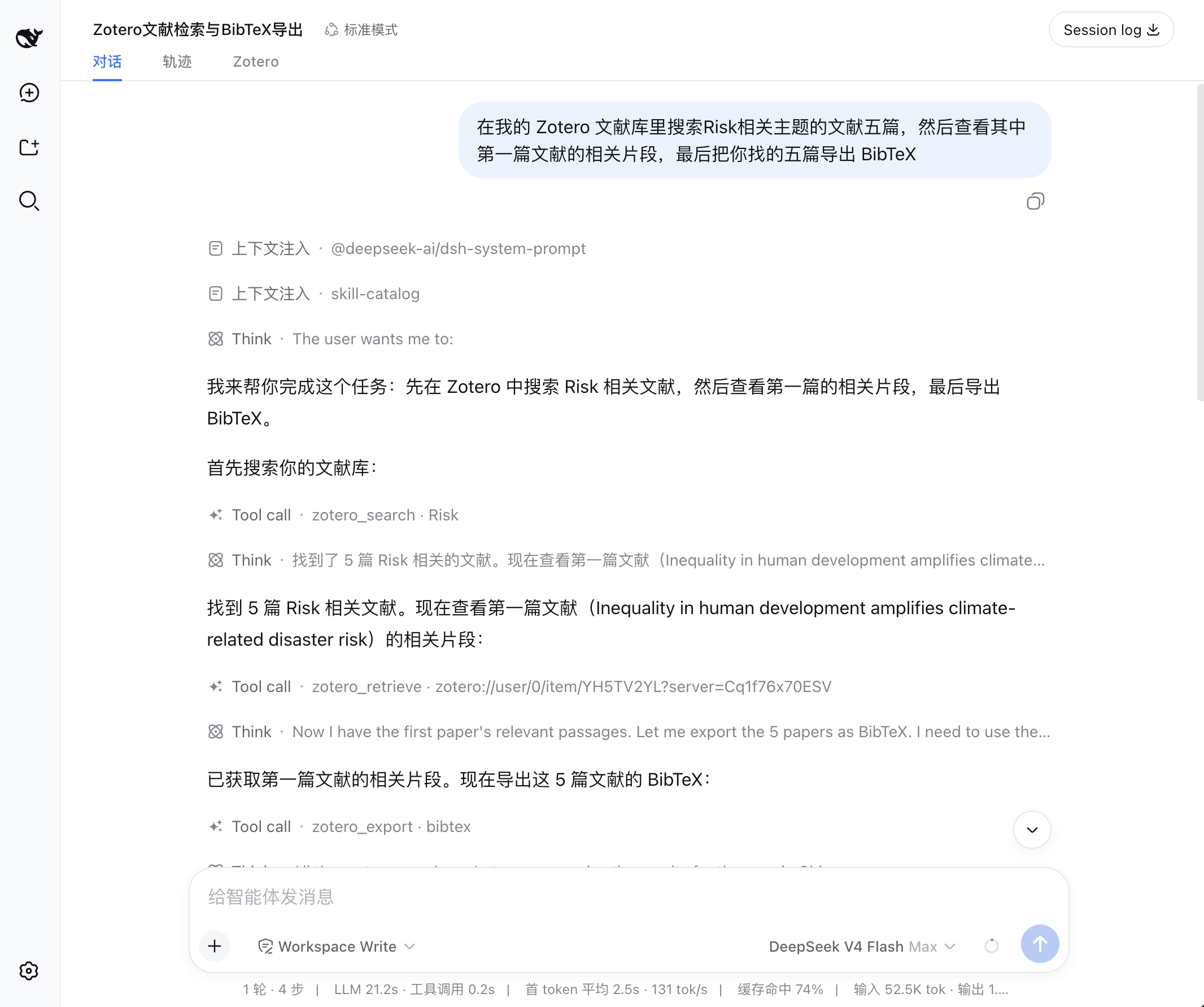
The agent calls search, retrieve, and export tools in sequence to fulfill a user request.
## Open source materials
`zotero_attachment` resolves an attachment ref to an accessible path:
- Local file → verified on-disk path
- Linked attachment → URL
Pass an item ref to let Zotero pick the best attachment automatically. Pass an attachment ref to target a specific one.
To open a `zotero://` deep link and view the item in Zotero, use the ref format `zotero://user/0/item/`.
> **Limit:** Reading PDF full-text content requires host-side capability (e.g., local file reading). dsh-zotero resolves the path only and does not read file contents.
## Export citations
`zotero_export` supports six formats:
| Format | Output |
| -------------- | -------------------------------------- |
| `citation` | Per-item HTML citations, in refs order |
| `bibliography` | CSL-sorted combined bibliography |
| `bibtex` | BibTeX entries |
| `biblatex` | BibLaTeX entries |
| `ris` | RIS format |
| `csljson` | CSL-JSON |
Optional `style` and `locale` parameters set the citation style. In citation mode, refs lists exceeding Zotero's 50-key limit are batched automatically.
> **Note:** the tool returns exports as text; the panel offers copy and file download of the same content.
## Session Sources panel
The dsh web Zotero tab contains three sub-views:
### Sources
Shows items referenced through search and read tools in the current session — a snapshot of items involved in this conversation.
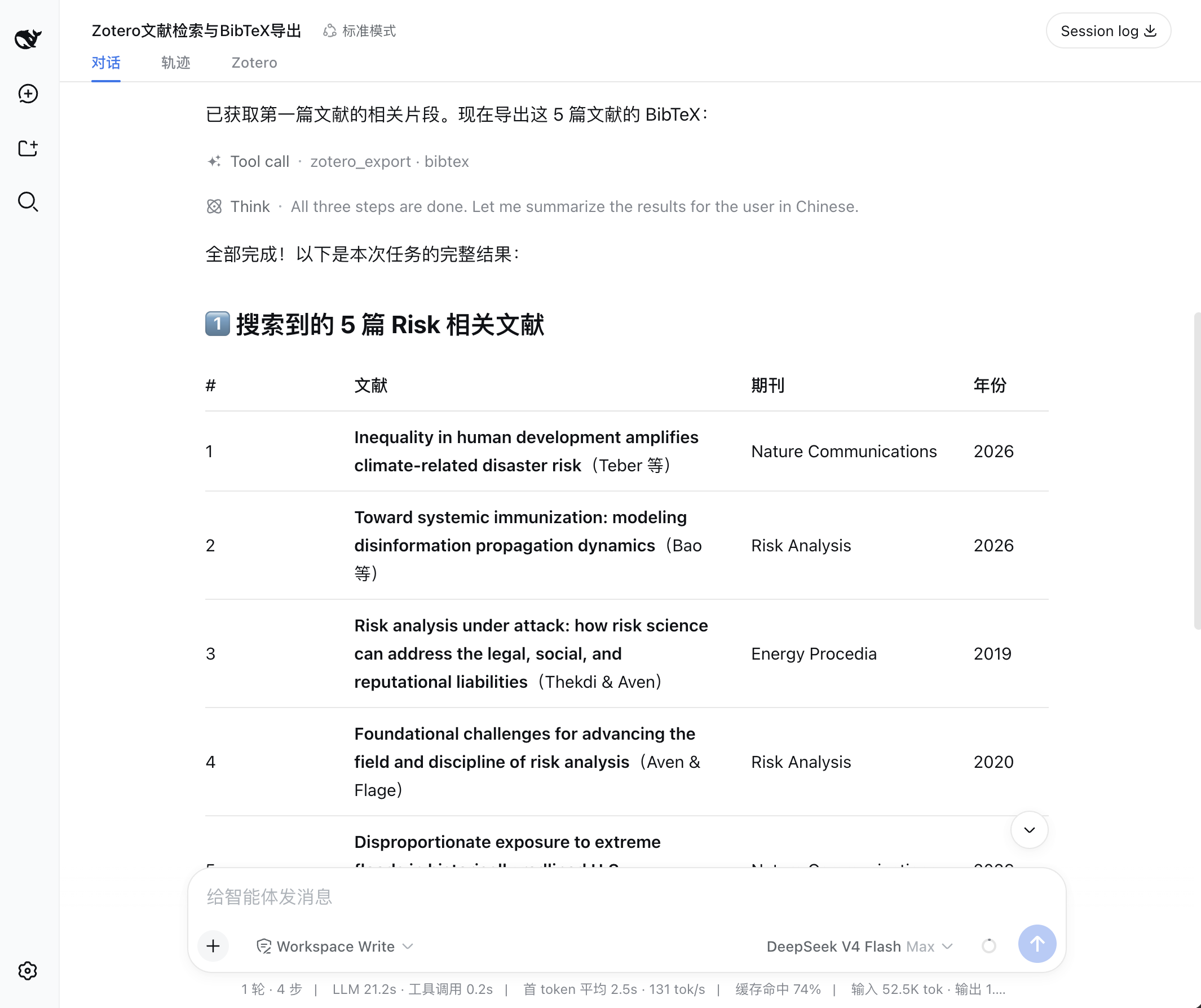
The agent formats search results into a structured table in the conversation.
### Evidence
Aggregates all evidence passages returned by `zotero_retrieve` calls, grouped by source.
### Exports
Lists all citation and bibliography text produced by export operations in the session.
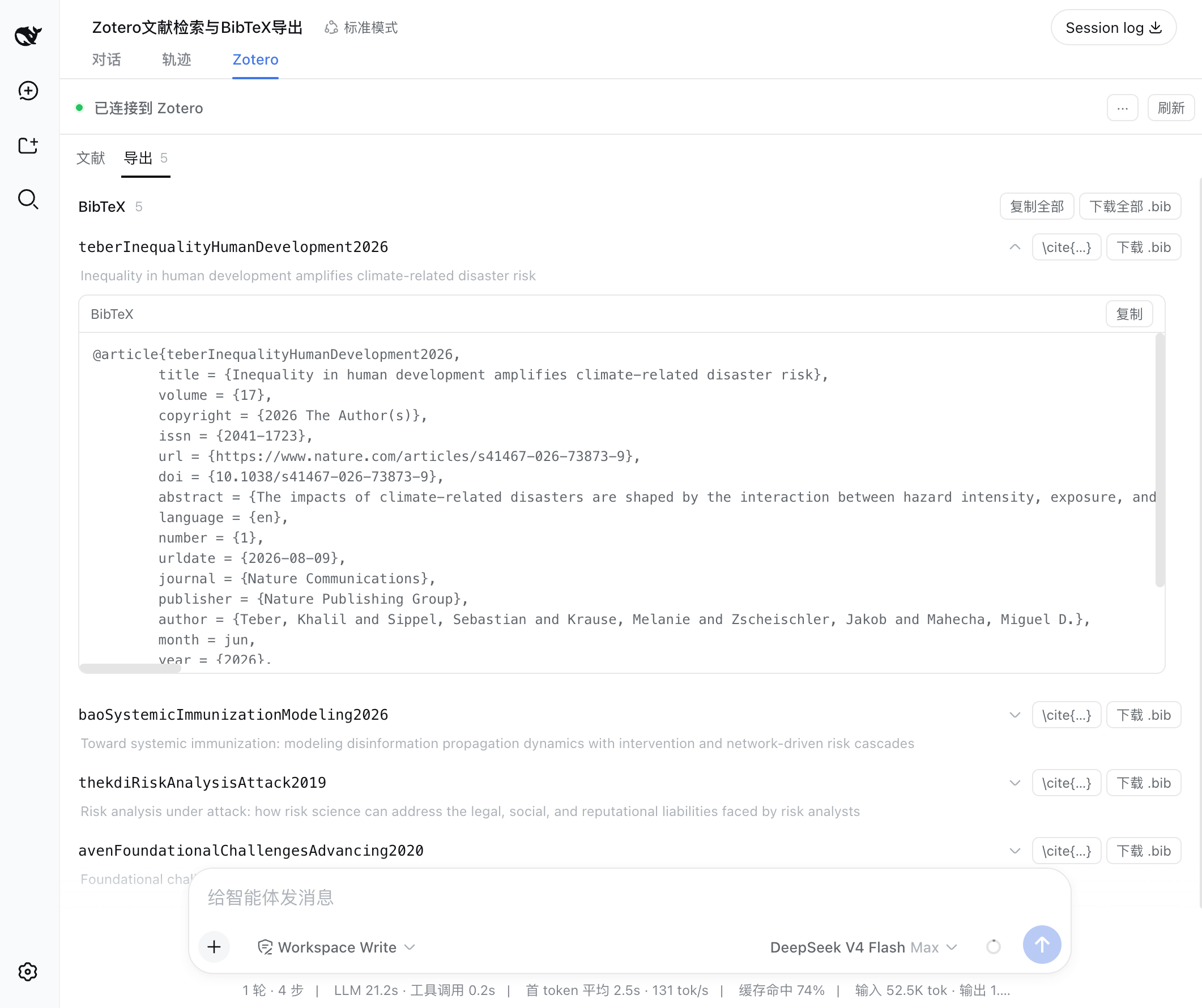
BibTeX export view: each citation can be expanded to show the full entry, with one-click copy and .bib download.
## Settings page
The Settings panel's left navigation carries a dedicated **Zotero** page (beside General, Models, and Plugins). Changes take effect on save — tools read the latest config on each request.
Configurable items include: API address, search result limits, evidence passage limits, export item limits, citation style, and locale. See [Configuration](configuration.md).
## Design boundaries
- **Read-only:** dsh-zotero accesses the library in read-only mode.
- **Ranking:** Evidence uses BM25 (term frequency), ranking by query-word match against passages.
- **Exports are text:** citations and bibliographies are returned as text; the panel can copy them or download them as a file.
- **Sources panel is a snapshot:** The Sources panel shows items referenced in this session, independent per session.
- **Full-text depends on index:** `everything` mode and `fulltext` evidence sources depend on Zotero's full-text index; incomplete indexes may omit results.