# Unicon
**Just the icons you need. Zero bloat.**
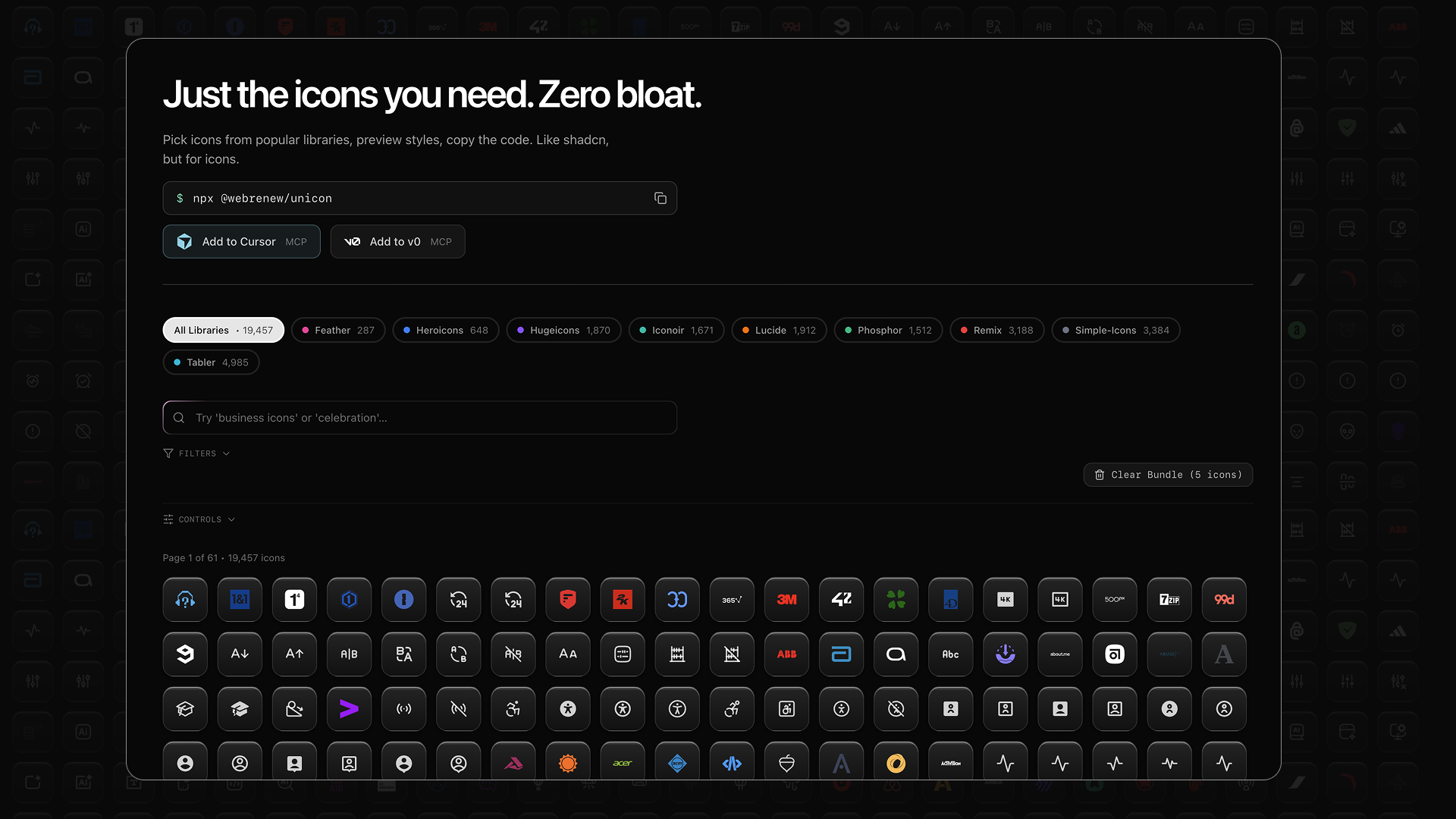
Browse 20,000+ icons and copy exactly what you need. Like [shadcn/ui](https://ui.shadcn.com), but for icons.
[**Try it now at unicon.sh**](https://unicon.sh)
[](https://github.com/WebRenew/unicon/actions/workflows/ci.yml)
[](https://www.npmjs.com/package/@webrenew/unicon)
[](https://opensource.org/licenses/MIT)
## Why Unicon?
Most icon libraries force you to install thousands of icons just to use a handful. Unicon lets you browse everything in one place and copy only what you need.
- **Browse once, use anywhere** — Search 9 icon libraries
- **Copy exactly what you need** — React, SVG, or JSON
- **Bundle multiple icons** — Export a set at once
- **Zero dependencies** — Paste directly into your project
## Icon Libraries
| Library | Icons | Style |
|---------|-------|-------|
| [Lucide](https://lucide.dev) | 1,500+ | Minimal, consistent stroke |
| [Phosphor](https://phosphoricons.com) | 1,300+ | 6 weights per icon |
| [Huge Icons](https://hugeicons.com) | 4,000+ | Modern, versatile |
| [Heroicons](https://heroicons.com) | 300+ | By Tailwind CSS team |
| [Tabler](https://tabler.io/icons) | 5,000+ | Clean, customizable |
| [Feather](https://feathericons.com) | 280+ | Simple, elegant |
| [Remix Icon](https://remixicon.com) | 2,800+ | Outlined & filled |
| [Simple Icons](https://simpleicons.org) | 3,300+ | Brand logos |
| [Iconoir](https://iconoir.com) | 1,600+ | Regular & solid |
### Coming Soon
| Library | Icons | License | Focus |
|---------|-------|---------|-------|
| [Carbon](https://carbondesignsystem.com/elements/icons/library/) | 2,000+ | Apache-2.0 | IBM's enterprise design system |
| [Blueprint](https://blueprintjs.com/docs/#icons) | 300+ | Apache-2.0 | Palantir's data-focused icons |
| [Devicons](https://devicon.dev) | 200+ | MIT | Programming languages & dev tools |
| [Octicons](https://primer.style/foundations/icons) | 600+ | MIT | GitHub's icon set |
| [Cryptocurrency Icons](https://github.com/spothq/cryptocurrency-icons) | 400+ | CC0 | Coins and tokens |
## How to Use
### 1. Search for icons
Use natural language — search "happy face" to find smile icons, or "business" for briefcases and charts.
### 2. Copy what you need
Click any icon and choose your format:
**React Component** — Drop directly into your project:
```jsx
export const ArrowRight = (props) => (
)
```
**Raw SVG** — For HTML, design tools, or anywhere else:
```html
```
### 3. Bundle multiple icons
Select multiple icons and export as:
- Single file with all React components
- Individual SVG files
- JSON metadata
### 4. Open in v0
Send icons to [v0.dev](https://v0.dev) to prototype UI components.
## CLI
Install icons directly from your terminal.
### Installation
```bash
npm install -g @webrenew/unicon
# Or use npx (no install)
npx @webrenew/unicon search arrow
```
### Quick Start
```bash
# Search for icons
unicon search "dashboard"
# Get icon as React component
unicon get home
# Copy to clipboard (macOS)
unicon get home | pbcopy
# Save to file
unicon get settings -o ./Settings.tsx
# Bundle icons by category
unicon bundle --category Dashboards
# Preview in terminal
unicon preview star
```
### Output Formats
| Format | Description |
|--------|-------------|
| `react` | React/TS components (default) |
| `vue` | Vue 3 SFCs |
| `svelte` | Svelte components |
| `svg` | Raw SVG |
| `json` | Icon metadata |
### Config-Driven Workflow
For larger projects, use a config file:
```bash
unicon init
unicon add dashboard --category Dashboards
unicon add nav --query "arrow chevron"
unicon sync
```
See [CLI.md](./CLI.md) for full documentation.
## AI Integration
Unicon works with AI coding assistants.
### Skills for AI Assistants
Install rules that teach AI assistants to use Unicon:
```bash
unicon skill --ide claude
unicon skill --ide cursor
unicon skill --all
```
**Supported:** Claude Code, Cursor, Windsurf, Agent, Antigravity, OpenCode, Codex, Aider
Then ask your AI:
- "Add a home icon to my project"
- "Search for dashboard icons"
### MCP Server
For deeper integration, use the [MCP](https://modelcontextprotocol.io/) server.
**Claude Desktop / Cursor:**
```json
{
"mcpServers": {
"unicon": {
"command": "npx",
"args": ["-y", "@webrenew/unicon-mcp-server"]
}
}
}
```
**Cloud IDEs (v0, Bolt, Lovable):**
```
https://unicon.sh/api/mcp
```
**Tools:** `search_icons`, `get_icon`, `get_multiple_icons`, `get_starter_pack`
See [MCP docs](./packages/mcp-server/README.md) for details.
## Self-Hosting
Want to run your own instance? See [DEVELOPMENT.md](./DEVELOPMENT.md) for setup instructions.
### Build Notes
- The app build uses `webpack` (`next build --webpack`) for deterministic CI/local builds in restricted environments.
- The home route (`/`) is intentionally dynamic to avoid build-time database fetches during prerender.
[](https://vercel.com/new/clone?repository-url=https://github.com/WebRenew/unicon)
## License
MIT License — see [LICENSE](LICENSE) for details.
Icons retain their original licenses. See [THIRD_PARTY_LICENSES.md](THIRD_PARTY_LICENSES.md) for full attribution.
- MIT: Lucide, Phosphor, Huge Icons, Heroicons, Tabler, Feather, Iconoir, Devicons, Octicons
- Apache-2.0: Remix Icon, Carbon, Blueprint
- CC0: Simple Icons, Cryptocurrency Icons (logos are trademarks of their owners)
---
Built by [WebRenew](https://webrenew.com)
[unicon.sh](https://unicon.sh) · [Issues](https://github.com/WebRenew/unicon/issues)