# dsh-conversation-density-map | Right-side conversation history tick labels [![Awesome DSH Plugin](https://awesome-dsh-plugin.com/badge.svg)](https://awesome-dsh-plugin.com) ![Static Badge](https://img.shields.io/badge/license-MIT-blue) ![Static Badge](https://img.shields.io/badge/DSH-web-0000E0) 安装:`dsh plugin --profile web add github:weien666/dsh-conversation-density-map`

简体中文 | English

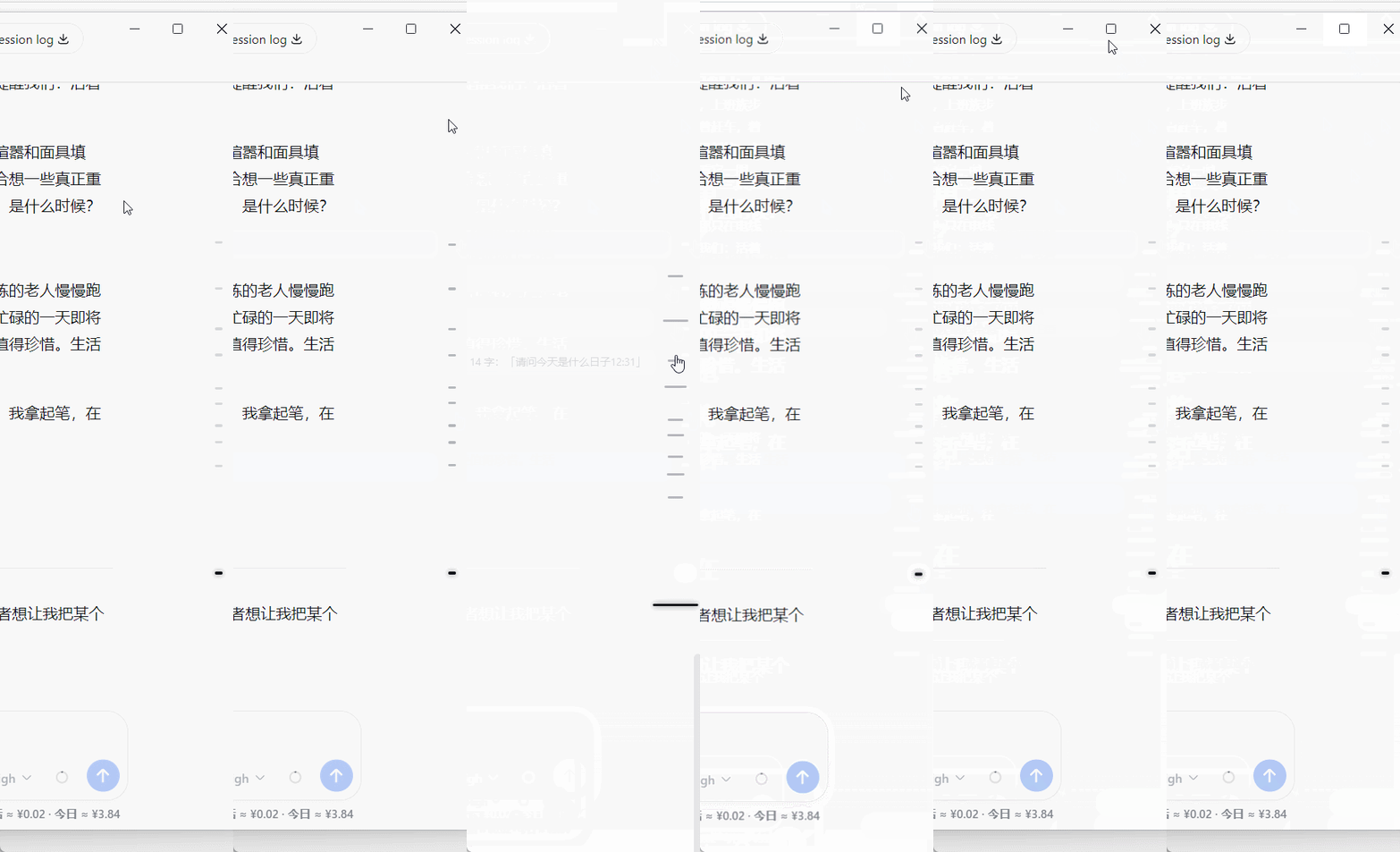
A minimal **conversation density map** plugin for **DeepSeek Harness**: within a fixed-height strip on the right side of the chat area, it uses small ticks to intuitively show the distribution, lengths, and current position of the entire conversation. Click any tick to smoothly jump to the corresponding turn. Pure frontend, zero dependencies, no build step — the actual plugin consists of only **3 source files**. ![Main overview](docs/demo-main.gif) ## Features - **One tick per turn**: each conversation turn occupies exactly one tick; AI replies (including tool calls and multi-part text) are never fragmented, forming a clean `user → AI → user → AI` alternation; - **Density at a glance**: longer replies map to longer ticks, while short messages form dense clusters of short ticks, letting you quickly tell which parts of the conversation carry more content and which are fragmented; - **Window-adaptive layout**: - Regular window: ticks keep a uniform horizontal length to stay clean; - Maximized window: tick horizontal length visually reflects message size and length; - **Smart hover spreading**: when the conversation is long and ticks are dense, moving the mouse toward the right edge automatically spreads the ticks vertically so they are easier to click; with only a few turns, hovering does not move anything; - **Hover preview**: hover over any tick to see a preview (turn number / approximate character count / beginning of the content); - **Current-position tracking**: the turn you are currently reading is automatically highlighted as you scroll; - **Theme-aware**: colors are taken from the Harness theme variables, automatically adapting to light and dark modes. ## Demo
Regular window vs maximized window
The horizontal length of the ticks changes automatically with conversation size
(ticks stay equal-length in a regular window; once maximized, each tick represents the length of its message content)
Regular vs maximized toggle
Regular window · hover spreading for dense conversations
When there are many turns and the ticks are crowded, moving the mouse near the right edge
automatically spreads the ticks vertically for easier clicking

Spreading in a regular window
Maximized window · hover spreading for dense conversations
The vertical spreading effect of the same scenario in a maximized window


Spreading in a maximized window
## Project Structure ``` dsh-conversation-density-map/ │ ├── client.js ← Plugin core: browser half (conversation density map implementation) ├── index.js ← Plugin core: host half (empty implementation) ├── package.json ← Plugin core: declares dsh.client / dsh.bundle ├── cordis.patch.yml ← bundle patch (applied automatically by `dsh plugin` on install; no manual insert needed) │ ├── docs/ ← demo GIFs (for repository display only; not downloaded during installation) │ ├── README.md ├── LICENSE └── .gitignore ``` ## Download & Installation > Static DSH plugins are installed in two steps: "place the plugin files into the DSH profile" + "register it so it takes effect" — **no `npm install` required**. The steps below use Windows as an example. The plugin core consists of the 3 source files at the repository root (client.js / index.js / package.json) plus cordis.patch.yml. ### Method A (recommended): one-line install (bundle mode, requires pnpm) ```bat dsh plugin --profile web add github:weien666/dsh-conversation-density-map ``` The install automatically appends the plugin to `dsh.profile.bundles` and applies the built-in patch (cordis.patch.yml) — **no manual insert needed**. Only the source files are installed; the GIFs in `docs/` are **not** downloaded. After installing, restart DSH (`dsh web restart`) and hard-refresh the browser (`Ctrl+Shift+R`) to activate. ### Method B: download the plugin ZIP from Releases 1. Open the **Releases** page of this repository and download the latest `dsh-conversation-density-map-vX.Y.Z.zip` — **it contains only the 3 source files, no GIF clutter**; 2. Extract it to any directory, e.g. `D:\plugins\dsh-conversation-density-map` (the folder containing the 3 source files after extraction is the "plugin directory"); 3. Create a junction under the `node_modules` directory of the DSH config directory, pointing to it: ```bat mklink /J "C:\Users\\.dsh\profiles\web\node_modules\dsh-conversation-density-map" "D:\plugins\dsh-conversation-density-map" ``` 4. Edit `C:\Users\\.dsh\profiles\web\cordis.patch.yml` and append at the end: ```yaml - insert: - id: conversation-density-map name: dsh-conversation-density-map ``` 5. Restart DSH (or refresh the web page with `Ctrl+F5`) → done. ### Method C: download the entire repository via Code 1. On the repository page → **Code** → **Download ZIP** (downloads the full repository, including source, docs, and GIFs); 2. After extracting, use the 3 source files at the **repository root** (client.js / index.js / package.json); 3. Follow steps 3–5 of Method B: point the junction at that directory (or copy the 3 files directly into `node_modules\dsh-conversation-density-map\`), then add the registration lines. ## Uninstallation **If installed via Method A (one-line command):** ```bat dsh plugin --profile web remove dsh-conversation-density-map ``` Automatically removes the dependency and removes it from `dsh.profile.bundles` (the insert comes from the in-package patch, so no manual deletion is needed). **If installed via Method B / C (manual):** reverse the steps: 1. Delete the two `insert` lines in the profile's `cordis.patch.yml`; 2. Delete the junction (or delete the folder inside `node_modules`); 3. Delete the extracted plugin directory. All plugin effects are managed through the DSH lifecycle; no styles or listeners are left behind after uninstallation. ## Compatibility - Built for the **DeepSeek Harness Web client** (currently based on the `0.1.x` DOM structure: `data-chat-flow` / `data-chat-anchor-key` / `data-conversation-scroll`); - No third-party libraries; uses only native browser APIs (IntersectionObserver / ResizeObserver / MutationObserver / DOM); - If a DSH upgrade changes the chat-area DOM structure, minor adaptation may be required. ## Usage Tips - Click any tick: smoothly scroll to the start of that turn; - Move the mouse near the right edge: ticks spread out (hover spreading); - Hover over a tick: shows a content preview. ## License [MIT](LICENSE)