# Frosted Glass Theme for Home Assistant ✨
[](https://my.home-assistant.io/redirect/hacs_repository/?owner=WessamLauf&repository=homeassistant-frosted-glass-themes&category=theme)
[](https://github.com/wessamlauf/homeassistant-frosted-glass-themes/releases)
[](https://github.com/wessamlauf/homeassistant-frosted-glass-themes/commits/main)
[](https://github.com/wessamlauf/homeassistant-frosted-glass-themes/stargazers)
[](https://www.buymeacoffee.com/wessamlauf)
 ### Apple made it liquid. I made it frosted. 😎
**Frosted Glass** is a **Liquid Glass theme for Home Assistant**, built around transparent cards, soft blur, subtle reflections, and a little more depth for your dashboard.
Choose **Light or Dark**, or go **Lite** for the same glassmorphism style without blur. With native **Bubble Card** and **Navbar Card** support, matching dialogs, and easy installation through **HACS**, the glass look follows you across Home Assistant.
### Bring depth and elegance to your dashboard with blurred glass panels and soft UI touches. ☀️
This theme brings a sophisticated "**Frosted Glass**" aesthetic to your dashboard, combining transparency with elegant blurring effects to create a truly unique and contemporary look. Designed for both visual appeal and comfortable usability, the Frosted Glass Theme transforms your Home Assistant interface into a work of art. 🖼️
## ✨ Features
- **Frosted Glass Aesthetic**: Transparent and blurred card elements create depth and layering. ❄️
- **Light & Dark Modes**: Choose between a bright, clean look or a soft dark interface. ☀️🌑
- **Modern Design**: Rounded corners, minimal shadows, and cohesive color palettes. 🛋️
- **Enhanced UX**: Designed to feel fluid, comfortable, and polished. 🖼️
- **Lite Editions**: Optional no-blur builds for older or low-end devices. Cards keep transparent backgrounds and glass edges; popups stay opaque for readability. ⚡
- **Home Assistant 2026.8 Ready**: Uses the current form, switch and border-radius theme tokens, with validated single-mode declarations.
- **Two Styling Engines**: Works with UIX and remains compatible with card-mod.
- **Native Custom-Card Profiles**: Bubble Card, Navbar Card, stack-in-card, Mushroom, Simple Swipe Card and other common HACS cards inherit deliberate theme contracts instead of generic overrides.
- **Want to Customize? (New!)**: Install Frosted Glass Theme Manager to choose your own color&background! 🎨
## 🚀 Quick Installation Guide
**Step 1: Prerequisites**
- Make sure [HACS](https://hacs.xyz/) is installed.
- Install exactly one styling engine through HACS:
- [`UIX`](https://github.com/Lint-Free-Technology/uix), the actively developed successor to card-mod. UIX understands this theme's existing card-mod keys, so migration does not require dashboard changes.
- [`card-mod`](https://github.com/thomasloven/lovelace-card-mod), for existing installations that prefer to stay on card-mod.
Do not install both engines at the same time. They can both try to patch the same Home Assistant elements.
For sidebar and drawer styling on Settings and other panels, load the selected engine as a **frontend module** using its installation instructions. A dashboard resource alone is loaded only on Lovelace dashboards. Select Frosted Glass in your **profile** to apply it to the whole interface; a per-view theme only affects that view.
**Step 2: Install Theme via HACS**
[](https://my.home-assistant.io/redirect/hacs_repository/?owner=WessamLauf&repository=homeassistant-frosted-glass-themes&category=theme)
**Step 3: Restart Home Assistant**
**Step 4: Activate Theme**
- Go to your profile (bottom-left corner of Home Assistant UI), and select **Frosted Glass** or **Frosted Glass Lite** from the theme dropdown.
-----
> ⚠️ **Note:** This theme requires either [UIX](https://github.com/Lint-Free-Technology/uix) or [card-mod](https://github.com/thomasloven/lovelace-card-mod) to render the glass styling. UIX also understands the `card-mod-*-yaml` keys used for shadow-root styling. The source audit covers card-mod 4.2.1 and UIX 8.3.1; older engines may lack the current drawer hook.
> Additionally, **Markdown cards** that are text-only will still receive the theme’s glass/border styling (themes can’t reliably detect “text-only” variants). If you want a truly plain text-only Markdown card, add this to that card (copy&paste ready):
```yaml
card_mod:
style: |
ha-card {
--ha-card-background: transparent !important;
--ha-card-backdrop-filter: none !important;
--ha-card-box-shadow: none !important;
--frosted-glass-card-layer-content: none !important;
background: none !important;
backdrop-filter: none !important;
-webkit-backdrop-filter: none !important;
box-shadow: none !important;
border: none !important;
}
ha-card::before {
content: none !important;
background: none !important;
backdrop-filter: none !important;
-webkit-backdrop-filter: none !important;
}
```
> 💡 **Optional:** To match the navigation bar shown in screenshots, install the [lovelace-navbar-card](https://github.com/joseluis9595/lovelace-navbar-card).
-----
## 🧩 Third-party card compatibility
The theme uses each card's public CSS variables where they exist. This keeps the integration stable across card updates and also lets custom colors generated by Frosted Glass Theme Manager flow into the card.
| Card / integration | Theme behavior |
| --- | --- |
| Bubble Card | Uses official surface, border, shadow, popup and select-menu variables. Blur sits on a background pseudo-element, keeping fixed-position menus out of a filtered containing block. The outer `ha-card` does not add a second border or tint. |
| Navbar Card | Uses the official navbar radius and shadow variables on a transparent surface. Standard builds apply blur directly to that surface; Lite builds keep it transparent without blur. |
| stack-in-card | Suppresses glass and borders on children whose background the card explicitly makes transparent. `keep.background` and individual `--keep-background: true` choices retain their surfaces. |
| Mushroom | Title and chip containers remain transparent. Template cards use a direct glass layer so custom `::before` / `::after` styling remains available. |
| room-summary-card | Its built-in Frosted Glass detection continues to consume the theme's card tint, filter, border and inset-shadow tokens. |
| Hue-Like Light Card | Uses transparent glass and the theme's matching text color, including when its native light-color calculation selects a dark foreground. |
| Slider Button Card | Public button and slider-track variables follow the light/dark palette. |
| Simple Swipe Card | Pagination uses the theme palette. For blurred child cards, add `enable_backdrop_filter: true` to the card configuration as required by Simple Swipe Card itself. |
| config-template-card, auto-entities, layout-card and streamline-card | These are transparent wrappers, so the actual child card receives the theme. Bubble Card nested inside a wrapper is detected by its rendered container to avoid a duplicate layer. |
| Energy Flow Card Plus and standard `ha-card` custom cards | Inherit the shared radius, border, tint and shadow tokens normally. |
Full and Lite cards have **transparent backgrounds**, including Bubble and Navbar. Full paints the original top-left and bottom-right highlights on the blur layer, with depth on the card, so the filter cannot soften those reflections. Lite keeps the same glass edges and transparency without blur. Badges use these highlights with a smaller depth shadow; their native inner surface owns the filter. Heading, title and chip containers stay plain; the override above also disables native shadow-root variables for text-only cards. Slider fills and icon controls retain their functional colors.
Fan rotation and automatic light glow are not included. Card styling is static `card-mod-card` CSS: it needs neither a backend template subscription nor a nested styling-YAML parser. Standard card shadows come from `ha-card-box-shadow`, so a normal per-card `ha-card { box-shadow: ...; border: ...; }` can override them. State-based Jinja in your own `card_mod` configuration remains supported by your chosen engine. Mushroom's native animation setting remains in control. Bubble writes its own inline shadow/border reset on the outer `ha-card`: style `.bubble-container` directly, or use `!important` to override that native inline reset.
The sidebar has a dedicated theme-engine hook. Its wallpaper and tint match the dashboard, with blur on a pseudo-element so the sidebar host can still position tooltips correctly. **Full sidebar and topbar backgrounds use alpha `0.10` (10% opacity); Lite backgrounds are fully transparent with no blur.** Lite dialogs remain opaque.
Full modern dialogs use Home Assistant's native surface variables directly, including adaptive desktop dialogs and mobile bottom sheets. Their surface has 35% opacity and `blur(18px) saturate(1.2)`, without waiting for an engine to traverse popup shadow roots. Lite dialogs remain fully opaque with no blur.
Settings, sidebar and topbar share the warm light palette (`254, 244, 242`) or the nearly black blue dark base (`2, 6, 11`, `#02060B`). Dark controls, menus, editor surfaces and tonal accents use the matching cool blue/slate palette.
See [the source audit and regression checks](docs/compatibility-audit.md) for the reviewed versions, styling contracts and test scope.
-----
## 🎨 Want to Customize? (New!)
**Want to use your own Primary Color or Background Image without editing code?**
Check out the official **[Frosted Glass Theme Manager](https://github.com/wessamlauf/frosted-glass-manager)** integration! 🛠️
It allows you to:
* 🌈 **Pick any color** via a UI Color Picker (it automatically calculates the correct contrast/shades).
* 🖼️ **Set custom backgrounds** by simply pasting a URL.
* ⚡ **Generate both** Standard and Lite versions of your custom theme instantly.

---
## 🖼️ **Screenshots**
### ☀️ Light Mode:
### Apple made it liquid. I made it frosted. 😎
**Frosted Glass** is a **Liquid Glass theme for Home Assistant**, built around transparent cards, soft blur, subtle reflections, and a little more depth for your dashboard.
Choose **Light or Dark**, or go **Lite** for the same glassmorphism style without blur. With native **Bubble Card** and **Navbar Card** support, matching dialogs, and easy installation through **HACS**, the glass look follows you across Home Assistant.
### Bring depth and elegance to your dashboard with blurred glass panels and soft UI touches. ☀️
This theme brings a sophisticated "**Frosted Glass**" aesthetic to your dashboard, combining transparency with elegant blurring effects to create a truly unique and contemporary look. Designed for both visual appeal and comfortable usability, the Frosted Glass Theme transforms your Home Assistant interface into a work of art. 🖼️
## ✨ Features
- **Frosted Glass Aesthetic**: Transparent and blurred card elements create depth and layering. ❄️
- **Light & Dark Modes**: Choose between a bright, clean look or a soft dark interface. ☀️🌑
- **Modern Design**: Rounded corners, minimal shadows, and cohesive color palettes. 🛋️
- **Enhanced UX**: Designed to feel fluid, comfortable, and polished. 🖼️
- **Lite Editions**: Optional no-blur builds for older or low-end devices. Cards keep transparent backgrounds and glass edges; popups stay opaque for readability. ⚡
- **Home Assistant 2026.8 Ready**: Uses the current form, switch and border-radius theme tokens, with validated single-mode declarations.
- **Two Styling Engines**: Works with UIX and remains compatible with card-mod.
- **Native Custom-Card Profiles**: Bubble Card, Navbar Card, stack-in-card, Mushroom, Simple Swipe Card and other common HACS cards inherit deliberate theme contracts instead of generic overrides.
- **Want to Customize? (New!)**: Install Frosted Glass Theme Manager to choose your own color&background! 🎨
## 🚀 Quick Installation Guide
**Step 1: Prerequisites**
- Make sure [HACS](https://hacs.xyz/) is installed.
- Install exactly one styling engine through HACS:
- [`UIX`](https://github.com/Lint-Free-Technology/uix), the actively developed successor to card-mod. UIX understands this theme's existing card-mod keys, so migration does not require dashboard changes.
- [`card-mod`](https://github.com/thomasloven/lovelace-card-mod), for existing installations that prefer to stay on card-mod.
Do not install both engines at the same time. They can both try to patch the same Home Assistant elements.
For sidebar and drawer styling on Settings and other panels, load the selected engine as a **frontend module** using its installation instructions. A dashboard resource alone is loaded only on Lovelace dashboards. Select Frosted Glass in your **profile** to apply it to the whole interface; a per-view theme only affects that view.
**Step 2: Install Theme via HACS**
[](https://my.home-assistant.io/redirect/hacs_repository/?owner=WessamLauf&repository=homeassistant-frosted-glass-themes&category=theme)
**Step 3: Restart Home Assistant**
**Step 4: Activate Theme**
- Go to your profile (bottom-left corner of Home Assistant UI), and select **Frosted Glass** or **Frosted Glass Lite** from the theme dropdown.
-----
> ⚠️ **Note:** This theme requires either [UIX](https://github.com/Lint-Free-Technology/uix) or [card-mod](https://github.com/thomasloven/lovelace-card-mod) to render the glass styling. UIX also understands the `card-mod-*-yaml` keys used for shadow-root styling. The source audit covers card-mod 4.2.1 and UIX 8.3.1; older engines may lack the current drawer hook.
> Additionally, **Markdown cards** that are text-only will still receive the theme’s glass/border styling (themes can’t reliably detect “text-only” variants). If you want a truly plain text-only Markdown card, add this to that card (copy&paste ready):
```yaml
card_mod:
style: |
ha-card {
--ha-card-background: transparent !important;
--ha-card-backdrop-filter: none !important;
--ha-card-box-shadow: none !important;
--frosted-glass-card-layer-content: none !important;
background: none !important;
backdrop-filter: none !important;
-webkit-backdrop-filter: none !important;
box-shadow: none !important;
border: none !important;
}
ha-card::before {
content: none !important;
background: none !important;
backdrop-filter: none !important;
-webkit-backdrop-filter: none !important;
}
```
> 💡 **Optional:** To match the navigation bar shown in screenshots, install the [lovelace-navbar-card](https://github.com/joseluis9595/lovelace-navbar-card).
-----
## 🧩 Third-party card compatibility
The theme uses each card's public CSS variables where they exist. This keeps the integration stable across card updates and also lets custom colors generated by Frosted Glass Theme Manager flow into the card.
| Card / integration | Theme behavior |
| --- | --- |
| Bubble Card | Uses official surface, border, shadow, popup and select-menu variables. Blur sits on a background pseudo-element, keeping fixed-position menus out of a filtered containing block. The outer `ha-card` does not add a second border or tint. |
| Navbar Card | Uses the official navbar radius and shadow variables on a transparent surface. Standard builds apply blur directly to that surface; Lite builds keep it transparent without blur. |
| stack-in-card | Suppresses glass and borders on children whose background the card explicitly makes transparent. `keep.background` and individual `--keep-background: true` choices retain their surfaces. |
| Mushroom | Title and chip containers remain transparent. Template cards use a direct glass layer so custom `::before` / `::after` styling remains available. |
| room-summary-card | Its built-in Frosted Glass detection continues to consume the theme's card tint, filter, border and inset-shadow tokens. |
| Hue-Like Light Card | Uses transparent glass and the theme's matching text color, including when its native light-color calculation selects a dark foreground. |
| Slider Button Card | Public button and slider-track variables follow the light/dark palette. |
| Simple Swipe Card | Pagination uses the theme palette. For blurred child cards, add `enable_backdrop_filter: true` to the card configuration as required by Simple Swipe Card itself. |
| config-template-card, auto-entities, layout-card and streamline-card | These are transparent wrappers, so the actual child card receives the theme. Bubble Card nested inside a wrapper is detected by its rendered container to avoid a duplicate layer. |
| Energy Flow Card Plus and standard `ha-card` custom cards | Inherit the shared radius, border, tint and shadow tokens normally. |
Full and Lite cards have **transparent backgrounds**, including Bubble and Navbar. Full paints the original top-left and bottom-right highlights on the blur layer, with depth on the card, so the filter cannot soften those reflections. Lite keeps the same glass edges and transparency without blur. Badges use these highlights with a smaller depth shadow; their native inner surface owns the filter. Heading, title and chip containers stay plain; the override above also disables native shadow-root variables for text-only cards. Slider fills and icon controls retain their functional colors.
Fan rotation and automatic light glow are not included. Card styling is static `card-mod-card` CSS: it needs neither a backend template subscription nor a nested styling-YAML parser. Standard card shadows come from `ha-card-box-shadow`, so a normal per-card `ha-card { box-shadow: ...; border: ...; }` can override them. State-based Jinja in your own `card_mod` configuration remains supported by your chosen engine. Mushroom's native animation setting remains in control. Bubble writes its own inline shadow/border reset on the outer `ha-card`: style `.bubble-container` directly, or use `!important` to override that native inline reset.
The sidebar has a dedicated theme-engine hook. Its wallpaper and tint match the dashboard, with blur on a pseudo-element so the sidebar host can still position tooltips correctly. **Full sidebar and topbar backgrounds use alpha `0.10` (10% opacity); Lite backgrounds are fully transparent with no blur.** Lite dialogs remain opaque.
Full modern dialogs use Home Assistant's native surface variables directly, including adaptive desktop dialogs and mobile bottom sheets. Their surface has 35% opacity and `blur(18px) saturate(1.2)`, without waiting for an engine to traverse popup shadow roots. Lite dialogs remain fully opaque with no blur.
Settings, sidebar and topbar share the warm light palette (`254, 244, 242`) or the nearly black blue dark base (`2, 6, 11`, `#02060B`). Dark controls, menus, editor surfaces and tonal accents use the matching cool blue/slate palette.
See [the source audit and regression checks](docs/compatibility-audit.md) for the reviewed versions, styling contracts and test scope.
-----
## 🎨 Want to Customize? (New!)
**Want to use your own Primary Color or Background Image without editing code?**
Check out the official **[Frosted Glass Theme Manager](https://github.com/wessamlauf/frosted-glass-manager)** integration! 🛠️
It allows you to:
* 🌈 **Pick any color** via a UI Color Picker (it automatically calculates the correct contrast/shades).
* 🖼️ **Set custom backgrounds** by simply pasting a URL.
* ⚡ **Generate both** Standard and Lite versions of your custom theme instantly.

---
## 🖼️ **Screenshots**
### ☀️ Light Mode:


 ### 🌑 Dark Mode:


 ## ❤️ Support the Project
- If you enjoy this theme and want to support future updates, consider buying me a coffee:
## ❤️ Support the Project
- If you enjoy this theme and want to support future updates, consider buying me a coffee:
 ---
## 🐞 Issues / Feedback
Have a problem or a suggestion?
Open an [issue](https://github.com/wessamlauf/homeassistant-frosted-glass-themes/issues) or start a discussion on GitHub.
---
## 🧩 Known Limitations
### 1. **Simple Swipe Card blur opt-in**
Simple Swipe Card uses `clip-path` for slide clipping by default, while CSS `backdrop-filter` cannot render correctly through that clipping path. Set `enable_backdrop_filter: true` on that card when using the standard (blurred) theme. This is not needed for Lite themes.
### 2. **Closed custom-card internals**
Cards that expose neither standard Home Assistant tokens nor public CSS variables cannot be fully restyled by a theme without card-specific support from their author. Frosted Glass avoids brittle deep overrides for those cards.
### 3. **Performance on Low-End Devices**
The heavy use of `backdrop-filter: blur()` may cause noticeable lag on low-end hardware (older tablets, Pi-based dashboards, etc.).
➡️ Tip: Use the **Lite version** for the same glassy palette without real-time blur.
---
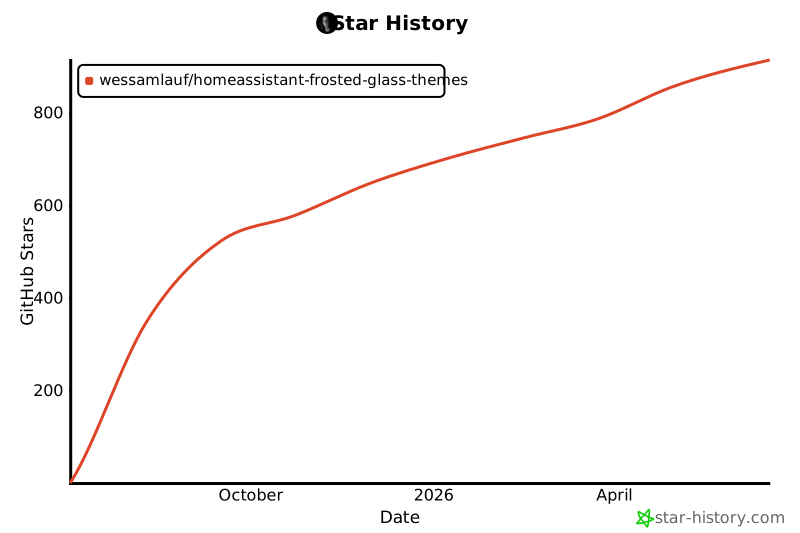
## ✨ Star History
[](https://www.star-history.com/#wessamlauf/homeassistant-frosted-glass-themes&Date)
---
## 🐞 Issues / Feedback
Have a problem or a suggestion?
Open an [issue](https://github.com/wessamlauf/homeassistant-frosted-glass-themes/issues) or start a discussion on GitHub.
---
## 🧩 Known Limitations
### 1. **Simple Swipe Card blur opt-in**
Simple Swipe Card uses `clip-path` for slide clipping by default, while CSS `backdrop-filter` cannot render correctly through that clipping path. Set `enable_backdrop_filter: true` on that card when using the standard (blurred) theme. This is not needed for Lite themes.
### 2. **Closed custom-card internals**
Cards that expose neither standard Home Assistant tokens nor public CSS variables cannot be fully restyled by a theme without card-specific support from their author. Frosted Glass avoids brittle deep overrides for those cards.
### 3. **Performance on Low-End Devices**
The heavy use of `backdrop-filter: blur()` may cause noticeable lag on low-end hardware (older tablets, Pi-based dashboards, etc.).
➡️ Tip: Use the **Lite version** for the same glassy palette without real-time blur.
---
## ✨ Star History
[](https://www.star-history.com/#wessamlauf/homeassistant-frosted-glass-themes&Date)