# @whenlabs/when
**Six tools. One install.**
A single installable toolkit that brings six WhenLabs developer tools into your Claude Code workflow. After install, the tools are exposed over a single MCP server and Claude calls them automatically when relevant.
## Install
```bash
npx @whenlabs/when install
```
One-time setup. The installer:
1. Registers a single MCP server (`whenlabs`) in your Claude Code configuration
2. Injects a CLAUDE.md block so Claude knows when to use each tool
3. Cleans up any legacy `velocity-mcp` registration (velocity is now bundled)
## The six tools
| Tool | Purpose |
|---|---|
| **aware** | Auto-detect stack and generate AI context files (CLAUDE.md, `.cursorrules`, …) |
| **berth** | Detect port conflicts before starting dev servers |
| **envalid** | Validate `.env` files against a schema |
| **stale** | Detect documentation drift between docs and code |
| **vow** | Scan dependency licenses and validate against policy |
| **velocity** | Time coding tasks and learn from historical data |
## MCP tools
Eight endpoints across the six tools:
| Endpoint | What it does |
|---|---|
| `aware_sync` | Detect stack and regenerate AI context files |
| `berth_check` | Scan project for port conflicts |
| `envalid_validate` | Validate `.env` files against schema |
| `stale_scan` | Detect documentation drift |
| `vow_scan` | Scan licenses and validate against policy |
| `velocity_start_task` | Start timing a coding task |
| `velocity_end_task` | End timing and record results |
| `whenlabs_summary` | Unified rollup across all five scanners in one call |
All eight are served by the single `whenlabs` MCP server (stdio, Node 20+). Fix/init/auxiliary commands remain available via each tool's CLI (`npx @whenlabs/ --help`).
## CLI
```bash
when init # Onboard a project — detect stack, bootstrap configs, run all checks
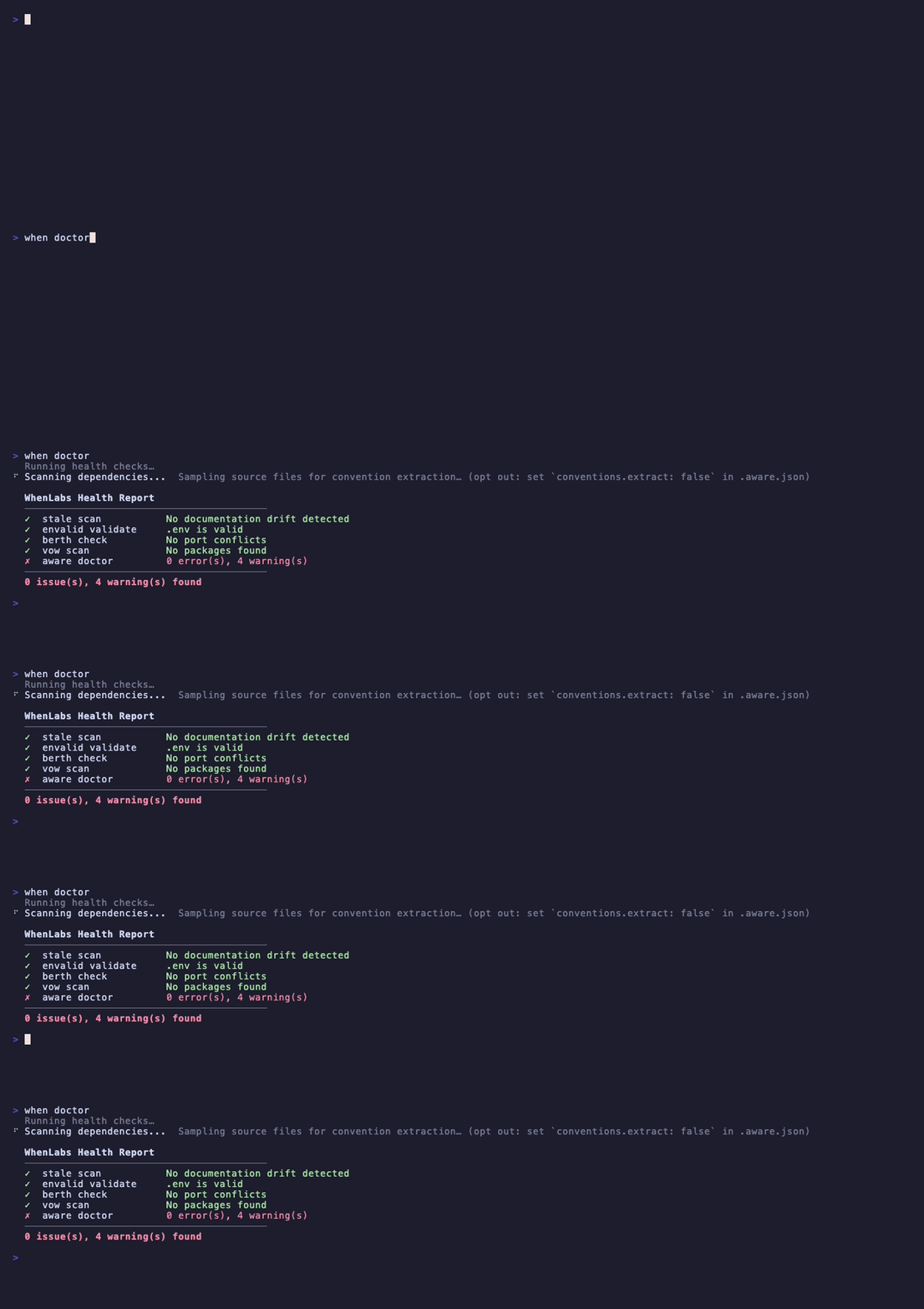
when doctor # Run all six tools and show a unified health report
when install # Register MCP server in Claude Code
when uninstall # Remove MCP server
```
For per-tool operations, use the tool directly:
```bash
npx @whenlabs/stale scan
npx @whenlabs/envalid validate
npx @whenlabs/berth check
npx @whenlabs/aware sync
npx @whenlabs/vow scan
```
## Manual MCP configuration
If you're not using the `install` command, add this to your Claude Code MCP config:
```json
{
"mcpServers": {
"whenlabs": {
"command": "npx",
"args": ["@whenlabs/when", "when-mcp"]
}
}
}
```
## License
MIT — see [LICENSE](./LICENSE)
---
Built by [Siddharth](https://github.com/Caissaisdead) at [WhenLabs](https://github.com/WhenLabs-org)