 noodle
A delicious REST client that lives in your terminal.
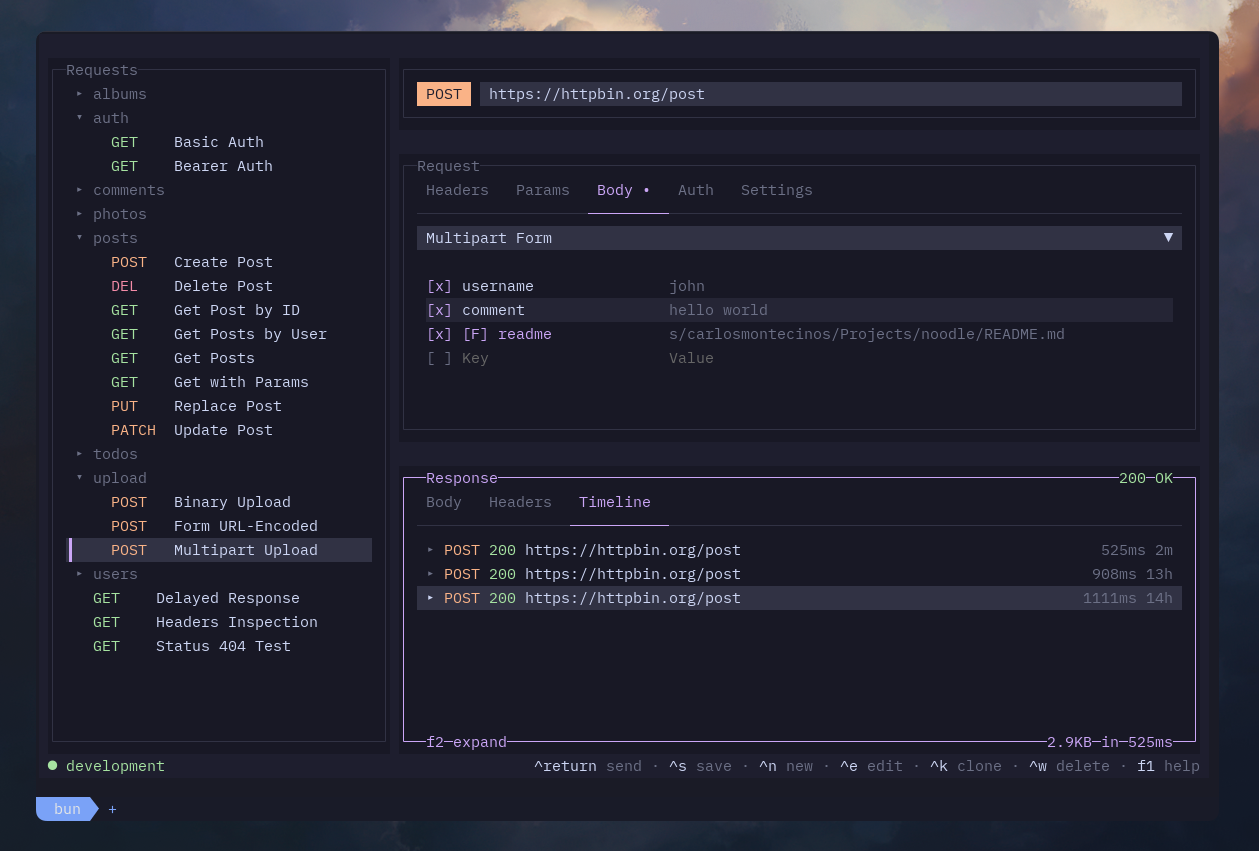
Noodle is an HTTP client, not unlike Postman and Bruno. As a TUI application, it can be used over SSH and enables efficient keyboard-centric workflows. Your requests are stored locally as simple YAML files — easy to read, easy to version control.
noodle
A delicious REST client that lives in your terminal.
Noodle is an HTTP client, not unlike Postman and Bruno. As a TUI application, it can be used over SSH and enables efficient keyboard-centric workflows. Your requests are stored locally as simple YAML files — easy to read, easy to version control.

Website · Changelog · Roadmap · Quick Start · Docs
Some notable features include: - 📁 YAML request files — one per request, git-friendly, no lock-in - 🗂️ Folder organization with inheritable headers and auth - 🌐 Environments with `$var` substitution - ✏️ Built-in environment editor — manage environments from the app - ⌨️ Inline editing of every field directly in the terminal - 🔐 Multiple auth types (bearer, basic, API key) and body types (JSON, form data, multipart, binary) - 📜 Response history with timeline per request - ↔️ Layout switcher (stacked / side-by-side) - 🎨 Theme picker with 30+ built-in themes - 🛠️ Customizable keybindings - 📦 Import from OpenAPI 3.0 and Postman collections - 📋 Copy response body to clipboard ## Installation (macOS & Linux) ### Curl ```bash curl -LsSf https://noodlerest.dev/install.sh | sh ``` ### Homebrew ```bash brew tap wilfredinni/noodle brew trust wilfredinni/noodle brew install noodle ``` Installs to `~/.local/bin/noodle` (curl) or your Homebrew prefix. Make sure the install directory is in your PATH. ## Roadmap See the [public roadmap](https://app.notion.com/p/39128d9edba9809da834f351332baf57?v=39228d9edba98042ad07000cdbe5d751&source=copy_link) for upcoming features and improvements. ## Importing collections Import requests from OpenAPI 3.0 specs or Postman collections: ```bash bun run dev -- --source ./specs/api.yaml ``` By default the imported collection is written to the `--collection` directory. Use `--output` to set a custom destination: ```bash bun run dev -- --source ./specs/api.yaml --output ./my-collection ``` ## Development ```bash bun install bun run dev -- --collection ./collections --env development bun test bun run lint bun run typecheck bunx prettier --check ./src ./tests ```