Spiralist redraws any photo as one continuous line, in pen, pencil, ink or paint on paper that looks real.
Then it films the line being drawn.
A 10-second film straight out of the app, played 1.3× faster here. Fountain pen on cream paper, Nero marble desk.
Everything runs in your browser. Your photo is never uploaded, and after the first visit the site
works offline. Line art needs one extra download the first time you use it (about 54 MB), and then
it works offline too.
## What it does
- **Three modes.** Artistic draws tone with the width of the line, Realistic draws it with how
densely one real pen packs the line, and Line art leaves tone out and draws the contours, the way
a person does a continuous-line drawing.
- **Four paths for the line.** Spiral, Wander, Contour and Maze. The line never lifts off the
paper, and Wander and Maze start wherever you tap.
- **Twelve drawing media that behave like the real thing.** Fountain ink and watercolour soak into
the paper, bleed along its fibres and dry with darker edges. Charcoal and crayon catch the
paper's tooth. Graphite shines at a low light, and gold flashes as the light moves.
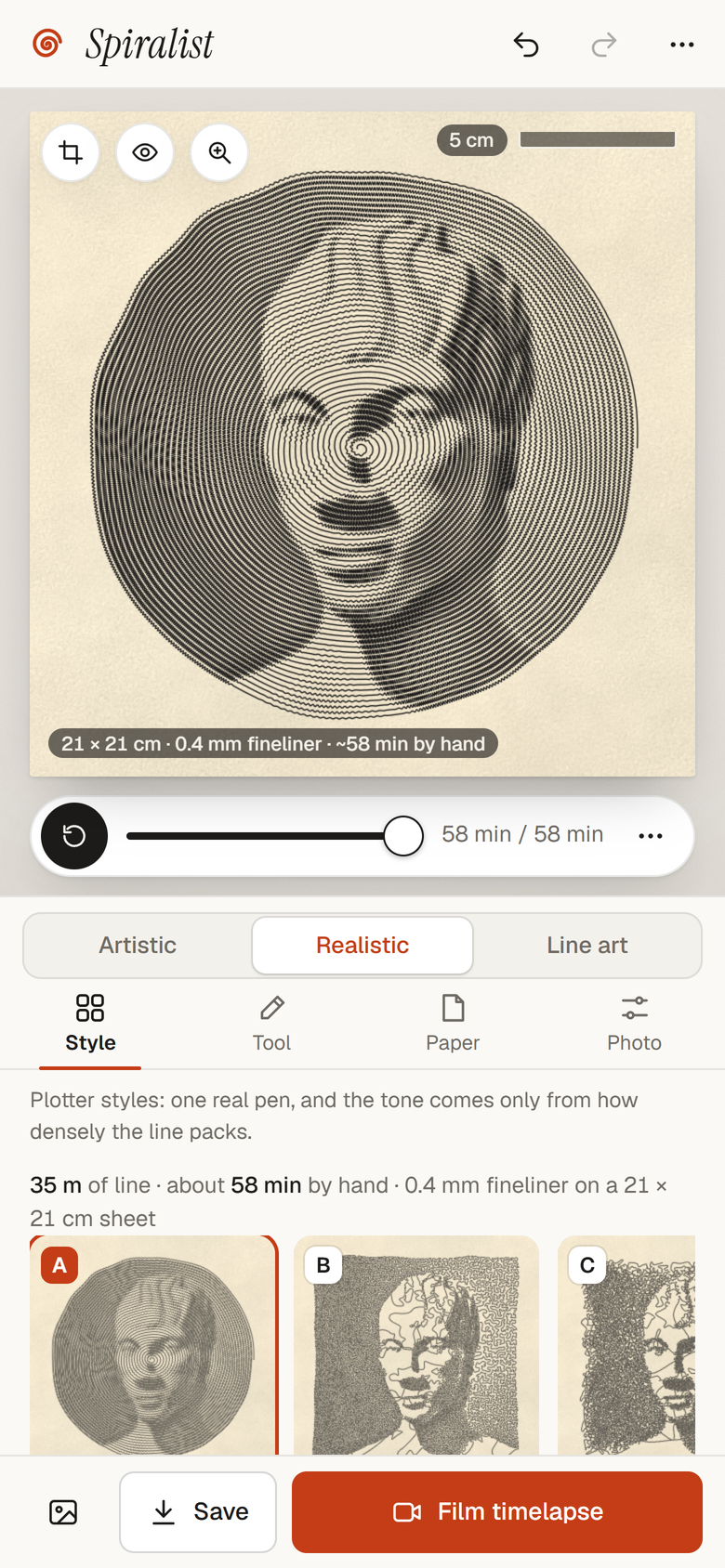
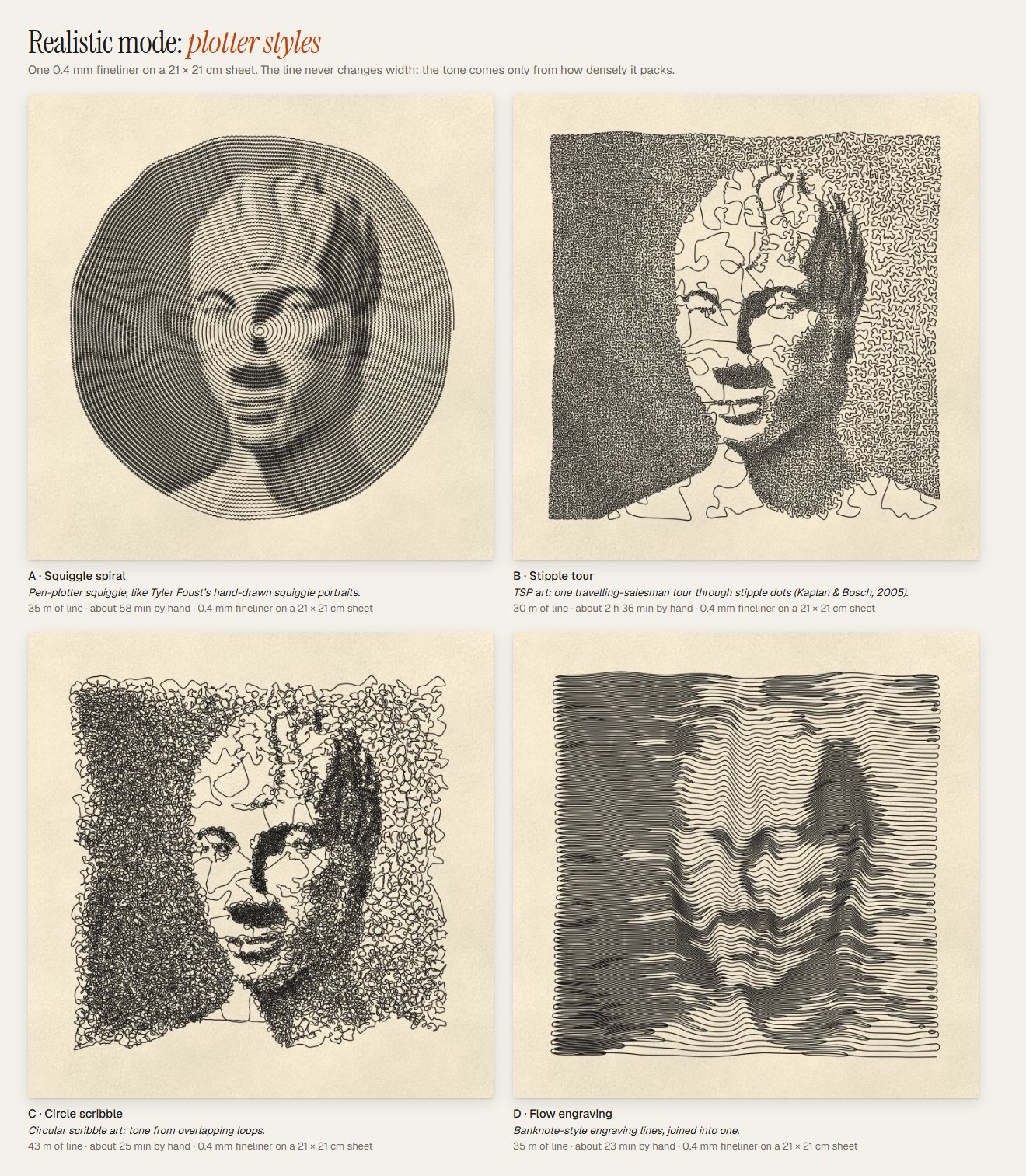
- **Realistic mode.** Four plotter styles drawn with one pen at its real width, on a sheet of a
real size. You could draw the result by hand, and the app tells you how long it would take.
- **Line art mode.** Four one-line drawing styles, from a few bold marker lines to a brush with
hatching. The line goes feature by feature and travels by going back over itself, like a hand
that never lifts the pen.
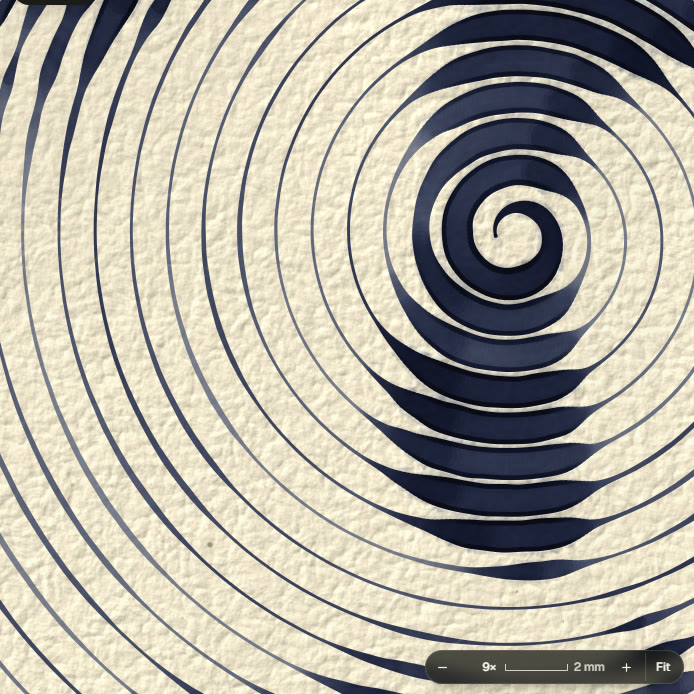
- **A loupe.** Zoom in until you see the paper's fibres, with a scale bar in millimetres.
- **Cinematic films.** A macro of the nib touching the paper, a slow pull back, and the finished
sheet on one of eight desks. Sign it with your name, then share it or post it on X.
- **Exports.** PNG up to 8K, SVG in real millimetres for pen plotters, or straight to the clipboard.
- **3D print your line.** Turn the drawing into a relief plaque or a wire sculpture, pick the
filament colours, save a 3MF or STL for your printer, and watch the piece being printed, layer by
layer.
## Line art
The other two modes turn light and dark into line. Line art doesn't draw tone at all. It draws the
way continuous-line artists do: only the contours that matter, one feature at a time. On a face it
starts at the brow or an eye and leaves the hair for last. To get from one feature to the next
without lifting the pen, it goes back over line it has already drawn. The line is short, sure of
itself and a little imperfect, and a nib or a brush swells where the hand slows down.
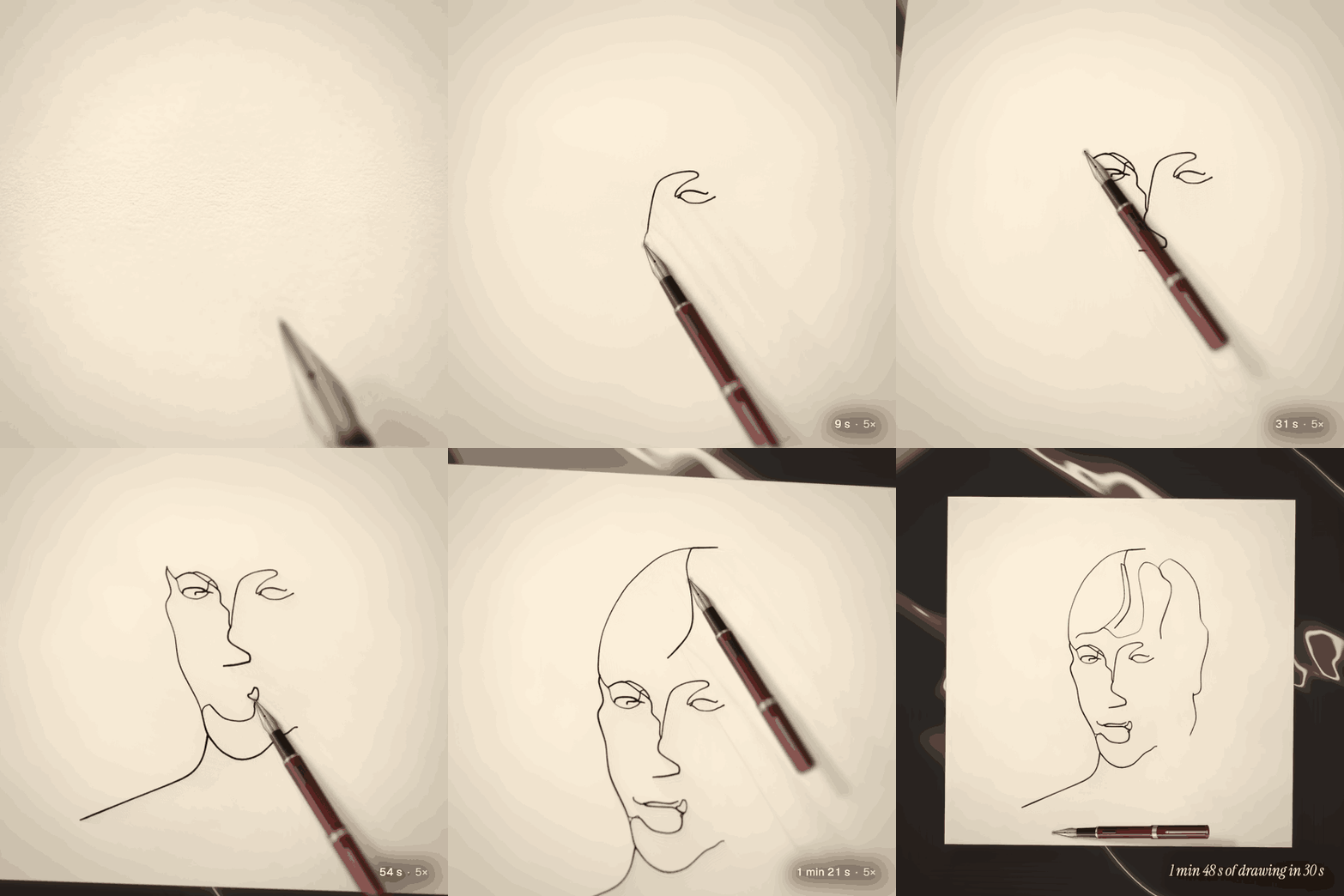
A 30-second Line art film in style B, straight out of the app. The nib lands at real speed, then the film runs about 5× faster than the hand through the face. The GIF plays the hair 3× quicker again: 1 min 48 s of drawing by hand.
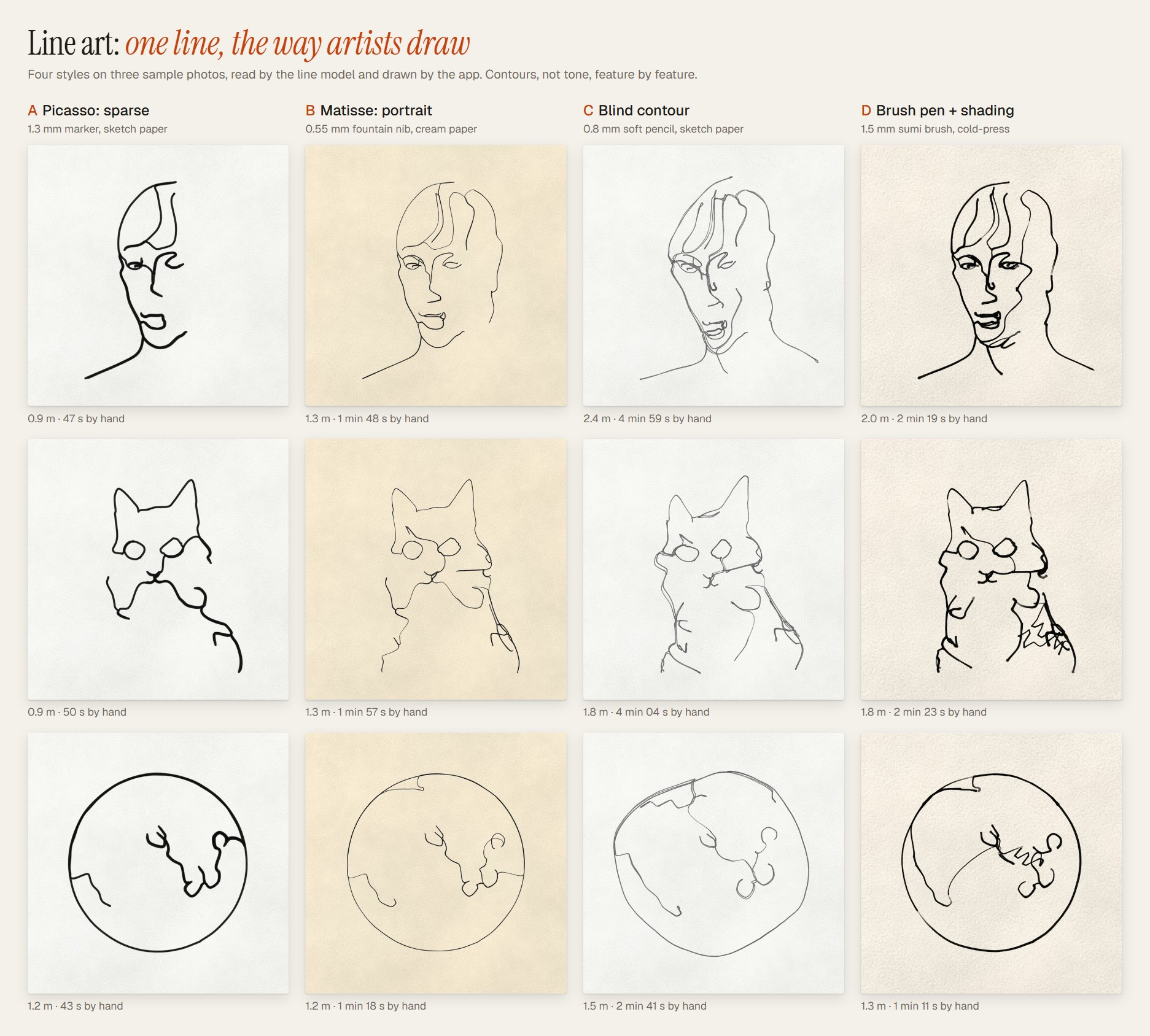
- **A Picasso: sparse.** A 1.3 mm marker and the fewest lines: a few confident contours and a lot
of white paper. Under a minute by hand.
- **B Matisse: portrait.** A 0.55 mm fountain nib on cream paper. The features and a few lines of
hair, in a line that swells where the hand slows. One to two minutes.
- **C Blind contour.** A soft 0.8 mm pencil, drawn as if the eyes stayed on the model and not on the
paper: the line drifts, loops and misses a little. The slowest, three to five minutes.
- **D Brush pen + shading.** A 1.5 mm sumi brush on cold-press paper, pressed harder and lighter as
it goes, with a few loose hatches where the subject is darkest, all in the same line. One to
two and a half minutes.
The names describe a kind of line, not copies of anyone's drawings.
- **How it reads the photo.** A small neural network trained to make line drawings finds the lines
worth drawing, and a face finder locates the eyes, nose and mouth so a portrait gets them.
It reads shapes, not tones, so frame the face or subject to fill the square. Faces, animals and
objects work best; a landscape comes out as a skyline, a tree line and a few marks. A photo with
no clear contours gets a note saying so, not a made-up drawing.
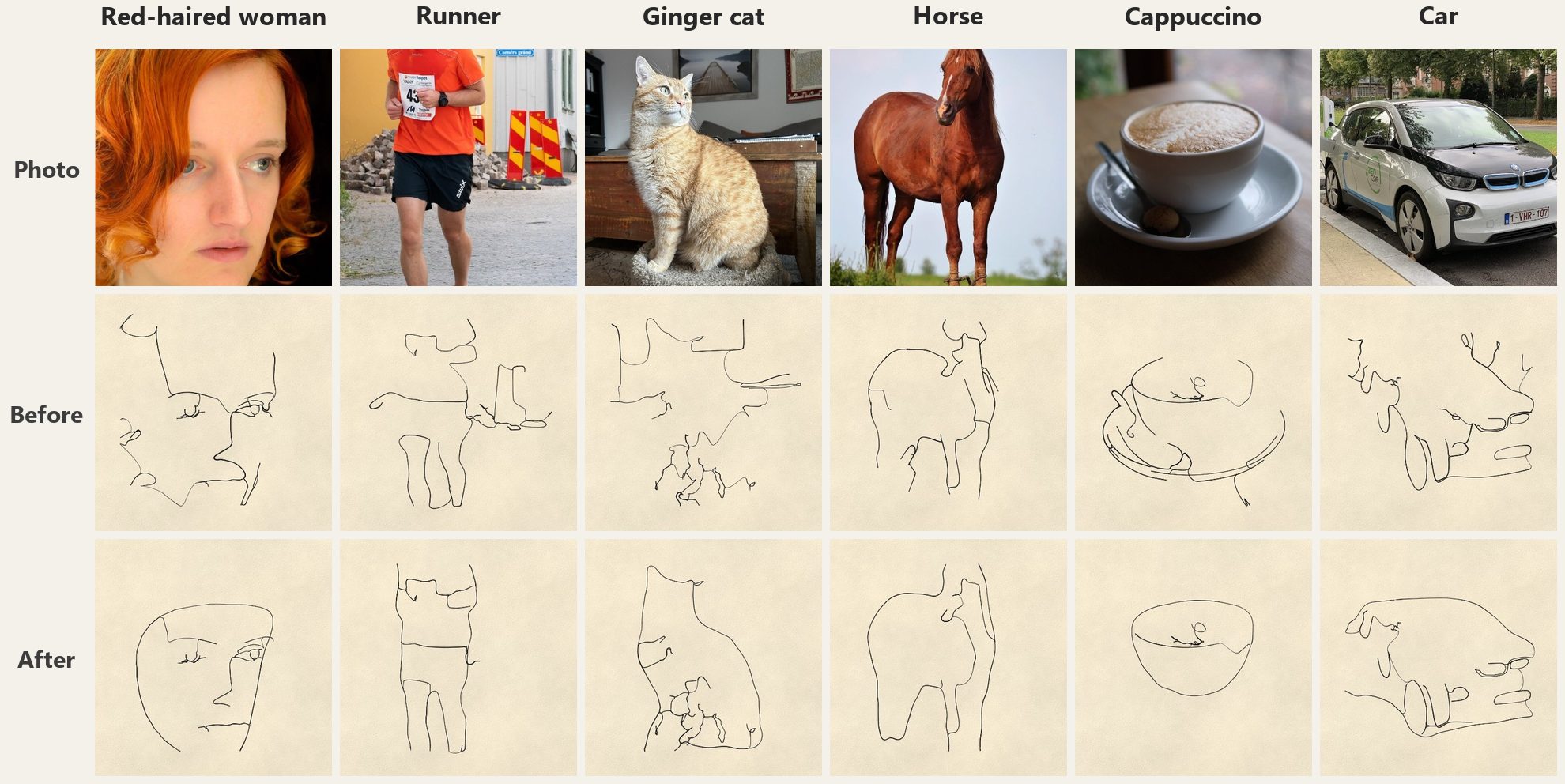
- **Silhouette first.** Not every photo reads well as a few contours: the eye first needs the
subject's shape. So two small segmentation models (about 9 MB of the first-use download) find
the subject's outer shape, and that shape becomes the main line, the way a one-line artist
starts; the features go inside it. The panel says what was found ("Subject: cat", "Scene:
landscape").
- **Tap the subject.** If the finder picked the wrong thing (the house, not the lighthouse), press
**Tap the subject** and tap it on the sheet: the photo shows faintly under a dashed outline, and
the new outline follows what is under your tap. The tap is kept with the photo, undo takes it
back, and **Automatic** returns to the finder's choice. When a face fills the whole frame there
is no outline to find, and the panel says so; frame the photo a little wider.
- **What it still finds hard.** Forests get a tree line with a few small spruces, thin objects
such as a bicycle are drawn from their structure (the wheels as circles), and a pale dog keeps
its dark eyes and nose. Still weak: long hair over the shoulders can read as a hood, and a very
thin object is often better tapped.
- **Tools at their real widths.** Fineliner, ballpoint, fountain nib, soft pencil, sumi brush,
marker and charcoal pencil on a 21 × 21 cm sheet, with your choice of paper and light. Sliders
for detail, hatching and wobble.
- **Films on the hand's clock.** The pen draws in the planned order, pauses where the artist would
look up at the model, and rides over the line where it retraces. A 30-second film shows a
2-minute drawing about 5× faster than the hand, and a drawing shorter than the film is drawn at
real speed.
- **Exports.** A PNG of the sheet, and an SVG with one path at the tool's real width. For the nib,
the pencils and the brush, "Filled outline" keeps the swell of the line.
- **First use.** The line model, the face finder, the silhouette models and the runtime that runs
them are downloaded once, the first time you open Line art: about 54 MB (66 MB in browsers that
run it on WebGPU). The
service worker keeps them, so Line art works offline after that. Reading a photo takes about 10
to 30 seconds. It all runs in your browser, so the photo still never leaves your device. If the
model can't load, a simpler edge finder reads the photo instead, the app tells you the lines
will be rougher, and it tries the model again a little later.
## The app
On a phone, in Realistic mode.
The loupe at 9×. Fountain ink sitting in the paper's tooth; the bar is 2 mm.
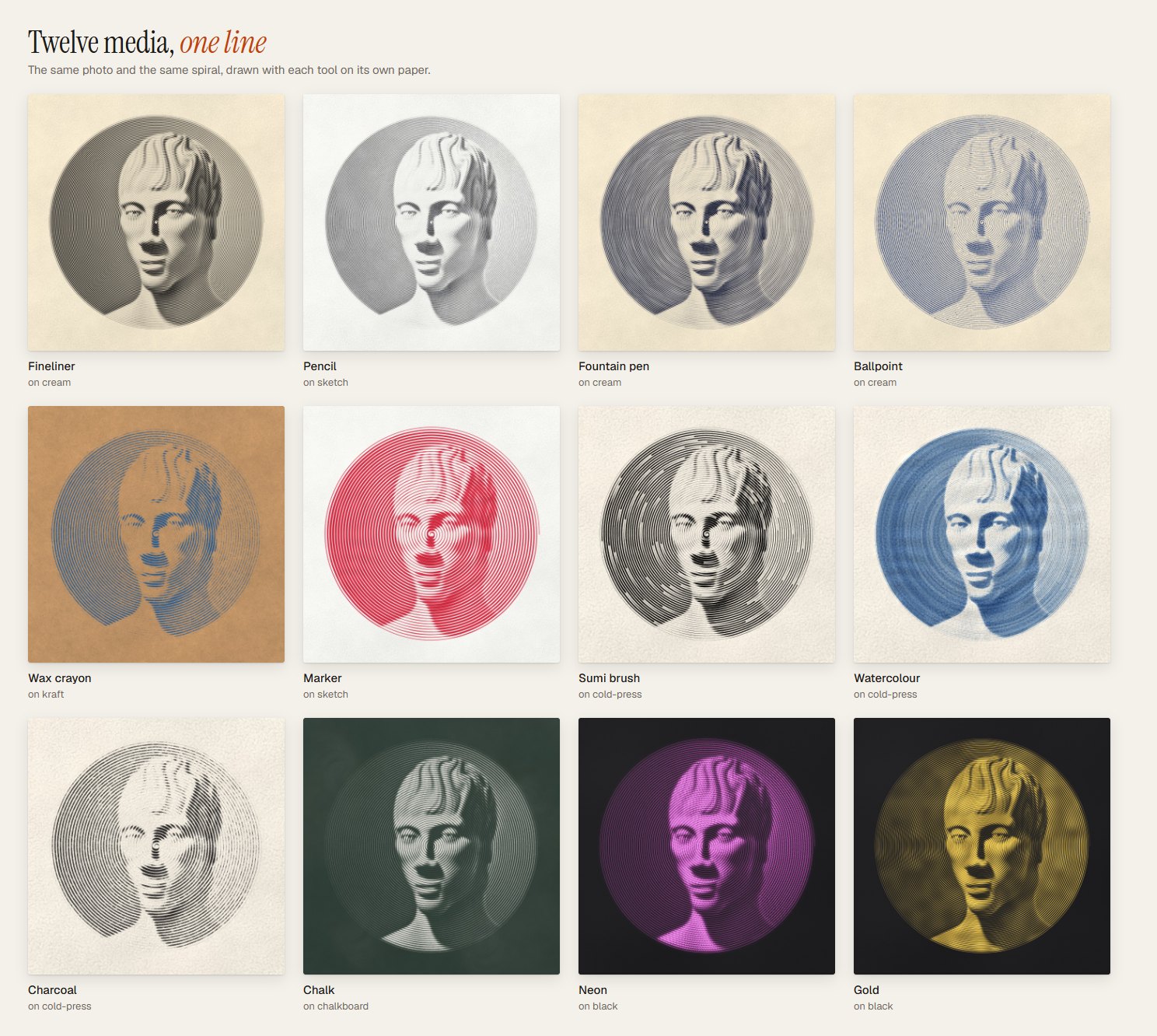
## Twelve media
Each tool has its own inks and its own way of meeting the paper. The same photo and the same spiral
look completely different in each one.
- **Wet media** (fountain pen, watercolour, sumi brush, marker) run on a small fluid simulation on
the paper: water and pigment spread, wick along the fibres, pool where the pen slows down and dry
with darker rims. Very wet paper buckles a little.
- **Dry media** (pencil, charcoal, crayon, chalk) are shaped by the paper's surface: they only
touch the high points of the grain, so the valleys stay pale.
- **Papers**: sketchbook, cream, cold-press watercolour, kraft, black card, chalkboard and
blueprint. The grain in the preview matches the grain in a 4K print.
## Realistic mode: plotter styles
The Artistic mode makes the line thicker where the photo is dark. Realistic mode doesn't: it gives
you **one pen at its real width** and a **sheet of a real size**, and the only way to make a dark
area is to draw more line there. Its four styles come from pen-plotter and computational drawing,
where tone comes only from how densely the line packs. A patient person could draw them by hand,
and the app tells you how long that would take.
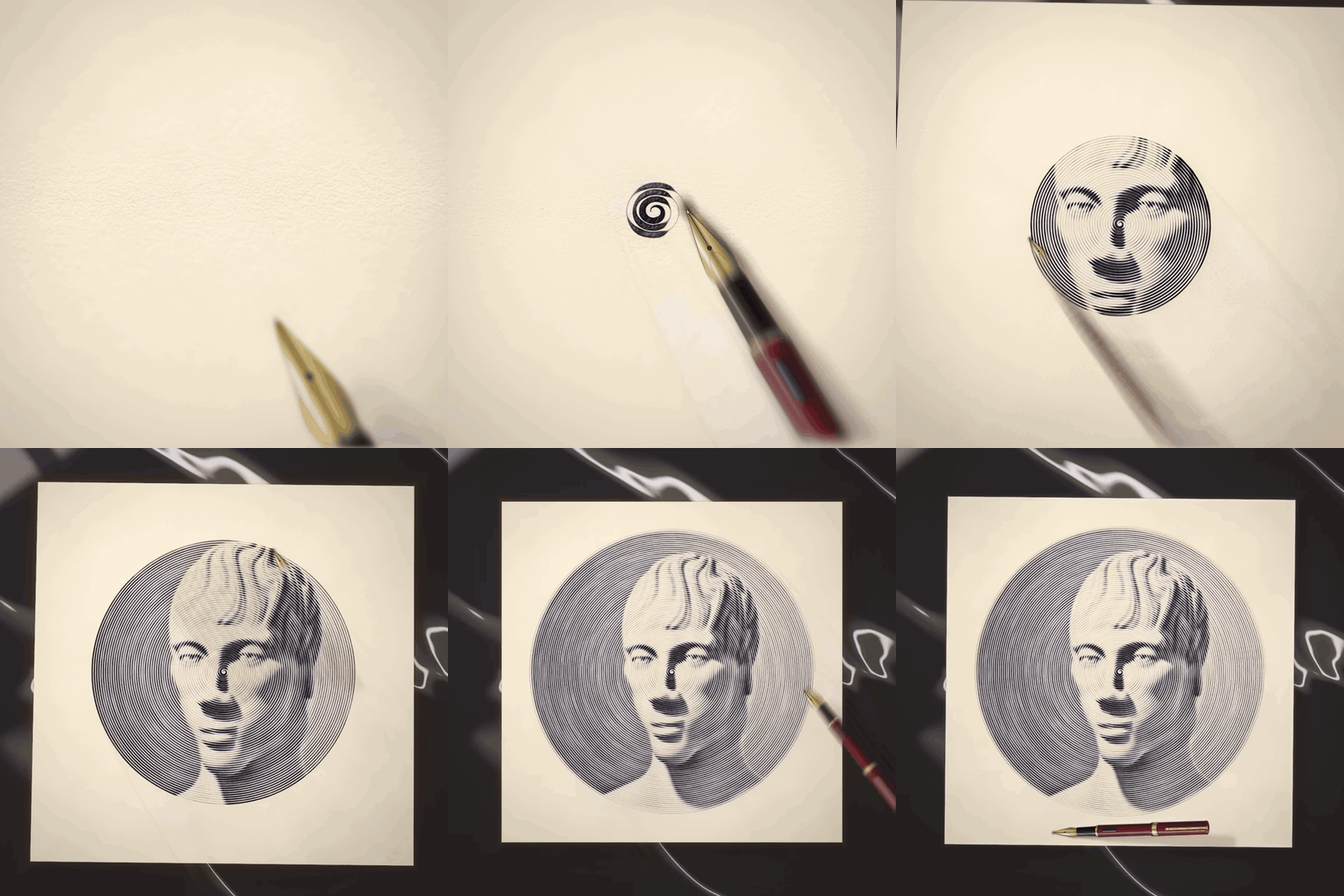
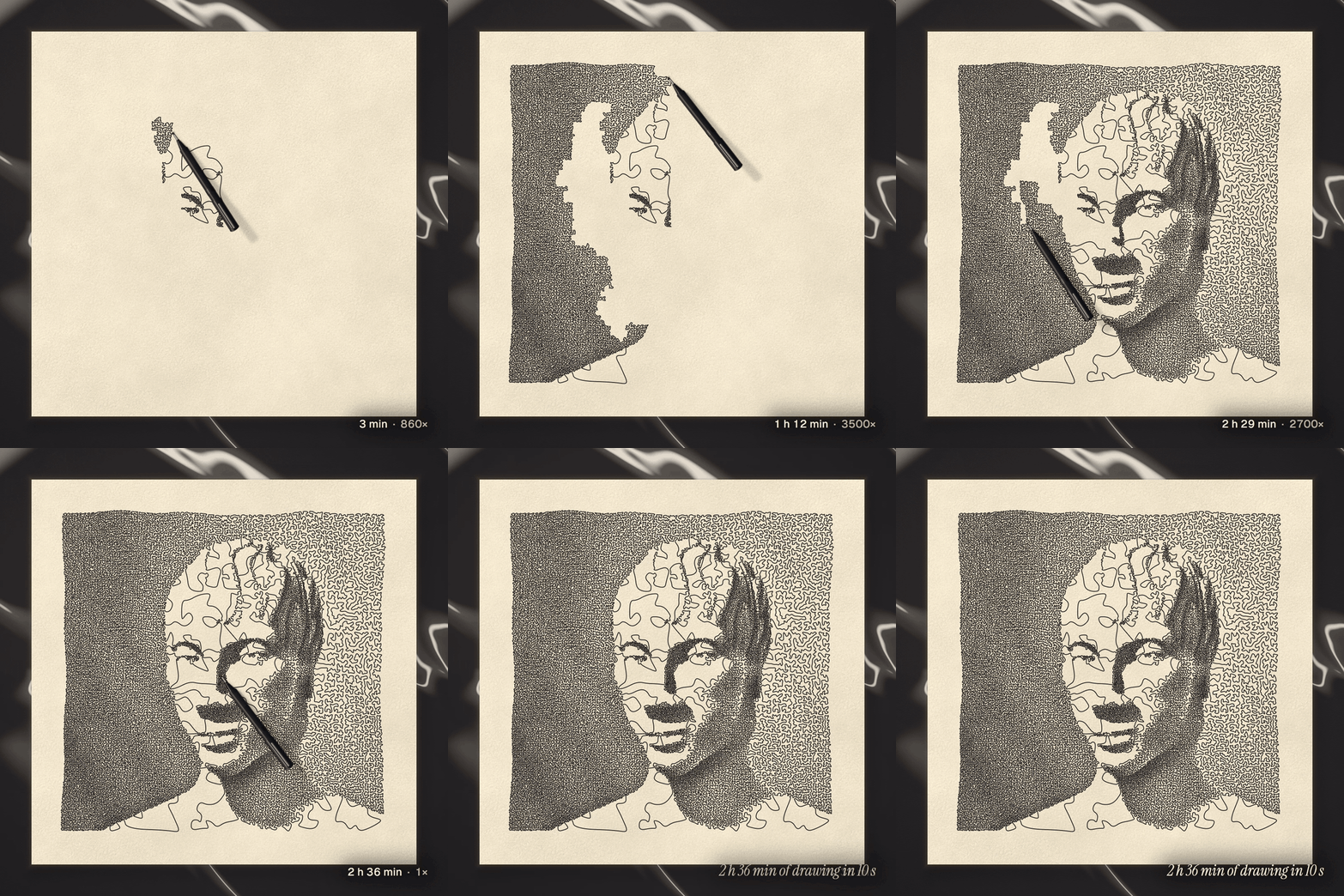
The pen follows the real line in its real order, and the counter shows the time a hand would need. A flat film on Nero marble; the GIF skips its first three seconds, where the pen lands at real speed.
- **Four styles, each from a real tradition**:
- **A Squiggle spiral**: the pen-plotter squiggle, like Tyler Foust's hand-drawn squiggle
portraits. One spiral from the centre that zigzags tighter where the photo is dark.
- **B Stipple tour**: TSP art (Kaplan & Bosch, 2005). One travelling-salesman tour through
thousands of stipple dots, packed where it is dark.
- **C Circle scribble**: circular scribble art. Circling loops that pile up in the shadows.
- **D Flow engraving**: banknote-style engraving lines, joined into one. Long parallel strokes
that bend over the form.
- **Real tool sizes**: fineliners from 0.3 to 0.8 mm, ballpoint, fountain pen, pencil, gold paint
pen, marker, sumi and watercolour brushes, a 4 mm charcoal stick, wax crayon and 5 mm chalk.
- **Sheets that fit the tool.** A 4 mm charcoal stick can't draw a face on A4, so the app picks a
sheet big enough, up to 2 m across. You can also pick one yourself.
- **Honest numbers**: metres of line and hours by hand for every drawing, plus Window, Raking and
Overhead light.
- **Never cut short.** A fine pen on a big sheet can need more line than one drawing holds
(1.4 million points). The line is then drawn with fewer points where it runs straight. If that
is still not enough, the drawing gets less detail (fewer rings, dots or bands, bigger loops, or
a Masterpiece drawn as Detailed), and the app tells you. How much line a sheet needs depends on
the photo: a very dark one can lower detail even on a sheet the tool is offered, and the sheet
list marks those sizes ("less detail with this photo"). The whole photo is always drawn.
- **The SVG is a real plotter file**: one path, the sheet's real size in millimetres, and the
stroke as wide as the pen.
## Films
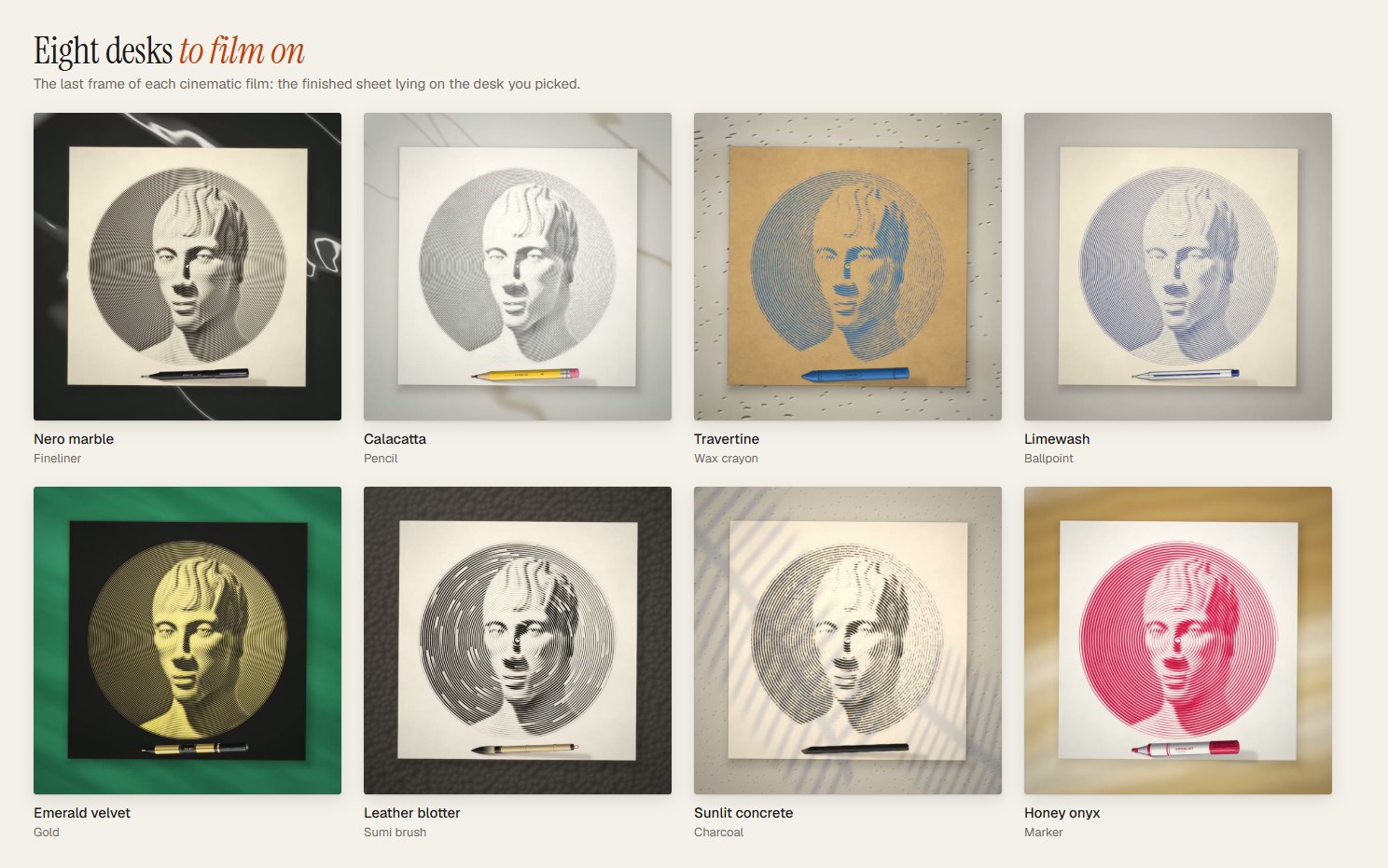
- **Cinematic or flat.** Cinematic films open on a macro of the nib, pull back with depth of field and
a moving light, and end on the whole sheet on a desk.
- **Eight desks**: Nero marble, Calacatta, Travertine, Limewash, Emerald velvet, Leather blotter,
Sunlit concrete and Honey onyx.
- **Sign it**: type your name or @handle and the pen signs the corner at the end, in the same ink.
- **Realistic and Line art films** show the true drawing, sped up: the pen moves at a believable
hand speed with a clock in the corner, and nothing is faded in or revealed. In Line art the pen
also pauses where the artist looks up at the model, and the film never runs slower than the hand.
- 9:16, 4:5, 1:1 or 16:9, 10 to 60 seconds (15, 30 or 60 in Line art), 30 or 60 fps, saved as an
H.264 MP4. On a phone you can
share it straight to your apps. **Post on X** shares the video on phones, and on desktop it opens a
post and saves the video for you to attach.
Full-quality MP4s of the films above are on the [Releases page](https://github.com/winchxyz/spiralist/releases).
## 3D print your line
**3D print** (next to Download, in the menu on a phone, or press **P**) turns the drawing into a
file for a 3D printer: a relief plaque or a wire sculpture. The app offers a product only where it
prints well for that drawing. Where it doesn't, the card says why and points to the one that does.
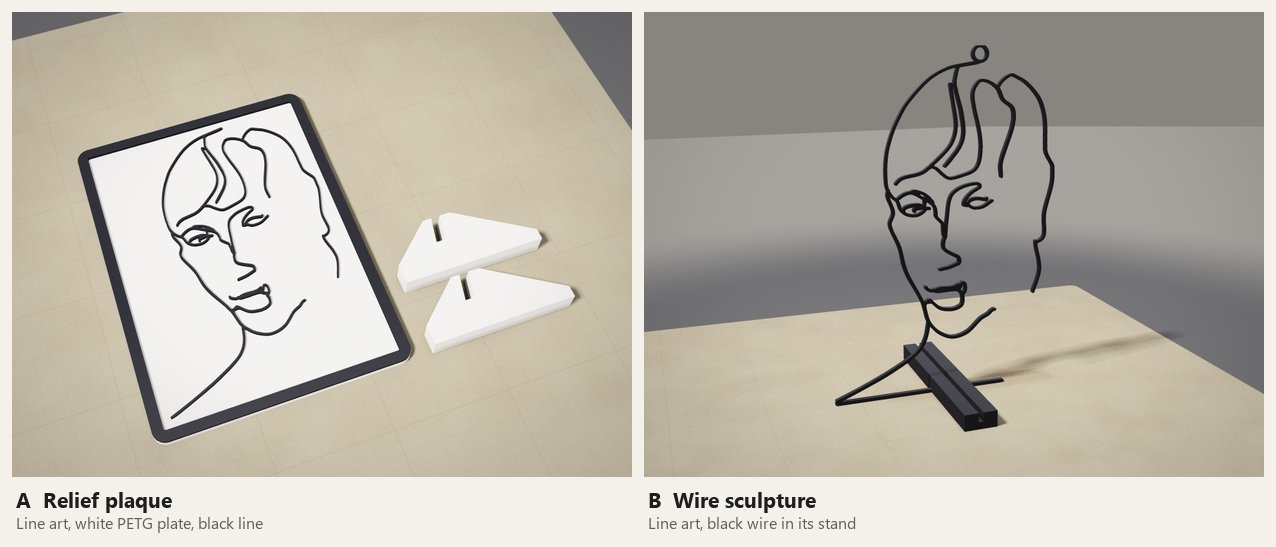
Renders from the app's own 3D preview of the Line art plaster bust.
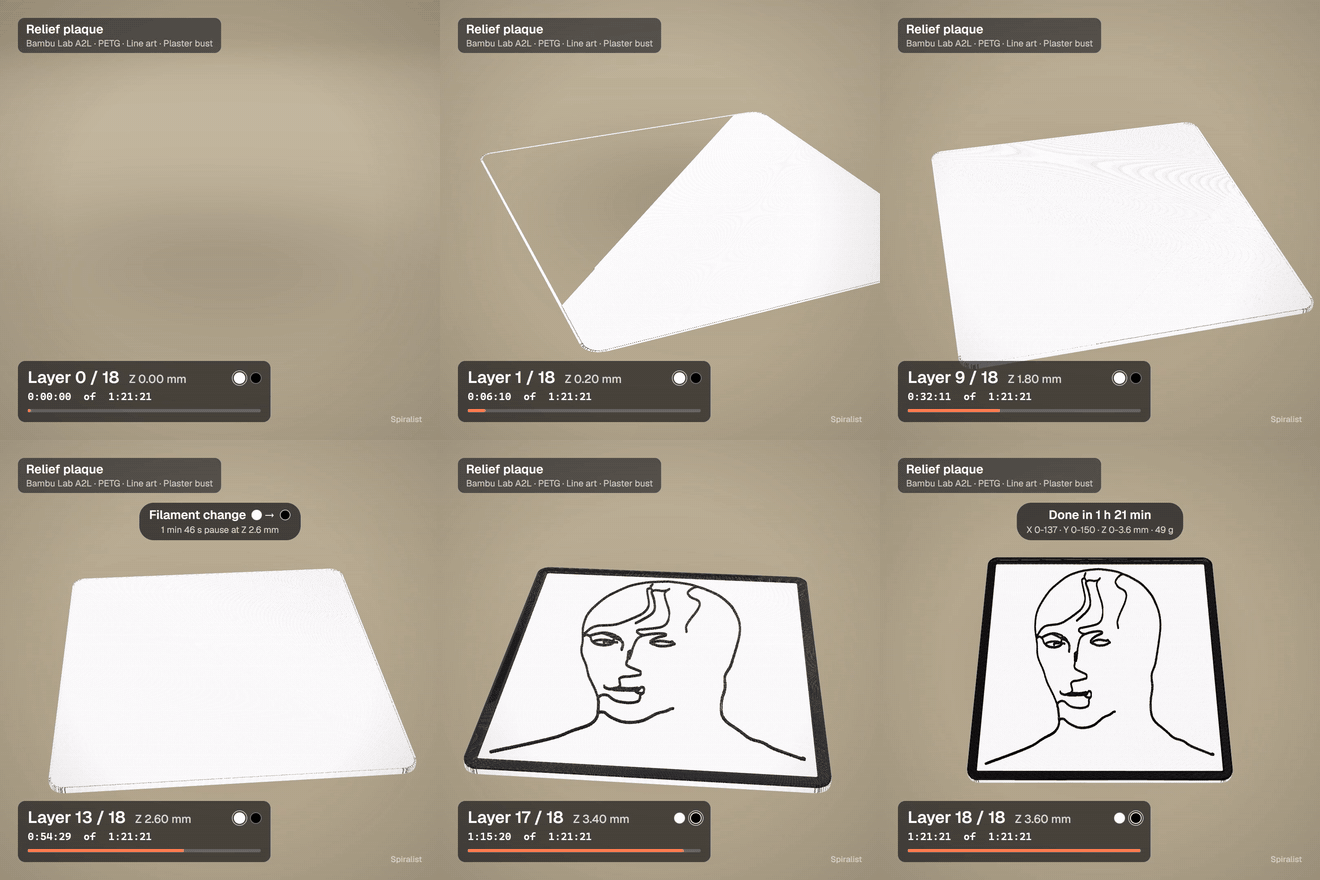
- **A Relief plaque.** The line raised 1.2 mm on a 2.4 mm plate (plate Z 0-2.4, line Z 2.4-3.6 mm),
in two colours, with a frame and slotted feet or hanging holes. 80 to 300 mm on its longest
side.
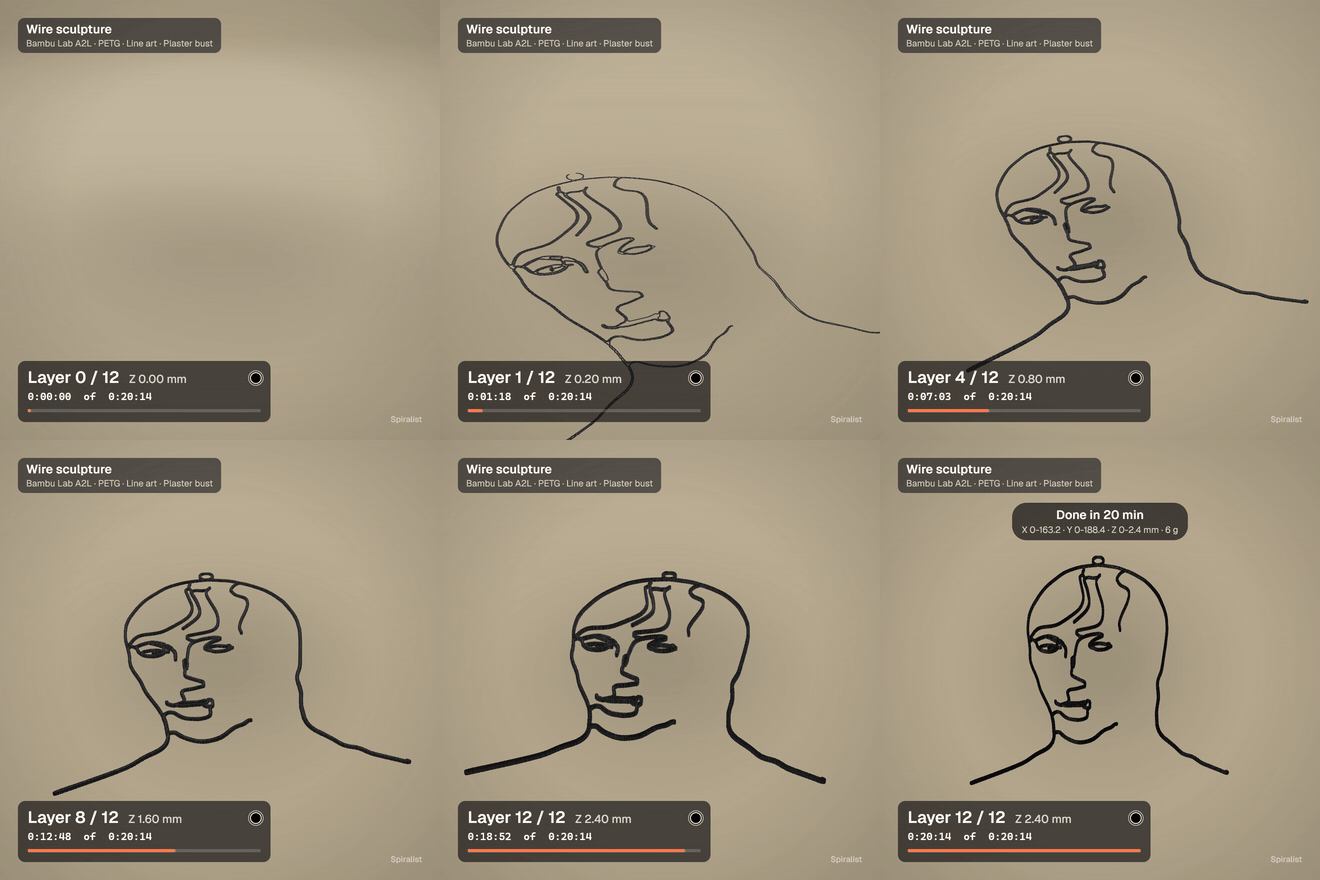
- **B Wire sculpture.** The one line itself, printed flat as a single piece, with a hanging loop or
a slotted stand. The wire is 1.6 mm wide and 2.4 mm tall, and grows to 2.4 × 3.0 mm at 300 mm so
a big one doesn't sag.
### What prints well for which drawing
| Drawing | A Plaque | B Wire |
|---|---|---|
| Line art, and the Contour path | yes, the best pick | yes |
| Artistic Spiral, Wander, Maze | yes: a spiral is rebuilt with fewer, wider rings; Wander and Maze print as a textured relief | no: the line fuses into a disc |
| Realistic | no | no |
The Realistic plotter styles pack the line so tightly that it would print as one solid block. There
**3D print** says so and offers to switch to Line art, which prints best.
### Colours you can see
You pick the filament colour of each part from the Bambu PLA Basic or PETG Basic swatches, or any
custom colour:
- **Plaque:** Base (the background), Line (the ink) and, when it stands, the Feet. The feet match
the plate until you give them a colour of their own.
- **Wire:** the wire and, when it stands, the Stand, which matches the wire until you give it one.
Feet or a stand in their own colour print on a second plate, so no plate needs more than one
filament change.
The preview's backdrop is Auto, Textured PEI plate, Light wood desk, Studio white or Graphite;
Auto picks one that stands out from the print. The defaults always contrast: a white plate with a
black line, and a black wire. When you pick two colours that are hard to tell apart (a black line
on a black plate, yellow on white, a dark wire on the Graphite backdrop), the dialog warns you and
offers a one-tap fix, such as "Use a white line" or a lighter plate. The 3MF and the timelapse use
the colours you chose.
### Watch it print
The plaque (1 h 21 min of printing) and the wire (20 min), each in 10 s, saved from the app.








.jpeg)

