---
name: problem-creation
description: Guide for creating a single LeetCode problem scaffold - scrape, transform to JSON template, generate files, and verify. Use ONLY when user explicitly requests problem creation via /problem-creation command or provides a specific LeetCode problem number/name.
---
# Problem Creation Guide
## Assistant Workflow
When user requests a problem by **number** or **name/slug**, the assistant will:
1. **Scrape** problem data using `uv run lcpy scrape`
2. **Transform** data into proper JSON template format
3. **CRITICAL: Include images** - Extract image URLs from scraped data and add to readme_examples with format: `\n\n` before code blocks
- Check scraped data for image URLs in the `raw_content` field
- Look for patterns: `https://assets.leetcode.com/uploads/...` or ` `
- Common patterns: `kthtree1.jpg`, `kthtree2.jpg`, `clone_graph.png`, `container.jpg`
- Images provide crucial visual context, especially for tree and graph problems
- Always verify images are included in `readme_examples` and accessible
4. **Create** JSON file in `src/leetcode_py/cli/resources/leetcode/json/problems/{problem_name}.json` (note the `src/` prefix — the non-`src` path silently fails `bake p-gen` with `Warning: JSON file not found`)
5. **Update tags.json5** - If user specifies tags, manually add problem name to corresponding tag arrays in `src/leetcode_py/cli/resources/leetcode/json/tags.json5`
6. **Generate** problem structure using `bake p-gen`
7. **Update @bakefile.py** - Set `problem = "{problem_name}"` on the `MyBakebook` class to the newly created problem name for easier `bake` command usage
8. **Verify** with `bake lint` - fix template issues in JSON if possible, or manually fix generated files if template limitations
9. **Iterate** if JSON fixes: re-run `bake p-gen -p {problem_name} -f` and `bake lint` until passes to ensure reproducibility
**If user does not specify a problem number or name/slug**, run:
```bash
uv run python .claude/.dev/next_problem.py
```
This will suggest the next problem to work on from the available problem lists based on completion status.
## Scraping Commands
```bash
# Fetch by number
uv run lcpy scrape -n 1
# Fetch by slug
uv run lcpy scrape -s "two-sum"
```
### Premium Problems (scraper cannot fetch)
Premium problems fail with `Error fetching problem: 'NoneType' object is not iterable`. Fetch the statement from the web instead:
- **Primary source**: doocs/leetcode raw markdown mirror — covers ALL LeetCode problems (premium included), no search engine needed. URL is deterministic from the problem number + title: `https://raw.githubusercontent.com/doocs/leetcode/main/solution/0100-0199/0156.Binary%20Tree%20Upside%20Down/README_EN.md` (century folder `0100-0199`, zero-padded number, URL-encoded Title Case)
- **Fetch with curl**: `curl -s '' | head -c 4000` — raw.githubusercontent serves static text, no browser needed. Title-guess 404? List the exact folder via GitHub API: `curl -s https://api.github.com/repos/doocs/leetcode/contents/solution/0200-0299 | grep '"name"'`
- **Fallback**: `https://leetcode.ca/all/{N}.html` (older wording, usually no constraints) — curl first; Playwright only if a source needs JS. Playwright GOTCHA: `browser_evaluate` HANGS on raw.githubusercontent pages (plain-text doc; eval stalls past 120s) — navigate, then read the auto-saved `.playwright-mcp/page-*.yml` snapshot
- Model the JSON on the fetched text, never on memory — statements get revised (e.g. 163 Missing Ranges now returns `list[list[int]]` ranges, not the old `["2", "4->49"]` strings, and is Easy)
- Premium problems ship only 2-3 official examples, so most test cases are hand-invented — machine-verify every expectation with a reference implementation before writing the JSON (tree problems: `TreeNode[int].from_list` round-trip)
## JSON Template Format
Required fields for `src/leetcode_py/cli/resources/leetcode/json/problems/{problem_name}.json`:
**CRITICAL: Use single quotes for Python strings in playground fields to avoid JSON escaping issues with Jupyter notebooks.**
**JSON Escaping Rules:**
- `playground_test_case`: Use single quotes for string literals (e.g., `s = 'hello'` not `s = "hello"`)
- `playground_execution`: Use single quotes for string literals
- `playground_assertion`: Use single quotes for string literals
- Double quotes in JSON + cookiecutter + Jupyter notebook = triple escaping issues
**Test Cases Format:**
- `test_cases`: Use structured format with `{"list": ["..."]}` instead of string arrays
- Each test case should be a string representation of the tuple/parameters
- Example: `{"list": ["('input1', 'input2', expected)", "('input3', 'input4', expected)"]}`
**GOTCHA — long string cases hit E501 in generated tests.** Ruff line-length is 100 and the generator emits each parametrize case on its own line (16-space indent + quotes + comma). A case whose full line passes col 100 breaks `p-gen`/lint — BUT only when the overflow contains whitespace: ruff/pycodestyle silently exempt no-whitespace overflow (why a 120-char single-word line elsewhere in the repo passes). Hit with 273 Integer to English Words: cases like `(1234567891, 'One Billion Two Hundred Thirty Four Million ...')` produced 121-char lines. Fix at the JSON level: keep each test_cases entry's string payload under ~80 chars. For long-output problems, pick short-output cases at the same scale instead (`(1000000001, 'One Billion One')` covers the Billion path; drop the 99-char mega cases). Ops-sequence (design) cases that still overflow after trimming the op list: drop ALL spaces after commas (`[[[1,2]],[],[]]` instead of `[[[1, 2]], [], []]`) — still valid Python and buys room. **DO NOT rely on a no-whitespace E501 exemption**: the exemption is inconsistent (batch 11, 3 of 20 agents independently re-tested it: a 102-char no-whitespace parametrize line FAILS `ruff check --select E501`; it holds only when the whole generated line is a single token, and agent reports across runs conflict on the boundary). Worse, `p-gen` runs `ruff format`, which reflows long list literals element-per-line, so compactness does not even survive generation. **Default rule: hard-cap every generated parametrize line at <=100 chars with a write-time assert in the JSON-writing script** (1272/1533 pattern) — if a case cannot fit, use shorter cases at the same coverage instead of compact tricks; 1258 dropped an official example from `test_cases` by trusting the exemption. Compact form is still useful to fit borderline cases, but treat it as unverified until the assert passes. **CAUTION — build compact strings quote-aware**: `repr(x).replace(" ", "")` also strips spaces INSIDE string literals, silently corrupting expectations (`' '` becomes `''`, `'i love you'` becomes `'iloveyou'`; hit twice in one batch, 604 and 642, costing 3 QA cycles). Strip whitespace only OUTSIDE quoted segments (`re.split` on `'...'` spans, strip in non-string parts) or escape literal spaces as `\x20` before stripping.
**GOTCHA — every `test_cases` entry must be a COMPLETE Python tuple literal.** The generator parses each entry with `ast.literal_eval`; a bare two-expression string like `'(H)', 'H'` (no enclosing parens) fails to eval and the generator splits it on commas into orphan parametrize values, producing a confusing collection error: `in "parametrize" the number of names (2) must be equal to the number of values (3)`. Parens INSIDE a quoted value are fine — `('Mg(OH)2', 'H2MgO2')` parses correctly; the entry just needs its own enclosing `('...', '...')`. Hit with 726 Number of Atoms: five hand-written paren-formula cases broke collection and cost a full regen cycle. Sanity-check before generating: `python3 -c "import ast; [ast.literal_eval(c) for c in cases]"`.
**GOTCHA — the generator does NOT warn when `test_cases` has fewer than 12 entries** (the repo's stated minimum, enforced only at the QA/review level). Count the case list BEFORE running `p-gen` — the JSON-writing script should assert `len(tc) >= 12` alongside its other write-time checks. Hit twice in one batch (723 with 11 cases, 1086 with 6); each needed a post-QA JSON edit + `p-gen -f` regen + solution restore, ~2 extra cycles. When hand-invented cases fall short, top up programmatically: generate random small inputs, run the same reference implementation over them, and assert the outputs into the case list (see 1086 High Five).
**IMPORTANT: Create actual JSON files, not JSON5**
The template below uses JSON5 format with comments for documentation purposes only. When creating the actual `.json` file, you must:
1. **Remove all comments** (lines starting with `//`)
2. **Use proper JSON syntax** with quoted property names
3. **Save as `.json` file** (not `.json5`)
**Template with comments (JSON5 format for reference only):**
````json5
{
// ============================================================================
// COMPREHENSIVE LEETCODE TEMPLATE EXAMPLE
// ============================================================================
// This example demonstrates ALL template patterns using valid_anagram as base
// with comprehensive comments showing variations for different problem types.
//
// REFERENCE PROBLEMS (see .templates/leetcode/json/ for complete examples):
// 1. valid_anagram - Basic: string parameters, boolean return
// 2. invert_binary_tree - Tree: TreeNode imports/parameters
// 3. merge_two_sorted_lists - LinkedList: ListNode imports/parameters
// 4. lru_cache - Design: custom class, multiple methods, operations
// 5. implement_trie_prefix_tree - Trie: DictTree inheritance
// ============================================================================
// === PROBLEM IDENTIFICATION ===
problem_name: "valid_anagram", // snake_case: used for directory/file names
solution_class_name: "Solution", // "Solution" for basic problems
// "LRUCache" for design problems
// "Trie(DictTree[str])" for inheritance
problem_number: "242", // LeetCode problem number as string
problem_title: "Valid Anagram", // Exact title from LeetCode
difficulty: "Easy", // Easy, Medium, Hard
topics: "Hash Table, String, Sorting", // Comma-separated topics from LeetCode
_tags: { list: ["grind-75"] }, // Optional: common problem set tags
// Use _tags wrapper for cookiecutter lists
// === README CONTENT ===
// IMPORTANT: Preserve rich HTML content from LeetCode including:
// - Code snippets with backticks: `code`
// - Bold text: **bold** or bold
// - Italic text: *italic* or italic
// - Images: 
// - HTML formatting:
`
- Common patterns: `kthtree1.jpg`, `kthtree2.jpg`, `clone_graph.png`, `container.jpg`
- Images provide crucial visual context, especially for tree and graph problems
- Always verify images are included in `readme_examples` and accessible
4. **Create** JSON file in `src/leetcode_py/cli/resources/leetcode/json/problems/{problem_name}.json` (note the `src/` prefix — the non-`src` path silently fails `bake p-gen` with `Warning: JSON file not found`)
5. **Update tags.json5** - If user specifies tags, manually add problem name to corresponding tag arrays in `src/leetcode_py/cli/resources/leetcode/json/tags.json5`
6. **Generate** problem structure using `bake p-gen`
7. **Update @bakefile.py** - Set `problem = "{problem_name}"` on the `MyBakebook` class to the newly created problem name for easier `bake` command usage
8. **Verify** with `bake lint` - fix template issues in JSON if possible, or manually fix generated files if template limitations
9. **Iterate** if JSON fixes: re-run `bake p-gen -p {problem_name} -f` and `bake lint` until passes to ensure reproducibility
**If user does not specify a problem number or name/slug**, run:
```bash
uv run python .claude/.dev/next_problem.py
```
This will suggest the next problem to work on from the available problem lists based on completion status.
## Scraping Commands
```bash
# Fetch by number
uv run lcpy scrape -n 1
# Fetch by slug
uv run lcpy scrape -s "two-sum"
```
### Premium Problems (scraper cannot fetch)
Premium problems fail with `Error fetching problem: 'NoneType' object is not iterable`. Fetch the statement from the web instead:
- **Primary source**: doocs/leetcode raw markdown mirror — covers ALL LeetCode problems (premium included), no search engine needed. URL is deterministic from the problem number + title: `https://raw.githubusercontent.com/doocs/leetcode/main/solution/0100-0199/0156.Binary%20Tree%20Upside%20Down/README_EN.md` (century folder `0100-0199`, zero-padded number, URL-encoded Title Case)
- **Fetch with curl**: `curl -s '' | head -c 4000` — raw.githubusercontent serves static text, no browser needed. Title-guess 404? List the exact folder via GitHub API: `curl -s https://api.github.com/repos/doocs/leetcode/contents/solution/0200-0299 | grep '"name"'`
- **Fallback**: `https://leetcode.ca/all/{N}.html` (older wording, usually no constraints) — curl first; Playwright only if a source needs JS. Playwright GOTCHA: `browser_evaluate` HANGS on raw.githubusercontent pages (plain-text doc; eval stalls past 120s) — navigate, then read the auto-saved `.playwright-mcp/page-*.yml` snapshot
- Model the JSON on the fetched text, never on memory — statements get revised (e.g. 163 Missing Ranges now returns `list[list[int]]` ranges, not the old `["2", "4->49"]` strings, and is Easy)
- Premium problems ship only 2-3 official examples, so most test cases are hand-invented — machine-verify every expectation with a reference implementation before writing the JSON (tree problems: `TreeNode[int].from_list` round-trip)
## JSON Template Format
Required fields for `src/leetcode_py/cli/resources/leetcode/json/problems/{problem_name}.json`:
**CRITICAL: Use single quotes for Python strings in playground fields to avoid JSON escaping issues with Jupyter notebooks.**
**JSON Escaping Rules:**
- `playground_test_case`: Use single quotes for string literals (e.g., `s = 'hello'` not `s = "hello"`)
- `playground_execution`: Use single quotes for string literals
- `playground_assertion`: Use single quotes for string literals
- Double quotes in JSON + cookiecutter + Jupyter notebook = triple escaping issues
**Test Cases Format:**
- `test_cases`: Use structured format with `{"list": ["..."]}` instead of string arrays
- Each test case should be a string representation of the tuple/parameters
- Example: `{"list": ["('input1', 'input2', expected)", "('input3', 'input4', expected)"]}`
**GOTCHA — long string cases hit E501 in generated tests.** Ruff line-length is 100 and the generator emits each parametrize case on its own line (16-space indent + quotes + comma). A case whose full line passes col 100 breaks `p-gen`/lint — BUT only when the overflow contains whitespace: ruff/pycodestyle silently exempt no-whitespace overflow (why a 120-char single-word line elsewhere in the repo passes). Hit with 273 Integer to English Words: cases like `(1234567891, 'One Billion Two Hundred Thirty Four Million ...')` produced 121-char lines. Fix at the JSON level: keep each test_cases entry's string payload under ~80 chars. For long-output problems, pick short-output cases at the same scale instead (`(1000000001, 'One Billion One')` covers the Billion path; drop the 99-char mega cases). Ops-sequence (design) cases that still overflow after trimming the op list: drop ALL spaces after commas (`[[[1,2]],[],[]]` instead of `[[[1, 2]], [], []]`) — still valid Python and buys room. **DO NOT rely on a no-whitespace E501 exemption**: the exemption is inconsistent (batch 11, 3 of 20 agents independently re-tested it: a 102-char no-whitespace parametrize line FAILS `ruff check --select E501`; it holds only when the whole generated line is a single token, and agent reports across runs conflict on the boundary). Worse, `p-gen` runs `ruff format`, which reflows long list literals element-per-line, so compactness does not even survive generation. **Default rule: hard-cap every generated parametrize line at <=100 chars with a write-time assert in the JSON-writing script** (1272/1533 pattern) — if a case cannot fit, use shorter cases at the same coverage instead of compact tricks; 1258 dropped an official example from `test_cases` by trusting the exemption. Compact form is still useful to fit borderline cases, but treat it as unverified until the assert passes. **CAUTION — build compact strings quote-aware**: `repr(x).replace(" ", "")` also strips spaces INSIDE string literals, silently corrupting expectations (`' '` becomes `''`, `'i love you'` becomes `'iloveyou'`; hit twice in one batch, 604 and 642, costing 3 QA cycles). Strip whitespace only OUTSIDE quoted segments (`re.split` on `'...'` spans, strip in non-string parts) or escape literal spaces as `\x20` before stripping.
**GOTCHA — every `test_cases` entry must be a COMPLETE Python tuple literal.** The generator parses each entry with `ast.literal_eval`; a bare two-expression string like `'(H)', 'H'` (no enclosing parens) fails to eval and the generator splits it on commas into orphan parametrize values, producing a confusing collection error: `in "parametrize" the number of names (2) must be equal to the number of values (3)`. Parens INSIDE a quoted value are fine — `('Mg(OH)2', 'H2MgO2')` parses correctly; the entry just needs its own enclosing `('...', '...')`. Hit with 726 Number of Atoms: five hand-written paren-formula cases broke collection and cost a full regen cycle. Sanity-check before generating: `python3 -c "import ast; [ast.literal_eval(c) for c in cases]"`.
**GOTCHA — the generator does NOT warn when `test_cases` has fewer than 12 entries** (the repo's stated minimum, enforced only at the QA/review level). Count the case list BEFORE running `p-gen` — the JSON-writing script should assert `len(tc) >= 12` alongside its other write-time checks. Hit twice in one batch (723 with 11 cases, 1086 with 6); each needed a post-QA JSON edit + `p-gen -f` regen + solution restore, ~2 extra cycles. When hand-invented cases fall short, top up programmatically: generate random small inputs, run the same reference implementation over them, and assert the outputs into the case list (see 1086 High Five).
**IMPORTANT: Create actual JSON files, not JSON5**
The template below uses JSON5 format with comments for documentation purposes only. When creating the actual `.json` file, you must:
1. **Remove all comments** (lines starting with `//`)
2. **Use proper JSON syntax** with quoted property names
3. **Save as `.json` file** (not `.json5`)
**Template with comments (JSON5 format for reference only):**
````json5
{
// ============================================================================
// COMPREHENSIVE LEETCODE TEMPLATE EXAMPLE
// ============================================================================
// This example demonstrates ALL template patterns using valid_anagram as base
// with comprehensive comments showing variations for different problem types.
//
// REFERENCE PROBLEMS (see .templates/leetcode/json/ for complete examples):
// 1. valid_anagram - Basic: string parameters, boolean return
// 2. invert_binary_tree - Tree: TreeNode imports/parameters
// 3. merge_two_sorted_lists - LinkedList: ListNode imports/parameters
// 4. lru_cache - Design: custom class, multiple methods, operations
// 5. implement_trie_prefix_tree - Trie: DictTree inheritance
// ============================================================================
// === PROBLEM IDENTIFICATION ===
problem_name: "valid_anagram", // snake_case: used for directory/file names
solution_class_name: "Solution", // "Solution" for basic problems
// "LRUCache" for design problems
// "Trie(DictTree[str])" for inheritance
problem_number: "242", // LeetCode problem number as string
problem_title: "Valid Anagram", // Exact title from LeetCode
difficulty: "Easy", // Easy, Medium, Hard
topics: "Hash Table, String, Sorting", // Comma-separated topics from LeetCode
_tags: { list: ["grind-75"] }, // Optional: common problem set tags
// Use _tags wrapper for cookiecutter lists
// === README CONTENT ===
// IMPORTANT: Preserve rich HTML content from LeetCode including:
// - Code snippets with backticks: `code`
// - Bold text: **bold** or bold
// - Italic text: *italic* or italic
// - Images: 
// - HTML formatting: ,
,
, - , etc.
// - Mathematical expressions and special characters
readme_description: "Given two strings `s` and `t`, return `true` if `t` is an anagram of `s`, and `false` otherwise.",
_readme_examples: {
// Use _readme_examples wrapper for cookiecutter lists
list: [
{ content: '```\nInput: s = "anagram", t = "nagaram"\nOutput: true\n```' },
{ content: '```\nInput: s = "rat", t = "car"\nOutput: false\n```' },
// For tree problems: Include images
// { "content": "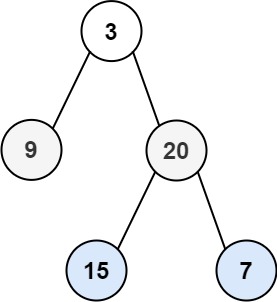\n\n```\nInput: root = [4,2,7,1,3,6,9]\nOutput: [4,7,2,9,6,3,1]\n```" }
],
},
readme_constraints: "- 1 <= s.length, t.length <= 5 * 10^4\n- s and t consist of lowercase English letters.",
readme_additional: "**Follow up:** What if the inputs contain Unicode characters? How would you adapt your solution to such a case?",
// === HELPER FUNCTIONS ===
// New template system uses helper functions for cleaner test organization
helpers_imports: "", // Empty for basic problems
// "from leetcode_py import TreeNode" for tree problems
// "from leetcode_py import ListNode" for linked list problems
helpers_content: "", // Additional helper content if needed
helpers_run_name: "is_anagram", // Function name matching main method
helpers_run_signature: "(solution_class: type, s: str, t: str)",
// For tree: "(solution_class: type, root_list: list[int | None])"
// For linked list: "(solution_class: type, list1_vals: list[int], list2_vals: list[int])"
// For design: "(solution_class: type, operations: list[str], inputs: list[list[int]])"
helpers_run_body: " implementation = solution_class()\n return implementation.is_anagram(s, t)",
// For tree: " root = TreeNode[int].from_list(root_list)\n implementation = solution_class()\n return implementation.invert_tree(root)"
// For design: " cache = None\n results: list[int | None] = []\n # ... operation loop ...\n return results, cache"
helpers_assert_name: "is_anagram", // Function name matching main method
helpers_assert_signature: "(result: bool, expected: bool) -> bool",
// For tree: "(result: TreeNode[int] | None, expected_list: list[int | None]) -> bool"
// For design: "(result: list[int | None], expected: list[int | None]) -> bool"
helpers_assert_body: " assert result == expected\n return True",
// For tree: " expected = TreeNode[int].from_list(expected_list)\n assert result == expected\n return True"
// === SOLUTION TEMPLATE ===
solution_imports: "", // Empty for basic problems
// "from leetcode_py import TreeNode" for tree problems
// "from leetcode_py import ListNode" for linked list problems
// "from leetcode_py.data_structures import DictTree, RecursiveDict" for trie problems
solution_contents: "", // Additional content before class definition
solution_class_content: "", // Content inside class definition (usually empty)
// === TEST CONFIGURATION ===
test_imports: "import pytest\nfrom leetcode_py import logged_test\nfrom .helpers import assert_is_anagram, run_is_anagram\nfrom .solution import Solution",
// For design: "from .solution import LRUCache" instead of Solution
test_content: "", // Additional test content
test_class_name: "ValidAnagram", // PascalCase: TestClassName for pytest class
test_class_content: " def setup_method(self):\n self.solution = Solution()",
// Empty for design problems: ""
// === SOLUTION METHODS ===
_solution_methods: {
// Use _solution_methods wrapper for cookiecutter lists
list: [
{
name: "is_anagram", // snake_case method name
signature: "(self, s: str, t: str) -> bool", // Full method signature with type hints
// For tree: "(self, root: TreeNode[int] | None) -> TreeNode[int] | None"
// For linked list: "(self, list1: ListNode[int] | None, list2: ListNode[int] | None) -> ListNode[int] | None"
body: " # TODO: Implement is_anagram\n return False",
// For design problems with __init__:
// { "name": "__init__", "signature": "(self, capacity: int) -> None", "body": " # TODO: Initialize\n pass" }
},
],
},
// === TEST HELPER METHODS ===
_test_helper_methods: {
// Use _test_helper_methods wrapper for cookiecutter lists
list: [
{ name: "setup_method", parameters: "", body: "self.solution = Solution()" },
// Empty list for design problems: []
],
},
// === TEST METHODS ===
_test_methods: {
// Use _test_methods wrapper for cookiecutter lists
list: [
{
name: "test_is_anagram", // test_{method_name}
signature: "(self, s: str, t: str, expected: bool)", // Method signature with type hints
parametrize: "s, t, expected", // pytest parametrize parameters
// For tree: "root_list, expected_list"
// For design: "operations, inputs, expected"
test_cases: {
list: [
"('anagram', 'nagaram', True)",
"('rat', 'car', False)",
"('listen', 'silent', True)",
"('hello', 'bello', False)",
"('', '', True)",
"('a', 'a', True)",
"('a', 'b', False)",
"('ab', 'ba', True)",
"('abc', 'bca', True)",
"('abc', 'def', False)",
"('aab', 'abb', False)",
"('aabbcc', 'abcabc', True)",
"('abcd', 'abcde', False)",
"('race', 'care', True)",
"('elbow', 'below', True)",
"('study', 'dusty', True)",
"('night', 'thing', True)",
"('stressed', 'desserts', True)",
],
},
// For tree: {"list": ["([4, 2, 7, 1, 3, 6, 9], [4, 7, 2, 9, 6, 3, 1])", "([2, 1, 3], [2, 3, 1])", "([], [])"]}
// For design: {"list": ["(['LRUCache', 'put', 'get'], [[2], [1, 1], [1]], [None, None, 1])"]}
body: " result = run_is_anagram(Solution, s, t)\n assert_is_anagram(result, expected)",
// For tree: " result = run_invert_tree(Solution, root_list)\n assert_invert_tree(result, expected_list)"
// For design: " result, _ = run_lru_cache(LRUCache, operations, inputs)\n assert_lru_cache(result, expected)"
},
],
},
// === PLAYGROUND NOTEBOOK ===
// CRITICAL: Use single quotes for Python strings to avoid JSON escaping issues with Jupyter notebooks
// Double quotes in JSON + cookiecutter + Jupyter notebook = triple escaping issues
// ALWAYS use single quotes: s = 'hello', not s = "hello"
playground_imports: "from helpers import run_is_anagram, assert_is_anagram\nfrom solution import Solution",
// For tree: "from helpers import run_invert_tree, assert_invert_tree\nfrom solution import Solution\nfrom leetcode_py import TreeNode"
// For design: "from helpers import run_lru_cache, assert_lru_cache\nfrom solution import LRUCache"
playground_setup: "# Example test case\ns = 'anagram'\nt = 'nagaram'\nexpected = True",
// For tree: "# Example test case\nroot_list: list[int | None] = [4, 2, 7, 1, 3, 6, 9]\nexpected_list: list[int | None] = [4, 7, 2, 9, 6, 3, 1]"
// For design: "# Example test case\noperations = ['LRUCache', 'put', 'get']\ninputs = [[2], [1, 1], [1]]\nexpected = [None, None, 1]"
playground_run: "result = run_is_anagram(Solution, s, t)\nresult",
// For tree: "result = run_invert_tree(Solution, root_list)\nresult"
// For design: "result, cache = run_lru_cache(LRUCache, operations, inputs)\nprint(result)\ncache"
playground_assert: "assert_is_anagram(result, expected)",
// For tree: "assert_invert_tree(result, expected_list)"
// For design: "assert_lru_cache(result, expected)"
// ============================================================================
// PROBLEM TYPE VARIATIONS SUMMARY:
// ============================================================================
//
// BASIC PROBLEMS (valid_anagram):
// - solution_class_name: "Solution"
// - solution_imports: ""
// - Simple method signatures: "(self, s: str, t: str) -> bool"
// - Basic test cases: structured format with {"list": ["..."]}
// - Playground: single quotes for strings
//
// TREE PROBLEMS (invert_binary_tree):
// - solution_class_name: "Solution"
// - solution_imports: "from leetcode_py import TreeNode"
// - Tree method signatures: "(self, root: TreeNode[int] | None) -> TreeNode[int] | None"
// - Helper functions use TreeNode.from_list()
// - Test cases: structured format with list representations of trees
// - Playground: TreeNode imports and list conversions
//
// LINKED LIST PROBLEMS (merge_two_sorted_lists):
// - solution_class_name: "Solution"
// - solution_imports: "from leetcode_py import ListNode"
// - List method signatures: "(self, list1: ListNode[int] | None, list2: ListNode[int] | None) -> ListNode[int] | None"
// - Helper functions use ListNode.from_list()
// - Test cases: structured format with list representations of linked lists
// - Playground: ListNode imports and list conversions
//
// DESIGN PROBLEMS (lru_cache):
// - solution_class_name: "LRUCache" (custom class name)
// - Multiple methods including __init__
// - Operations-based testing: structured format with operations, inputs, expected arrays
// - Complex test body with operation loops
// - Helper functions return (results, instance) for debugging
// - Playground: print results, return instance
// - test_class_content: "" (no setup_method)
//
// INHERITANCE PROBLEMS (implement_trie_prefix_tree):
// - solution_class_name: "Trie(DictTree[str])" (with inheritance)
// - solution_imports: "from leetcode_py.data_structures import DictTree, RecursiveDict"
// - Custom class with inheritance from DictTree
// - Operations-based testing with structured format like design problems
// - Helper functions return (results, instance) for debugging
//
// MULTIPLE SOLUTIONS (invert_binary_tree, lru_cache):
// - Add parametrize for solution classes in test files:
// @pytest.mark.parametrize("solution_class", [Solution, SolutionDFS, SolutionBFS])
// @pytest.mark.parametrize("solution_class", [LRUCache, LRUCacheWithDoublyList])
// - Update test method signature to include solution_class parameter
// - Import all solution classes in test file
// ============================================================================
}
````
**IMPORTANT: When creating the actual .json file, convert the above JSON5 to valid JSON by:**
1. **Remove all comments** (lines starting with `//`)
2. **Keep all quoted property names** (already done above)
3. **Save as `.json` file** (not `.json5`)
## Naming Conventions
- **problem_name**: snake_case (e.g., "two_sum", "valid_palindrome")
- **GOTCHA — digit-leading names break pytest collection.** A slug like `3sum-smaller` yields `problem_name` `3sum_smaller`, whose package pytest cannot import (`ImportError: attempted relative import with no known parent package`). Fix by spelling it out per repo precedent (`three_sum_smaller`, like `two_sum`/`three_sum`) or, when there is no natural spelling (pure-numeric prefix like `132-pattern`), shifting digits out of leading position: `pattern_132` (precedent `dota2_senate`, `number_of_1_bits`)
- **solution_class_name**: Usually "Solution", except for design problems (e.g., "LRUCache")
- **test_class_name**: PascalCase (e.g., "TwoSum", "ValidPalindrome")
- **method_name**: snake_case (e.g., "two_sum", "is_palindrome", "character_replacement")
- **parameters**: Use snake_case for all parameter names
**CRITICAL: Method Naming Convention**
- Always convert LeetCode method names from camelCase to snake_case
- Example: `characterReplacement` → `character_replacement`
- Example: `isSubtree` → `is_subtree`
- Example: `countSubstrings` → `count_substrings`
- This ensures Python convention compliance and consistency across the codebase
### PascalCase Rules for Properties
When creating JSON properties that use PascalCase (solution_class_name, test_class_name):
- **Acronyms**: Keep all caps (e.g., "LRUCache" not "LruCache")
- **Roman numerals**: Keep all caps (e.g., "ReverseLinkedListII" not "ReverseLinkedListIi")
- **Common patterns**: "BST", "DFS", "BFS", "API", "URL", "HTML", "JSON", "XML"
## Special Problem Types
### Tree Problems
- Add `"solution_imports": "from leetcode_py import TreeNode"`
- Use `TreeNode | None` for nullable tree parameters
- Test imports: Include TreeNode in test_imports
- Test setup: `root = TreeNode.from_list(root_list)`
**GOTCHA — `from_list` uses COMPACT level-order semantics.** `None` entries are skipped in the build queue: they occupy no children slots and do NOT enqueue. Padding under a null parent (e.g. trailing entries after `[3, None, 2, None, 1]`) is silently DROPPED — those nodes never appear in the built tree. Rules:
- Write test-case arrays in compact LeetCode form: never include children-of-null padding
- Derive each `expected_list` from the tree `from_list` actually builds, not from the array you typed — when in doubt, run `TreeNode[int].from_list(...)` and print the structure before finalizing the JSON
- Hand-derived inorder/postorder/expectations for construction problems (#105, #106 style) are the top source of bad test cases — verify by running the generated tests before QA; a failure there means the test data is wrong, not the solution
**GOTCHA — computed expectations must be machine-verified.** For any non-trivial expected output (any-order result lists, arithmetic results, big-number cases), derive expectations by RUNNING a quick reference implementation, not by hand:
```bash
python3 -c "
def ref(expr): # reference implementation of the expected output
...
print(sorted(ref('1+2*3-4')))
"
```
**Bound the verifier itself.** A verification script that doesn't terminate burns a full 120s tool cycle before the kill: memoize exponential recursion (`@lru_cache`, 576 grid-path recursion hit 4^50), and never iterate over input magnitude (`range(1, W)` on a wall of total width 10^9, 554) — iterate candidate positions of interest (edges, indices) or use set/dict membership instead.
**GOTCHA — never hand-transcribe verified values into the JSON.** Running a separate verification script and then copying its output columns into the JSON-writing script is itself the failure point: the guess column gets copied instead of the ref column (hit twice in one batch — 974 and 983 — each costing a full regen + QA cycle). Fix: put the reference implementation INSIDE the JSON-writing script and assert every expectation before `json.dump`:
```python
for tc, (inputs, expected) in zip(test_cases, cases):
assert ref(*inputs) == expected, ("BAD", inputs, expected)
```
The assert fires at write time, before any p-gen/QA cycle is spent. It also catches bad hand-invented inputs the reference crashes on (988).
**GOTCHA — construction-problem input pairs: generate, don't hand-invent, and make the verifier self-check.** For "reconstruct from two traversals" problems (889 pre+post), hand-writing traversal PAIRS is error-prone (2 of 12 invented pairs were not valid traversals of any tree, and the failures surfaced as verifier crashes, not clean rejections). Generate pairs programmatically from random trees (build tree → emit both traversals → assert reference reconstruction round-trips), and have every verifier FIRST assert its own reference output matches the inputs (`preorder_traverse(ref_result) == preorder_input`) — a reference with an internal bug (local/global index mix-up) silently "verifies" garbage or crashes confusingly. Same discipline for any verifier computing expectations via index arithmetic.
**GOTCHA — any-of-them TREE output needs traversal validation, not equality.** When a problem returns a tree with multiple valid answers (889 Construct from Pre+Post: single-child nodes can lean left or right), exact-equality against one serialized tree fails valid solutions. Pattern: expected = `[preorder_list, postorder_list]`; the assert helper re-traverses the returned tree and asserts both traversals match. For exponential LISTS of trees (894 All Possible Full Binary Trees), combine with the dual-method pattern: multiset compare of `to_list()` serializations for small n (sort with a None-safe key like `(len, str)` — plain `sorted` crashes on `None`), count-only for large n.
Hand-derived values are the top source of QA test failures; each bad one costs a full regen + QA cycle to discover and fix. Also validate hand-invented INPUTS against the constraints — value ranges AND structural invariants: an input the constraints forbid (e.g. `[2]` where `nums[i] <= n = 1`) crashes the solution and reads as a solution bug, not a test-data bug, and shape guarantees bite too (827 Making A Large Island requires a square `n x n` grid; `[[1], [1]]` is 2x1 and passes all value checks — see test-quality-assurance.md). For problems whose statement guarantees a unique answer (e.g. 272 "guaranteed to have only one unique set of k values"), hand-invented inputs can violate the guarantee itself — ties at the k-boundary make the expected answer ill-posed even when it matches one valid answer. Guard in the verification script: assert the k-th and (k+1)-th candidates differ (values sorted by distance, `abs(srt[k - 1] - target) != abs(srt[k] - target)`).
For "return any of them" problems, the assert helper must check validity + result length, never exact equality (see `largest_divisible_subset.json`, `course_schedule_ii.json`).
**GOTCHA — self-referential node classes need `from __future__ import annotations`.** A custom `Node` class in `solution_contents` (N-ary tree, parent-pointer problems) whose own `__init__` annotations reference the class (`children: list[Node] | None = None`) is evaluated at class-body time and fails p-gen lint with F821 `Undefined name 'Node'`. Set `solution_imports: "from __future__ import annotations"` (hit with 428; the remaining unscrapable queue has more parent-pointer/N-ary problems, so this recurs).
**GOTCHA — ops-sequence (design) cases must honor the statement's BEHAVIORAL guarantees, not just the value constraints.** Hand-crafted operation sequences routinely break rules plain-input cases can't: continuing after a win (348 Tic-Tac-Toe: "once a winning condition is reached, no more moves are allowed"), breaking turn alternation, or misaligning `len(operations)` vs `len(inputs)`. Build the reference to ASSERT those guarantees while computing outputs (alternation, bounds, cell occupancy, no-post-win moves, length match) and construct sequences programmatically (small `game(n, moves)` helper) rather than hand-listing — each bad sequence costs a verification iteration and can slip through as a "valid-looking" test that the real solution would never face.
### Linked List Problems
- Add `"solution_imports": "from leetcode_py import ListNode"`
- Use `ListNode | None` for nullable list parameters
- Test imports: Include ListNode in test_imports
- Test setup: `head = ListNode.from_list(head_list)`
### Design Problems
- Set `"solution_class_name"` to custom class name (e.g., "LRUCache")
- Multiple methods including `__init__`
- Complex test setup with operation sequences
- Import custom class in test_imports
- **NEVER include custom solution classes** in test_imports - only import the main solution class specified in solution_class_name
- **GOTCHA — no class-name annotations in `helpers_run_body`.** `helpers.py` never imports the solution class, so `codec: Codec | None = None` generates F821 (undefined name) — surfaced only at `pre-commit run -a`, after the whole batch. Use untyped locals: `codec = None` (see `lru_cache.json`)
- **GOTCHA — gen-time ruff strips `solution_imports` the TODO stub doesn't use.** The generator runs ruff `--fix` on the fresh stub; `from collections import deque` with nothing referencing it yet gets F401-removed (hit with 346 MovingAverage). Expected, NOT a JSON bug — the implemented `solution.py` carries its own imports, and `bake check-consistency` excludes solution.py from the diff. Do not debug the generator over this
### Interactive Problems (API-backed, e.g. 277 Find the Celebrity)
- Statement exposes a helper API (`bool knows(a, b)`) backed by hidden data instead of taking it as a parameter; the run helper's test case is just the backing data + expected label
- Model the API as a class method reading a class-level store: `graph: ClassVar[list[list[int]]] = []` in `solution_class_content` (ClassVar annotation avoids RUF012) + `from typing import ClassVar` in `solution_imports`
- `helpers_run_body` injects the data before calling the main method: `implementation.graph = graph` then `return implementation.find_celebrity(len(graph))`
### Dict-based Tree Problems (Trie, etc.)
- Add `"solution_imports": "from leetcode_py.data_structures import DictTree"`
- Inherit from `DictTree[str]` for string-based trees like Trie
- Provides automatic visualization capabilities
- Use `dict[str, Any]` for internal tree structure
## Generation Commands
```bash
# Generate problem
bake p-gen -p {problem_name}
# Force regenerate (if files exist)
bake p-gen -p {problem_name} -f
# Test specific problem (uses MyBakebook.problem field from bakefile.py by default)
bake p-test
# Or specify problem explicitly:
bake p-test -p {problem_name}
# Lint entire project (faster with ty)
bake lint
```
**Note:** After creating a new problem, update the `problem` field in the `MyBakebook` class in @bakefile.py to use `bake` commands without specifying the problem name each time.
## Tags (Optional)
Common tags: `["grind-75", "grind", "blind-75", "neetcode-150", "algo-master-75"]`
**GOTCHA — `_tags` must match the queue tag, not a roadmap guess.** When the problem comes from `next_problem.py`, the JSON `_tags.list` must be exactly the tag the script reported (e.g. `Tag: neetcode` → `_tags: { "list": ["neetcode"] }`). NEVER assign roadmap tags (`neetcode-150`, `neetcode-250`, `blind-75`, `grind-75`, `algo-master-75`) unless that roadmap's source file in `.claude/.dev/problem_lists/` actually contains the problem number. A wrong stamp cascades: `update_tags.py` fires Missing on the roadmap → the name gets added to tags.json5 → the source list never had it → permanent Removed noise, and "fixing" it by adding source tuples pollutes the curated lists.
### Adding a problem to tags.json5
`tags.json5` (`src/leetcode_py/cli/resources/leetcode/json/tags.json5`) is synced from the source lists in `.claude/.dev/problem_lists/`. Workflow:
```bash
uv run python .claude/.dev/update_tags.py # reports Missing/Removed per tag
# add the problem name to the flagged tag's array (alphabetical order)
uv run python .claude/.dev/update_tags.py # re-run until "Total tags with missing problems: 0"
```
**GOTCHA — wrong-block insertion.** Many tag arrays share identical entries, and blocks span 60+ lines; a `grep -n` hit does not prove the line lives in the block you think. Even 2–3 consecutive anchor lines can appear in multiple blocks (e.g. `design_in_memory_file_system` + `employee_free_time` sits in two blocks), and a hardcoded neighbor may simply be absent from the target block (StopIteration). **Use the committed helper script** (inserts by line index with an alphabetical scan, quoted-string entries only so metadata objects are skipped):
```bash
uv run python .claude/.dev/insert_tag.py
```
It refuses a tag block it cannot find and a name that sorts after every entry (append those manually). Quote the problem name argument in zsh (`"$name"` — zsh does not word-split unquoted variables, so a `"tag name"` pair passed as one word prints the usage doc instead of inserting). Verify with `git diff` + `bake lint` (sort_tags) after every insert. Full decision rules for `Missing`/`Removed` lines: @.claude/skills/update-tags.md.
**GOTCHA — alphabetical order surprises.** Sorting is by full string: `partition_list` < `pascals_triangle` (par < pasc), `plus_one` < `populating_next...` (pl < po), `populating_next...` < `power_of_two` (pop < pow), `ugly_number` < `unique_binary_search_trees` (ug < un). `bake lint` runs `scripts/sort_tags.py`, which FAILS the lint on unsorted arrays (it reports, never fixes) — re-run `bake lint` after every tags.json5 edit.
## Batch Flow Notes (batch-problem-creation only)
Apply only when creating problems via `/batch-problem-creation`; the single-problem flow above stops at lint/iterate.
### Premium/unscrapable handling
- **Premium signature**: plain text `Error fetching problem: 'NoneType' object is not iterable` (not JSON) → append `(N, "kebab-name")` to the BOTTOM of `UNSCRAPABLE_QUEUE` in `.claude/.dev/problem_lists/unscrapable.py`, re-run `next_problem.py` — do NOT retry the scrape (queue placement rules: Unscrapable Problems Management in the batch skill)
- **SQL/non-Python signature**: `Error: Problem number N not found` → `NON_PYTHON_PROBLEMS` in the same file, never the queue
- When two neighbors fail premium in a row, probe the whole range with a loop before adding exclusions one-by-one; sanity-check a known-scrapable number first (every number failing = broken session, not a premium cluster)
**Scrape output truncation (rtk tee)**: `raw_content` holds the image URLs and full example text — if the printed JSON is cut off, read the tee log path printed under `[full output: ...]`. Piping the scrape to `head`/`grep` kills the tee log — redirect to a file instead (`uv run lcpy scrape -n N > /tmp/scrape.json`) when full content is needed.
### Lint batching
`bake lint` is repo-wide (~2min), not problem-scoped. Single invocation, two greps (running it twice doubles the pipeline; the first checkpoint of a 15-problem batch blew the 120s tool timeout this way):
```bash
L=$(bake lint 2>&1); echo "$L" | grep -cE "❌|failed"; echo "$L" | grep -cE "^Found [0-9]+ error"
# both counts must be 0. Do NOT grep for `error` — it false-positives on the
# `--error-on-warning` flag echoed in output. The second grep catches ruff's
# `Found N errors.` summary line, which the first grep misses.
```
For batches of 3+: run the per-problem QA chain for every problem, one lint after every few problems (or after the last) — same coverage, far faster.
### Ruff-clean solutions from the start
`bake lint` during QA runs a narrower ruff config than the pre-commit hook, so write solutions clean up front or `pre-commit run -a` at finalization forces a late fix cycle:
- `zip(..., strict=True)` (B905); no `l`/`I`/`O` names (E741 — hit with 673, caught only at pre-commit)
- Class-level constant lists as tuples or `typing.ClassVar` (RUF012, e.g. `BELOW_20: tuple[str, ...] = (...)`)
- No ambiguous unicode in comments (RUF003 — write `alpha`, not `α`, even in complexity comments; union-find invites it)
- Combine nested `if A: if B:` into one condition (SIM102); lowercase `mod = 1_000_000_007` inside methods (N806 — `MOD` fails pre-commit; recurs on every modulo problem)
- ty: a local accumulator annotated `list[TreeNode[int]]` returned against `-> list[TreeNode[int] | None]` fails `invalid-return-type` (list invariance) — annotate with the full return element type
- ty: a `float('-inf')` sentinel in an int-returning DP poisons every value derived from it — `return max(dp[n-1][n-1], 0)` becomes `float` and fails `invalid-return-type`, surfacing only at `pre-commit run -a` (hit with 741 Cherry Pickup). Prefer a type-pure int sentinel when the domain allows one (`-1` for non-negative counts)
- E501 also fires on COMMENTS: a complexity comment listing per-method costs (`# Time: get O(index), add_at_index O(index), ...`) overflows col 100 — compress or split it (hit with 707 Design Linked List, caught only at pre-commit)