Drive VMD from any LLM — render GROMACS/LAMMPS trajectories and analyze clathrate-hydrate cages through the Model Context Protocol.
Quick Start · Features · MCP Tools · Usage · 한국어



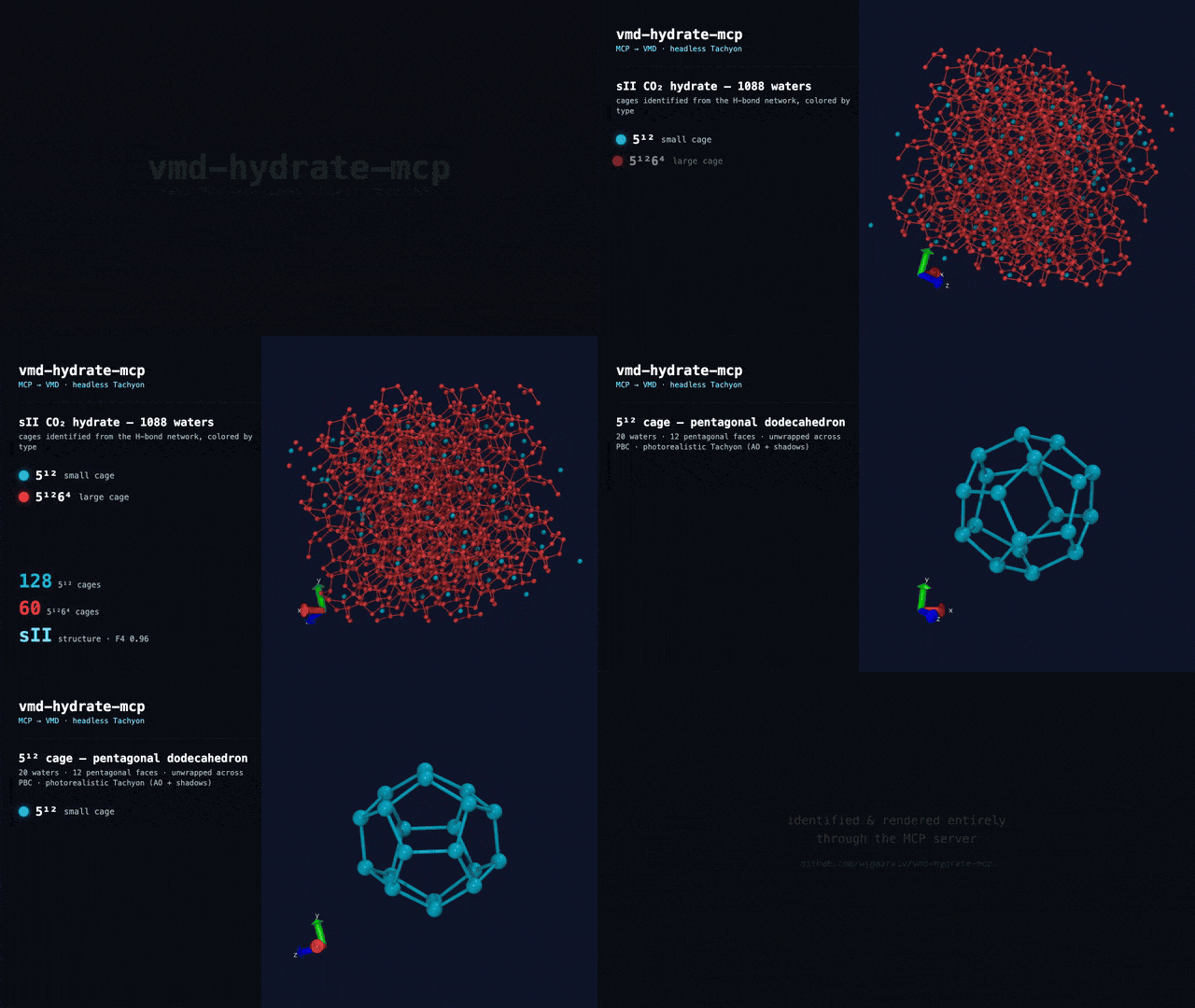
Every frame is a real headless VMD (Tachyon) render, driven entirely through the MCP server. The sII cages — 128 × 5¹² + 60 × 5¹²6⁴ — are identified by this repo, not mocked. · ▶ full-quality MP4
## Features - **Clathrate Cage Identification** -- find and classify hydrate cages (5¹², 5¹²6², 5¹²6⁴, …) from the H-bond network and label the crystal structure (sI/sII/sH). Validated on the sII benchmark (128 small cages, exact). - **Photorealistic, Style-by-Prompt Cage Rendering** -- cages render with ambient occlusion + shadows, **orthographic** by default, each cage type in ONE unified color (a curated palette: 5¹²=cyan, 5¹²6⁴=red, …). Just ask: *"show only the sII large cages in magenta with emphasized width"* and the MCP filters, recolors, and thickens them. - **Stateful VMD Session** -- a persistent VMD process (Tcl socket server) keeps your molecules, selections, and camera alive across tool calls -- no reloading on every command. - **Hydrate Order Parameters** -- F3 (tetrahedrality) and F4 (⟨cos 3φ⟩) computed in pure NumPy, validated to the reference to 6 decimals (F4 = 0.926698 on the sII benchmark). - **H-bond Networks** -- water–water hydrogen-bond graph with coordination stats, the substrate for cage identification. - **Headless Rendering** -- CPU Tachyon ray-traced PNGs with no display or GPU, returned inline as images. Works on laptops, servers, and HPC. - **Attended (GUI) Mode** -- run fully offscreen (default), or set `VMD_HYDRATE_MCP_DISPLAY=gui` to open a **visible VMD window** and watch Claude load, color, rotate, and render your system live. - **GROMACS + LAMMPS** -- one server ingests `.gro/.xtc/.trr`, LAMMPS `.data/dump`, PDB, DCD, mmCIF. - **Secure by Default** -- filesystem allowlist + a Tcl command allowlist (not a bypassable denylist) + a loopback, token-gated control socket. No `run_tcl` foot-gun exposed. - **MCP-Native** -- clean English tool names and typed outputs; works in Claude Desktop, Claude Code, and any MCP client. ## Quick Start > [!IMPORTANT] > **Requires a local VMD install** (2.0b1 or 1.9.4+) — this server drives *your* VMD; no registry or package ships it. On macOS, VMD lives inside a `.app`, so set `VMD_BIN` if `vmd` isn't on your `PATH`. (The pure hydrate/measure tools still work without VMD.) ### Install Zero-install via `uvx` (recommended): ```bash uvx vmd-hydrate-mcp # run the server uvx --from 'vmd-hydrate-mcp[mda]' vmd-hydrate-mcp # + MDAnalysis for measures/selection ``` Or from source: ```bash git clone https://github.com/wjgoarxiv/vmd-hydrate-mcp.git cd vmd-hydrate-mcp && uv pip install -e ".[mda]" ``` ### Register with an MCP client **Claude Code** — one command: ```bash claude mcp add vmd-hydrate -- uvx vmd-hydrate-mcp ``` **Claude Desktop / any client** — add to the `mcpServers` config (or commit a project `.mcp.json`): ```json { "mcpServers": { "vmd-hydrate": { "command": "uvx", "args": ["vmd-hydrate-mcp"], "env": { "VMD_HYDRATE_MCP_ALLOW_DIR": "/path/to/your/data" } } } } ``` > [!IMPORTANT] > Set `VMD_HYDRATE_MCP_ALLOW_DIR` (os-path-separated) to the directories the server may read. All file arguments are realpath-checked against this allowlist — paths outside it are refused. ### Attended (GUI) mode By default the server drives VMD **headless** (offscreen). To instead open a **real VMD window you can watch** while Claude controls it live, add `VMD_HYDRATE_MCP_DISPLAY=gui` to the server's env: ```json { "mcpServers": { "vmd-hydrate": { "command": "uvx", "args": ["vmd-hydrate-mcp"], "env": { "VMD_HYDRATE_MCP_DISPLAY": "gui", "VMD_HYDRATE_MCP_ALLOW_DIR": "/path/to/data" } }}} ``` Then ask things like *"load prod.gro, show water as points and the surfactant as VDW, then slowly rotate it"* — the window updates in real time via `load_structure` → `add_representation` → `rotate_view`. (Requires a local desktop session; the same Tcl socket drives both modes.) ## MCP Tools | Tool | Purpose | Backend | |---|---|---| | `vmd_status` | VMD version + molecules loaded in the live session | VMD | | `load_structure` | Load a structure/trajectory (returns a `molid`) | VMD | | `list_molecules` | List loaded molecules | VMD | | `set_representation` | Style/color/material/selection for a molecule (replaces reps) | VMD | | `add_representation` | Layer another representation (multi-rep views) | VMD | | `clear_representations` | Remove all representations | VMD | | `rotate_view` / `zoom_view` / `reset_view` | Live camera control (visible in GUI mode) | VMD | | `render` | Headless PNG of the current view | VMD + Tachyon | | `resolve_selection` | Atom count for a selection (catches the 0-atom `.gro` trap) | MDAnalysis | | `measure_geometry` | Distance / angle / dihedral by atom index | MDAnalysis | | `radius_of_gyration` | Rg of a selection | MDAnalysis | | `hydrate_order_params` | **F3 + F4 water order parameters** | NumPy | | `hbond_network` | **Water H-bond network + coordination** | NumPy | | `identify_cages` | **Cage counts (5¹²/5¹²6⁴/…) + sI/sII/sH structure** | NumPy | | `render_cages` | **Photorealistic cage render (AO+shadows, ortho); filter / recolor / emphasize cages by prompt** | VMD + NumPy | ## Usage **1. Analyze hydrate order in a trajectory frame** ``` Compute the F3/F4 order parameters for hydrate.gro ``` Returns `f4_overall`, `f3_overall`, water count, and a plain-language interpretation (crystalline / hydrate-like / liquid / ice). **2. Render a structure** ``` Load hydrate.gro, show the water oxygens as VDW spheres, and render it ``` Produces an inline PNG rendered headlessly with CPU Tachyon. **3. Inspect the H-bond network** ``` Build the water hydrogen-bond network for hydrate.gro at frame 0 ``` Returns bond count and average coordination (≈4 for a well-formed clathrate). **4. Style hydrate cages by prompt** ``` Load hydrate.gro and show only the sII large cages in magenta with emphasized width ``` Renders a photorealistic, orthographic image of just the 5¹²6⁴ cages in magenta with thicker edges — the MCP maps this to `render_cages(cage_types=["51264"], highlight_color="magenta", emphasis=True)`. Omit the filters and every cage type is drawn in its palette color (5¹²=cyan, 5¹²6⁴=red, …). ## Does it really drive VMD? Yes — and you can confirm it in one command. [`examples/verify.py`](./examples/verify.py) runs the same code the MCP server exposes on a bundled sII CO₂-hydrate example: it pings the real VMD binary, identifies the cages, and renders them headlessly. ```bash python examples/verify.py ``` Expected output: ```text [1] VMD found : /Applications/VMD2b1.app/.../vmd_MACOSXARM64 ping : pong 2.0b1 MACOSXARM64 [2] Identifying cages in a real sII CO2 hydrate (1088 waters)... cage counts : {'51264': 60, '512': 128} structure : sII (confidence 0.93) F4 order : 0.965 (highly ordered (crystalline hydrate / ice-like)) [3] Rendering cages headlessly (blue = 5^12, red = 5^12 6^4)... saved : examples/output/cages.png (362495 bytes) OK — vmd-hydrate-mcp drove VMD and identified the cages above. ``` The images below are **real, unretouched VMD renders** from that pipeline (not illustrations):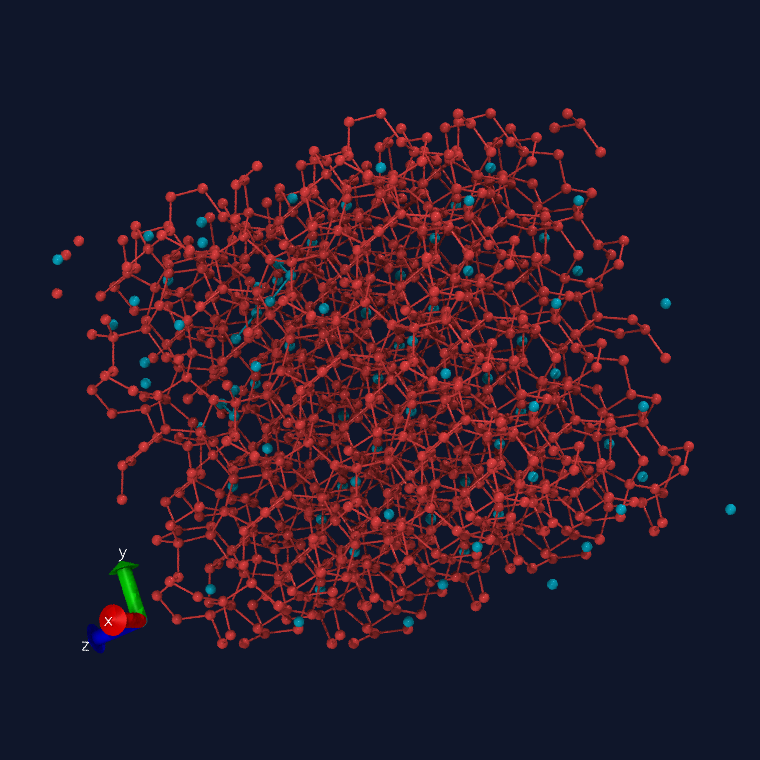 sII crystal — cages colored by type (cyan 5¹², red 5¹²6⁴), photorealistic Tachyon |
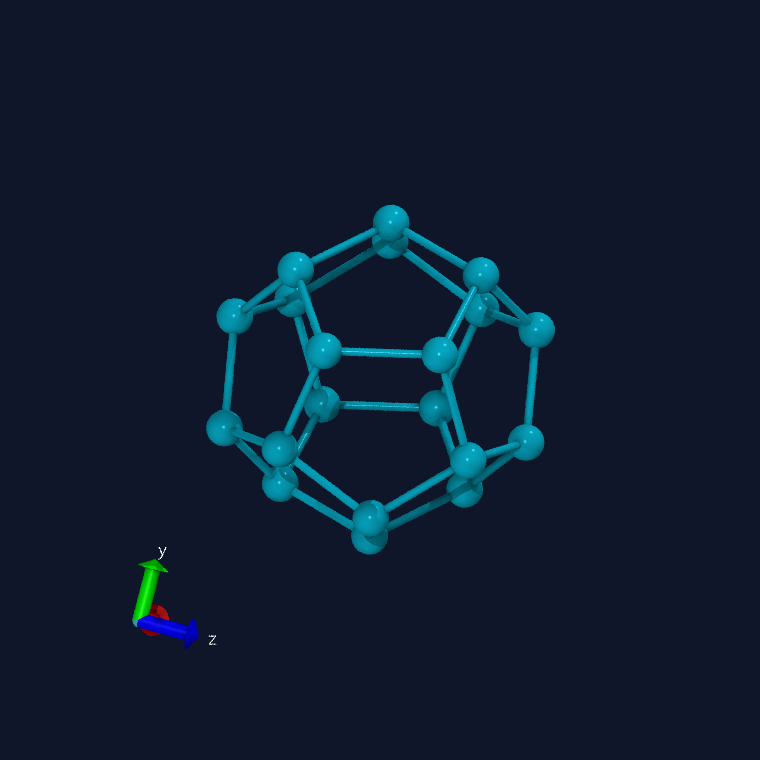 a single 5¹² dodecahedron, unwrapped across PBC (ambient occlusion + shadows) |