CLI Manager
Your CLI Agents, All in One Place.
Claude Code, Codex CLI, Gemini CLI — manage them all from a single macOS desktop app.
[](./LICENSE)
[](https://github.com/woorichicken/CLI_manager/releases)
[](https://github.com/woorichicken/CLI_manager)
[](https://github.com/woorichicken/CLI_manager/releases/latest)
[**Download for macOS**](https://github.com/woorichicken/CLI_manager/releases/latest) · [Website](https://climanager.solhun.com) · [Report a Bug](https://github.com/woorichicken/CLI_manager/issues)
---
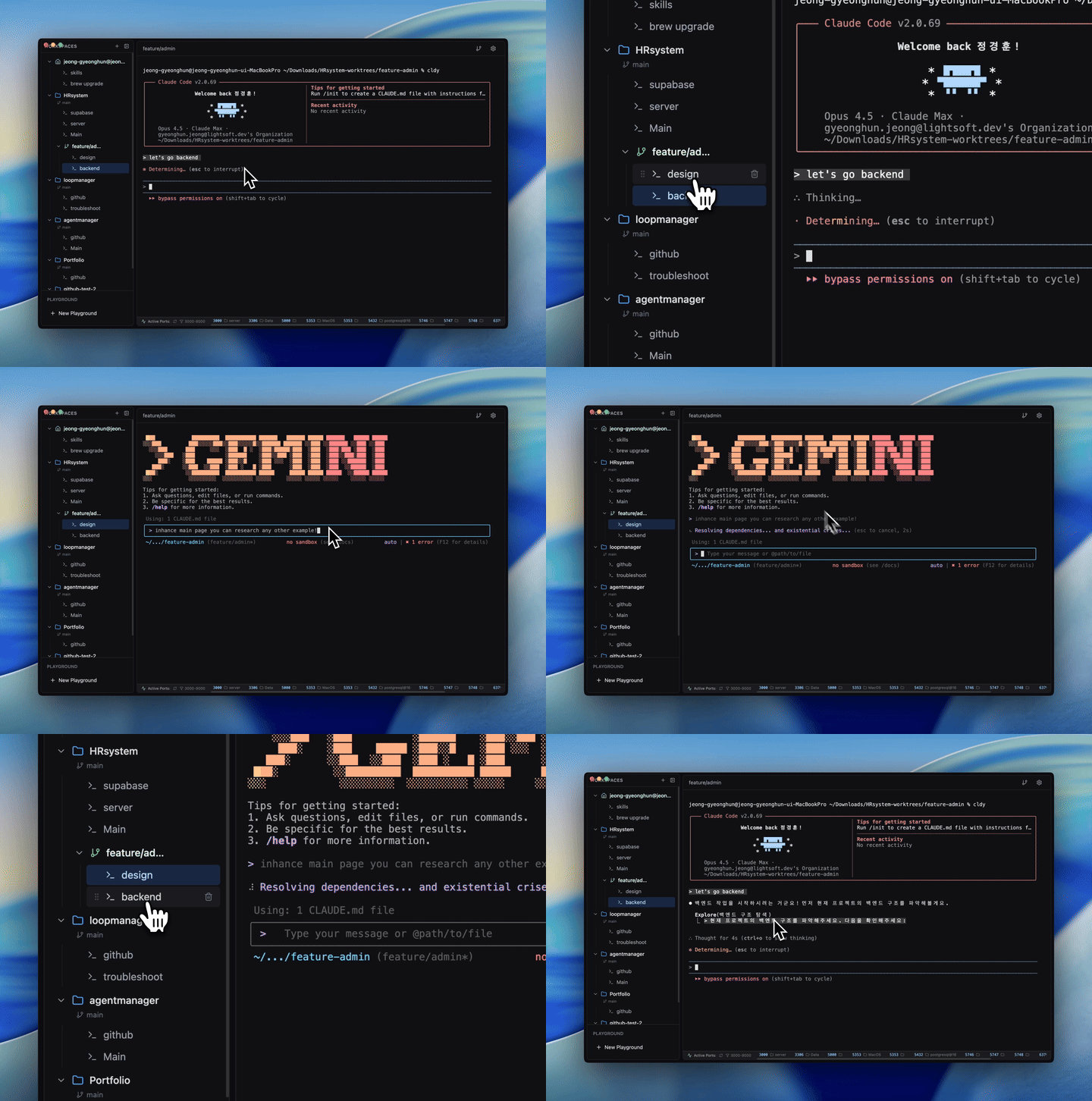
## Demo
---
## Why CLI Manager?
**Stop switching between terminals and losing context.**
As AI-powered development grows, developers are juggling Claude Code, Codex CLI, Gemini CLI — and dozens of project contexts at once. CLI Manager keeps everything organized so you can focus on building.
| | Without CLI Manager | With CLI Manager |
|---|---|---|
| **Context switching** | Re-open terminals, lose history | Instant tab switch, full state preserved |
| **Agent management** | Separate windows per tool | All agents in one sidebar |
| **Project organization** | Scattered folders | Workspaces with named sessions |
| **Git branching** | Manual worktree setup | One-click worktree workspace |
---
## Performance
- **Zero state loss** — Terminal sessions live in the DOM (`display: none`), never destroyed on tab switch
- **Instant session switching** — No re-initialization overhead; switch in milliseconds
- **Real-time port detection** — Local dev servers detected within 5 seconds via `lsof` polling
- **500ms debounced auto-save** — Session memos save automatically without blocking your workflow
- **Minimal footprint** — Built on Electron + xterm.js with no unnecessary background processes
---
## Features
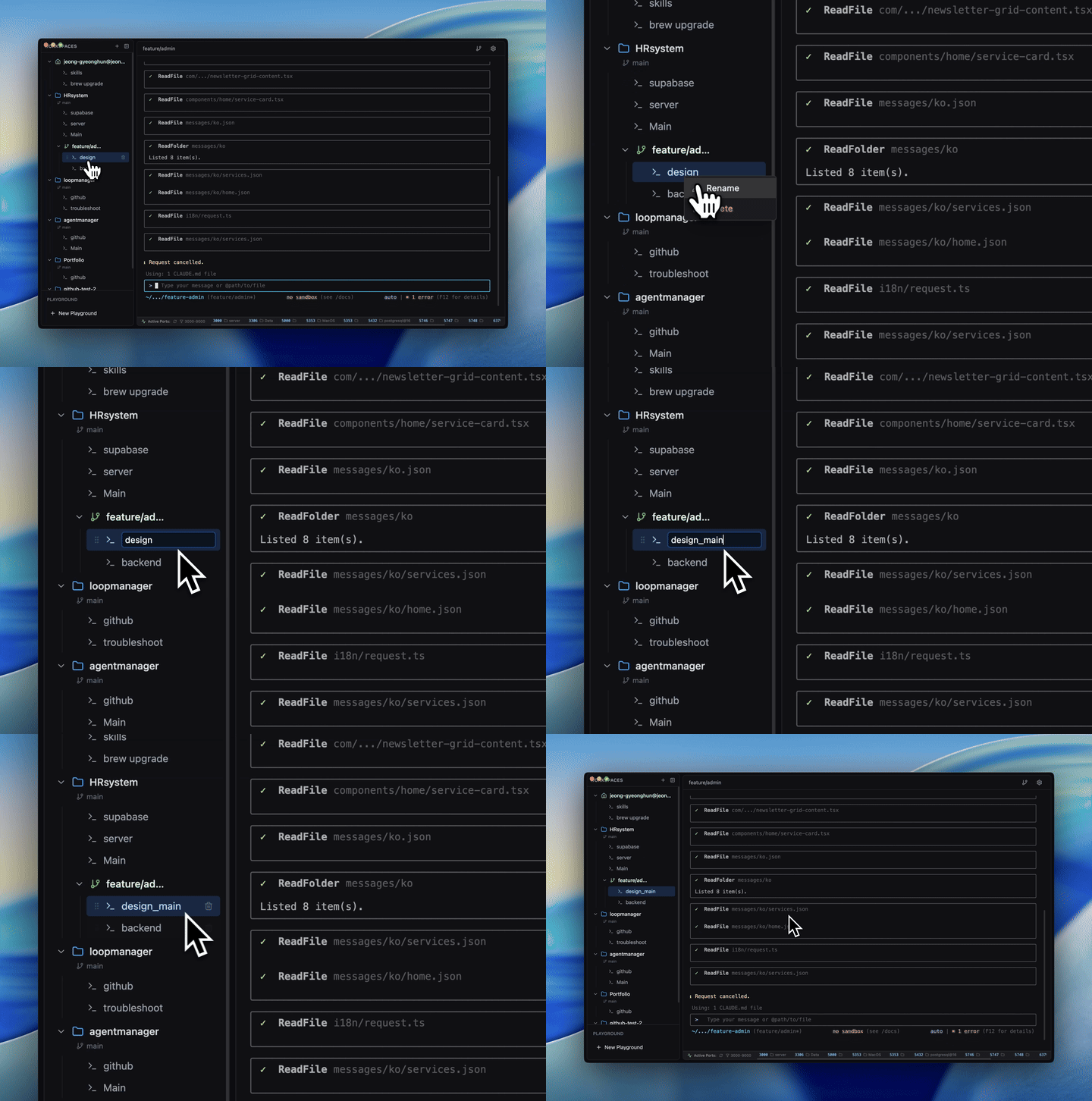
### All CLI Agents, One Dashboard
Manage Claude Code, Codex CLI, and Gemini CLI from a single sidebar. Assign custom names and roles — "Frontend Dev", "Backend API", "Design Review" — so multi-agent workflows stay intuitive.
---
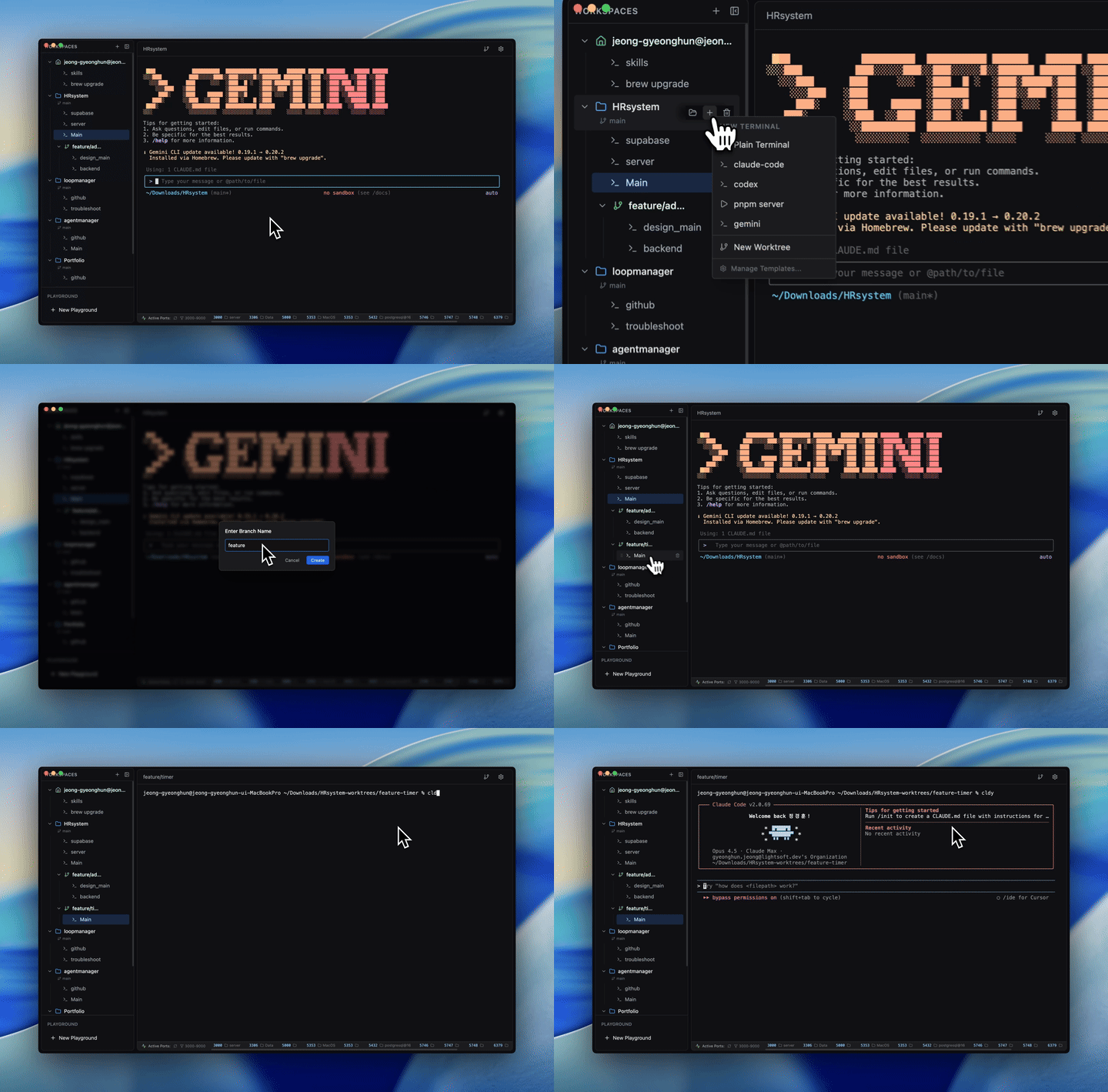
### Git Worktree as Independent Workspaces
Create Git worktrees directly from the UI. Each worktree becomes its own workspace with independent terminal sessions, branch tracking, and GitHub actions — no manual setup required.
---
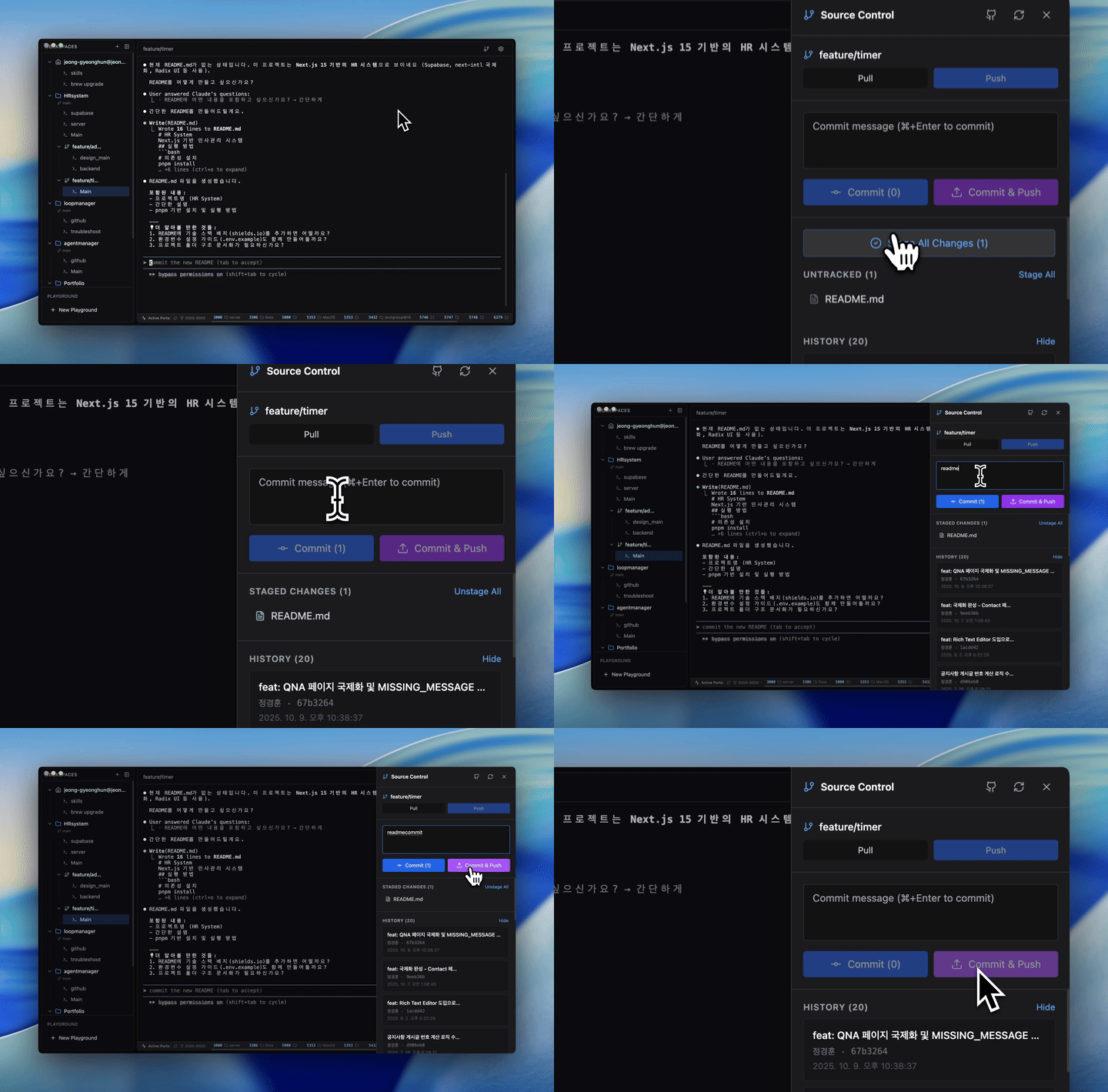
### GitHub Integration
Push branches, create pull requests, and check GitHub Actions workflow status — all from within the app using your existing `gh` CLI authentication.
---
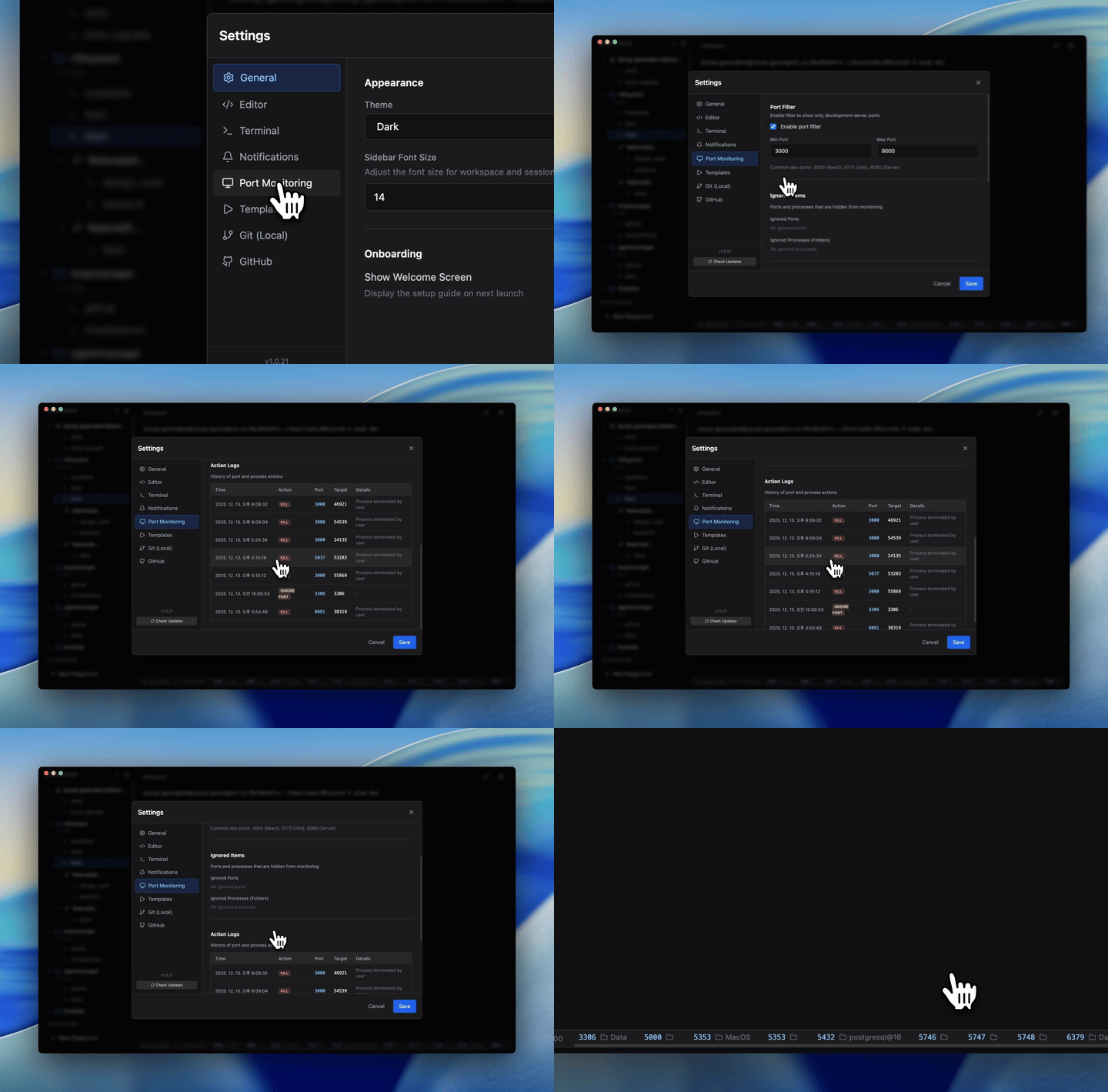
### Real-Time Port Monitoring
Automatically detects running local development servers. See which ports are active across all your projects at a glance, with filtering and one-click kill.
---
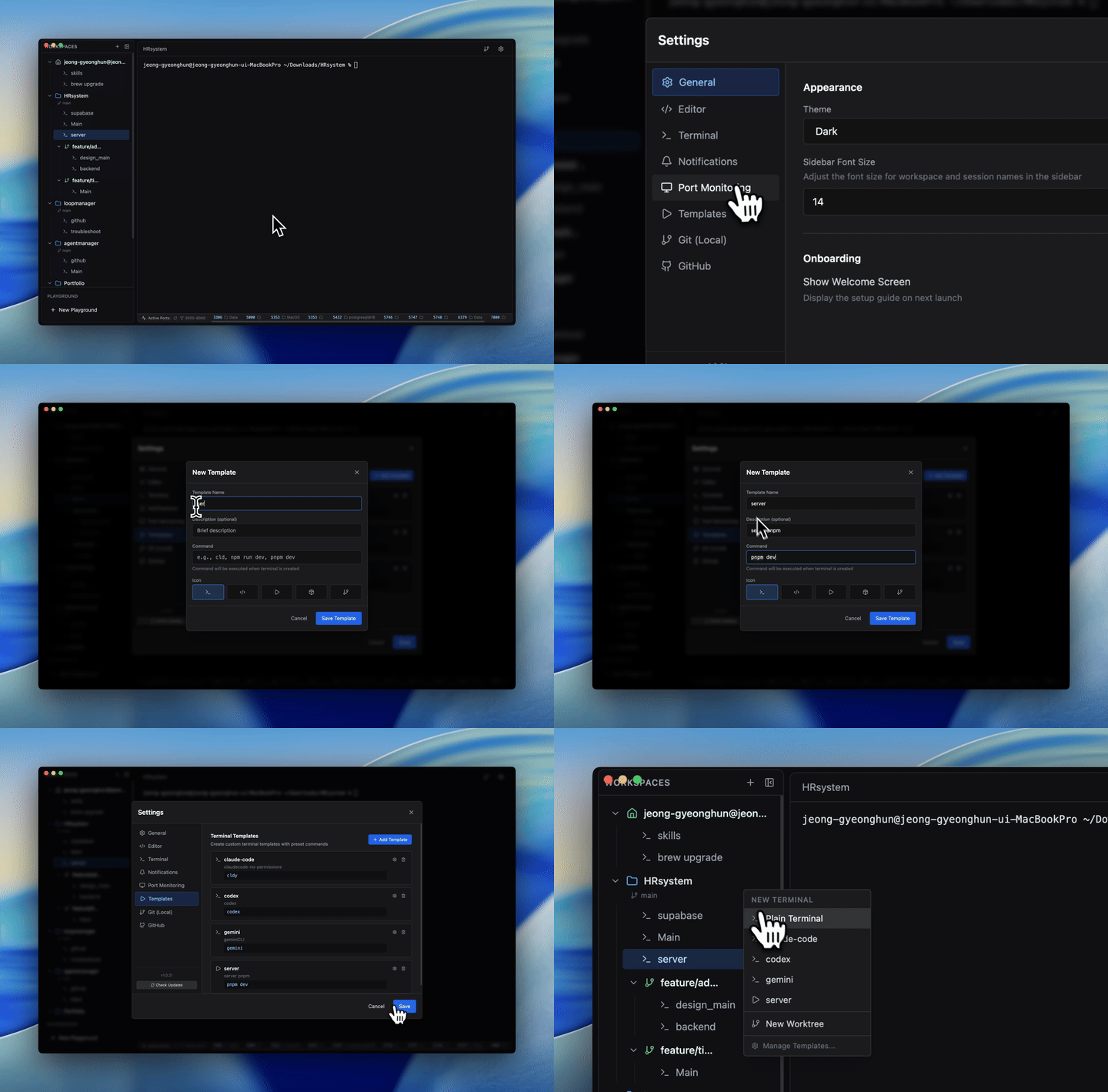
### Custom Terminal Templates
Save your most-used command sequences as named templates — with icons and descriptions. Launch complex multi-step setups with a single click.
---
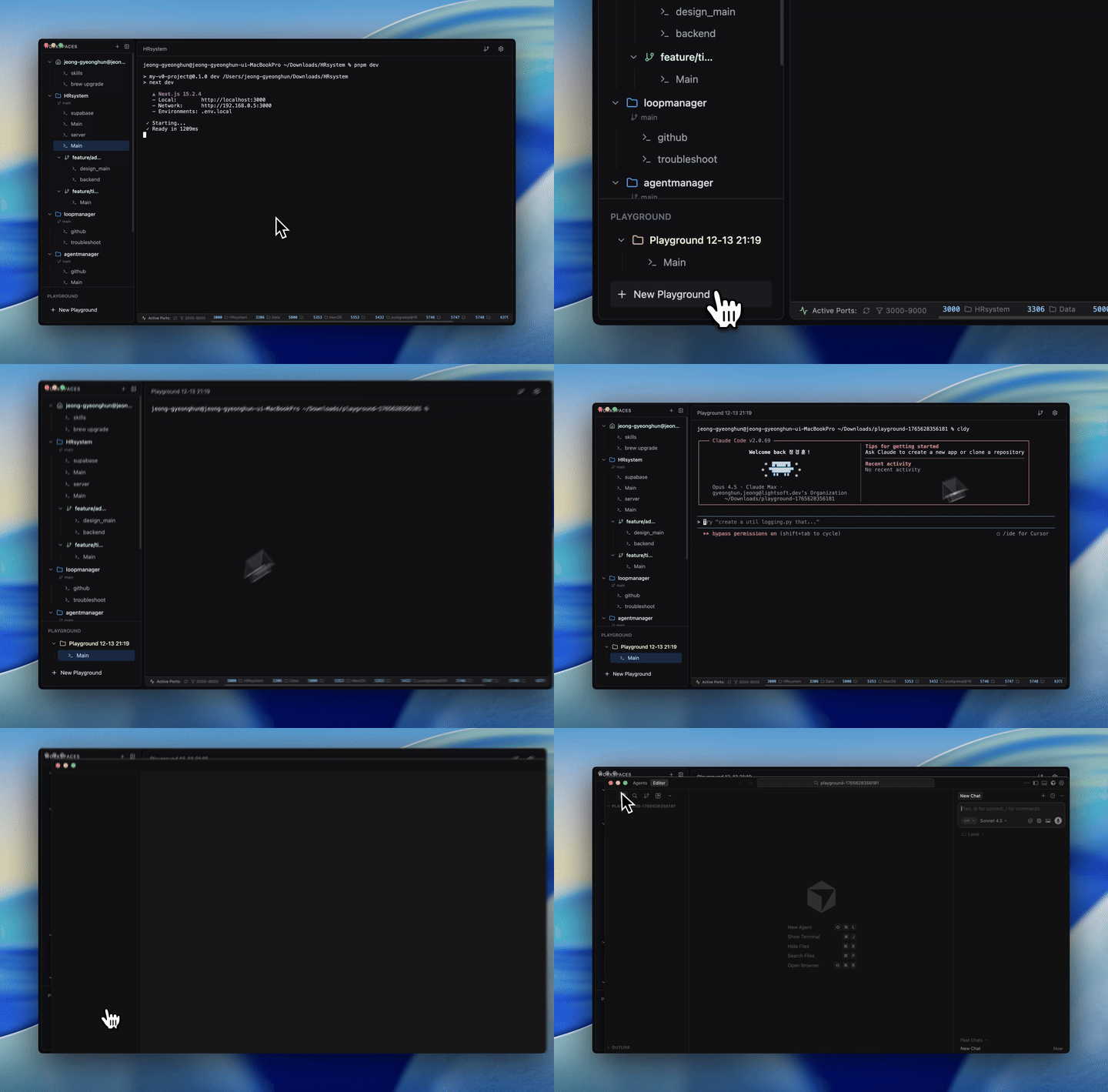
### Playground — Instant Isolated Environments
Spin up a temporary workspace in your Downloads folder with one click. Experiment freely without touching your real projects.
---
### Session Persistence
Every terminal session remains alive while you navigate. Switch between a dozen sessions without losing a single line of output.
### Per-Session Memo Pad
Each terminal session has its own notepad. Jot down context, commands, or notes — they auto-save and persist with the session.
### Split View
View and interact with two terminals side by side. Ideal for running a dev server while watching logs.
### Fully Configurable Shortcuts
Every action is bindable. Open the keyboard shortcut editor and make CLI Manager fit your workflow.
---
## Download
Get the latest version from [GitHub Releases](https://github.com/woorichicken/CLI_manager/releases/latest) and pick the file for your Mac:
| Platform | File |
|----------|------|
| macOS Apple Silicon (arm64) | `cli-manager-