# 🖥️ Screen Photography
Range: No. 161–162 · Count: 2
Load this file only when the request matches photo-of-screen realism, laptop-screen POV shots, moiré/RGB-pixel artifacts, or “not a screenshot” interface photography. For cross-cutting writing rules, pair it with `craft.md`.
### No. 161 · Music app + webcam preview
- Image: `docs/screen-photography/laptop-music-webcam-screen.png`
 - Metadata: Screen Photography · `1152x1536` · Source structure: [Reddit](https://www.reddit.com/r/OpenAI/comments/1st5kcd/gpt2_cooked_this_photo_of_a_screen_prompt_macbook/) adapted
```text
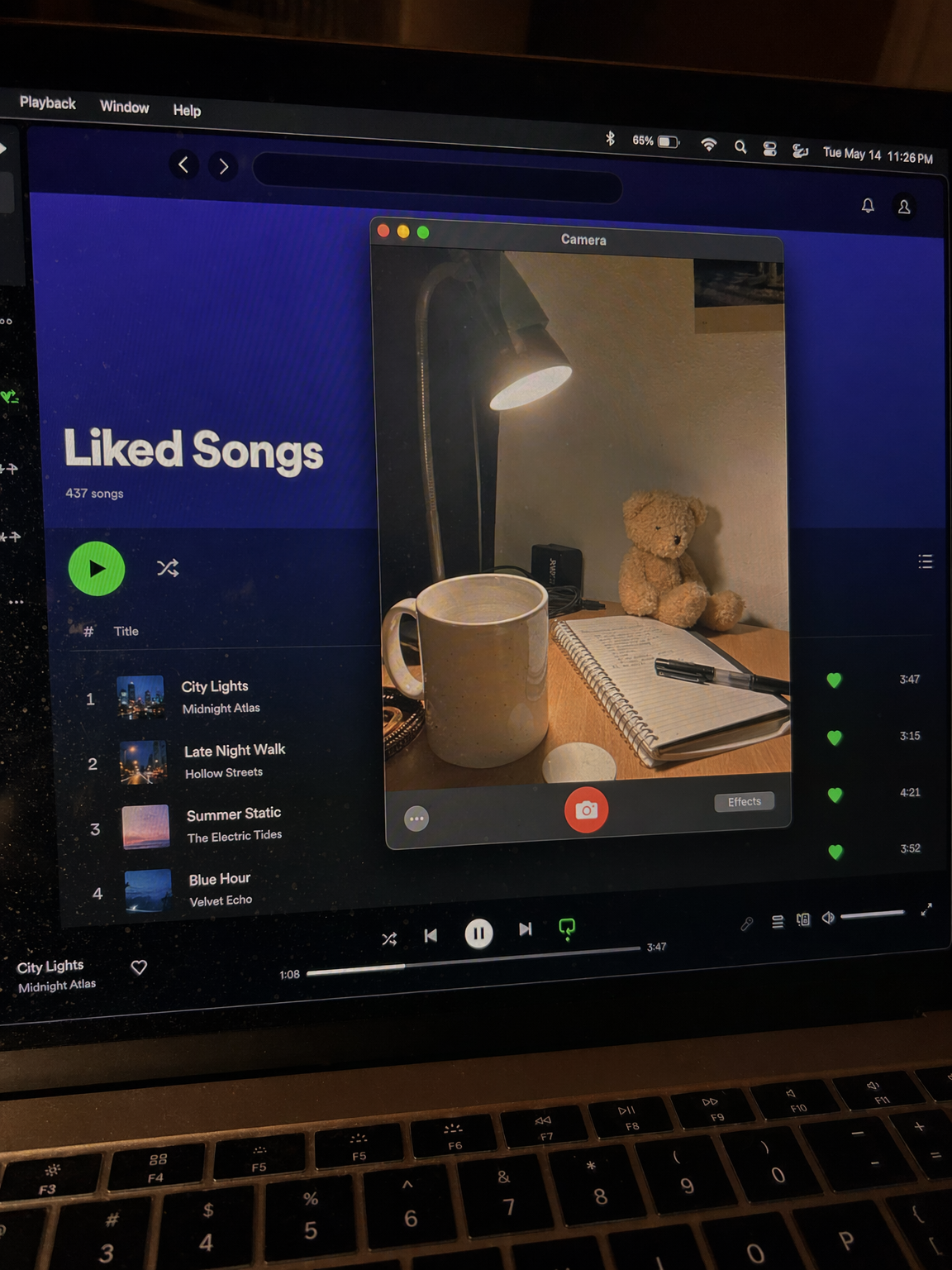
Create a raw smartphone photo of a laptop screen, not a screenshot. Aspect ratio 3:4, high-angle downward POV looking down at a laptop on a desk at night. The screen fills most of the frame with a thin strip of physical keyboard visible at the bottom. Emphasize visible RGB pixel grid, subtle moire bands, micro dust on glass, faint fingerprints, soft ambient reflections, handheld phone noise, slight perspective skew, imperfect glass. macOS dark mode. Background app: a generic music player in Liked Songs view with fictional visible tracks: "City Lights", "Late Night Walk", "Summer Static", "Blue Hour". Foreground app: a small webcam preview window floating center-right, showing only a cozy desk corner with a ceramic mug, notebook, small plush bear, warm desk lamp, and off-white wall. Make it look like an accidental real phone photo of a screen, candid and unpolished. No people, no faces, no celebrity names, no real-person likeness, no screenshot, no flat UI, no perfect clean glass, no studio lighting, no cartoon, no 3D render, no watermark.
```
### No. 162 · Notes + FaceTime work screen
- Image: `docs/screen-photography/laptop-notes-facetime-screen.png`
- Metadata: Screen Photography · `1152x1536` · Source structure: [Reddit](https://www.reddit.com/r/OpenAI/comments/1st5kcd/gpt2_cooked_this_photo_of_a_screen_prompt_macbook/) adapted
```text
Create a raw smartphone photo of a laptop screen, not a screenshot. Aspect ratio 3:4, high-angle downward POV looking down at a laptop on a desk at night. The screen fills most of the frame with a thin strip of physical keyboard visible at the bottom. Emphasize visible RGB pixel grid, subtle moire bands, micro dust on glass, faint fingerprints, soft ambient reflections, handheld phone noise, slight perspective skew, imperfect glass. macOS dark mode. Background app: a generic music player in Liked Songs view with fictional visible tracks: "City Lights", "Late Night Walk", "Summer Static", "Blue Hour". Foreground app: a small webcam preview window floating center-right, showing only a cozy desk corner with a ceramic mug, notebook, small plush bear, warm desk lamp, and off-white wall. Make it look like an accidental real phone photo of a screen, candid and unpolished. No people, no faces, no celebrity names, no real-person likeness, no screenshot, no flat UI, no perfect clean glass, no studio lighting, no cartoon, no 3D render, no watermark.
```
### No. 162 · Notes + FaceTime work screen
- Image: `docs/screen-photography/laptop-notes-facetime-screen.png`
 - Metadata: Screen Photography · `1152x1536` · Curated
```text
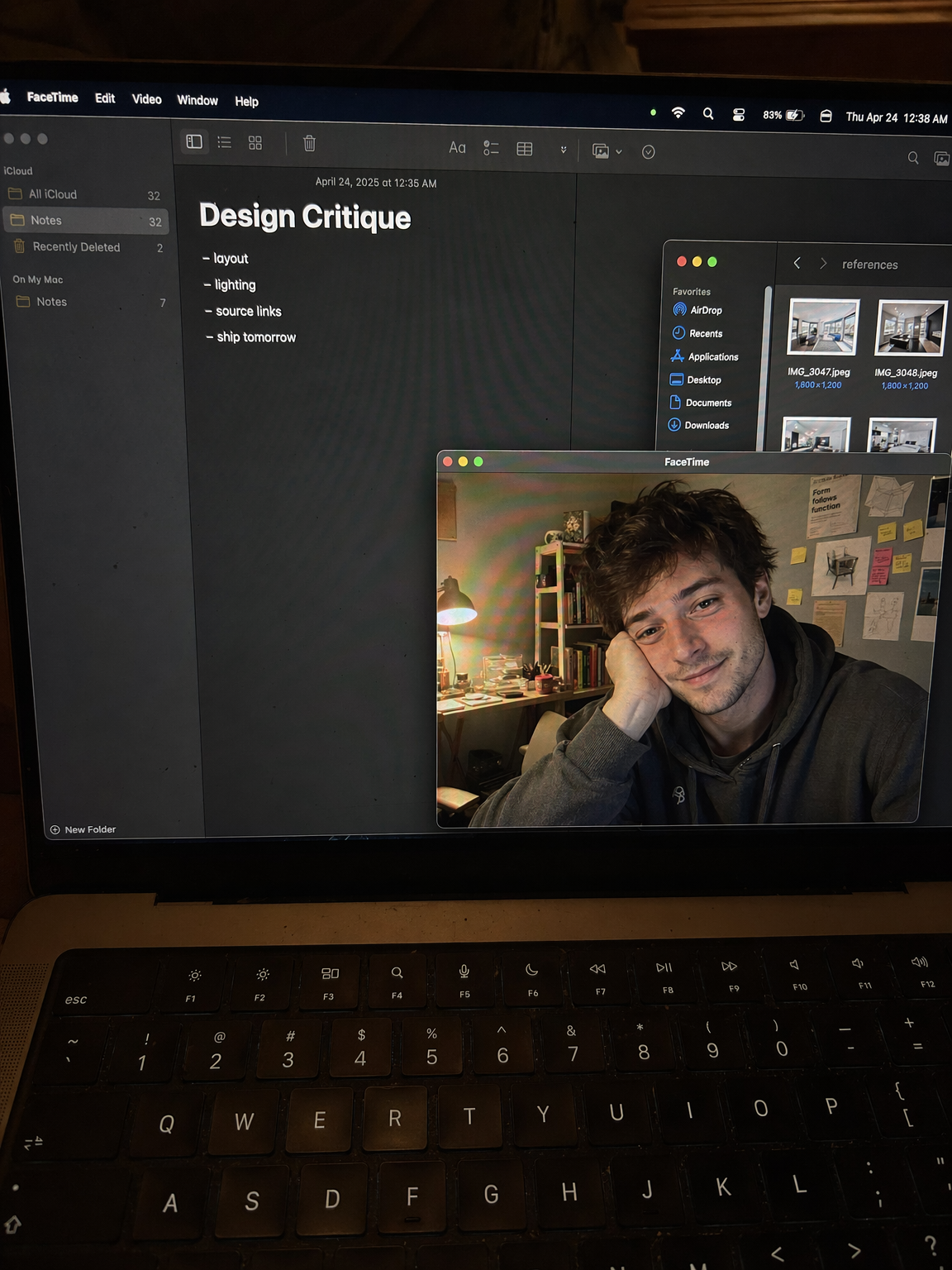
Create a raw smartphone photo of a laptop screen, not a screenshot. Aspect ratio 3:4, high-angle downward POV from someone standing over a desk at night. The laptop display fills most of the frame, with a narrow strip of black keyboard and trackpad visible at the bottom. Strong realism: visible RGB subpixel grid, subtle moire bands, small dust specks, faint fingerprints, uneven glass reflections, handheld phone noise, slight perspective skew, no studio polish. macOS dark mode. Background app: Apple Notes with a late-night study note titled "Design Critique" and short visible bullets: "layout", "lighting", "source links", "ship tomorrow". Foreground app: FaceTime live preview window floating lower-right, showing a fictional adult man in his 20s sitting at a cluttered desk, hoodie, tired but amused expression, warm desk lamp behind him, books and sticky notes in the room. A second small Finder window with image thumbnails is partly visible behind it. Make it feel like an accidental real phone photo of a working laptop screen. No real-person likeness, no beauty filter, no perfect UI, no screenshot, no watermark, no cartoon, no 3D render.
```
- Metadata: Screen Photography · `1152x1536` · Curated
```text
Create a raw smartphone photo of a laptop screen, not a screenshot. Aspect ratio 3:4, high-angle downward POV from someone standing over a desk at night. The laptop display fills most of the frame, with a narrow strip of black keyboard and trackpad visible at the bottom. Strong realism: visible RGB subpixel grid, subtle moire bands, small dust specks, faint fingerprints, uneven glass reflections, handheld phone noise, slight perspective skew, no studio polish. macOS dark mode. Background app: Apple Notes with a late-night study note titled "Design Critique" and short visible bullets: "layout", "lighting", "source links", "ship tomorrow". Foreground app: FaceTime live preview window floating lower-right, showing a fictional adult man in his 20s sitting at a cluttered desk, hoodie, tired but amused expression, warm desk lamp behind him, books and sticky notes in the room. A second small Finder window with image thumbnails is partly visible behind it. Make it feel like an accidental real phone photo of a working laptop screen. No real-person likeness, no beauty filter, no perfect UI, no screenshot, no watermark, no cartoon, no 3D render.
```