
Dinotty





中文 | English | Русский | Português | 한국어 | Español | Deutsch | Français
---
A terminal built for coding agents.
Run Claude Code, opencode, Codex, or OpenClaw on any device -- simple, extensible, multi-device, never lose a session.
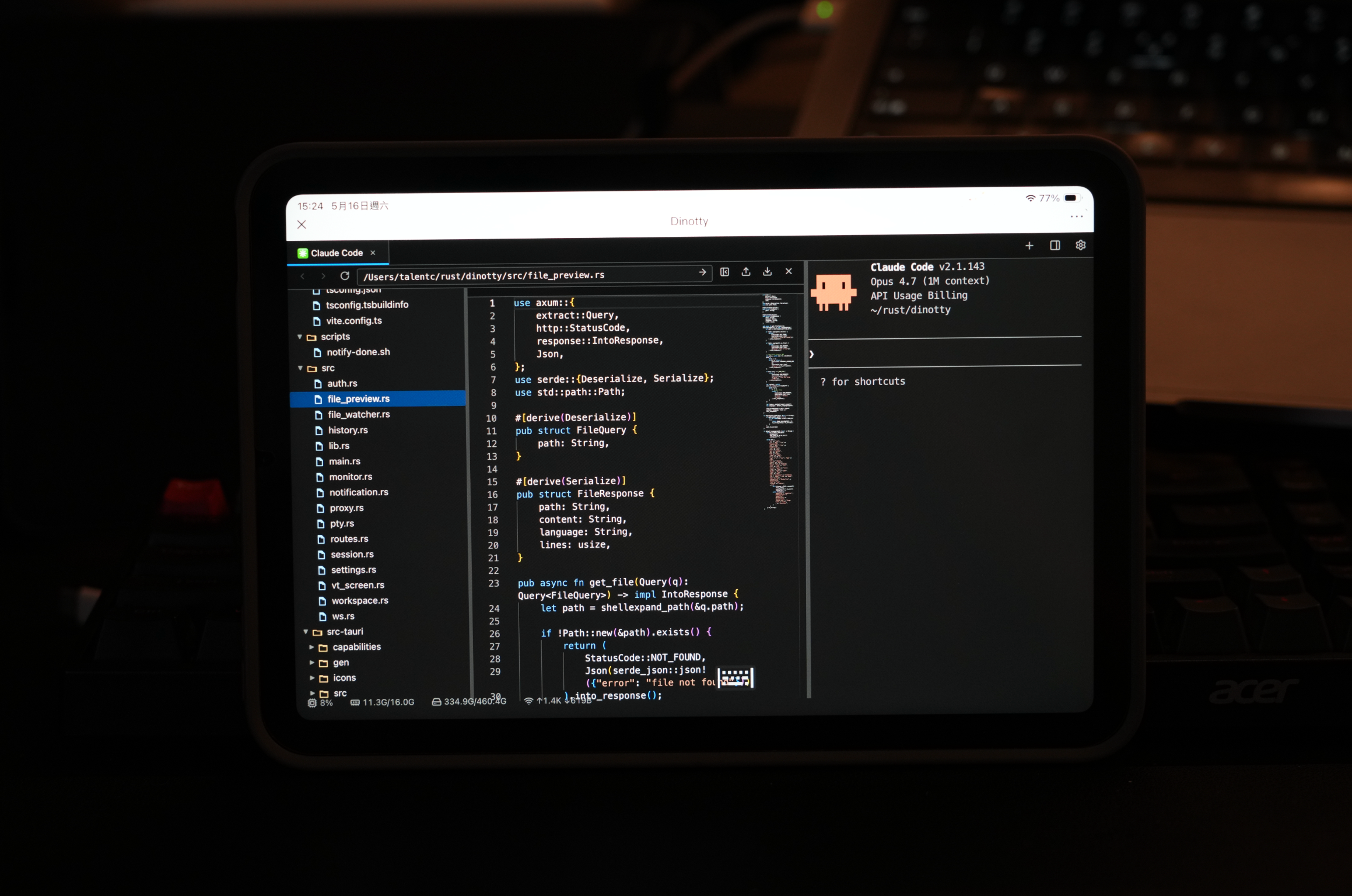
**One session across phone · iPad · desktop**
Stop mid-task on your computer, continue on your phone, then return to your desktop and pick up exactly where you left off. Sessions survive disconnects and restore on refresh.
**Everything is a pane — build your terminal like building blocks**
Terminals, plugins, files, SSH, and web previews are all panes. Drag them around to assemble your own workspace.
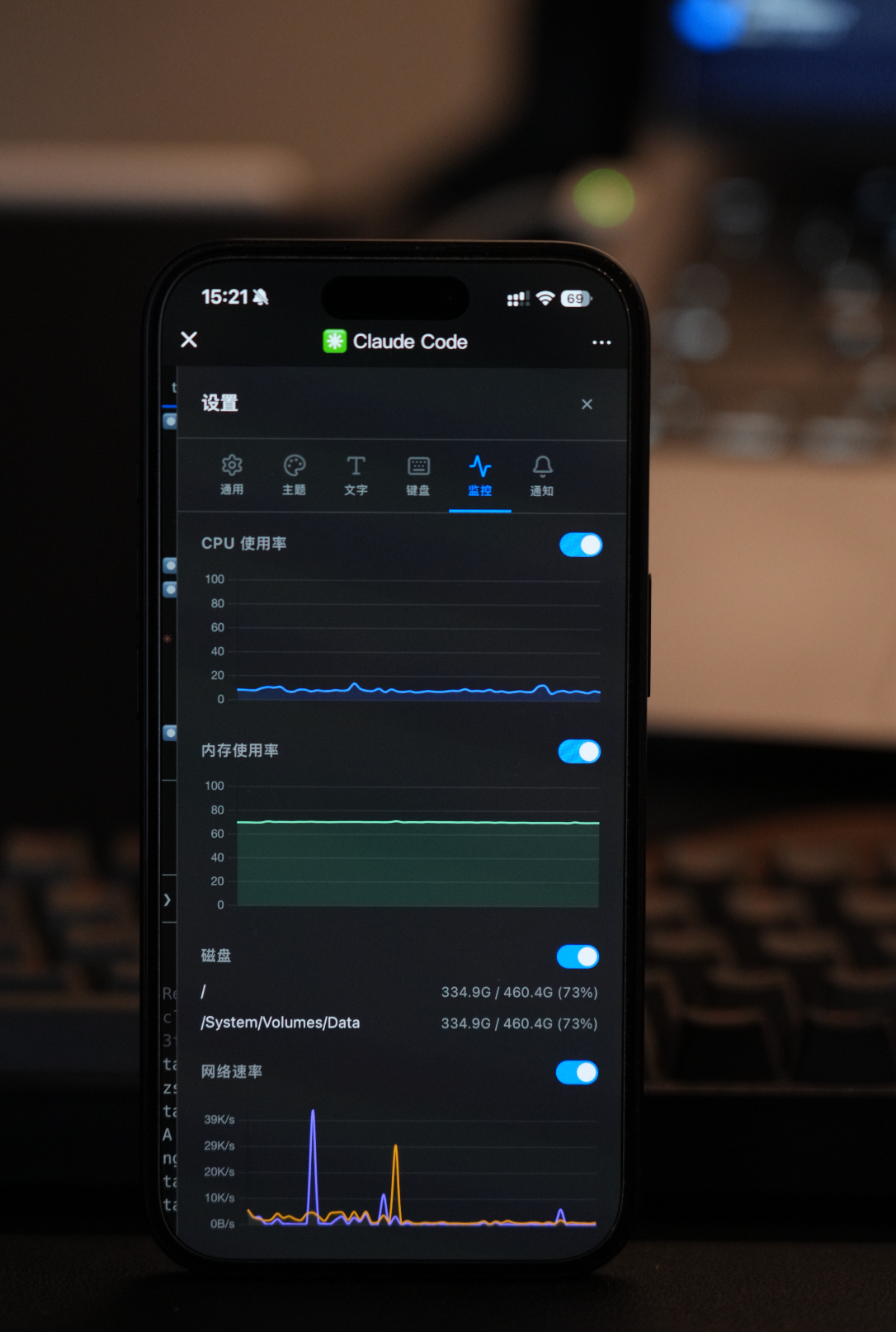
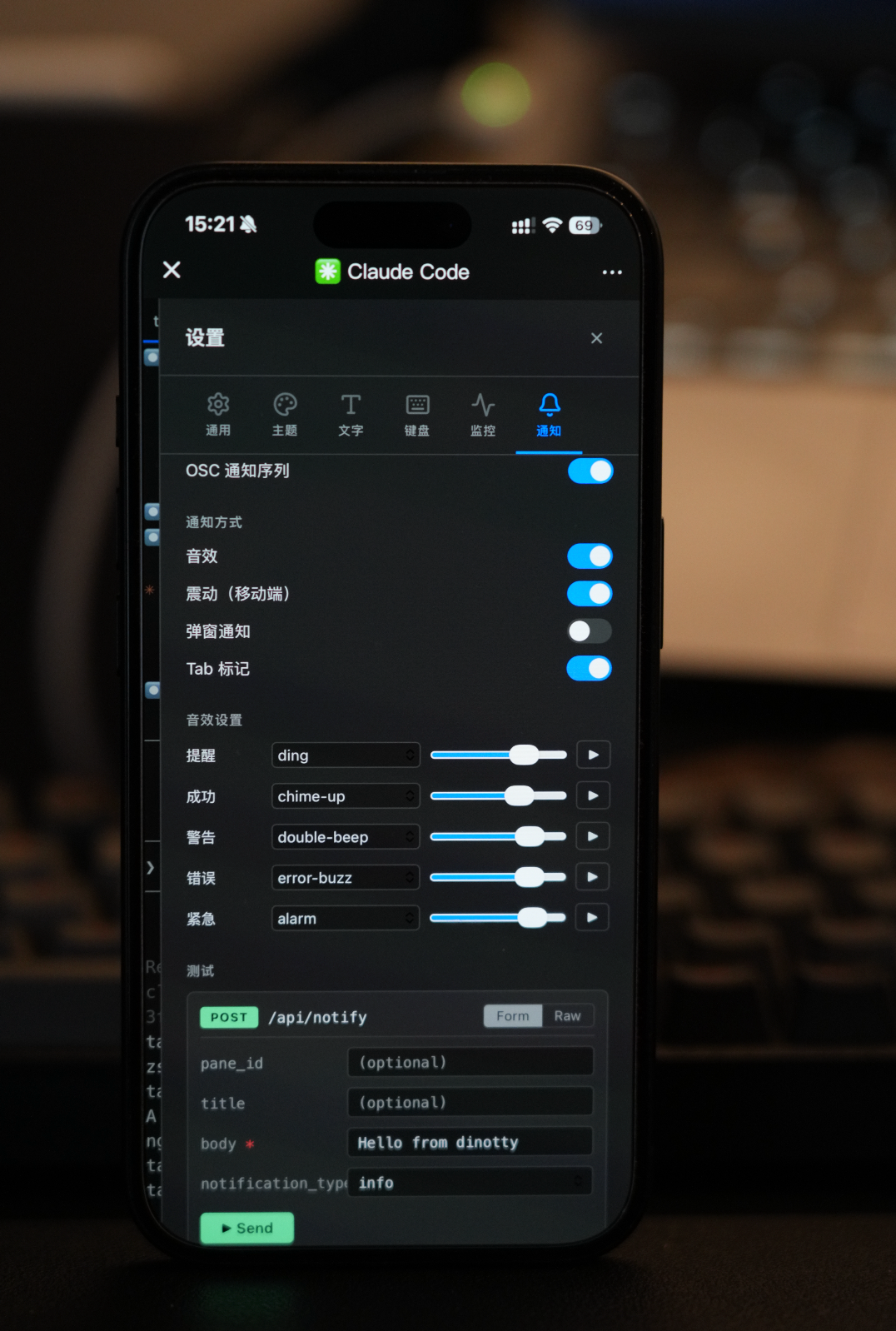
## Screenshots
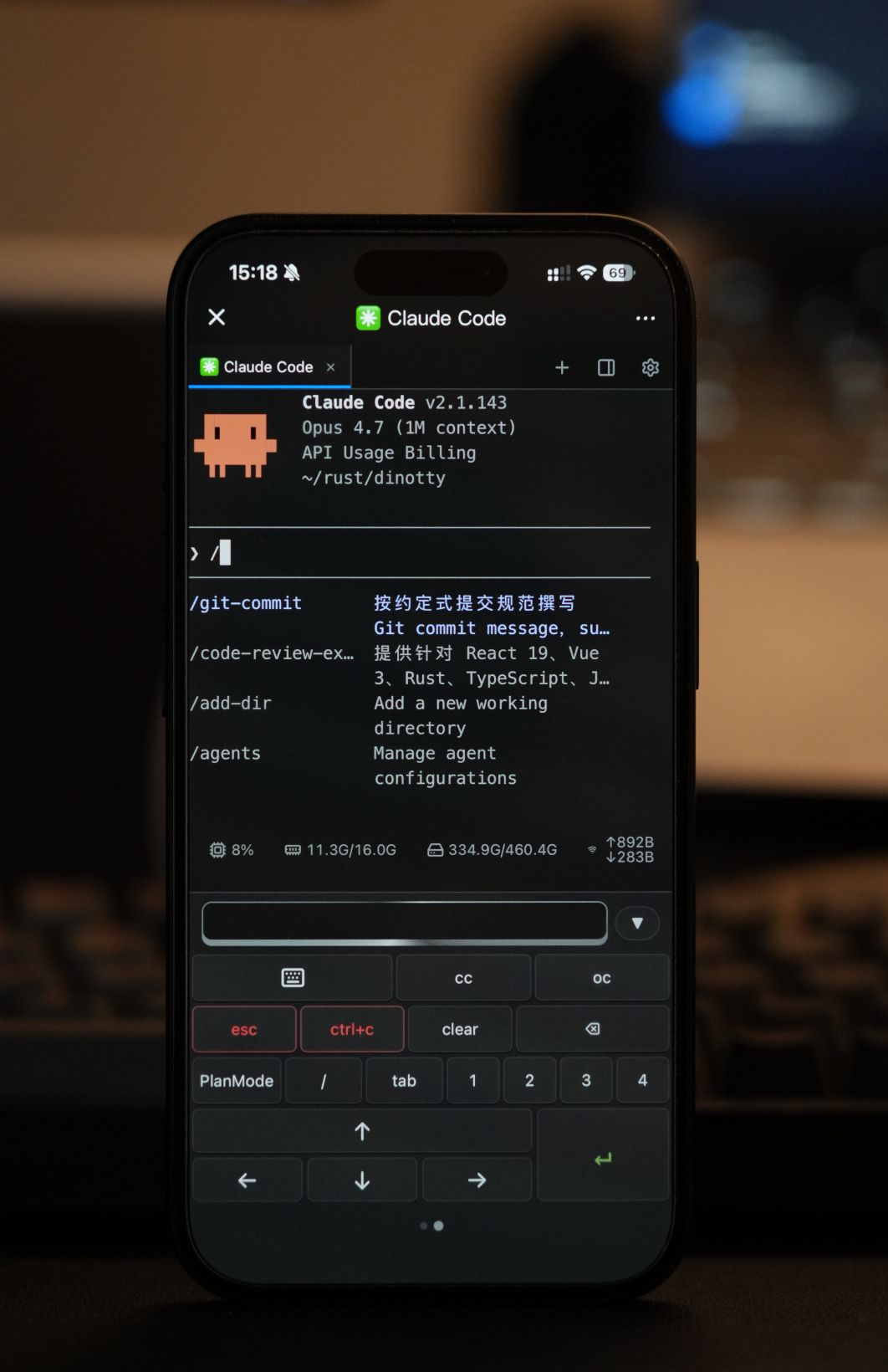
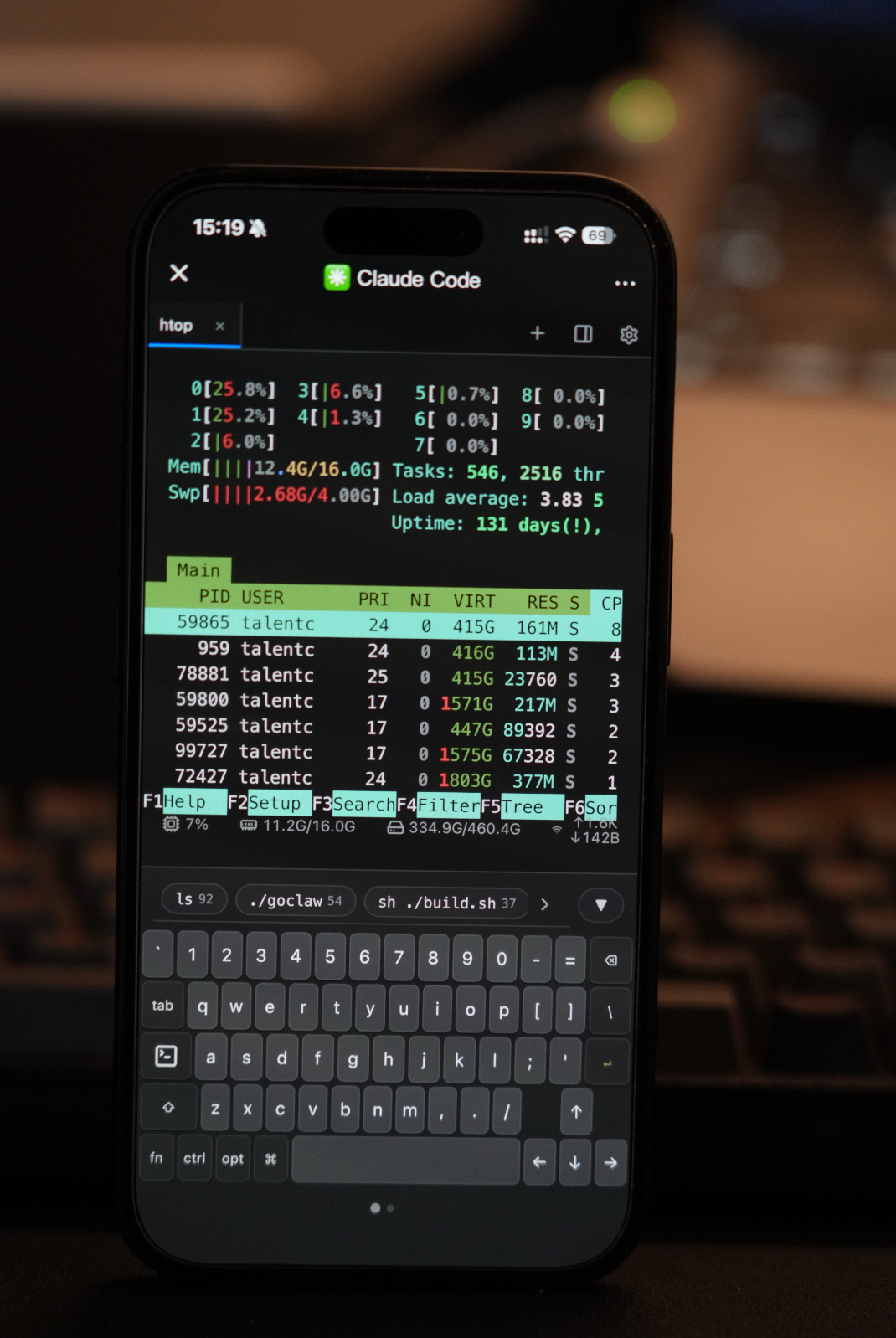
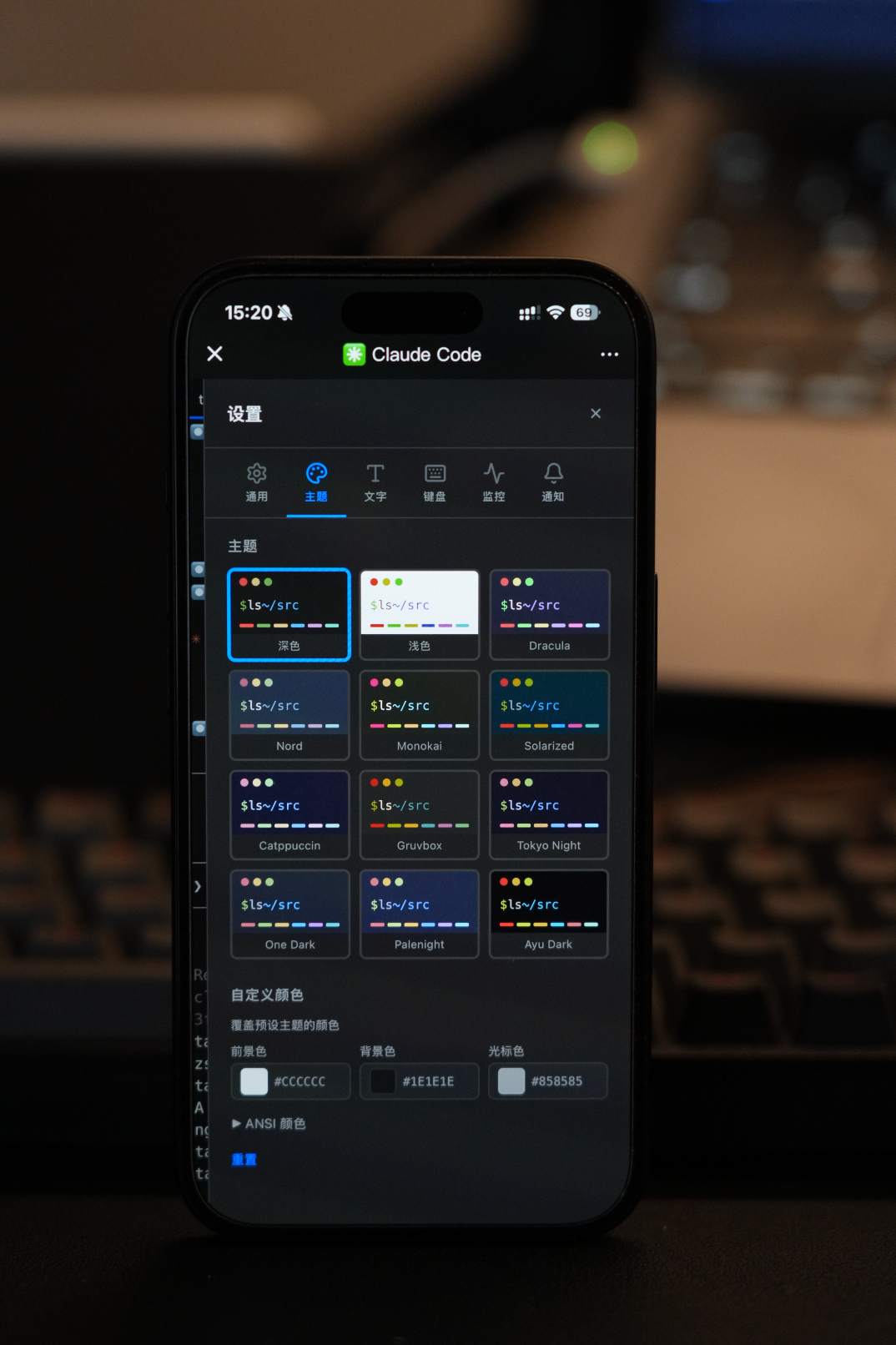
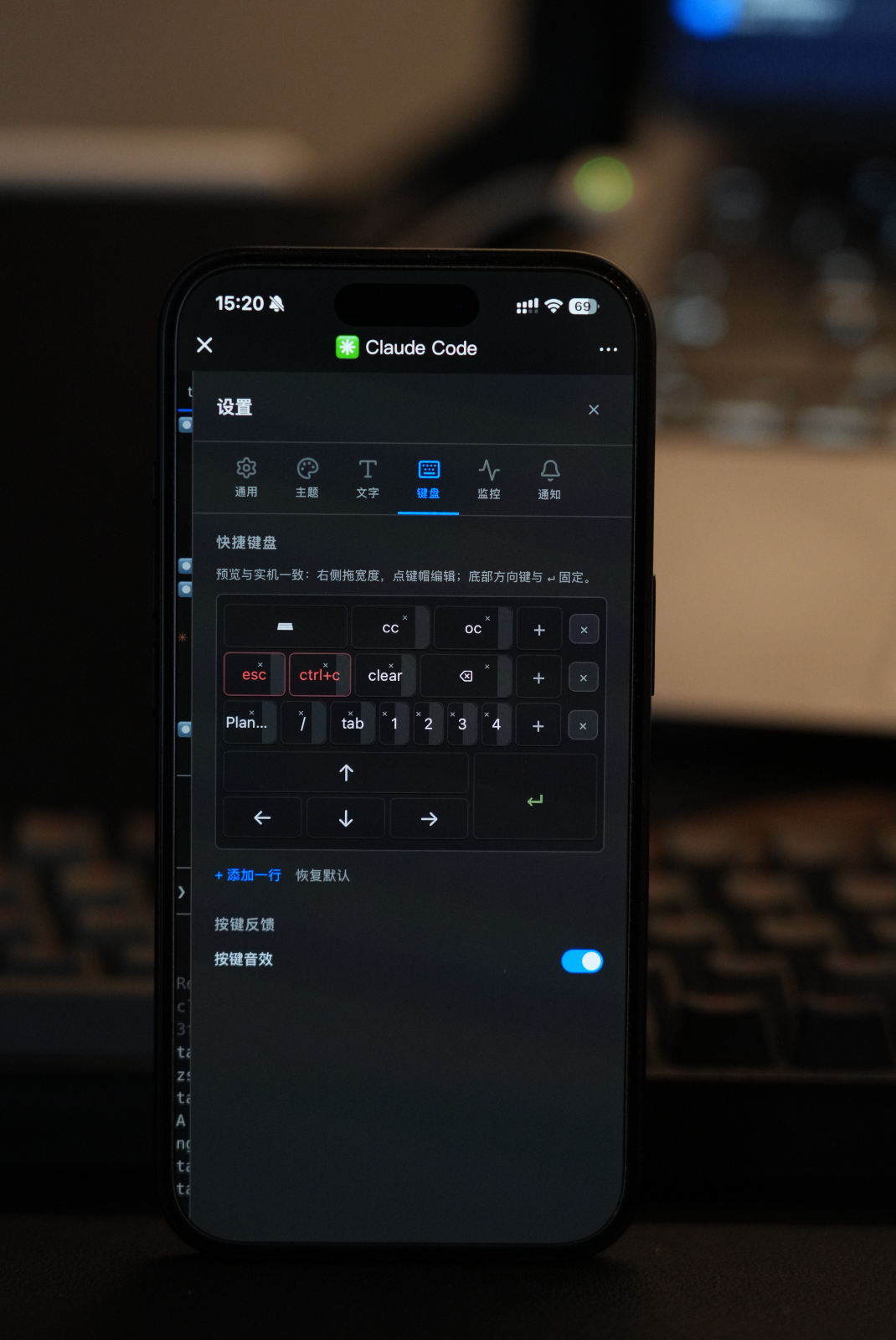
## Desktop Demo
The desktop client delivers a professional experience comparable to iTerm2:
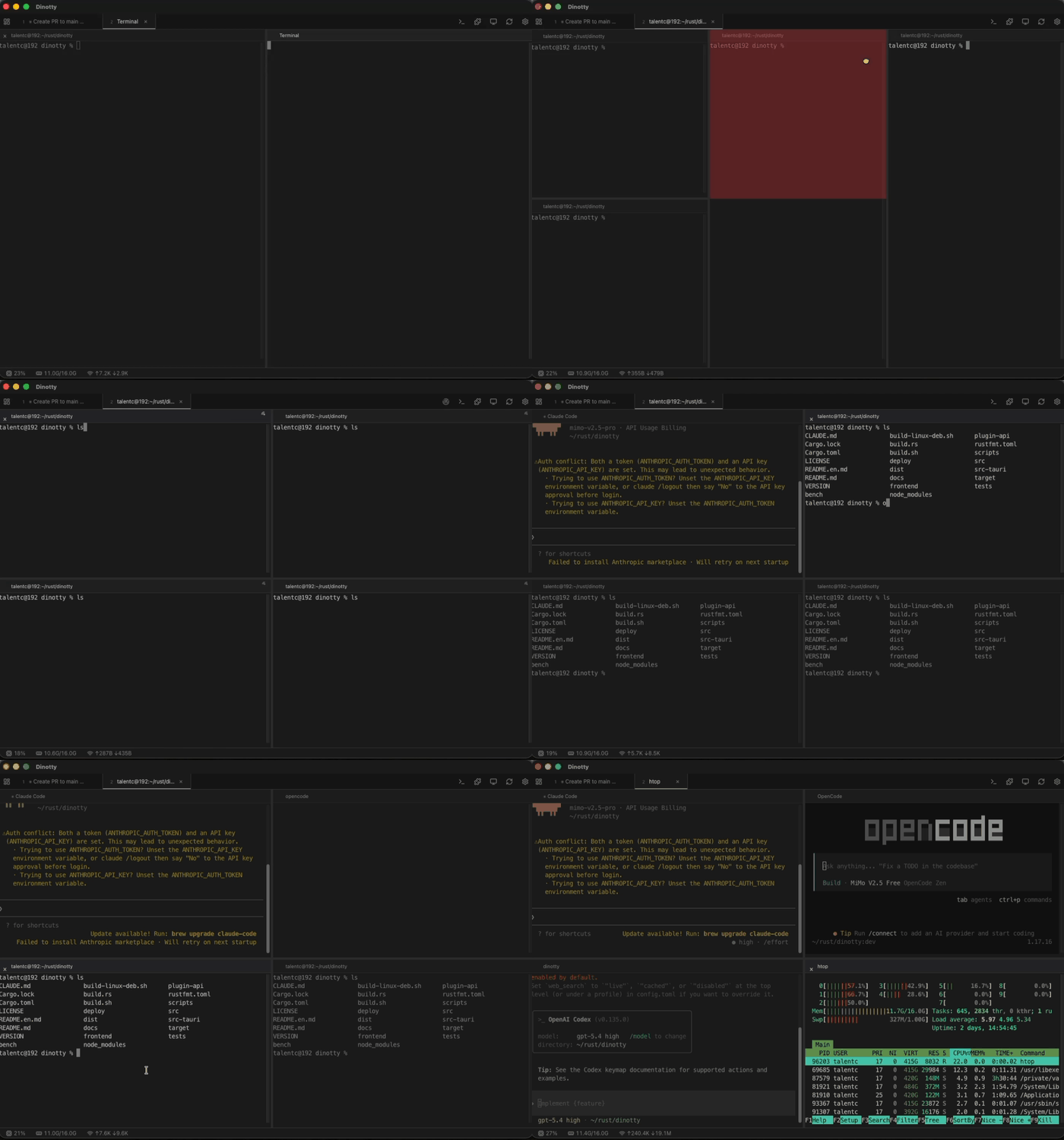
**Split Broadcast** — Draggable multi-pane split, type in one pane and execute in all panes simultaneously:
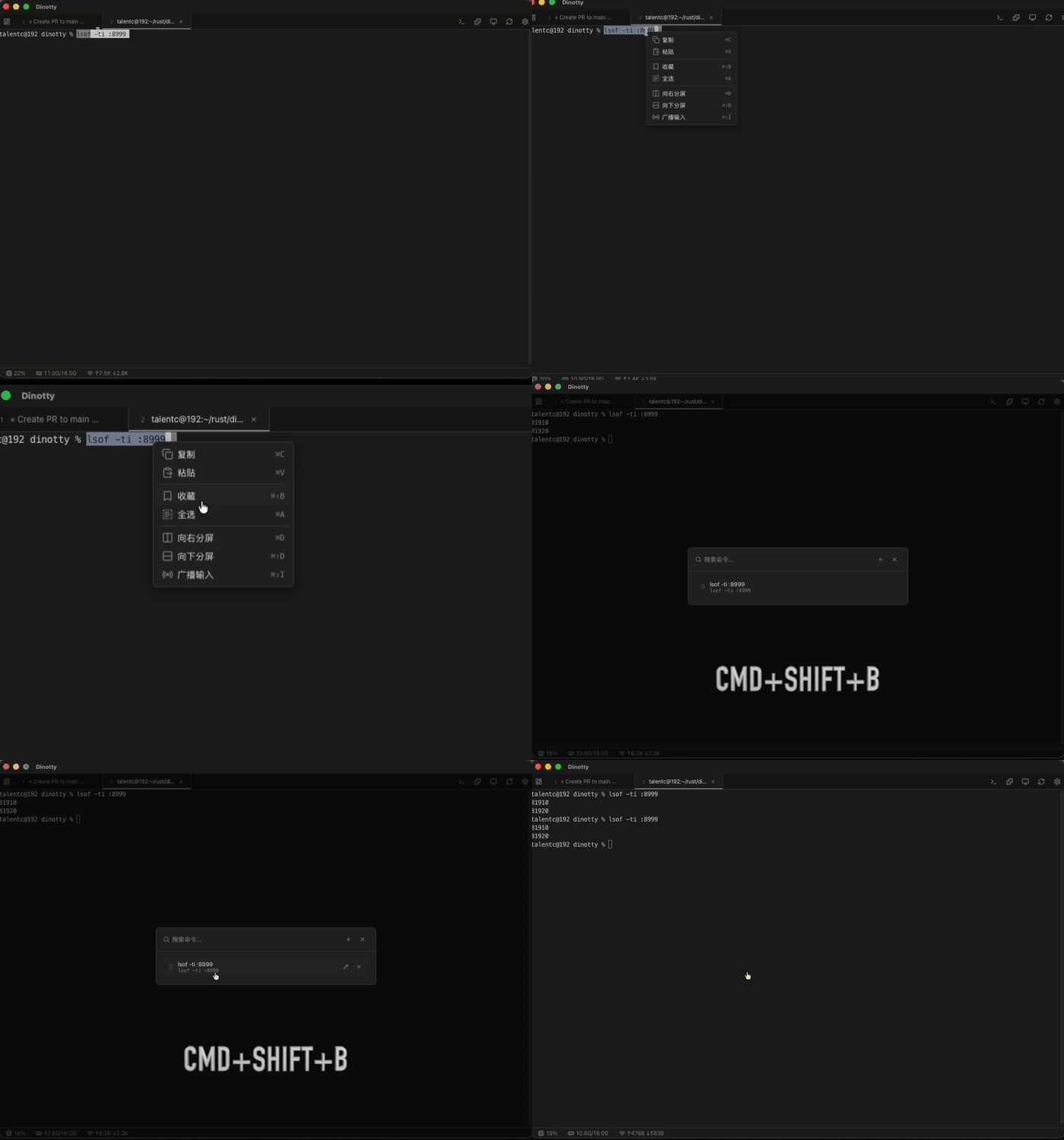
**Command Bookmarks** — Right-click terminal text to bookmark, group management, one-click execution:
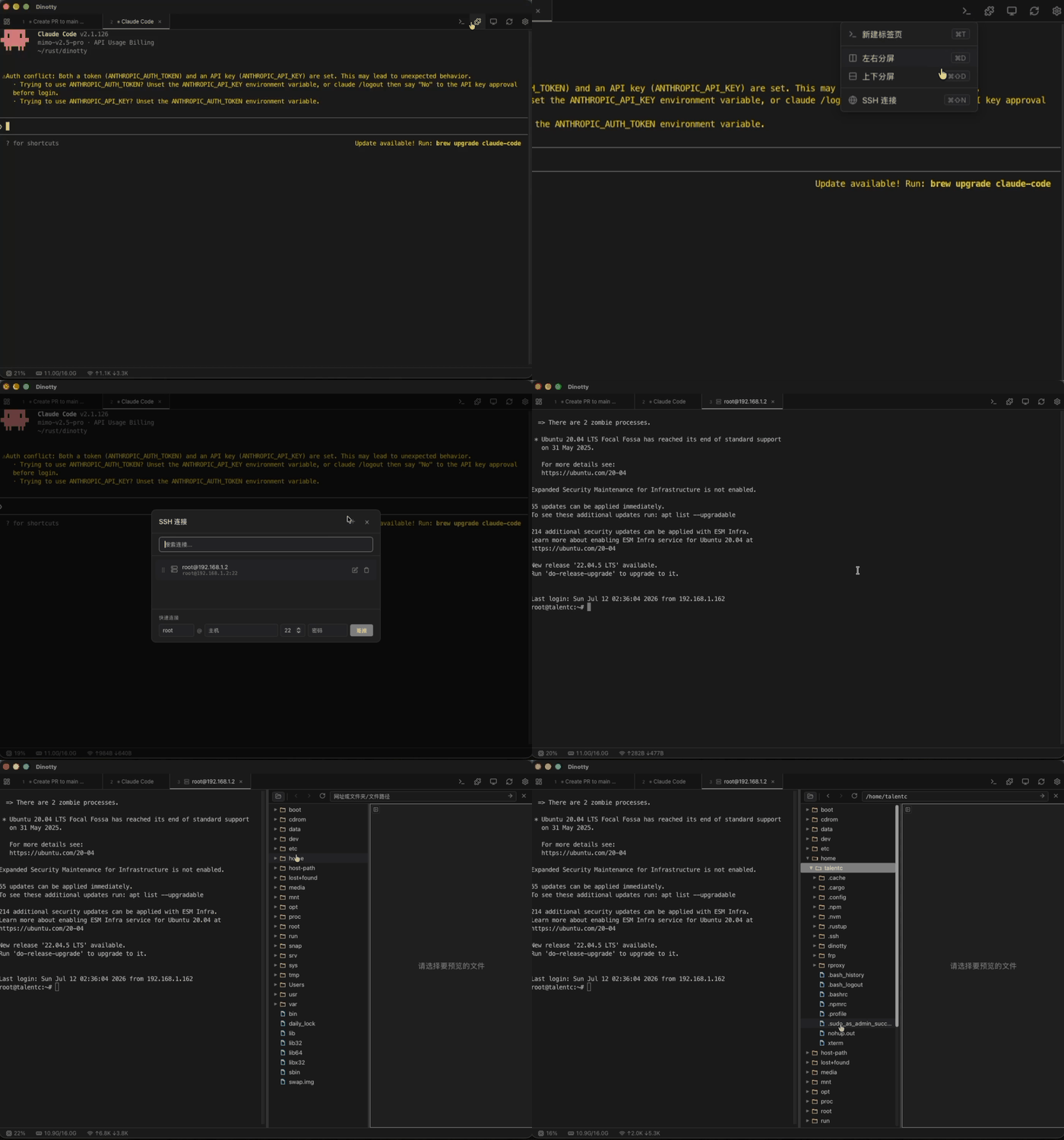
**SSH Connection & File Browser** — Built-in SSH client, remote sessions feel just like local, full SFTP file management:
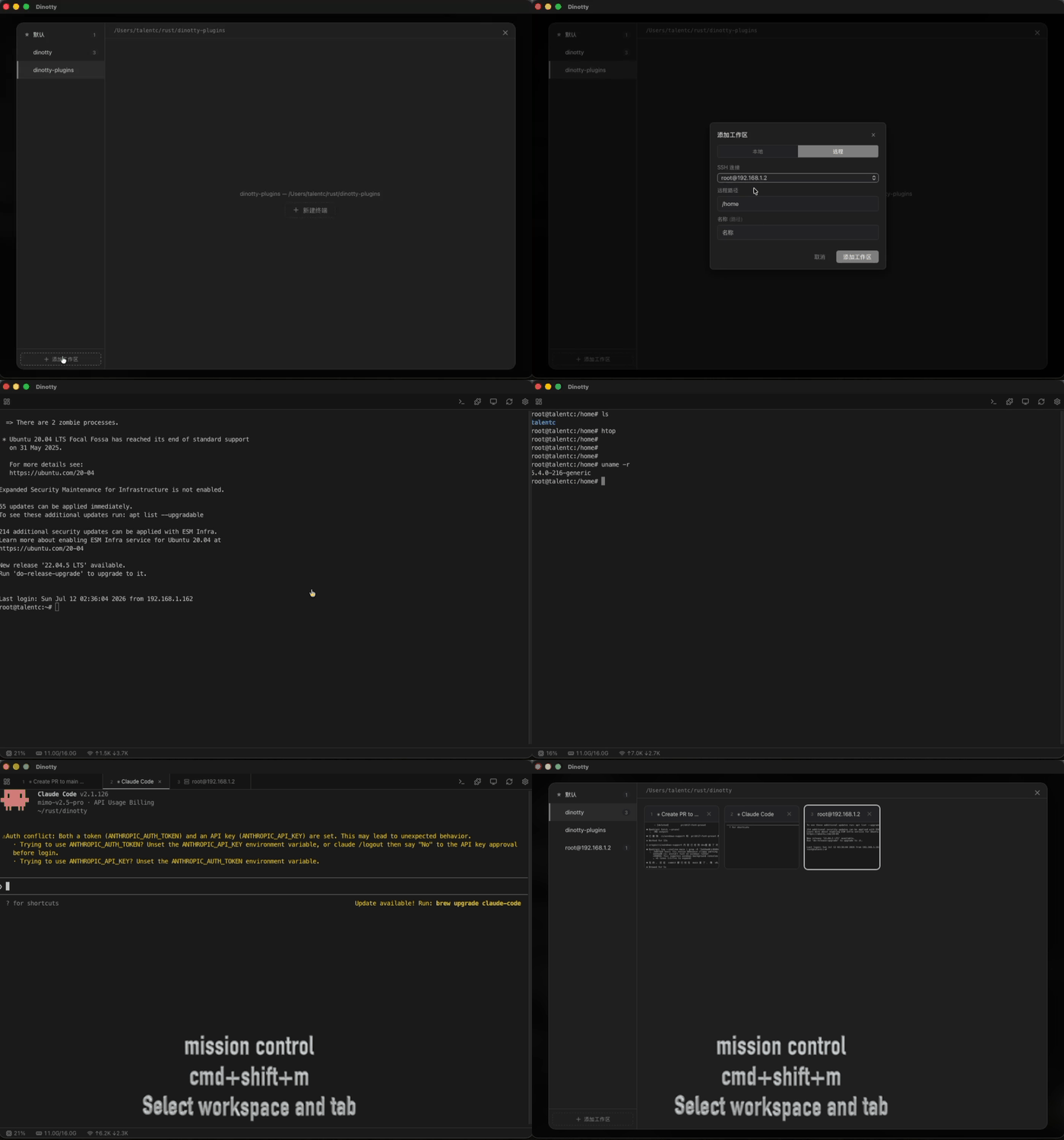
**Workspace Management & Mission Control** — Multi-workspace isolation, Mission Control overview, quick switching:
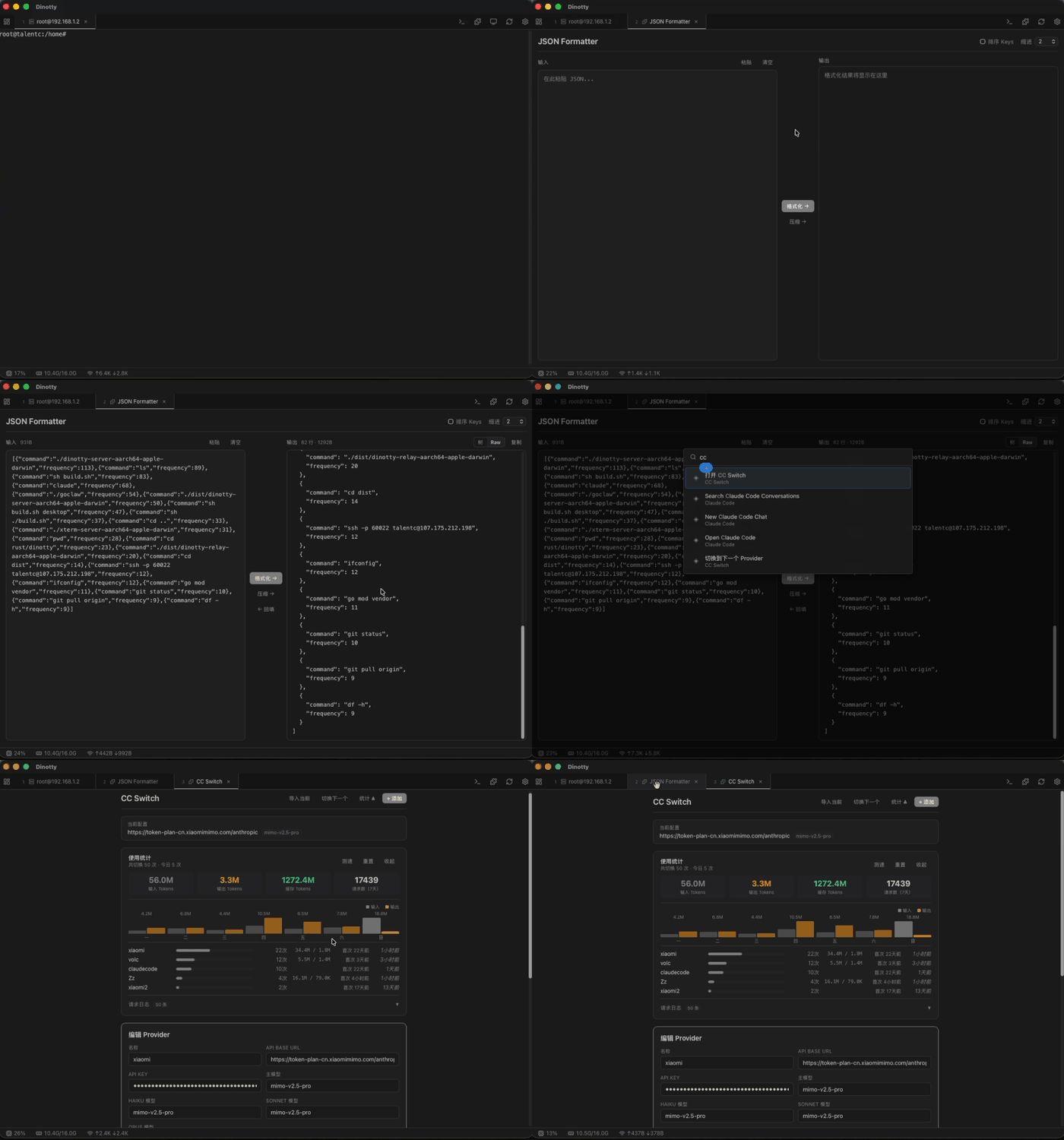
**Plugin System** — Hot-reloadable JS plugins with built-in CC Switch, JSON Formatter, and more:
**Unified Layout System** - Terminal, plugin, file browser, and web preview are all panes; draggable split, cross-tab move, extract as new tab:
## Philosophy
Terminal coding agents - Claude Code, opencode, Codex, OpenClaw - are powerful, yet confined to a single window. Dinotty sets them free. One terminal. Every device. Every possibility.
### Sync everywhere
Half-done on your laptop. Pick up your phone, keep going. Back to your laptop, exactly as you left it.
### Endless extensibility
JS plugins with hot reload. CC Switch, JSON Formatter, Claude Code dialog management - built in. Custom commands, terminal interaction, event subscriptions, CLI integration - the API is ready.
### Everything is a pane
Terminal, files, web preview, Git changes, SSH remote. Drag to split, move across tabs. All in one flow.
### Never drops
Server-side VTE. PTY survives disconnects. Refresh the page, you're back where you were.
### Free and open
Self-hosted. No subscriptions. No relay. Your data stays on your machine.
### Lightweight — Not a Remote Desktop
| | Dinotty | Remote Desktop (VNC/RDP/Parsec) |
|---|---|---|
| **Data transmitted** | Text only (JSON, bytes) | Full screen pixels at 30-60 fps |
| **Bandwidth** | ~1–10 KB/s typical | ~1–10 MB/s (100–1000x more) |
| **Mobile data friendly** | ✅ Works on 3G/4G without lag | ❌ Choppy, high latency, burns data |
| **Weak signal tolerance** | ✅ Auto-reconnect, no frame loss | ❌ Frozen screen, input lag |
| **Battery consumption** | Low (text rendering) | High (video decoding) |
| **Resolution adaptation** | Native text at any size | Scaled bitmap, blurry on phone |
| **Interaction** | Native touch, custom keyboard | Simulated mouse, tiny desktop UI |
## Key Features
- **Server-side virtual terminal** — full VTE parser, server knows exact screen state, enables session recovery & screen snapshots
- **Session persistence** — PTY processes survive disconnection, auto-reconnect with exponential backoff, refresh page to restore
- **Split pane & multi-tab** — draggable split, multi-tab management with server-led pane lifecycle
- **Workspace management** — multi-workspace isolation, Mission Control overview, workspace-scoped plugin tabs
- **Broadcast mode** — input in one pane, execute in all panes simultaneously, free
- **Command bookmarks** — right-click terminal text to bookmark, group management, one-click execution
- **SSH remote connection** — built-in SSH client with password/key auth, remote sessions feel just like local
- **Remote file management (SFTP)** — auto-enabled over SSH connections, full file browse/edit/upload/download
- **Multi-server management** — register multiple dinotty servers and switch between them from Mission Control
- **Responsive layout** — portrait stacks vertically, landscape side-by-side; touch-optimized buttons & pane resizing
- **Customizable shortcut keyboard** — add Ctrl/Esc/function keys for mobile, supports arbitrary escape sequences
- **Built-in file browser** — code highlighting, Markdown rendering, Office document preview, audio/video playback
- **Git change indicators** — gutter marks for added/modified/deleted lines, inline diff, Stage/Revert
- **Web preview** — built-in reverse proxy to preview local dev servers in iframe
- **Notification system** — terminal bell/OSC detection, WebSocket push, configurable sound alerts
- **System monitor** — real-time CPU/memory/network charts
- **Plugin system** — JS plugins + CLI bridge, hot-reload; ships with CC Switch, JSON Formatter, Claude Code conversation manager, etc.
- **Open API** — HTTP endpoint for external device control (Stream Deck, Shortcuts, automation scripts)
- **Command palette** — quick-access command launcher
- **Desktop app** — optional Tauri-based native client
## Key Differentiators
- **Server-side virtual terminal** - Not a WebSocket-to-PTY pipe; PTY survives disconnect, refresh page to restore session
- **Multi-device sync** - Browser-based sync, deep coding on desktop, take over from mobile
- **Lightweight text-only transport** - ~1-10 KB/s, smooth on 3G/4G, 100-1000x less bandwidth than remote desktop
- **Self-contained environment** - Built-in file browser, web preview, Git changes, SSH/SFTP, plugin system
- **Free & open source** - Self-hosted, no subscription, no relay fees
See [comparison with other solutions](docs/en/getting-started/comparison.md) for details.
## Installation
Download the installer or binary for your platform from [GitHub Releases](https://github.com/xichan96/dinotty/releases):
| Platform | Format | Notes |
|----------|--------|-------|
| **macOS** | `.dmg` | Open and drag to Applications |
| **Linux** | `.deb` | `sudo dpkg -i dinotty_*.deb` |
| **Windows** | `.exe` / source build | Run `dinotty-server.exe` from PowerShell, or build from source |
> You can also build from source, see "Quick Start" below.
**macOS Note**: Since the app is unsigned, macOS may show **"Dinotty" is damaged and can't be opened**. Run the following command after installation to remove the restriction:
```bash
xattr -cr /Applications/Dinotty.app
```
**Linux one-liner install**:
```bash
VERSION=$(curl -s https://api.github.com/repos/xichan96/dinotty/releases/latest | sed -n 's/.*"tag_name": *"\([^"]*\)".*/\1/p' | sed 's/^v//') && curl -LO "https://github.com/xichan96/dinotty/releases/download/v${VERSION}/dinotty-server_${VERSION}-1_amd64.deb" && sudo dpkg -i "dinotty-server_${VERSION}-1_amd64.deb"
```
**Linux startup**:
```bash
# systemd
systemctl start dinotty
systemctl enable dinotty # auto-start on boot
# Docker container
nohup dinotty-server &
```
**Windows startup**:
```powershell
# PowerShell
.\dinotty-server.exe -p 8999
# Optional: override the default shell before auto-detection
$env:DINOTTY_SHELL = "pwsh.exe"
.\dinotty-server.exe
```
On Windows, the default shell is detected in this order: `DINOTTY_SHELL` → `pwsh.exe` → `powershell.exe` → `%ComSpec%` / `cmd.exe`.
Default port is **8999**. After starting, visit `http://:8999`. Use `-p` to specify a custom port:
```bash
dinotty-server -p 3000
```
## Quick Start
```bash
# Clone repo (shallow clone recommended — faster and smaller)
git clone --depth 1 --single-branch -b dev git@github.com:xichan96/dinotty.git
cd dinotty
# Build frontend
cd frontend && pnpm install && pnpm run build && cd ..
# Run server
cargo run
```
Windows PowerShell equivalent:
```powershell
git clone --depth 1 --single-branch -b dev git@github.com:xichan96/dinotty.git
cd dinotty
cd frontend
pnpm install
pnpm run build
cd ..
cargo run
```
Open http://127.0.0.1:8999 in your browser.
```bash
# Backend with debug logging
RUST_LOG=debug cargo run
# Frontend type-check
cd frontend && npx vue-tsc --noEmit
```
```powershell
# Windows PowerShell debug logging
$env:RUST_LOG = "debug"
cargo run
```
## Verification Code Login
In addition to the default "Token" login, dinotty supports "Verification Code" login as a **mutually exclusive** alternative: when selected in "Security & Access", remote users receive a 6-digit code generated server-side and pushed to you via a notifier plugin (e.g. `feishu-notify`). Entering the code on the login page creates a session. Codes are valid for 5 minutes, single-use, and invalidated after 5 wrong attempts. This removes the static token from the remote login path, mitigating XSS / screenshot / device theft / social engineering risks to the token itself.
Before enabling, install a messaging notifier plugin and keep it subscribed to the `auth.verification_code` event - otherwise the option is disabled in the UI. While `login_method=verification_code`, uninstalling a plugin currently subscribed to that event is rejected with 409 to prevent accidental lockout.
### Emergency Recovery
If verification code login is stuck (notifier plugin uninstalled, subscription lost, or IM/email not arriving), edit `~/.dinotty/settings.json` (Windows: `%APPDATA%\dinotty\settings.json`) on the server host, set `auth.login_method` back to `"token"`, and restart the dinotty service. This path is only writable by the server host's local user; remote login users cannot modify it.
## Tech Stack
| Layer | Technology |
|-------|-----------|
| Backend | Rust, Axum 0.7, Tokio, portable-pty, vte, russh, russh-sftp |
| Frontend | Vue 3, TypeScript, Vite, xterm.js 5 |
| Desktop | Tauri |
**Written in Rust · Single binary · Zero dependencies** — Runs a full VT state machine on the server, not a pipe-forwarding proxy, so sessions survive disconnection.
## More Documentation
- [Comparison](docs/en/getting-started/comparison.md) — differences vs ttyd/gotty/Wetty and other AI coding remote solutions
- [Deployment Guide](docs/en/getting-started/deployment.md) — systemd, Docker, Windows native run, cross-platform build, configuration
- [Release Guide](docs/en/getting-started/releasing.md) — unified version management, version PRs, `dev` to `main` promotion, tags, and GitHub Releases
- [File Editor](docs/en/features/file-editor.md) — split panes, multi-cursor editing, Cursor Group cross-file sync
- [Notification System](docs/en/features/notifications.md) — HTTP API, Claude Code integration, Open API
- [Plugin System](docs/en/plugins/plugins.md) — installation, manifest, API, built-in plugins
- [Plugin Development](docs/zh/plugins/plugin-development.md) — full plugin development guide (Chinese)
- [Host Clipboard API](docs/en/api/clipboard-api.md) — sensitive authenticated endpoint used by mobile host paste
- [MCP Server](docs/en/api/mcp-server.md) — built-in MCP JSON-RPC server for AI assistants to operate terminal sessions
- [Token Permission System](docs/zh/internals/token-system.md) — capability-based multi-token fine-grained access control (Chinese)
- [Event Bus](docs/zh/internals/event-bus.md) — global event bus for inter-module event dispatch (Chinese)
- [Audit Log & Webhook](docs/zh/internals/audit-webhook.md) — API usage tracking and external notifications (Chinese)
- [Contributing](docs/en/getting-started/contributing.md) — branch strategy, commit convention, code style
## Contributors
Thanks to all the people who have contributed to Dinotty!
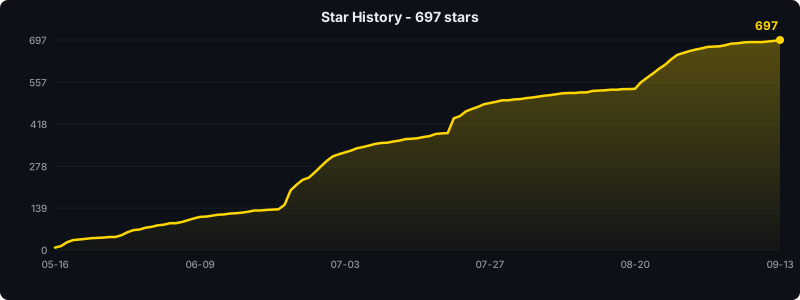
 ## Star History
## License
MIT
## Star History

## License
MIT