# dshtui
English | [中文](README.zh.md)
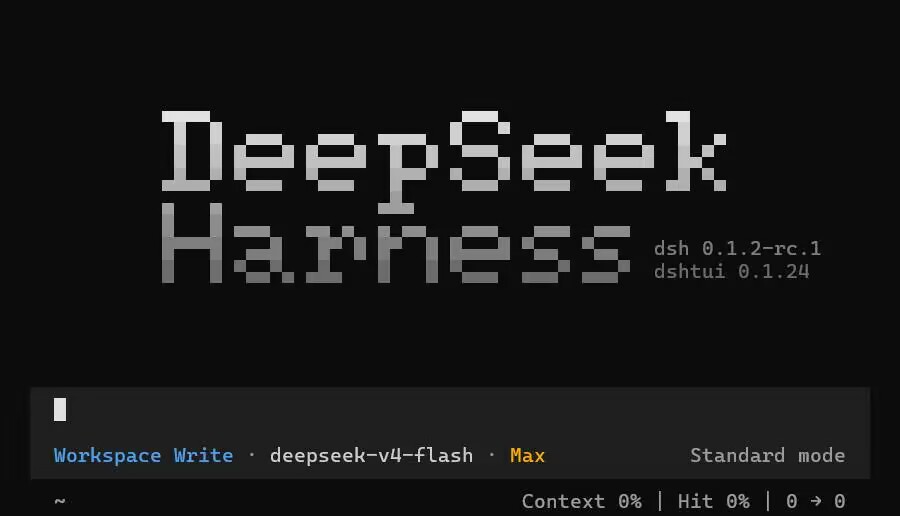
`dshtui` is a terminal UI plugin for [DeepSeek Harness](https://github.com/deepseek-ai/deepseek-harness) (`dsh`), built on [Ink](https://github.com/vadimdemedes/ink), in the TUI style of opencode. It mounts into a dsh profile as a bundle plugin and takes over the whole terminal interface: streaming chat, foldable tool cards, dialogs, and a plugin contribution API covering every visible surface.
This project exists as a plugin of DeepSeek Harness.
## Requirements
- Node.js `^22.19.0` or `>=24.0.0`
- The `dsh` CLI: `npm install -g @deepseek-ai/dsh`
## Install
```sh
npm install -g @xp266/dshtui@latest
dshtui
```
`dshtui` first resolves the profile to boot (`DSH_TUI_PROFILE` overrides; otherwise the `dshtui` profile, an existing profile that already mounts this package, or a freshly created one), installs or upgrades the plugin inside it, then launches `dsh --profile `.
The launcher is optional; install the plugin into any profile by hand:
```sh
dsh plugin --profile add @xp266/dshtui@latest
dsh --profile
```
## Configuration
The plugin reads its config from the matching profile row:
```yaml
- id: tui
name: '@xp266/dshtui'
config:
colors: {} # palette overrides (color name -> hex)
maxFps: 240
bootListTimeout: 10000
alternateScreen: true
collapse: # tool-card fold policy
maxLines: 16 # fold bodies over this many rendered rows
previewLines: 8 # rows kept visible while folded
folded: [] # tool names that always fold
expanded: [] # tool names that never fold
```
Environment variables: `DSH_TUI_PROFILE`, `DSH_TUI_COLOR`, `DSH_TUI_ASCII`, `DSH_TUI_WIDTH`, `DSH_TUI_BG`, `DSH_TUI_LANG`, `DSH_TUI_HOT_THEME`, `DSH_TUI_THEME_PATH`, `DSH_TUI_DEBUG`, and the `DSH_TUI_LOG_*` family.
## Plugin development
Every visible surface of the interface is a keyed contribution registry behind the `tui` service. The full contribution map lives in the [extension point guide](docs/plugin-author-guide.md).
## Run or develop from source
```sh
git clone https://github.com/xp266/dsh-tui.git
cd dsh-tui
pnpm install
pnpm typecheck
pnpm build
pnpm verify
```
## License
[MIT](LICENSE)