🌳 pando

A terminal workspace for AI agent sessions: run Claude, Codex or any shell across several projects and git worktrees at once, and review what they changed with VS Code's diffs, all in one TUI.
Install · Tour · Usage · Keys · Docs

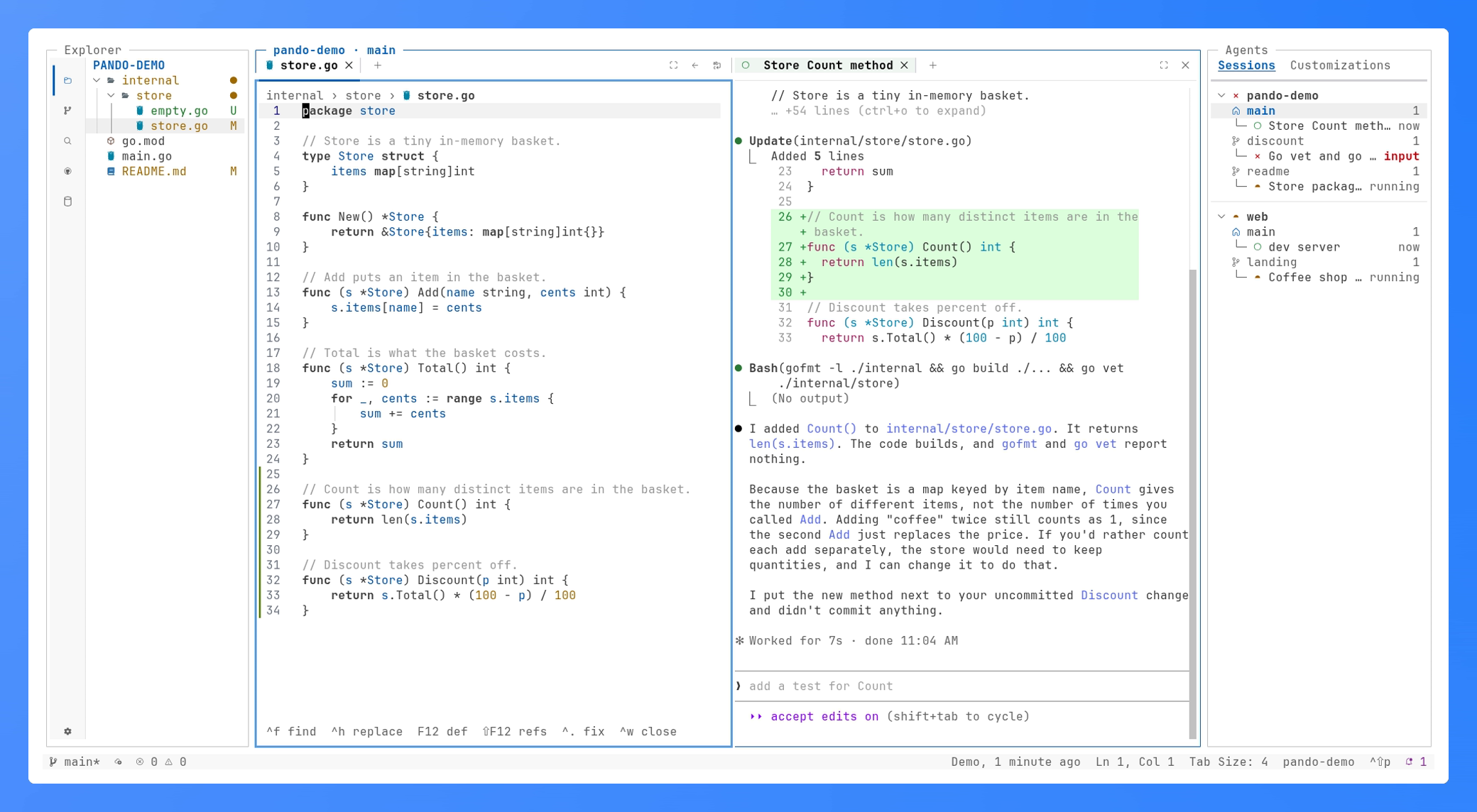
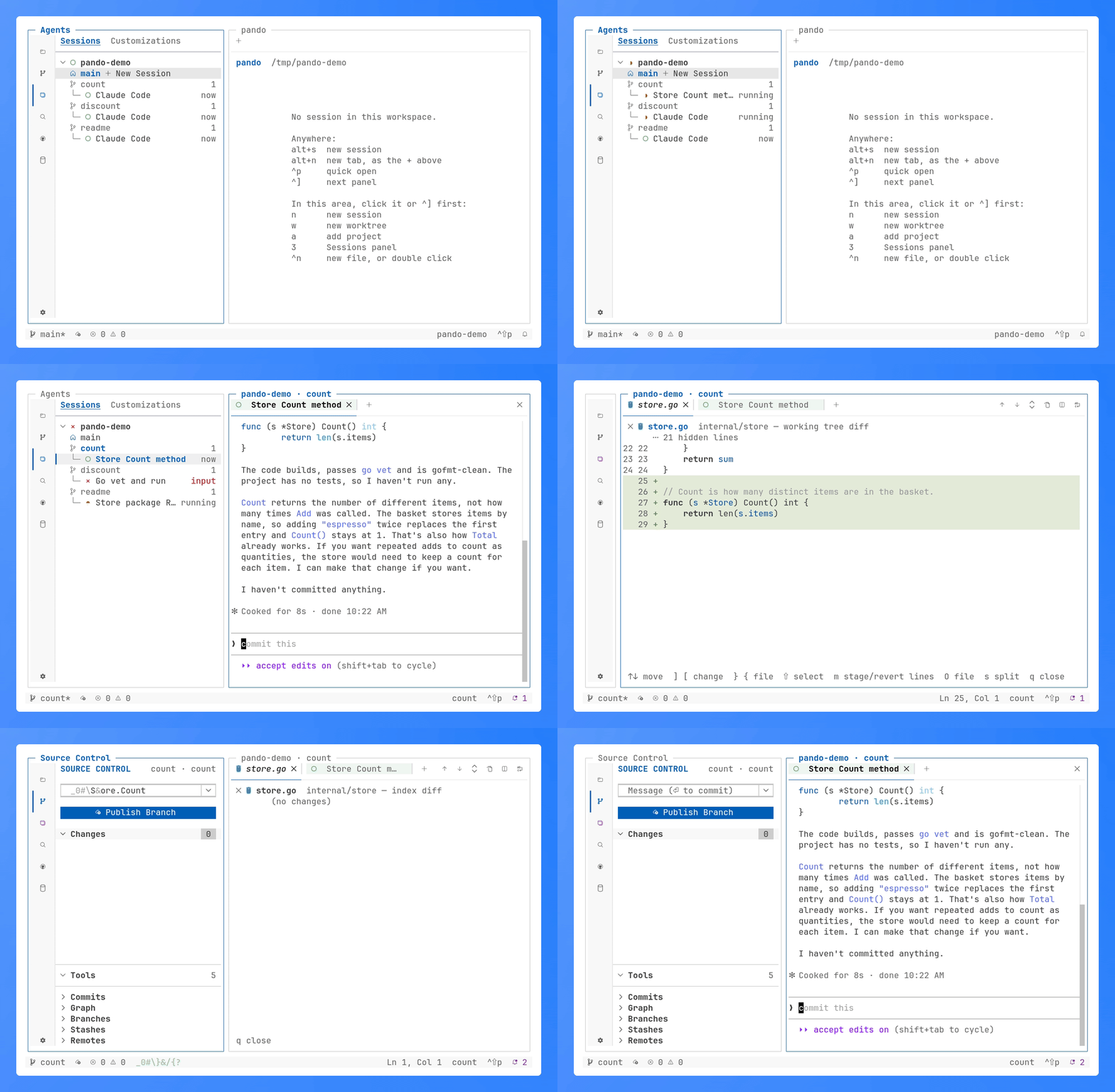
pando with Explorer on the left and Sessions on the right, two projects and their claude sessions in it, one working, one waiting for a yes, one done; between them two editor groups side by side, store.go and the claude session that just changed it

## Why I wanted to run several coding agents at once, each on its own branch, and review what they changed without leaving the terminal. pando takes one idea from each of three tools: - **[Zed](https://zed.dev)**: its agent panel runs agent sessions beside the code; pando runs them side by side over many projects, each in a git worktree. - **[herdr](https://github.com/herdrdev/herdr)**: a terminal multiplexer for coding agents; pando borrows its design, not its code: a daemon that holds the sessions and a socket API that drives them. - **[VS Code](https://code.visualstudio.com)**: Source Control, its diffs and an editor, right next to the session. Named after [Pando](https://en.wikipedia.org/wiki/Pando_%28tree%29), the aspen colony with thousands of trunks on one root: many sessions, one daemon. ## Install ```sh curl -fsSL https://raw.githubusercontent.com/xseman/pando/master/install.sh | sh ``` Linux and macOS. The script verifies the binary against `CHECKSUMS.txt` and installs it to `~/.local/bin` (`PANDO_VERSION` pins a release, `PANDO_INSTALL_DIR` moves it). From source: `make install` (Go 1.26). Needs git, and the agents you run in sessions (`claude`, `codex`, `gemini`, `agy`, `grok`, `opencode`) or a shell. Optional, each for one feature: - `gh`: GitHub - `rg`: search - `sqlite3` (3.37+), `psql`, `mariadb` or `mysql`: databases - language servers (`gopls`, …) - `claude`, `codex`, `gemini` or `opencode`: commit messages - a Nerd Font: `icons = "nerd"`. _Symbols Nerd Font Mono_ as a fallback font is enough; the first run picks `nerd` when one is installed, and the status bar offers to install it when none is. ## Quick start ```sh pando ~/code/app # add a project and open it; plain `pando` reopens the last pando main.go:42:5 # the project holding main.go, the file open at line 42 ``` | Key | Does | | -------- | -------------------------------------------------------------- | | `3` | Sessions: your projects, worktrees and sessions | | `w` | a new worktree for the selected project | | `n` | a new session in the worktree: an installed agent or a shell | | `ctrl+]` | move focus out of the session; inside it every key goes to it | | `2` | Source Control for the session's worktree: review and commit | | `?` | every key of every view | | `q` | close pando, asking first; the sessions keep running | `pando` again brings the TUI back where it was. `pando stop` stops the daemon and every session in it; the next `pando` starts them again. ## Features - **Agent sessions**: projects → worktrees → sessions, each with its own shells, marked when they need you, the subagents claude, codex, agy or grok run listed under them, resumed after a daemon restart, put to sleep when unused to free memory; ctrl+click a `path:line` or a URL in their output to open it; saved prompts typed into any of them with `alt+i`. - **Source Control**: VS Code's view — line-level staging, Commit & Sync, Publish, AI commit messages, history drawers, GitLens-style commit and pull request comparisons. - **Diffs**: inline or side by side, word-level highlights, hidden lines unfolded in place, changes marked on the scrollbar and stepped through (`]` `[`), a file's revisions stepped through like GitLens. - **Editor**: undo, find & replace, suggestions, format on save, vim mode, code folding, `.editorconfig` and detected indentation, the line's git blame in the status bar, unsaved drafts that survive a restart, language servers with hover, parameter hints and their problems underlined, listed (`ctrl+shift+m`) and stepped through (`F8`). - **Explorer and Search**: git decorations, VS Code's context menu, quick open over files, sessions, the files' text and the commands in tabs (JetBrains' Search Everywhere), workspace search & replace. - **GitHub**: with `gh` installed, pull requests, issues and notifications as VS Code's GitHub Pull Requests view lists them; a pull request opens in the editor or checks out in a worktree of its own. - **Databases**: the worktree's SQLite files, the server its `.env` names and connections added in a form (Postgres, MariaDB, MySQL, SQLite; passwords in the system keyring), their tables in a grid: filter, sort and page, then edit cells and rows and submit them in one transaction, or open the client in the terminal for the rest. - **Customizations**: a tab beside Sessions, what an agent loads in this worktree: its skills, instructions, hooks, MCP servers and plugins as VS Code lists them, each opening its file; it follows the session's agent. - **Usage**: a tab beside Sessions, claude's and codex's plan limits by sign-in, one per profile: how much of every window is used and when it resets. Near a limit pando offers the profile with the most room for new sessions, or switches to it, and a running claude session moves to another profile with its conversation. - **Layout**: VS Code's editor groups, files and sessions split side by side or stacked by dragging a tab, a bottom panel with the terminals, the problems and the output, a settings tab, draggable views and columns, VS Code's 2026 themes, remappable keys. - **CLI and API**: JSON over a unix socket; self-update on Linux and macOS. - **Instances**: `pando --instance work` is a separate pando, with projects and sessions of its own and your settings. ## Tour Every GIF below is pando itself, recorded by `make demo`.
three claude sessions, each in a worktree of its own, come to life; one finishes (✓), one waits for a yes (×, pulsing), and the finished one's diff is reviewed and committed without leaving pando

Agents in worktrees. A session per worktree, its state in Sessions as it changes; review and commit what it did without leaving pando. More

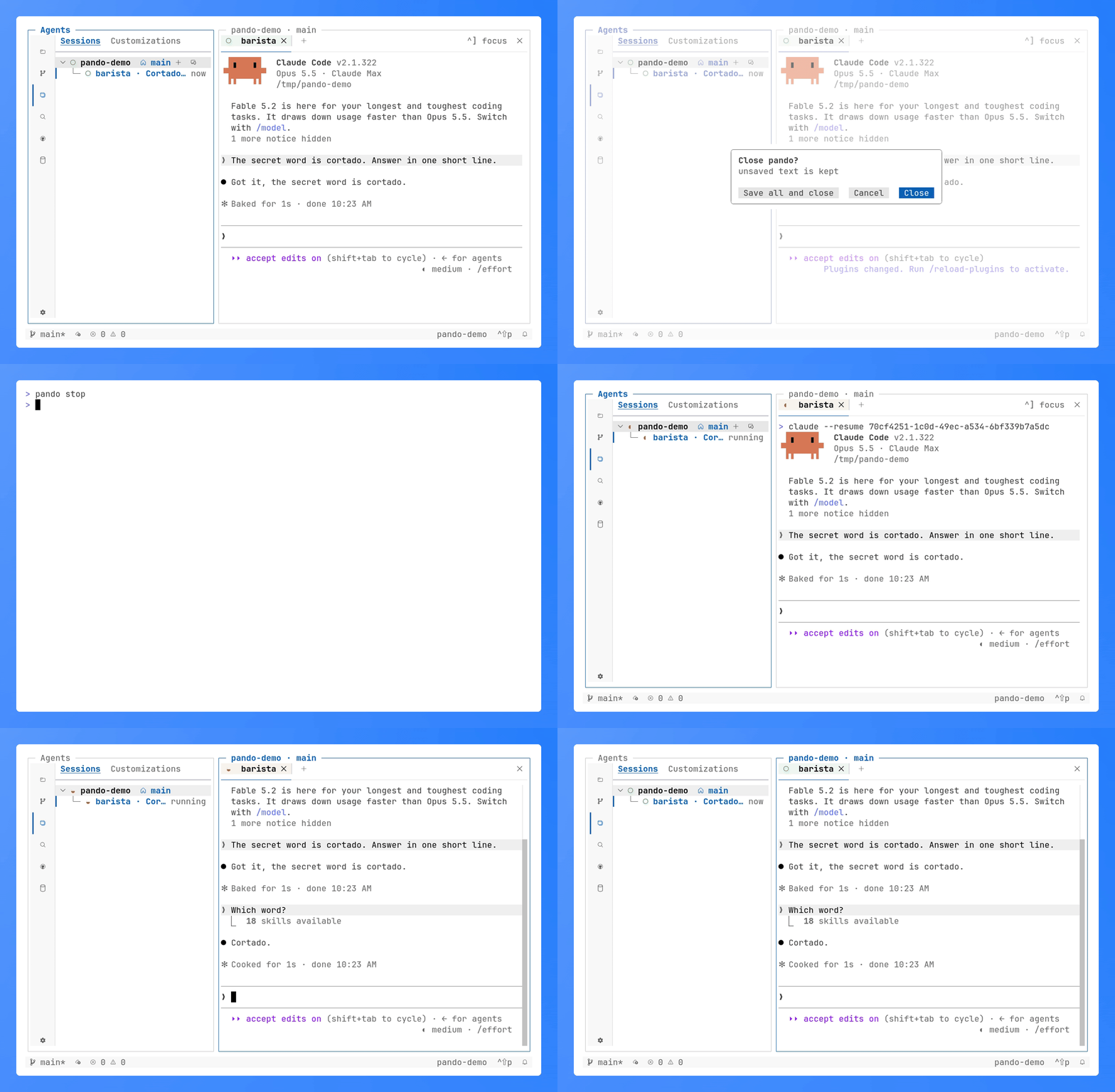
a claude conversation, pando closed and its daemon stopped; the next pando brings the session back and claude continues the same conversation

Resume. Stop the daemon, start pando again: every session comes back and its agent continues the same conversation. More

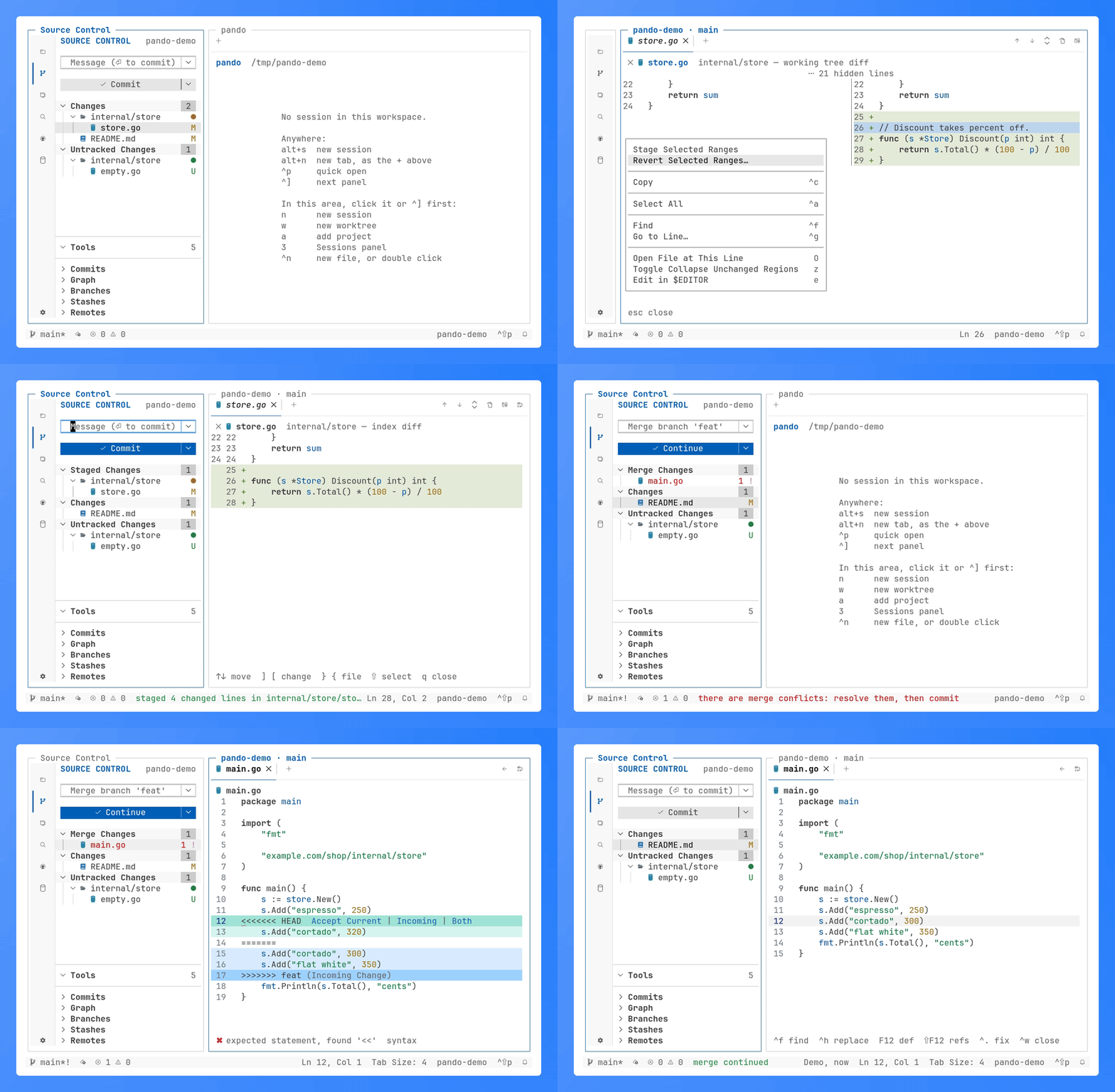
a diff inline and side by side, staging part of it, then a conflicting merge continued with git's message

Review and commit. Diffs inline or side by side, staging single lines, merge conflicts with VS Code's accept actions. More

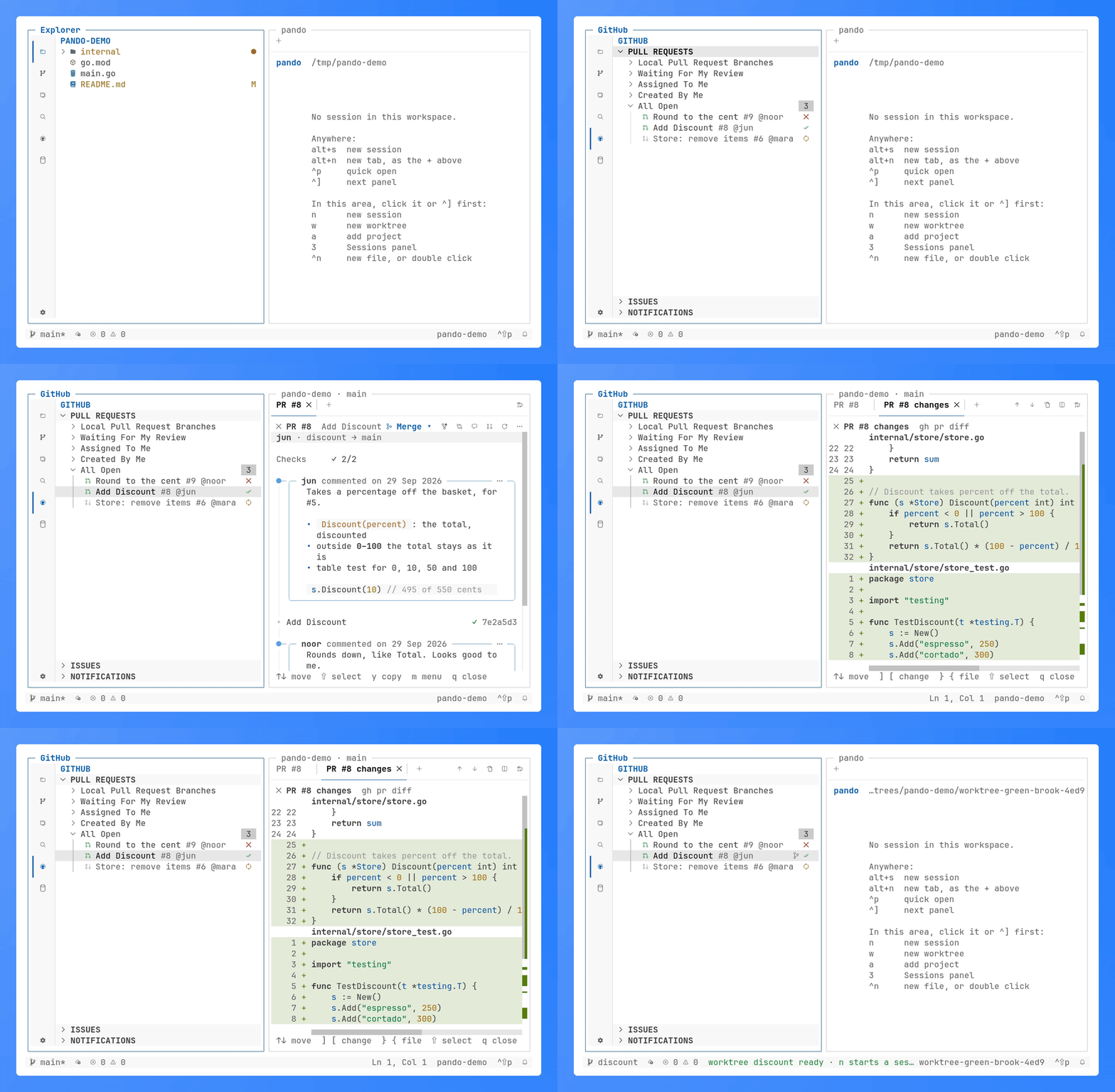
pull requests with their checks, one opened as its rendered description and as a diff, then checked out in a worktree of its own

GitHub. Pull requests with their checks, opened as a description or a diff, checked out in a worktree of their own. More

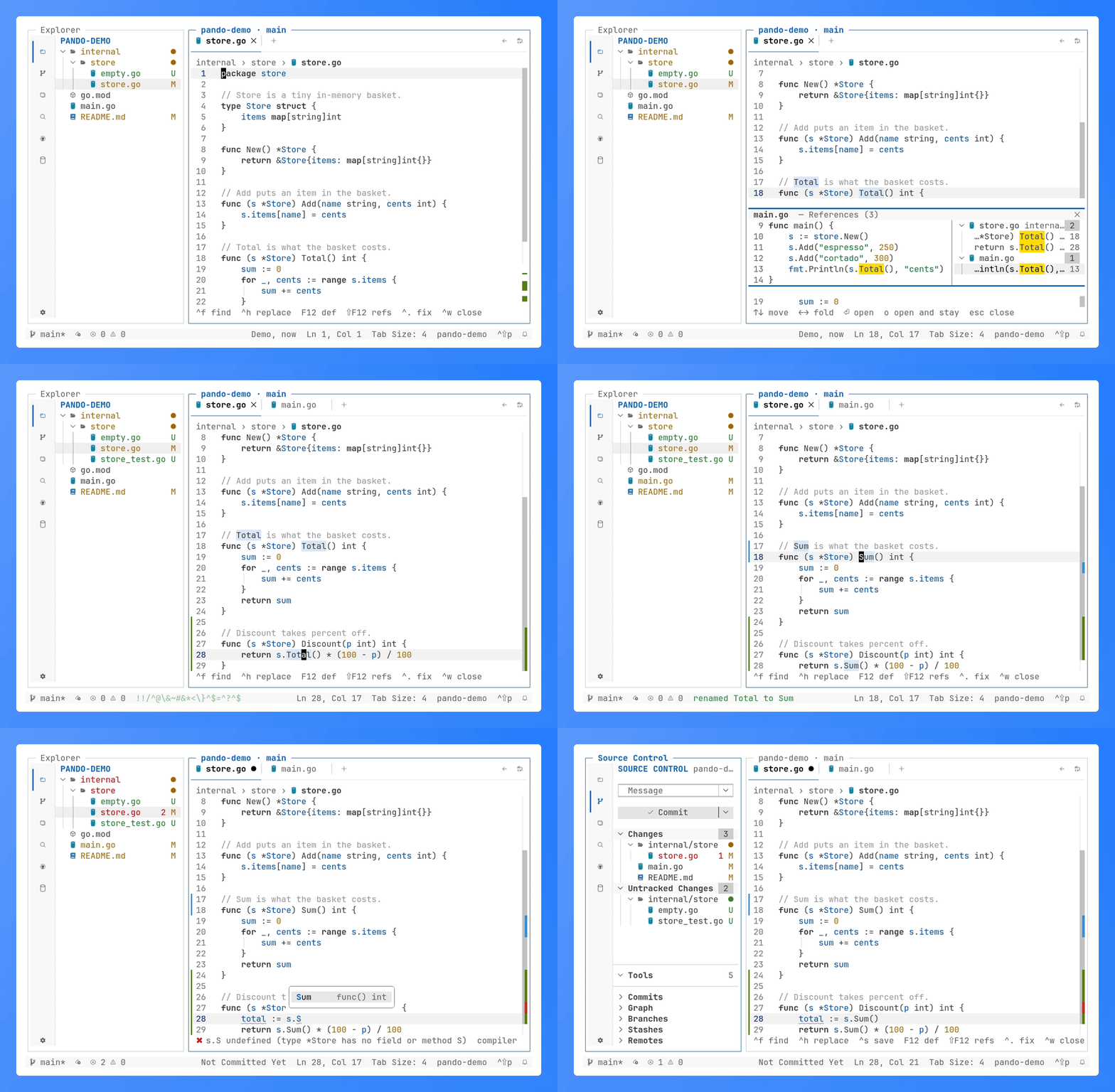
the references peek, a code action, rename and completion, answered by gopls

Language servers. References in a peek, code actions, rename and completion, from gopls or any server you configure. More

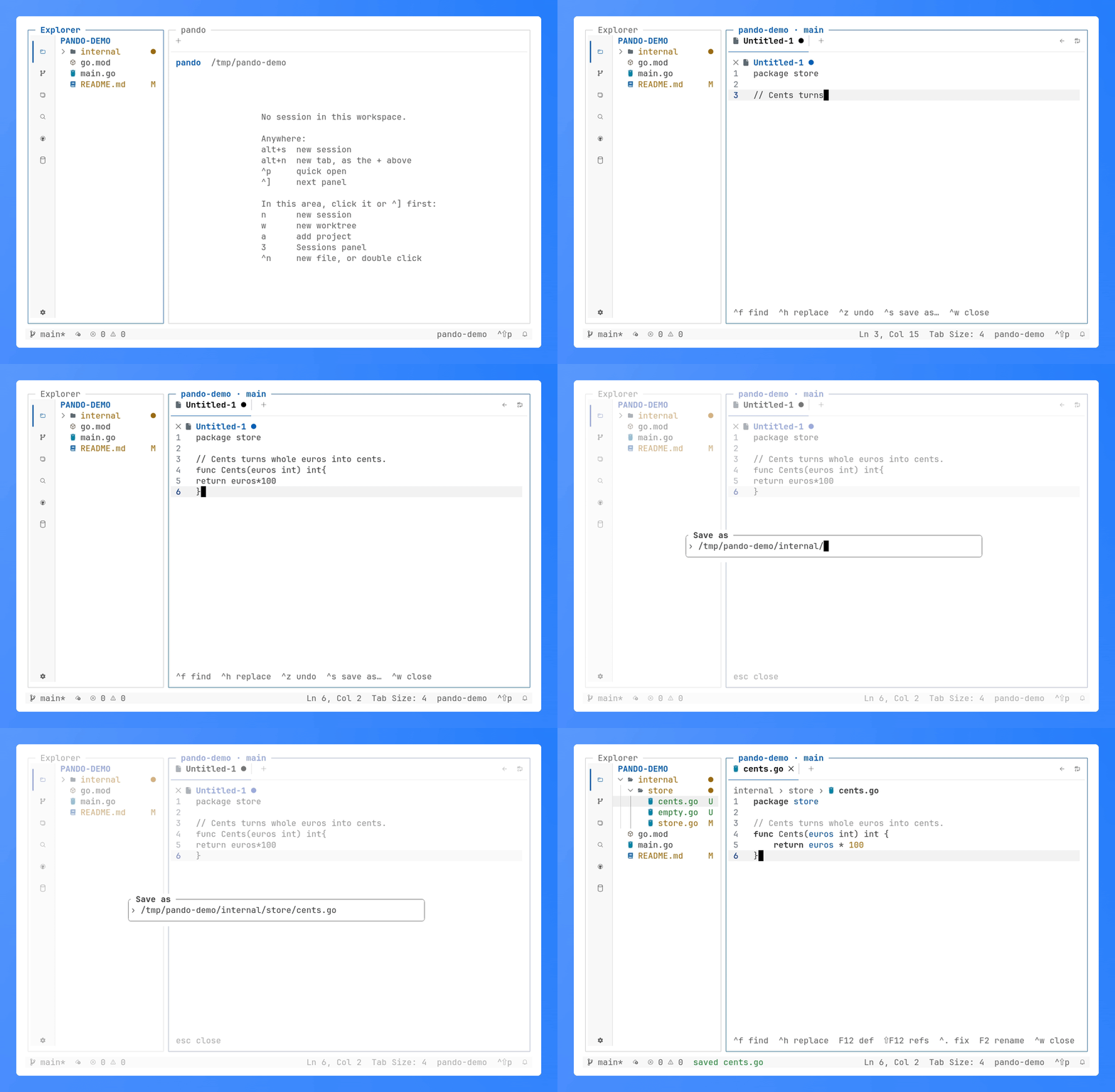
a sloppy Go file typed into an untitled buffer, saved with path completion, and tidied by gofmt on the way to disk

Editor. Untitled buffers, save with path completion, format on save.

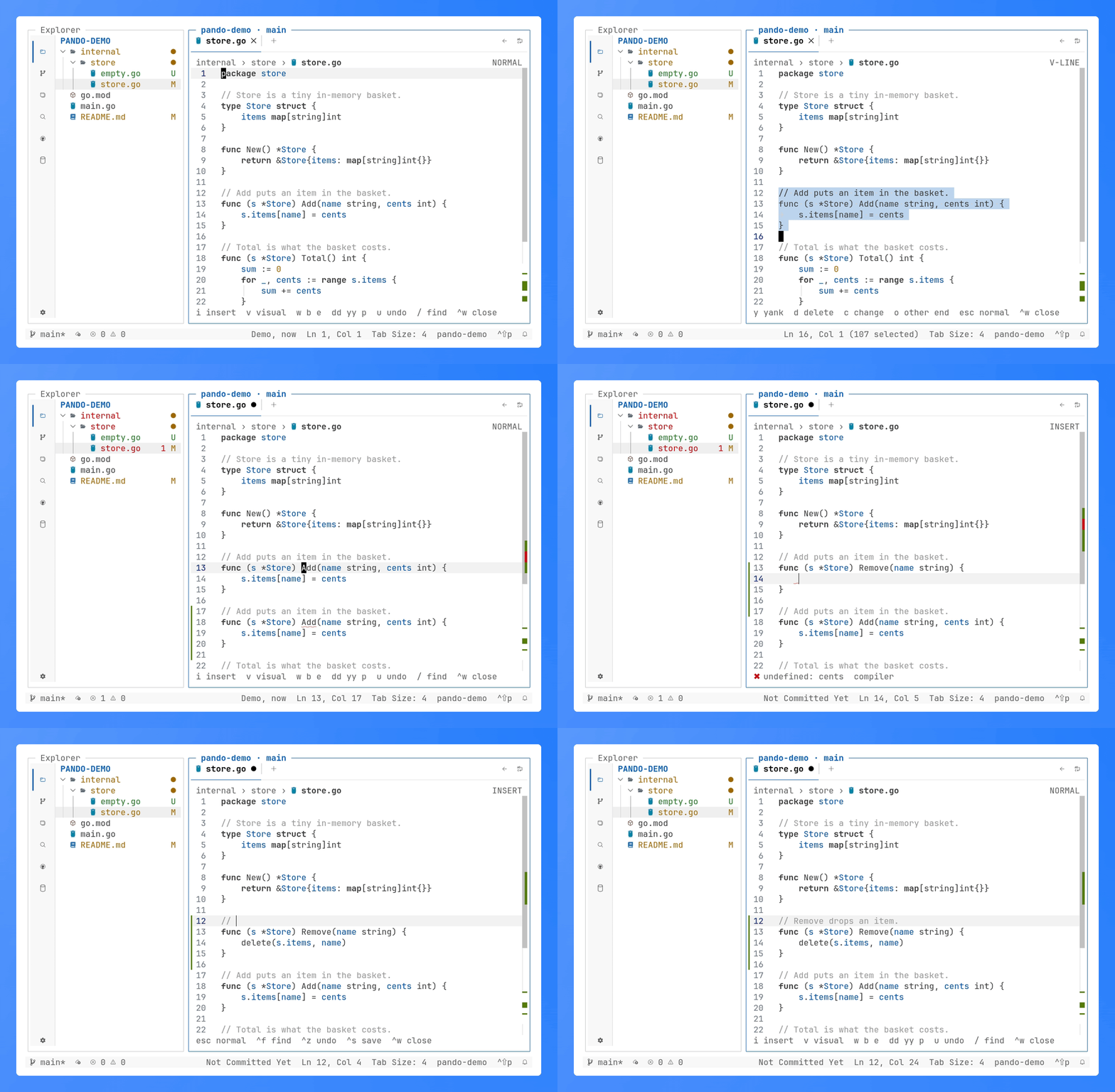
a method yanked in V-LINE, put above itself, and changed into another one in INSERT

Vim mode. vim_mode = true: normal, visual and insert modes in every editor.

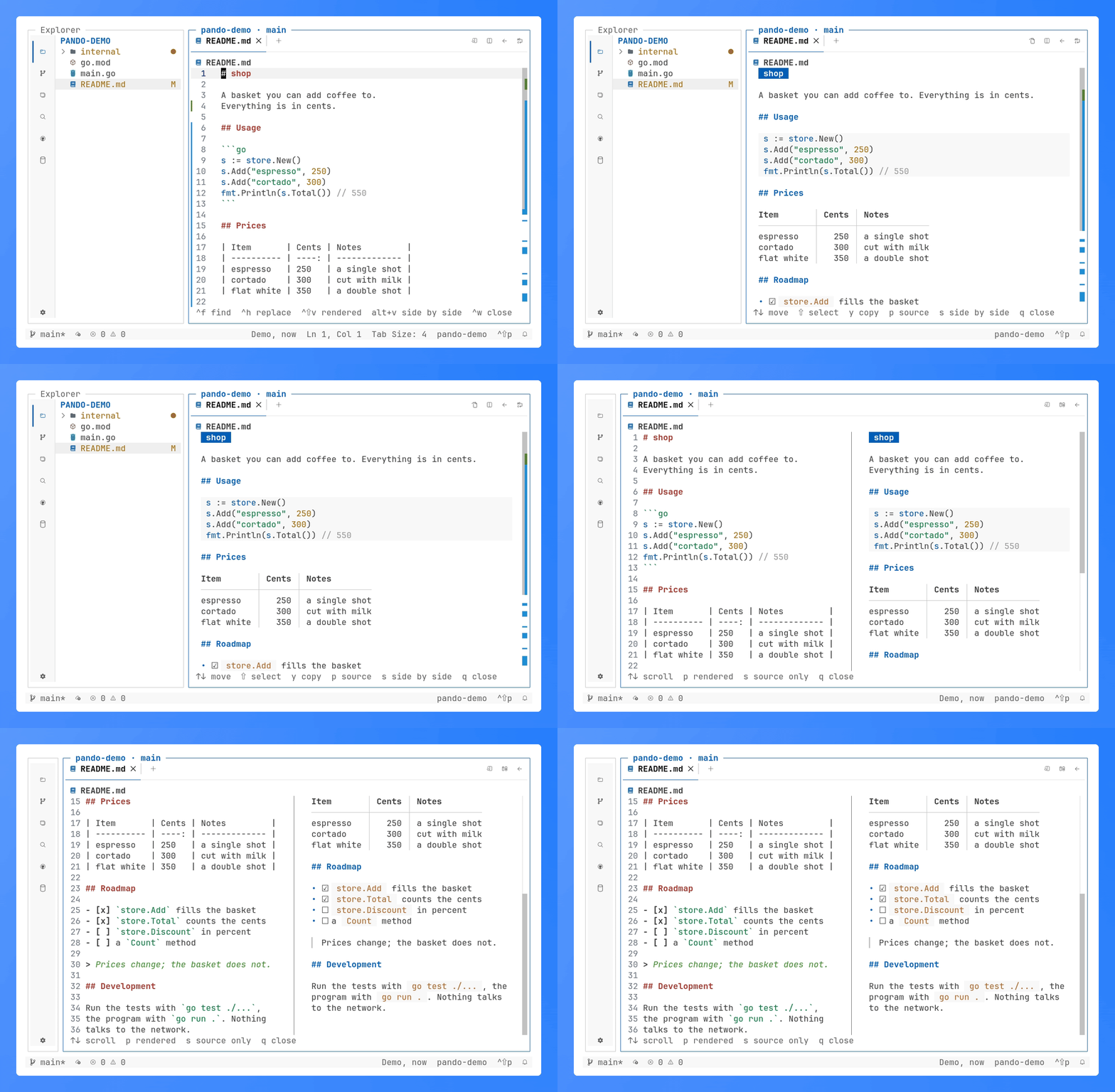
a README as source, rendered in place, then both side by side scrolling together

Markdown. Source, rendered, or both side by side scrolling together.

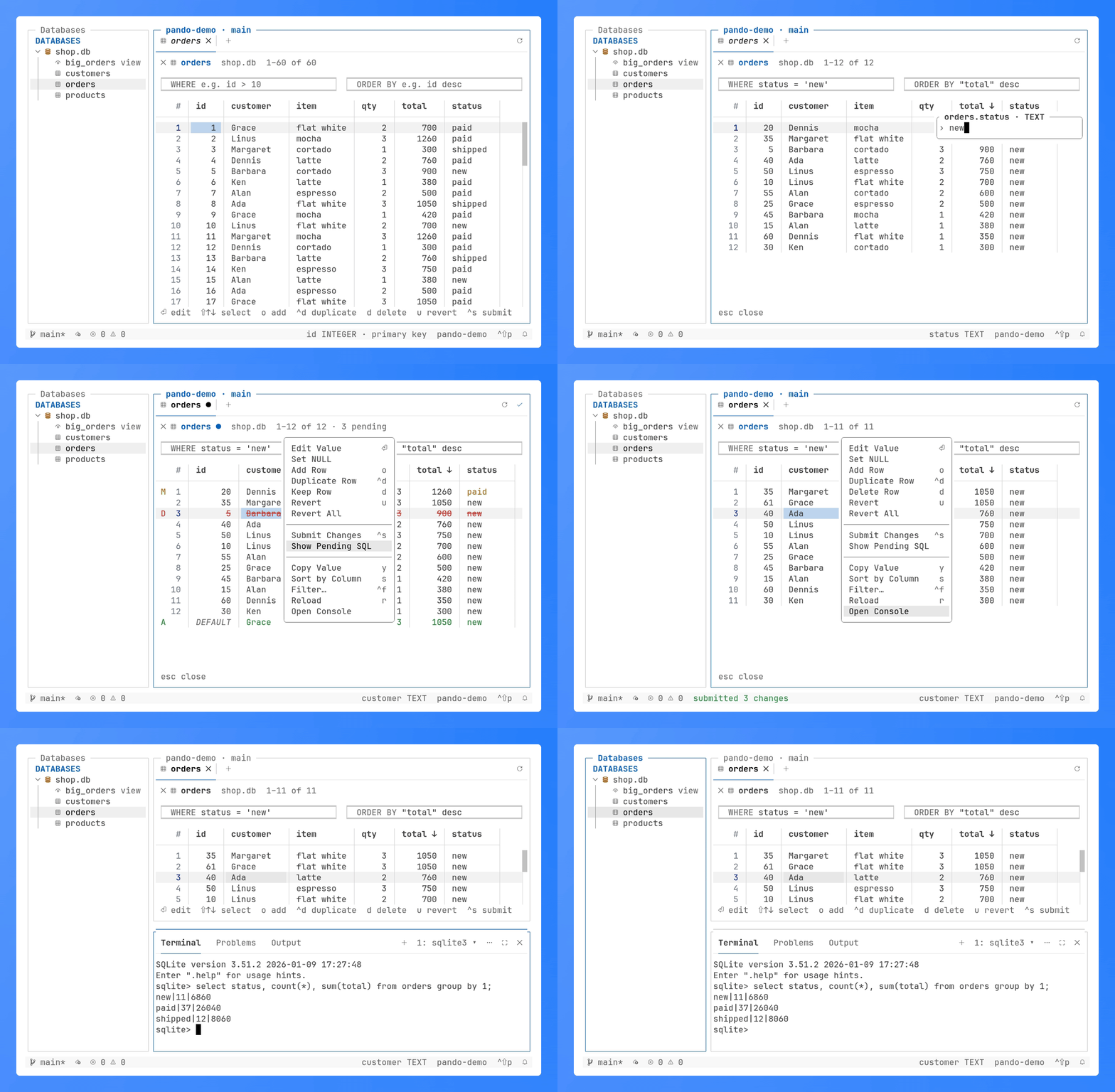
a SQLite table sorted, filtered and edited in a grid, the pending SQL submitted in one transaction, then sqlite3 in the terminal and the form that adds a server

Databases. SQLite, Postgres and MariaDB tables in a grid: filter, sort, edit, submit in one transaction. More

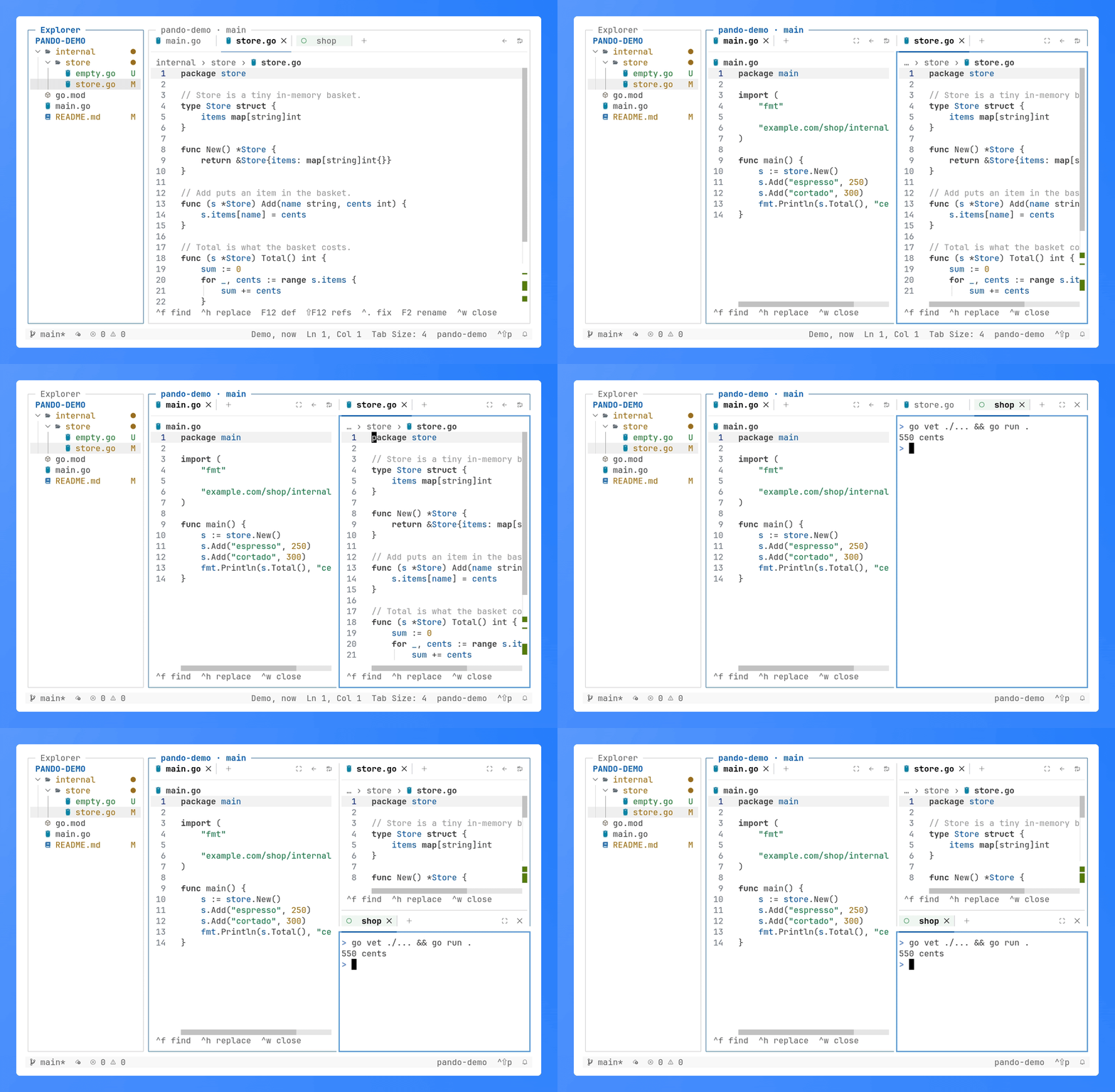
store.go split off into an editor group on the right, maximized and restored, then a shell session moved into a group under it, beside main.go

Editor groups. Files and sessions side by side or stacked, as VS Code's groups: drag a tab to a group's edge. More

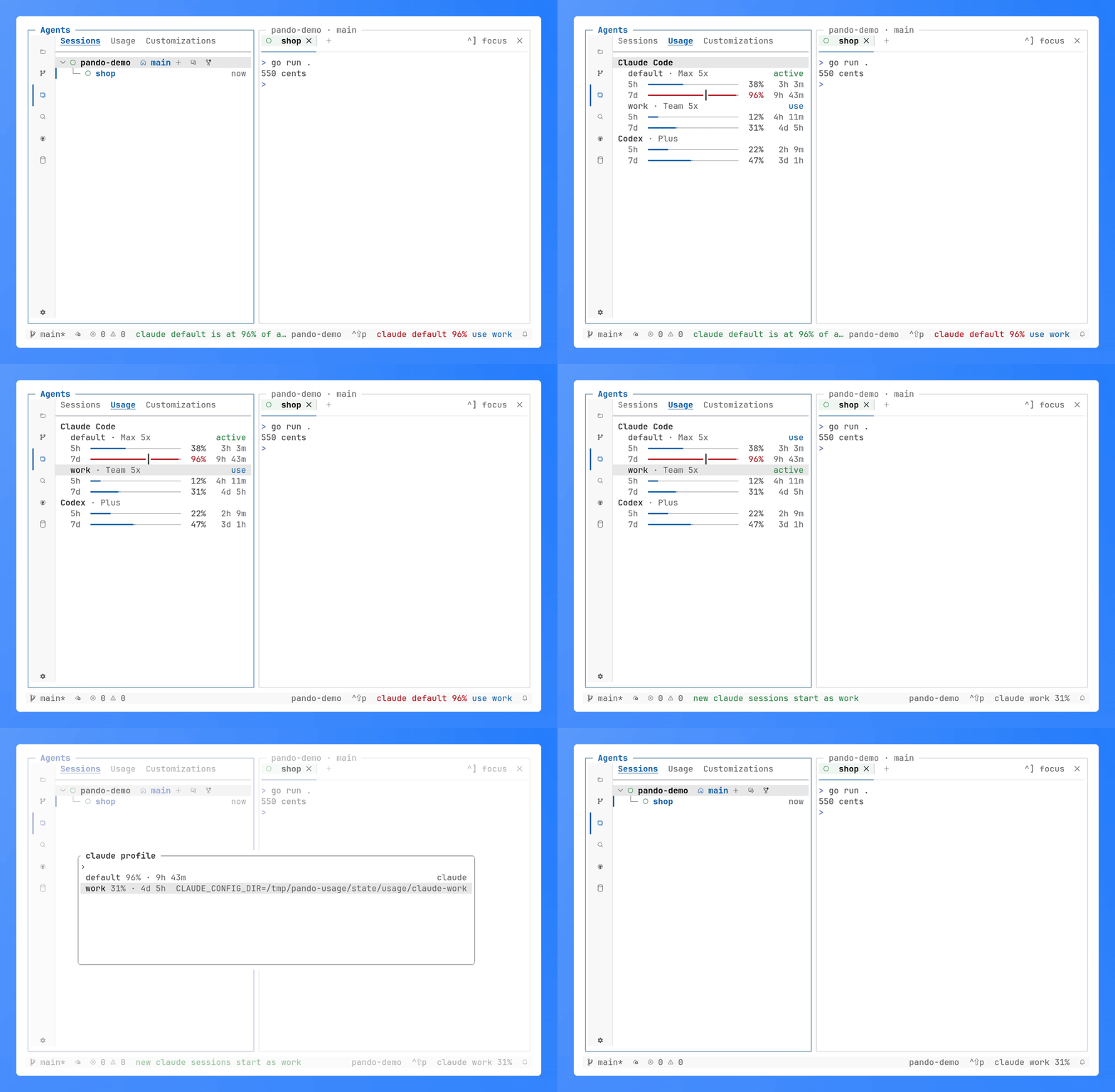
the Usage tab with claude's default and work profiles and codex, a meter per limit window; the default near its weekly limit, work made the profile new sessions start with, then the profile picker with each one's room

Usage. Plan limits of every claude and codex sign-in; near a limit pando offers the profile with the most room. More

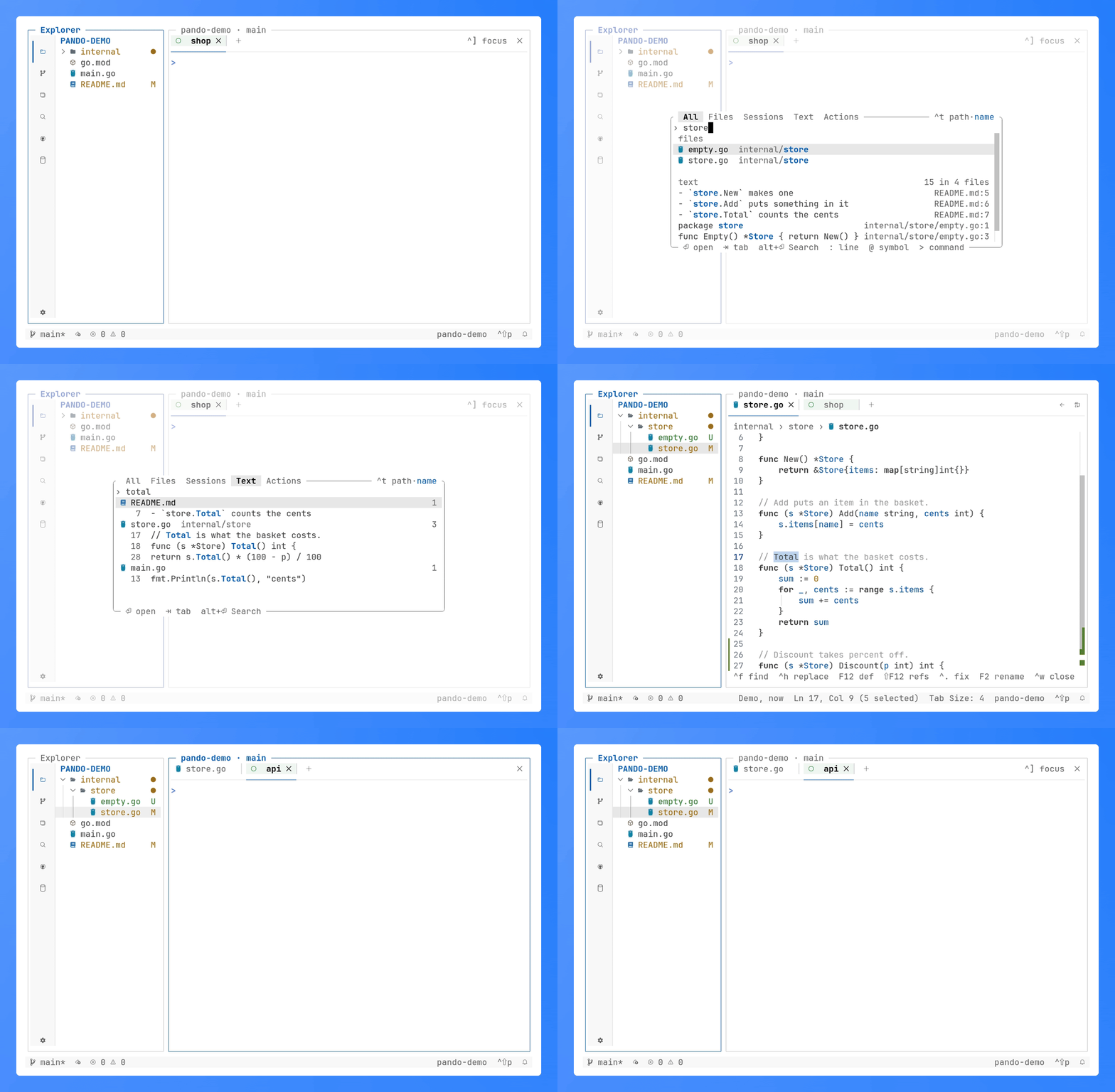
quick open listing changed files, then files and lines for a word, the lines under their files on the Text tab, the Sessions tree and the commands

Quick open. ctrl+p over files, text, sessions and commands, a tab for each. More

## How it works ```text pando (TUI) ──┐ pando (CLI) ──┼── unix socket, JSON ──▶ daemon ──▶ sessions (PTY) in worktrees agents ──┘ ``` One daemon owns the sessions; the TUI and the CLI are its clients, so closing the TUI leaves every agent running, and every attached TUI follows a change made anywhere. ## Docs | Doc | For | | ---------------------------------------- | ---------------------------------------------------- | | [Usage](docs/usage.md) | the user guide: sessions, review, editor, CLI, files | | [Settings](docs/06-config.md) | `config.toml`, every setting, colors, keys | | [Keys](docs/09-keys.md) | every key, per view and in a file | | [Agent guide](skills/pando/SKILL.md) | driving pando from an agent; `pando skill` prints it | | [Architecture](docs/01-architecture.md) | daemon, socket protocol, sessions, packages | Contributors: [UI layout](docs/02-ui-layout.md) · [views](docs/03-views.md) · [preview](docs/04-preview.md) · [git](docs/05-git.md) · [testing](docs/07-testing.md) · [release](docs/08-release.md). ## Development `make build` builds `./pando`, `make test` and `make lint` check it as CI does; [AGENTS.md](AGENTS.md) and the contributor docs above describe the code. Bugs and ideas go to [issues](https://github.com/xseman/pando/issues). ## License Apache-2.0, see [LICENSE](LICENSE).