[](https://github.com/xxnuo/open-coreui/stargazers)
[](https://github.com/xxnuo/open-coreui/releases/latest)
[](https://github.com/xxnuo/open-coreui/releases)
[](https://github.com/xxnuo/open-coreui/actions)
Open CoreUI
 [English](README.md) | [中文](README.zh.md)
Open CoreUI, a lightweight implementation of Open WebUI
> **This is a rewritten lite fork of Open WebUI v0.6.32, not an official version.**
> **⚠️ Early Development Stage**
> This project is currently in early development. Only basic chat functionality is implemented at this time. Other features are being developed gradually.
[English](README.md) | [中文](README.zh.md)
Open CoreUI, a lightweight implementation of Open WebUI
> **This is a rewritten lite fork of Open WebUI v0.6.32, not an official version.**
> **⚠️ Early Development Stage**
> This project is currently in early development. Only basic chat functionality is implemented at this time. Other features are being developed gradually.
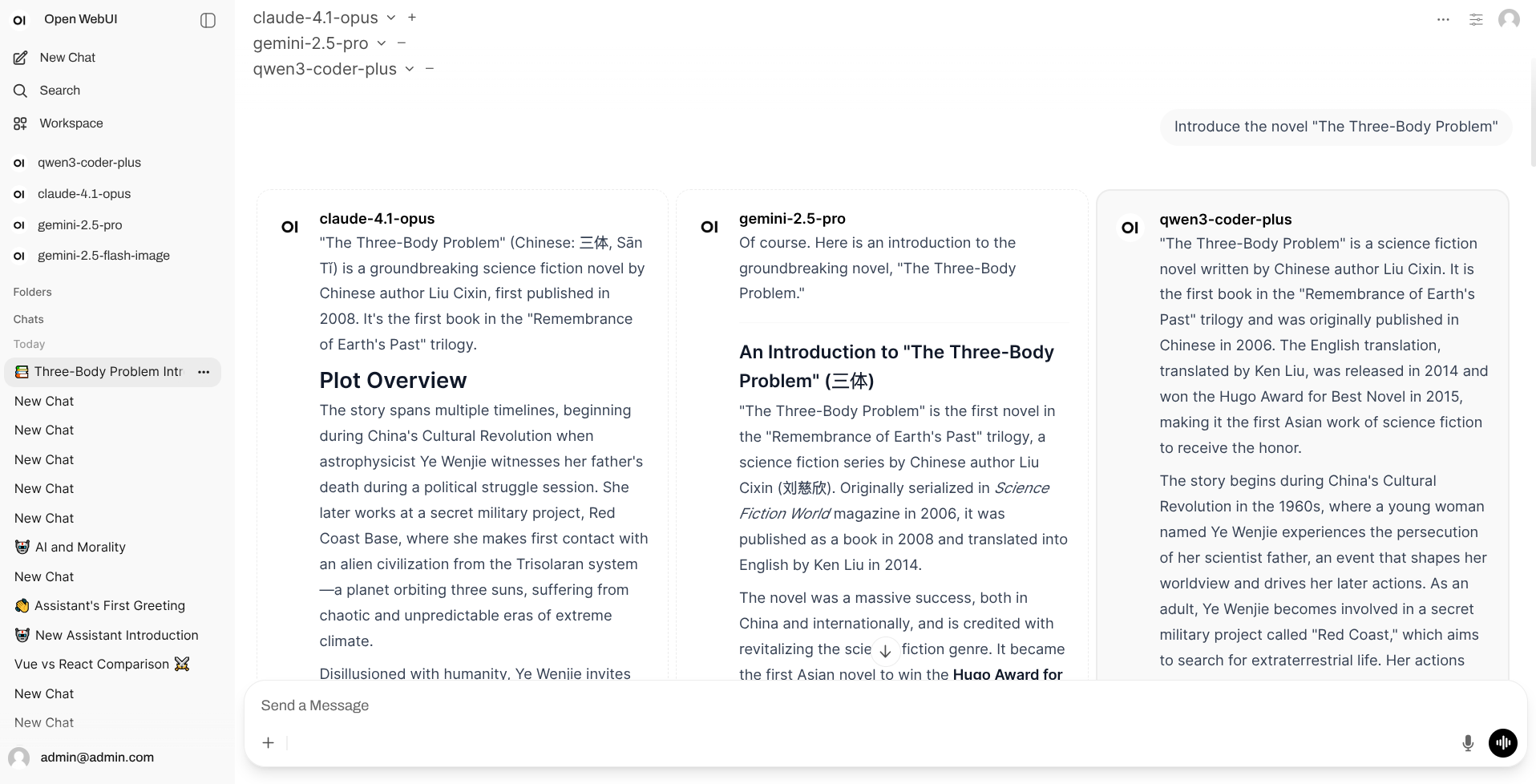 ## Features
- A desktop client with a single executable download to get started
- Use original frontend
- No Docker, Python, PostgreSQL, Redis dependencies required
- Lower memory footprint compared to original version (much lower)
- Lower hardware requirements compared to original version
- Better performance with Rust backend server compared to original version
## Download & Usage
Support Windows, macOS, Linux systems, and x86_64, aarch64 architectures.
Visit the [Releases](https://github.com/xxnuo/open-coreui/releases/latest) page to download the version for your system.
### Client Types
This project provides two **completely independent** clients. Choose one based on your use case:
#### 1. Desktop Application
**Use Case**: Personal computer use with native window interface
**Features**:
- Ready to use out of the box
- Runs independently, no server required
- Native window experience
#### 2. Backend Server (CLI)
**Use Case**: Server deployment, access via web browser
**Features**:
- Command-line launch, access via browser
- Runs independently, no desktop client required
- Suitable for server deployment and multi-user access
### Usage Instructions
**Desktop Client**: Simply install and open the application
> **macOS Users**: If you see "app is damaged" error when opening, please open `Terminal` and run this command:
>
> ```bash
> sudo xattr -d com.apple.quarantine "/Applications/Open CoreUI Desktop.app"
> ```
**Backend Server**:
1. Download the binary file for your system
2. Grant execute permission (Linux/macOS): `chmod +x open-coreui-*`
3. Run: `./open-coreui-*`
4. Access the displayed address in your browser (usually `http://localhost:8168`)
For detailed configuration options and environment variables, see [CLI Documentation](CLI.md).
## Thanks
- [open-webui](https://github.com/open-webui/open-webui) - The original awesome project
- [knox](https://github.com/knoxchat) - The original author of the Rust backend stopped open-sourcing the [backend](https://github.com/knoxchat/open-webui-rust)(MIT) for [certain reasons](https://github.com/xxnuo/open-coreui/discussions/8), but he completed most of the foundational backend conversion work, for which I am deeply grateful for knox's contributions.
## Features
- A desktop client with a single executable download to get started
- Use original frontend
- No Docker, Python, PostgreSQL, Redis dependencies required
- Lower memory footprint compared to original version (much lower)
- Lower hardware requirements compared to original version
- Better performance with Rust backend server compared to original version
## Download & Usage
Support Windows, macOS, Linux systems, and x86_64, aarch64 architectures.
Visit the [Releases](https://github.com/xxnuo/open-coreui/releases/latest) page to download the version for your system.
### Client Types
This project provides two **completely independent** clients. Choose one based on your use case:
#### 1. Desktop Application
**Use Case**: Personal computer use with native window interface
**Features**:
- Ready to use out of the box
- Runs independently, no server required
- Native window experience
#### 2. Backend Server (CLI)
**Use Case**: Server deployment, access via web browser
**Features**:
- Command-line launch, access via browser
- Runs independently, no desktop client required
- Suitable for server deployment and multi-user access
### Usage Instructions
**Desktop Client**: Simply install and open the application
> **macOS Users**: If you see "app is damaged" error when opening, please open `Terminal` and run this command:
>
> ```bash
> sudo xattr -d com.apple.quarantine "/Applications/Open CoreUI Desktop.app"
> ```
**Backend Server**:
1. Download the binary file for your system
2. Grant execute permission (Linux/macOS): `chmod +x open-coreui-*`
3. Run: `./open-coreui-*`
4. Access the displayed address in your browser (usually `http://localhost:8168`)
For detailed configuration options and environment variables, see [CLI Documentation](CLI.md).
## Thanks
- [open-webui](https://github.com/open-webui/open-webui) - The original awesome project
- [knox](https://github.com/knoxchat) - The original author of the Rust backend stopped open-sourcing the [backend](https://github.com/knoxchat/open-webui-rust)(MIT) for [certain reasons](https://github.com/xxnuo/open-coreui/discussions/8), but he completed most of the foundational backend conversion work, for which I am deeply grateful for knox's contributions.