[](https://github.com/xxnuo/open-coreui/stargazers)
[](https://github.com/xxnuo/open-coreui/releases/latest)
[](https://github.com/xxnuo/open-coreui/releases)
[](https://github.com/xxnuo/open-coreui/actions)
Open CoreUI
 [English](README.md) | [中文](README.zh.md)
Open WebUI 轻量版,一个轻量级的 Open WebUI 实现
> **这是一个 Open WebUI v0.6.32 的轻量版重写,不是官方版本。**
> **⚠️ 早期开发阶段**
> 本项目目前处于早期开发阶段,目前仅实现了基本的对话功能,其他功能正在逐步开发中。
[English](README.md) | [中文](README.zh.md)
Open WebUI 轻量版,一个轻量级的 Open WebUI 实现
> **这是一个 Open WebUI v0.6.32 的轻量版重写,不是官方版本。**
> **⚠️ 早期开发阶段**
> 本项目目前处于早期开发阶段,目前仅实现了基本的对话功能,其他功能正在逐步开发中。
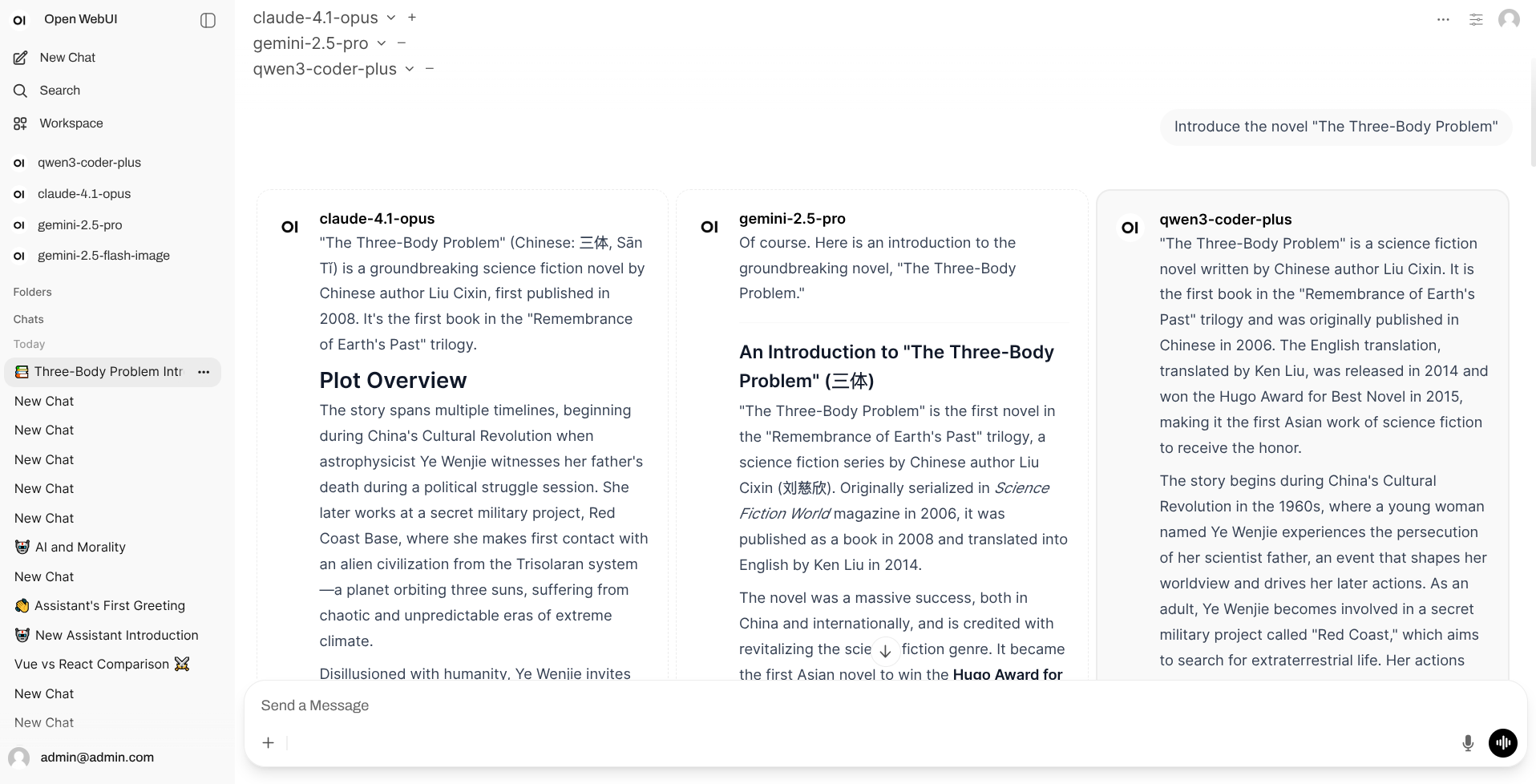 ## 特性
- 下载一个可执行文件即可使用的桌面客户端
- 使用原版前端
- 无需安装 Docker、Python、PostgreSQL、Redis 等外部依赖环境的服务端
- 较原版内存占用更低(很多)
- 较原版配置要求更低
- 使用 Rust 后端性能更优
## 下载使用
支持 Windows、macOS、Linux 系统,支持 x86_64、aarch64 架构。
前往 [Releases](https://github.com/xxnuo/open-coreui/releases/latest) 页面下载适合你系统的版本。
### 两种客户端类型说明
本项目提供两种**完全独立**的客户端,根据使用场景选择其一使用:
#### 1. 桌面应用 (Desktop Application)
**适用场景**:个人电脑使用,提供原生窗口界面
**特点**:
- 开箱即用,双击安装即可
- 独立运行,不依赖服务端
- 原生窗口体验
#### 2. 服务端 (Backend Server / CLI)
**适用场景**:服务器部署,通过浏览器访问
**特点**:
- 命令行启动,通过浏览器访问
- 独立运行,不依赖桌面端
- 适合服务器部署和多用户访问
### 使用说明
**桌面端**:直接安装后打开应用即可使用
> **macOS 用户注意**:如果打开时提示"应用已损坏"等问题,请打开`终端`并执行以下命令:
>
> ```bash
> sudo xattr -d com.apple.quarantine "/Applications/Open CoreUI Desktop.app"
> ```
**服务端**:
1. 下载对应系统的二进制文件
2. 赋予执行权限(Linux/macOS):`chmod +x open-coreui-*`
3. 运行:`./open-coreui-*`
4. 在浏览器中访问显示的地址(通常是 `http://localhost:8168`)
详细的配置选项和环境变量说明请参考 [CLI 文档](CLI.md)。
## 致谢
- [open-webui](https://github.com/open-webui/open-webui) - 原始的优秀项目
- [knox](https://github.com/knoxchat) - 初始版本的 Rust 后端作者,因某些原因停止了后端的开源,但他完成了大部分的后端转换工作,对此我非常感激 knox 的贡献。
## 特性
- 下载一个可执行文件即可使用的桌面客户端
- 使用原版前端
- 无需安装 Docker、Python、PostgreSQL、Redis 等外部依赖环境的服务端
- 较原版内存占用更低(很多)
- 较原版配置要求更低
- 使用 Rust 后端性能更优
## 下载使用
支持 Windows、macOS、Linux 系统,支持 x86_64、aarch64 架构。
前往 [Releases](https://github.com/xxnuo/open-coreui/releases/latest) 页面下载适合你系统的版本。
### 两种客户端类型说明
本项目提供两种**完全独立**的客户端,根据使用场景选择其一使用:
#### 1. 桌面应用 (Desktop Application)
**适用场景**:个人电脑使用,提供原生窗口界面
**特点**:
- 开箱即用,双击安装即可
- 独立运行,不依赖服务端
- 原生窗口体验
#### 2. 服务端 (Backend Server / CLI)
**适用场景**:服务器部署,通过浏览器访问
**特点**:
- 命令行启动,通过浏览器访问
- 独立运行,不依赖桌面端
- 适合服务器部署和多用户访问
### 使用说明
**桌面端**:直接安装后打开应用即可使用
> **macOS 用户注意**:如果打开时提示"应用已损坏"等问题,请打开`终端`并执行以下命令:
>
> ```bash
> sudo xattr -d com.apple.quarantine "/Applications/Open CoreUI Desktop.app"
> ```
**服务端**:
1. 下载对应系统的二进制文件
2. 赋予执行权限(Linux/macOS):`chmod +x open-coreui-*`
3. 运行:`./open-coreui-*`
4. 在浏览器中访问显示的地址(通常是 `http://localhost:8168`)
详细的配置选项和环境变量说明请参考 [CLI 文档](CLI.md)。
## 致谢
- [open-webui](https://github.com/open-webui/open-webui) - 原始的优秀项目
- [knox](https://github.com/knoxchat) - 初始版本的 Rust 后端作者,因某些原因停止了后端的开源,但他完成了大部分的后端转换工作,对此我非常感激 knox 的贡献。