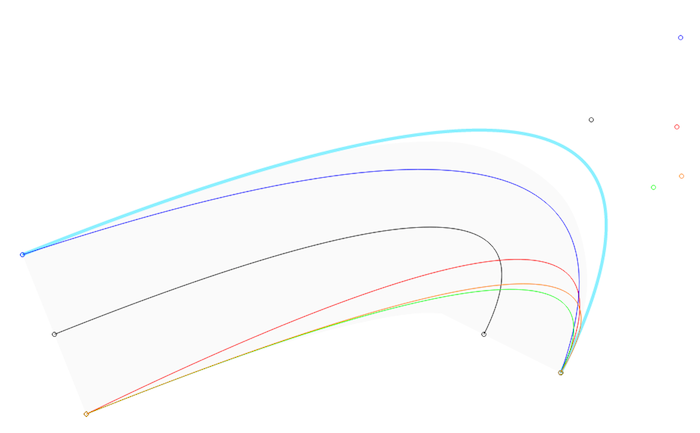
#### Flat — Generative infrastructure for Python
Flat is a library for creating and manipulating digital forms of fine arts. Its aim is to enable experimentation with and testing of unpredictable or automated processes, to inspect the beginning of the "new".
It grew out of the needs for generative design, architecture and art. The concept of "design" is more of a subject of study yet to be delved into, hence the fitter term for subtitle is "infrastructure".
It is written in pure Python and distributed under a liberal license.
#### Content
- [Features](#features)
- [Core concepts](#concepts)
- [Tutorial](#tutorial)
- [Examples](#examples)
- [API reference](#reference)
- [Installation](#installation)
- [Source code](#source)
- [Archive](#archive)
- [Contact](#contact)
#### Features
- **Graphic formats**
- PNG, JPEG, PDF, SVG, OpenType (both TrueType and PostScript outlines), STL
- **Color spaces**
- grayscale, grayscale + alpha, RGB, RGBA, CMYK, spot colors, overprint
- **Image manipulation**
- resizing, blurring, dithering, ...
- **Image synthesis**
- Bezier path rasterization, BVH accelerated path tracing with explicit emitters and stratified sampling
- **Vector graphic primitives**
- line, polyline, ..., path, text, outlines, groups and units
- **Typography**
- kerning, greedy line breaking, threaded text frames
- **Computational geometry**
- Boolean operation on polygons
- **Data visualization**
- tree layout, rectangular bin packing
- **Barcode generation**
- EAN13 symbology
#### Core concepts
Flat library consists of three (slightly overlapping) parts: image, document and scene.
An image is basically a container of pixels and a color kind. There are a few methods which operate over those pixels, such as "blur" or "put".
It is possible to create completely new image, by opening a file or by "rasterizing" a page of document.
Document is then assembled from pages, and each page holds number of "placed" items, both of which can be exported, too.
Here it also makes sense to introduce other entities: colors, shapes and strikes. There is support for following colors or color spaces, if you will:
the usual ones (grayscale, RGB, CMYK, ...), spot colors that can be used for controlling the application of special colorants and "overprint", which allows for printing of a graphic figure without erasing anything below it.
A shape includes both graphical properties such as stroke width or miter limit and means of creating items with said properties that are to be "placed" into a page, for example "line" or "circle".
Strike is a similar combination of text attributes (font, size, color, ...) and a way of constructing text "spans". A span likewise connects text string to text attributes, one or more spans can form a "paragraph", which in turn may form "text" or "outlines". Outlines are similar to texts but they use paths of glyph outlines, instead of characters.
One additional thing to note is that placed texts or outlines may be linked into a story or "chain" of blocks, making the text gradually "flow" from one text frame to another.
Any of the items may be placed into a "group" as well.
Finally, a scene is made of (possibly light emitting) materials, meshes built of triangular faces defined by "triplets" of 3D vertices and a camera.
#### Tutorial
```python
from flat import rgb, font, shape, strike, document
red = rgb(255, 0, 0)
lato = font.open('Lato-Reg.otf')
figure = shape().stroke(red).width(2.5)
headline = strike(lato).color(red).size(20, 24)
d = document(100, 100, 'mm')
p = d.addpage()
p.place(figure.circle(50, 50, 20))
p.place(headline.text('Hello world!')).frame(10, 10, 80, 80)
p.image(kind='rgb').png('hello.png')
p.svg('hello.svg')
d.pdf('hello.pdf')
```
Short commentary:
We first prepared some invariants which we are going to use later, like the body typeface, some RGB color or a typeface we opened from a font file. One can think of `shape` and `strike` as of customizable factories which produce more concrete objects, for example lines or spans of text.
Next is the basic document hierarchy with just one page that can have items be placed into. The origin of coordinate system (0, 0) is at the top left corner and most of the time the default unit is "points" (1 inch = 72 points). A placed item may have some additional properties as position or `frame`. The latter is used to define the boundaries inside whose the text may run. As Flat currently lacks any kind of color management, we need to use the same color space for rasterizing the page into a PNG file. To access a page at any time one can simply keep a reference to it (`p`). Lastly, note that PDF is one of the few graphic formats which can hold multiple pages.
#### Examples
There is also a public [repository](https://github.com/xxyxyz/flat-examples) hosting additional examples.
#### API reference
#### image.py
- **`image.open(`**`path`**`)`**
- - Open an image located at `path`. Supported formats are JPEG and PNG.
- **`image(`**`width, height, kind='rgb'`**`)`**
- - Create an image `width` by `height` pixels in resolution, where `kind` can be one of: `'g'` (grayscale), `'ga'` (grayscale + alpha), `'rgb'`, `'rgba'`, `'cmyk'`.
- **`copy()`**
- Return a deep copy of the image.
- **`get(`**`x, y`**`)`**
- Return the color values of pixel at `x`, `y`.
- **`put(`**`x, y, components`**`)`**
- Set the color of pixel at `x`, `y` to `components`.
- **`fill(`**`components`**`)`**
- Fill the image with solid color of `components`.
- **`white()`**
- Fill the image with solid white.
- **`black()`**
- Fill the image with solid black.
- **`blit(`**`x, y, source`**`)`**
- Copy a region from `source`. Position of the region is `x`, `y` in this image, `0`, `0` in the source. Size of the region is the size of the source, cropping it to size of this image as necessary.
- **`crop(`**`x, y, width, height`**`)`**
- Crop the image to frame with origin at `x`, `y` and size `width`, `height`. The result will not enlarge beyond original size.
- **`flip(`**`horizontal, vertical`**`)`**
- Flip the image horizontally and/or vertically.
- **`transpose()`**
- Flip the image over the diagonal.
- **`rotate(`**`clockwise`**`)`**
- Rotate the image by 90 degrees clockwise if `clockwise` is `True`, anti-clockwise otherwise.
- **`resize(`**`width=0, height=0, interpolation='bicubic'`**`)`**
- Resize the image to `width` by `height`, where `interpolation` can be one of: `'nearest'`, `'bicubic'`, `'lanczos'`. Nearest-neighbor is fastest kernel and produces "pixelated" look when upsizing, bicubic is good general-purpose filter, Lanczos resampling preserves most detail and is slowest of the three. `0` width or height maintains the aspect ratio.
- **`rescale(`**`factor, interpolation='bicubic'`**`)`**
- Similar to `resize` but uses `scale` factor to calculate new dimensions.
- **`blur(`**`radius`**`)`**
- Blur the image with Gaussian filter kernel.
- **`dither(`**`levels=2`**`)`**
- Reduce the number of grayscale intensities to `levels` using Burkes dithering.
- **`gamma(`**`value`**`)`**
- Perform gamma correction of `value` on the image.
- **`invert()`**
- Invert color of the image.
- **`png(`**`path='', optimized=False`**`)`**
- Return the image serialized into PNG format. If `path` is set, save it as well. Improve the compression by setting `optimized` to `True`.
- **`jpeg(`**`path='', quality=95`**`)`**
- Return the image serialized into JPEG format. If `path` is set, save it as well. Higher (up to `100`) `quality` lowers the perceptible loss in image quality but increases the storage size.
- **`placedimage`**
- - Don't call directly. Use `page.place()` instead.
- **`position(`**`x, y`**`)`**
- Move the placed image to `x`, `y`.
- **`frame(`**`x, y, width, height`**`)`**
- Move the placed image to `x`, `y` and resize it to `width`, `height`.
- **`fitwidth(`**`width`**`)`**
- Proportionally scale the placed image to match `width`.
- **`fitheight(`**`height`**`)`**
- Proportionally scale the placed image to match `height`.
- **`raw(`**`width, height`**`)`**
- - Create a so called "raw" RGB image that comprises of floating-point intensities.
- **`put(`**`x, y, r, g, b`**`)`**
- Set the color of pixel at `x`, `y` to `r`, `g`, `b`.
- **`tonemapped(`**`key=0.18, white=1.0`**`)`**
- Return an `image` with reduced dynamic range of integer values 0-255, where `key` indicates whether the scene is subjectively light or dark, typically varying from `0.18` to `0.4`, and `white` is the smallest luminance mapped to pure white.
#### document.py
- **`page`**
- - Don't call directly. Use `document.addpage()` instead.
- **`meta(`**`title`**`)`**
- Set metadata about the page, such as `title`.
- **`size(`**`width, height, units='mm'`**`)`**
- Set the default document size to `width` by `height`, where `units` can be one of: `'pt'`, `'mm'`, `'cm'`, `'in'`.
- **`place(`**`item`**`)`**
- Place an `item` on the page.
- **`chain(`**`block`**`)`**
- Add new text block to the `block`, enabling its text to flow along the linked blocks. A chain eventually eliminates `overflow`.
- **`svg(`**`path='', compress=False`**`)`**
- Return the page serialized into SVG format. If `path` is set, save it as well. Reduce size by setting `compress` to `True` (currently not implemented).
- **`image(`**`ppi=72, kind='g'`**`)`**
- Return the page rasterized at `ppi` (pixels per inch) into `image` of `kind`.
- **`document.open(`**`path`**`)`**
- - Open a document located at `path`. Currently not implemented.
- **`document(`**`width=210.0, height=297.0, units='mm'`**`)`**
- - Create a document with dimensions of `width` by `height` `units`.
- **`meta(`**`title`**`)`**
- Set metadata about the document, such as `title`.
- **`size(`**`width, height, units='mm'`**`)`**
- Set dimensions of the document to `width` by `height` `units`.
- **`addpage()`**
- Create and add one page to the document and return it.
- **`pdf(`**`path='', compress=False, bleed=False, cropmarks=False`**`)`**
- Return the document serialized into PDF. If `path` is set, save it as well. Reduce size by setting `compress` to `True` (currently not implemented), include `bleed` or `cropmarks` by setting the arguments to `True`.
#### mesh.py
- **`mesh.openstl(`**`path`**`)`**
- - Open an STL mesh located at `path`.
- **`mesh(`**`triplets`**`)`**
- - Create a mesh with `triplets` of triangular face vertices. Each vertex is a triplet of x, y, z coordinates.
- **`stl(`**`path=''`**`)`**
- Return the mesh serialized into STL format. If `path` is set, save it as well.
#### scene.py
- **`diffuse(`**`reflectance, emittance=None`**`)`**
- - Create a diffuse material with `reflectance` and `emittance`, each of being an RGB floating-point triplet.
- **`scene()`**
- - Create empty scene.
- **`environment(`**`sky, ground`**`)`**
- Set the `sky` and `ground` emittance, each of being an RGB floating-point triplet.
- **`camera(`**`origin, target, length=50.0`**`)`**
- Point the camera from `origin` to `target`, each of being an 3D point coordinate. Set focal length to `length` in millimetres.
- **`clear()`**
- Remove all items from the scene.
- **`add(`**`mesh, material`**`)`**
- Add `mesh` combined with `material` to the scene.
- **`render(`**`width, height, samples=10, multiprocessing=True, info=True`**`)`**
- Render the scene to `raw` image with size `width` by `height` pixels using `samples` × `samples` number of path tracing samples. To use all available cores set `multiprocessing` to `True` and to report rendering progress set `info` to `True`.
#### color.py
- **`gray(`**`intensity`**`)`**
- - Create a grayscale color with `intensity`. `0` corresponds to black, `255` to white.
- **`ga(`**`g, a`**`)`**
- - Create a grayscale color with intensity `g` and alpha `a`. `0` corresponds to black/transparent, `255` to white/opaque.
- **`rgb(`**`r, g, b`**`)`**
- - Create an RGB color with intensities `r`, `g`, `b`. `0` corresponds to absence of component, `255` to maximum intensity.
- **`rgba(`**`r, g, b, a`**`)`**
- - Create an RGBA color with intensities `r`, `g`, `b` and alpha `a`. `0` corresponds to absence of component/coverage, `255` to maximum intensity/opacity.
- **`cmyk(`**`c, m, y, k`**`)`**
- - Create a CMYK color with tints `c`, `m`, `y`, `k`. `0` denotes the absence of colorant, `100` means maximum concentration.
- **`spot(`**`name, fallback`**`)`**
- - Create a spot color with `name` and CMYK `fallback` used in case of absence of colorant in output device.
- **`thinned(`**`tint`**`)`**
- Duplicate the color and sets the amount of application of its colorant to `tint`. `0` denotes the absence of colorant, `100` means maximum concentration.
- **`overprint(`**`color`**`)`**
- - Create a wrapper of `color` which enables overprinting. Argument may be one of: `cmyk`, `spot` or `devicen`. When printing without overprint a graphic figure erases everything beneath it. With overprint it is possible to stack a layer of paint over preceding layers.
#### font.py
- **`font.open(`**`path, index=0`**`)`**
- - Open a font file located at `path`.
- **`font`**
- - Don't call directly, for now. Use `font.open()` instead.
#### shape.py
- **`shape()`**
- - Create an abstract shape. Defaults are: `gray(0)` stroke, no fill, `'butt'` cap, `'miter'` join and `4.0` miter limit.
- **`stroke(`**`color`**`)`**
- Set the stroke color to `color`.
- **`fill(`**`color`**`)`**
- Set the fill color to `color`.
- **`nostroke()`**
- Disable stroke color.
- **`nofill()`**
- Disable fill color.
- **`width(`**`value, units='pt'`**`)`**
- Set the stroke width to `value`, in `units`.
- **`cap(`**`kind`**`)`**
- Set the stroke cap to `kind`, may be one of: `'butt'`, `'round'`, `'square'`.
- **`join(`**`kind`**`)`**
- Set the stroke join to `kind`, may be one of: `'miter'`, `'round'`, `'bevel'`.
- **`limit(`**`value`**`)`**
- Set the miter `limit`.
- **`line(`**`x0, y0, x1, y1`**`)`**
- Create a line from `x0`, `y0` to `x1`, `y1`.
- **`polyline(`**`coordinates`**`)`**
- Create an open polyline with a sequence of altering x and y `coordinates`.
- **`polygon(`**`coordinates`**`)`**
- Create closed polygon with a sequence of altering x and y `coordinates`.
- **`rectangle(`**`x, y, width, height`**`)`**
- Create a rectangle with origin `x`, `y` and size `width`, `height`.
- **`circle(`**`x, y, r`**`)`**
- Create a circle with center at `x`, `y` and radius `r`.
- **`ellipse(`**`x, y, rx, ry`**`)`**
- Create an ellipse with center at `x`, `y` and horizontal/vertical radius `rx`/`ry`.
- **`path(`**`commands`**`)`**
- Create a path constructed out of `commands`. Valid types are: `moveto`, `lineto`, `quato`, `curveto`, `closepath`.
- **`placedshape`**
- - Don't call directly. Use `page.place()` instead.
- **`position(`**`x, y`**`)`**
- Move the placed shape to `x`, `y`.
#### command.py
- **`moveto(`**`x, y`**`)`**
- - Create a command which moves current point to `x`, `y`.
- **`lineto(`**`x, y`**`)`**
- - Create a command which draw a line from current point to `x`, `y`.
- **`quadto(`**`x1, y1, x, y`**`)`**
- - Create a command which draw a quadratic Bezier curve from current point to `x`, `y`, using control point `x1`, `y1`.
- **`curveto(`**`x1, y1, x2, y2, x, y`**`)`**
- - Create a command which draw a cubic Bezier curve from current point to `x`, `y`, using control point `x1`, `y1` and `x2`, `y2`.
- **`closepath`**
- - Singleton command which closes the current subpath.
- **`moveto`**, **`lineto`**, **`quadto`**, **`curveto`**, **`closepath`**
- **`transform(`**`a, b, c, d, e, f`**`)`**
- Transform the command by matrix `a`, `b`, `c`, `d`, `e`, `f`.
#### svg.py
- **`parsepath(`**`data`**`)`**
- - Parse SVG Path data into sequence of path commands.
#### path.py
- **`union(`**`subject, clipper, perturbation=0.0`**`)`**
- **`intersection(`**`subject, clipper, perturbation=0.0`**`)`**
- **`difference(`**`subject, clipper, perturbation=0.0`**`)`**
- - Return a sequence of path commands resulting from given Boolean opeation on `subject` and `clipper` polygons. Scatter the vertices by ± `perturbation` amount.
#### text.py
- **`strike(`**`font`**`)`**
- - Create a strike with `font`. Defaults are: `10` pt size, `12` pt leading and `gray(0)` color.
- **`size(`**`size, leading=0.0, units='pt'`**`)`**
- Set the text size and line spacing to `size` and `leading`, in `units`. Zero leading calculates a default value according to size.
- **`color(`**`color`**`)`**
- Set the text color to `color`.
- **`width(`**`string`**`)`**
- Measure the width of `string`, in points.
- **`span(`**`string`**`)`**
- Create a text span by combining the strike and `string`. Spans may form a paragraph.
- **`paragraph(`**`string`**`)`**
- Create a text paragraph with one span by combining the strike and `string`. Paragraphs may form a text.
- **`text(`**`string`**`)`**
- Create a text by breaking `string` to paragraphs at newline characters, with each paragraph having one span. Placed texts may be chained to enable text flow. Text yields a sequence of characters tied to the font.
- **`outlines(`**`string`**`)`**
- Create outlines by breaking `string` to paragraphs at newline characters, with each paragraph having one span. Placed outlines may be chained to enable text flow. Outlines yield a sequence of Bezier paths based on glyph outlines.
- **`paragraph(`**`spans`**`)`**
- - Create a paragraph containing `spans`.
- **`text.open(`**`path, substitutes`**`)`**, **`outlines.open(`**`path, substitutes`**`)`**
- - Open a text file located at `path` and use font `substitutes`. Currently not implemented.
- **`text(`**`paragraphs`**`)`**, **`outlines(`**`paragraphs`**`)`**
- - Create a text/outlines containing `paragraphs`.
- **`placedtext`**, **`placedoutlines`**
- - Don't call directly. Use `page.place()` instead. Blocks have infinite sizes by default.
- **`position(`**`x, y`**`)`**
- Move the placed text to `x`, `y`.
- **`frame(`**`x, y, width, height`**`)`**
- Move the placed text to `x`, `y`, resize it to `width`, `height` and reflow it along the chain.
- **`overflow()`**
- Return whether the placed text flows over the frame(s).
- **`lines()`**
- Return the text content broken into lines according to current layout.
#### group.py
- **`group.open(`**`path`**`)`**
- - Open a vector graphics file located at `path`. Currently not implemented.
- **`group(`**`units='mm'`**`)`**
- - Create a group with dimensions in `units`.
- **`units(`**`units='mm'`**`)`**
- Set the `units` of the group.
- **`place(`**`item`**`)`**
- Place an `item` into the group.
- **`chain(`**`block`**`)`**
- Add new text block to the `block`, enabling its text to flow along the linked blocks. A chain eventually eliminates `overflow`.
- **`placedgroup`**
- - Don't call directly. Use `page.place()` instead.
- **`position(`**`x, y`**`)`**
- Move the placed group to `x`, `y`.
- **`scale(`**`factor`**`)`**
- Scale the placed group by `factor`.
#### barcode.py
- **`ean13(`**`string`**`)`**
- - Return the widths of the alternating black and white bars of EAN-13 barcode, defined by the 13 decimal digits of `string`.
#### extra.py
- **`tree(`**`item`**`)`**
- - Create a tree rooted at `item`.
- **`add(`**`item`**`)`**
- Add a child (i.e. another tree) with `item` and return it.
- **`layout()`**
- Use horizontal layout to position the nodes.
- **`transpose()`**
- Flip between horizontal and vertical layout.
- **`frame(`**`x, y, width, height`**`)`**
- Move the tree to `x`, `y` and resize it to `width`, `height`.
- **`nodes()`**
- Return all the tree nodes in depth-first order. Each node has `x`, `y` coordinates, `parent`, `children` and the original `item`.
- **`binpacker(`**`width, height`**`)`**
- - Create a rectangular bin packer with dimensions of `width` by `height`.
- **`pack(`**`width, height`**`)`**
- Return origin coordinates `x`, `y` and `packed` flag indicating whether it was possible to add a rectangle of `width`, `height` size.
#### even.py
- **`view(`**`data`**`)`**
- - Load `data` into the viewer if called inside of [Even](https://github.com/xxyxyz/even), otherwise do nothing.
#### Installation
`pip install flat`
Since version 0.3, it requires Python 3.
Alternatively, there is [Even](https://github.com/xxyxyz/even) application which integrates the library, a viewer and Python editor.
#### Source code
[github.com/xxyxyz/flat](https://github.com/xxyxyz/flat)
[pypi.org/project/Flat](https://pypi.org/project/Flat/)
#### Archive
The original content of [xxyxyz.org](https://web.archive.org/web/https://xxyxyz.org/) can be accessed via Wayback Machine.
#### Contact
Juraj Sukop, [contact@xxyxyz.org](mailto:contact@xxyxyz.org)