# Clippy: Open Source AI Clipboard Manager for macOS
> A warm, powerful clipboard manager for macOS. Card-based history, smart
> content detection, a built-in screenshot editor, dock preview, AI-powered
> text transformations — all local, open source, and free.



**🌐** [English](README.md) · [Türkçe](README.tr.md) · [日本語](README.ja.md) · [简体中文](README.zh.md)
---
## Why Clippy?
Everything you copy — text, images, code, colors, URLs — lives on briefly
in your clipboard and is gone. Clippy keeps it all, in a beautiful menu
bar history you can search, star, pin, and paste with a hotkey. Then it
goes further: annotate screenshots, convert files, stash downloads on a
shelf, transform text with local or cloud AI.
All **on your Mac**. No accounts. No cloud. No telemetry.
## ✨ Features at a glance
| | |
|---|---|
| 🔍 **Searchable screenshots** — auto-OCR reads every image on-device, so you can search text you only ever *saw* in a picture | 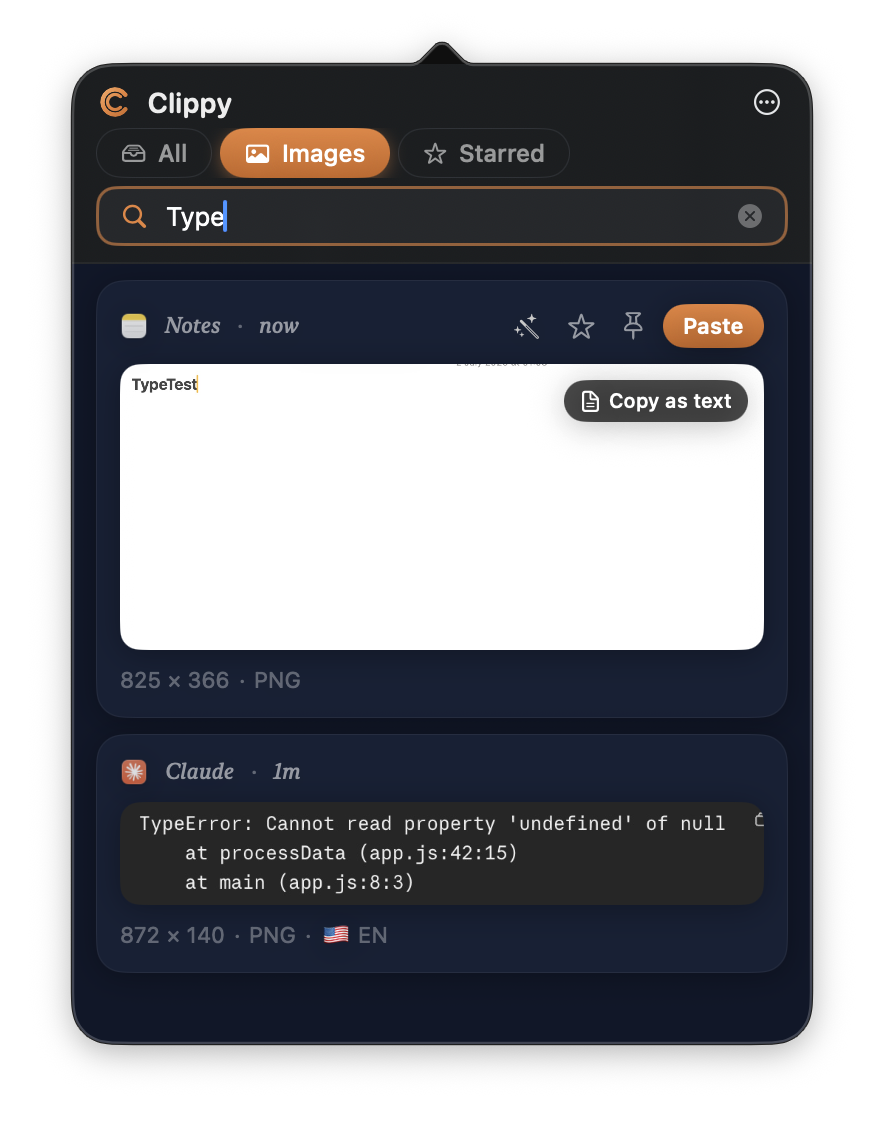 |
| 🎯 **Smart detection** — phones, emails, dates, addresses, and sensitive data (cards, IBANs, API keys) become one-tap actions |
|
| 🎯 **Smart detection** — phones, emails, dates, addresses, and sensitive data (cards, IBANs, API keys) become one-tap actions | 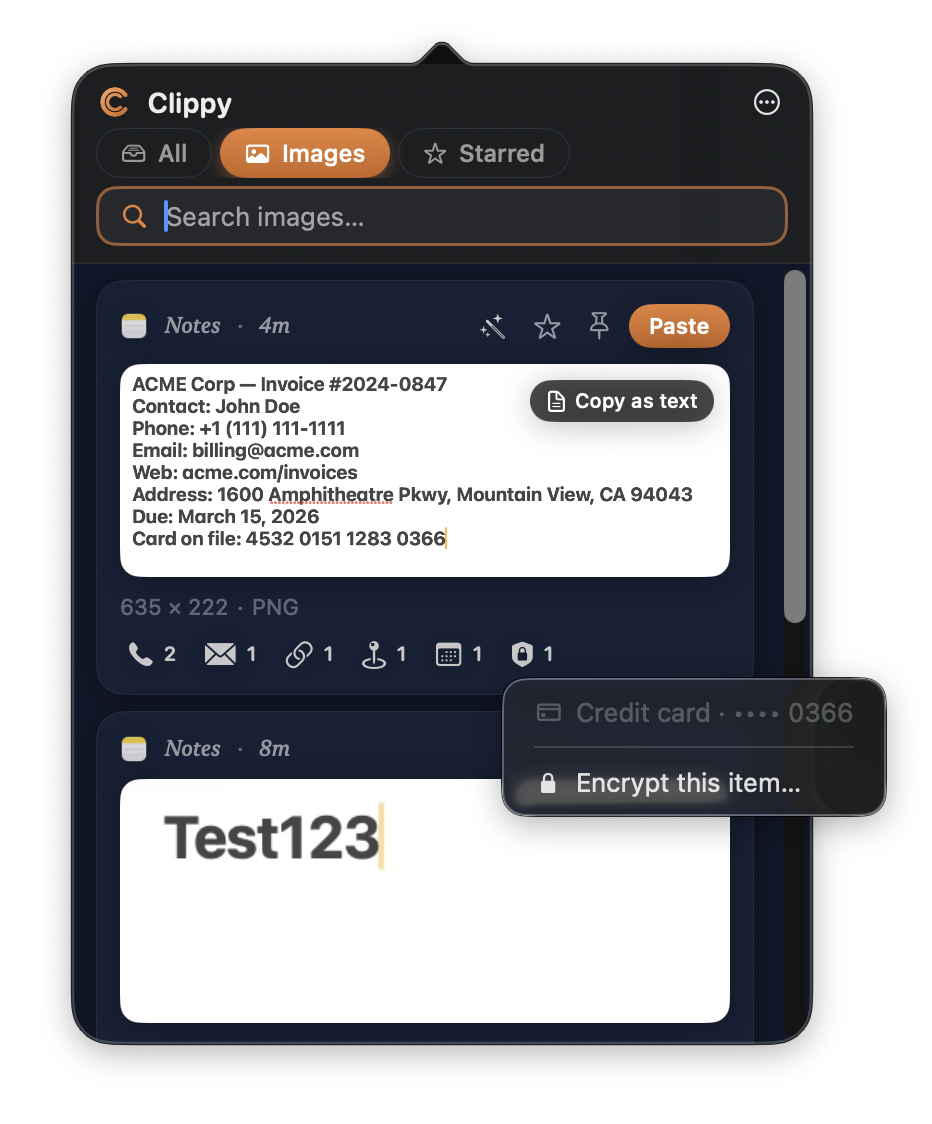 |
| 🔤 **Live Text** — select text right on any screenshot, just like Photos |
|
| 🔤 **Live Text** — select text right on any screenshot, just like Photos | 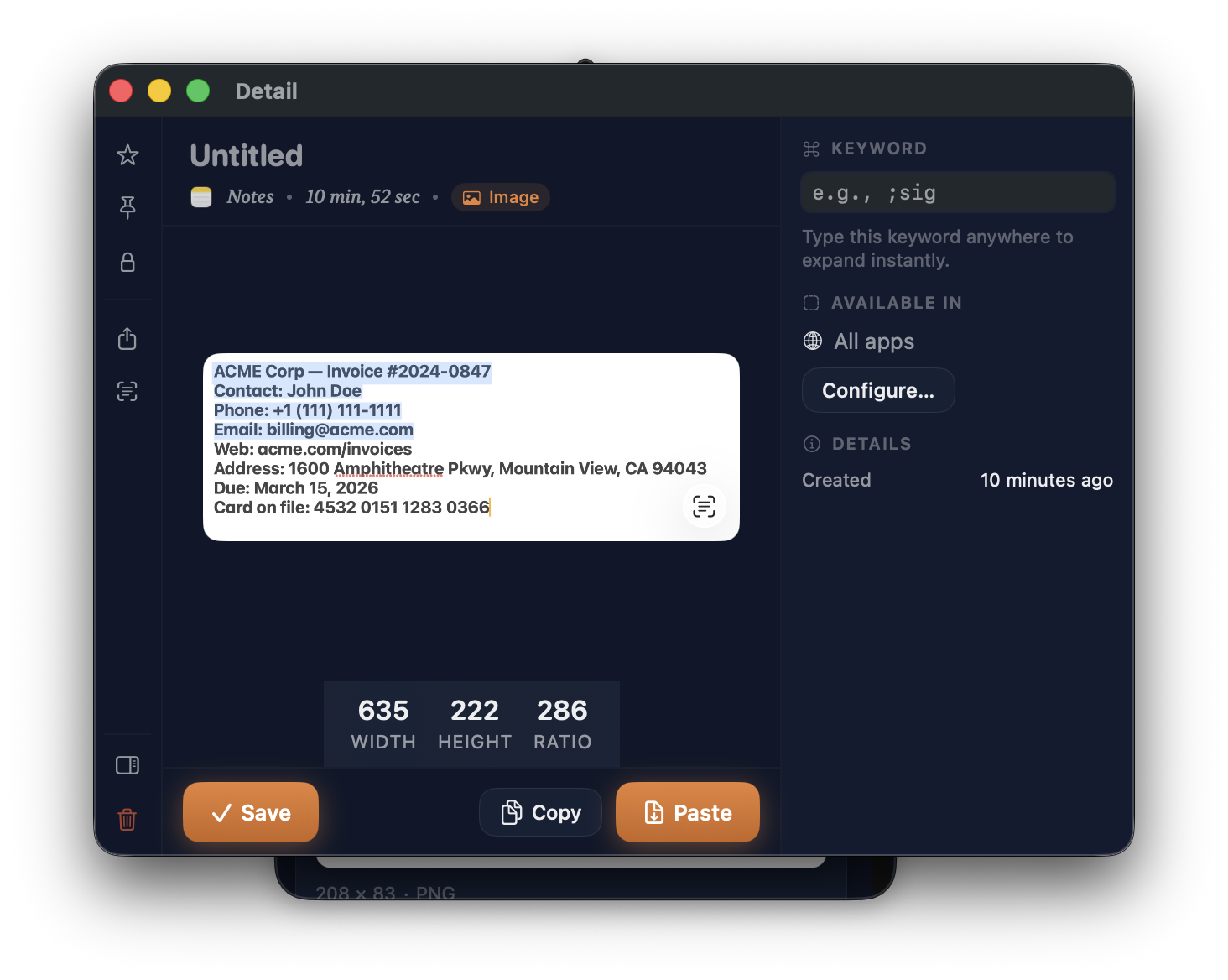 |
| 🌍 **Language badges** — screenshots are tagged with their detected language |
|
| 🌍 **Language badges** — screenshots are tagged with their detected language | 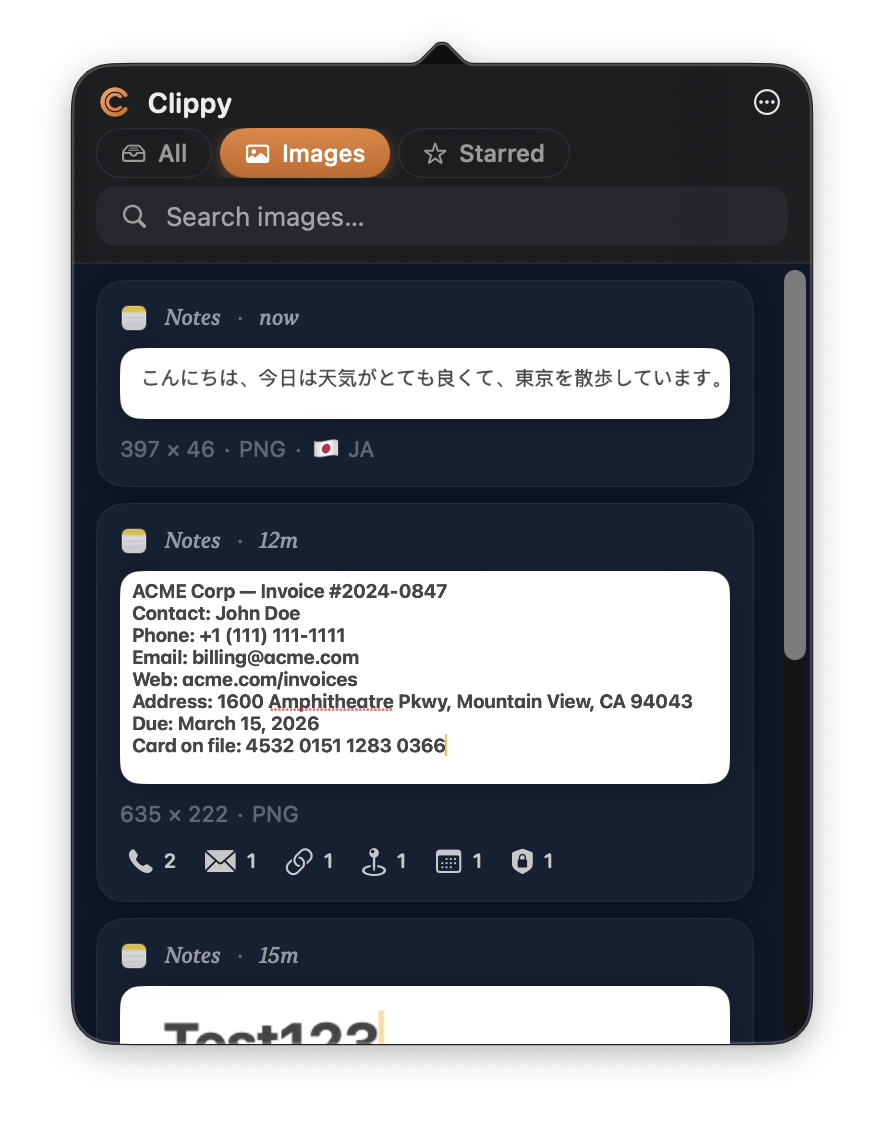 |
| 📋 **Smart clipboard history** with content-aware previews for URLs, colors, JSON, code, images | |
| 🎯 **Hover actions** — Paste, Star, Pin, AI transform appear the moment you need them |
|
| 📋 **Smart clipboard history** with content-aware previews for URLs, colors, JSON, code, images | |
| 🎯 **Hover actions** — Paste, Star, Pin, AI transform appear the moment you need them | 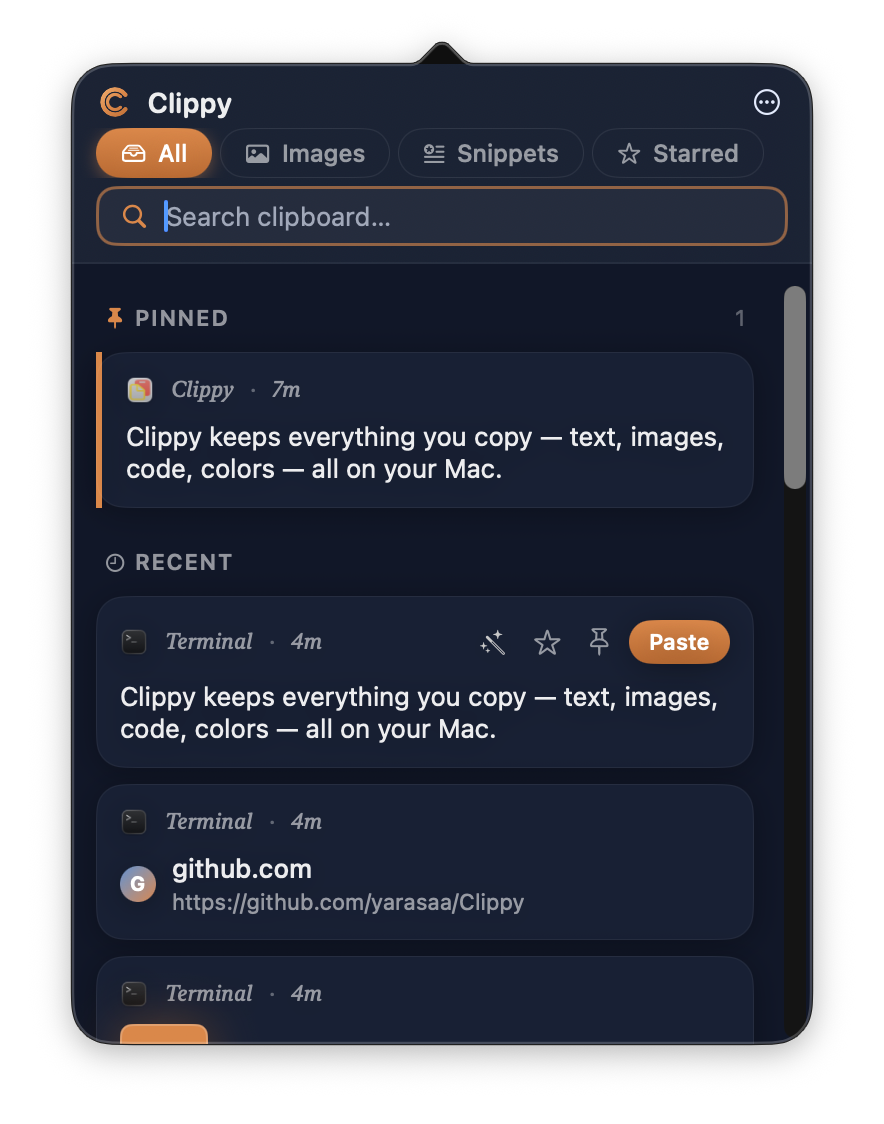 |
| ⚡ **Quick Preview** — hit the hotkey, paste from the last N items in a floating overlay |
|
| ⚡ **Quick Preview** — hit the hotkey, paste from the last N items in a floating overlay | 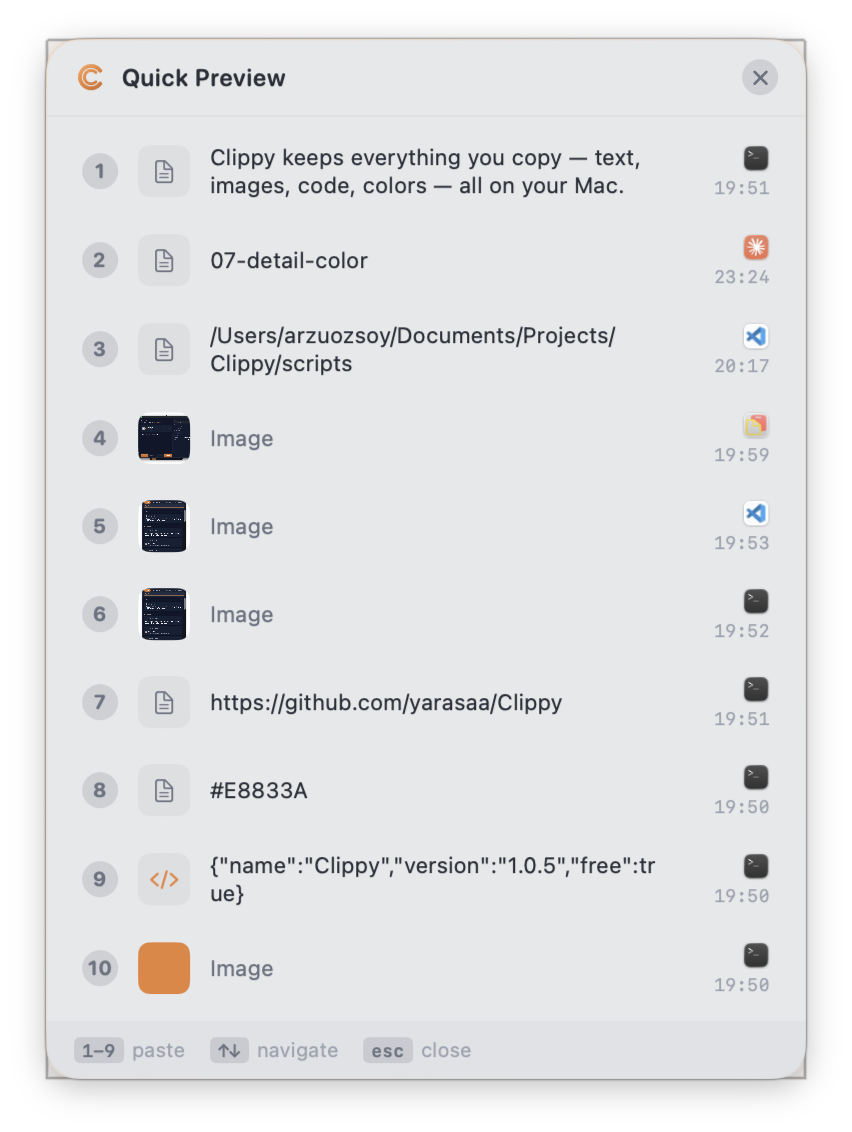 |
| ✍️ **Screenshot editor** with Studio Bar, context-aware Inspector, 20+ annotation tools |
|
| ✍️ **Screenshot editor** with Studio Bar, context-aware Inspector, 20+ annotation tools | 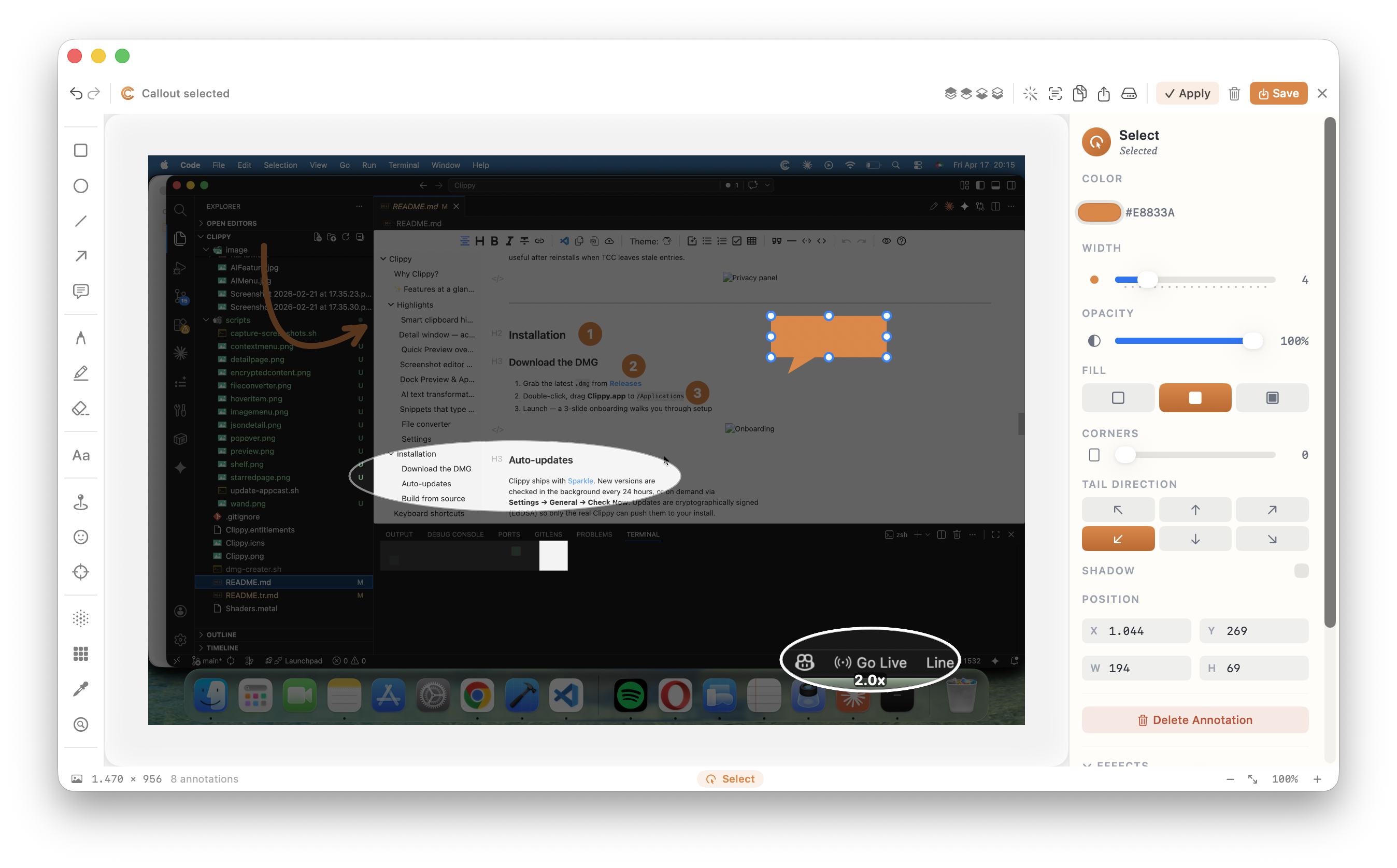 |
| 🪟 **Dock Preview** — Windows 11–style thumbnails with live streaming and numbered badges |
|
| 🪟 **Dock Preview** — Windows 11–style thumbnails with live streaming and numbered badges | 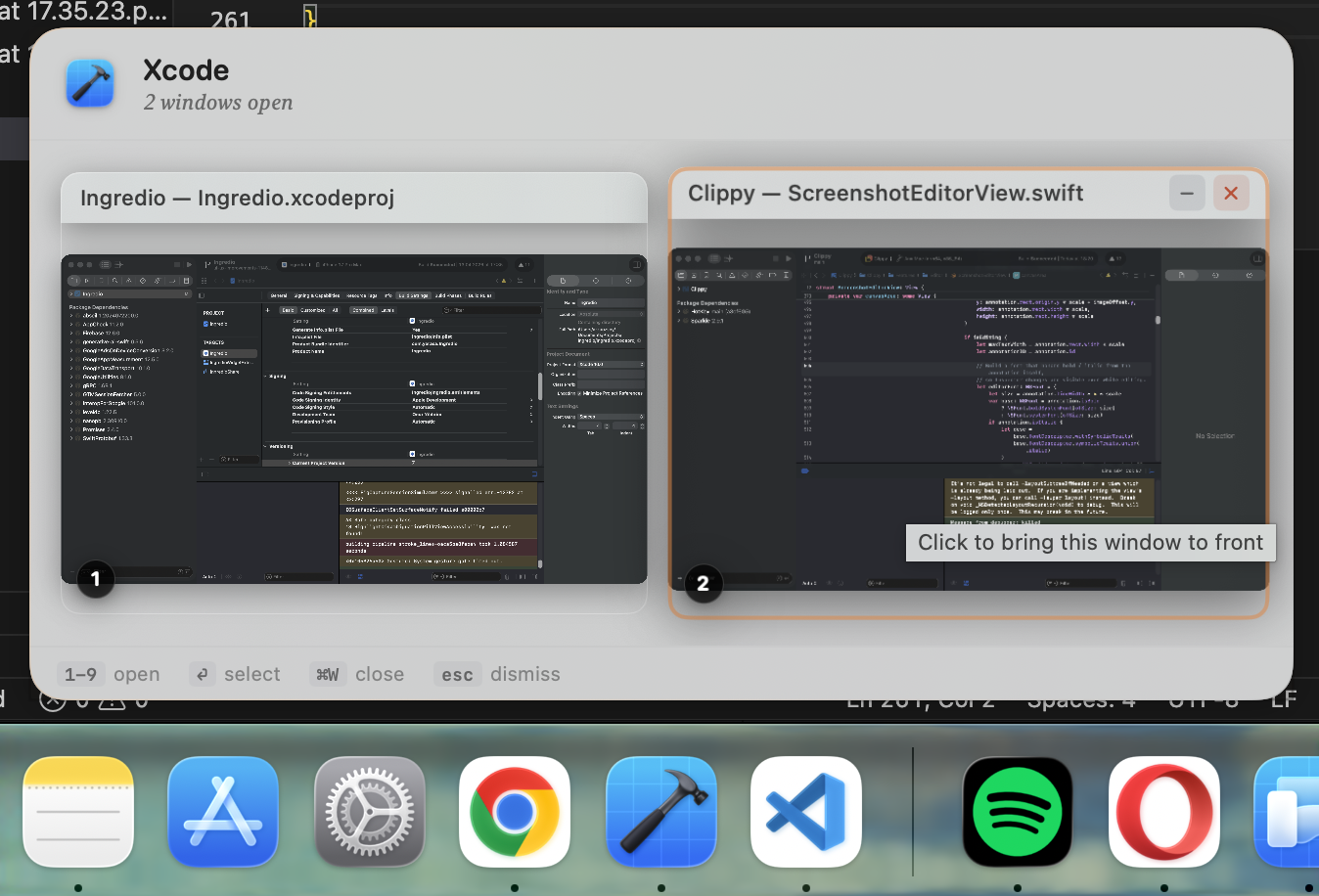 |
| ✨ **AI transformations** — Summarize, translate, fix grammar, explain code. Local via Ollama or cloud |
|
| ✨ **AI transformations** — Summarize, translate, fix grammar, explain code. Local via Ollama or cloud | 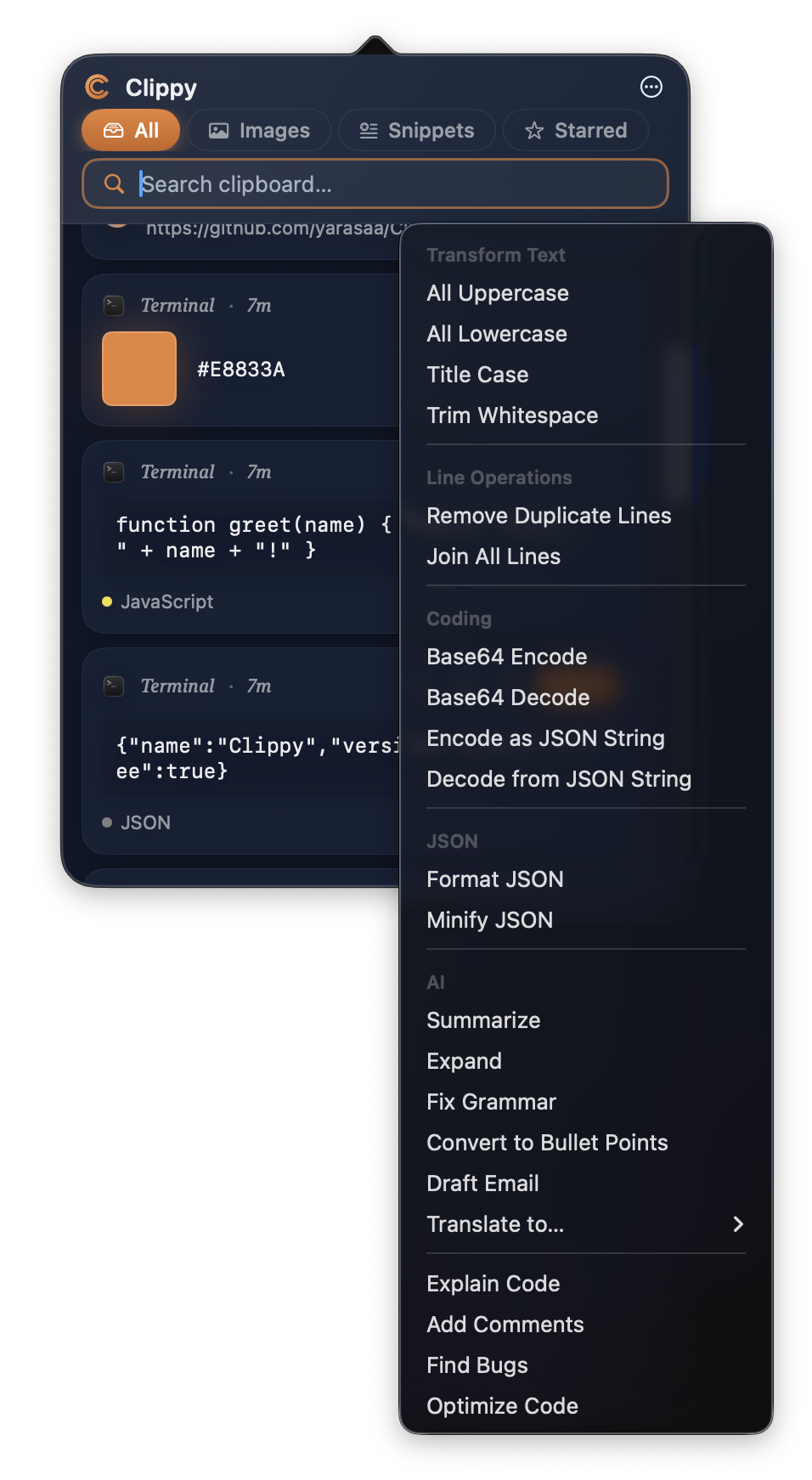 |
| 🧩 **Snippets that type themselves** — save reusable text with a keyword, summon it anywhere |
|
| 🧩 **Snippets that type themselves** — save reusable text with a keyword, summon it anywhere | 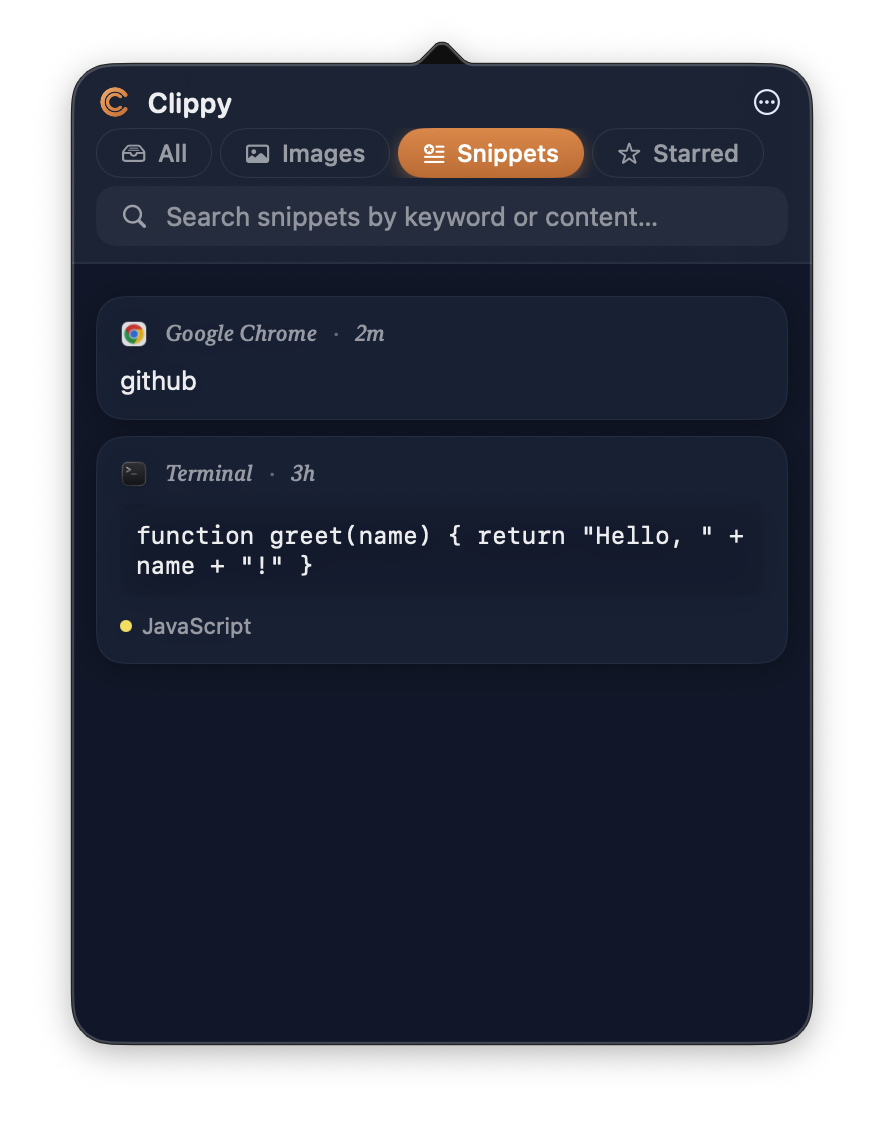 |
| 🗂 **File Converter** — images, docs, audio, video, data formats. Drag, drop, convert |
|
| 🗂 **File Converter** — images, docs, audio, video, data formats. Drag, drop, convert | 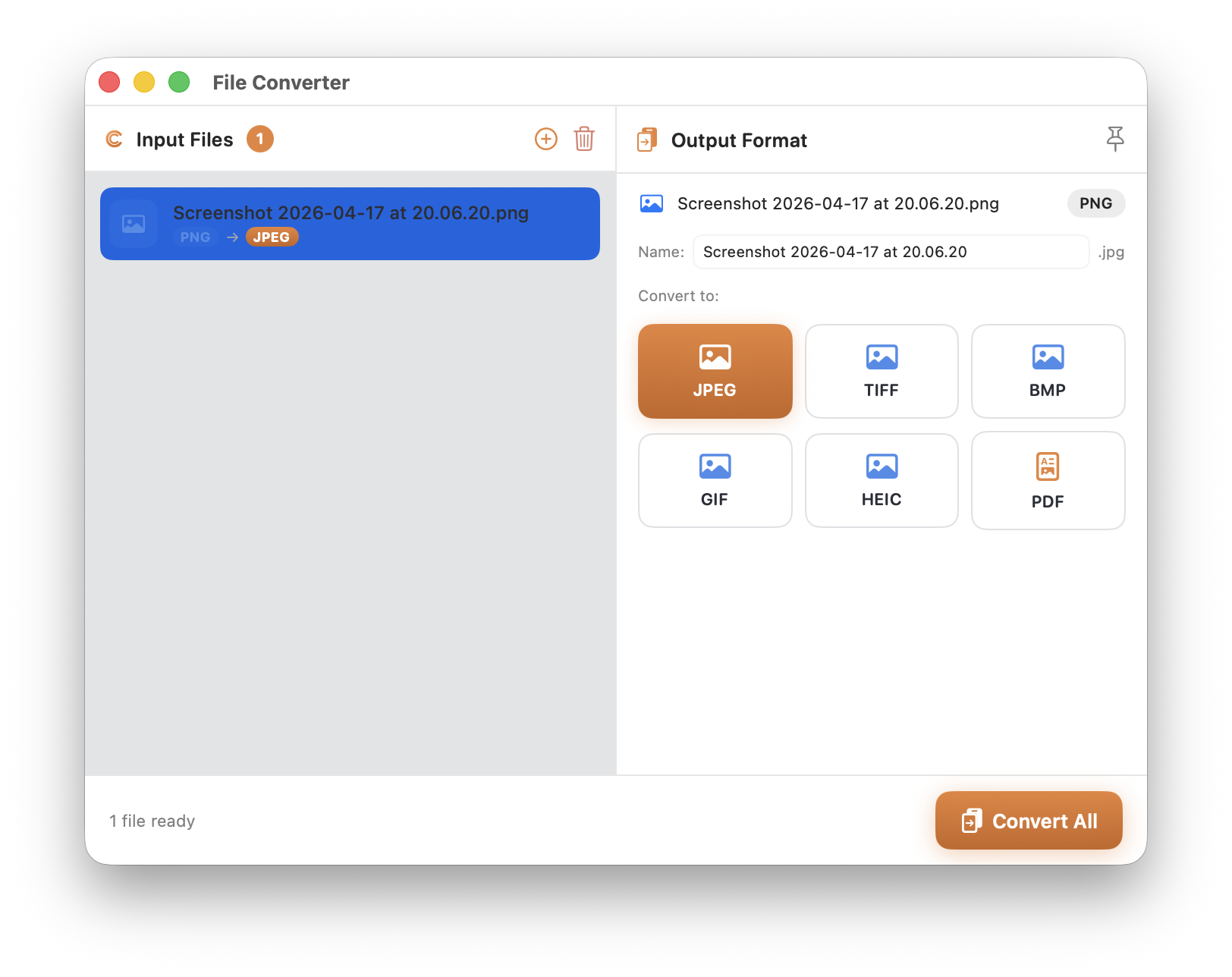 |
| 📦 **Shelf** — a dedicated drawer for files you need to keep handy across apps |
|
| 📦 **Shelf** — a dedicated drawer for files you need to keep handy across apps | 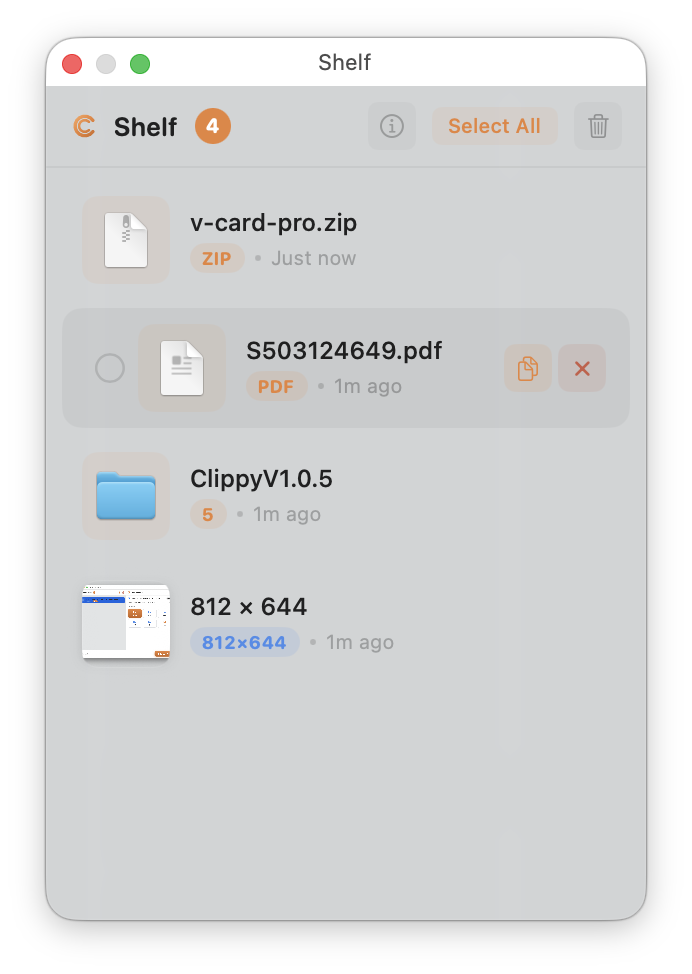 |
| 🔐 **Encrypted items** & per-type filters — lock sensitive entries, filter by type |
|
| 🔐 **Encrypted items** & per-type filters — lock sensitive entries, filter by type | 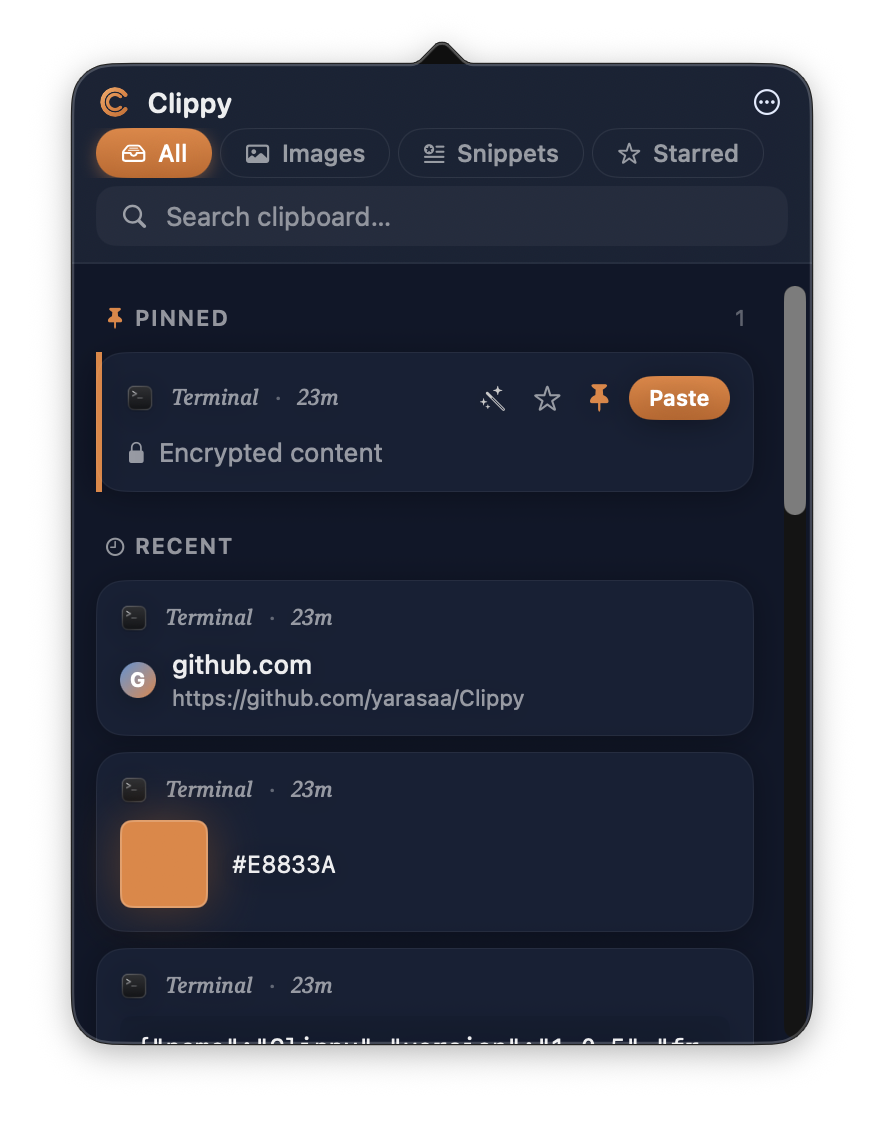 |
---
## Highlights
### 🔍 Searchable screenshots (Auto-OCR)
Copy any image and Clippy reads the text inside it in the background — on-device, private, and free. Search for a word you only ever *saw* in a screenshot and it comes right up. Powered by Apple Vision, it recognizes **30+ languages** automatically with no setup.
|
---
## Highlights
### 🔍 Searchable screenshots (Auto-OCR)
Copy any image and Clippy reads the text inside it in the background — on-device, private, and free. Search for a word you only ever *saw* in a screenshot and it comes right up. Powered by Apple Vision, it recognizes **30+ languages** automatically with no setup.
### 🎯 Smart content detection
Clippy spots actionable content — in both **text and screenshots** — and turns it into one-tap actions:
- **📞 Phone / ✉️ Email / 🔗 URL** — tap to call, mail, or open
- **📅 Dates** — add straight to Calendar
- **📍 Addresses** — open in Maps
- **🔒 Sensitive data** — credit cards, IBANs, API keys, and TC kimlik are detected (with checksum validation) and Clippy offers to encrypt them
### 🔤 Live Text
Open any screenshot in the detail window and select the text **right on the image** — just like Photos. Copy it, tap links, done. Language flags tell you what Clippy detected at a glance.
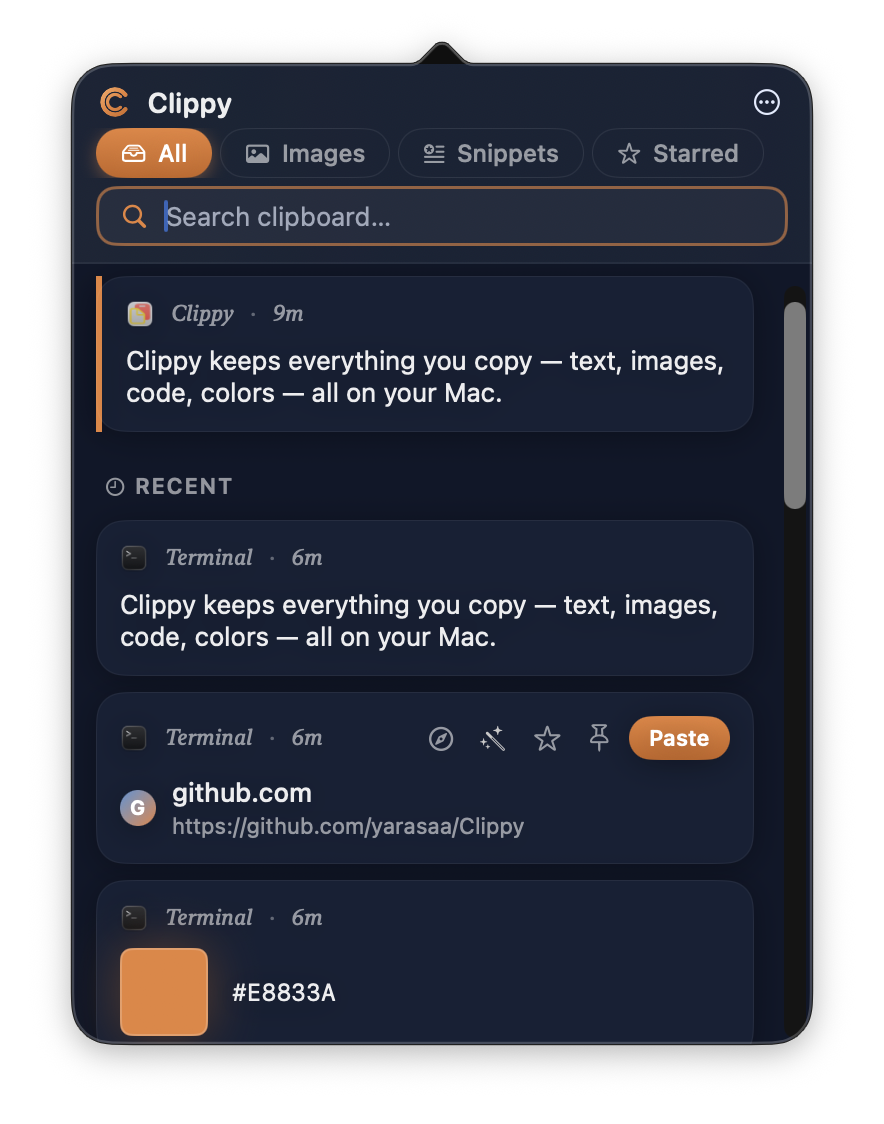
### Smart clipboard history
Every copy is captured and rendered intelligently:
- **Text** shows its source app, time, and the first few lines
- **URLs** get a host chip + full URL preview
- **Colors** show a live swatch + HEX
- **Code** renders with a language chip and mono font
- **JSON** collapses structure into one line
- **Images** display as full-bleed thumbnails with dimensions
Hover any card to reveal transform, star, pin, and paste actions.
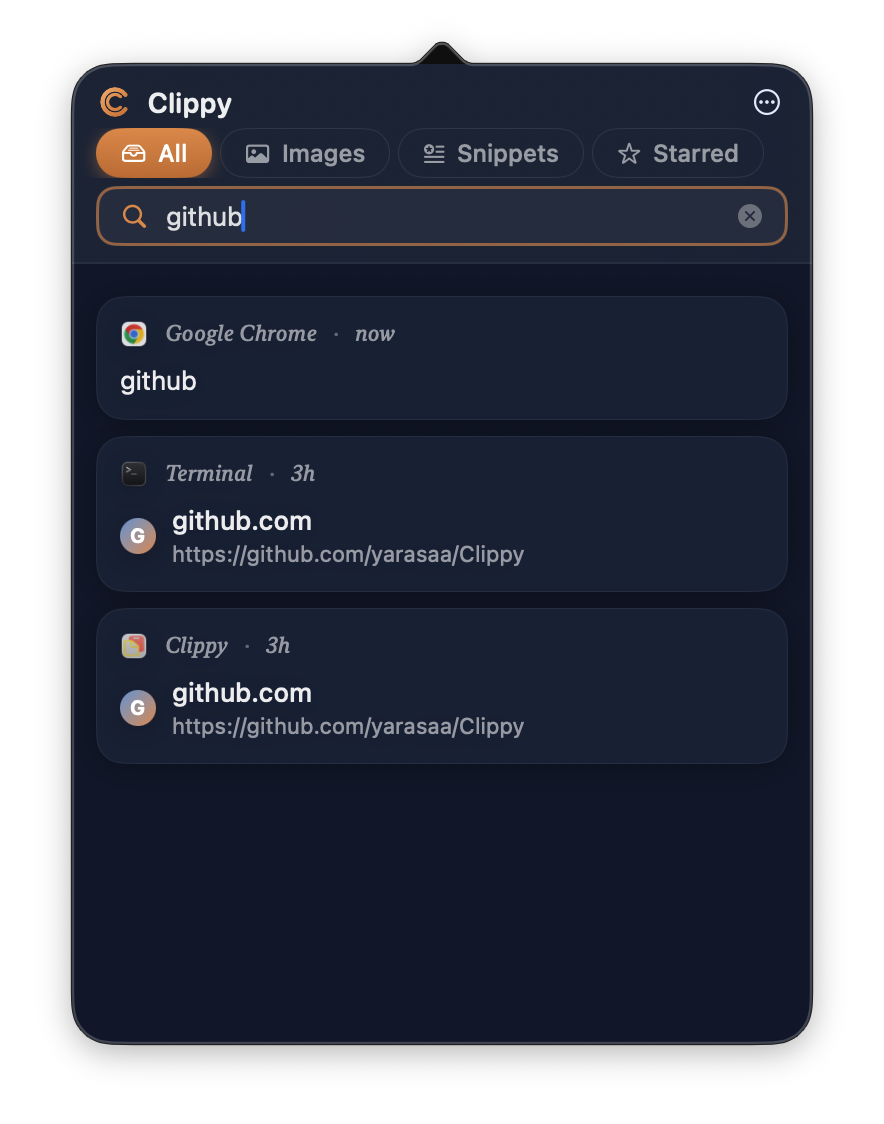
### Live search
Type to filter instantly. The placeholder adapts to the active tab
(Search clipboard… / Search snippets… / Search images…) so you always
know what you're searching.
### Pinned & starred
Pinned items float above the Recent stream so you never lose what matters —
including Clippy's **Encrypted content** entries for anything sensitive.
Star anything you want to keep long-term and jump to the Starred tab to
see only those.
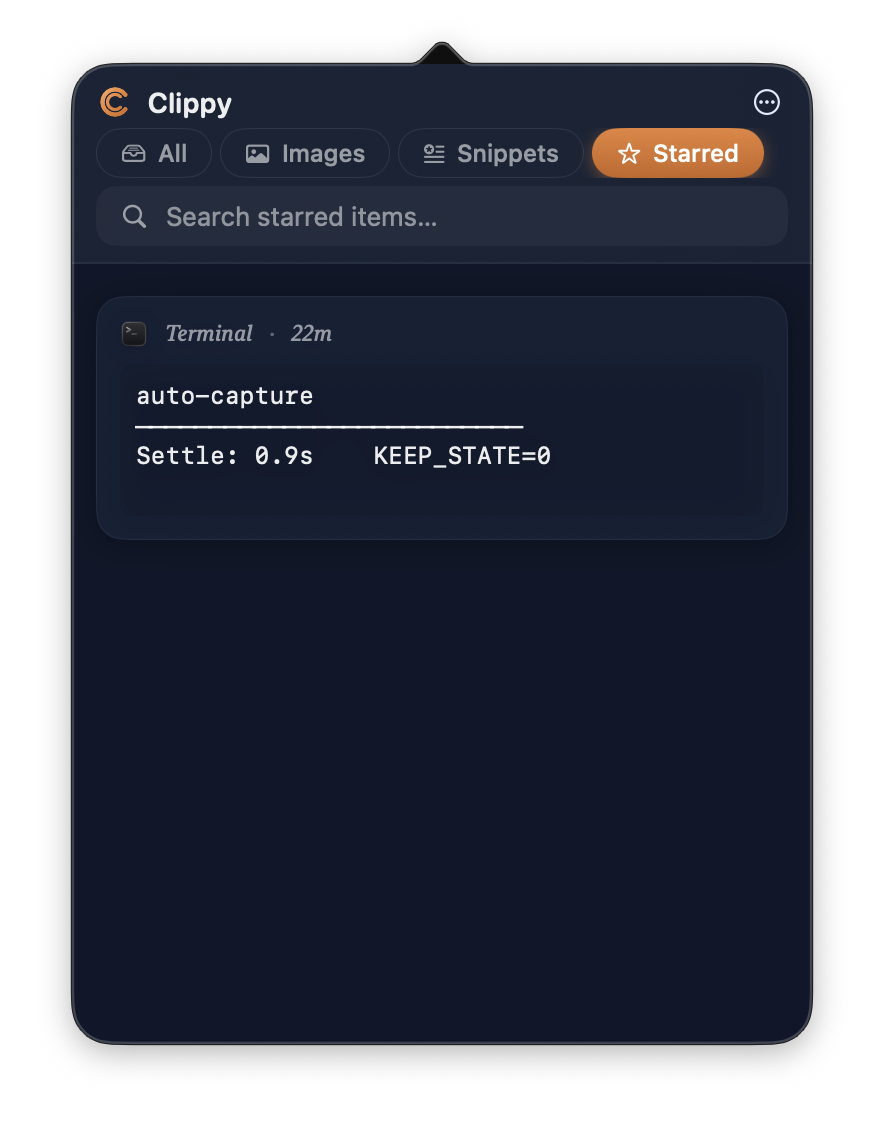
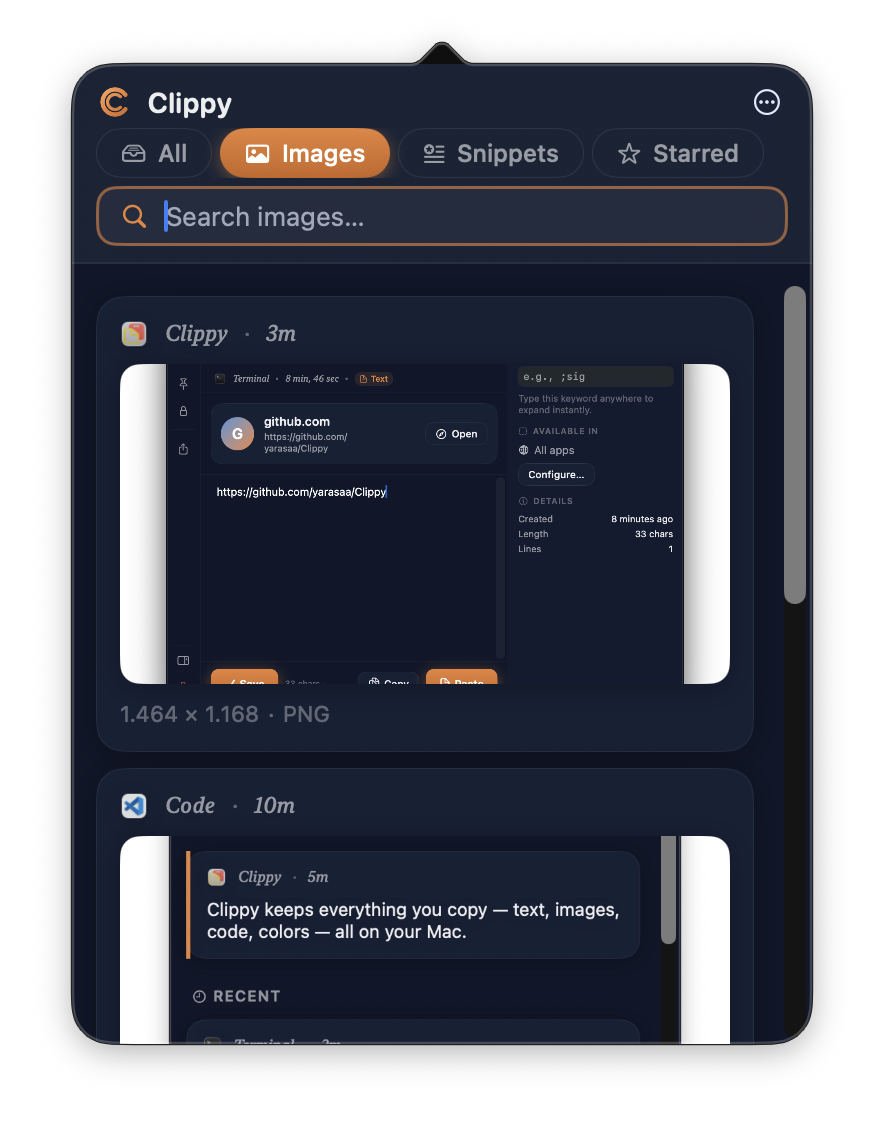
### Per-type filters
Tabs at the top narrow the list to a single content type — All,
**Images**, Snippets, Starred.
### Snippets that type themselves
Save any text as a reusable snippet with a keyword. Type `;keyword`
anywhere on your Mac — Clippy detects the trigger, deletes it, and
pastes the expanded content. Think TextExpander, but built in and free.
Each snippet gets its own detail window: keyword, app scope, template
body, and live usage stats (how many times fired, last used).
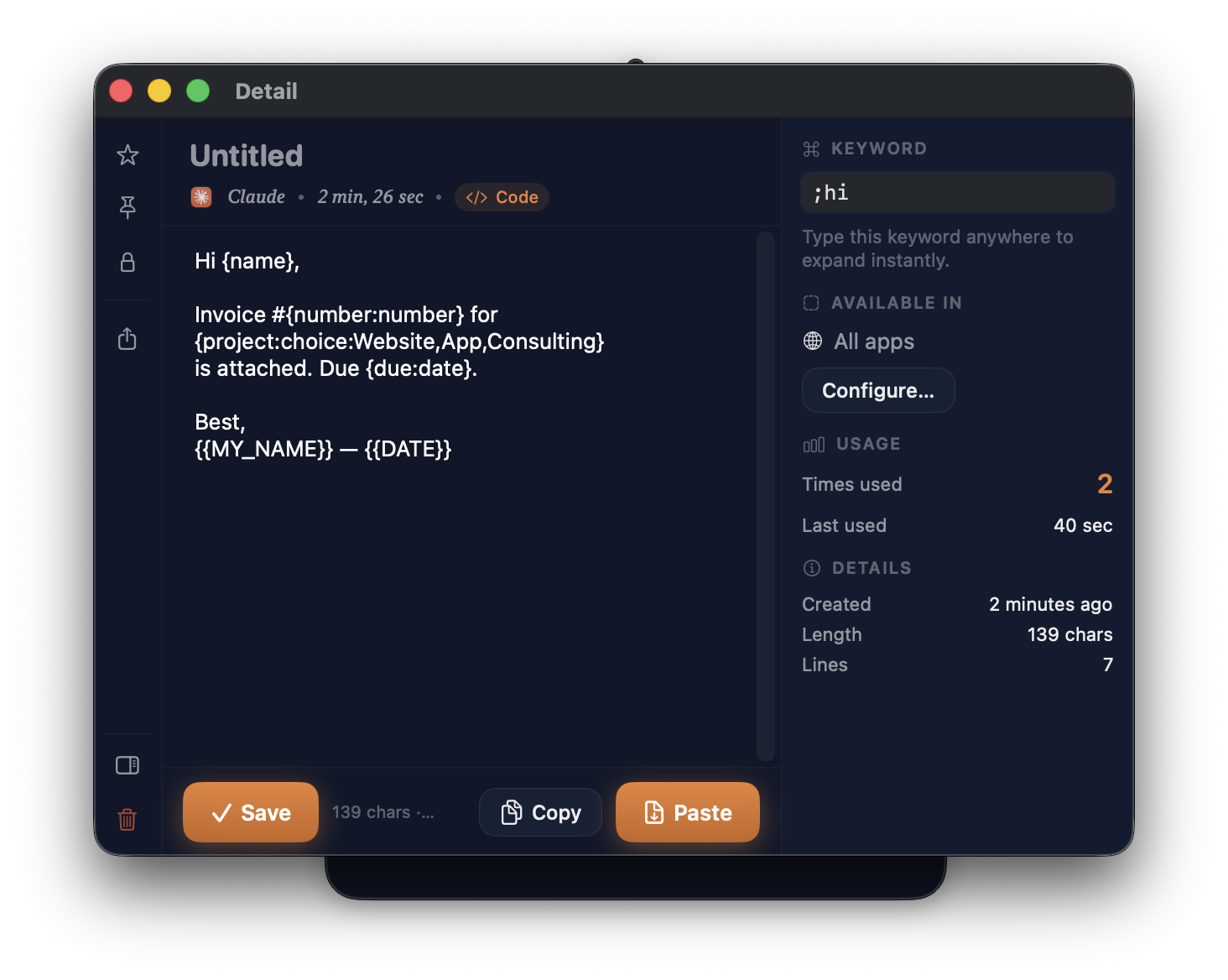
**Dynamic placeholders** — resolved automatically at paste time:
| Placeholder | Expands to |
|---|---|
| `{{DATE}}` | Today's date, `yyyy-MM-dd` |
| `{{TIME}}` | Current time, `HH:mm:ss` |
| `{{DATETIME}}` | Combined, `yyyy-MM-dd HH:mm` |
| `{{UUID}}` | A new random UUID |
| `{{CLIPBOARD}}` | Your most recent clipboard text |
| `{{RANDOM:1-100}}` | Random integer in that range |
| `{{FILE:~/notes.txt}}` | Contents of a local file |
| `{{SHELL:date +%s}}` | Output of a shell command |
| `{{MY_NAME}}` | A custom variable defined in Settings → Snippets |
| `{{;other}}` | Expand another snippet by keyword (nested, up to 5 levels deep) |
**Fill-in-the-blank parameters** — prompt a quick form at paste time
using single braces:
```
Hi {name},
Attached is invoice #{number:number} for {project:choice:Website,App,Consulting}.
Due date: {due:date}.
{signature=Best,\nMehmet}
```
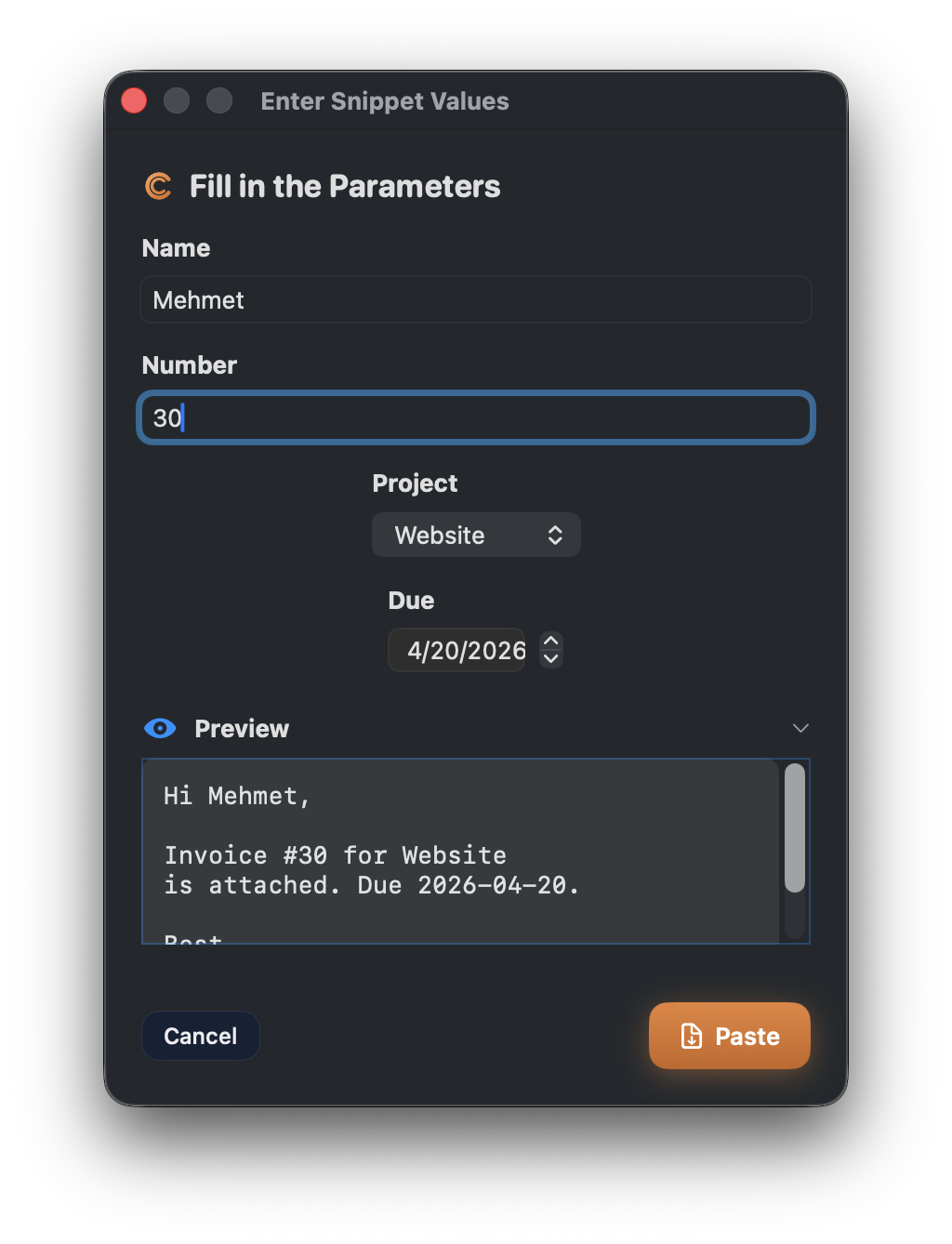
Typing `;invoice` pops up a short dialog with a text field, a number
input, a dropdown, a date picker, and a pre-filled signature. A live
**Preview** at the bottom shows the final text as you fill it in.
Press **Paste** — every placeholder is replaced inline and inserted
into the focused app.
Supported parameter types:
`{name}`, `{name:text}`, `{name:number}`, `{name:date}`, `{name:time}`,
`{name:choice:A,B,C}`, plus `{name=default}` to pre-fill any of them.
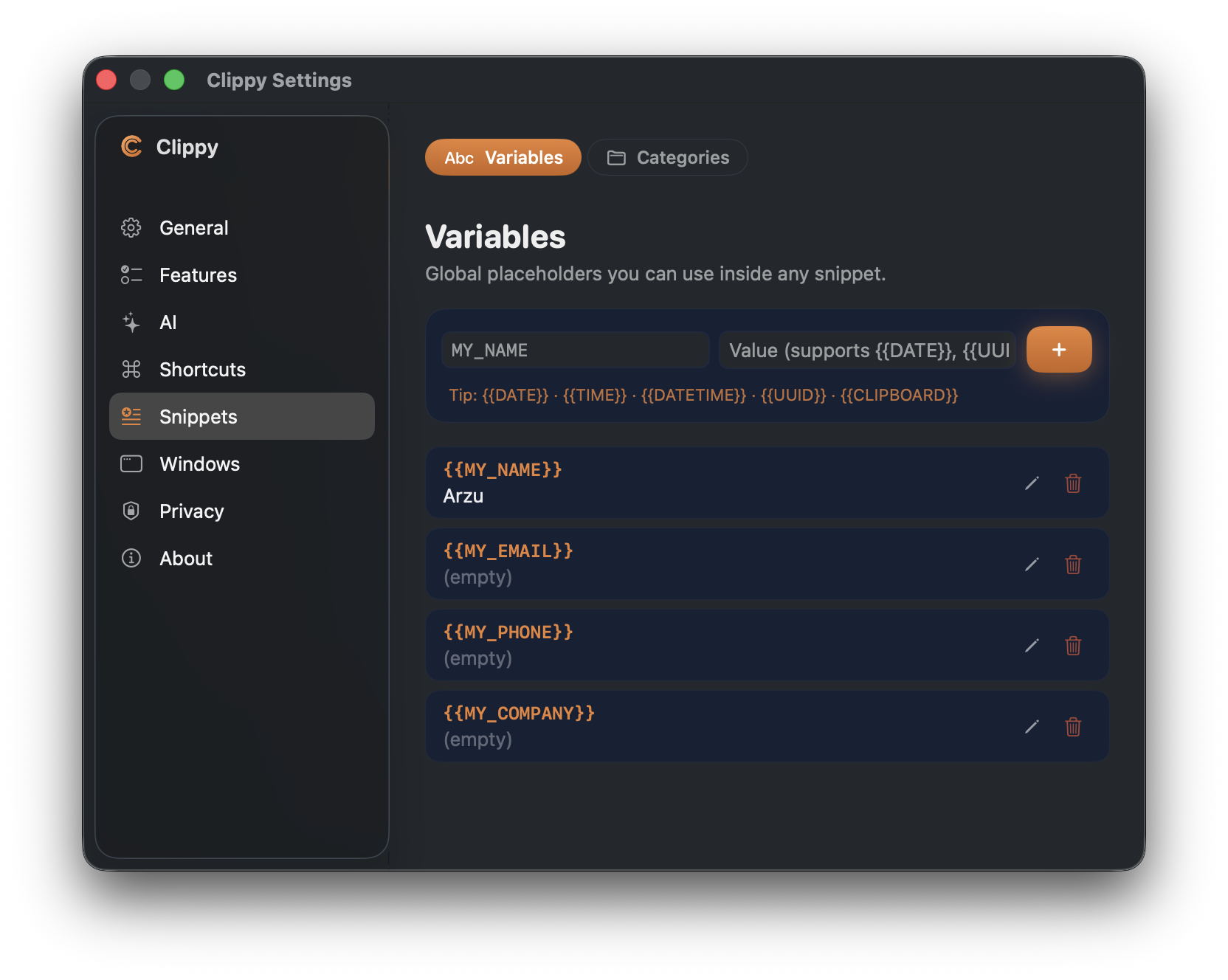
**Global variables** — define reusable placeholders once in
**Settings → Snippets → Variables** (`{{MY_NAME}}`, `{{MY_EMAIL}}`,
`{{MY_COMPANY}}` …) and reference them from any snippet. Change a
variable once, every snippet picks up the new value.
**App-scoped** — tie a snippet to specific apps (e.g. Mail + Outlook)
so `;signature` only fires where you want it.
**Nested composition** — build longer templates out of smaller snippets
(`{{;greeting}}` + `{{;signature}}` inside a bigger email body).
**Usage-aware** — Clippy tracks how often each snippet fires, so you
can see your power-users at a glance from the detail inspector.
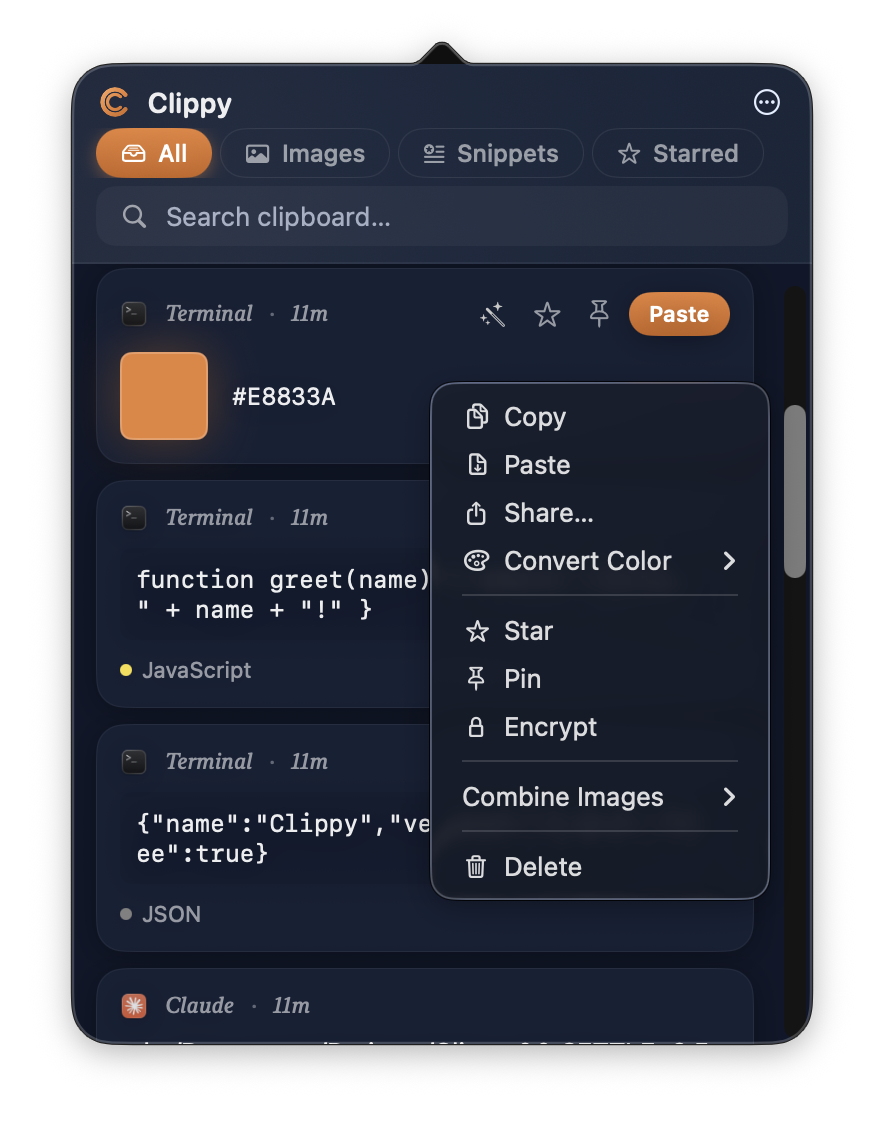
### Right-click power menu
Every card has a rich context menu: copy, paste, share, convert color
format, star, pin, encrypt, combine images, delete.
### AI text transformations
Run Summarize, Expand, Fix Grammar, Translate (30+ languages), Bullet
Points, Draft Email, "Explain this" on a confusing error screenshot,
and code-specific actions (Explain, Add Comments, Find Bugs, Optimize)
on any clipboard item — text **or** screenshot.
Choose your provider:
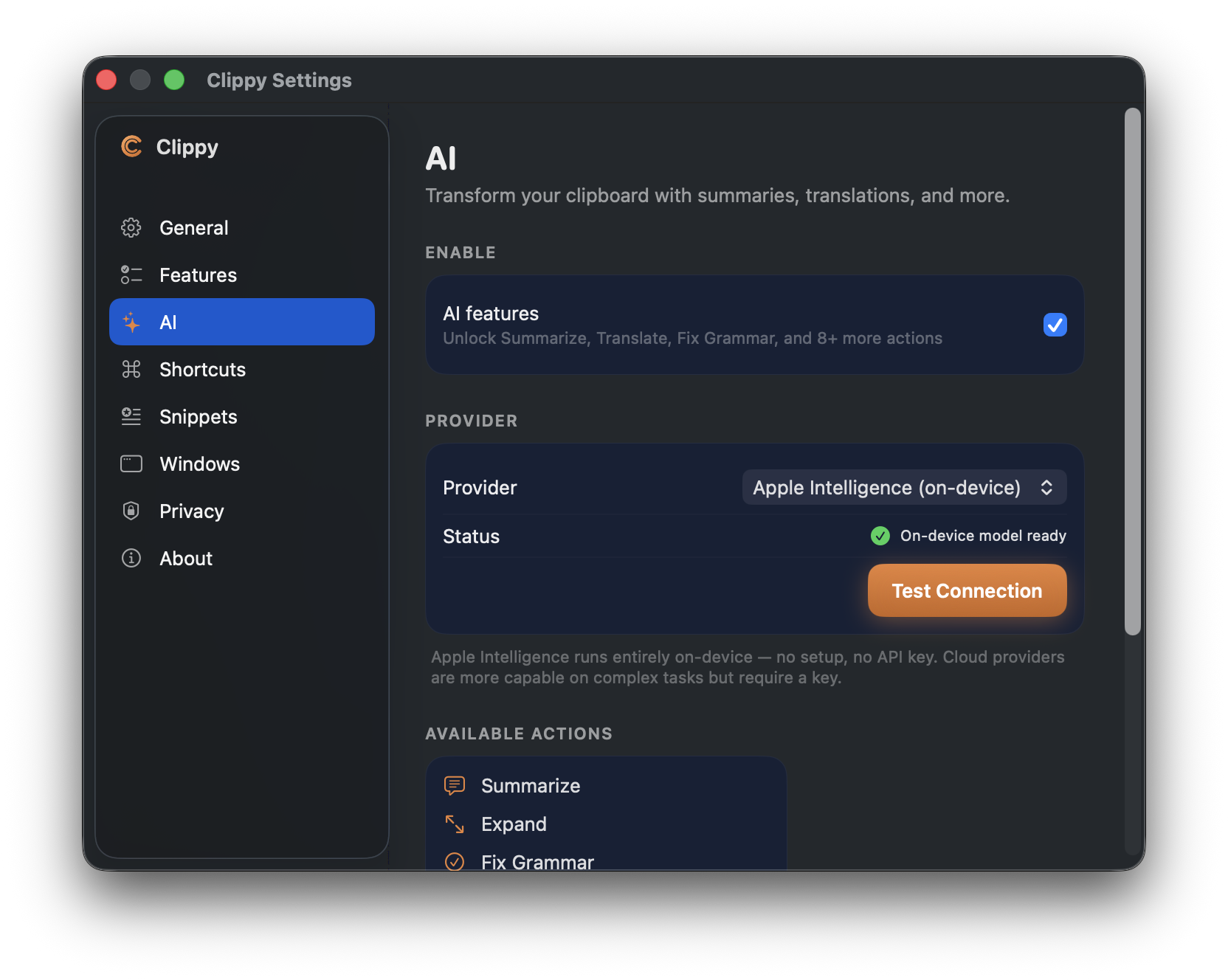
- **Apple Intelligence** — on macOS 26+, the default. Runs entirely
on-device, no API key, no signup, nothing leaves your Mac
- **Ollama** — fully local, free, private
- **OpenAI**, **Anthropic**, **Google Gemini** — bring-your-own-key
There are text utilities built-in too: Base64 encode/decode, case
conversion, JSON format/minify, duplicate-line removal, line joining.
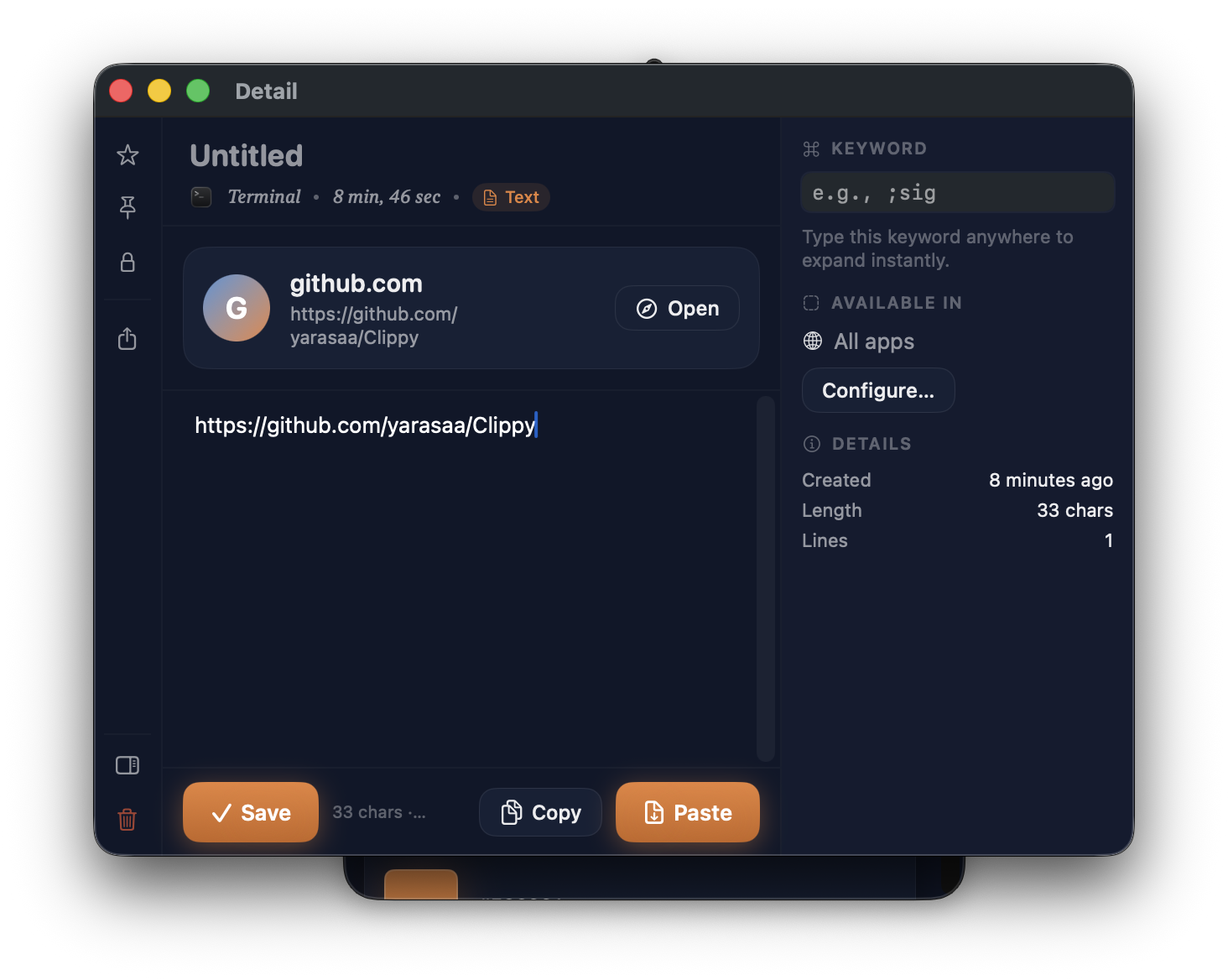
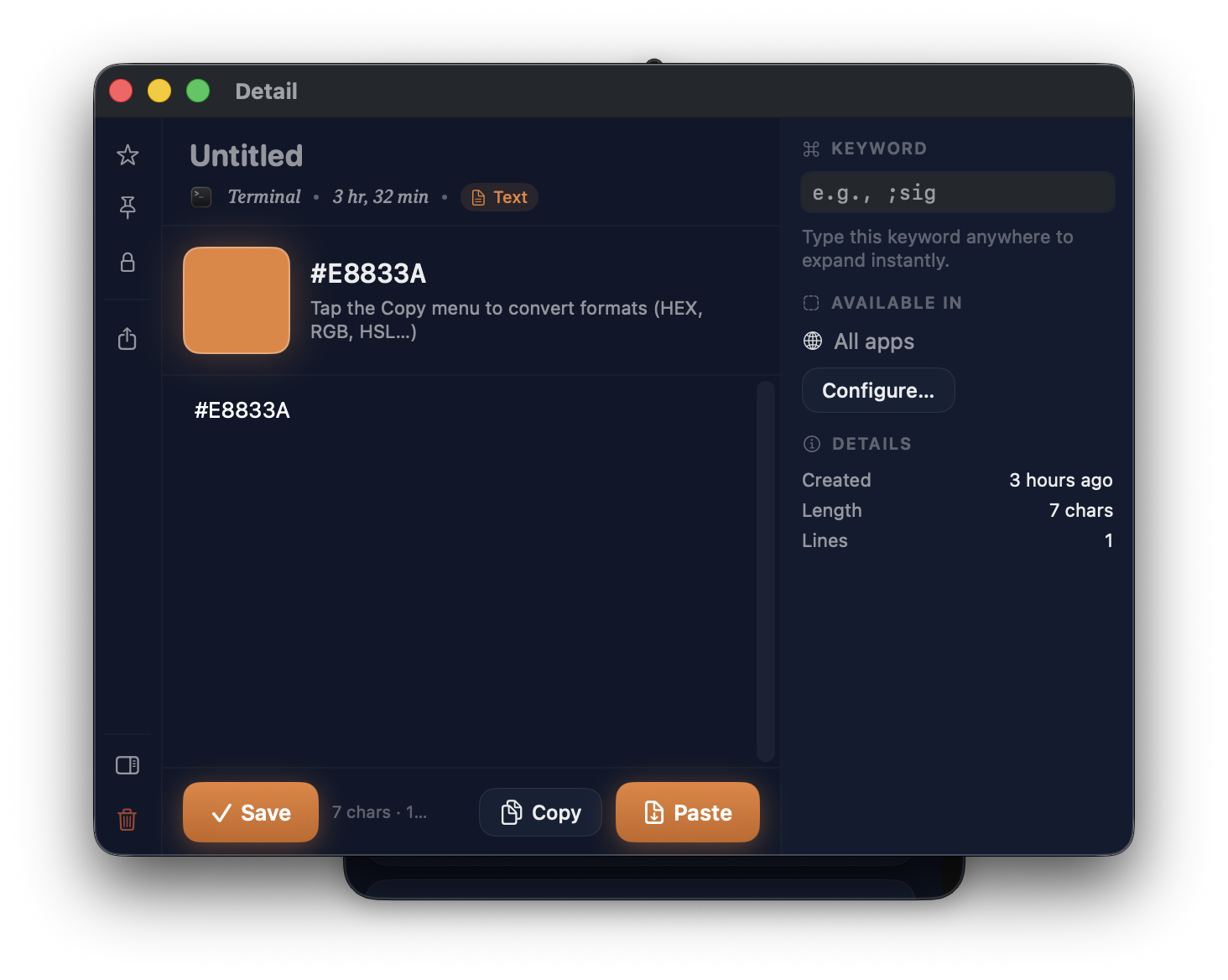
### Detail window — action rail + inspector
Click any item to open its detail window. Left: persistent action rail
(star, pin, encrypt, share, delete). Center: rich editor. Right:
context-aware inspector (keyword, app scope, usage stats).
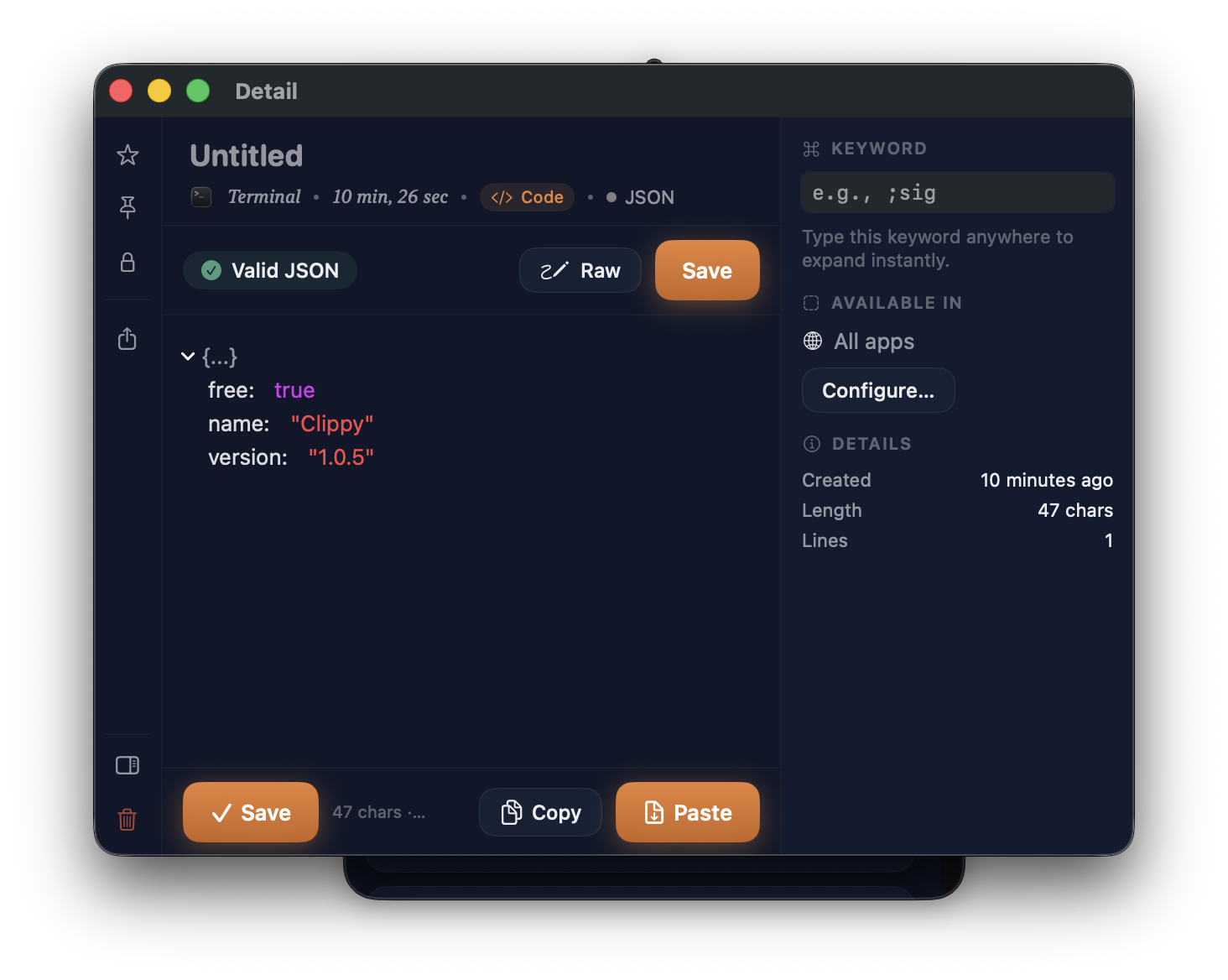
Different content types get different treatments — JSON gets a tree
view, a Valid-JSON badge, and a Raw toggle.
Colors get a dedicated card with a glowing swatch and a one-tap Copy
menu that converts between HEX, RGB, HSL formats.
### Quick Preview overlay
Hit the Quick Preview hotkey (default **⌘⌥V**) anywhere to see the last
10 items in a floating panel. Number keys `1`-`9` paste directly, `↑↓`
navigate, `esc` dismisses.
### Screenshot editor — "Studio"
The built-in editor has its own design language. Tool rail on the left,
live canvas in the middle, **context-aware Inspector** on the right that
shows either the active tool's properties or the selected annotation's
details.
20+ tools, every one of them configurable live:
- Arrow with 5 arrowhead styles and 5 stroke patterns
- Text with bold/italic/alignment, contrast-aware backgrounds, box sizing
- Pen with 3 brush styles (solid/dashed/marker)
- Shapes with corner radius, fill modes, gradient
- Sketch mode for a hand-drawn look on arrows/rects/ellipses
- Blur, pixelate, spotlight, pin (numbered markers), emoji, magnifier, ruler
- Eyedropper with pixel-accurate loupe and 9 color-format copy options
- Effects: backdrop padding, shadow, corner radius, border, watermark
### Shelf
A dedicated drawer for files you want to keep around across apps —
downloads, attachments, mockups, PDFs. Drag files onto the shelf from
anywhere; drag them back out when you need them. Shown with type pills
(PDF / ZIP / folder / image dimensions) and batch actions.
### File converter
Drag files in, pick output formats, convert in batch:
- **Image:** PNG, JPEG, TIFF, BMP, GIF, HEIC, WEBP, PDF
- **Document:** RTF, HTML, TXT, PDF, Markdown, DOCX
- **Audio:** M4A, WAV, AAC, AIFF, MP3, FLAC, CAF
- **Video:** MOV, MP4, M4V, AVI
- **Data:** JSON, YAML, XML, CSV, PLIST
### Dock Preview & App Switcher
Hover any app in the Dock to see Windows 11–style thumbnails — with
numbered keyboard hints, inline title bars, and (optionally) live
streaming at 5 FPS.
---
## Settings
Everything is configurable from a single NavigationSplitView-based
Settings window — General, Features, AI, Shortcuts, Snippets, Windows,
Privacy, About.
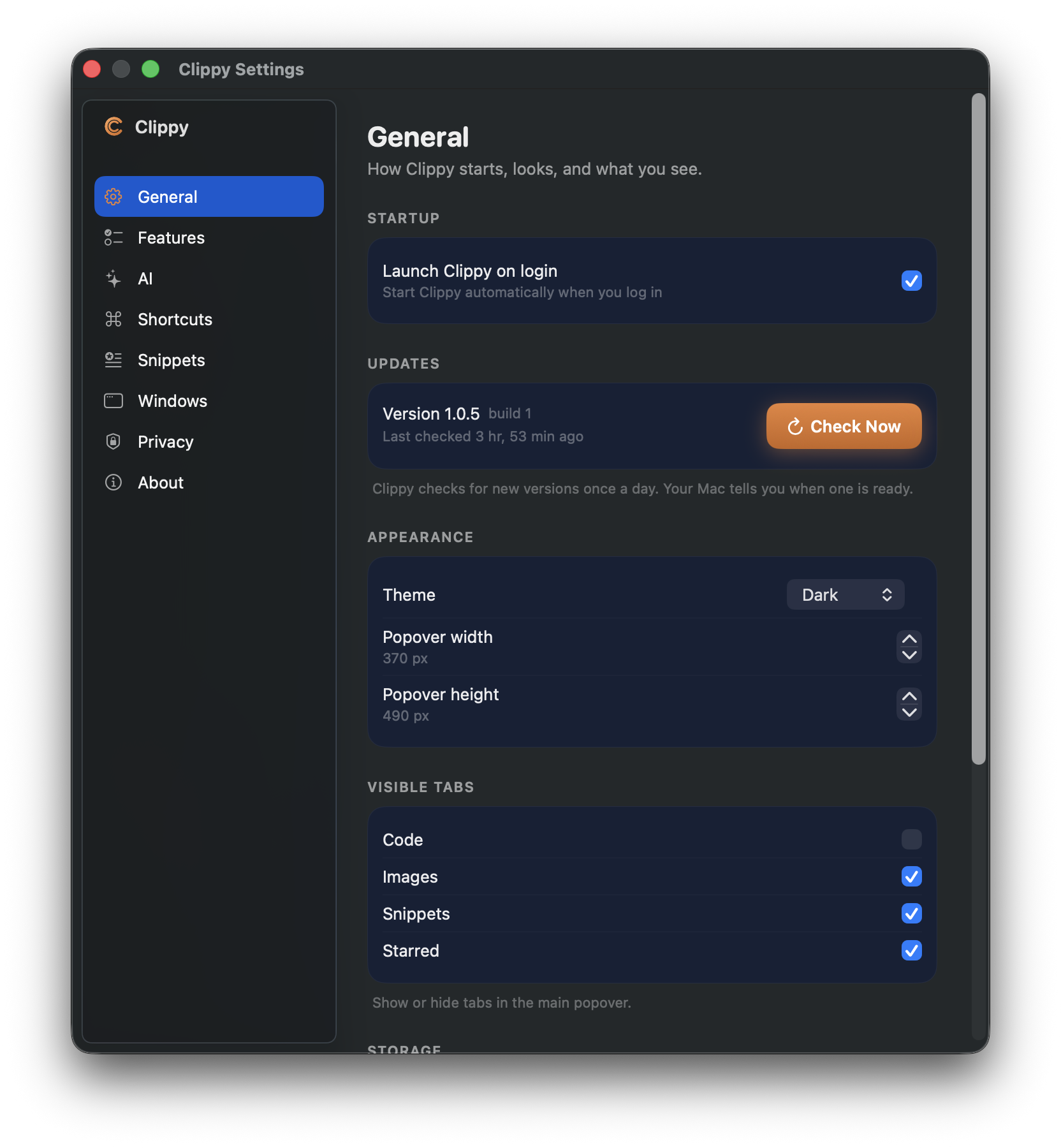
### General
Launch at login, theme, popover size, visible tabs, auto-update checks.
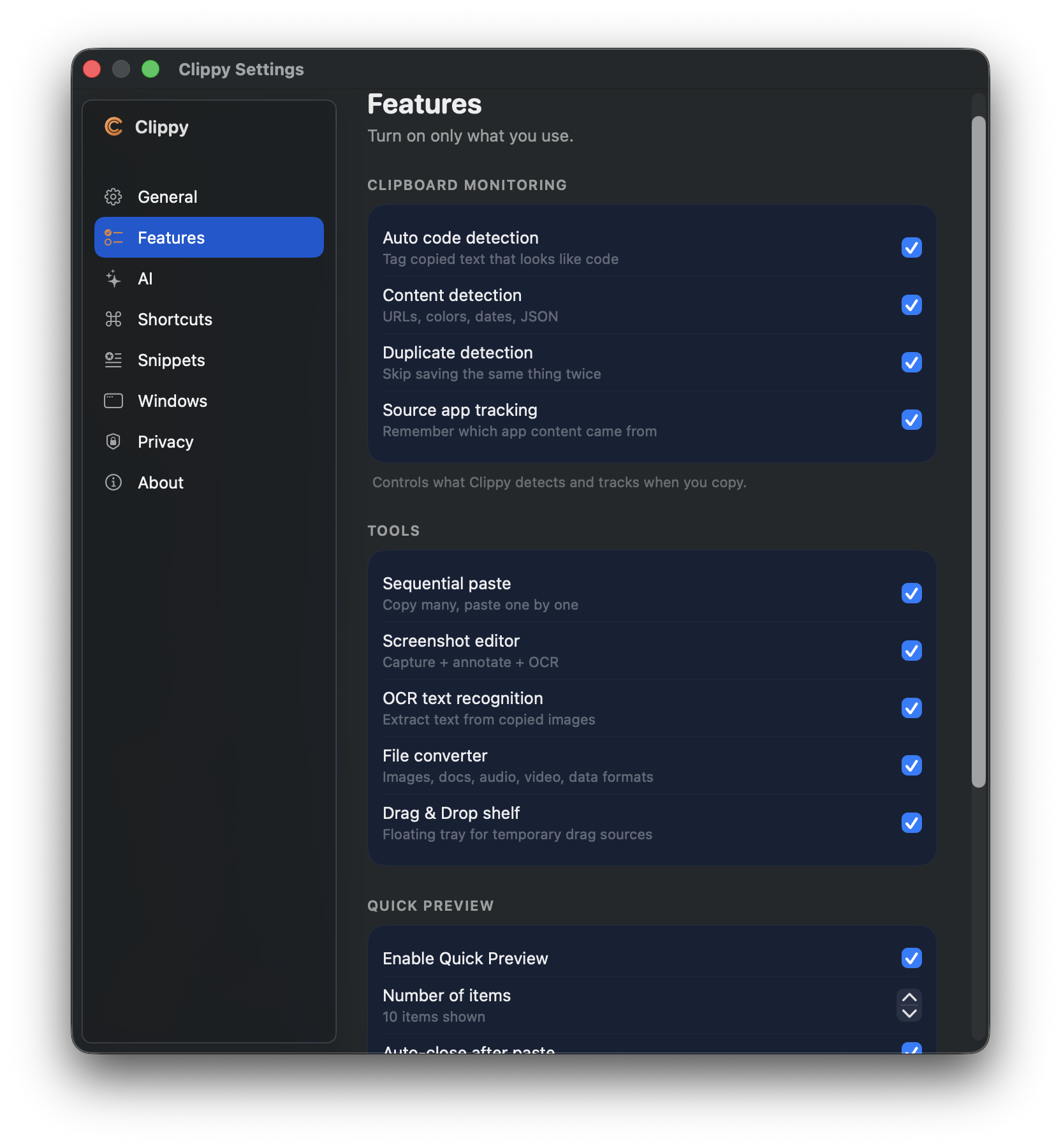
### Features
Fine-grained toggles: auto code detection, content detection, duplicate
skip, source-app tracking, screenshot editor, OCR, file converter,
drag-drop shelf, Quick Preview.
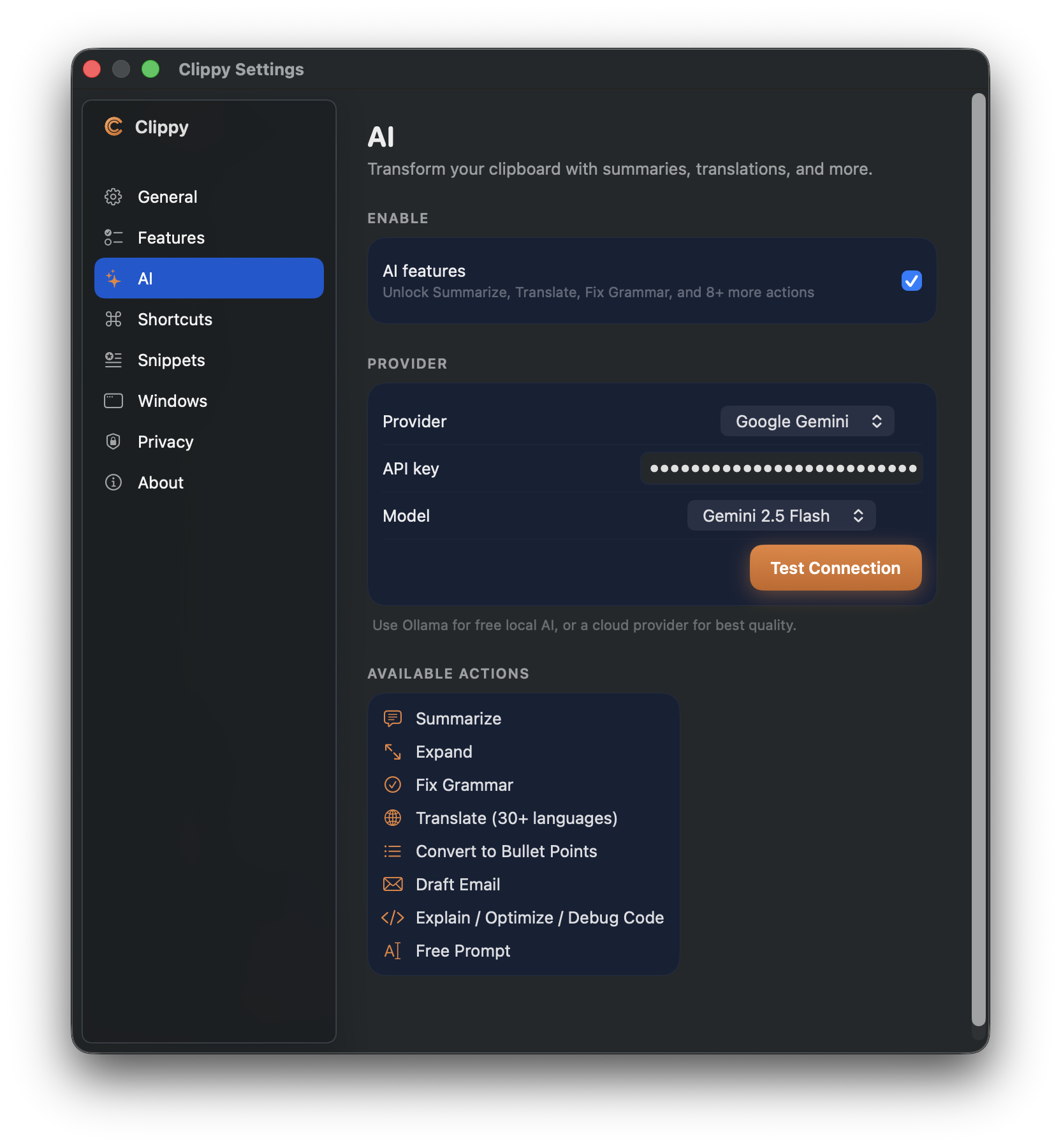
### AI
Pick a provider (Ollama, OpenAI, Anthropic, Google Gemini), paste your
API key, choose a model, test the connection. Available actions at the
bottom tell you exactly what Clippy will offer on your cards.
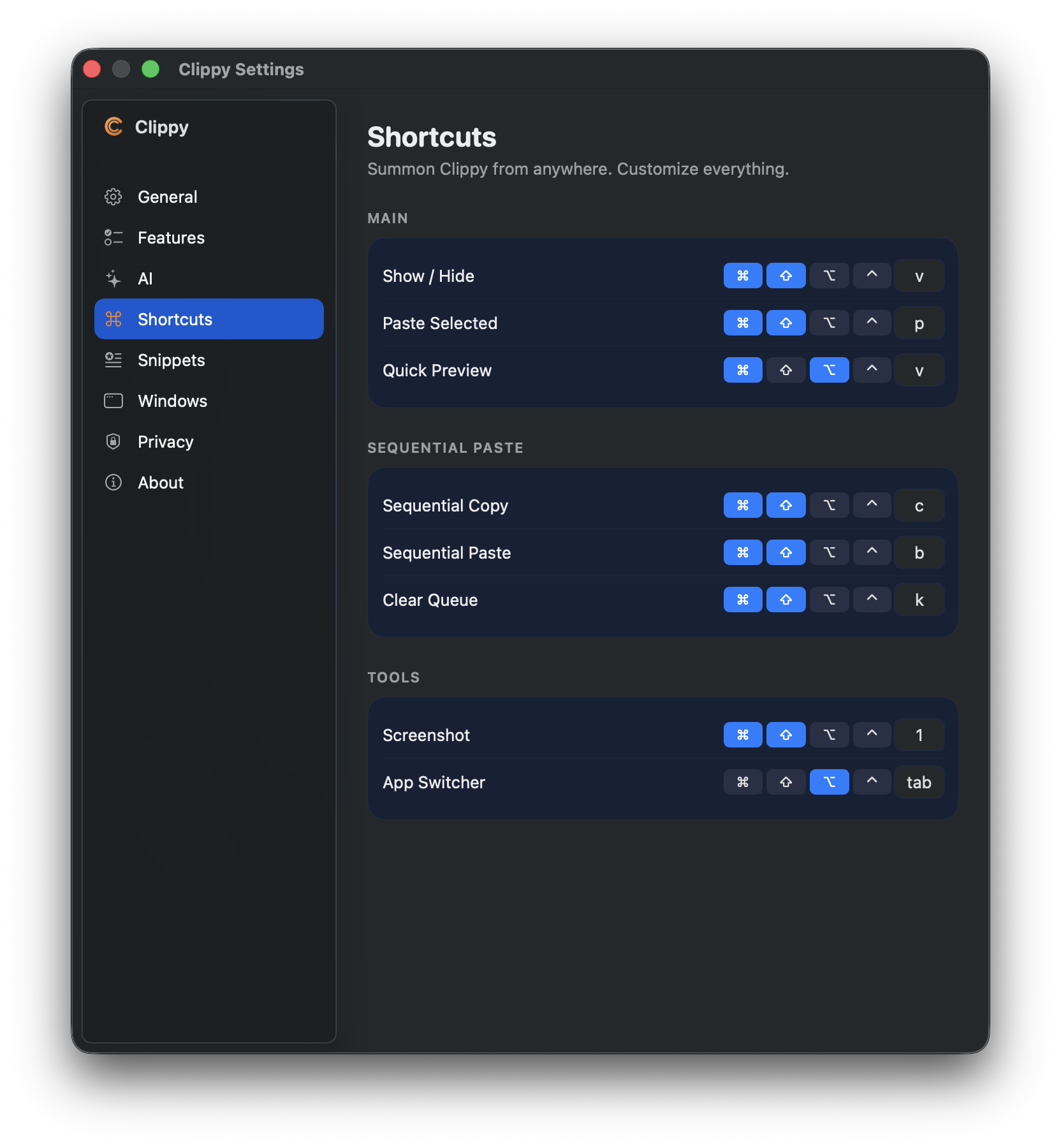
### Shortcuts
Rebind every hotkey — Show/Hide, Paste Selected, Quick Preview,
Sequential Copy/Paste, Clear Queue, Screenshot, App Switcher.
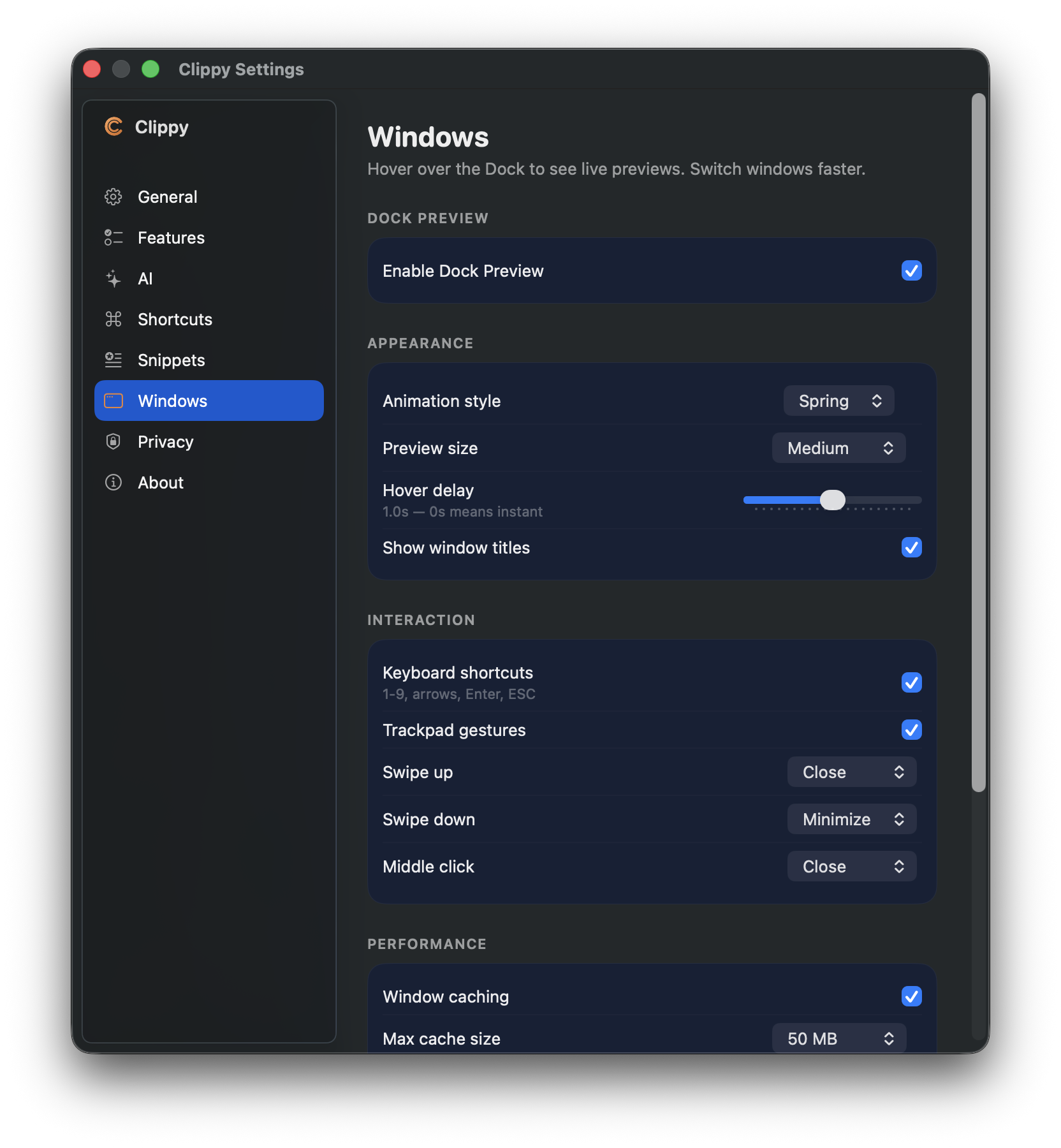
### Windows (Dock Preview)
Tune the Dock Preview: animation style, preview size, hover delay,
trackpad gestures, window caching, max cache size.
---
## Installation
### Download the DMG
1. Grab the latest `.dmg` from **[Releases](https://github.com/yarasaa/Clippy/releases/latest)**
2. Double-click, drag **Clippy.app** to `/Applications`
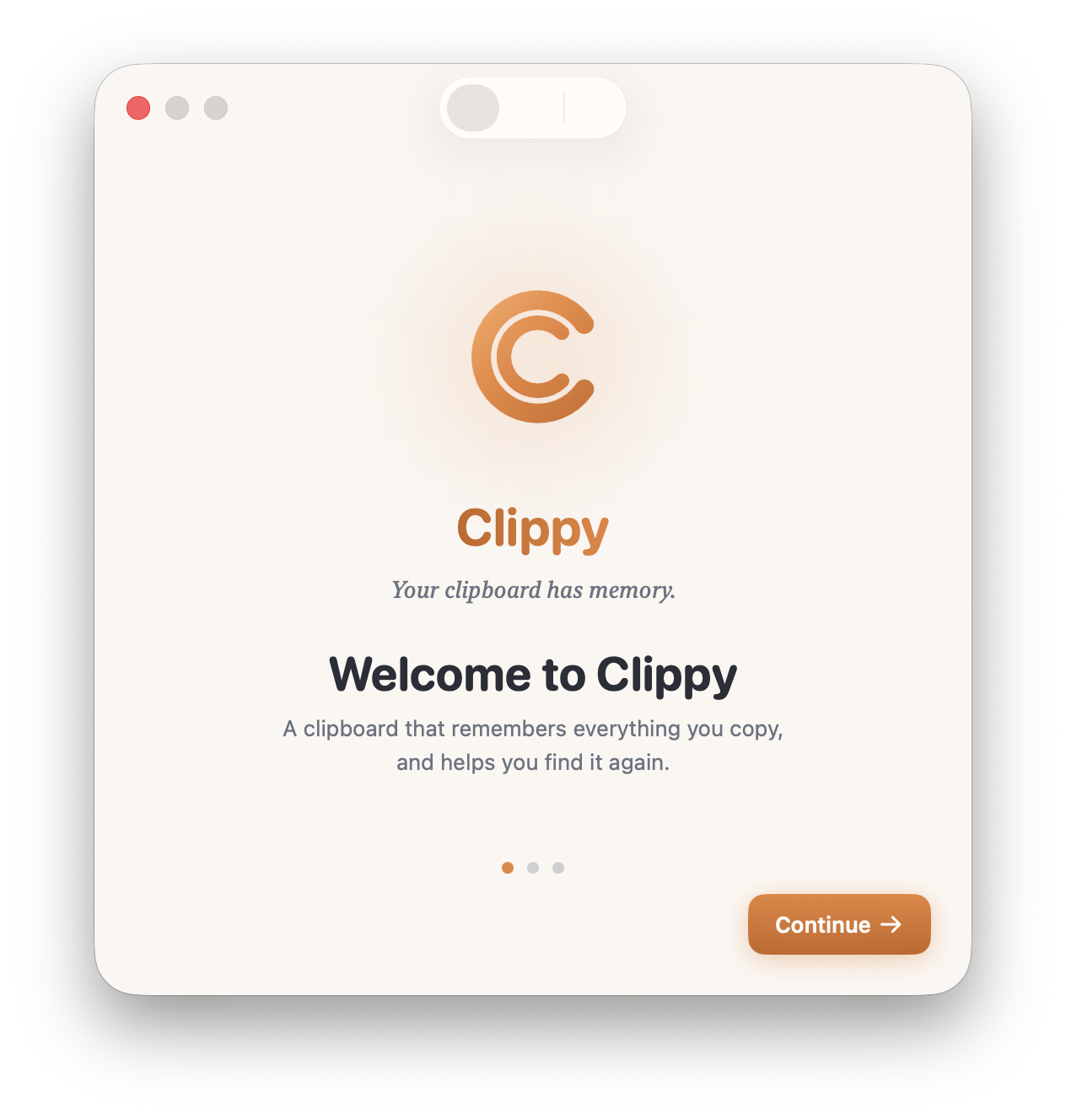
3. Launch — a short onboarding walks you through setup
### Auto-updates
Clippy ships with [Sparkle](https://sparkle-project.org/). New versions are
checked in the background every 24 hours, or on demand via
**Settings → General → Check Now**. Updates are cryptographically signed
(EdDSA) so only the real Clippy can push them to your install.
### Build from source
```bash
git clone https://github.com/yarasaa/Clippy.git
cd Clippy
open Clippy.xcodeproj
# Product → Run (⌘R) in Xcode
```
Requirements: macOS 13+, Xcode 16+, Swift 5.9+.
---
## Keyboard shortcuts
All rebindable from **Settings → Shortcuts**.
| Action | Default |
|---|---|
| Show/Hide Clippy popover | `⌘⇧V` |
| Quick Preview overlay | `⌘⌥V` |
| Paste All selected | `⌘⏎` |
| Sequential Copy | `⌘⇧C` |
| Sequential Paste | `⌘⇧V` (overridden) |
| Take Screenshot | `⌘⇧S` |
| App Switcher | `⌘⇥` (when enabled) |
Quick Preview overlay has its own nav keys — `1`-`9` to paste, `↑↓` to
move, `esc` to dismiss.
---
## Privacy
Clippy stores everything on your Mac, in CoreData, under your user account.
- **No network calls** except for:
- Optional AI transformations (only if you enable them and only to the
provider you choose — Ollama runs fully local)
- Auto-update checks to `raw.githubusercontent.com/yarasaa/Clippy`
- **No analytics, telemetry, or account system**
- **Source app tracking** can be disabled in Settings → Features
- **Encrypted items** — lock sensitive clipboard entries so they show
up as "Encrypted content" until you authenticate
See [PRIVACY.md](PRIVACY.md) (coming soon) for the full breakdown.
---
## Contributing
Clippy is open source and community contributions are very welcome.
- Bugs / feature requests: [GitHub Issues](https://github.com/yarasaa/Clippy/issues)
- Code contributions: fork, branch, PR against `main`
- Larger changes: open an issue first to discuss direction
Releasing (maintainers only) — see [docs/SPARKLE_SETUP.md](docs/SPARKLE_SETUP.md).
---
## Credits
- **Sparkle** for the auto-update framework
- **HotKey** for global keyboard shortcuts
- **Ollama**, **OpenAI**, **Anthropic**, **Google** for AI access
- Everyone who filed bugs, tested builds, and pushed for the Ember redesign
## Support the work
If Clippy makes your life easier, a coffee keeps it going:

---
## License
MIT — see [LICENSE](LICENSE).