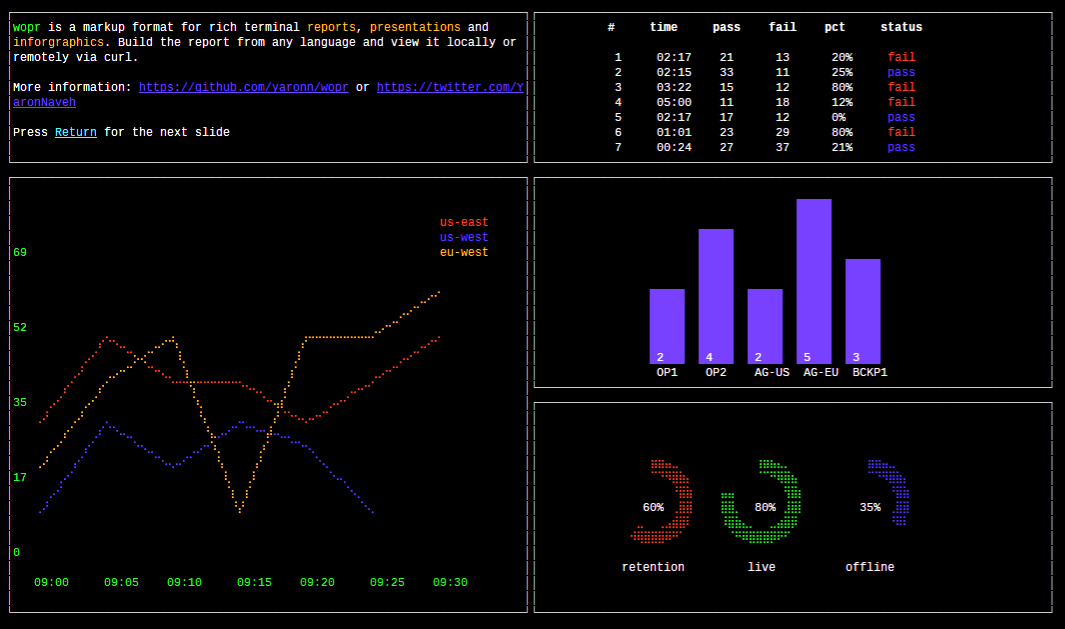
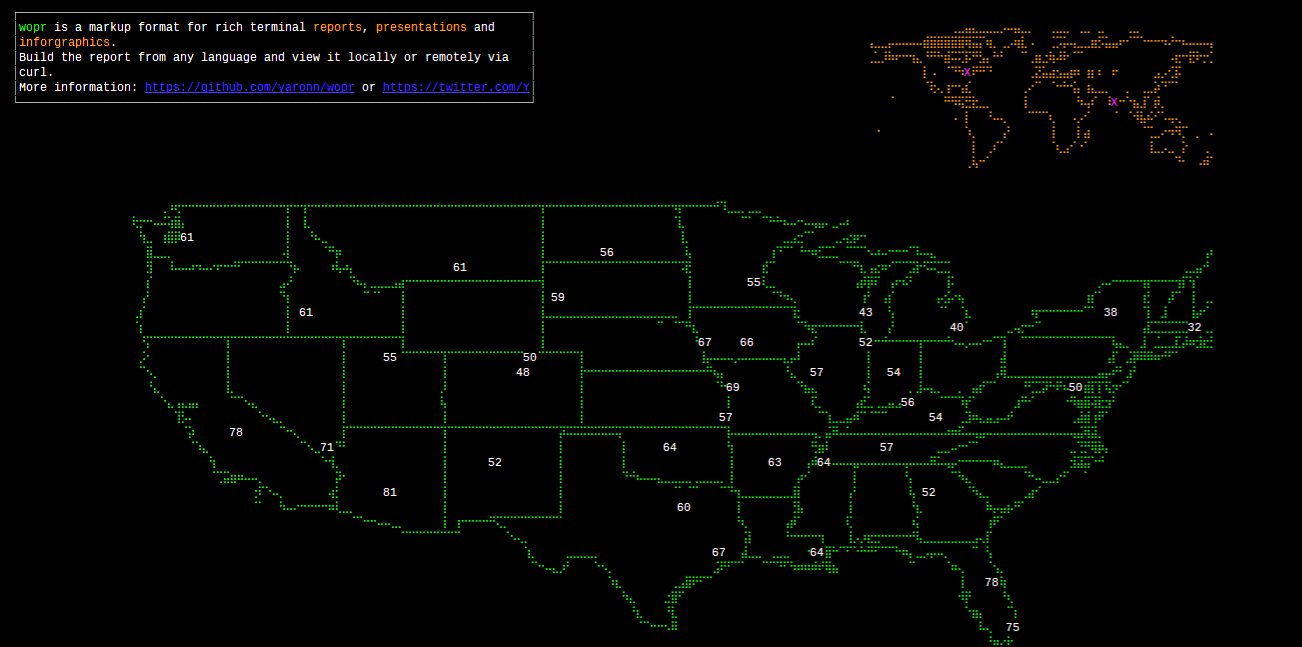
# WOPR WOPR is a simple markup language for creating [rich terminal reports](https://github.com/yaronn/blessed-contrib), presentations and infographics. Put [a report](https://raw.githubusercontent.com/yaronn/wopr/master/examples/sample.xml) on the web (e.g. gist) and view it via curl: `````bash $> curl -N tty.zone/\[0-2\]\?auto\&cols=$((COLUMNS)) ````` (If you experience firewall issues replace tty.zone with ec2-23-21-64-152.compute-1.amazonaws.com or use a [local viewer](https://github.com/yaronn/wopr#viewing-reports)) Created by Yaron Naveh ([@YaronNaveh](https://twitter.com/YaronNaveh)) ![](./examples/images/charts.png "term") ![](./examples/images/map.png "term") ##Writing your first terminal report## Here is a simple report with a bar chart: `````xml ````` You have 3 options to view this report: **Option 1: POST it to the wopr online viewer** `````bash $> curl --data '' tty.zone\?cols=$((COLUMNS)) ````` If you experience firewall issues replace tty.zone with ec2-23-21-64-152.compute-1.amazonaws.com. **Note:** The online viewer is a reference implementation. Do not send it secret data but rather create [your own](https://github.com/yaronn/wopr/tree/master/server). **Option 2: POST it from external url** Save the report content in some url (e.g. gist) and then: `````bash $> a=$(curl -s https://gist.githubusercontent.com/yaronn/e6eec6d0e7adac63c83f/raw/50aca544d26a32aa189e790635c8679067017948/gistfile1.xml); curl --data "$a" tty.zone\?cols=$((COLUMNS)) ````` (note you need the gist raw url) If you experience firewall issues replace tty.zone with ec2-23-21-64-152.compute-1.amazonaws.com. **Note:** The online viewer is a reference implementation. Do not send it secret data but rather create [your own](https://github.com/yaronn/wopr/tree/master/server). **Option 3: Via the local viewer** Save the report xml to report.xml and then: `````bash $> npm install -g wopr $> wopr report.xml ````` Note the local viewer does not send anything online and does not require network. ![](./examples/images/charts.png "term") ##Markup Basics# **Pages** A document is a set of pages: `````xml ... ... ````` **Layout** A page is a 12x12 grid in which you can position different widgets: `````xml ````` Here, the bar widget is in the first column and row (0-based indexing) and spans three columns and rows. The box element is in the same page but in a different position. **Widgets** The available widgets are the ones that exist in the [blessed](https://github.com/chjj/blessed) and [blessed-contrib](https://github.com/yaronn/blessed-contrib) projects. You can infer the xml representation of a javascript widget using a simple convention. Assume that you would instantiate some blessed widget with this javascript: `````javascript blessed.widget({ string: "5" , int: 1 , intArray: [1,2,3] , stringArray: ["a", "b", "c"] , multiArray: [ [1,2,3], [4,5,6] ] , complexArray: [ {a: 1, b: [1,2] }, {a: 3, b: [3,4]} ] , object: { innerProp: 1, multiArray: [ [1,2], [3,4] ] } }) ````` Then here is how you would represent it in xml: `````xml 1,2,3 4,5,6 1,2 3,4 ````` You can also look at the [demo xml](https://raw.githubusercontent.com/yaronn/wopr/master/examples/sample.xml) to get more samples. ![](./examples/images/map.png "term") ##Viewing Reports## Depending on how you use a report, you have a few ways to view it. On Windows you will probably only be able to use the third option and need to [install the fonts](http://webservices20.blogspot.com/2015/04/running-terminal-dashboards-on-windows.html) for best view. **Option 1: POST it to the wopr online viewer** `````bash $> curl --data '' tty.zone\?cols=$((COLUMNS)) ````` If you experience firewall issues replace tty.zone with ec2-23-21-64-152.compute-1.amazonaws.com. **Option 2: POST it from external url** Save the report content in some url (e.g. gist) and then: `````bash $> a=$(curl -s https://gist.githubusercontent.com/yaronn/e6eec6d0e7adac63c83f/raw/50aca544d26a32aa189e790635c8679067017948/gistfile1.xml); curl --data "$a" tty.zone\?cols=$((COLUMNS)) ````` (note you need the gist raw url) If you experience firewall issues replace tty.zone with ec2-23-21-64-152.compute-1.amazonaws.com. Tip: If you use a url shortener (e.g. bit.ly) add the -L flag to curl to follow redirects. **Option 3: via the local viewer** Save the report xml to report.xml and then: `````bash $> npm install -g wopr $> wopr report.xml ````` Note the local viewer does not send anything online and does not require network. **Tip:** Maximize the terminal before viewing the report for best viewing experience **Tip:** If you CTRL+C in the middle or rendering your cursoe might disappear. Restore it by running again and letting the render complete or with `$> echo '\033[?25h'` **View customization** When using the online reports, you might need to adjust the slides size based on your font / resolution or use non-xterm terminal. tty.zone supports the following query params: `````bash curl -N tty.zone\?\&cols=200\&rows=50\&terminal=xterm ````` You can infer them automatically from your environment: `````bash curl -N tty.zone\?\&cols=$((COLUMNS))\&rows=$((LINES-5))\&terminal=${TERM} ````` It is best to escape all special characters (e.g. ? &) as seen in the above samples, since some shells will require this (zsh). **Pages** When viewing a report with the local viewer you can advance slides with the Return or Space keys. When using the online viewer you have 2 options: **Option 1:** Manually advance slides with Return or Space: `````bash p=0; while true; do curl tty.zone/$((p++))\?cols=$((COLUMNS)); read; done ````` **Option 2:** Slides advance automatically every 5 seconds: `````bash curl -N tty.zone/\[0-2\]\?auto\&cols=$((COLUMNS)) ````` Where 0 is the index of the first slide and 2 of the last slide. Keep the brackets in the url (they are not to express optional argument) and escape them as in the above sample. Tip: disable curl buffering with the -N flag You can also view a specific slide (#4 in this case): `````bash curl --data '...' tty.zone/4\?cols=$((COLUMNS)) ````` ##License## MIT ## More Information Created by Yaron Naveh ([twitter](http://twitter.com/YaronNaveh), [blog](http://webservices20.blogspot.com/))