A framework for building Django admin tools, with a centralized dashboard to manage them
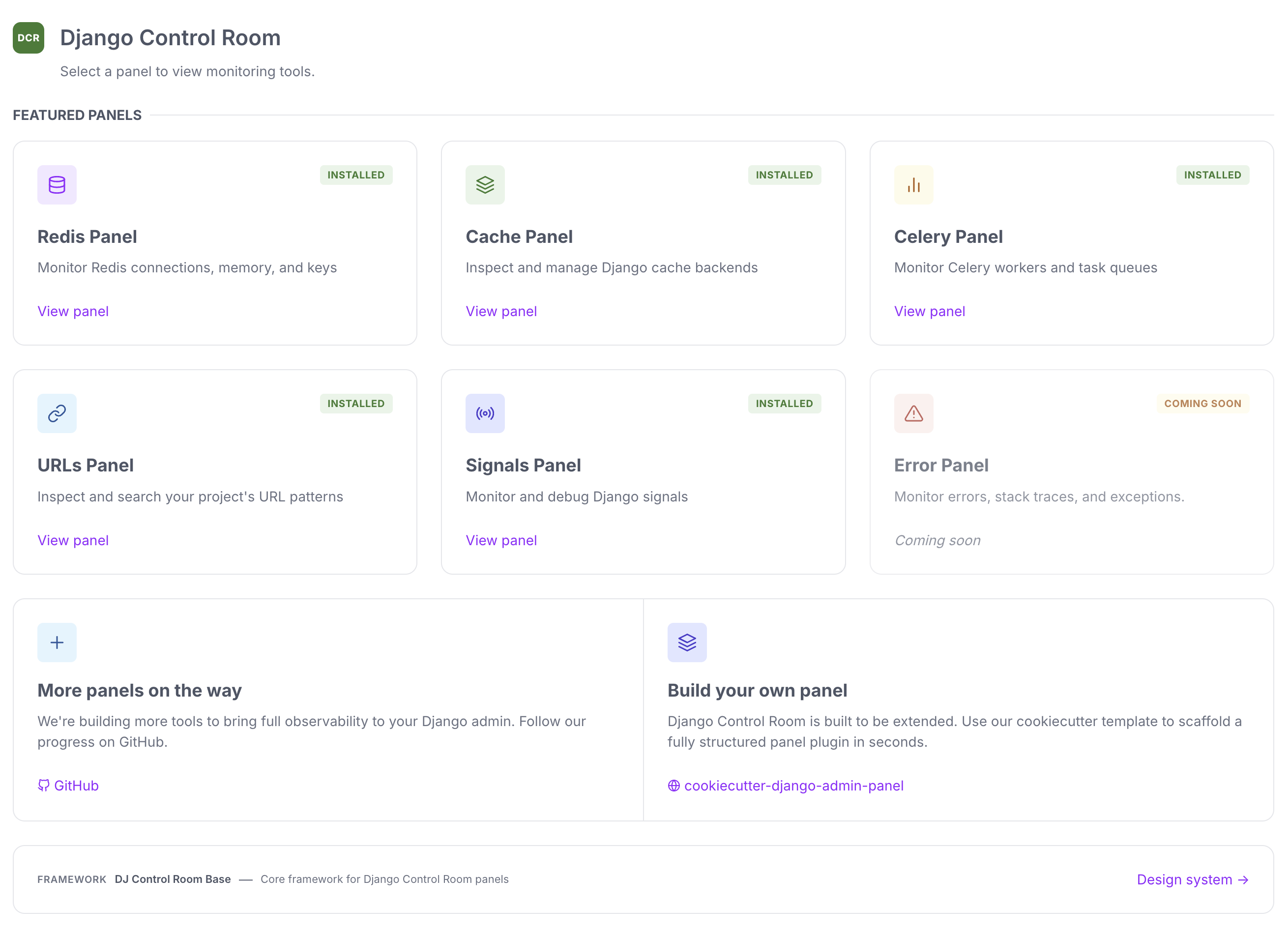
--- Django Control Room is a **plugin framework for building Django admin tools** (called "panels"), it's also a suite of official panels for managing all sorts of services like `Redis`, `Celery`, `Caches` and inspecting Django internals like `URLs` and `Signals`. Every panel - official or third-party - is a small, independent Python package built on the same public plugin API/SDK available in [dj-control-room-base](https://github.com/django-control-room/dj-control-room-base). Install `dj-control-room` and it discovers every compatible panel via Python entry points, renders it in a centralized dashboard, and gives it a shared design system, permissions model, and admin sidebar integration - all for free. The [Official Panels](#official-panels) below are reference implementations of that same framework - a starting point, not the whole story. See [Creating Custom Panels](#creating-custom-panels) to build your own. ## Features - **Plugin Framework** - Build your own admin tools with the core libs in [dj-control-room-base](https://github.com/django-control-room/dj-control-room-base); your panels behave exactly like the official ones - **Centralized Dashboard** - Every installed panel, official or custom, is discovered automatically and displayed in one place - **Beautiful UI** - Modern, responsive design with dark mode support, shared across every panel via a common design system - **Secure** - Package verification prevents panel hijacking - **Easy Integration** - Works seamlessly with Django admin - **Official Panels** - Pre-built panels for common tasks, built on the same framework available to you - **django-unfold theme adapter** - opt-in stylesheet that remaps colors to match [django-unfold](https://github.com/unfoldadmin/django-unfold)'s accent/neutral palette (see [Theme adapters](https://django-control-room.github.io/dj-control-room/configuration/#theme-adapters)) 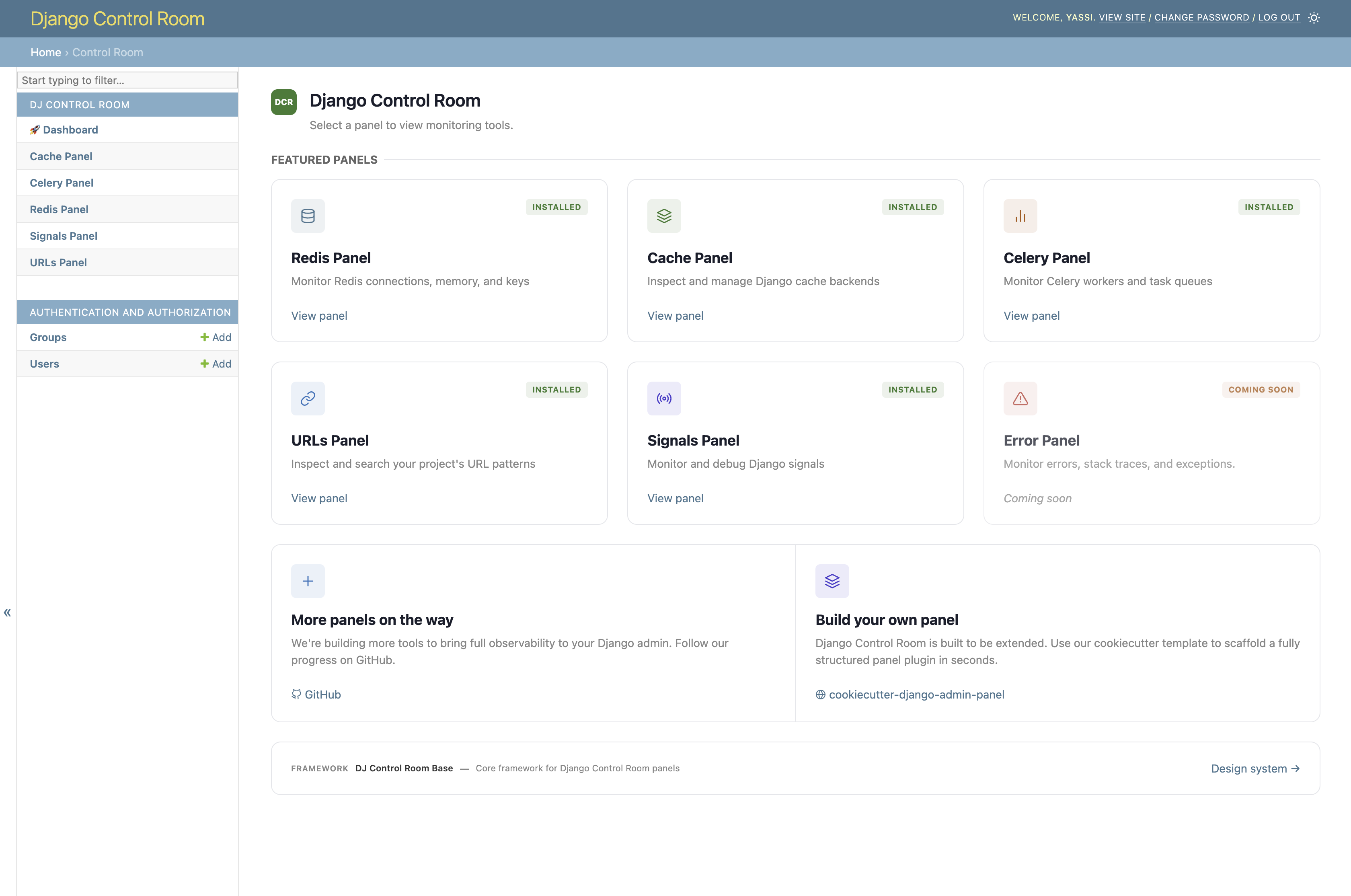 ### django-unfold Theme When running under [django-unfold](https://github.com/unfoldadmin/django-unfold), enable the bundled `unfold.css` [theme adapter](https://django-control-room.github.io/dj-control-room/configuration/#theme-adapters) via `EXTRA_CSS` to match the dashboard's colors to the host site's accent and neutral palette. This is opt-in - it is **not** applied automatically just because django-unfold is installed. ```python DJ_CONTROL_ROOM_SETTINGS = { 'EXTRA_CSS': ['dj_control_room_base/css/themes/unfold.css'], } ``` 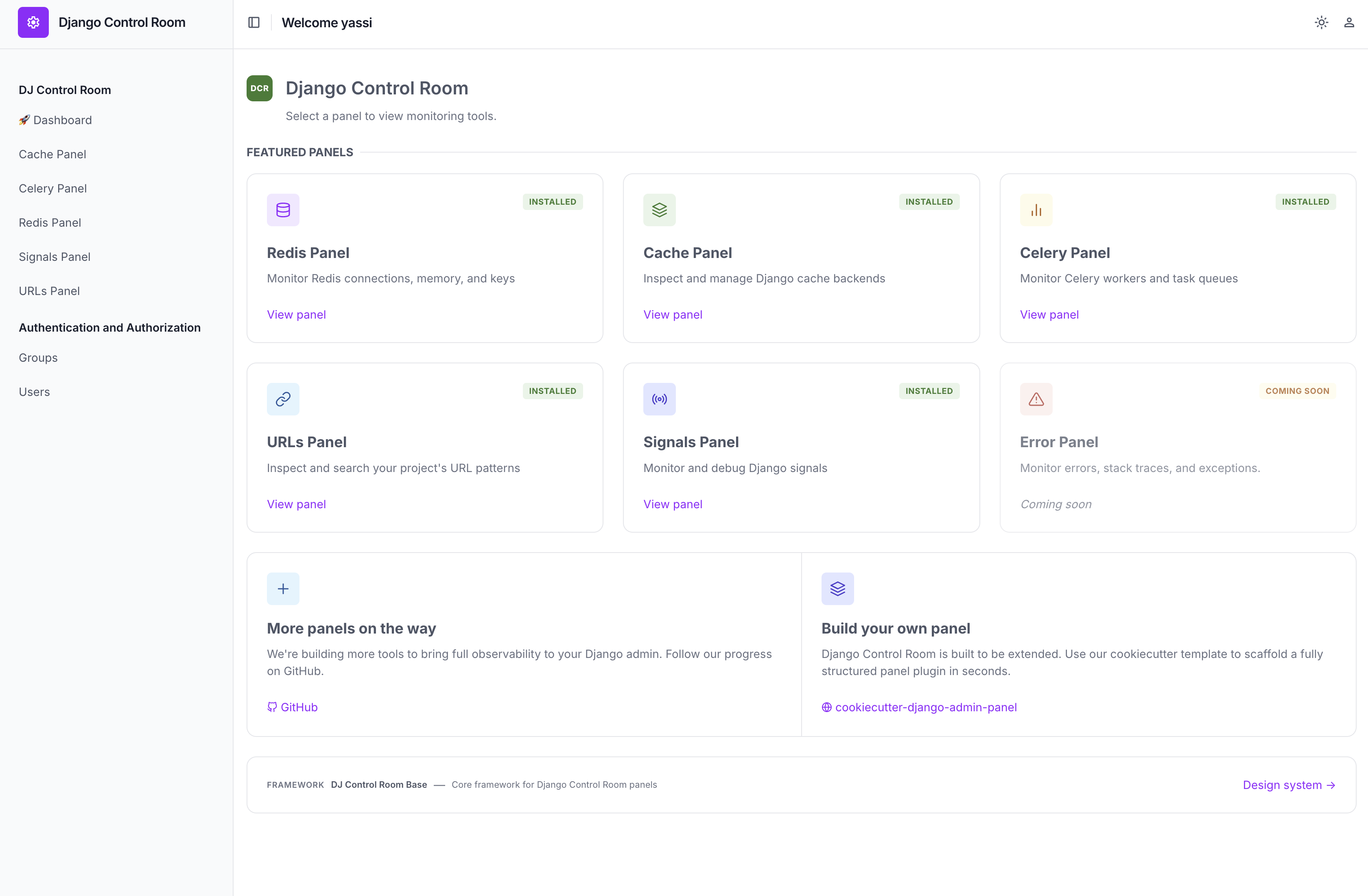 ## Installation ### Basic Installation ```bash pip install dj-control-room ``` ### Install with Official Panels ```bash # Install with specific panels pip install dj-control-room[redis,cache,urls] # Or install with all official panels pip install dj-control-room[all] ``` **Available panel extras:** - `redis` - Redis connection manager and inspector - `cache` - Django cache backend inspector - `urls` - URL pattern browser and tester - `celery` - Celery task monitor - `signals` - Django signals/recievers inspection - `all` - All official panels ## Quick Start ### 1. Add to INSTALLED_APPS ```python # settings.py INSTALLED_APPS = [ 'django.contrib.admin', 'django.contrib.auth', 'django.contrib.contenttypes', 'django.contrib.sessions', 'django.contrib.messages', 'django.contrib.staticfiles', # Required: shared core library (template tags + design system) 'dj_control_room_base', # Add any panels you installed 'dj_redis_panel', 'dj_cache_panel', 'dj_urls_panel', # Then add Django Control Room 'dj_control_room', # Your apps # ... ] ``` ### 2. Configure URLs ```python # urls.py from django.contrib import admin from django.urls import path, include urlpatterns = [ # Panel URLs (include each panel you installed) path('admin/dj-redis-panel/', include('dj_redis_panel.urls')), path('admin/dj-cache-panel/', include('dj_cache_panel.urls')), path('admin/dj-urls-panel/', include('dj_urls_panel.urls')), # Control Room dashboard path('admin/dj-control-room/', include('dj_control_room.urls')), # Django admin path('admin/', admin.site.urls), ] ``` ### 3. Access the Control Room 1. Run migrations: `python manage.py migrate` 2. Start your server: `python manage.py runserver` 3. Navigate to `http://localhost:8000/admin/dj-control-room/` ## Admin Sidebar Integration All installed panels appear in the Django admin sidebar under "Django Control Room":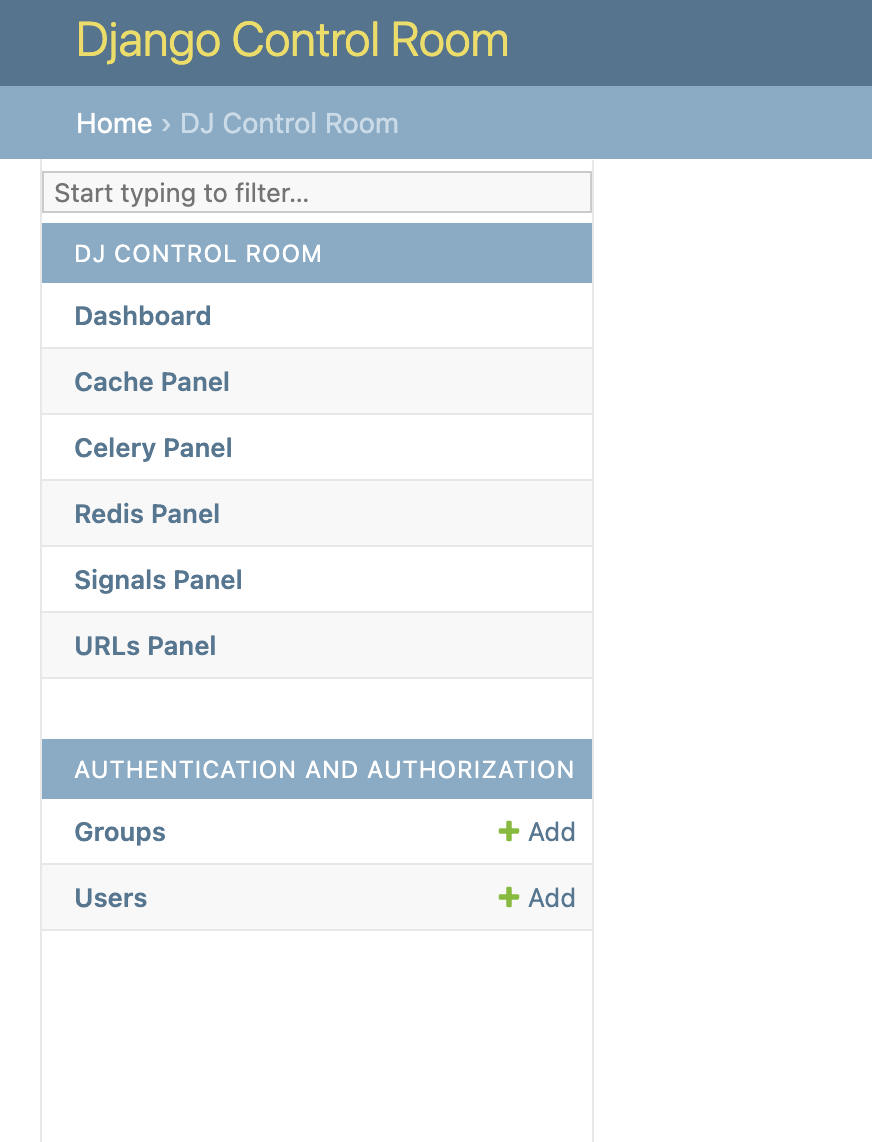 ### Control Sidebar Behavior (Optional)
```python
# settings.py
DJ_CONTROL_ROOM_SETTINGS = {
# Global: Show panels in both Control Room and their own sections
'REGISTER_PANELS_IN_ADMIN': False, # Default: False
# Per-panel: Override for specific panels
'PANEL_ADMIN_REGISTRATION': {
'dj_redis_panel': True, # Redis in both places
'dj_cache_panel': False, # Cache only in Control Room
},
# CSS: load built-in styles and/or inject your own
'LOAD_DEFAULT_CSS': True,
# Static paths are relative to app's static/ dir (e.g. 'myapp/css/overrides.css'
# for a file at myapp/static/myapp/css/overrides.css). Full URLs also accepted.
'EXTRA_CSS': [],
}
```
## Official Panels
These are reference panels built using the same plugin framework described above - a great way to see it in action, and a starting point if you want to build your own.
### Control Sidebar Behavior (Optional)
```python
# settings.py
DJ_CONTROL_ROOM_SETTINGS = {
# Global: Show panels in both Control Room and their own sections
'REGISTER_PANELS_IN_ADMIN': False, # Default: False
# Per-panel: Override for specific panels
'PANEL_ADMIN_REGISTRATION': {
'dj_redis_panel': True, # Redis in both places
'dj_cache_panel': False, # Cache only in Control Room
},
# CSS: load built-in styles and/or inject your own
'LOAD_DEFAULT_CSS': True,
# Static paths are relative to app's static/ dir (e.g. 'myapp/css/overrides.css'
# for a file at myapp/static/myapp/css/overrides.css). Full URLs also accepted.
'EXTRA_CSS': [],
}
```
## Official Panels
These are reference panels built using the same plugin framework described above - a great way to see it in action, and a starting point if you want to build your own.
Official Site • Star us on GitHub • Report Bug • Request Feature