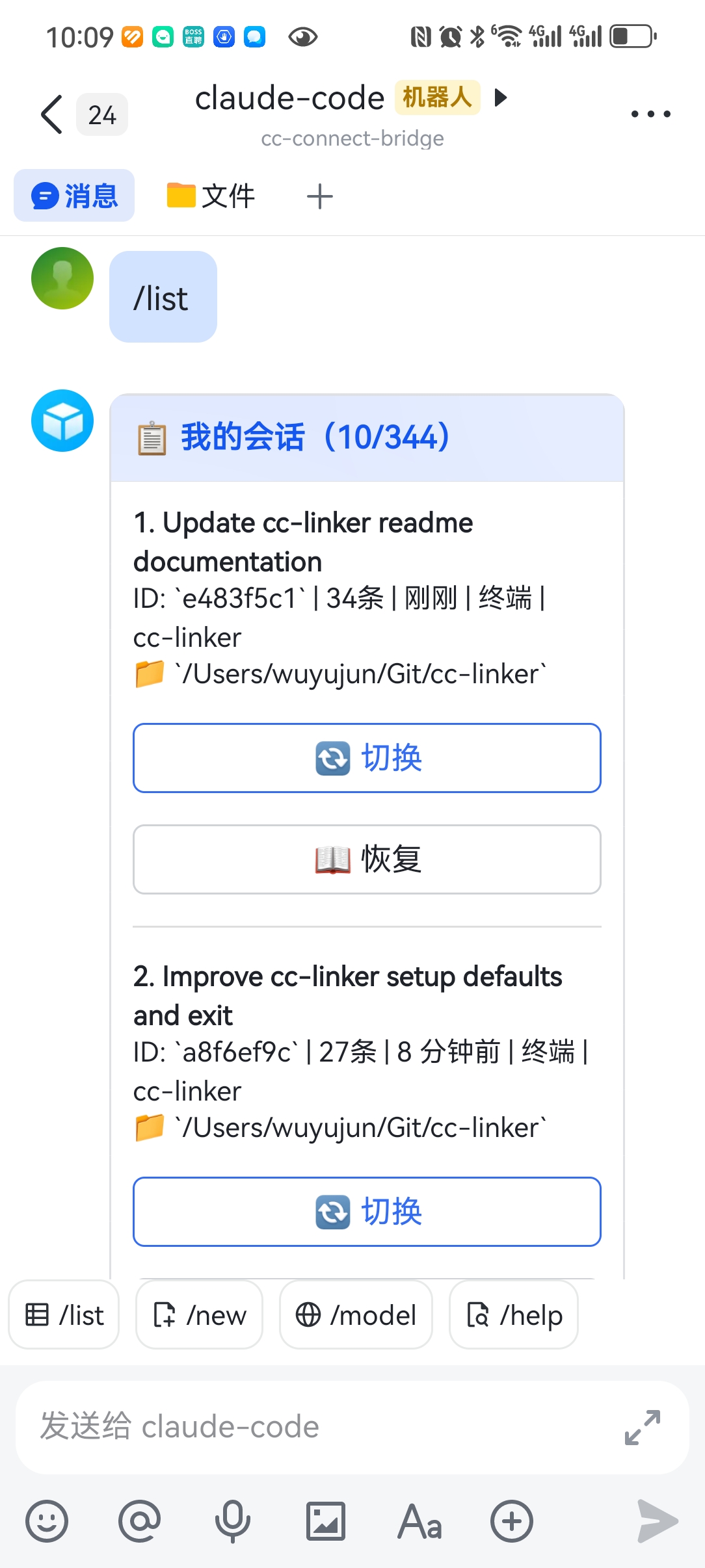
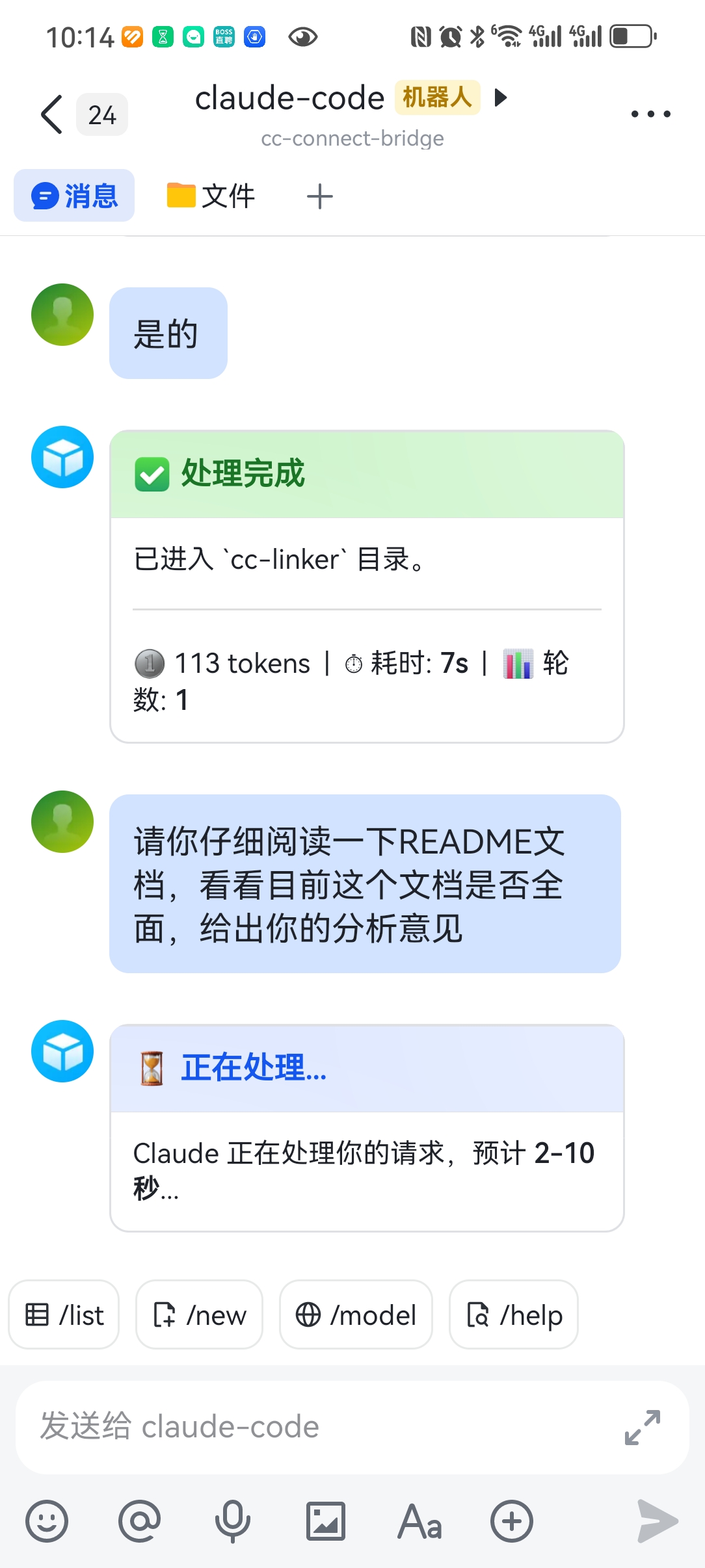
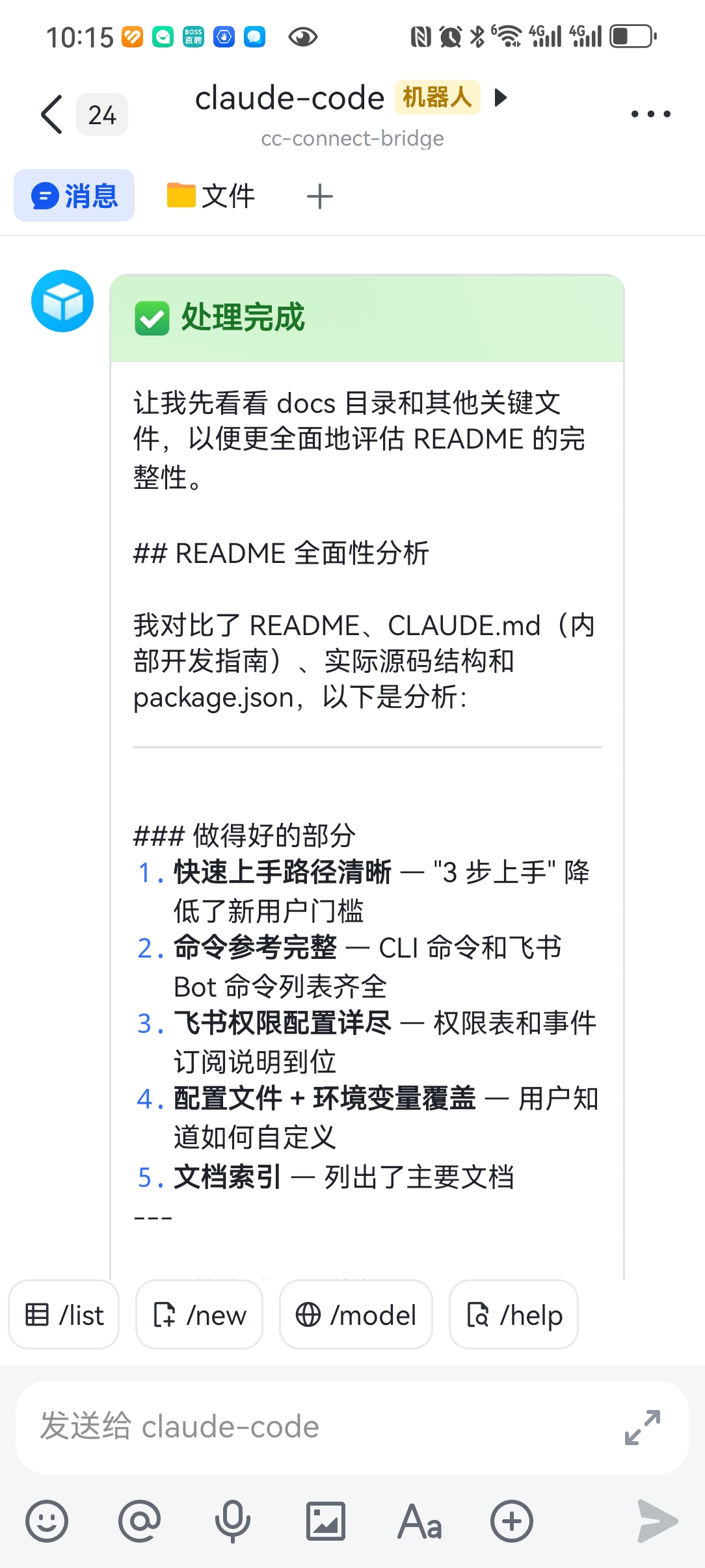
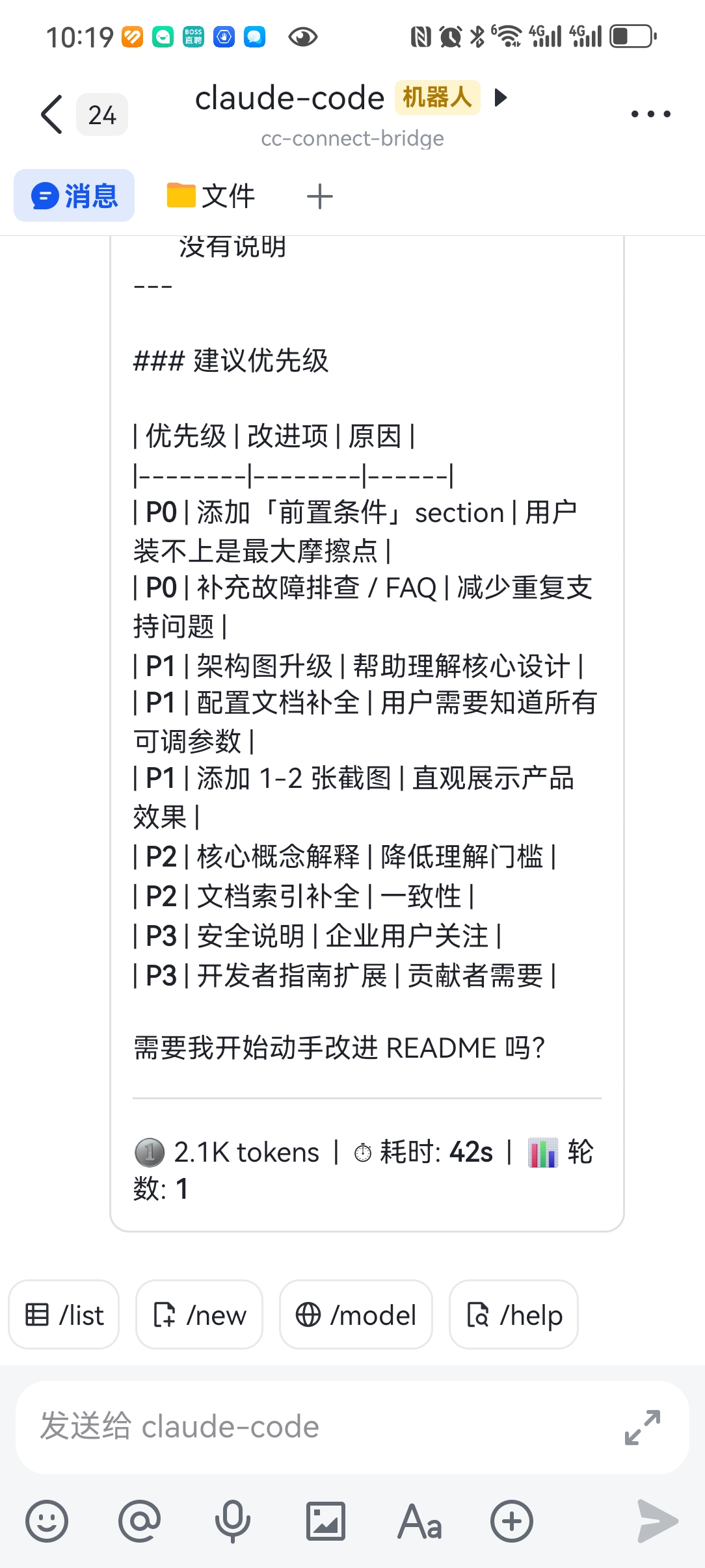
# cc-linker > Seamless switching between mobile chat apps and terminal (Claude Code CLI) conversations — like switching devices. > > **Currently supports Feishu**, with more chat platforms coming soon. [![npm version](https://img.shields.io/npm/v/cc-linker)](https://www.npmjs.com/package/cc-linker) [![License: MIT](https://img.shields.io/badge/License-MIT-blue.svg)](LICENSE) **Language:** [中文](README.md) | English ## Why cc-linker? Have you ever found yourself in these situations: - **Chat on your phone during commute, continue on terminal at work** — Discuss technical solutions with the Bot via Feishu on the subway, then at the office run `cc-linker list` to find the session and `resume` to pick up right where you left off - **Quick questions on Feishu, deep debugging on terminal** — Ask a quick API usage question on Feishu, realize you need local debugging, and switch to the same session on terminal to keep coding with Claude - **Multiple projects, sessions stay organized** — Talk to Claude across `project-a` and `project-b` simultaneously, use `/list` to clearly see each session's directory and status, and switch with one click without getting confused **cc-linker is the bridge tool that solves these pain points.** It maintains a unified session registry on your machine, allowing mobile chat apps and Claude Code CLI to share the same session state — no matter which side you start a conversation on, you can seamlessly switch to the other. > **Currently supports Feishu**, with more chat platforms coming soon. ## Features | Feature | Description | |---------|-------------| | Seamless cross-device switching | Chat app sessions resumed on terminal (with context & directory); terminal sessions visible in chat app | | Streaming card interaction | See Claude's thinking, tool_use summary (≤80 chars), and replies in real-time in your chat app, with a 5s tick showing elapsed time — no more "spinning wait" | | SDK permission control | Optional SDK mode: approve/deny each tool use via interactive cards before Claude executes | | Image message support | Feishu images are downloaded automatically and passed to Claude for analysis | | Directory browsing | Use `/listDir` to browse directories and choose where the next new session should start | | Unified session management | Auto-scan, incremental sync, no manual session list maintenance needed | | Multi-model switching | One-click model switch in cards, no config changes required | | Persistent message queue | File-level message queue survives crashes and restarts | | 3-step setup | `install → setup → start`, ready in 5 minutes | ## Showcase ### Chat App Experience (Feishu) > Currently supports Feishu, more platforms coming soon.
Session List
/list to view all sessions
Processing
Instant feedback after sending
Streaming Feedback
thinking + tool_use + reply, 5s tick
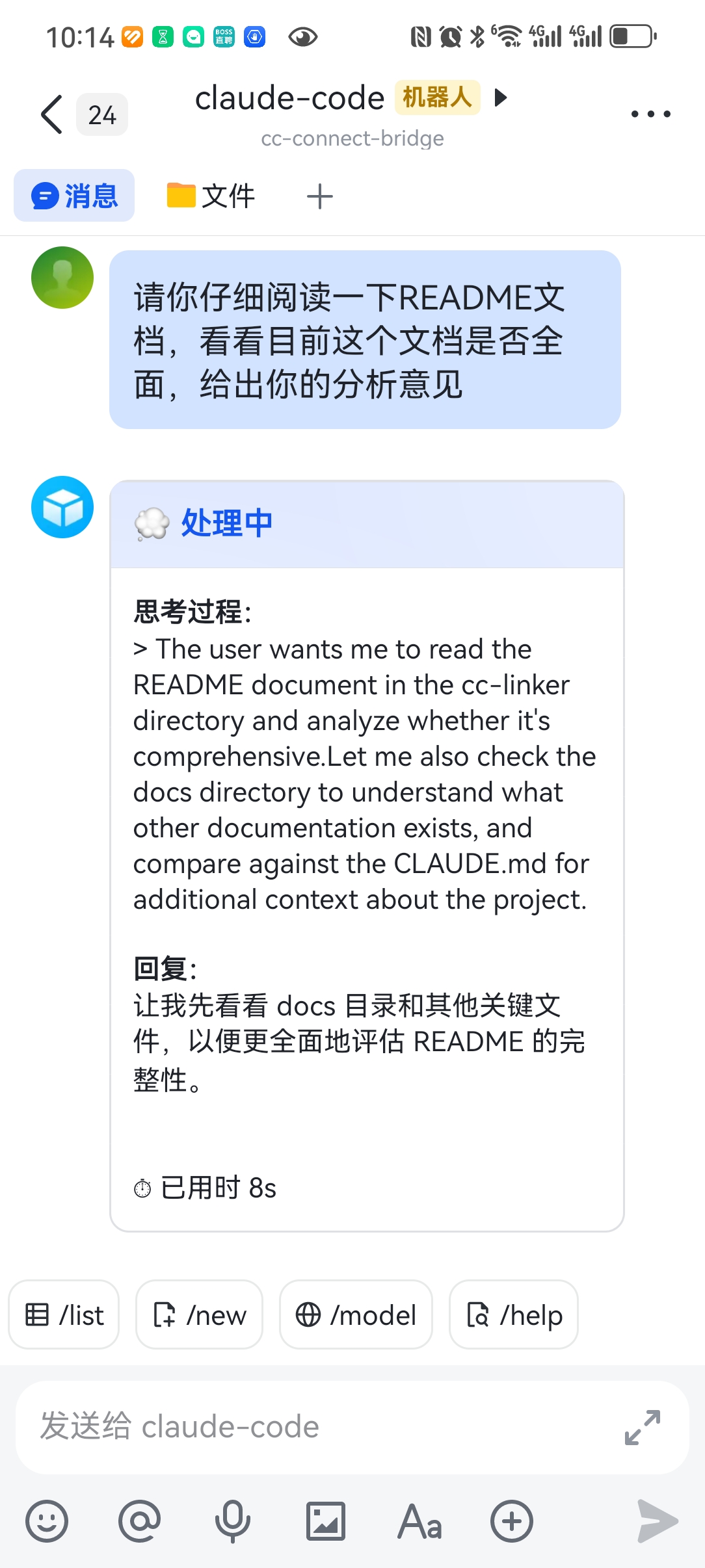
Feishu session list Processing Streaming thinking + tool_use + reply
Complete
Token / time / turn stats
Complete (Long Reply)
Long text displayed equally well
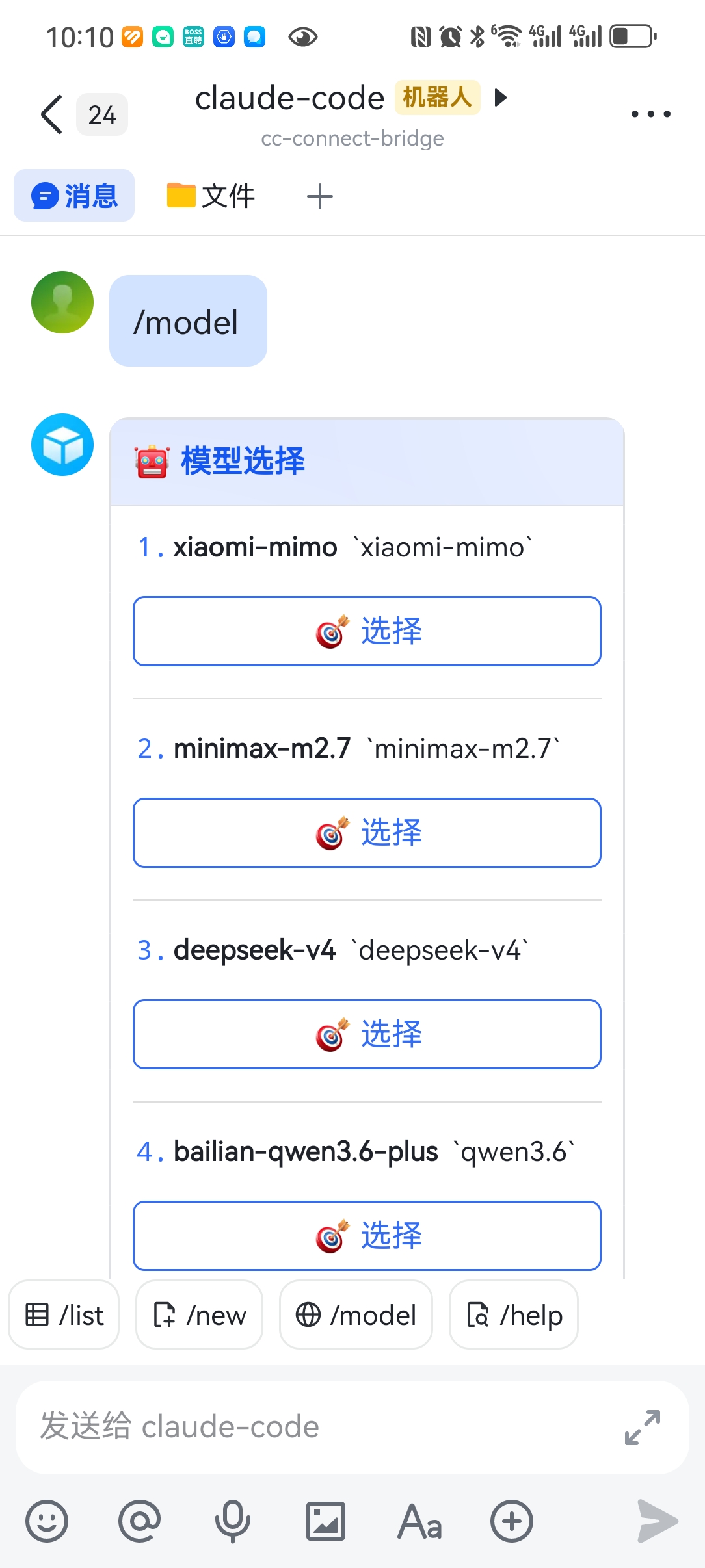
Model Switch
One-click switch via card buttons
Processing complete Complete - long reply Model selection
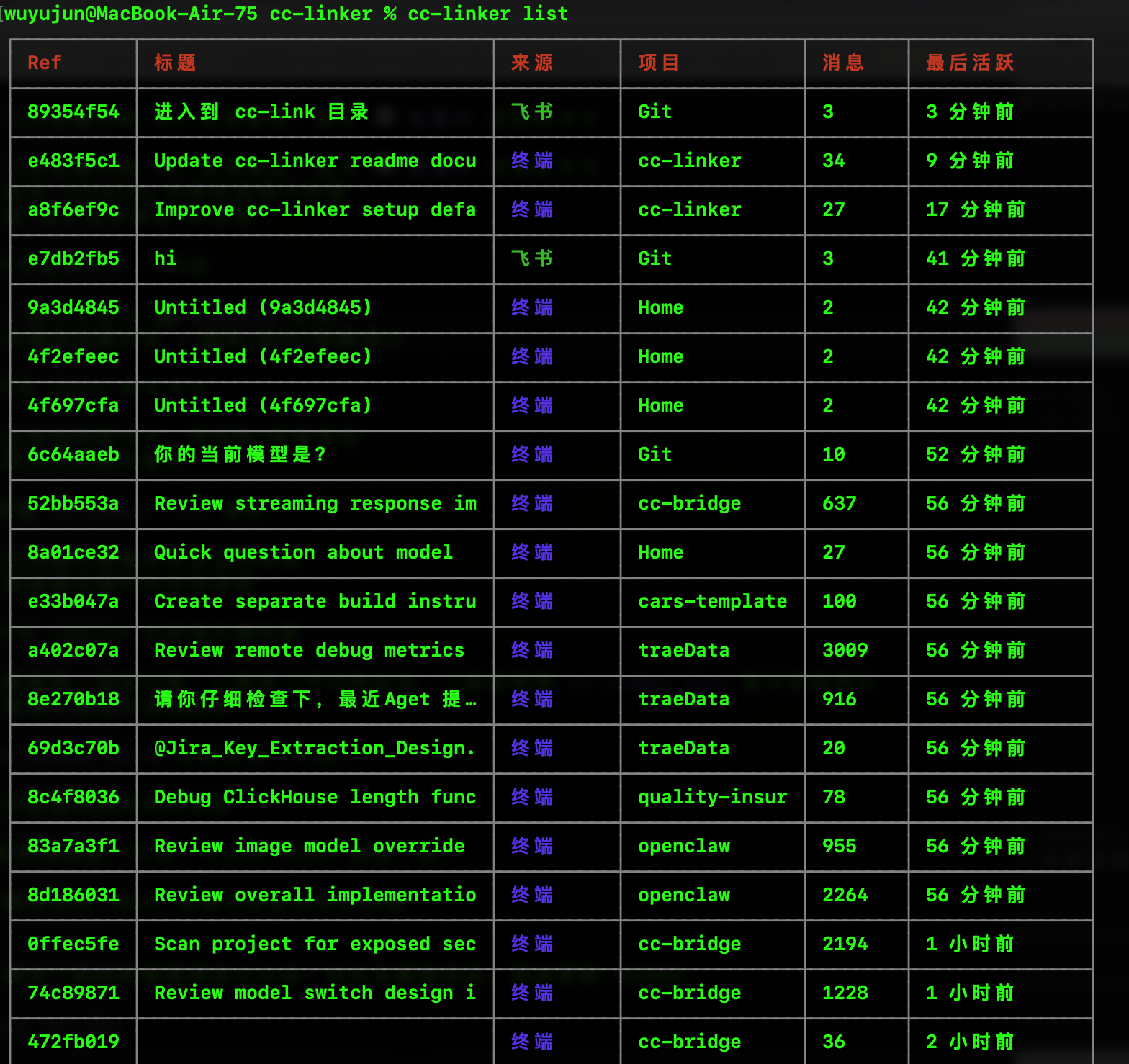
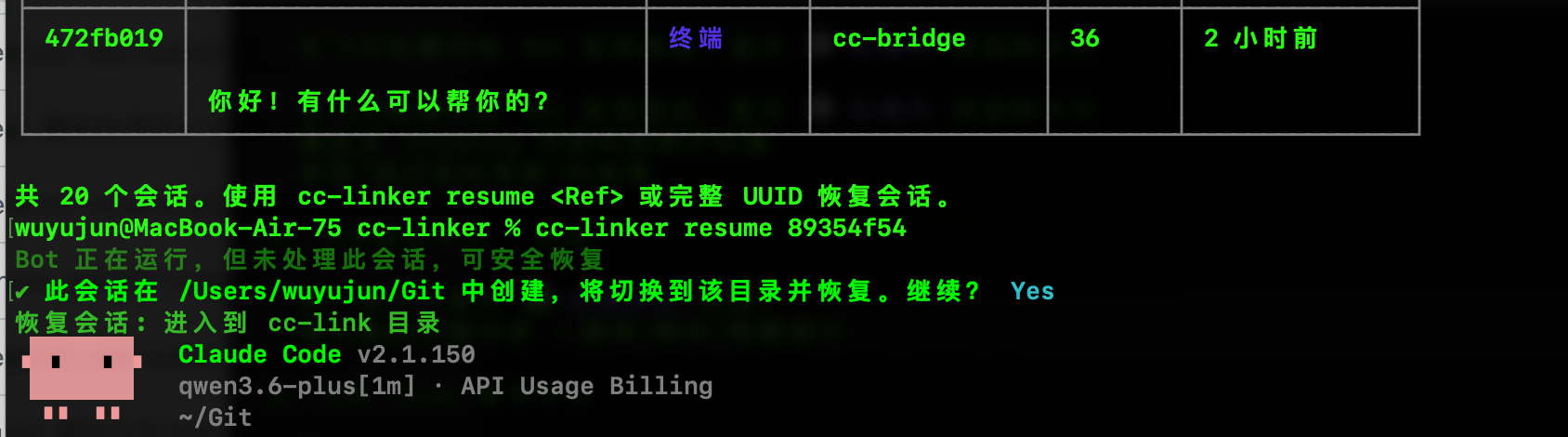
### Terminal Experience **View all sessions** — Clean table display, status at a glance: Terminal session list **Resume session with one click** — Supports prefix matching, auto-switches directory and restores context: Terminal resume session ## Quick Start ### 1. Install Bun (Required Runtime) cc-linker is built on Bun, so **Bun >= 1.0** is a hard prerequisite. **macOS / Linux:** ```bash curl -fsSL https://bun.sh/install | bash ``` **macOS (Homebrew):** ```bash brew tap oven-sh/bun && brew install bun ``` **Verify after install (open a new terminal first):** ```bash bun --version # should print >= 1.0.0 ``` > **Not working?** Your PATH wasn't updated. Manually add `~/.bun/bin` to `PATH`, or simply restart the terminal. ### 2. Install cc-linker **Option 1: Install globally via npm** (requires Node.js >= 20 to provide `npm`; cc-linker itself still needs Bun to run) ```bash npm install -g cc-linker@latest ``` **Option 2: Install globally via Bun** (recommended) ```bash bun add -g cc-linker ``` > **Update tip**: when running `npm install -g cc-linker@latest`, if the daemon is already running, it will automatically call `cc-linker restart` to upgrade to the new version — no manual restart needed. ### 3. One-Step Setup ```bash cc-linker setup ``` The interactive wizard guides you through: - Initializing the session registry - Installing the Claude Code auto-register hook - Configuring the chat app Bot (currently Feishu only: App ID + App Secret + auto-start) > **Need terminal-only features?** Run `cc-linker setup --skip-feishu` to skip chat app configuration. ### 4. Start Using | Scenario | Action | |----------|--------| | Send message in chat app (Feishu) | Direct conversation, streaming card updates in real-time | | View all sessions on terminal | `cc-linker list` | | Resume a session on terminal | `cc-linker resume ` | | Switch session in chat app (Feishu) | `/switch ` | | Choose a directory for the next new session (Feishu) | `/listDir` | | Create a new session in chat app (Feishu) | `/new [path] [--model ] [-- prompt]` | ## Command Reference ### CLI Commands ```bash cc-linker list # List all sessions cc-linker resume # Resume a session on terminal (supports prefix matching) cc-linker show # Show session details cc-linker sync # Manually sync sessions on both sides cc-linker search # Search sessions cc-linker export # Export session as Markdown/JSON/Text cc-linker clean # Clean up invalid records cc-linker status # Check bridge status ``` ### Chat App Bot Commands (Feishu) Send these in a Feishu private chat with the Bot: | Command | Description | |---------|-------------| | `/help` | Show help | | `/list` | List sessions (with switch/resume button cards) | | `/listDir` | Browse directories and choose where the next new session should start | | `/new [path] [--model ] [-- prompt]` | Create a new session immediately, or preselect directory/model first | | `/switch ` | Switch session | | `/resume ` | Get terminal resume command | | `/model [index\|alias\|--clear]` | View, set, or clear the default model | | `/agents` | View the list of background `claude` sessions on the terminal (grouped by busy / waiting / idle / completed) — see "Agent View Integration" below | | `/status` | Check status | | `/stop` | **Hard-kill** the current session's claude process (works for both regular and bg sessions; state is cleared automatically) | | `/cancel` | **Soft-exit** the Agent View "waiting for reply" state — only clears `pending_agent_reply`; **the bg keeps running**, and the next chat message takes the default path instead of rendezvous | | `/whoami` | Get your open_id | > **Note 1**: numeric indexes used by `/switch` and `/resume` come from the most recent `/list` snapshot and expire after 10 minutes by default. Run `/list` again if needed. > > **Note 2**: `/new` also supports a "prepare first, create on the next message" flow. `/model` sets the per-user default model until you clear it with `/model --clear`. > > **Note 3**: `/stop` vs `/cancel` — `/stop` kills the process (irreversible), `/cancel` only clears the waiting state (bg keeps running). Use `/cancel` to immediately exit "I just clicked [Reply]" mode; use `/stop` to terminate a hung Claude process. The two are independent. ### Bot Runtime Management | Command | Description | |---------|-------------| | `cc-linker start` | Start in foreground (blocks terminal) | | `cc-linker start --daemon` | Start as background daemon | | `cc-linker stop` | Stop the background Bot | | `cc-linker restart` | Restart the Bot service | | `cc-linker daemon install` | Configure auto-start on boot | | `cc-linker daemon uninstall` | Remove auto-start on boot | | `cc-linker daemon status` | Check background service status | ## Agent View Integration Agent View is cc-linker's "remote session takeover" capability: from Feishu, inspect live status of any background `claude` session running on your terminal, then Peek its log tail, Reply with text, Stop the process, or Attach it back into the main chat flow. The primary data source is `~/.claude/jobs//state.json` (the authoritative state machine maintained by Claude CLI). Requires Claude Code CLI >= 2.1.139 with the daemon running. > 💡 **Fork auto-continuation** (v2.6+): when a bg session is continued via `claude --resume --fork` to a new TUI (e.g., you switch between multiple TUIs), cc-linker automatically routes your reply to the latest live session. **No manual switching needed** — `/agents` list, [Peek], [Reply], and [Attach] all work against wherever the conversation is actually running. Clicking [Reply] on an old card also auto-jumps to the fork's TUI instead of erroring with "Claude Code process exited with code 1". ### Commands and Button Semantics | Entry | Behavior | |-------|----------| | `/agents` | Fetch all background sessions, group by busy / waiting / idle / completed (completed group capped at 5, overflow shown as "… N more"), send an interactive list card; auto-fallback to plain text if card exceeds 25KB | | List card `[Peek]` | Resolves the latest assistant output via a 3-tier fallback: Tier 1 reads JSONL directly (via `state.json.linkScanPath` or JsonlIndex) → Tier 2 reads the roster parent JSONL (resume-from scenarios) → Tier 3 falls back to `claude logs`; sends a dedicated peek card | | List card `[Reply]` | Shown only on waiting sessions: triggers an "✍️ waiting for reply" card, just send text within 5 minutes. The processing card auto-refreshes every 5s (thinking + tool_use + reply). **If the bg runs and asks a new question, just type your reply in chat — you do NOT need to click [Reply] again** (v2.4.x chained reply) | | List card `[Stop]` | Shown only on busy sessions: first shows a confirmation card (to prevent mis-clicks), then `claude stop ` on confirm | | List card `[Attach]` | Switches the openId to that session; subsequent plain messages go through the SDK (preserves the user's defaultProvider); also auto-starts the Attached Card live watcher (see below) | | List card `[Refresh]` | Patches the original card (2s debounce); if messageId mismatches, sends a new card to avoid patching a stale card that was already overwritten | | List card `[Back to chat]` | Plain text reply, no state change, drops back into the regular message flow | | Peek card `[❌ Cancel wait]` | Clears the `pending_agent_reply` state (only shown while a Reply wait is active) | | `/cancel` | Same as above, text command form | ### Configuration A new `[agent_view]` section in `config.toml` (all keys optional — defaults are tuned for most setups): ```toml [agent_view] # Master switch. Set to false to disable /agents and all related card actions # enabled = true # /agents list card [Refresh] debounce interval (ms) # refresh_min_interval_ms = 2000 # How many recent lines of `claude logs` output to fetch in Tier 3 fallback; # ignored when Tier 1/2 reads JSONL directly # peek_lines = 30 # Peek card recentOutput byte cap (over the cap is truncated by character; # avoids Feishu card size limits) # peek_max_bytes = 2048 # waiting → how long to wait for the user's reply text before auto-cancelling (ms) # expected_reply_timeout_ms = 300000 # Whether to filter out daemon-spawned sub-agent sessions (source=spare); # only user-dispatched sessions appear in the list # background_only = true # Whether the Stop button needs a confirmation card # stop_requires_confirm = true # Minimum Claude CLI version required; below this, Agent View is disabled # min_claude_version = "2.1.139" # Minimum gap between two replies on the Reply path (ms), anti-spam # reply_throttle_ms = 500 # v2.4 GA: inject reply via rendezvous socket submit + state.json polling # Defaults to true (v2.4 GA flipped the default; previously opt-in). # Set to false to fall back to the v2.3.5 SDK path # rendezvous_enabled = true # v2.4: max time (ms) to wait for state.json to reach a terminal state # after submitting a reply # rendezvous_timeout_ms = 60000 ``` > **v2.4 GA default behavior**: Reply goes through the rendezvous channel by default, no setup needed. If the bg doesn't support rendezvous (daemon offline, bg truly processing, or socket missing), cc-linker automatically falls back to the legacy SDK path. To force the legacy behavior, explicitly set `rendezvous_enabled = false`. Corresponding environment variables (take precedence over the config file; `min_claude_version`, `rendezvous_enabled`, `rendezvous_timeout_ms` are config-file only): | Variable | Field | |----------|-------| | `CC_LINKER_AGENT_VIEW_ENABLED` | `enabled` | | `CC_LINKER_AGENT_VIEW_REFRESH_MIN_INTERVAL_MS` | `refresh_min_interval_ms` | | `CC_LINKER_AGENT_VIEW_PEEK_LINES` | `peek_lines` | | `CC_LINKER_AGENT_VIEW_PEEK_MAX_BYTES` | `peek_max_bytes` | | `CC_LINKER_AGENT_VIEW_EXPECTED_REPLY_TIMEOUT_MS` | `expected_reply_timeout_ms` | | `CC_LINKER_AGENT_VIEW_BACKGROUND_ONLY` | `background_only` | | `CC_LINKER_AGENT_VIEW_STOP_REQUIRES_CONFIRM` | `stop_requires_confirm` | | `CC_LINKER_AGENT_VIEW_REPLY_THROTTLE_MS` | `reply_throttle_ms` | > **Prerequisite**: a `claude` daemon must be running locally (>= `agent_view.min_claude_version`). `/agents` first runs a `claude --version` version guard, then checks that `~/.claude/daemon/roster.json` exists, then reads `~/.claude/jobs/*/state.json` to build the snapshot. When the version is too old or the daemon is not running, it returns a red error card without polluting the user's main flow. #### `waiting` State Decision (v2.4.x) **TL;DR: if the bg is waiting for user input (whether explicitly blocked or "pseudo-busy, real waiting"), it shows up in the `waiting` group with a [Reply] button.** The actual implementation uses the `checkRendezvousEligibility` decision tree, covering three cases: - `tempo=blocked && needs` — bg explicitly waits for user input - `state in {running, working} && needs` — CLI 2.1.163 behavior: the worker process is alive but is actually waiting for the user ("pseudo-busy, real waiting") - `state=blocked` — no needs but still in the `blocked` state (conservative: lets the user actively decide via [Peek]) Sessions in any other busy/idle state do NOT show a `[Reply]` button — either the bg is truly processing (`tempo=active`, no needs), or it's already done / stopped. ### Reply UX Improvements (v2.4.x) > **What you'll see**: after clicking [Reply], the original "↩️ waiting for reply" card stays in history and a new processing card appears. The processing card has three sections that refresh every 5 seconds: > > - **💭 Thinking**: Claude's current thinking blocks (concatenated) > - **🔧 Current action**: the tool Claude is calling + an input summary (≤80 chars, so you can scan what it's doing) > - **📝 Reply**: the final text Claude has produced so far > > When the bg runs and asks a new question, the processing card transitions seamlessly back to a "waiting for input" card (same card patched, not rebuilt) — just type your reply in chat. **5-second refresh is by design, not a hang** — hit [Refresh] to force update. #### Implementation details (optional reading) - **Layered cards**: original "↩️ waiting for reply" card **kept as history**; new processing card is sent (`buildProcessingCard() = buildStreamingCard('', '', 0)`, `card-updater.ts:483-484`). On `new_needs`, the same card is `patchWaitingCard` (`bot.ts:1602-1618`) — NOT `cancel()` (that would render a misleading gray "🛑 Cancelled" card) - **5s tick elapsed time**: streaming patches throttled at `bot.ts:1484` - **JSONL rich content**: `readLastAssistantTurn` extracts thinking blocks (joined with `\n`) + tool_use name + input summary (`INPUT_SUMMARY_MAX = 80`) - **`new_needs` chained reply**: rendezvous returns `new_needs` → `runChatSDK` passes `bgAskedNewQuestion` through to `handleReply` → `handleReply` re-`set()`s `expectedReply` - **markSent (M1) double-reply guard**: T2 immediately calls `expectedReply.markSent(openId)`, so any subsequent chat message during the 60s wait does NOT take the rendezvous path (`manager.ts:915-917` + `expected-reply-state.ts:130`) ### Live Progress Card When you `/switch` to a session that is actively processing, the Feishu overview card automatically refreshes every 10 seconds (`LiveProgressWatcher`), showing the latest assistant output, elapsed runtime, and time since last output — until the session finishes or the user sends a new message / switches / manually stops. ```toml [feishu_bot.live_progress] # interval_ms = 10000 # poll interval (~133 min max duration = 800 ticks) # max_ticks = 800 # max_patch_failures = 3 # auto-stop after 3 consecutive Feishu API failures ``` ### Attached Card Auto-Refresh After a successful `[Attach]`, an `AttachedCardWatcher` is created automatically, polling the target session every 10 seconds and patching the card with the latest assistant output and runtime status. The card sets `update_multi: true` to prevent Feishu's concurrent-patch content-revert bug. Stop conditions mirror Live Progress Card (session ends, repeated patch failures, user intervention, bot shutdown, etc.). ### Session Activity Sync (CLI-side Activity Detection) When the CLI side is actively using a session, sending a message to the same session from Feishu triggers a yellow warning card about concurrent conflict risk. The user can: - Wait for the CLI to finish - Click `⚠️ I understand the risk, send anyway` to force-send (auto-forces after 60s of inactivity) - Send a new message, which automatically overrides the old force-send request Detection signal priority: activity marker sidecar file > OS process detection (find claude process by cwd + sample child processes CPU) > JSONL mtime double-sampling. For 100% accurate CLI-side activity reporting, configure `cc-linker activity-hook` as a Claude Code hook (see "Enable CLI-side activity marker" section below). ### BG-Conflict Rejection Card (Safety Guard) When a user Attaches to a session whose daemon background worker is still running and then sends a message, Feishu shows a three-choice recovery card: | Button | Behavior | |--------|----------| | 🛑 `[Stop bg and send]` | Runs `claude stop` → waits for worker to exit → falls back to the parent session → sends the message | | 🌿 `[Open new session]` | Creates a brand-new session for the message; original worker is unaffected | | ❌ `[Cancel]` | Cancels the send; bg worker is unaffected | This prevents two claude processes from sharing the same cwd and causing file-write conflicts (safety > convenience). ## Feishu Integration (First Supported Platform) cc-linker's architecture supports multiple chat apps — **Feishu is the first implemented platform**. More IM platforms can be added in the future. Before configuring the Feishu Bot, you need to create an app and set permissions on the [Feishu Open Platform](https://open.feishu.cn/app). ### Create an App 1. Visit https://open.feishu.cn/app → Create an enterprise self-built app 2. Enable Bot capability under "App Features" → "Bot" 3. Get App ID and App Secret (from Credentials & Basic Info) ### Required Permissions Go to "Permission Management", search and enable: | Permission | Purpose | |------------|---------| | `im:message` | Read and send messages | | `im:message:send_as_bot` | Send messages as the app | | `im:message:readonly` | Get message details (REST active read) | | `im:message.p2p_msg:readonly` | Receive private messages sent to the Bot (**required for event push**) | | `im:resource` | Download image resources sent by users | > **Trap warning**: `im:message.p2p_msg:readonly` is NOT the same as `im:message:readonly`. > The Feishu `im.message.receive_v1` event subscription page's "required permissions" list **only shows the former**. > If you only enable `im:message:readonly` (REST active read), the Bot will connect via WebSocket but will **NOT receive any private messages**. > cc-linker only handles `chat_type === 'p2p'` private messages, so this permission is required. > Missing it makes `cc-linker setup` hang for 120 seconds trying to capture `open_id`. ### Required Event Subscriptions Go to "Events & Callbacks", add in the two tabs below: **Event Subscriptions**: | Event | Purpose | |-------|---------| | `im.message.receive_v1` | Receive messages sent to the Bot | | `im.chat.member.bot.added_v1` | Triggered when Bot is invited to a group (optional) | **Callback Subscriptions**: | Callback | Purpose | |----------|---------| | `card.action.trigger` | Receive card button clicks (`/list` session switching, model switching, SDK permission confirmation, etc.) | > **Important**: Choose **WebSocket** (not HTTP callback) for subscription method. > > **Note**: `card.action.trigger` is required for all card interactions. Without it, buttons in `/list`, `/model`, and SDK permission cards will not respond. ### Publish the App After configuring permissions, go to "Version Management & Release" → Create Version → Publish. **Permissions only take effect after publishing.** ## Configuration Config file: `~/.cc-linker/config.toml` (optional, defaults used if not created) ```toml [general] log_level = "info" claude_bin = "claude" [feishu_bot] # owner_open_id = "ou_xxx" # default_cwd = "/path/to/workspace" [stream] enabled = true throttle_ms = 1500 show_thinking = true max_card_bytes = 25000 fallback_to_text = true [claude] # Permission mode for Claude Code tool execution # Since Feishu cannot do terminal-style confirmation, the default is to auto-accept edits # Available values: acceptEdits / auto / bypassPermissions / default / dontAsk / plan permission_mode = "acceptEdits" # Optional allowlist: explicitly allowed tools # Empty by default, which means cc-linker follows local Claude Code settings # allowed_tools = [] # Optional denylist: explicitly blocked tools # Empty by default, which means cc-linker follows local Claude Code settings # disallowed_tools = [] [sdk] # Agent SDK mode (supports interactive permission approval cards in Feishu) # Enabled by default. Set to false to disable it # enabled = true # permission_mode = "acceptEdits" # timeout_ms = 600000 # claude_executable = "claude" [images] # Image message handling (enabled by default) # enabled = true # max_size_bytes = 10485760 # cleanup_max_age_hours = 24 ``` **Note**: SDK mode requires the `claude` CLI to be installed on the system (`npm install -g @anthropic-ai/claude-code`). You can override the executable path with `general.claude_bin` or `sdk.claude_executable`. > cc-linker defaults to the SDK-bundled `claude` binary (guaranteed version compatibility). If that binary is omitted during install (e.g. `--omit=optional`, `NODE_ENV=production`), cc-linker automatically falls back to `general.claude_bin` (typically system PATH `claude`) and emits a WARN log. If you hit version-incompatibility issues, set `sdk.claude_executable` explicitly to a compatible path. **Additional note**: if the permission card cannot be delivered, or the user does not respond before timeout, the current implementation automatically denies that tool request. **Environment Variable Overrides**: | Variable | Description | |----------|-------------| | `CC_LINKER_DIR` | Override the cc-linker data directory (default: `~/.cc-linker`) | | `CC_LINKER_CONFIG_PATH` | Specify the config file path | | `CC_LINKER_REGISTRY_PATH` | Specify the registry file path | | `CC_LINKER_LOG_PATH` | Specify the log file path | | `CC_LINKER_FEISHU_APP_ID` | Feishu App ID | | `CC_LINKER_FEISHU_APP_SECRET` | Feishu App Secret | | `CC_LINKER_FEISHU_OWNER_OPEN_ID` | Restrict to specific user only | | `CC_LINKER_FEISHU_DEFAULT_CWD` | Default working directory for new sessions | | `CC_LINKER_STREAM_ENABLED` | Streaming response toggle | | `CC_LINKER_LOG_LEVEL` | Log level | | `CC_LINKER_CLAUDE_PERMISSION_MODE` | Claude Code permission mode | | `CC_LINKER_CLAUDE_ALLOWED_TOOLS` | Allowed tools list (comma-separated) | | `CC_LINKER_CLAUDE_DISALLOWED_TOOLS` | Disallowed tools list (comma-separated) | | `CC_LINKER_SDK_ENABLED` | SDK mode with permission control toggle | | `CC_LINKER_SDK_PERMISSION_MODE` | SDK permission mode | | `CC_LINKER_SDK_TIMEOUT_MS` | Permission prompt timeout in milliseconds | | `CC_LINKER_SDK_CLAUDE_EXECUTABLE` | Path to the Claude executable | | `CC_LINKER_MAX_CONCURRENT_SESSIONS` | Maximum concurrent sessions (default: 5) | | `CC_LINKER_SESSION_LOCK_TIMEOUT_MS` | Per-session lock timeout in milliseconds | | `CC_LINKER_MAX_QUEUE_SIZE` | Maximum pending queue size | | `CC_LINKER_CONFIRM_RISKY_ACTIONS` | Whether to confirm risky actions (true/false) | | `CC_LINKER_IMAGES_ENABLED` | Enable or disable image handling | | `CC_LINKER_IMAGES_MAX_SIZE` | Maximum image size in bytes | | `CC_LINKER_IMAGES_CLEANUP_HOURS` | Image cleanup retention in hours | ## Architecture Overview ``` ┌──────────────────────────────────────────────────────┐ │ Claude Code CLI ←→ Registry ←→ Chat App Bot │ │ (session JSONL) (registry.json) (Current: Feishu)│ │ ↑ │ │ SessionStart hook │ └──────────────────────────────────────────────────────┘ ``` - **Registry** (`~/.cc-linker/registry.json`): Unified session index with file locking and auto-backup - **User Mapping** (`~/.cc-linker/user-mapping.json`): Maps Feishu open_id to the current session target with atomic compare-and-swap updates - **Scanner**: Incrementally scans Claude Code JSONL files to keep registry up-to-date - **Hook**: Auto-registers new sessions when Claude Code starts - **Spool Queue**: Persistent message queue, recoverable after crashes and restarts - **Stream Parser**: Parses Claude `stream-json` output - **Card Updater**: Streaming card sending with throttling - **Permission Handler** (SDK mode): Interactive tool approval via Feishu cards - **Image Processor**: Downloads Feishu images, injects image references into prompts, and cleans up expired files - **Startup Reconciler**: Repairs inconsistent runtime state on startup, including stuck messages and incomplete session metadata - **Provider Manager**: Multi-model management with CC Switch integration and manual configuration - **Activity Detection**: CLI-side session activity detection to prevent concurrent access from Feishu and CLI ## Developer Guide ```bash git clone https://github.com/yujuntea/cc-linker.git cd cc-linker bun install bun run dev # Dev mode bun run typecheck # Type check bun test # Run tests bun test --coverage # With coverage ``` ### Two Build Artifacts cc-linker supports two distribution forms with different build scripts: | Artifact | Build Command | Output | Use Case | |----------|---------------|--------|----------| | **Standalone binary** | `bun run build` | `dist/cc-linker` | Single-machine use with no extra runtime required | | **npm package** | `bun run build:npm` | `dist/cli.js` | `npm install -g` for global installation, still requires Bun at runtime | ### Local npm Package Testing Before publishing, pack and install locally to verify `files` and `bin` entries are correct. **Method 1: pack + install (closest to real publish)** ```bash # 1. Build and pack bun run build:npm # Generate dist/cli.js npm pack # → cc-linker-x.y.z.tgz # 2. Install in a clean environment mkdir -p /tmp/test-cc-linker && cd /tmp/test-cc-linker npm install /path/to/cc-linker-0.2.0.tgz npx cc-linker --version # Verify command is available cc-linker list # Verify functionality # 3. Especially verify the executable path in plist/service generated by daemon install cc-linker daemon install # Check ProgramArguments/ExecStart in the generated config ``` **Method 2: bun link (fastest for development iteration)** ```bash # Create a global symlink; re-run build:npm after code changes for instant effect bun run build:npm bun link # or npm link # Test globally cc-linker list cc-linker daemon install # Unlink bun unlink cc-linker ``` > ⚠️ `bun link` creates a symlink to the source directory and bypasses the `files` filter. **Always verify with Method 1 before publishing** to avoid missing files in the `files` field. ### Release ```bash # Standalone binary (local distribution) bun run build # → dist/cc-linker # npm publish npm version minor # or patch / major npm publish # prepublishOnly triggers build:npm automatically git push --tags ``` ## Detailed Documentation | Document | Description | |----------|-------------| | [Product Design Doc (Chinese)](docs/产品设计文档-自建方案.md) | Product design document | | [Acceptance Guide](docs/验收指南.md) | Feature acceptance guide | | [Acceptance Test Report](docs/验收测试报告.md) | Acceptance test results | | [Product Requirements](docs/Product.md) | Product requirements document | | [Model Switch Design](docs/model-switch-design.md) | Model switching design | ## License MIT