
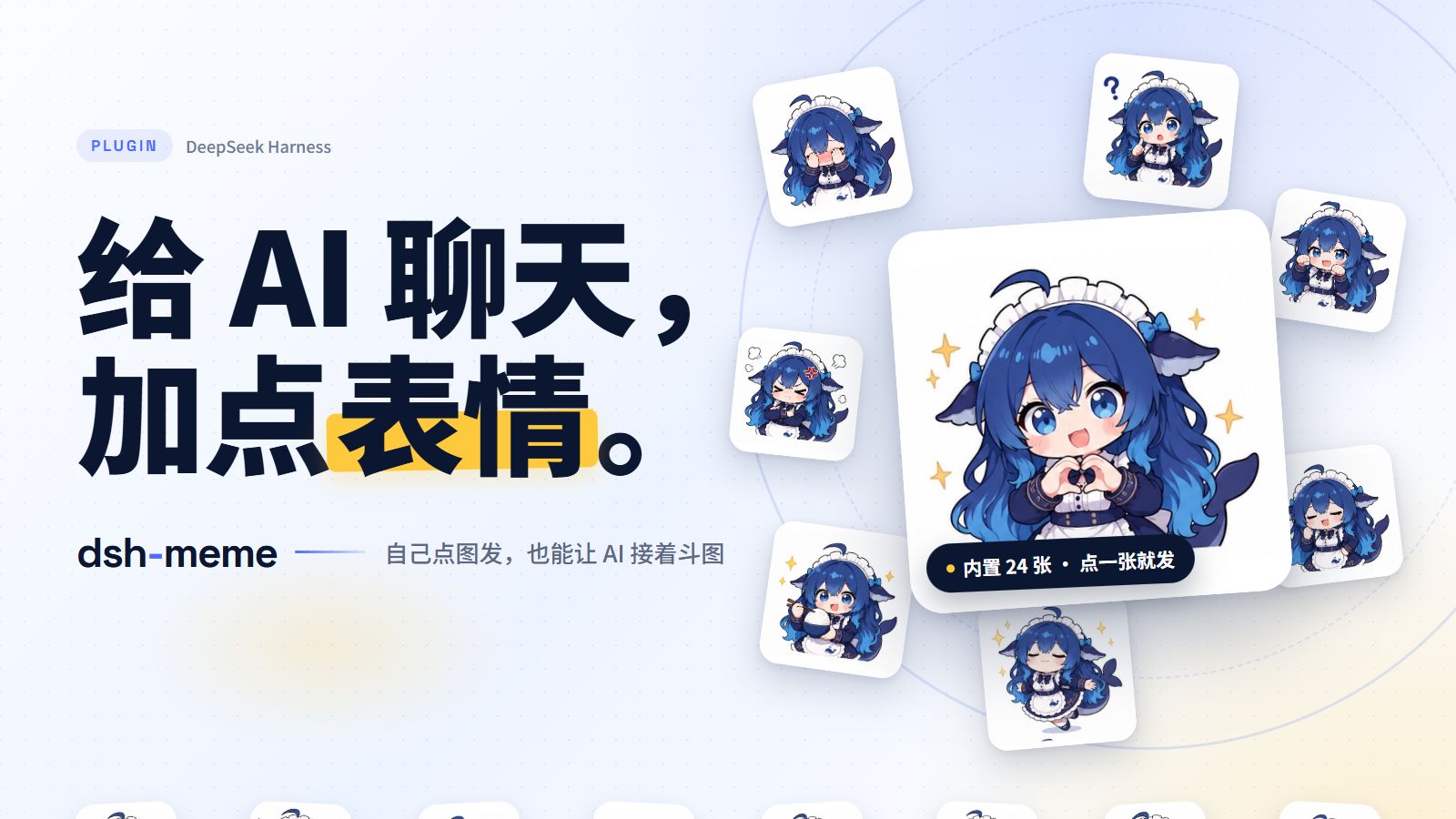
Memes for DeepSeek Harness: pick an image yourself, or let your AI join in.


Pack showcase ·
Pack marketplace ·
Report an issue ·
中文 · English
## Features
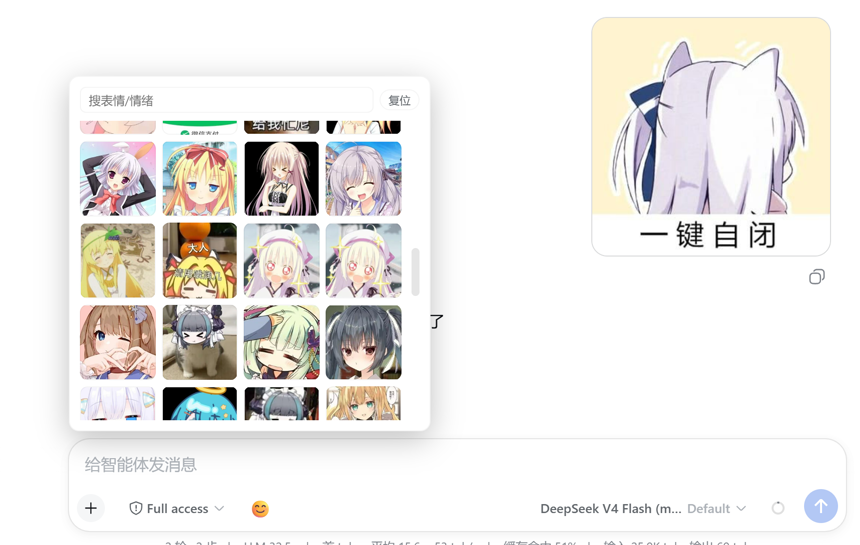
- **Click to send**: open 😊 beside the composer, search or filter by pack and mood, then pick an image.
- **Proactive memes**: the AI picks a meme that fits the conversation's mood without waiting to be asked; toggle “Proactive memes”, set a send chance (0–100%), or edit the prompt in settings.
- **IM / mobile**: through dsh-im, QQ / WeChat / Feishu and other IM chats send memes as native images with no text marker; on a phone or tablet, open DSH Web over your computer's LAN IP and turn on “Allow LAN access” (off by default). QQ tends to render large images as photos (stretched full-screen on tablets); turn on “QQ send size” in settings to send a 200–450 px copy while Web keeps the original.
- **Learn new images**: upload an image and ask to save it; the AI identifies its category and caption. You can also drop image files into a pack folder and click “扫描新增 (Scan)” — the original bytes (including animated GIFs) are kept, and renamed/deleted files have their stale index rows cleaned up.
- **Organize packs**: ask the AI to “list my memes”, “find duplicates” or “recategorize this one” — the `meme_list` / `meme_update` tools handle it (deleting stays in the panel to avoid accidents).
- **Manage and share**: enable multiple packs, upload and edit images, import/export ZIPs, and install or update marketplace packs.
- **Ready to use**: includes Big Fat Fish (24 images); the core has no third-party runtime dependencies and uses Node's built-in SQLite. QQ resizing is optional and uses sharp (already bundled with dsh-im; falls back to the original image when unavailable).
## Promo video
▶ Watch on Bilibili (56s)
## Install
In DSH, open **插件 (Plugins) → 添加插件 (Add plugin)**, enter `dsh-meme`, and install.
Or install into a specific profile:
```bash
dsh plugin --profile web add dsh-meme
```
Requires **Node.js ≥ 22.13.0**. The old package name `dsh-expression` is deprecated; its internal plugin ID is retained for compatibility.
## Screenshots
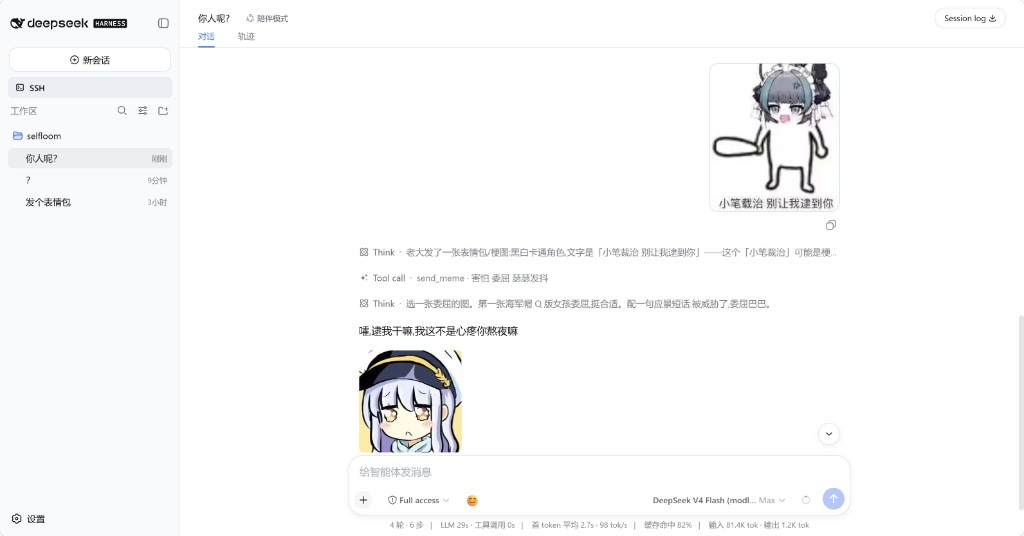
You send one, the AI replies with one.
## Manage packs
Open **设置 (Settings) → 表情包 (Memes)**:
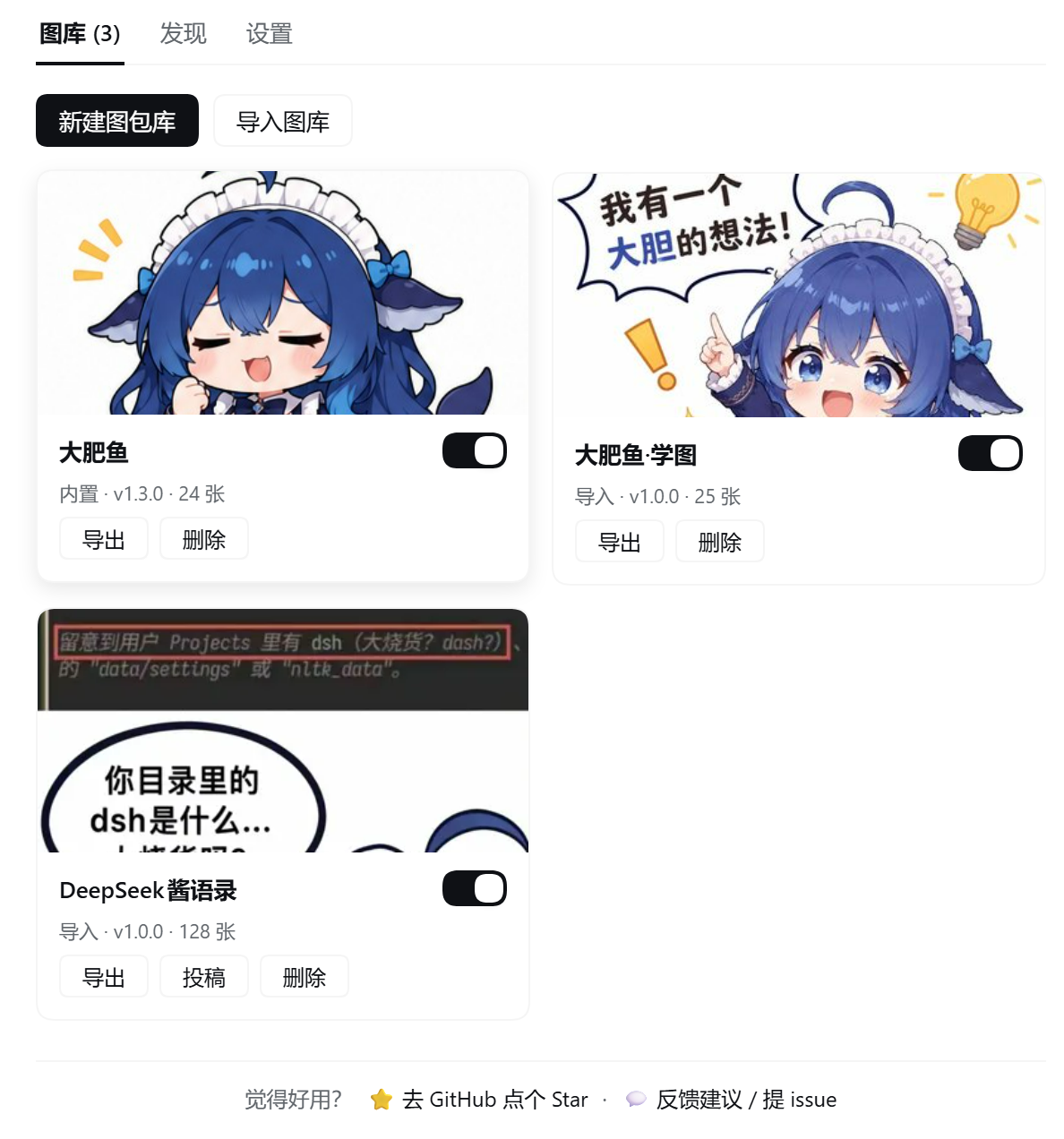
- **图库 (Packs)**: cards show image count and disk size; click a card to manage images. The category dropdown filters by real categories; “扫描新增 (Scan)” indexes images you copied into the folder and cleans up stale rows. Each switch controls whether the AI can use that pack; several can be enabled. Create, import/export ZIPs, submit, delete and update.
- **发现 (Discover)**: preview marketplace packs and install them (Release ZIPs verify SHA-256).
- **设置 (Settings)**: scan directory, proactive memes, prompt, send mode (automatic / text-only / image), send chance (toggle + 0/10/20/30/50/70/100%), QQ send size (toggle + 200/300/400/450 px long edge), layout (side-by-side / full-width row), LAN access, `AGENTS.md`.
The default scan directory is `~/.dsh/meme-packs`; settings live in `~/.dsh/dsh-expression.json` and survive upgrades. ZIP imports accept standard compression and plain image folders.
**Send mode** only affects the AI: automatic follows the channel (Web marker, IM native image), text-only never sends images, image requires a real send every time. **Send chance** is off by default; when enabled, each turn rolls the selected chance to decide whether the AI proactively sends an image (automatic mode only), and a direct request for a meme always bypasses the roll. **QQ send size** is off by default; when enabled, QQ/IM sends a copy scaled to the selected long edge (300 px default), Web keeps the original, and GIF frames are preserved — the official QQ bot has no sticker message type, and smaller images are more likely to render as stickers instead of being stretched full-screen on tablets. **Layout** only affects rendering: side-by-side (default) or a full-width image row.
## Troubleshooting
- **Update failed / plugin disappeared**: click **Retry** in the marketplace; if it still fails, quit DSH completely and update again. On older versions, or if it keeps failing, run `pnpm add dsh-meme@latest` in the profile directory with DSH closed. Packs and settings live in `~/.dsh` and survive reinstalls. See the [troubleshooting guide](https://github.com/yyh-001/dsh-meme/blob/main/docs/troubleshooting.en.md).
- **Restrictive network / marketplace unavailable**: mirrors are raced and the catalog is cached automatically; click **Retry**, then switch **Catalog source** to **Mirrors**. See the [troubleshooting guide](https://github.com/yyh-001/dsh-meme/blob/main/docs/troubleshooting.en.md).
- **Phone / LAN / reverse proxy**: turn on **Allow LAN access** for LAN IPs; a reverse-proxy domain needs an explicit trusted host (`DSH_MEME_TRUSTED_HOSTS` or `allowedHosts`). See the [troubleshooting guide](https://github.com/yyh-001/dsh-meme/blob/main/docs/troubleshooting.en.md).
## Share your own pack
Create a pack, add images, click **导出 (Export)** and send the ZIP; friends install it with **导入图库 (Import pack)**. To join the marketplace, click **投稿 (Submit)** and attach the ZIP with image sources and licence details in the prefilled GitHub form. Use the plugin's exported ZIP — GitHub's “Download ZIP” is a source archive, not a pack.
## Tools and extensions
| Tool | Usage |
| --- | --- |
| `send_meme` | `tag` samples a mood bucket, `query` searches captions/keywords/file names across enabled packs; candidates carry `path` / `library`, a miss returns real category counts |
| `learn_meme` | Saves the latest user image by default; also accepts `attachmentId` / `imageUrl`; warns when an attached GIF was flattened |
| `meme_list` | Read-only listing across enabled packs by keyword/category/pack, with pack, category, caption, keywords and path |
| `meme_update` | Change one image's category/caption/keywords (index only); pass the path exactly as returned by `meme_list` / `send_meme` |
```text
send_meme tag=happy
send_meme query="猫 比心"
learn_meme
meme_list tag=work
meme_update path="memes/work/a.jpg" caption="加班到趴桌"
```
Mood buckets: `happy` / `angry` / `sad` / `shy` / `confused` / `daily`. The model should copy a candidate's `[表情: caption]` verbatim; if nothing fits, retry with other words or reply with text.
**Agent docs**: `AGENTS.md` documents per-channel sending, path prefixes and the GIF-flattening caveat; pack maintenance lives in the skill `.dsh/skills/dsh-meme-maintenance`. The settings page can view/edit it.
**Animated GIFs**: `learn_meme` and upload recognition sample GIF frames into a filmstrip, so captions describe motion; the original keeps animating. WebP / APNG contribute metadata only and are recognized from the first frame.
**IM delivery**: through [dsh-im](https://github.com/xmanrui/dsh-im), `send_meme` candidates carry absolute paths and the model calls `dsh_im_return_file`; Web chats keep `[表情: caption]`. [dsh-companion](https://github.com/yyh-001/dsh-companion) also provides QQ delivery.
**Official QQ bot ([dsh-qqbot](https://github.com/tencent-connect/dsh-qqbot))**: candidates carry `absPath` for `qqbot_send_file`'s `file_path`. dsh-qqbot's path allowlist needs your pack directories in `sendFile.extraRoots`:
```yaml
# the qqbot profile's cordis.patch.yml (or Settings → QQ bot)
- id: im-qqbot
config:
sendFile:
extraRoots:
- C:\Users\\.dsh\meme-packs
- C:\Users\\.dsh\profiles\\node_modules\dsh-meme\memes
```
Replace `C:\Users\` with `~` on Linux/macOS; include the bundled pack's path too.
### Read-only meme service for other plugins
Other plugins in the same process can call `ctx.get('dshMeme')` (read-only):
| Method | Returns |
| --- | --- |
| `packs()` | Enabled packs `{ id, name, count, path }[]` |
| `search({ query, tag, limit })` | `{ ok, query, memes: [{ path, tag, caption, keywords, pack, packName }] }` |
| `pick({ query, tag })` | On a hit `{ ok: true, path, tag, caption, keywords, pack, packName }`; otherwise `{ ok: false, reason, tags, tagStats }` |
`tag` is a mood bucket; `tagStats` gives the real category distribution on a miss. Every returned `path` is absolute and exists. For custom catalogs see the [remote pack specification](./docs/remote-pack-spec.md).
Plugin HTTP routes accept loopback hosts by default; LAN and reverse-proxy setup is in the [troubleshooting guide](https://github.com/yyh-001/dsh-meme/blob/main/docs/troubleshooting.en.md).
## Community & feedback
[QQ group 1 (full)](https://qm.qq.com/q/7AD2g70HqS) · [QQ group 2](https://qm.qq.com/q/HCtId2UY4q)
Code is licensed under [MIT](./LICENSE). Check each pack separately for image provenance and usage rights.