# AppRun
[](https://apprun.js.org/docs)
[](https://apprun.js.org/#play)
[![NPM version][npm-image]][npm-url] [![Downloads][downloads-image]][downloads-url] [![License][license-image]][license-url] [![twitter][twitter-badge]][twitter] [![Discord Chat][discord-image]][discord-invite]
⭐ NEW Agent Skills for AppRun: We have developed a set of AI Agent Skills to assist with AppRun development. These skills cover various aspects of building applications with AppRun, including component design, state management, routing, and testing.
You can install the AppRun Skills for your AI agents with the following command:
```bash
npx skills add yysun/apprun
```
🚀 July 2025, We have started to improve the codebase using AI - the spec-driven flow. The requirements, implementation plan and final results are stored in the `docs` folder.
## Introduction
AppRun is a lightweight framework for building web apps. It has a [unique architecture](https://apprun.js.org/docs/architecture/) inspired by the Elm architecture that can help you manage states, routing, and other essential aspects of your web application, leveraging the power of the [event publish-subscribe](https://apprun.js.org/docs/event-pubsub/) pattern.
## AppRun Benefits
* Clean architecture that needs minimal setup and boilerplate code.
* Decoupled architecture that is test friendly.
* No proprietary syntax to learn (no hooks, no reducers, no signals)
* State management and routing included
* Use directly in the browser or with a compiler/bundler
* Advanced features: JSX, Web Components, Dev Tools, SSR, etc.
## Examples
Let's use a _Counter_ as an example to demonstrate the AppRun architecture:
```js
// define the initial state
const state = 0;
// view is a function to display the state (JSX)
const view = state =>
{state}
;
// update is a collection of event handlers
const update = {
'+1': state => state + 1,
'-1': state => state - 1
};
// start the app
app.start(document.body, state, view, update);
```
With [directives](https://apprun.js.org/docs/directives/) syntax sugar you can write more concise code:
```js
// define the initial state
const state = 0;
// view is a function to display the state (JSX)
const view = state =>
{state}
;
// update is a collection of event handlers
const update = {
'+1': state => state + 1,
'-1': state => state - 1
};
// start the app
app.start(document.body, state, view, update);
```
Alternatively, you can invoke state update functions without events for local state updates:
```js
// define the initial state
const state = 0;
// state update function
const add = (state, value) => state + value;
// view is a function to display the state (JSX)
const view = state =>
{state}
;
// start the app
app.start(document.body, state, view);
```
One cool feature of AppRun is that you can use async generator functions for event handlers to return multiple values. AppRun will render each value in the order they are generated.
```js
const state = {};
const view = state => html`
${state.loading && html`
loading ...
`}
${state.comic && html``}
`;
async function* getComic() { // async generator function returns loading flag and then the comic object
yield { loading: true };
const response = await fetch('https://xkcd-api.netlify.app');
const comic = await response.json();
yield { comic };
}
app.start(document.body, state, view);
```
And, of course, you can use Components to encapsulate the logic blocks, e.g., SPA pages. Each component can have its own state, view, and update functions. Each component has its own handlers to handle routing events. AppRun also supports [hierarchical routing](docs/requirements/req-hierarchical-routing.md).
### Routing mode
AppRun 6.0 preserves hash routing and native browser links by default, matching 3.38.1. Making no call or calling `app.use_prettyLink(false)` keeps that mode.
Call `app.use_prettyLink()` or `app.use_prettyLink(true)` when the application owns pretty-link `/path` navigation. AppRun then initializes from `location.pathname`, handles `popstate`, and intercepts eligible same-origin links for SPA navigation.
Choose the mode before `DOMContentLoaded`, typically immediately after loading or importing AppRun. The last call before `DOMContentLoaded` wins; later calls do not rewire listeners. Registering a `#` or `#/` handler no longer selects hash mode automatically.
Generic examples omit this API because they inherit the safe hash/native default. Routing examples declare a mode when the distinction is part of the lesson.
```js
app.use_prettyLink(true); // required when browser /path links use SPA navigation
class Home extends Component {
view = () =>
Home
;
update = {'/, /home': state => state };
}
class Contact extends Component {
view = () =>
Contact
;
update = {'/contact': state => state };
}
class About extends Component {
view = () =>
About
;
update = {'/about': state => state };
}
const App = () => <>
app.render(document.body, );
[About, Contact, Home].map(C => new C().start('pages'));
```
Finally, you can use AppRun with [React](https://reactjs.org/). The `app.use_react` function allows you to use React for rendering the view.
```js
import React from 'react'
import ReactDOM from 'react-dom/client'
import { app } from 'apprun';
app.use_react(React, ReactDOM);
```
The `app.use_render` function allows you to use a other render library for rendering the view. Enjoy the rich ecosystem of React.
```js
import { render } from 'preact'
import { app } from 'apprun';
app.use_render(render);
```
There are many more examples and interactive demos available in [the AppRun Playground](https://apprun.js.org/#play).
## Getting Started
AppRun is distributed on npm. To get it, run:
```sh
npm install apprun
```
When you want to do a rapid prototyping or demo, you can use AppRun directly in the browser without JSX or any build step. The `app`, `Component`, `on`, `customElement`, `trustedHTML`, `safeHTML`, `html`, `run`, and `svg` APIs are available globally in the script-tag build. The `html` and `svg` functions are lit templates. The `run` function is equivalent to the `$on` directive and invokes state update functions.
```js
```
Or, use the ESM version:
```js
```
In addition to run directly in the browser, you can run the `npm create apprun-app` command to create an AppRun project for using a compiler/bundler like Webpack, esbuild or Vite.
```sh
npm create apprun-app [my-app]
```
### Learn More
You can read [AppRun Docs](https://apprun.js.org/docs).
### AppRun Book from Apress
[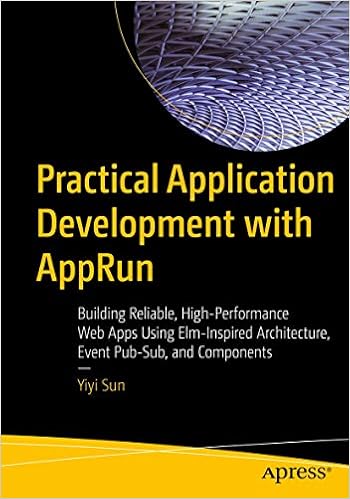](https://www.amazon.com/Practical-Application-Development-AppRun-High-Performance/dp/1484240685/)
* [Order from Amazon](https://www.amazon.com/Practical-Application-Development-AppRun-High-Performance/dp/1484240685/)
## Contribute
You can launch the webpack dev-server and the demo app from the _demo_ folder with the following npm commands:
```sh
npm install
npm start
```
You can run the unit tests from the _tests_ folder.
```sh
npm test
```
Unit tests can serve as functional specifications.
Finally, to build the generated package artifacts, run:
```sh
npm run build
```
The build writes `dist`, `esm`, `jsx-runtime.js`, and the demo bundle. They are generated artifacts and are intentionally ignored in source commits. `npm pack --dry-run` runs the same build through `prepack` and verifies the files that will be published.
Have fun and send pull requests.
## Contributors
[](https://github.com/yysun/apprun/graphs/contributors)
## Support
AppRun is an MIT-licensed open-source project. Please consider [supporting the project on Patreon](https://www.patreon.com/apprun). 👍❤️🙏
### Thank you for your support
* Athkahden Asura
* Alfred Nerstu
* Gyuri Lajos
* Lorenz Glißmann
* Kevin Shi
* Chancy Kennedy
## License
MIT
Copyright (c) 2015-2025 Yiyi Sun
[travis-image]: https://travis-ci.org/yysun/apprun.svg?branch=master
[travis-url]: https://travis-ci.org/yysun/apprun
[npm-image]: https://img.shields.io/npm/v/apprun.svg
[npm-url]: https://npmjs.org/package/apprun
[license-image]: https://img.shields.io/:license-mit-blue.svg
[license-url]: LICENSE.md
[downloads-image]: https://img.shields.io/npm/dm/apprun.svg
[downloads-url]: https://npmjs.org/package/apprun
[twitter]: https://twitter.com/intent/tweet?text=Check%20out%20AppRun%20by%20%40yysun%20https%3A%2F%2Fgithub.com%2Fyysun%2Fapprun%20%F0%9F%91%8D%20%40apprunjs
[twitter-badge]: https://img.shields.io/twitter/url/https/github.com/yysun/apprun.svg?style=social
[discord-image]: https://img.shields.io/discord/476903999023480842.svg
[discord-invite]: https://discord.gg/CETyUdx