# mkdocs-tooltipster-links-plugin
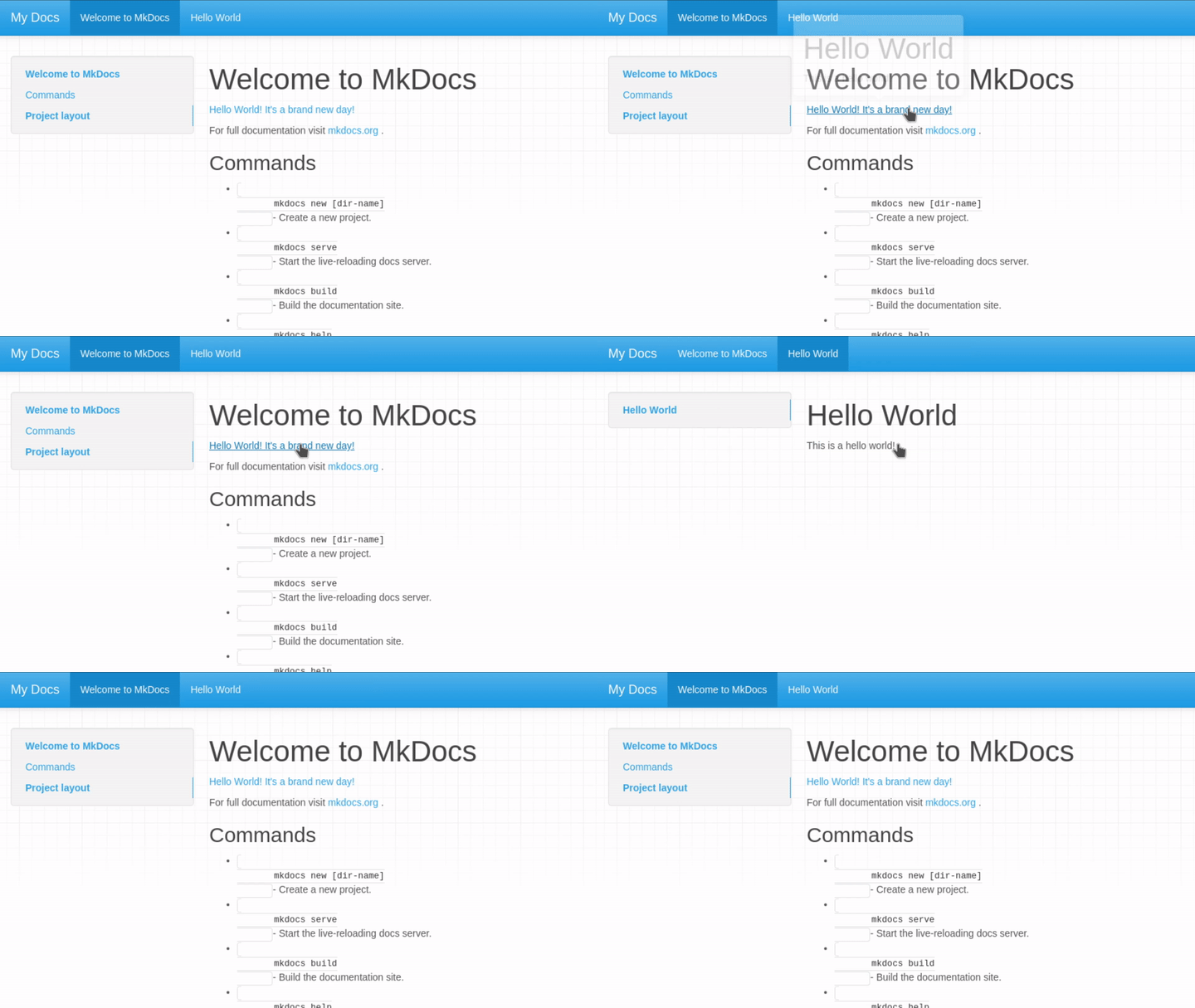
An MkDocs plugin that adds tooltips to preview the content of page links using tooltipster
## Setup
### Install the Plugin
Install the plugin using pip:
`pip install mkdocs-tooltipster-links-plugin`
Activate the plugin in `mkdocs.yml`:
```yaml
plugins:
- search
- tooltipster-links
```
> **Note:** If you have no `plugins` entry in your config file yet, you'll likely also want to add the `search` plugin. MkDocs enables it by default if there is no `plugins` entry set, but now you have to enable it explicitly.
More information about plugins in the [MkDocs documentation][mkdocs-plugins].
### Install Tooltipster
Please reference [Tooltipster's getting started guide](http://iamceege.github.io/tooltipster/#getting-started) for additional installation instructions.
Download Tooltipster and add the css and javascript to `mkdocs.yml`:
```yml
extra_css:
- css/tooltipster.bundle.min.css
extra_javascript:
- js/tooltipster.bundle.js
```
Create custom directory and `main.html` file for overriding the `extra_head` template block
```sh
mkdir theme
touch theme/main.html
```
Add the following to `main.html`:
```html
{% extends "base.html" %}
{% block extrahead %}
{% endblock %}
```
Add the custom directory to `mkdocs.yml`:
```yml
theme:
name: mkdocs
custom_dir: theme
```
Add additonal css to the site (either in a new css file or existing one):
```css
.tooltip_templates { display: none; }
```
## Usage
Once configured property, tooltips-links should create tooltips automagically!
## See Also
More information about templates [here][mkdocs-template].
More information about blocks [here][mkdocs-block].
[mkdocs-plugins]: http://www.mkdocs.org/user-guide/plugins/
[mkdocs-template]: https://www.mkdocs.org/user-guide/custom-themes/#template-variables
[mkdocs-block]: https://www.mkdocs.org/user-guide/styling-your-docs/#overriding-template-blocks