
Long-term memory for AI coding agents that doesn't burn the context window.
A knowledge graph your agent searches cheaply, and a web UI where you can see and edit all of it.





Quick start · Web UI · How it works · Tools · Setup for 12 agents · Contributing
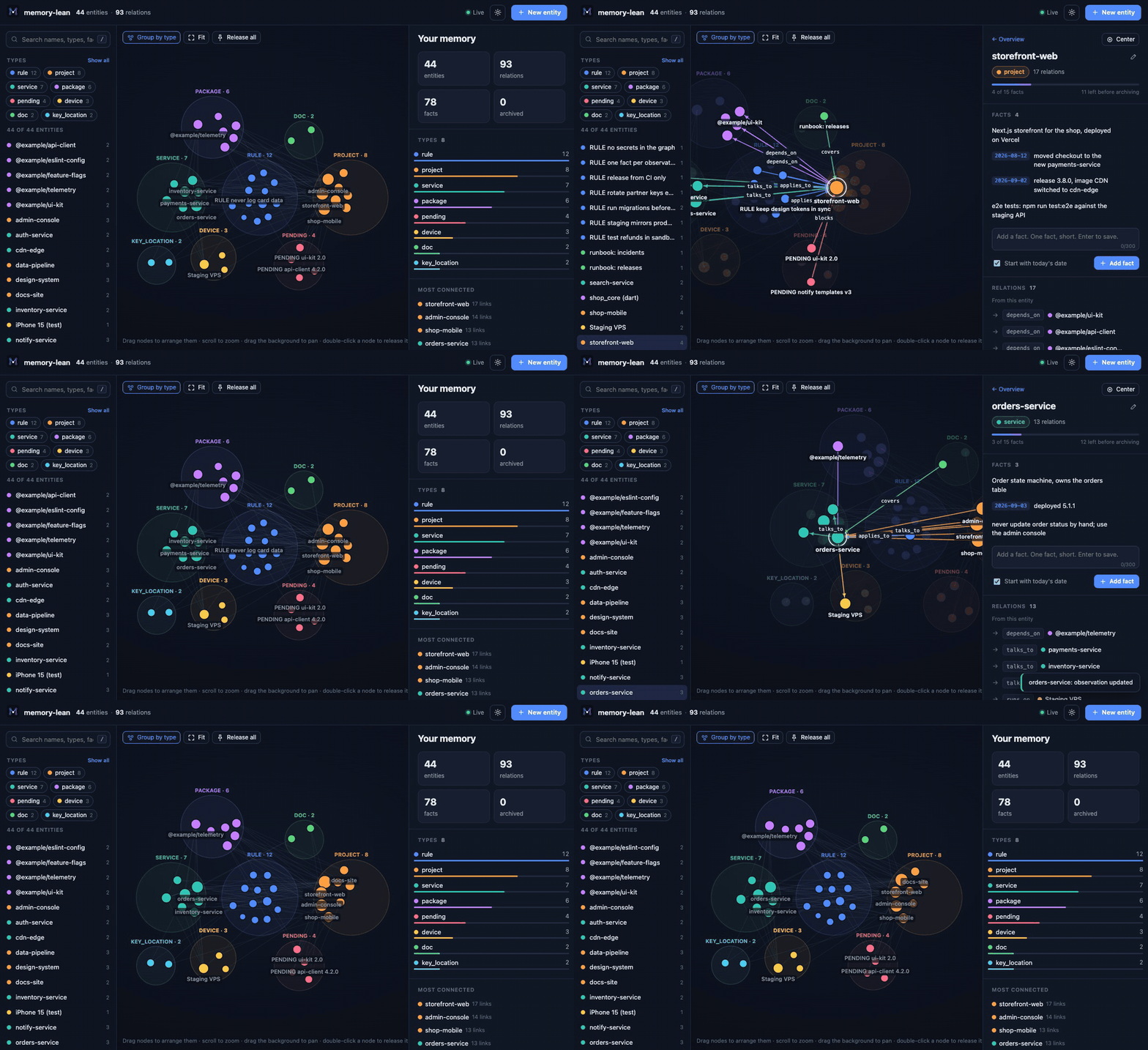
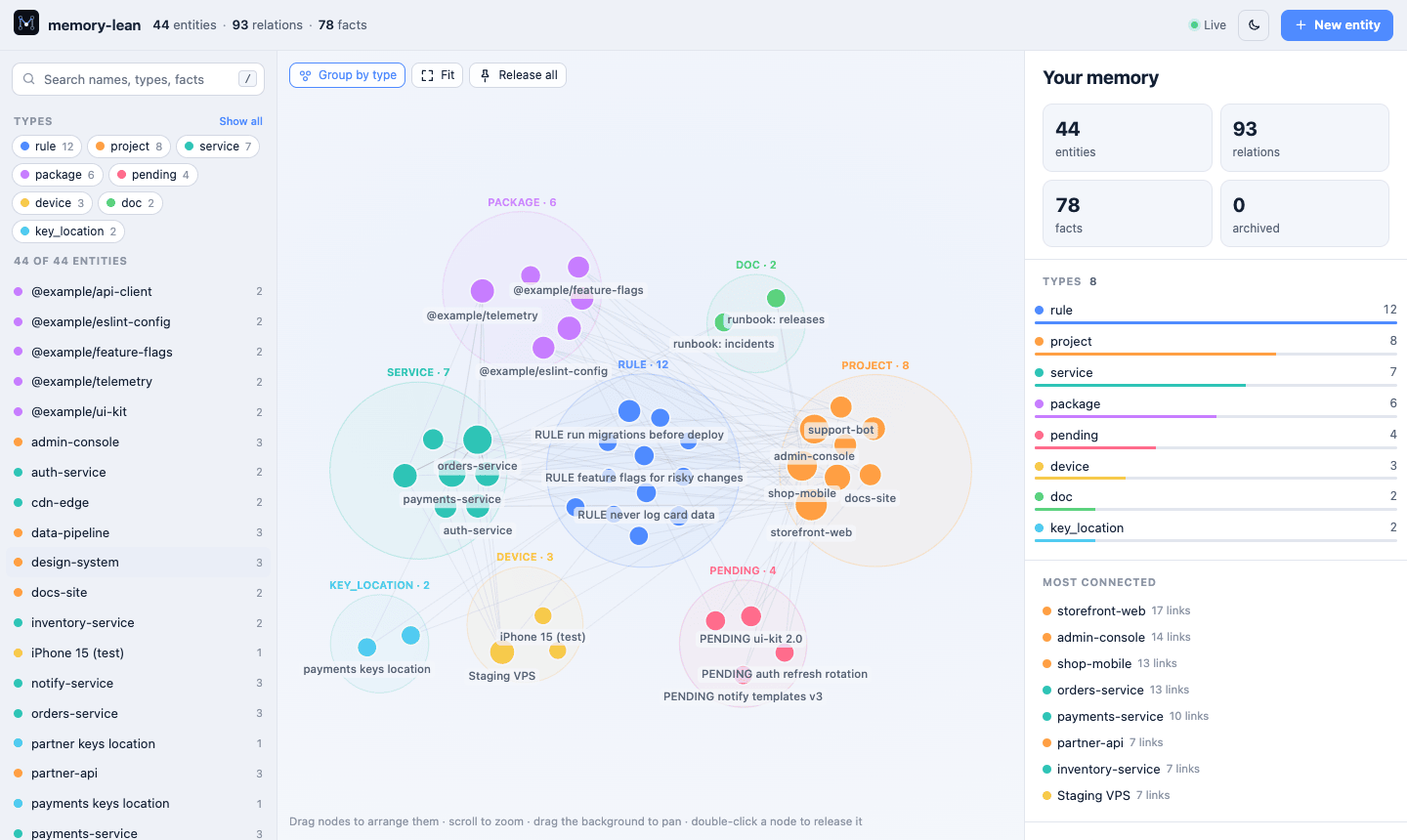
| **About 40× smaller answers.** Search returns a ranked list of names and the lines that matched, not every entity in full, so the agent can afford to check its memory before every task. | **A web UI for people.** See the whole graph grouped by type, follow relations, and add, edit or delete anything. Agent writes show up live. |
| **Drop-in replacement.** Same `memory.jsonl` file and the same nine tools as the reference server. Switch in, and switch back whenever you like. | **Works with every agent.** Copy-paste setup for Claude Code, MiMo Code, Codex, Cursor, Copilot, Gemini CLI, Zed, JetBrains and more, plus the instructions that teach the agent to use it. |
| **Stays small by itself.** Short facts, a cap per entity, and an archive for the overflow, so the graph never grows into a wall of text. | **Private and safe.** Plain local files, daily backups, a write lock for parallel sessions, and no network access. One server file, zero dependencies. |
 |
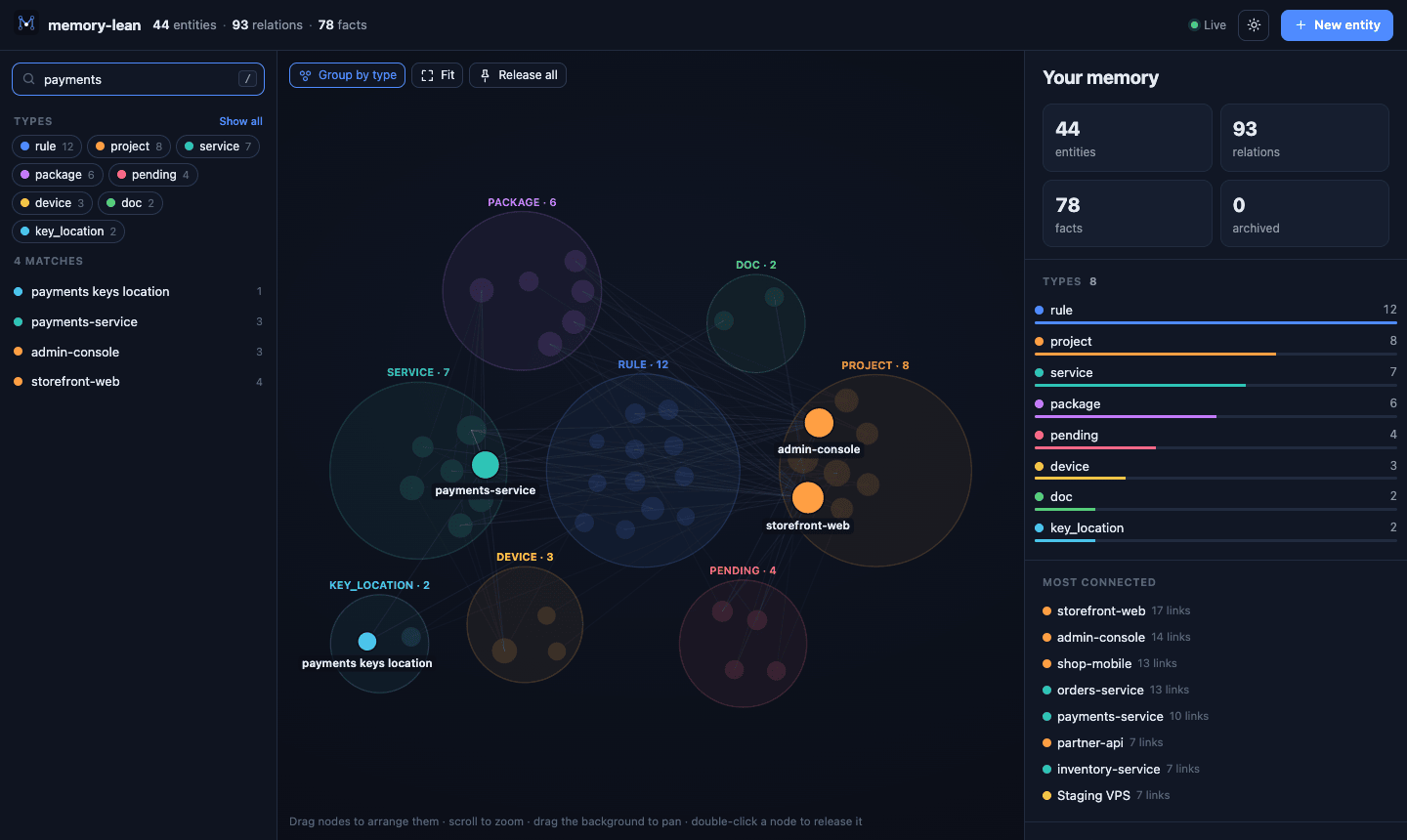 |
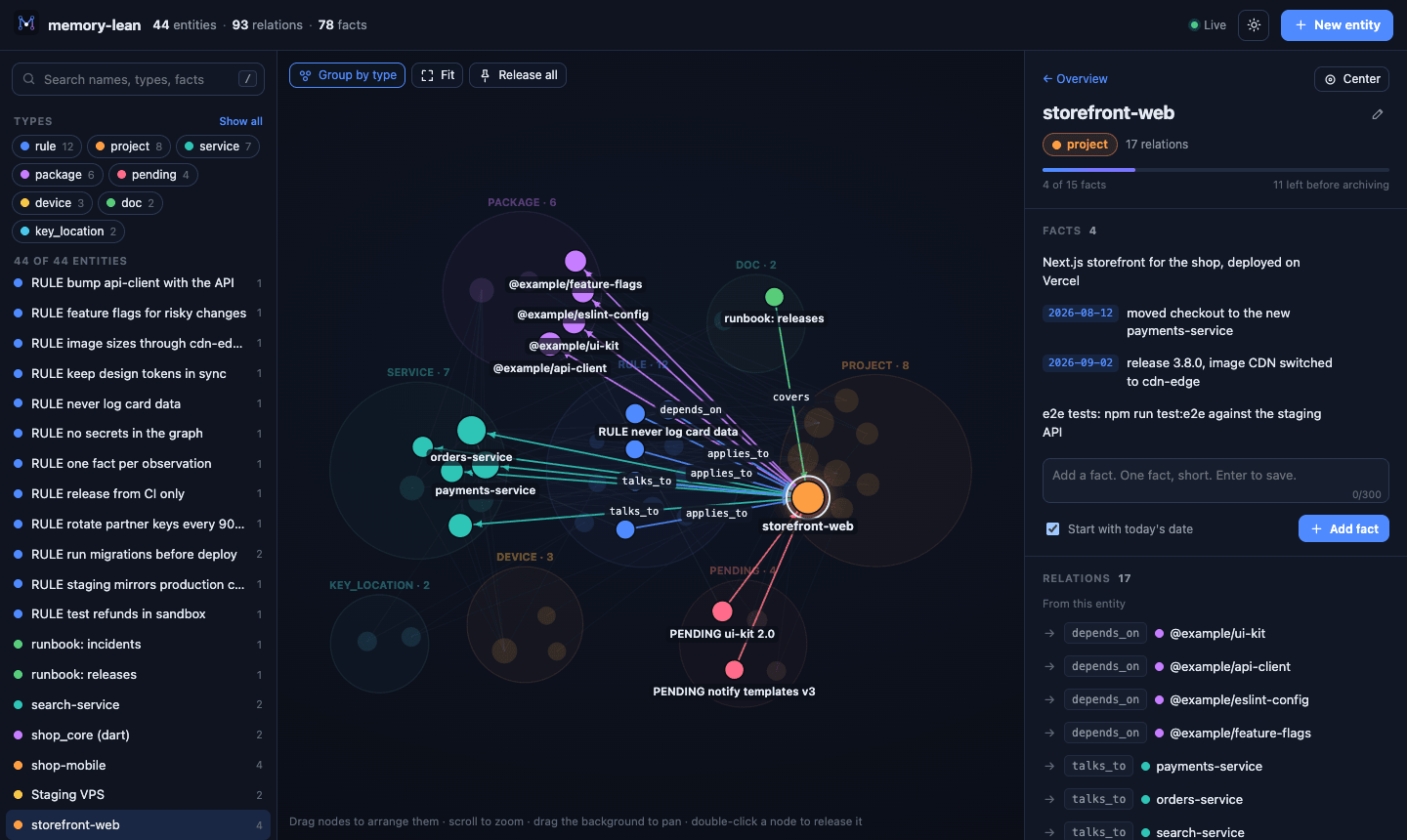
| Follow the connections. Select an entity to see its facts and relations. | Find anything. Search names, types and facts at once. |
 |
 |
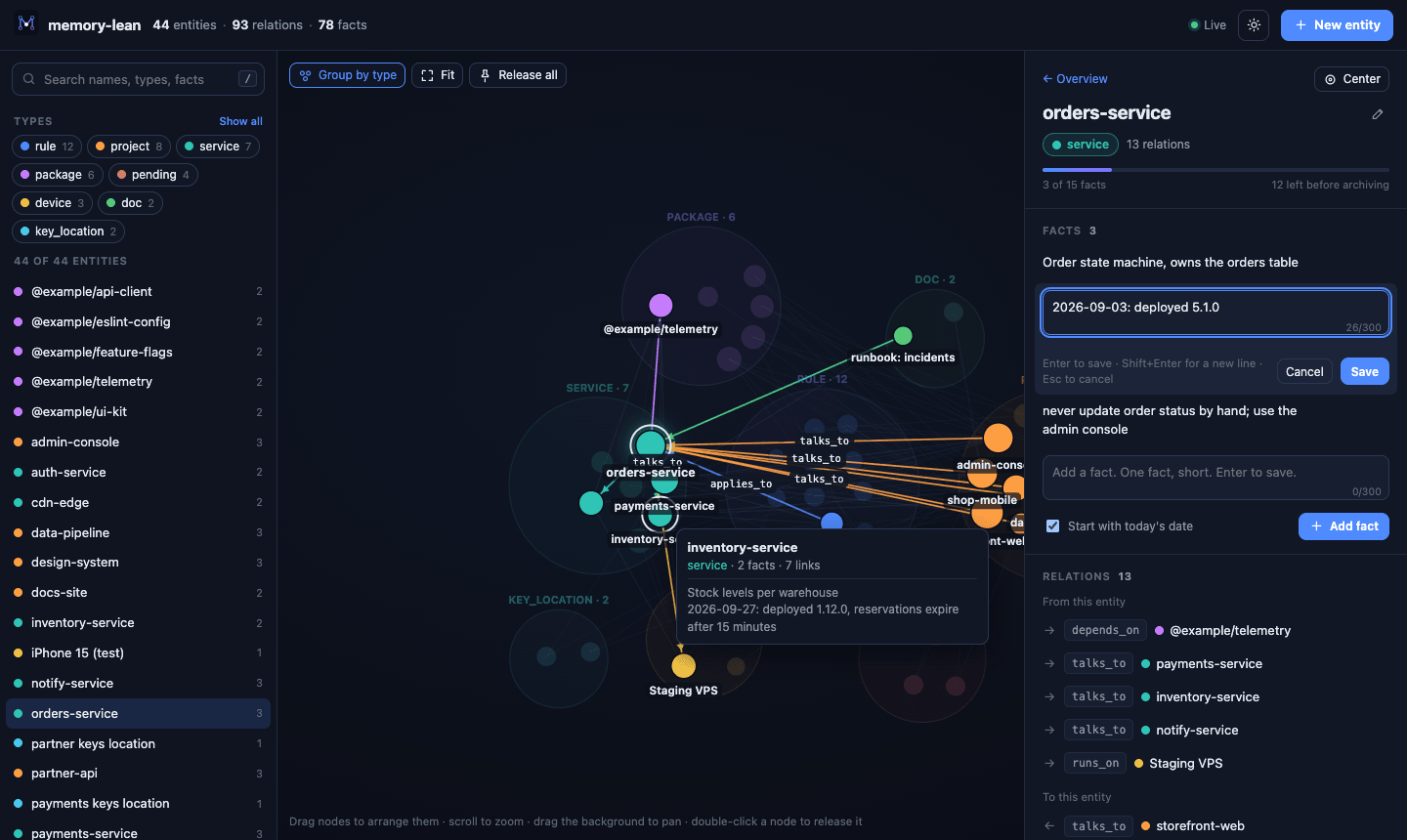
| Edit in place. With the same 300-character limit the agents have. | Light or dark. It follows your system, or pick one. |
127.0.0.1 only. Keep the graph out of git, and never
store passwords, keys or tokens in it: record where a secret lives, not its value.
archive/<entity>.md next to the graph. archived_observations,
or the Archive section in the web UI, lists and restores them.





