# Reddit Monitor with Push Notifications

A self-hosted Reddit monitoring bot with a modern web UI. Get instant notifications via **Discord, Slack, Telegram, Pushover, and 80+ other services** when posts matching your keywords appear in your favorite subreddits.
## 📸 Screenshots
| Monitor List | Mobile View | Edit Monitor | Notifications |
|:---:|:---:|:---:|:---:|
| 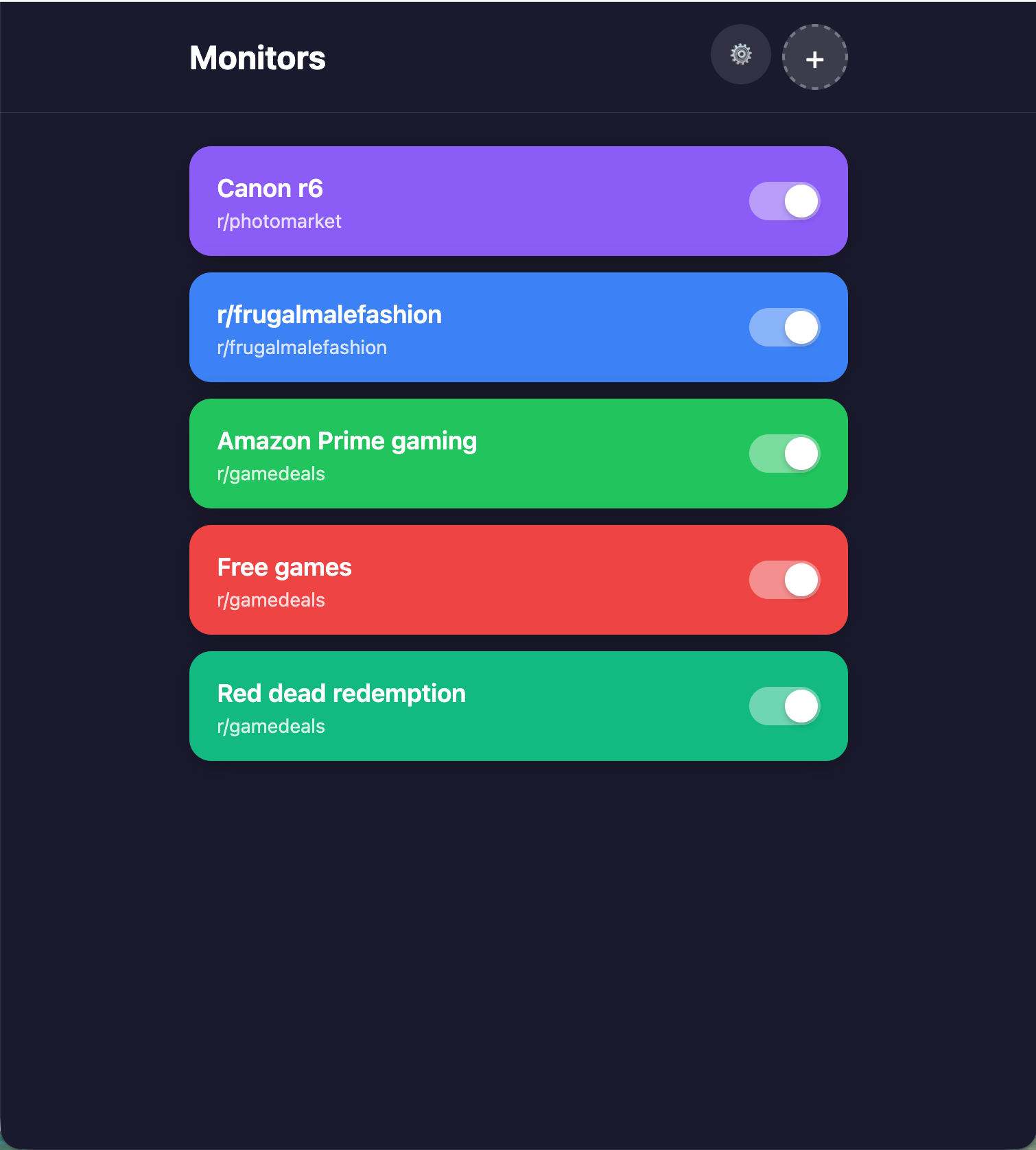 | 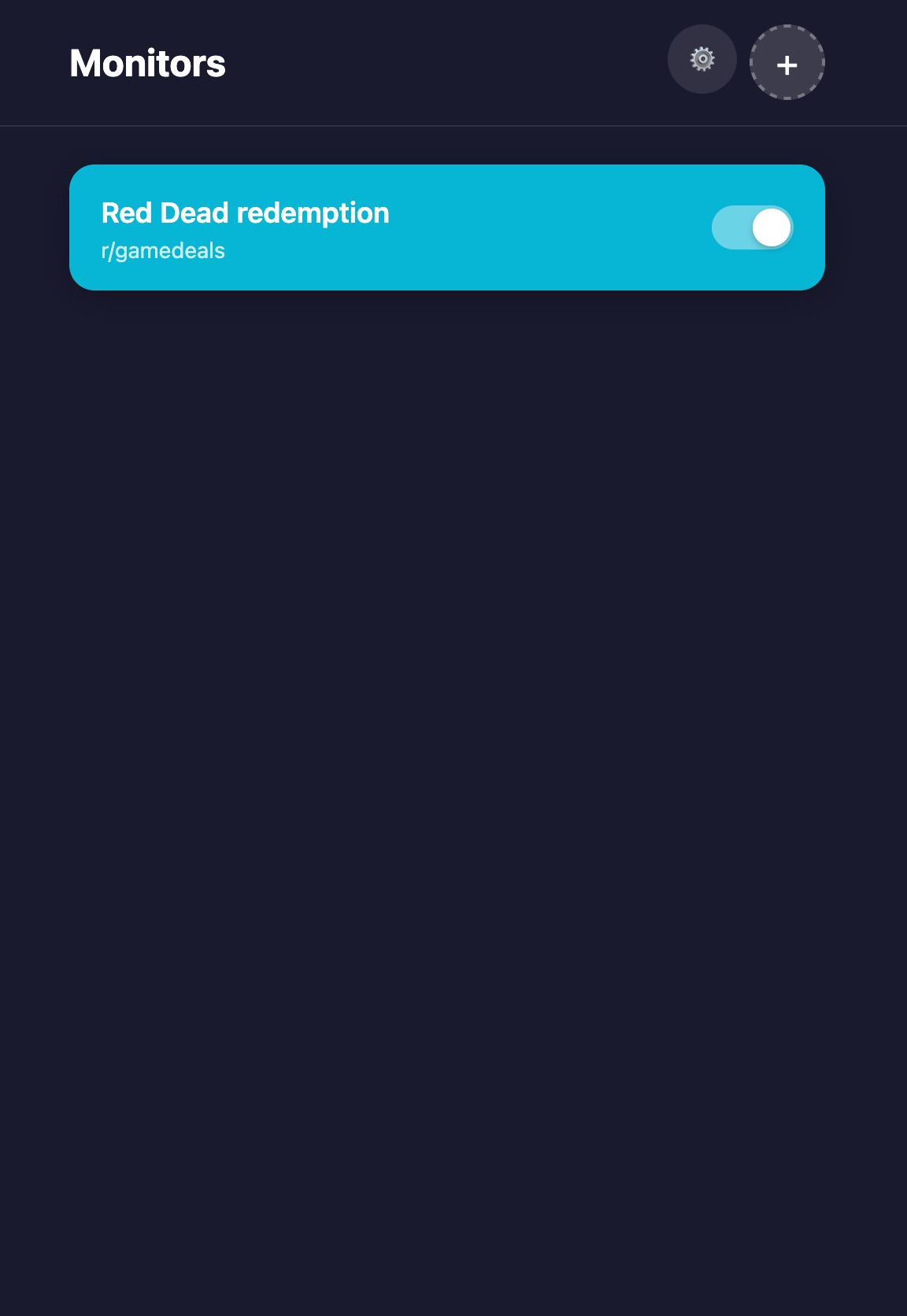 | 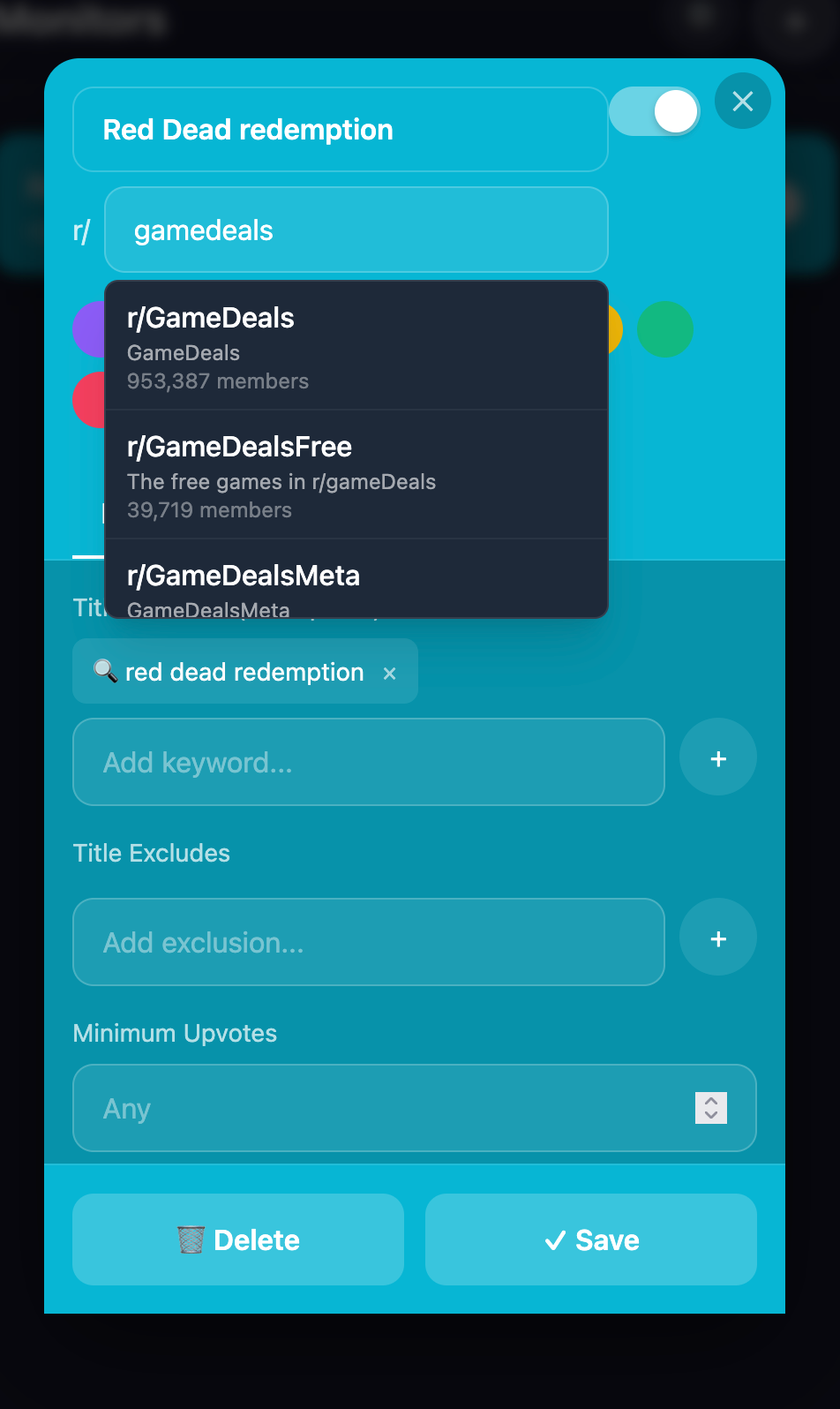 | 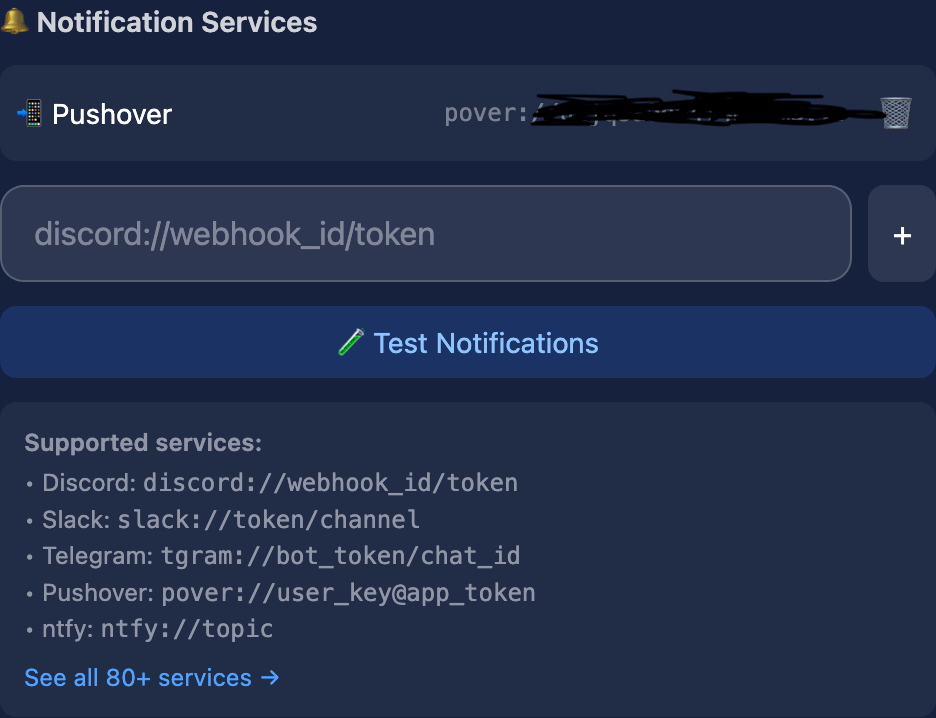 |
## ✨ Features
- **🌐 Web UI** - Beautiful dark-themed interface to manage monitors from any device
- **📱 Mobile Friendly** - Works great on phones and tablets
- **🔔 80+ Notification Services** - Discord, Slack, Telegram, Pushover, ntfy, Email, and more via [Apprise](https://github.com/caronc/apprise)
- **⏱️ Per-Monitor Refresh** - Each monitor can have its own check interval (1 min to 1 hour)
- **🎯 Advanced Filters** - Keywords, exclusions, domain filters, flair filters, author filters
- **🛟 Resilient Fetching** - Falls through multiple data sources (authenticated API → optional Sylvia gateway → JSON → RSS) so it keeps working even when Reddit blocks anonymous access
- **🕶️ IP Hiding** - Optionally route anonymous fetches through a proxy/pool, or use the Sylvia gateway, so requests aren't all made from one flagged IP
- **🔓 Credentials Optional** - Runs on the public RSS feed with no Reddit app at all; add an app for full filtering and higher limits
- **📟 Uptime Kuma Ready** - Optional push heartbeats report real health (not just "container running") and flag fallback degradation
- **🐳 Docker Ready** - Easy deployment with Docker Compose
- **🔄 Auto Updates** - Works with Watchtower for automatic container updates
- **⚙️ Web-Based Setup** - Configure Reddit & notification services via the UI
## 🚀 Quick Start (Docker)
### 1. Create docker-compose.yml
```yaml
version: '3.8'
services:
bot:
image: ghcr.io/zarif98/reddit-scraper-with-push-notifications:latest
container_name: reddit-bot
command: ["python", "bot.py"]
restart: unless-stopped
environment:
- DATA_DIR=/data
- TZ=America/Los_Angeles # Set your timezone
volumes:
- ./data:/data
depends_on:
- api
api:
image: ghcr.io/zarif98/reddit-scraper-with-push-notifications:latest
container_name: reddit-api
command: ["python", "api.py"]
restart: unless-stopped
ports:
- "5040:5001"
environment:
- DATA_DIR=/data
- TZ=America/Los_Angeles
volumes:
- ./data:/data
frontend:
image: ghcr.io/zarif98/reddit-scraper-with-push-notifications:frontend
container_name: reddit-frontend
restart: unless-stopped
ports:
- "8080:3000"
environment:
- TZ=America/Los_Angeles
depends_on:
- api
```
### 2. Start the Stack
```bash
docker-compose up -d
```
### 3. Configure Credentials
1. Open `http://localhost:8080` (or `http://YOUR_IP:8080`)
2. Click **Configure Settings**
3. Enter your Reddit API credentials and notification service URLs
4. Save - the bot will automatically start monitoring!
## 📦 Data Persistence
All data is stored in the `/data` volume:
```
./data/
├── search.json # Your monitors configuration
├── credentials.json # Reddit & notification credentials
└── processed_submissions.pkl # Tracks sent notifications
```
## ⚙️ Configuration
### Getting Reddit API Credentials
Credentials are **optional** — without them the bot uses the public RSS pathway (see [Data Source Pathways](#-data-source-pathways)). Adding a Reddit app enables the authenticated API, which is unblocked, higher-rate, and required for **score and domain filters**.
1. Go to https://www.reddit.com/prefs/apps
2. Click "Create App" or "Create Another App"
3. Select "script" as the app type
4. Note your `client_id` (under the app name) and `client_secret`
> **Two auth modes:** providing only `client_id` + `client_secret` runs read-only (app-only) OAuth; adding `username` + `password` enables full login. Either way, paste credentials carefully — a lookalike character (e.g. a Cyrillic "І" for a Latin "I") causes a confusing 401, which the bot now detects and surfaces as a warning in the UI.
### Setting Up Notifications
This app uses [Apprise](https://github.com/caronc/apprise) to support 80+ notification services. Configure notifications in the Settings modal using Apprise URLs.
**Popular services:**
| Service | URL Format |
|---------|------------|
| Discord | `discord://webhook_id/webhook_token` |
| Slack | `slack://token_a/token_b/token_c/#channel` |
| Telegram | `tgram://bot_token/chat_id` |
| Pushover | `pover://user_key@api_token` |
| ntfy | `ntfy://topic` |
| Email | `mailto://user:pass@gmail.com` |
See the [Apprise Wiki](https://github.com/caronc/apprise/wiki) for all supported services and URL formats.
### Monitor Options
Each monitor supports these options:
| Field | Description | Default |
|-------|-------------|---------|
| `name` | Display name for the monitor | Auto-generated |
| `subreddit` | Subreddit to monitor (without r/) | Required |
| `keywords` | Words to match in post titles | Required |
| `exclude_keywords` | Words to exclude | `[]` |
| `min_upvotes` | Minimum upvotes required ⚠️ | `null` |
| `cooldown_minutes` | Refresh interval (1-60 min) | `10` |
| `max_post_age_hours` | Ignore posts older than this | `12` |
| `domain_contains` | Only match these domains ⚠️ | `[]` |
| `domain_excludes` | Exclude these domains ⚠️ | `[]` |
| `flair_contains` | Only match these flairs | `[]` |
| `author_includes` | Only from these authors | `[]` |
| `author_excludes` | Ignore these authors | `[]` |
| `enabled` | Active/inactive toggle | `true` |
| `color` | UI card color | Auto-assigned |
> ⚠️ **Score and domain filters require a full-data source** (the authenticated API or the Sylvia gateway). The RSS pathway doesn't expose upvotes or the external domain, so `min_upvotes`, `domain_contains`, and `domain_excludes` are not applied while running on RSS (they fail safe — no false notifications). The web UI hides these fields unless a source that provides them is configured.
### Example search.json
```json
{
"subreddits_to_search": [
{
"id": "example-1",
"name": "Free Games",
"subreddit": "gamedeals",
"keywords": ["free", "100%"],
"exclude_keywords": ["demo"],
"cooldown_minutes": 2,
"domain_contains": ["epicgames.com", "steam"],
"enabled": true
}
]
}
```
## 🖥️ Local Development
### Backend (API + Bot)
```bash
# Install dependencies
pip install -r requirements.txt
# Run API server
python api.py
# Run bot (in another terminal)
python bot.py
```
### Running tests
```bash
pip install -r requirements-test.txt
pytest
```
### Project layout
`bot.py` and `api.py` are thin entrypoints; shared logic lives in the `reddit_scraper` package:
```
reddit_scraper/
├── config.py # data paths (DATA_DIR), search.json access, source order
├── credentials.py # load/sanitize/encoding-guard, authenticate (PRAW)
├── status.py # bot_status.json writer
├── notifications.py # Apprise dispatch
├── sources.py # oauth/rss/json fetchers + dispatcher, throttle, cooldown
├── health.py # Uptime Kuma heartbeats
└── monitor.py # RedditMonitor (filtering + notify)
bot.py # main loop / scheduler
api.py # Flask web API (delegates config/credentials to the package)
```
### Frontend
```bash
cd frontend
npm install
npm run dev
```
Access at http://localhost:3000
## 🛠️ Synology NAS Deployment
1. **Create data directory**: `/volume1/docker/reddit-monitor/data`
2. **Deploy via Portainer** as a Stack with the docker-compose above
3. **Port Configuration**:
- Frontend: `8080:3000`
- API: `5040:5001` (avoid 5001, used by Synology DSM)
4. **Add Watchtower** for auto-updates:
```yaml
watchtower:
image: containrrr/watchtower
volumes:
- /var/run/docker.sock:/var/run/docker.sock
command: --interval 3600
```
## 🔒 Private Network Configuration (Advanced)
By default, the frontend auto-detects the API URL based on your browser's hostname. For Docker private networks where containers communicate by name, you can override this using environment variables.
### Example: Fully Private docker-compose.yml
```yaml
services:
bot:
image: ghcr.io/zarif98/reddit-scraper-with-push-notifications:latest
# ... same as before
api:
image: ghcr.io/zarif98/reddit-scraper-with-push-notifications:latest
command: ["python", "api.py"]
# No ports exposed to host - only accessible within Docker network
expose:
- "5001"
volumes:
- ./data:/data
frontend:
image: ghcr.io/zarif98/reddit-scraper-with-push-notifications:frontend
ports:
- "8080:3000" # Only frontend exposed to host
environment:
- NEXT_PUBLIC_API_URL=http://api:5001
depends_on:
- api
```
This allows the frontend container to reach the API via the internal Docker network (`http://api:5001`) without exposing the API port on the host.
## 🛟 Data Source Pathways
The bot fetches posts/comments through an ordered chain of sources, trying each in turn and falling through on failure. A source that errors or gets blocked is put on a short cooldown so a dead endpoint isn't hammered every cycle.
| Source | Auth | Notes |
|--------|------|-------|
| `oauth` | Reddit app | Authenticated API (full login **or** read-only app-only). Unblocked, 100 req/min, full post data. |
| `sylvia` | API key | Third-party [Sylvia gateway](https://sylvia-api.com) that fetches from **its own IP** (so it doubles as IP hiding) and returns **full post data (score, domain, flair)**. Paid per request, so **opt-in**: skipped unless `SYLVIA_API_KEY` is set. |
| `json` | None | `old.reddit.com/.../new.json`. Often blocked by Reddit now, but when it works it returns **full post data (score, domain, flair)** — so it's preferred over RSS. |
| `rss` | None | `www.reddit.com/r//new/.rss`. Works without credentials but is per-IP rate-limited (throttled) and has **no score/domain** (see filter note above). |
Duplicate/concurrent requests for the same subreddit (or thread) are **coalesced** into a single fetch, and a failed source is cooled down with **exponential backoff** so a blocked endpoint isn't retried hot. The active source is shown in the web UI; when OAuth is configured but the bot has fallen back, a banner indicates the degradation.
### Configuring the order
The simplest way is the web UI: **Settings → Data Source** lets you pick **Reddit API** or **Sylvia Gateway**, which writes the source order (with the free RSS/JSON feeds kept as a fallback behind your choice) and takes effect live — no restart.
Default is `oauth → json → rss` (JSON before RSS because it returns richer data when available). To set it manually, override per deployment via `search.json`:
```json
{
"source_order": ["oauth", "sylvia", "json", "rss"],
"subreddits_to_search": [ ... ]
}
```
…or with the `REDDIT_SOURCE_ORDER=oauth,json,rss` environment variable (`search.json` — and therefore the UI picker — takes precedence).
### Environment variables
| Variable | Default | Purpose |
|----------|---------|---------|
| `REDDIT_SOURCE_ORDER` | `oauth,json,rss` | Source chain order (overridden by `search.json`) |
| `RSS_MIN_INTERVAL_SECONDS` | `4` | Minimum gap between RSS requests (rate-limit safety) |
| `SOURCE_COOLDOWN_SECONDS` | `300` | Base cooldown after a source errors/gets blocked |
| `SOURCE_COOLDOWN_MAX_SECONDS` | `3600` | Cap on the exponential backoff cooldown |
| `FETCH_CACHE_TTL_SECONDS` | `90` | How long a fetched result is shared across duplicate monitors |
| `RSS_USER_AGENT` | (browser UA) | Override the User-Agent used for RSS requests |
| `SYLVIA_API_KEY` | — | API key for the `sylvia` source (also settable in the UI). Blank → source disabled |
| `REDDIT_PROXY` | — | Route the anonymous RSS/JSON requests through a single proxy (IP hiding); blank → direct |
| `REDDIT_PROXIES` | — | Comma-separated proxy pool, rotated per request (takes precedence over `REDDIT_PROXY`) |
| `PROXY_COOLDOWN_SECONDS` | `120` | How long to skip a proxy after it fails to connect |
| `KUMA_PUSH_URL` | — | Uptime Kuma Push URL for the primary health heartbeat |
| `KUMA_FETCH_STALE_SECONDS` | `1500` | Seconds without a successful fetch before reporting DOWN |
| `KUMA_FALLBACK_PUSH_URL` | — | Optional second Push URL that flags `oauth → fallback` degradation |
## 📟 Monitoring with Uptime Kuma
A standard up/down monitor (e.g. "is the container running") can't tell that the bot is busy *failing* — it keeps looping and looks healthy. Instead, use **Push** monitors driven by the bot:
1. **Primary health** — create a Push monitor in Uptime Kuma, set its heartbeat interval (~150s) and retries, and put its URL in `KUMA_PUSH_URL`. The bot reports UP only while Reddit fetches actually succeed; it reports DOWN (or stops beating) during a block or crash.
2. **Fallback alert (optional)** — create a second Push monitor and set `KUMA_FALLBACK_PUSH_URL`. It goes DOWN when an OAuth app is configured but the bot is running on RSS/JSON, so you're alerted to the degradation while the primary monitor stays UP (deals are still flowing).
## 🔧 Troubleshooting
### Bot is running on RSS / no notifications with score or domain filters
You have no working Reddit app, so the bot is on the RSS pathway where those filters don't apply. Configure (or fix) Reddit credentials at `http://YOUR_IP:8080` → Settings. See [Data Source Pathways](#-data-source-pathways).
### "Credentials warning" / repeated 401, falls back to RSS
A credential likely contains a non-ASCII lookalike character (e.g. Cyrillic "І" vs Latin "I"), which fails auth. Re-copy `client_secret` from https://www.reddit.com/prefs/apps and re-enter it in Settings.
### CORS errors
Ensure API container is running and port mapping is correct
## 📄 License
MIT License - see LICENSE file for details.