# Zeal
[](https://go.zealdocs.org/l/discord)
[](https://go.zealdocs.org/l/telegram)
[](https://go.zealdocs.org/l/x)
[](https://github.com/zealdocs/zeal/releases)
[](https://github.com/zealdocs/zeal/actions/workflows/build-check.yaml)
[](COPYING)
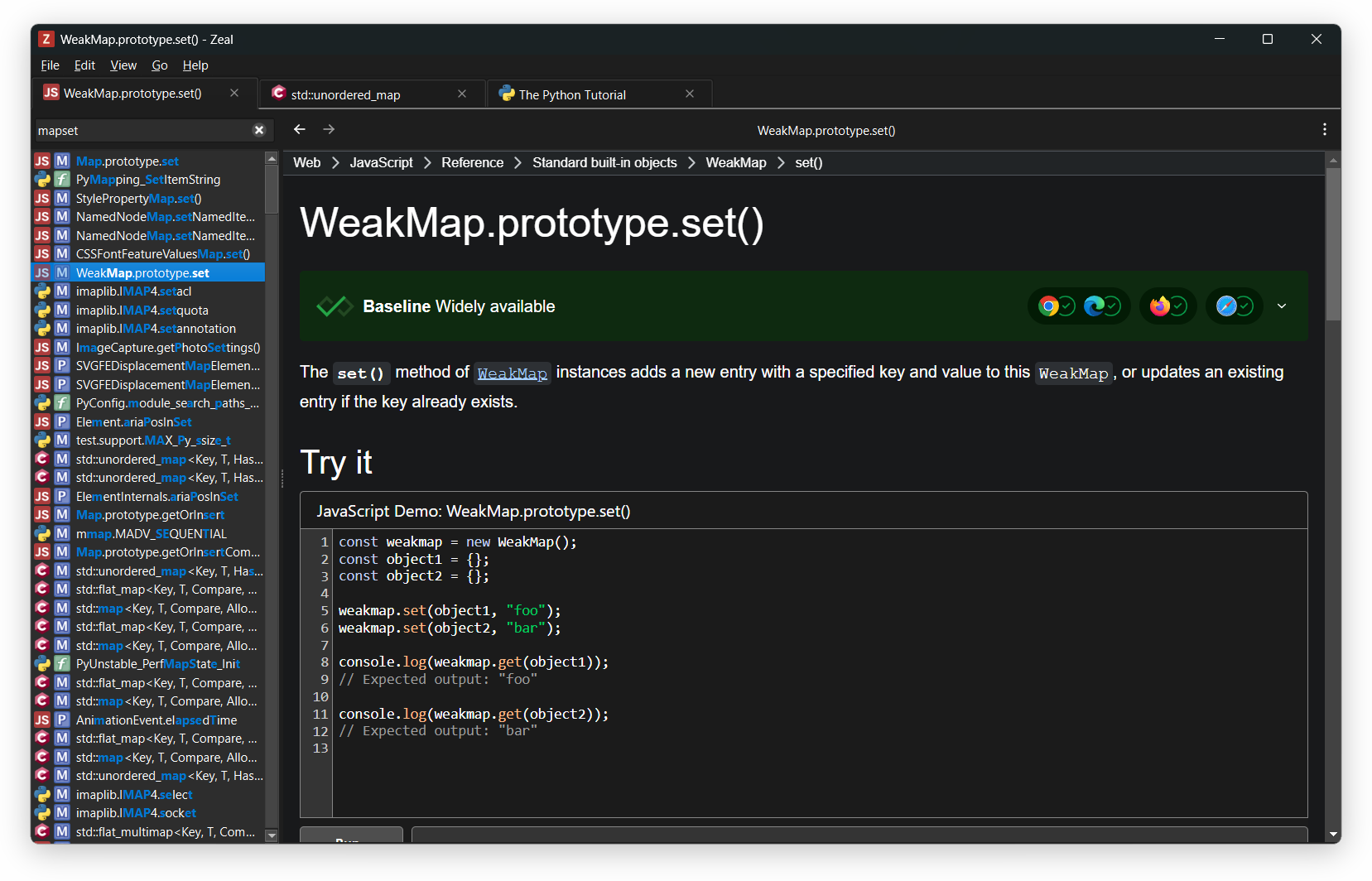
Zeal is an offline documentation browser: your personal reference library, searchable in an instant and available
without a connection. Originally inspired by [Dash](https://kapeli.com/dash), it supports the same docset format.
## Download
Binary builds for Windows and other installation options are available on the
[download page](https://zealdocs.org/download). Windows builds require Windows 10 version 1809 or later.
## How to use
After installing Zeal, go to `File → Docset Library`, select the docsets you want, and click the `Download` button.
### Query and filter docsets
Limit the search scope by prefixing your query with a docset name and a colon:
`cpp:vector`
To search multiple docsets, separate them with a comma:
`python,django:string`
### Command line
You can also start Zeal with a query from the command line:
`zeal python:pprint`
## How to compile
Detailed, up-to-date build instructions for each platform are available in the
[wiki](https://github.com/zealdocs/zeal/wiki). The bare minimum is described below.
### Build dependencies
* [CMake](https://cmake.org/) and [Ninja](https://ninja-build.org/).
* [Qt](https://www.qt.io/) version 6.4.2 or later. Required modules besides Qt Base: Svg, WebEngine.
* [libarchive](https://libarchive.org/).
* [SQLite](https://sqlite.org/).
* Linux/BSD platforms: `extra-cmake-modules`.
* X11 platforms only: `libxkbcommon`, `xcb-util-keysyms`.
### Build instructions
```shell
cmake --preset release
cmake --build --preset release
```
The resulting binary is `build/release/zeal` (`zeal.exe` on Windows).
## Create your own docsets
Follow the instructions in the [Dash docset generation guide](https://kapeli.com/docsets).
## Contributing
Contributions are welcome. See [CONTRIBUTING.md](CONTRIBUTING.md) for how to build Zeal, the conventions to follow,
and what to expect from review.
## Contact and support
Ways to get help or reach the developers:
* Report bugs and submit feature requests to [GitHub issues](https://github.com/zealdocs/zeal/issues).
* Ask questions in [GitHub discussions](https://github.com/zealdocs/zeal/discussions).
* Chat with the developers and other Zeal users on [Discord](https://go.zealdocs.org/l/discord).
* Subscribe to the [Telegram channel](https://go.zealdocs.org/l/telegram) for announcements.
* Follow [@zealdocs](https://go.zealdocs.org/l/x) on X for news and updates.
* Email for anything private or sensitive.
## License
This software is licensed under the terms of the GNU General Public License version 3 (GPLv3) or later. Full text of
the license is available in the [COPYING](COPYING) file and [online](https://www.gnu.org/licenses/gpl-3.0.html).
Bundled third-party components are licensed under their respective terms; the repository is
[REUSE](https://reuse.software/)-compliant, with all license texts available in the [LICENSES](LICENSES) directory.
 Binary builds for Windows and other installation options are available on the
[download page](https://zealdocs.org/download). Windows builds require Windows 10 version 1809 or later.
## How to use
After installing Zeal, go to `File → Docset Library`, select the docsets you want, and click the `Download` button.
### Query and filter docsets
Limit the search scope by prefixing your query with a docset name and a colon:
`cpp:vector`
To search multiple docsets, separate them with a comma:
`python,django:string`
### Command line
You can also start Zeal with a query from the command line:
`zeal python:pprint`
## How to compile
Detailed, up-to-date build instructions for each platform are available in the
[wiki](https://github.com/zealdocs/zeal/wiki). The bare minimum is described below.
### Build dependencies
* [CMake](https://cmake.org/) and [Ninja](https://ninja-build.org/).
* [Qt](https://www.qt.io/) version 6.4.2 or later. Required modules besides Qt Base: Svg, WebEngine.
* [libarchive](https://libarchive.org/).
* [SQLite](https://sqlite.org/).
* Linux/BSD platforms: `extra-cmake-modules`.
* X11 platforms only: `libxkbcommon`, `xcb-util-keysyms`.
### Build instructions
```shell
cmake --preset release
cmake --build --preset release
```
The resulting binary is `build/release/zeal` (`zeal.exe` on Windows).
## Create your own docsets
Follow the instructions in the [Dash docset generation guide](https://kapeli.com/docsets).
## Contributing
Contributions are welcome. See [CONTRIBUTING.md](CONTRIBUTING.md) for how to build Zeal, the conventions to follow,
and what to expect from review.
## Contact and support
Ways to get help or reach the developers:
* Report bugs and submit feature requests to [GitHub issues](https://github.com/zealdocs/zeal/issues).
* Ask questions in [GitHub discussions](https://github.com/zealdocs/zeal/discussions).
* Chat with the developers and other Zeal users on [Discord](https://go.zealdocs.org/l/discord).
* Subscribe to the [Telegram channel](https://go.zealdocs.org/l/telegram) for announcements.
* Follow [@zealdocs](https://go.zealdocs.org/l/x) on X for news and updates.
* Email
Binary builds for Windows and other installation options are available on the
[download page](https://zealdocs.org/download). Windows builds require Windows 10 version 1809 or later.
## How to use
After installing Zeal, go to `File → Docset Library`, select the docsets you want, and click the `Download` button.
### Query and filter docsets
Limit the search scope by prefixing your query with a docset name and a colon:
`cpp:vector`
To search multiple docsets, separate them with a comma:
`python,django:string`
### Command line
You can also start Zeal with a query from the command line:
`zeal python:pprint`
## How to compile
Detailed, up-to-date build instructions for each platform are available in the
[wiki](https://github.com/zealdocs/zeal/wiki). The bare minimum is described below.
### Build dependencies
* [CMake](https://cmake.org/) and [Ninja](https://ninja-build.org/).
* [Qt](https://www.qt.io/) version 6.4.2 or later. Required modules besides Qt Base: Svg, WebEngine.
* [libarchive](https://libarchive.org/).
* [SQLite](https://sqlite.org/).
* Linux/BSD platforms: `extra-cmake-modules`.
* X11 platforms only: `libxkbcommon`, `xcb-util-keysyms`.
### Build instructions
```shell
cmake --preset release
cmake --build --preset release
```
The resulting binary is `build/release/zeal` (`zeal.exe` on Windows).
## Create your own docsets
Follow the instructions in the [Dash docset generation guide](https://kapeli.com/docsets).
## Contributing
Contributions are welcome. See [CONTRIBUTING.md](CONTRIBUTING.md) for how to build Zeal, the conventions to follow,
and what to expect from review.
## Contact and support
Ways to get help or reach the developers:
* Report bugs and submit feature requests to [GitHub issues](https://github.com/zealdocs/zeal/issues).
* Ask questions in [GitHub discussions](https://github.com/zealdocs/zeal/discussions).
* Chat with the developers and other Zeal users on [Discord](https://go.zealdocs.org/l/discord).
* Subscribe to the [Telegram channel](https://go.zealdocs.org/l/telegram) for announcements.
* Follow [@zealdocs](https://go.zealdocs.org/l/x) on X for news and updates.
* Email