简体中文 | English
A minimal **question timeline** plugin for [DeepSeek Harness](https://github.com/deepseek-ai/deepseek-harness): one dot per question you asked, right on the edge of the frame. Click a dot to jump straight to that message; hover to preview what you said and when. 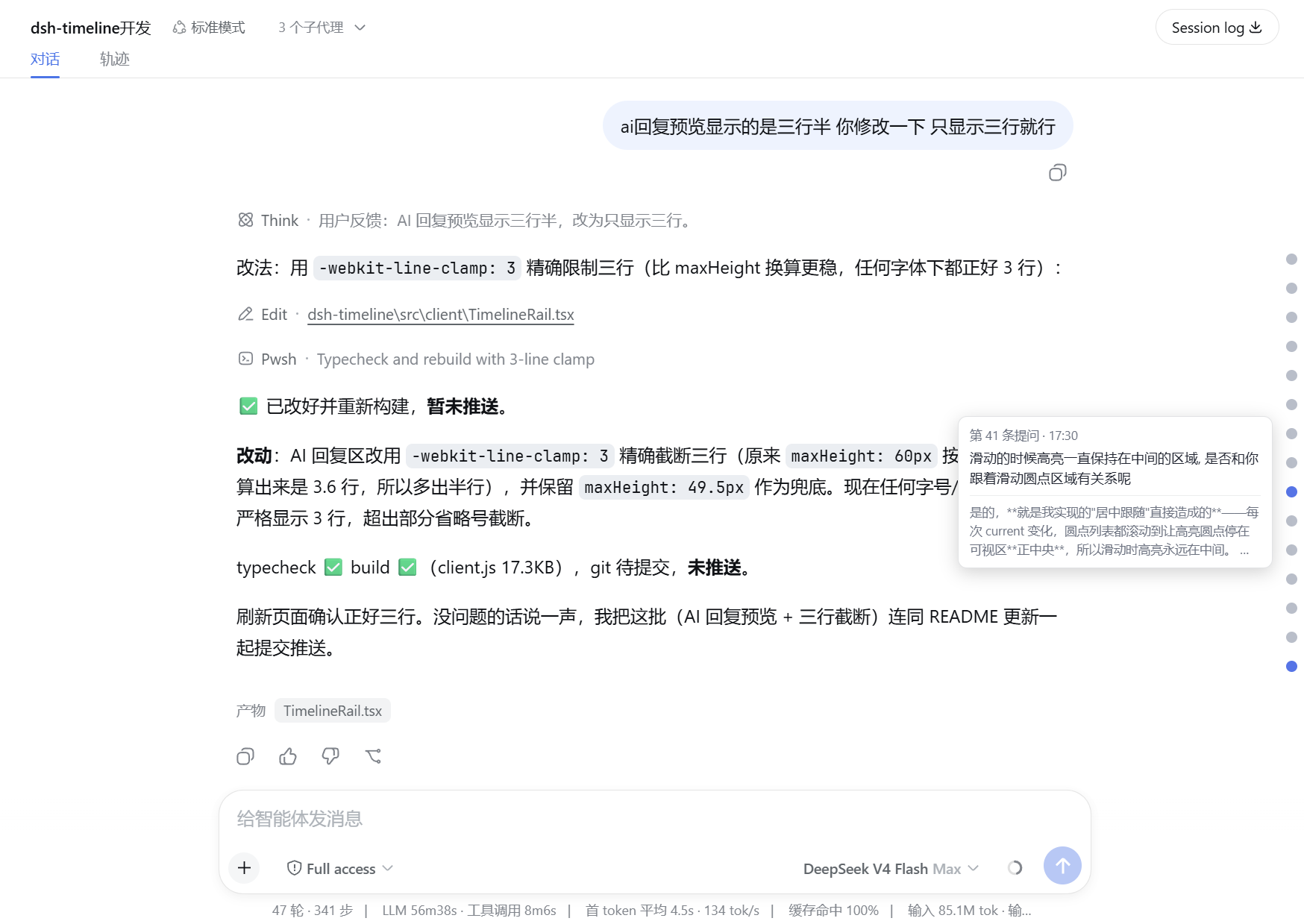 No configuration, no host dependencies, no database — everything comes from the conversation snapshot already in your browser. ## Features - 🎯 **One dot per question** — every user message gets a dot in a slim rail on the right edge of the frame - 🔵 **Quiet by default** — dots are gray; the highlighted dot (hovered, or the segment you are reading) turns blue. State is carried by color alone, so dots never grow and nothing can ever be clipped - 🌓 **Theme-aware** — dots and the preview tooltip use the DSH design tokens (`--dsw-alias-*` / `--dsw-static-*`), so they follow light / dark / system switches without a restart - 📍 **Segment highlight** — scrolling the chat lights the dot of the question whose segment (question + its answer) the viewport bottom is in; at the conversation's bottom the newest dot is lit by default - 📜 **Full-history rail** — long conversations auto-paginate (`loadOlder`) until *every* question in the session has a dot, not just the most recent page - 📏 **Calm at any length** — at most 15 dots are shown at once; older ones scroll inside the rail (hidden scrollbar), dots keep their spacing instead of compressing - 🖱 **Follow-scroll** — scroll past the visible dots and the rail scrolls along, keeping the lit dot in view - ⚡ **Click to jump** — smooth-scrolls the conversation to the exact message - 👁 **Hover to preview** — shows the message number, the time it was asked, the first 80 characters of your question, and a 3-line preview of the AI reply that followed - 🕐 **Absolute time** — today's messages show `HH:MM`; anything earlier shows `MM/DD HH:MM` - 🧹 **Scrollbar-free** — the conversation page's vertical scrollbar is hidden too; the lit dot is the position indicator - 🖱 **Click-through rail** — the rail never blocks the conversation; only the dots capture clicks - 📦 **Zero-footprint host** — the node half is an empty `apply`; nothing runs server-side - 🔤 **No i18n bloat** — copy is Chinese-only by design (keep it small) ## Install ```sh dsh plugin --profile web add github:zhangzheng25/dsh-timeline ``` Restart DSH, open any conversation with at least one question, and the rail appears on the right. To develop locally instead: ```sh dsh plugin --profile web add link:E:/path/to/dsh-timeline # link: protocol → junction, edits apply after pnpm build + page refresh ``` > ⚠️ Use the `link:` protocol: `file:` copies the directory under the profile's hoisted nodeLinker, so local edits never reach it. With `link:`, `node_modules/dsh-timeline` is a junction to this checkout — built artifacts are visible immediately, no sync or restart needed. ## How it works ``` shell.overlay (root scope, additive, click-through) └─ timeline.rail (self-declared child slot, session scope) └─ useSession snapshot → chat.order + chat.nodes (kind === 'user') → dots → data-chat-anchor-key rows → scrollIntoView ``` - **Injection point**: the frame-wide `shell.overlay` seat declares our own session-scoped child slot `timeline.rail`; the overlay bridges into the current session via the framework's `SessionProvider`. - **Data**: user messages come from the `useSession` snapshot (`chat.order` / `chat.nodes`), including the message timestamp (`data.time`) — no session logs, no database. - **Current segment**: `useCurrentAnchor` watches the conversation scrollport and picks the last user row whose top is at/above the viewport bottom — the segment (question + its answer) the reader is in. Its dot turns blue. - **Jump**: every chat row carries a `data-chat-anchor-key` attribute whose value is the node key; clicking a dot finds that row and `scrollIntoView`s it. - **UI**: the rail is `position: fixed` with `pointer-events: none`; only the dots opt back in. The dot list caps at 15 dots and scrolls internally; both scrollbars (the list's and the page's) are hidden via injected CSS. ## Development ```sh pnpm install pnpm run typecheck # tsc --noEmit pnpm run build # tsdown → lib/index.js (host) + lib/client.js (browser) ``` Build artifacts (`lib/`) are committed, so end users don't need to build. After changing source: `pnpm run build`, then restart DSH (or just refresh the page for pure client changes). > **Remote-install (copy mode) caveat**: when the plugin was added via `dsh plugin add` from another machine/remote, DSH loads a **copy** inside the profile — `$DSH_HOME/profiles/web/node_modules/dsh-timeline` — not this checkout, so local edits have no effect. After building, run `pnpm run sync:dsh` to push the artifacts into the copy (defaults to the `web` profile; set `DSH_PROFILE` to target another). **How edits take effect** (verified): | What changed | How to apply | |---|---| | Client code (`src/client/`, built to `lib/client.js`) | `pnpm run build` then **refresh the page** — no restart needed (DSH serves `/plugins/