# AnyDoor · System-wide GPS Spoofer for Android






简体中文 · English
**1.4.2 fixes connected-WiFi BSSID blocking failing on some Android 14+ builds**: [APK and upgrade notes](../../releases/tag/v1.4.2) · [Changelog](CHANGELOG.md). On builds where diagnostics showed `conn=impl-missing` (the connectivity component is jarjar-renamed), the connected AP's BSSID still leaked and let AMap/Tencent pull the fix back toward the real position; the `ConnectivityService` instance is now taken from its initializer rather than guessed by class name (`conn=ok`). Reboot once after upgrading.
Earlier: 1.4.1 fixed the spoofed location reverting after a few seconds and scoped-app crashes ([v1.4.1](../../releases/tag/v1.4.1)) · [Changelog](CHANGELOG.md). Streaming location clients (AMap, WeChat, and clone/parallel-space apps) briefly showed the virtual location and then reverted — now every provider report is rewritten (and its mock flag stripped) at the single `onReportLocation` choke point instead of the per-ROM registration classes. **Target apps do not need to be in the module scope and must not be set as exempt** — just tick system framework / phone / bluetooth. Reboot once after upgrading. · [Changelog](CHANGELOG.md). `requestCellInfoUpdate` (Android 10+), the cell identity inside `ServiceState`, and the connected WiFi BSSID that Android 12+ hands out through `NetworkCapabilities` were not blocked before, so an app's own network-positioning SDK could still see the real surroundings — the main reason a few apps / WeChat mini-programs kept showing the original position although the system location was already rewritten. Route planning now lists AMap's alternative routes and accepts via points, and the route polyline is finally visible on the map. **Not retested on hardware**; fully reboot once after upgrading.
1.4 extended WiFi/cell blocking to the newer APIs and added route alternatives + via points; 1.3.6 added "direct delivery"; 1.3.5 fixed `OP_MOCK_LOCATION` being denied on ColorOS/OxygenOS (test providers failing to register); 1.3.4 fixed repeated real-location stalls and the Android 15/16 WiFi-block leak. See the [Changelog](CHANGELOG.md).
> An Xposed module that rewrites **system-provided locations** by rewriting locations inside `system_server` — no mock-provider flag, no per-app hooking, works indoors without a GPS fix.
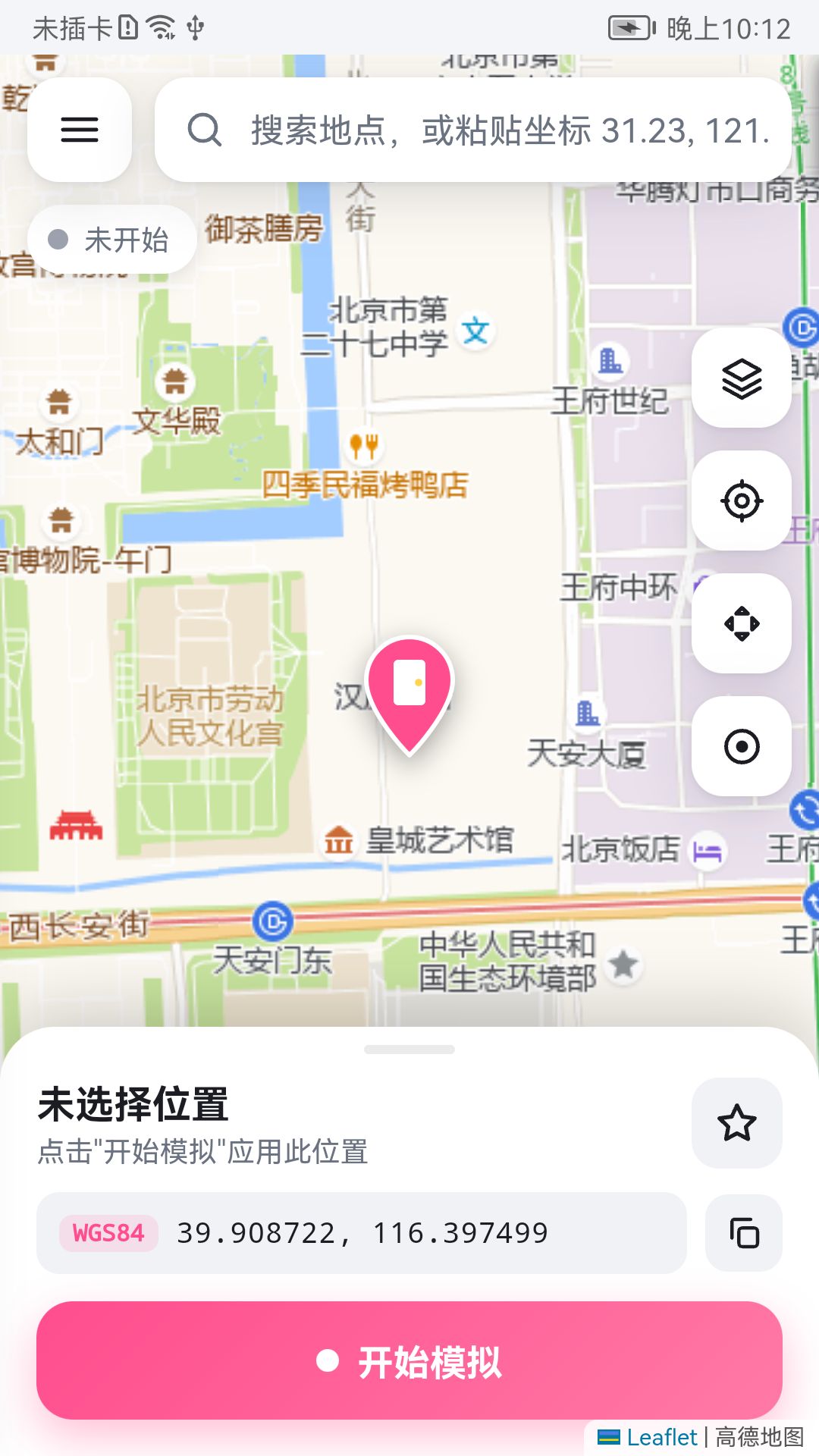
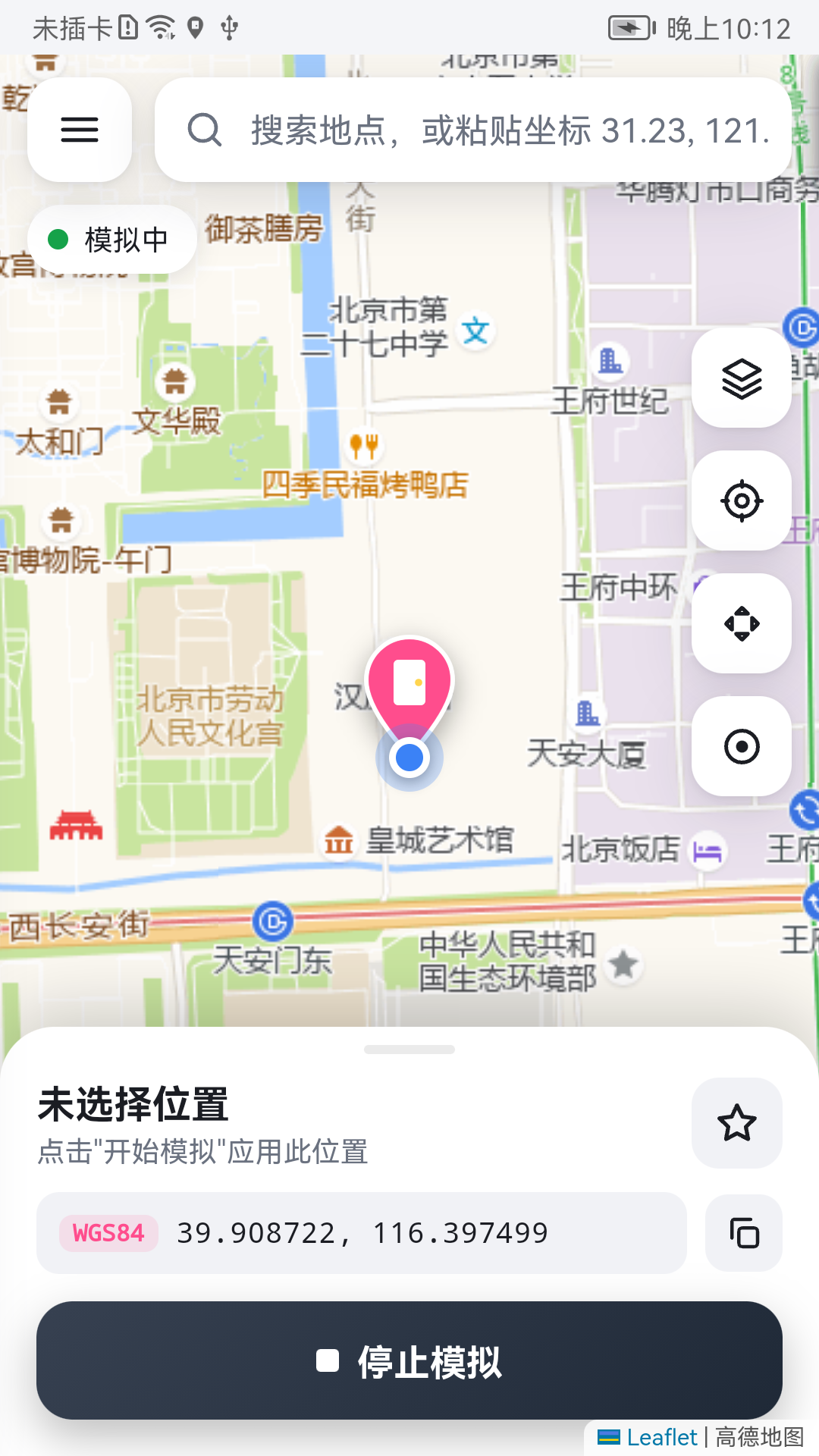
AnyDoor (任意门, "Anywhere Door") was written to replace the old-school fake-GPS tools that have no map, no search, and only accept raw lat/lng. It patches `LocationManagerService` in the system process, so the spoofed position is **global**, can be toggled at any time, and needs a **full reboot after enabling or upgrading the module**.
---
## ✨ Features
- **Truly system-wide** — hooks `LocationManagerService` inside `system_server`, for apps using the platform location APIs. Acceptance by a particular SDK or app still requires testing.
- **Anti-detection** — delivered `Location` objects have `isFromMockProvider() == false`. Optional blocking of **Wi-Fi scan / cell tower / raw GNSS** data so location SDKs (AMap, Tencent, Baidu, Google FLP) can't infer the real position from the environment.
- **Continuous output** — additionally pushes coordinates through a test provider, so apps keep receiving fixes even indoors with zero GPS signal.
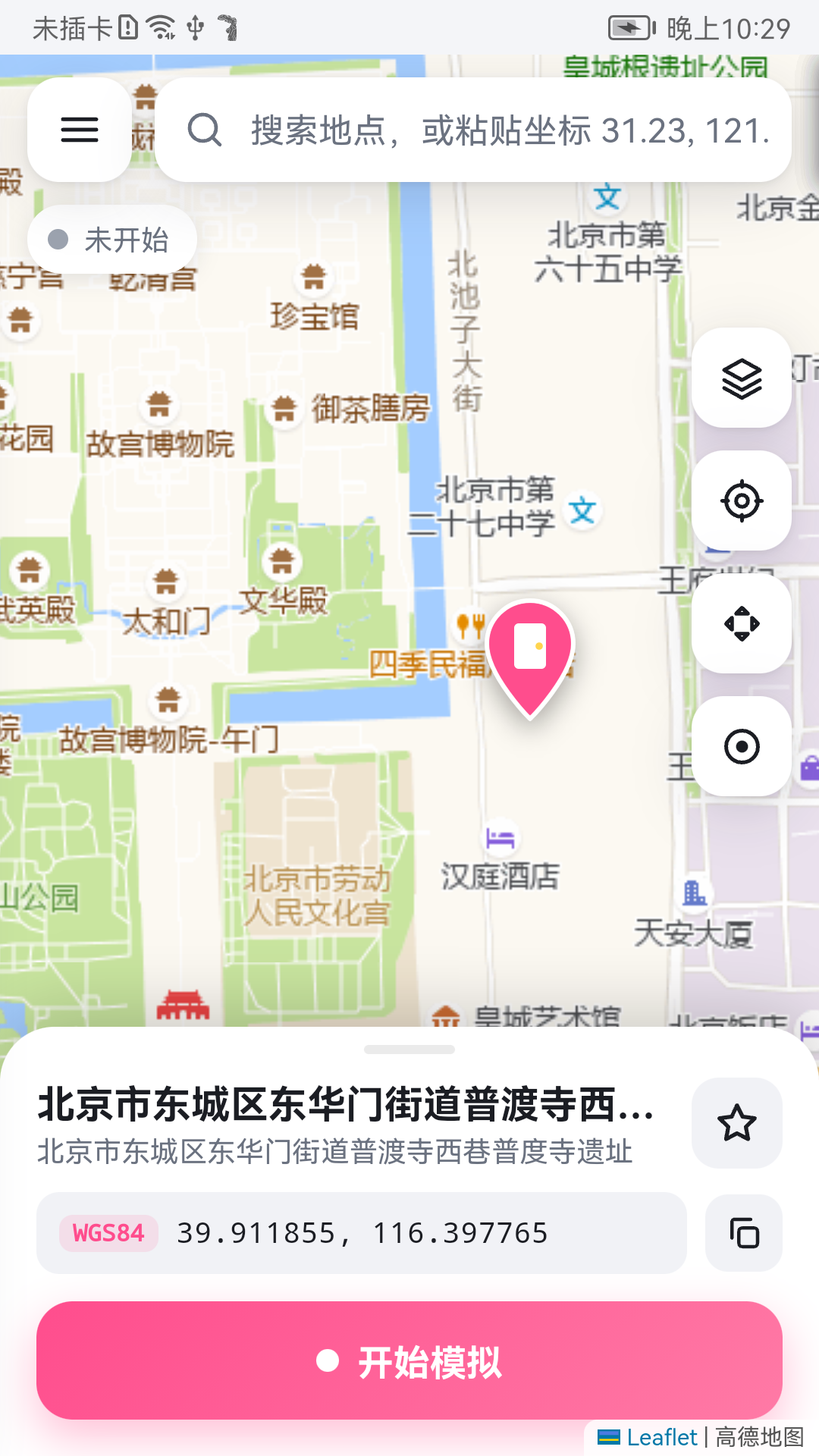
- **A real map UI** (WebView + Leaflet + AMap tiles):
- Place search, tap-to-pick, paste coordinates
- **D-pad nudging** and a **floating joystick** overlay to walk around on top of any app
- **Route simulation** — pick start & destination, choose **walk / run / bike / drive**, and follow real roads (AMap directions); pick one of AMap's **alternative routes** or add **via points** to force another road; random speed variation, random stops at crossings, return trip or loop; manual waypoints still available
- **Pedometer sync** — fake step-counter sensor events while walking (WeChat Sport, Keep, …), configurable stride, plus a "add N steps" mode
- Favorites, history, random jitter, light/dark theme
- **One-tap privacy hardening** — blank Wi-Fi / cell / GNSS / Bluetooth environment + spoofed IMEI / IMSI / ICCID / Android ID / serial + barometer blocked; independent of location spoofing. The [limits](#-what-privacy-mode-cannot-do) are documented honestly.
- **Coordinate systems handled for you** — internally WGS-84; display corrected to GCJ-02 for Chinese map tiles; paste WGS-84 / GCJ-02 / BD-09 and it converts.
- **One-tap environment check** — verifies the framework is active, scope is correct and permissions are granted, and can fix them via root.
---
## 📋 Requirements
| | |
|---|---|
| Android | 8.1 – 16 (API 27+). Tested on a real Android 9 (EMUI 9) device; newer versions use `ProviderProperties` on API 31+. Version 1.3.3 has not had physical-device regression coverage across these versions |
| Root | Required |
| Framework | **LSPosed**, **Vector** (JingMatrix) or any other Xposed-compatible framework |
| ABI | Pure Java, no native code — works on every architecture |
---
## 🚀 Install
1. **Install the APK** from [Releases](../../releases) (or [build it yourself](#-build-from-source)).
2. **Enable the module** in LSPosed / Vector and tick these scopes:
- ✅ **System Framework** (`android` / `system`) — required for the global hook
- ✅ **Phone** (`com.android.phone`) — for hiding cell-tower info and spoofing IMEI etc.
- ✅ **Bluetooth** (`com.android.bluetooth`) — optional, blocks BLE/classic scans in privacy mode
- ✅ **AnyDoor itself** (`io.github.zhaoyuxiangyyds_lab.anydoor`)
3. **Fully reboot after enabling or upgrading.** The `system_server` hook only loads at boot; after that you can start/stop spoofing freely with no further reboots.
4. Open the app → **Environment Check** → check app/hook version agreement and configuration synchronization; request a location in the target app to exercise the delivery counter. If "Mock location" or "Overlay" permission is missing, tap **Fix with Root**.
5. *(Optional, China only)* Place search uses the AMap REST API and needs a free **"Web Service"** key from [console.amap.com](https://console.amap.com/dev/key/app). Paste it under Settings → AMap Key. Everything else (tap-to-pick, paste coords, joystick, routes) works without a key.
> CLI-based frameworks (e.g. Vector CLI):
> ```sh
> cli scope set io.github.zhaoyuxiangyyds_lab.anydoor android/0 system/0 com.android.phone/0 com.android.bluetooth/0 io.github.zhaoyuxiangyyds_lab.anydoor/0
> ```
---
## 📖 Usage
1. **Pick a spot** — search, paste `31.23, 121.47`, or tap the map.
2. **Start** — hit the big button. Check synchronization, then request a location in the target app.
3. **Move around**
- **D-pad** (cross icon): nudge by a fixed step
- **Joystick** (dot icon): floating overlay you can drag while another app is in the foreground
- Drawer → **Route**: pick a destination (search / tap map / favorites), choose walk, run, bike or drive, tap **Plan** to get a real-road path, tune speed, variation, stops and return/loop, then start
4. **Stop** — tap the button again or use the persistent notification.
5. **Steps** (optional) — on the Route page enable **Fake step sensor**, add the target app (e.g. WeChat) to the module scope and restart it; steps grow with the simulated walk. "Add steps" bumps the counter at a chosen rate without moving.
6. **Privacy hardening** (optional) — Drawer → **Privacy**, flip the master switch. The page shows the current fake identity and can regenerate it.
---
## ❓ FAQ
**Spoofing is "on" but apps still show my real location?**
Open Environment Check and look at "System framework hook". If it's ✕, the System Framework scope isn't ticked or you haven't rebooted since enabling it.
**"System-side config read" shows ✕, or everything is ✓ but nothing happens / Amap snaps back to the real position after a split second?**
This symptom has several possible causes. Version 1.3.3 distinguishes an old system module, unreadable or stale configuration, expired service heartbeats and individual provider failures. Fully reboot, use Fix with Root to publish a snapshot, and copy the diagnostic report if the problem remains. A successful root write does not prove that every OEM SELinux policy allows the system to read it.
**Amap / WeChat / apps built on the Amap SDK never pick up the fake position, or report `errorCode=8` / `LatLng is error#0802`?**
Update to 1.3.1 and reboot once. Older builds had two bugs: the fake GPS fix carried no `satellites` extra, so the Amap/Baidu/Tencent SDKs classified it as mocked and dropped it; and the in-scope ("strong mode") hook on `Location.hasAltitude()` corrupted the `Location` parcel layout on Android 12+, which turned Amap's `AMapLocation` lat/lng into garbage. On Android 11+ the Wi-Fi service also lives in its own APEX class loader and was never hooked, so Wi-Fi positioning leaked the real position — fixed as well. The environment check now shows what `system_server` itself sees (config readable, spoof started, hook hit counts).
**Search returns `INVALID_USER_KEY`?**
Wrong AMap key type — it must be a **Web Service** key, not Android/iOS/JS.
**Coordinates are off by a few hundred meters?**
You pasted GCJ-02 / BD-09 coordinates. Set the input coordinate system under Settings, or just tap the map (already corrected).
**A banking / attendance app still detects mocking?**
Keep "Block Wi-Fi / cell location" on, set random jitter to 2–5 m, and add that app to the Xposed scope for the extra in-app hooks.
**I want one app to keep the real location?**
Settings → Exempt apps → enter package names (comma separated).
---
## 🔒 What privacy mode cannot do
Privacy mode makes sure **ordinary apps get nothing that locates or identifies this phone**: Wi-Fi / cell / raw GNSS / Bluetooth scans come back empty; `ANDROID_ID`, `Build.getSerial()`, IMEI / MEID / IMSI / ICCID / line number return a fixed random identity; barometer events are dropped for scoped apps.
What **no software can do**, so don't trust tools that claim otherwise:
| Not possible | Why |
|---|---|
| Hide from the carrier | With a SIM inserted the network always knows which cell you are in; that happens between baseband and carrier, below any app-level hook. Airplane mode + no SIM is the only answer. |
| Change your IP geolocation | Decided by the network path. Only routing traffic through a machine elsewhere changes it. |
| Run on GrapheneOS | GrapheneOS has no root / Xposed (it would break verified boot). Its per-app permission, network and sensor toggles already cover most of this. |
| Fake device model, OAID, accounts | Changing `Build.MODEL` etc. crashes apps or gets accounts banned; vendor ad IDs (OAID) go through proprietary services. |
| Sensors / client-side IDs outside strong mode | Sensor events and some ID reads happen inside the app process; they are only covered for apps added to the scope. |
---
## 🔧 Build from source
No Gradle — the project is built straight with the Android SDK toolchain, which keeps it small and fast.
**Needs:** JDK 17, Android SDK with `build-tools;34.0.0` and `platforms;android-34`.
```bash
# adjust SDK / JAVA_HOME at the top of build.sh if needed
bash build.sh
# output: AnyDoor.apk (a local debug keystore.jks is generated on first run)
```
Pipeline: `aapt2 compile/link` → `javac` → `d8` → pack `classes.dex` → `zipalign` → `apksigner`.
---
## 🧠 How it works
| Layer | What it does |
|---|---|
| **System** (`SystemHooks`) | Last-location and per-recipient delivery hooks. Android 12+ rewrites Registration.acceptLocationChange results, leaving the upstream provider result and mock cache flags intact for cleanup. |
| **Phone** (`PhoneHooks`) | Hooks `PhoneInterfaceManager` to hide cell-tower info from ordinary apps. |
| **App** (`AppHooks`) | For apps in scope, additionally hooks `Location` getters, `isFromMockProvider`, `getLastKnownLocation` etc. as a second line of defense. |
| **Driver** (`SpoofService`) | Foreground service that by default pushes coordinates via `addTestProvider` + `setTestProviderLocation`, implementing routes, joystick and jitter. When an exempt app is set, the test provider is disabled, or a ROM refuses to register one, it falls back to the system-side "direct delivery" that hands the fix to each registration (exempt apps keep their real location). |
| **Config** | Private app preferences + standard XSharedPreferences; atomic root snapshots for system_server and a permission-checked system state bridge for scoped processes. Revision/protocol validation and a 15-second active-driver lease. No deprecated NSP metadata. |
| **UI** | A single-page web app (`assets/web/`) in a `WebView`, bridged via `JsBridge`; map is Leaflet + AMap tiles. |
> Note: depending on the Xposed fork, `system_server` may be reported as package `android` or `system`. Both are handled.
---
## 🌟 Support
If AnyDoor is useful to you, a **Star** ⭐ helps other people find it and keeps the project going.
Bugs → [Issues](../../issues) · Ideas → [Discussions](../../discussions)
---
## ⚠️ Disclaimer
For research and testing on **devices you own** only. Do not use it to violate laws, platform terms of service, or other people's rights. You are solely responsible for how you use this software.
## 1.3.3 upgrade and testing
- Install over the previous version and fully reboot before opening AnyDoor. Old NSP settings and favorites are migrated on a worker; grant Root when prompted. Original files are retained, failures are retryable, and a previous active spoof is not automatically resumed during migration.
- Run the controller in the primary Android user. Target app clones/work profiles need the appropriate per-user scope and still require device validation.
- Explicit location exemptions disable the global test-provider driver. Other apps then depend on real platform callbacks, which may not arrive indoors.
- Hook loading, configuration acknowledgment and observed delivery are separate checks. They do not establish that every target app accepts a fix.
- Copy Diagnostics omits coordinates, favorites, generated identifiers and API keys. Include the target app version, failing feature and whether it is a clone when reporting an issue.
- Run `python tests/run.py` with JDK 17, Python, Node, an Android SDK jar and Bash. See [test documentation](tests/README.md).
Author: [zhaoyuxiangyydslab](https://github.com/zhaoyuxiangyyds-lab). Codex assisted with this release's fixes and tests.