# dsh-Fonts
**A font system plugin for DeepSeek Harness** — bundled OFL webfonts served offline, user-imported custom fonts, and a `ctx.fonts` registry other plugins can extend
[](https://github.com/zhijun-dai/dsh-Fonts/stargazers)
[](https://github.com/zhijun-dai/dsh-Fonts/issues)
[](https://github.com/zhijun-dai/dsh-Fonts/graphs/contributors)
[](./LICENSE)
English | [中文](./README.md)
## Overview
DeepSeek Harness's web UI ships with system font stacks and no webfonts. dsh-Fonts turns fonts into a composable resource:
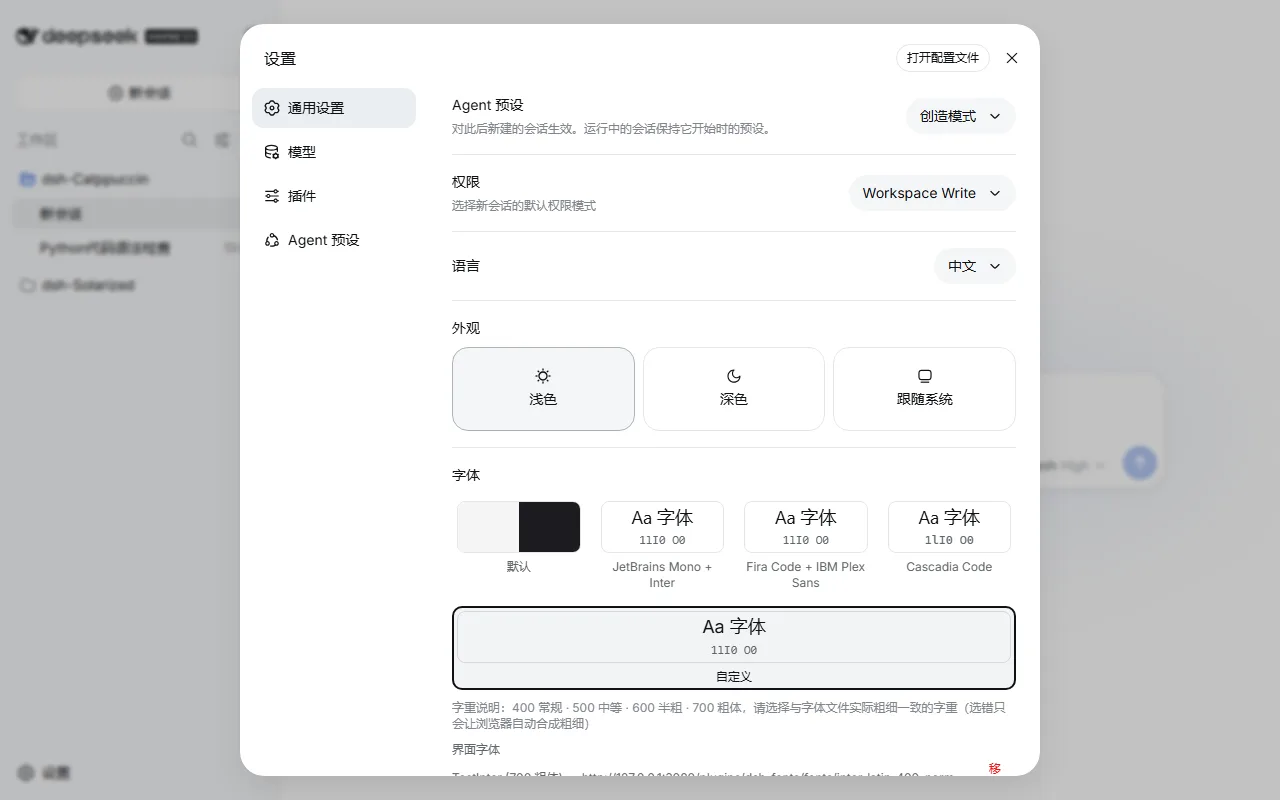
- **Bundled presets**: JetBrains Mono + Inter, Fira Code + IBM Plex Sans, and Cascadia Code pairings, all OFL-licensed and shipped with the plugin for offline use (no CORS issues)
- **Custom import**: enter a family name + woff2 URL in the settings panel to import your own UI/code fonts; the selection persists locally
- **Plugin API**: a `ctx.fonts` registry service — other plugins can register or consume font presets via `ctx.get("fonts")`
## Previews
Settings → General → Font (click to expand)
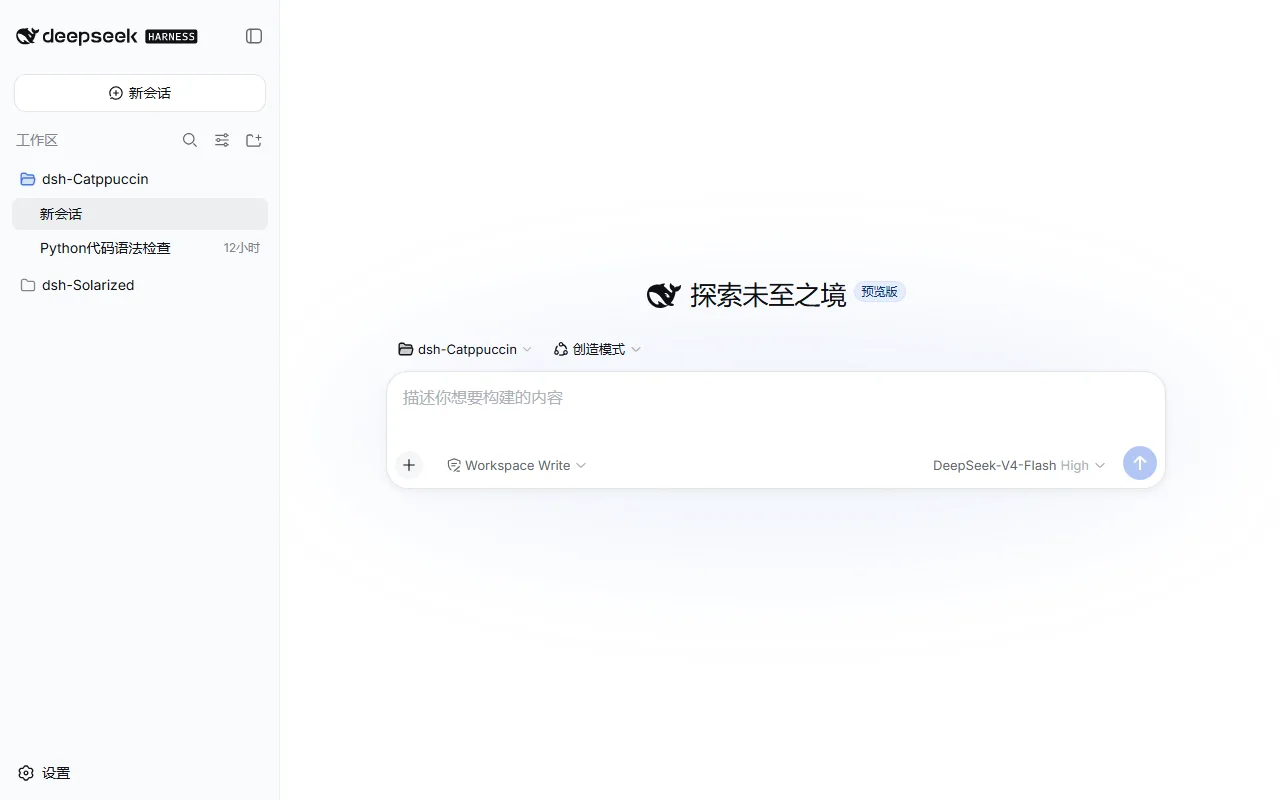
JetBrains Mono + Inter applied
## Usage
A dual-face DSH plugin: the host half serves the bundled font files, the browser half provides the registry and the settings row. After installation, pick fonts in **Settings → General → Font**.
**Install:**
```sh
# GitHub
dsh plugin --profile web add github:zhijun-dai/dsh-Fonts
# local directory (the profile dir is a pnpm workspace root — -w is required)
dsh plugin --profile web add -w /path/to/dsh-Fonts
# npm
dsh plugin --profile web add dsh-fonts
```
Then restart `dsh web`.
**Switching fonts:** Settings → General → Font row — preset cards apply live; "Default" restores the system stacks.
**Importing custom fonts:** fill in the editor fields (UI font / Code font) and hit Add:
| Field | Meaning |
| --- | --- |
| Family | Any name used to reference the font in the stack (e.g. `Inter`) |
| woff2 URL | An http(s) direct link to the font file; it must be CORS-accessible (CDNs usually are) |
| Weight | 400 Regular · 500 Medium · 600 Semibold · 700 Bold — **pick the weight your file actually is**. Download pages usually label it: Regular=400, Bold=700. A wrong pick won't break anything, the UI just shows a browser-synthesized "fake bold" |
Example — importing Inter Regular from the Fontsource CDN as the UI font:
```
Family: Inter
woff2 URL: https://cdn.jsdelivr.net/npm/@fontsource/inter@5.3.0/files/inter-latin-400-normal.woff2
Weight: 400 Regular
```
It applies immediately and survives reloads; re-adding the same family+weight replaces the old entry, and Remove deletes it.
## Plugin API
Other plugins consume the font service lazily via `ctx.get("fonts")` (cross-plugin `require` is a build error — module imports cannot be used):
```ts
// in your plugin's browser half
import type { FontPreset, FontRegistry } from 'dsh-fonts/client'
// register your own font preset
const dispose = ctx.get('fonts')?.register({
id: 'my-preset',
ui: ['My Font', '-apple-system', 'sans-serif'],
code: ['My Mono', 'monospace'],
faces: [{ family: 'My Font', weight: '400', src: ['https://example.com/my-font.woff2'] }],
})
// subscribe to snapshots
const off = ctx.get('fonts')?.subscribe((snapshot) => {
console.log(snapshot.activeId, snapshot.revision)
})
```
Full `FontPreset` / `FontSnapshot` / `FontRegistry` types live in `lib/types/client/index.d.ts`.
## How it works
- The browser half provides the registry to the root context via `ctx.provide("fonts", registry)` at `apply` time
- On selection changes it rewrites an injected `