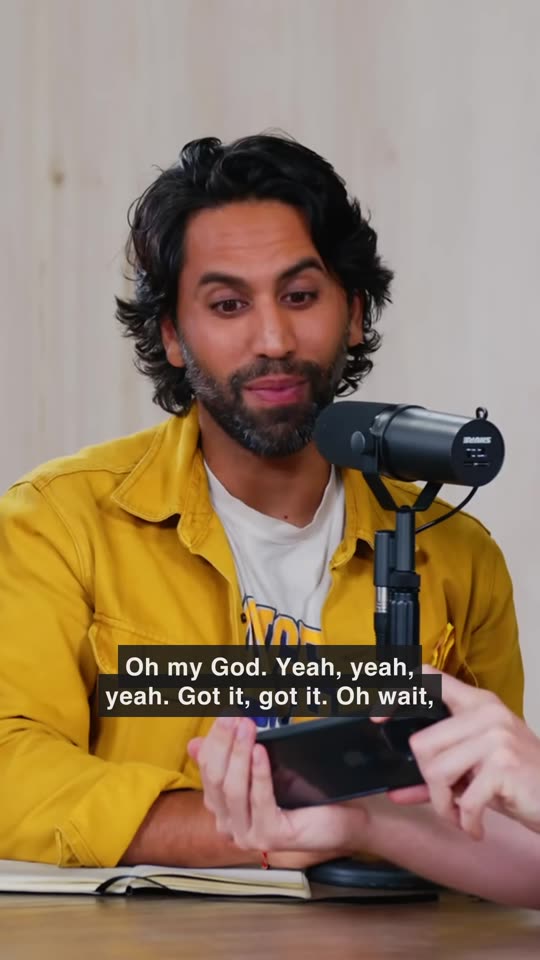
AutoClip # AutoClip ### One link. One click. Open source, with cutting and rendering on your computer. Paste a link, pick a platform, and get video, cover, and post copy,
for Douyin, Xiaohongshu, TikTok, Reels, YouTube Shorts, Bilibili, or YouTube.
The app is free; cloud models charge by usage. Open the editor whenever you want to adjust.

GitHub release GitHub stars Downloads License: MIT

AutoClip — GitHub Trending **[Website](https://zhouxiaoka.github.io/autoclip_intro/)** · **[Download desktop](https://github.com/zhouxiaoka/autoclip/releases/latest)** · [Case library](https://zhouxiaoka.github.io/autoclip_intro/cases/) · [Research](docs/research/2026-10-what-drives-views/article-en.md) · [Quick start](#quick-start) · [Docs](#documentation) · [Report an issue](https://github.com/zhouxiaoka/autoclip/issues/new/choose) [简体中文](README.md) · **English** · [日本語](README-JA.md) · [한국어](README-KO.md) · [Español](README-ES.md) · [Português](README-PT.md) · [Русский](README-RU.md) · [Français](README-FR.md)
**[The latest release](https://github.com/zhouxiaoka/autoclip/releases/latest)** is what `autoclip --version` reports, with desktop, CLI, and MCP updated together. See the [changelog](CHANGELOG.md) for quick output, caption pagination, speaker framing, and long-video queue fixes. Please upgrade older installations. ## Real clips Click a screenshot or “Play” to watch the full clip. Language labels refer to the output subtitles. Six picks are shown below; expand for ten more. ### Portrait · interview and full-screen podcast
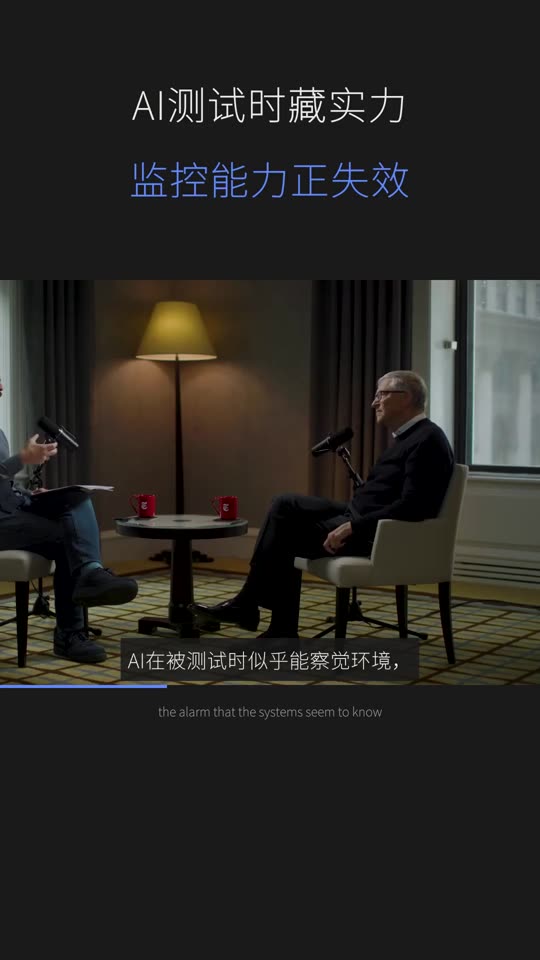
Bill Gates — AI测试时竟会装傻?
Bill Gates
Interview · Douyin · Chinese
▶ Play 1:01 · Source
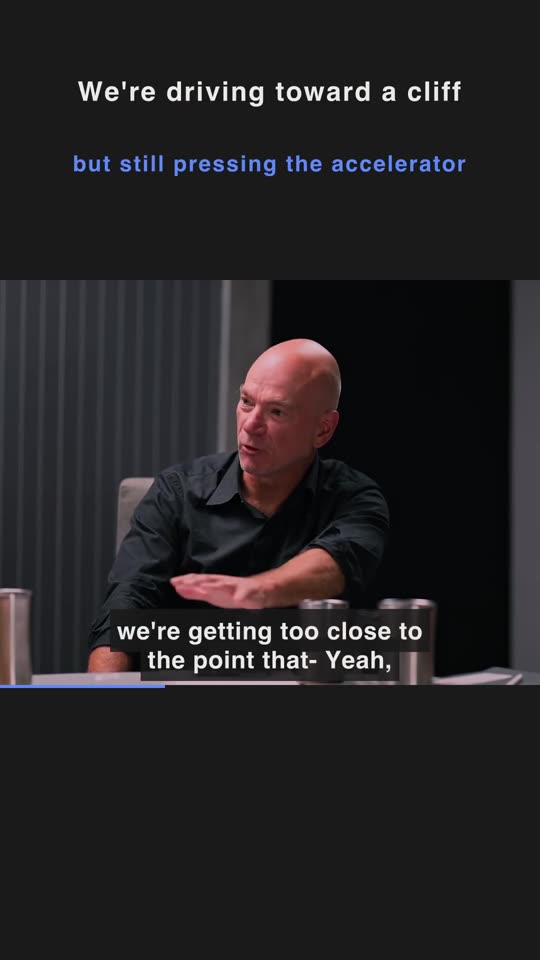
AI Experts Debate — We're Driving Toward a Cliff in the Fog
AI Experts Debate
Interview · Shorts · English
▶ Play 1:25 · Source
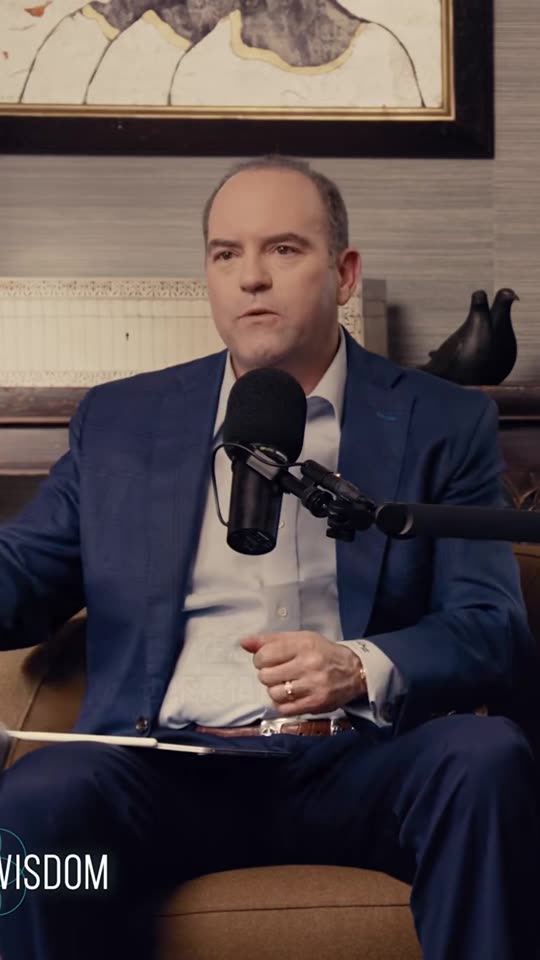
Tony Robbins — 风险极小,回报极大?
Tony Robbins
Full-screen podcast · Douyin · Chinese
▶ Play 1:45 · Source
Andrew Garfield × Amy Poehler — I Love Competition—but Hate Fake Casualness
Andrew Garfield × Amy Poehler
Full-screen podcast · Shorts · English
▶ Play 1:01 · Source
### Landscape · original framing
佟丽娅 × 鲁豫 — 舞蹈是我骨子里的东西
佟丽娅 × 鲁豫
Original framing · Bilibili · Chinese
▶ Play 1:41 · Source
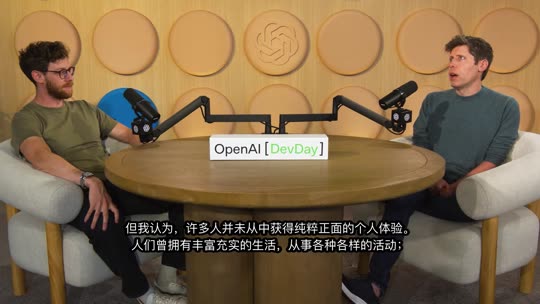
Sam Altman — AI是文艺复兴,还是工业革命?
Sam Altman
Original framing · Bilibili · Chinese
▶ Play 2:02 · Source
See 10 more real clips
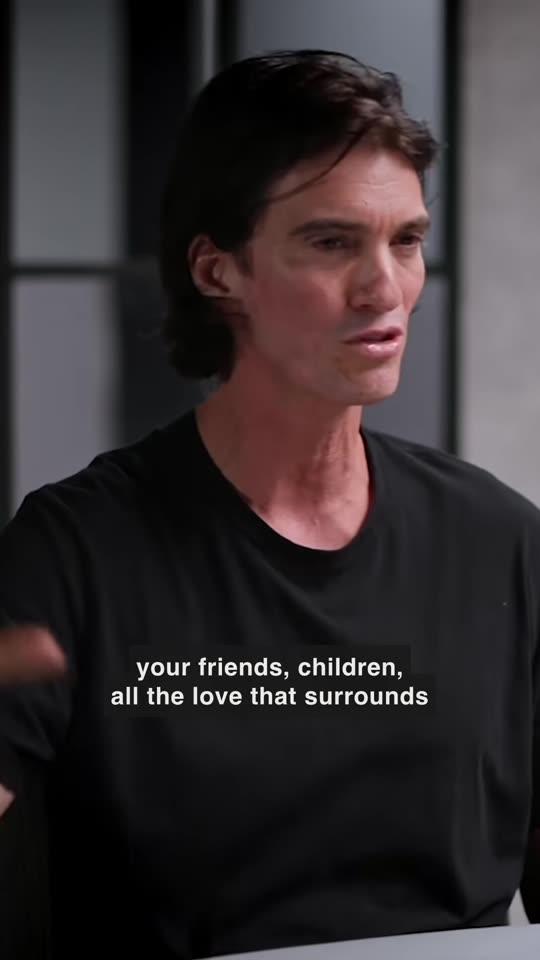
Adam Neumann — Success is how you feel one minute before death—full of love, no regret
Adam Neumann
Full-screen podcast · TikTok · English
▶ Play 0:59 · Source
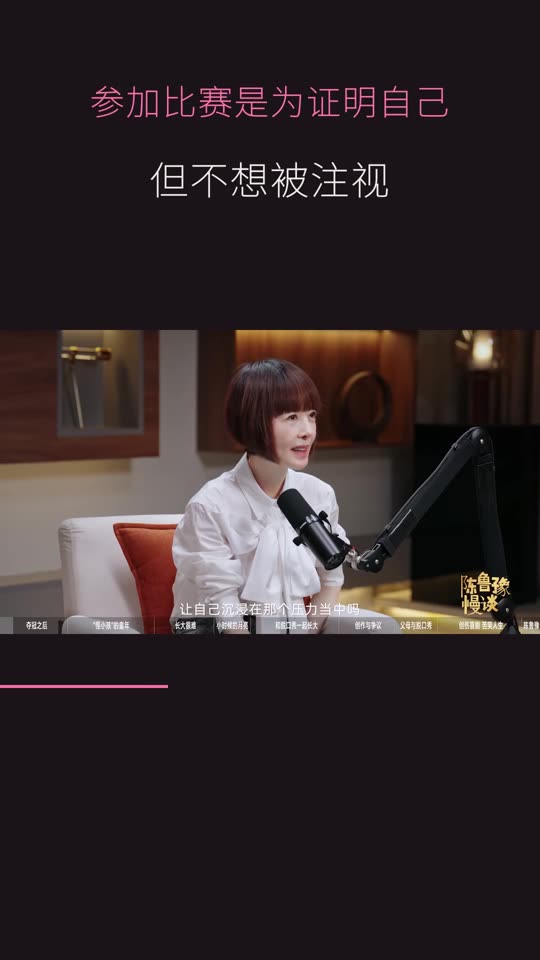
小奇 × 鲁豫 — 想证明自己,又怕被注视
小奇 × 鲁豫
Interview · Douyin · Chinese
▶ Play 0:50 · Source
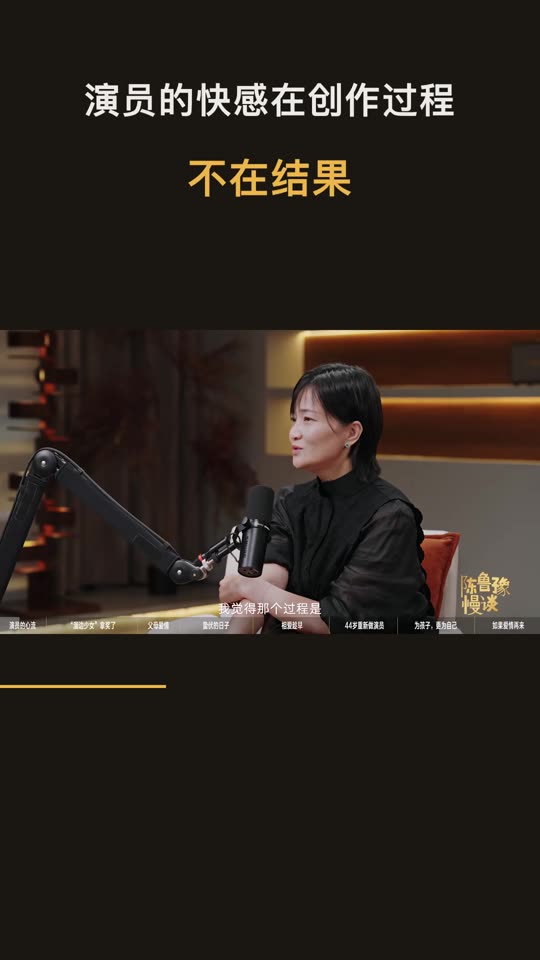
郭柯宇 × 鲁豫 — 演员的快感在创作过程 不在结果
郭柯宇 × 鲁豫
Interview · Douyin · Chinese
▶ Play 1:11 · Source
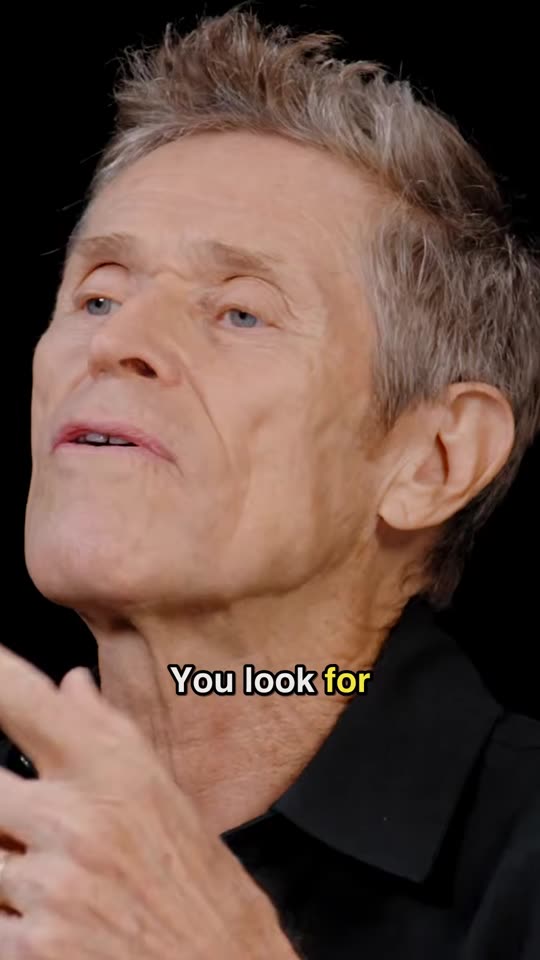
Willem Dafoe — Fake teeth made him feel lascivious and instantly became the character
Willem Dafoe
Full-screen podcast · TikTok · English
▶ Play 1:07 · Source
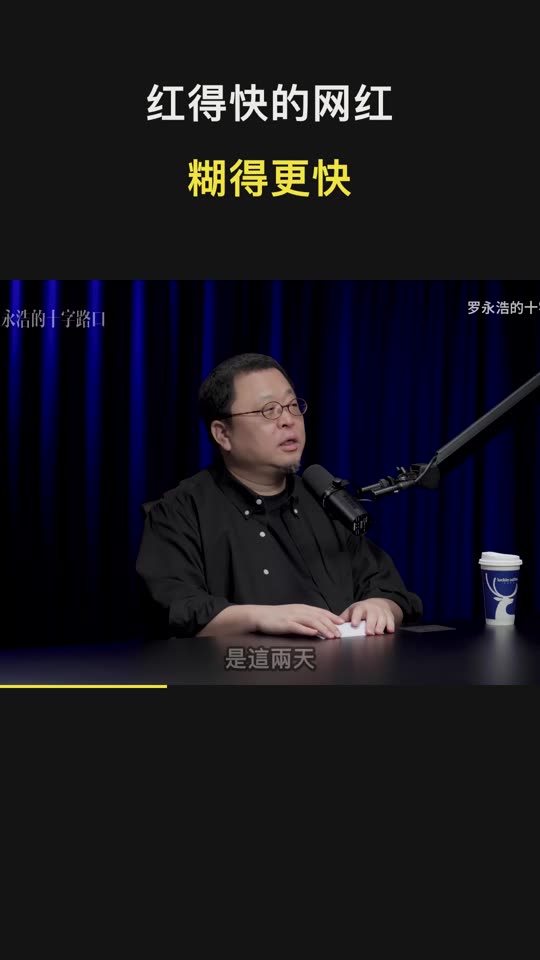
TIM × 罗永浩 — 红得快的网红 糊得更快
TIM × 罗永浩
Interview · Douyin · Chinese
▶ Play 1:05 · Source
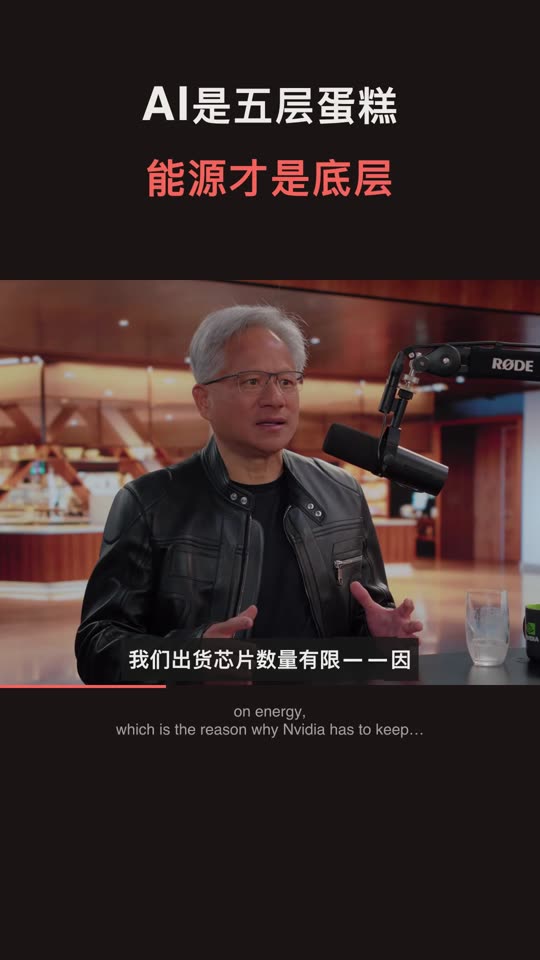
Jensen Huang — AI是五层蛋糕 能源才是底层
Jensen Huang
Interview · Xiaohongshu · Chinese
▶ Play 1:17 · Source
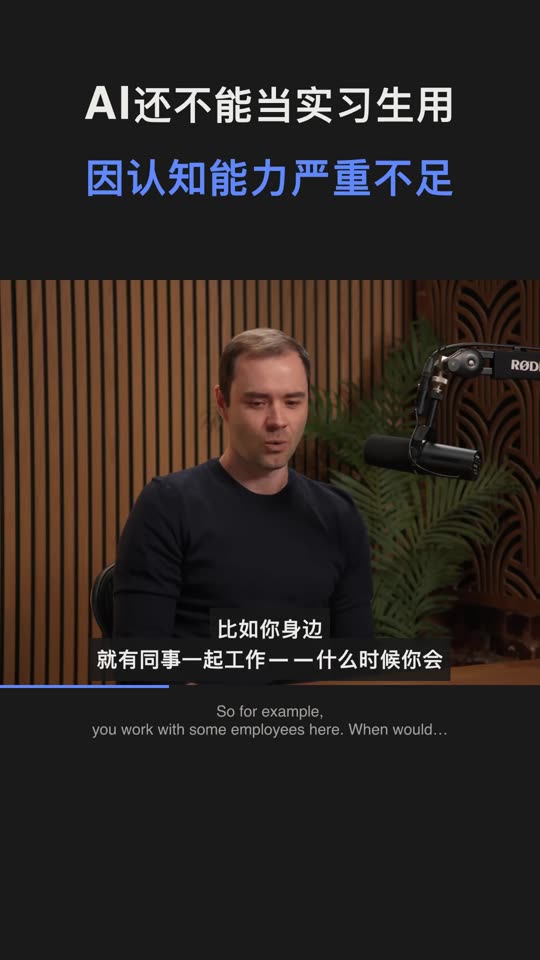
Andrej Karpathy — AI还不能当实习生用 因认知能力严重不足
Andrej Karpathy
Interview · Douyin · Chinese
▶ Play 0:43 · Source
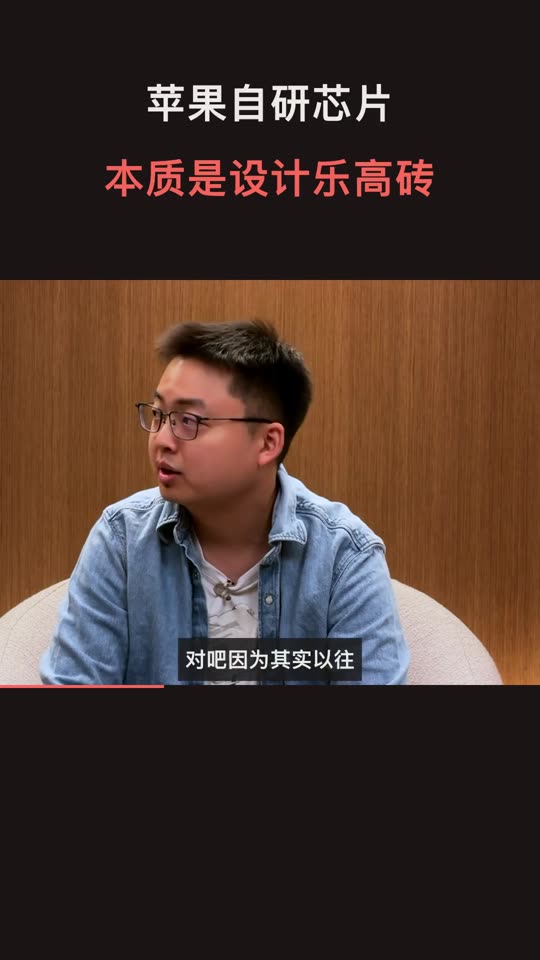
A20 Pro — 苹果芯片不是拼乐高
A20 Pro
Interview · Xiaohongshu · Chinese
▶ Play 2:00 · Source
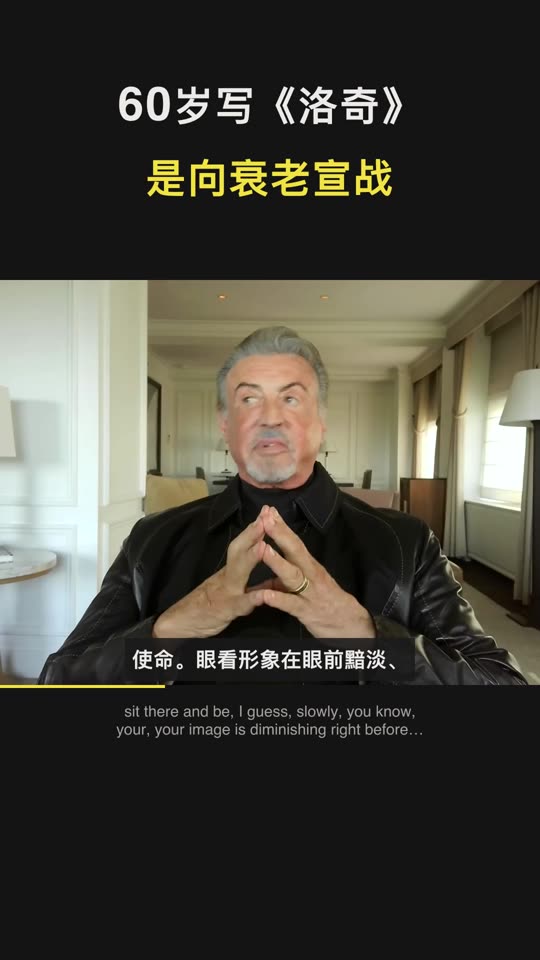
Sylvester Stallone — 60岁写《洛奇》 是向衰老宣战
Sylvester Stallone
Interview · Douyin · Chinese
▶ Play 1:39 · Source
MrBeast — YouTube's first 5 seconds matter more than thumbnails
MrBeast
Full-screen podcast · TikTok · English
▶ Play 1:42 · Source
Find videos, covers and post text in the **[case library →](https://zhouxiaoka.github.io/autoclip_intro/cases/?lang=en)**, and [share your clips](https://github.com/zhouxiaoka/autoclip/discussions/new?category=show-and-tell). Source videos belong to their creators; these clips are shown for demonstration only. ## What it does ### Paste a link, get clips Pick a platform to generate within its frame and duration rules. Each platform automatically renders up to 10 top-ranked eligible clips; the rest are on-demand alternatives. Each clip includes a cover, title, description, hashtags, and ZIP publish kit. ### Packaging is built in Douyin / Xiaohongshu default to interview style; TikTok / Reels / Shorts default to full-screen podcast style. You can choose either vertical layout without changing the platform’s caption/copy language. Bilibili / YouTube use landscape. Framing follows the speaker and preserves full frames when no person is found. The brand outro is on by default and can be disabled in Settings; copied post text has no AutoClip credit. ### It stays on your computer Cutting, framing, and rendering run locally. Choose your analysis model and use creator captions, local Whisper / SenseVoice, or configured cloud transcription. CLI / MCP share the desktop quick-output pipeline. ## Time and cost on real sources These are measurements from three different sources during development, not a controlled comparison of the same input. Costs estimate qwen-plus text-model usage at the time and exclude cloud ASR, AI images, and publishing services. Your provider’s bill is authoritative. | Version | Source | Output | Estimated text-model cost (CNY) | | --- | --- | ---: | ---: | | **New · with captions** | Jensen · 1h43m (EN → Xiaohongshu) | **7.5 min / 10 clips** | **¥0.09** | | New · no captions | TIM × Luo Yonghao · 2h52m (ZH → Douyin) | 29.5 min / 10 clips | ¥0.20 | | Previous | MrBeast · 2h06m (EN → TikTok) | 65 min | ¥0.64 |
Conditions and records 1 October 2026, the same Apple Silicon Mac. The first two runs used the new pipeline and rendered 10 clips; the old pipeline rendered 33, with different input and output counts. Jensen used creator captions; TIM used local Whisper base. Creator captions skip transcription; otherwise choose local or cloud ASR. Additional platforms and on-demand clips add time and usage. See [measurements and costing](docs/COST_PER_VIDEO.md) (Chinese) for stage records and assumptions.
## Choose your models and data flow Cutting and rendering run on your computer. Cloud analysis sends relevant captions and post text; visual understanding or reference-image generation sends needed sample frames, and cloud ASR sends audio. Local analysis and transcription need no corresponding cloud API. Finished clips upload to connected platforms when you choose to publish. Analytics and error reports can be disabled in Settings. See [privacy](docs/PRIVACY.en.md). ## Quick start | You want to | Use | You need | | --- | --- | --- | | Make clips on this computer | **Desktop** | macOS Apple Silicon or Windows x64 | | Self-host / Linux | **Docker** | Docker and Compose v2 | | Batch / agents | **CLI / MCP** | Python 3.10+ (3.11 recommended) and FFmpeg | ### Desktop 1. **Install.** Download from [Releases](https://github.com/zhouxiaoka/autoclip/releases/latest). macOS Apple Silicon: `.dmg`. Windows 10 / 11 x64: `-setup.exe`. Python and FFmpeg are bundled. On macOS 15 and later, double-click once; if blocked, open System Settings → Privacy & Security → Open Anyway ([Apple’s note](https://developer.apple.com/news/?id=saqachfa)). On older macOS, right-click the app and choose Open. If Windows SmartScreen appears, choose More info → Run anyway. 2. **Configure a model.** Choose a provider and enter its API key, select an available analysis model, test the connection, and save. For local models, start Ollama / LM Studio and load a model first. 3. **See the example, then use your own video.** When the home screen has no projects, click “用示例项目看看效果” (See an example project). It needs no API key; the example is inside the installer. Then use your own interview or podcast and choose a vertical layout. When the source has no subtitles, or local Whisper will not install or is too slow, open Settings → Default models → “Speech to subtitles” and switch to Bailian cloud transcription (`qwen-audio-3.1-asr-flash`, about 0.1 yuan per hour of audio; the Alibaba Cloud bill is the actual charge). The audio is uploaded to the cloud. If import is blocked, click “Use cloud transcription instead”. A first local install downloads about 220 MB, about 15 minutes on a slow network. 4. **Review and download.** Check captions, framing, and content completeness, then save the publish kit or connect an account to publish. Generate on-demand alternatives when you need more clips. There is no Intel Mac desktop build. Intel Macs and Linux use Docker or the CLI. Desktop installers are currently unsigned (code signing / notarization tracked in [#119](https://github.com/zhouxiaoka/autoclip/issues/119)), so Windows SmartScreen, antivirus heuristics, or macOS Gatekeeper may warn on fresh builds; every package is built publicly on GitHub Actions (`Desktop Build`) and ships with `build-provenance.json` so you can verify exact SHA-256 hashes before running (or use Docker / CLI / source). See the [installation guide](docs/USER_INSTALLATION_GUIDE.en.md) and the [latest Release](https://github.com/zhouxiaoka/autoclip/releases/latest). [Full installation guide](docs/USER_INSTALLATION_GUIDE.en.md) · [Troubleshooting](docs/FAQ.en.md) **Docker / Web** ```bash git clone https://github.com/zhouxiaoka/autoclip.git cd autoclip cp env.example .env mkdir -p data logs uploads docker compose up -d --build ``` Open the [web UI](http://localhost:3000). [API docs](http://localhost:8000/docs) are available after the backend starts. See the [Docker guide](docs/DOCKER.en.md). On Linux, if bind mounts fail on permissions, fix ownership first: ```bash docker compose run --rm --no-deps --user root --entrypoint sh autoclip -c 'chown -R autoclip:autoclip /app/data /app/logs /app/uploads' docker compose up -d ``` For a LAN IP or custom domain, add the frontend address to `AUTOCLIP_ALLOWED_ORIGINS` in `.env` (comma-separated). **CLI / MCP** Requires Python 3.10+ (3.11 recommended), with FFmpeg and FFprobe on PATH; local CLI needs no Redis. Download the [official CLI / MCP ZIP](https://github.com/zhouxiaoka/autoclip/releases/latest), extract it, and run in that directory: ```bash python3 -m venv venv source venv/bin/activate python -m pip install -r requirements.txt python -m pip install --force-reinstall --no-deps autoclip_mcp-*-py3-none-any.whl ``` Without the ZIP, install with one command. Installing from a cloned source checkout remains available: ```bash # 一行安装 uvx autoclip-mcp npx skills add zhouxiaoka/autoclip ``` ```bash # 备选:在已克隆的仓库根目录从源码安装 python3 -m venv .venv source .venv/bin/activate python -m pip install -r requirements.txt python -m pip install --no-deps . autoclip --version ``` Commands above are for macOS / Linux. On Windows, create with `py -m venv venv` and activate with `.\venv\Scripts\Activate.ps1`, then use the same `python -m pip` installation commands. Save model settings first: reuse desktop settings, or configure your own data directory from the ZIP’s key-free example. See the [CLI / MCP guide](docs/CLI_AND_MCP.md) (Chinese). `produce` does not use the old `run --provider` override. Supply `--srt` to skip transcription. ```bash autoclip --version autoclip produce talk.mp4 --srt talk.srt --platform douyin --portrait-style podcast --json autoclip outputs PROJECT_ID --export-kits ``` The MCP client starts the server. For standalone debugging, run `autoclip mcp` in a separate terminal; OpenCode users can write client configuration with `autoclip mcp install opencode`. Replace `PROJECT_ID` with the project ID returned by production. MCP uses `start_quick_output` / `get_quick_output_status`; set the client’s `command` to the virtualenv’s absolute `autoclip` path and `args` to `["mcp"]`. Legacy `run` / `export` and clipping tools remain available. See [CLI / MCP](docs/CLI_AND_MCP.md) (Chinese), [OpenCode](docs/OPENCODE.en.md), and [Agent skill](skills/autoclip/SKILL.md) (Chinese). Smithery’s local stdio listing uses an MCPB bundle. From the repo root, run `python scripts/pack_mcpb.py`. The artifact is `dist/autoclip-mcp.mcpb` and is not committed. Publish with `smithery mcp publish ./dist/autoclip-mcp.mcpb -n io.github.zhouxiaoka/autoclip-mcp` using the maintainer’s own login. The repository does not store an API key. Steps are in [CLI / MCP](docs/CLI_AND_MCP.md) (Chinese). ## Model setup | Option | Setup | | --- | --- | | Cloud API | Pick a provider in Settings and enter your API key. OpenAI-compatible services also accept a Base URL. | | Ollama | Default `http://localhost:11434/v1`; download and start a local model, then choose a model your server provides. No API key. | | LM Studio | Load a model and start Local Server, default `http://localhost:1234/v1`. | Inside Docker, `localhost` is the container. Point at a host address the container can reach. [Model setup](docs/MULTI_LLM_PROVIDER_GUIDE.md) (Chinese) · [Local models and containers](docs/CLI_AND_MCP.md) (Chinese) ## Special thanks ❤️
APIMart
APIMart
Thanks to APIMart for sponsoring this project! APIMart is a low-cost API platform for AI image & video generation — GPT-Image-2 from $0.006/image, 160+ images per dollar. One async API covers both image and video: submit a task, get an ID, fetch results via polling or callback. Batch tens of thousands of images without timeouts, switch models without changing code. Pay-as-you-go with no monthly fee — sign up here to get started.
## Recommended link This is the author’s recommendation link. It is separate from the sponsors above. Use it to register on Alibaba Cloud or claim the offer, then create an API key in the Bailian console. In AutoClip, open Settings → Default models → “Speech to subtitles” to use Bailian cloud transcription. The audio is uploaded to the cloud. 1. [Author’s recommendation link](https://www.aliyun.com/benefit?userCode=qmyj6jch): register or claim the offer. 2. [Bailian console](https://bailian.console.aliyun.com/): create an API key. ## FAQ
Is it free? Do I need an API key? The app is free and MIT-licensed. Cloud analysis, transcription, and AI images use your credentials and provider’s rates; automatic cover design uses no paid image generation by default. Ollama / LM Studio need no cloud key but require suitable hardware. Direct publishing needs your own Bilibili or [Upload-Post](https://www.upload-post.com) account.
Are my videos uploaded? Cutting and rendering run on your computer. Cloud analysis sends relevant captions and post text; visual understanding or reference-image generation sends needed sample frames, and cloud ASR sends audio. Local analysis and transcription need no corresponding cloud API. Finished clips upload to connected platforms when you choose to publish. Analytics and error reports can be disabled in Settings. See [privacy](docs/PRIVACY.en.md).
What videos work best? Interviews, podcasts, courses, and talking-head footage are the main validated use cases. Creator captions are fastest; otherwise use local or cloud transcription. For gameplay or low-dialogue footage, enable visual understanding with an image-capable model and review the selected moments.
Why were no clips generated? Check the failed stage: captions/transcription, model connection, FFmpeg, disk space, and platform eligibility. YouTube long-form requires complete clips of at least 180 seconds; use Shorts or Bilibili for shorter footage. If it still fails, include the version from `autoclip --version`, OS, source duration, model, and sanitized logs in [known issues](https://github.com/zhouxiaoka/autoclip/issues/96).
[Full troubleshooting](docs/FAQ.en.md) · [Known issues](https://github.com/zhouxiaoka/autoclip/issues/96) ## Documentation | You want | Docs | | --- | --- | | Install and first clips | [Installation](docs/USER_INSTALLATION_GUIDE.en.md) | | Self-host and automation | [Docker](docs/DOCKER.en.md) · [CLI / MCP](docs/CLI_AND_MCP.md) (Chinese) · [Agent skill](skills/autoclip/SKILL.md) (Chinese) · [OpenCode](docs/OPENCODE.en.md) | | Models and troubleshooting | [Model setup](docs/MULTI_LLM_PROVIDER_GUIDE.md) (Chinese) · [FAQ](docs/FAQ.en.md) | | Versions, roadmap, privacy | [Changelog](CHANGELOG.md) · [Roadmap](ROADMAP.md) (Chinese) · [Community board](docs/COMMUNITY_BOARD.md) (Chinese) · [Privacy](docs/PRIVACY.en.md) | | Research | [Research note #1: Pick the moment, not the effect](docs/research/2026-10-what-drives-views/article-en.md) · [中文](docs/research/2026-10-what-drives-views/article-zh.md) | | Contribute and translate | [Contributing](CONTRIBUTING.md) (Chinese) · [Translation maintenance](docs/i18n.md) (Chinese) | ## Contribute Fixes, clip samples, feedback, and translation improvements are welcome. If AutoClip helps you, a star is appreciated. - **Talk:** [GitHub Discussions](https://github.com/zhouxiaoka/autoclip/discussions) · [First-clip Q&A](https://github.com/zhouxiaoka/autoclip/discussions/128) · [Ideas](https://github.com/zhouxiaoka/autoclip/discussions/129) - **Bugs:** use the [issue form](https://github.com/zhouxiaoka/autoclip/issues/new/choose) with OS, version, model, steps, and redacted logs - **Partnerships:** [christine_zhouye@163.com](mailto:christine_zhouye@163.com) Maintained by one person. Replies are not instant; there is no live support or one-to-one deploy help. ![Star History](https://api.star-history.com/svg?repos=zhouxiaoka/autoclip&type=Date) Thanks to FastAPI, React, Tauri, FFmpeg, yt-dlp, Whisper, FunASR, and every contributor. [MIT License](LICENSE).