# 🐋 dsh-im-gateway
Connect DeepSeek Harness to every chat app you use
Aggregated IM gateway for DeepSeek Harness (dsh) — drive your coding agents from WeChat, Feishu, Telegram, Discord, QQ and 25+ chat platforms, with unified sessions, remote approvals, interactive questions and one-command setup.







English · 简体中文
---
## 📸 Screenshots
---
## ⚡ One-command install
Paste any prompt below into dsh (Web GUI chat, `dsh --profile headless "…"`, or a connected IM chat). The agent will install the plugin for you. Restart dsh web once after installing a plugin.
Option A · Install from npm (recommended)
```text
Please install the dsh-im-gateway plugin: dsh plugin --profile web add dsh-im-gateway
Tell me when it's done and remind me to restart dsh web.
```
Option B · Clone from GitHub
```text
Please install the dsh-im-gateway plugin (the aggregated IM gateway for DeepSeek Harness):
1. Run git clone --depth 1 https://github.com/zhuiyueya/dsh-im-gateway.git /tmp/dsh-im-gateway
2. Run cd /tmp/dsh-im-gateway && npm install && npm run build
3. Run dsh plugin --profile web add /tmp/dsh-im-gateway
4. Report the result; if it asks for a restart, remind me to restart dsh web.
```
Option C · Install straight from the git URL
```text
Please install the dsh-im-gateway plugin: dsh plugin --profile web add https://github.com/zhuiyueya/dsh-im-gateway.git
Remind me to restart dsh web when done (first install takes 1–2 min for dependencies).
```
Option D · Local project directory
```text
Please install the local dsh-im-gateway project as a dsh plugin:
1. cd into the project and run npm install && npm run build
2. Run dsh plugin --profile web add
3. Remind me to restart dsh web.
```
---
## 🚀 Quick Start
### 1. Install and open Settings
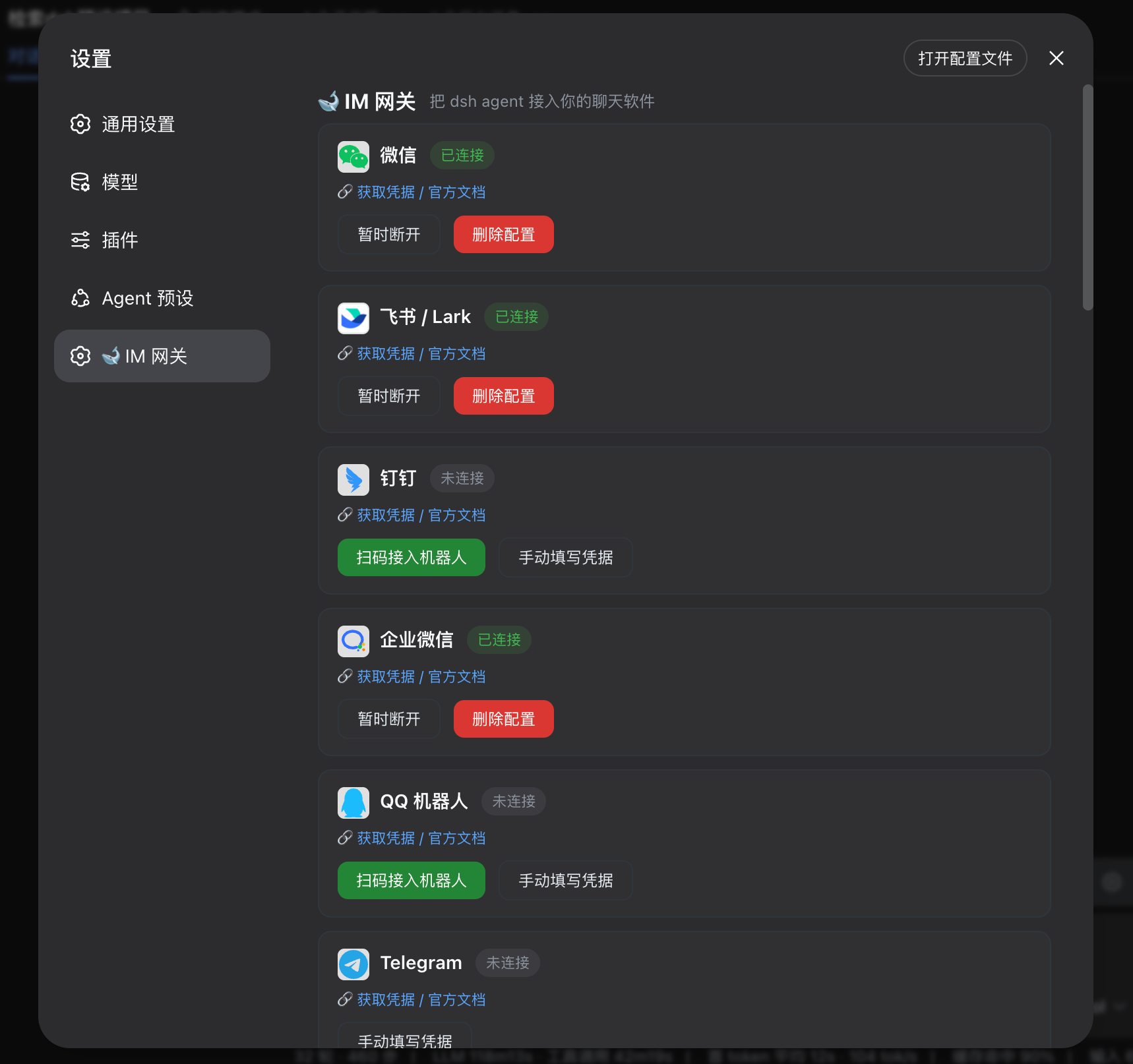
After installation, restart dsh web and open: **Settings ⚙️ → 🐋 IM Gateway**.
### 2. Connect a channel
- **WeChat / WhatsApp**: click 「Connect (scan)」 and link the device with the mobile app.
- **Feishu / QQ / DingTalk / WeCom**: click 「Scan to connect bot」 and scan with the platform app; manual credentials are also supported.
- **Telegram / Discord / Slack and others**: follow the official documentation and credential form shown on the channel card.
No restart is needed after connecting. Status is normalized to: **connected / not connected / connecting / error**. Saved channel configurations auto-reconnect after a dsh restart; WeChat login state is persisted, so it does not need to be scanned again.
> **Disconnect vs Delete config**: temporary disconnect stops the channel but keeps its configuration for automatic recovery; delete config removes the credentials and requires setup again.
### 3. Start using it
Message your bot in any connected chat app:
```text
/help ← available commands
Hi, take a look at my current workspace ← plain chat = drive the agent
```
When `allowAllUsers: false`, an unknown user's first message triggers an authorization request in the Web settings panel. With the default `allowAllUsers: true`, no authorization step is needed.
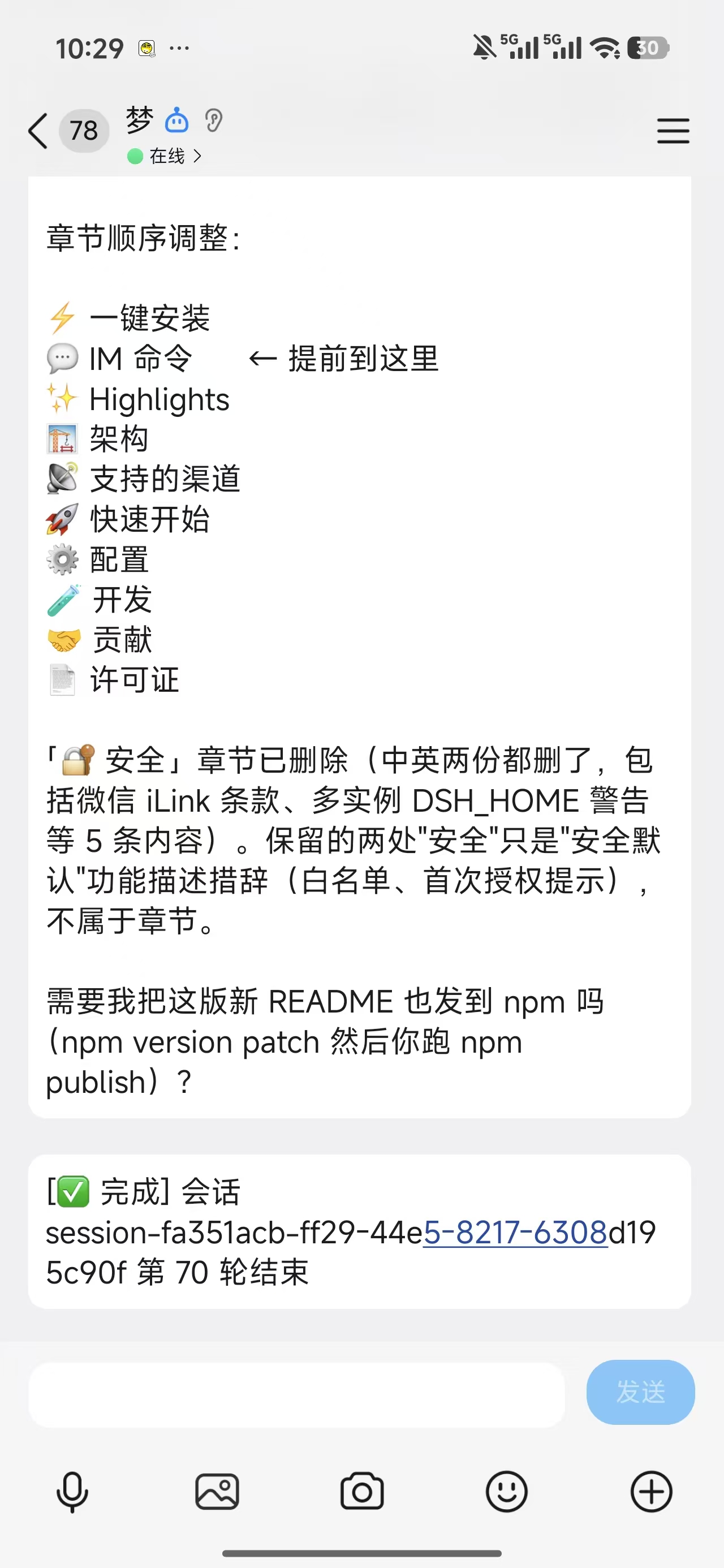
Agent replies stream back in real time; when approval is needed, reply 「approve / reject」 in the chat. The agent can also use `im_send_file` to send workspace files into the chat.
See [`docs/qr-login-matrix.md`](docs/qr-login-matrix.md) for the platform-by-platform QR capability research.
---
## 📡 Supported Channels
| Channel | Status | Receive mode | Setup |
|---|---|---|---|
| **Telegram** | ✅ Full | Bot API long-polling | @BotFather token |
| **Discord** | ✅ Full | Gateway WebSocket | Bot token |
| **Slack** | ✅ Full | Socket Mode | xoxb- + xapp- token |
| **Feishu / Lark** | ✅ Full | Official SDK long-connection | Official QR or App ID + Secret |
| **DingTalk** | ✅ Full | Official Stream connection | Official QR or Client ID + Secret |
| **WeCom** | ✅ Full | Official intelligent-bot WebSocket | Official QR or Bot ID + Secret |
| **WeChat** | ✅ Full* | Tencent official iLink long-polling (device QR) | Official iLink account (dedicated account recommended) |
| **QQ Bot** | ✅ Full | Official WebSocket | Official QR or AppID + Secret |
| **LINE** | ✅ Full | REST + webhook | Channel token |
| **Matrix** | ✅ Full | Client sync | Homeserver + token |
| **Mattermost** | ✅ Full | WebSocket + REST | Server URL + token |
| **IRC** | ✅ Full | Native socket | Server address |
| **Twitch** | ✅ Full | WebSocket IRC | OAuth token |
| **Signal** | ✅ Full | signal-cli subprocess | Local signal-cli |
| **Nextcloud Talk** | ✅ Full | REST polling | Instance account |
| **Synology Chat** | ✅ Full | webhook | Incoming webhook |
| **Zalo** | ✅ Full | REST + webhook | OA token |
| **iMessage** | ✅ Full* | imsg / osascript | macOS |
| **WhatsApp** | 🔄 Dynamic dep | Baileys QR | `npm i @whiskeysockets/baileys` |
| **Nostr** | 🔄 Dynamic dep | NIP-04 DM | `npm i @noble/curves` |
| **Teams** | 🧪 Experimental | Bot Framework | Azure registration |
| **Google Chat** | 🧪 Experimental | webhook | Public endpoint |
| **Tlon / Yuanbao / Voice** | 🧪 Skeleton | — | Infrastructure |
✅ Full = send & receive work | 🔄 Dynamic dep = prompts to install SDK if missing | 🧪 Experimental = needs public network or dedicated infrastructure | *WeChat = Tencent's official iLink channel (media + voice-to-text + typing)
---
## ✨ Core Features
### 💬 IM Commands
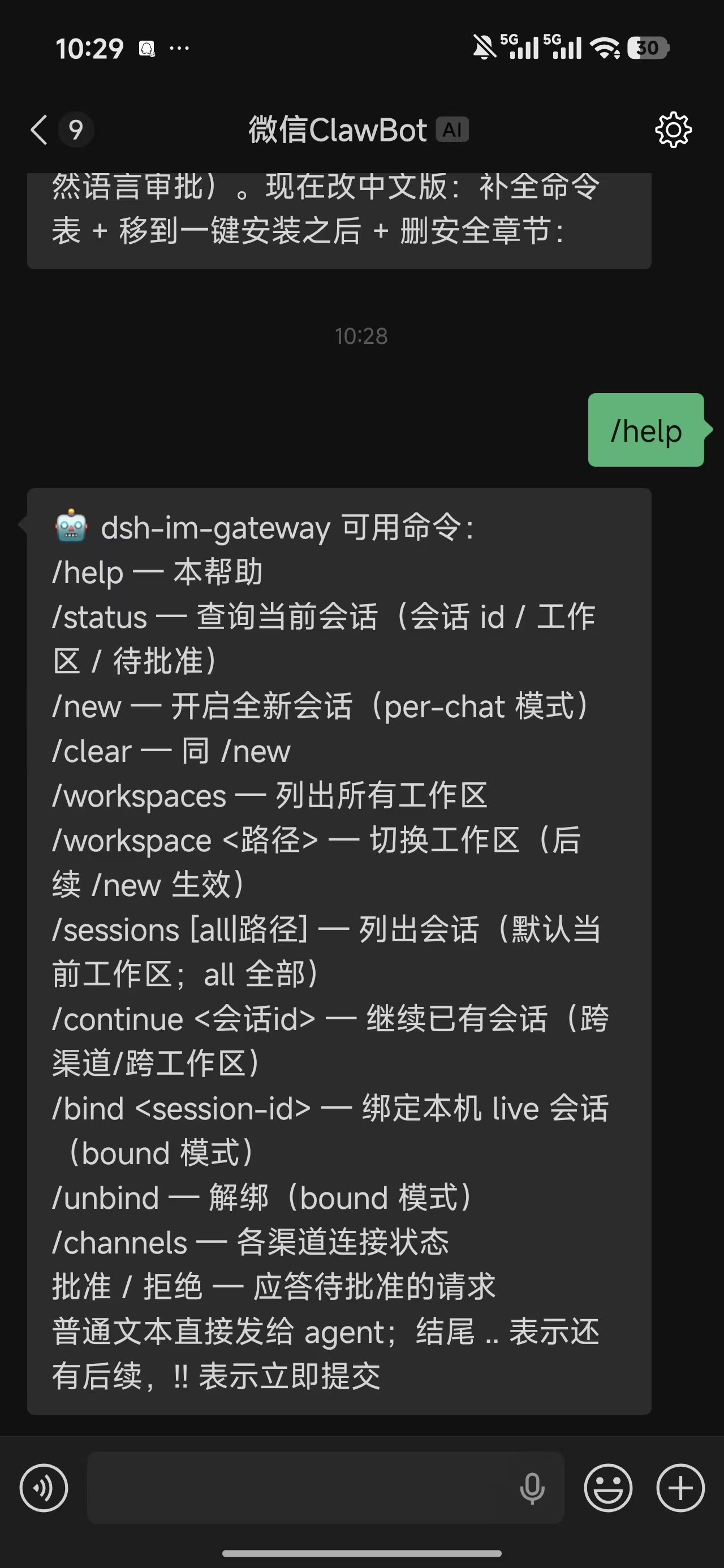
Messages starting with `/` in any connected chat are commands:
| Command | Description |
|---|---|
| `/help` | This help |
| `/status` | Current session (session id / workspace / pending approvals) |
| `/new` · `/clear` | Start a brand-new session (per-chat mode) |
| `/workspaces` | List all workspaces |
| `/workspace ` | Switch workspace (takes effect on the next `/new`) |
| `/sessions [all\|path]` | List sessions (default: current workspace; `all` for everything) |
| `/continue ` | Resume an existing session (across channels/workspaces) |
| `/bind ` | Bind a local live session (bound mode) |
| `/unbind` | Unbind (bound mode) |
| `/channels` | Connection status of each channel |
| `/cron list` | List this chat's scheduled tasks |
| `/cron rm ` | Delete a scheduled task |
| `approve` / `reject` | Answer a pending approval (also `yes` / `no` / `同意`) |
| Plain text | Sent to the agent; trailing `..` means more coming, `!!` submits immediately |
### ✅ Remote Approval
When the agent requests a tool approval, the request is pushed to the chat. Reply 「approve / reject」 directly; approval replies verify chat and session ownership, and expired requests fall back to the local approval system.
### ❓ Interactive Questions
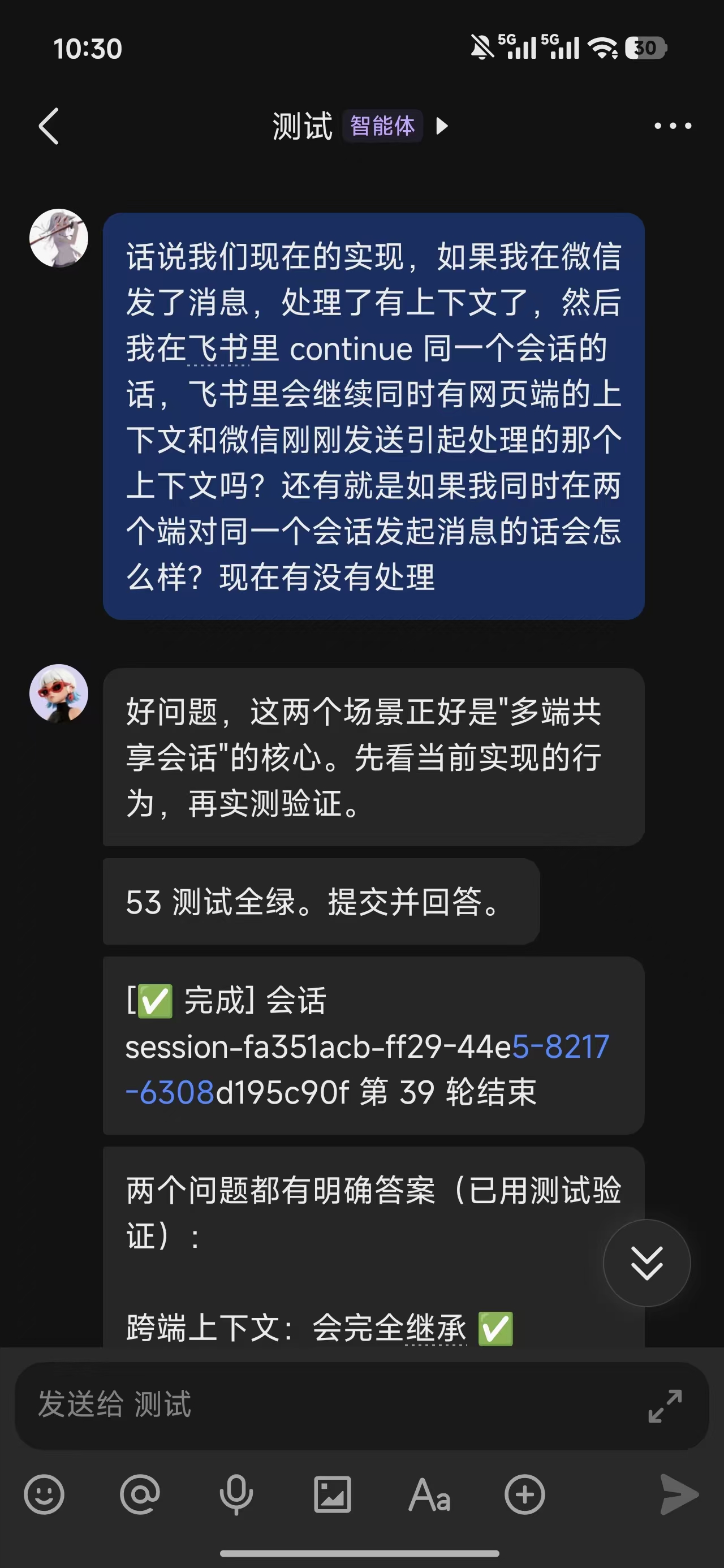
When the agent calls `ask_user_question`, its prompt and options are sent to every IM chat bound to that session. Web and IM can both answer; **the first valid answer wins**, and every other channel receives a resolved notice.
| Question type | IM reply format | Example |
|---|---|---|
| Single choice | Option number, exact label, or custom text | `2`, `Full mode`, `Ask me later` |
| Multiple choice | Separate values with commas, Chinese commas, ideographic commas, or semicolons | `1,3`, `Fast;Tests` |
| Free text | Reply with the full answer | `Use dsh-im-gateway as the project name` |
| Multiple questions | One line per question: `question-number: answer` | `1: 2`, then `2: 1,3` on the next line |
The answer window is controlled by `questionTimeoutSecs` and defaults to 600 seconds. When it expires, only the IM wait is removed; the question remains answerable in the Web GUI. Pending questions are isolated by session.
### ⏰ Chat-scoped Scheduled Reminders
Scheduled tasks bind to the **chat (`chatId`) rather than the session (`sessionId`)**. Say “remind me to drink water at 9am daily” or “every Monday at 9am generate today's todo list”; the task continues to work across `/new` and session restarts.
- `/cron list`: list this chat's tasks
- `/cron rm `: delete a task
- Supports one-shot, daily, and weekday schedules
- Supports IANA time zones and DST gap/overlap handling
- State persists across restarts; failed sends are retried
### 📱 Messages and Media
- Mobile multi-part input: `..` means more coming, `!!` submits immediately, bare text merges within a 5-second window, and buffers recover after a crash.
- Long replies are split by each channel's limit, preferring newlines and sentence boundaries, with `(i/n)` numbering.
- WeChat supports images, voice transcription, files, and video; agents can send workspace files with `im_send_file`.
### 🛡️ Access Control
`allowAllUsers: true` is the default for easy setup. Set it to `false` when access control is needed and manage the channel allowlist. Approval replies always verify session ownership.
---
## 🏗 Architecture
```text
IM channels (Telegram / WeChat / Feishu / Discord / …) DSH agent
│ adapter normalizes inbound ▲
▼ │
┌─────────────────────────┐ ┌────────────────────────┐ │
│ ChannelAdapter │◄────►│ ImGateway (core) │──────┘
│ · one adapter per channel│ │ · session routing │
│ · recv: poll/WebSocket/ │ │ (per-chat) │
│ webhook → ImMessage │ │ · allowlist & IM cmds │
│ · send: send(chatId, │ │ · approval / questions │
│ text) │ │ · split / merge │
└─────────────────────────┘ └────────────────────────┘
▲
│ session/event · assistant/message · turn/end
└────────────────────────────────────────────────────
```
```text
user message → channel adapter → gateway (allowlist → merge → route) → agent.followup()
agent reply ← gateway (split per channel) ← session/event(assistant/message) ← agent
tool approval → approval/request → pushed to chat → 「approve」→ allowed-once
```
---
## 🧪 Development
```bash
npm install
npm run build # tsc builds to lib/
npm test # node --test (106 cases)
```
**Adding a new channel takes 4 steps**:
1. Create `src/channels/yourchannel.ts` implementing `ChannelAdapter` (6 methods)
2. Register it in `src/channels/index.ts`
3. Add the config fields in the Config in `src/index.ts`
4. Add a row to the README channel table ✨
```typescript
export function createYourChannel(config, log): ChannelAdapter | undefined {
if (!config.token) return undefined // no credentials → don't start
return {
id: 'yourchannel', label: 'YourChannel', maxMessageLength: 2000,
start() { /* connect / poll / scan */ },
stop() { /* cleanup */ },
async send(chatId, text) { /* send message */ },
setMessageHandler(h) { /* inbound callback */ },
status() { return 'running' },
}
}
```
---
## 🤝 Contributing
- Bug fixes, new channels and doc improvements are all welcome!
- Please make sure `npm test` passes all 106 cases first
- Add the `dsh-plugin` and `deepseek-harness` topics to the repo to get into the awesome-plugin list
## 📄 License
[MIT](./LICENSE) © zhuiyueya
---
Made with 🐋 for the DeepSeek Harness ecosystem