# Raspbian Buster + DVB-T receiver
### 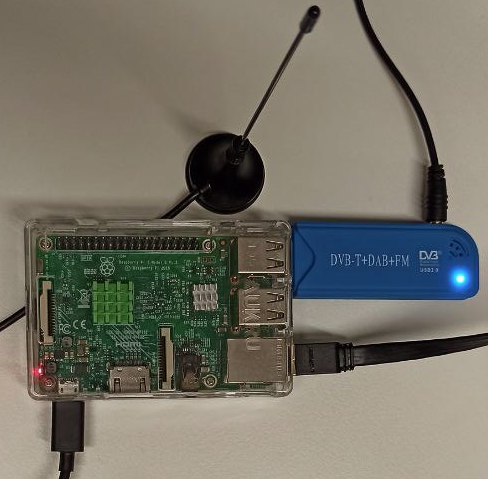
**Andoer Tragbarer Mini Digitaler TV Stock USB 2.0 DVB-T+DAB+FM+RTL2832U+FC0012 Chip Unterstützung SDR**
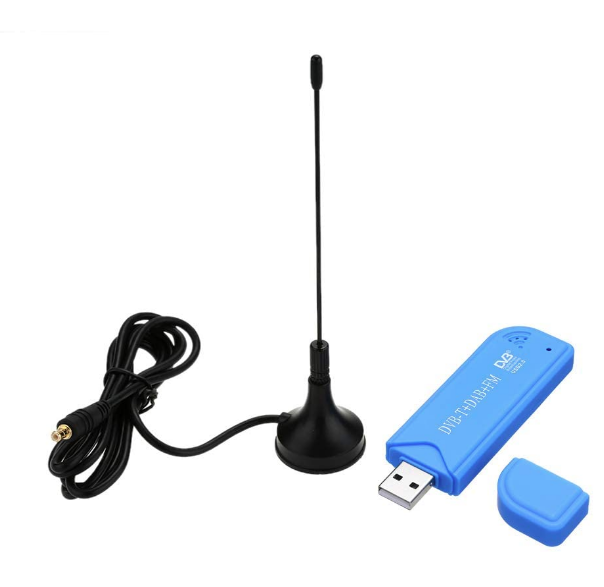
Digitaler TV Stock USB 2.0 DVB-T + DAB + FM + RTL2832U + FC0012 see: [Amazon](https://amzn.eu/d/8NNDo6A).
Details and Installation see: [wmbusmeters-with-rtl-sdr.md](docs/wmbusmeters-with-rtl-sdr.md)
### Requirements
- Water meter with IZAR module (Diehl IZAR RC 868 I R4 PL),
IZAR Radio Compact Hall is designed for mobile reading and fixed network remote reading of Diehl Metering meters.
- Supported DVB-T receiver or Nano CUL Adapter,
Andoer Tragbarer Mini Digitaler TV Stock USB 2.0 DVB-T + DAB + FM + RTL2832U + FC0012 Chip Unterstützung SDR Stimmer Empfänger
- A computer. I’m using Raspbian Buster on a Raspberry Pi 3B+, but any Linux, macOS should work
## Integration
In the `wmbusmeters` reporting mode, data will be published to the MQTT broker topic "`tele/wasser/verbrauch`".
This data can be subscribed to and processed by other applications. From this point forward your options are endless. Example for simple mode - publish all smartmeter display data:
```json
{
"media": "water",
"meter": "izar",
"name": "watermeter",
"id": "1231150",
"total_m3": 166.625,
"last_month_total_m3": 162.614,
"last_month_measure_date": "2020-07-01",
"remaining_battery_life_y": 13,
"current_alarms": "no_alarm",
"previous_alarms": "no_alarm",
"timestamp": "2020-07-16T11:32:38Z"
}
```
### Continuous Daemon/Service
You most probably want to execute the program **continuously in the background**. This can be done either by using the internal daemon or cron.
**Attention:** Daemon mode must be enabled in the configuration file (default).
1. Systemd service - on systemd powered systems the **recommended** option
```bash
sudo cp /opt/ha-watermeter/service.template /etc/systemd/system/ha-watermeter.service
sudo systemctl daemon-reload
sudo systemctl start ha-watermeter.service
sudo systemctl status ha-watermeter.service
sudo systemctl enable ha-watermeter.service
```