# ESPHome - ESP32 (v4) + CC1101
[![License][license-shield]][license]
[](https://github.com/zibous/ha-watermeter/releases)
[![ESPHome release][esphome-release-shield]][esphome-release]
[![Open in Visual Studio Code][open-in-vscode-shield]][open-in-vscode]
[![Support author][donate-me-shield]][donate-me]
[license-shield]: https://img.shields.io/static/v1?label=License&message=MIT&color=orange&logo=license
[license]: https://opensource.org/licenses/MIT
[esphome-release-shield]: https://img.shields.io/static/v1?label=ESPHome&message=2023.5.0&color=green&logo=esphome
[esphome-release]: https://GitHub.com/esphome/esphome/releases/
[open-in-vscode-shield]: https://img.shields.io/static/v1?label=+&message=Open+in+VSCode&color=blue&logo=visualstudiocode
[open-in-vscode]: https://open.vscode.dev/zibous/ha-watermeter
[donate-me-shield]: https://img.shields.io/static/v1?label=+&color=orange&message=Buy+me+a+coffee
[donate-me]: https://www.buymeacoff.ee/zibous
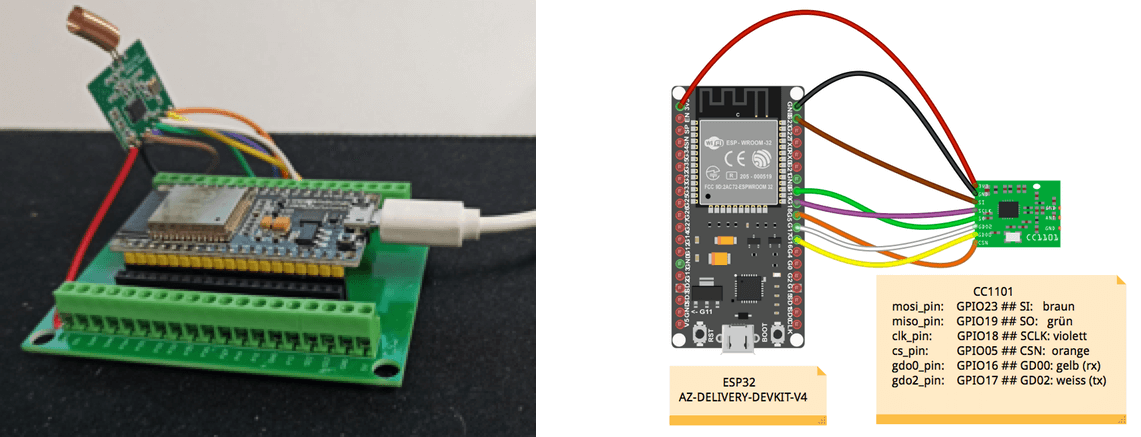
[+CC1101-orange?style=for-the-badge)](https://github.com/zibous/ha-watermeter/blob/master/esphome/wm-esp32.yaml)
### Requirements
- ESPHOME Docker v2023.5.0-dev
- ESP32 240MHz, 520KB RAM, 4MB Flash (ESP32 AZ-DELIVERY-DEVKIT-V4)
- CC1101 + (optional CC1101 Adapter Platine)
- ESPHOME Configuration
```yaml
## ------------------------------------------------------------------
## WMBUS CC1101 --> ESP32 az-delivery-devkit-v4
## ------------------------------------------------------------------
##
##
## o 1 (3.3V)
## |
## ╭――x――x――x――x――x――x――x――x――x――x――x――x――x――x――x――x――x――x――x――o―╮
## | |
## - | 5v az-delivery-devkit-v4 | -- ANT
## | |
## | 16 17 5 18 19 23 |
## ╰――x――x――x――x――x――x――x――x――o――x――o――o――o――o――o――o――o――o――o――o―╯
## | | | | | | |
## o | | o | | ╰-o - 2 (GND)
## 7 o | 4 o o
## GDO0 6 | CLK 5 3
## GD02 o MISO M0SI
## 8
## CSN
##
## ------------------------------------------------------------------
wmbus:
mosi_pin: GPIO23 ## SI: braun 3: MOSI Attached to Hardware SPI controller MOSI SPI Interface
miso_pin: GPIO19 ## SO: grün 5: MISO Attached to Hardware SPI controller MISO SPI Interface
clk_pin: GPIO18 ## SCLK: violett 4: SCK Attached to Hardware SPI controller CLK
cs_pin: GPIO05 ## CSN: orange 8: CSN Attached to Hardware SPI controller
gdo0_pin: GPIO16 ## GD00: gelb 7: RX Clock output. High Impedance !
gdo2_pin: GPIO17 ## GD02: weiss 6: TX FIFO status signals. High Impedance !
# https://github.com/LSatan/SmartRC-CC1101-Driver-Lib/blob/master/img/Esp32_CC1101.png
```
Configuration see: [ESP32 + CC1101 configuration see](wm-esp32.yaml)
After ESP32 + CC1101 has been wired, the application can be flashed with ESPHOME
## ESPHOME Dashboard V3
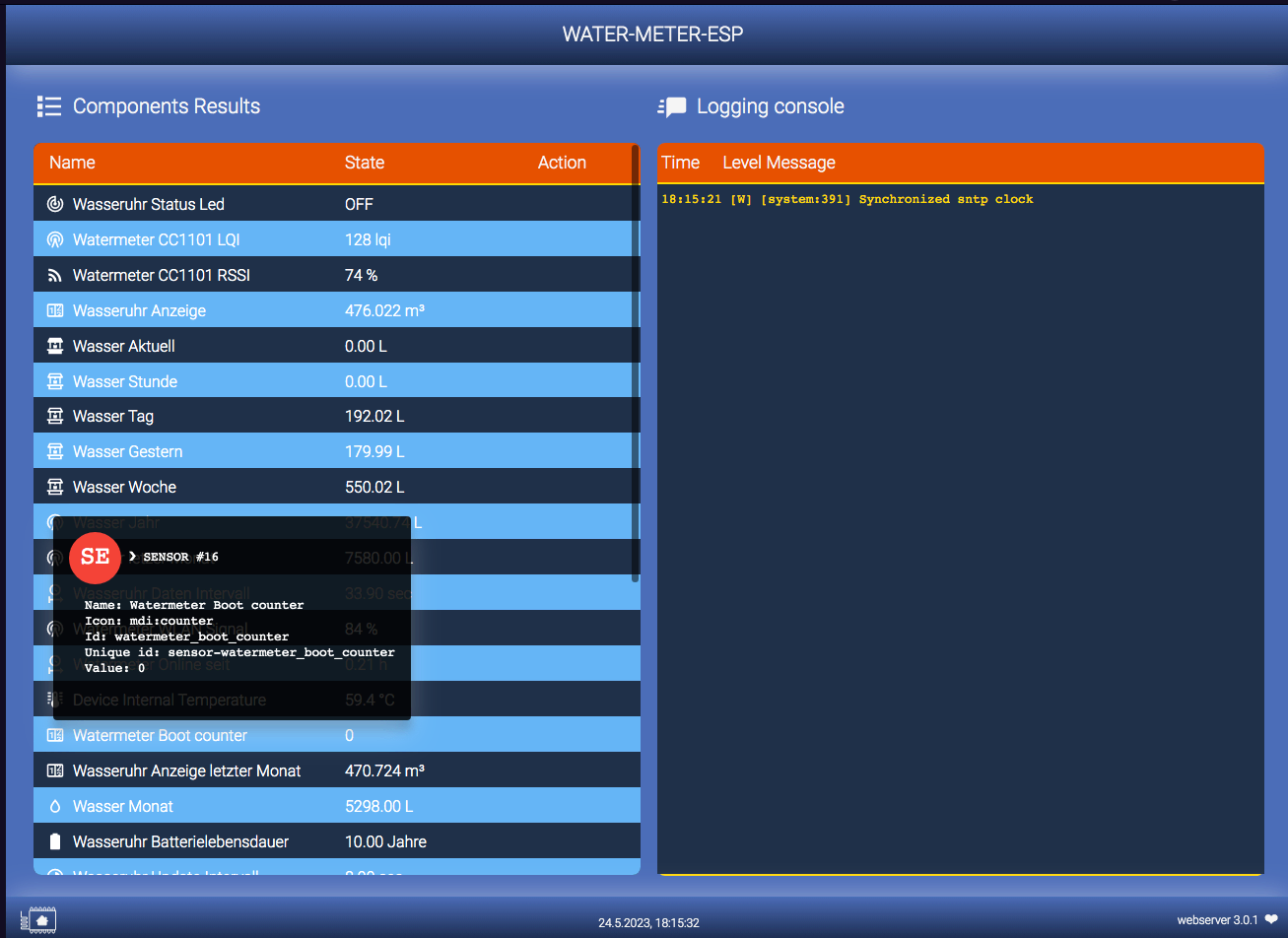
[]( https://github.com/zibous/ha-watermeter/tree/master/esphome/webserver)
## ESPHOME Dashboard V2
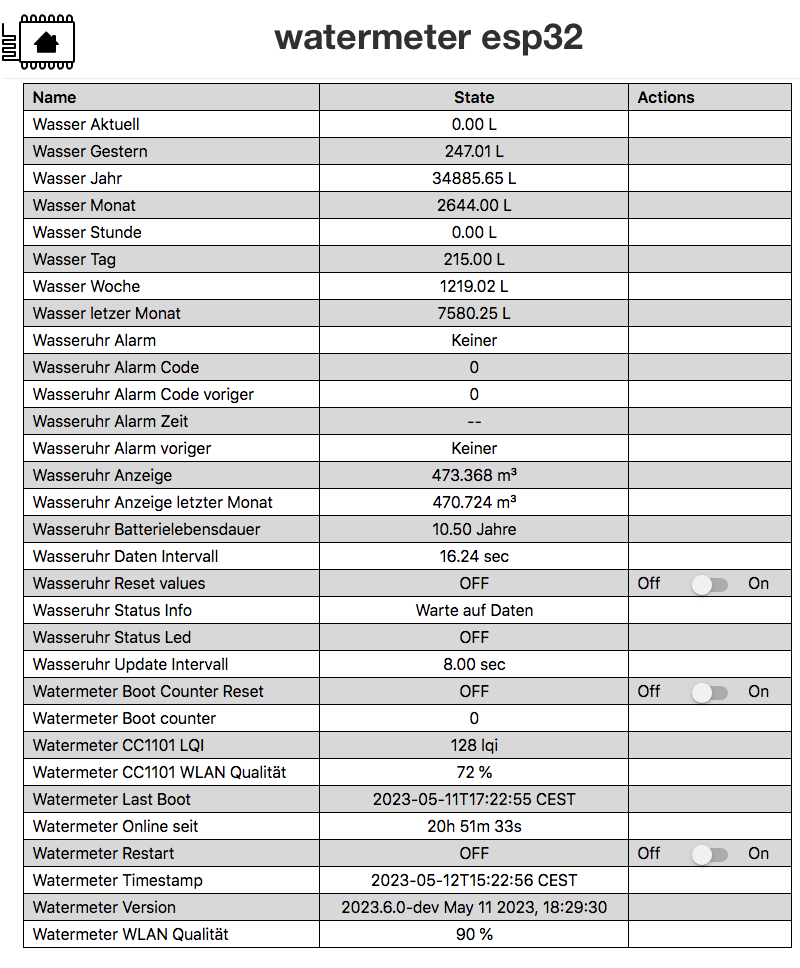
____
### Used components
- wmbus lib (SzczepanLeon)
- optional backup (zdzichu6969)
- optional syslog (TheStaticTurtle)
## Workaraound and tips
- **1st Step**: Find Watermeter ID
- Install [wm-esp32_test.yaml](wm-esp32_test.yaml)
To find the `watermeterId ` you can set the watermeterId to 0 and
the log_level: "VERBOSE" to find your meterId.
- see log messages to find your `watermeterID`
- **2nd Step**: Edit the `secrets.yaml` and change the `watermeterID`
- Install [wm-esp32.yaml](wm-esp32.yaml)
- Check log messages
- **3rd Step**: Memory
- Logging need's memory. Set loglevel to `warn` for production mode !
- Use ESP32 because this device has 520KB RAM.
> **IMPORTEND**: Be shure that you use the latest version for the build:
Use **`Clean build files`** before you install the selected esp-home device version. This ensures that the latest components are always used for the application.
## Tools
The easiest way to use to create `water-meter-esp + CC1101` is to use ESPHOME as a docker application.
### DOCKER - Install ESPHOME
```bash
#!/bin/bash
# ---------------------------------------------
# sudo bash esphome.sh
# see: https://hub.docker.com/r/esphome/esphome
# ----------------------------------------------
IDu=$(id -u) # UID
IDg=$(id -g) # GID
CURRENTURL=http://$(hostname)
DOCKER_TIMEZONE=Europe/Berlin
DOCKER_APPSDIR=/apps/
DOCKER_TIMEZONE=Europe/Berlin
DOCKERIMAGE=esphome/esphome:latest
CONTAINERLABEL=esphome
APPSDATA=$PWD${DOCKER_APPSDIR}${CONTAINERLABEL}
echo "Create persistent data folder and log folder"
mkdir -p ${APPSDATA} 2>&1
echo "Try to remove previuos installation..."
docker stop ${CONTAINERLABEL} >/dev/null 2>&1
docker rm ${CONTAINERLABEL} >/dev/null 2>&1
echo "Install Docker container ${CONTAINERLABEL}."
docker run --detach \
--name ${CONTAINERLABEL} \
--privileged=true \
--env TZ=${DOCKER_TIMEZONE} \
--restart unless-stopped \
--volume /run/udev:/run/udev \
--volume /etc/localtime:/etc/localtime:ro \
--volume ${APPSDATA}/config:/config \
--network host \
${DOCKERIMAGE}
echo "Docker container ${CONTAINERLABEL} ready."
echo "Run WEBGUI: ${CURRENTURL}:6052"
```
## Preparation and creating the application
- Download the esphome config from
- Copy the files and directories to `/docker/app/esphome/config`
- Start Docker ESPHOME
- Create secrets.yaml based on `template_secrets.yaml` and adjust the entries
- Create and deploy the application to the connected device
## Compile Info
```
INFO Reading configuration /config/wmbus-esp32.yaml...
INFO Generating C++ source...
INFO Backup config will take: 3827 bytes
INFO Compiling app...
Processing water-meter-esp (board: az-delivery-devkit-v4; framework: arduino; platform: platformio/espressif32 @ 5.3.0)
--------------------------------------------------------------------------------
Library Manager: Installing esphome/AsyncTCP-esphome @ 1.2.2
INFO Installing esphome/AsyncTCP-esphome @ 1.2.2
Unpacking [####################################] 100%
Library Manager: AsyncTCP-esphome@1.2.2 has been installed!
INFO AsyncTCP-esphome@1.2.2 has been installed!
Library Manager: Installing esphome/ESPAsyncWebServer-esphome @ 2.1.0
INFO Installing esphome/ESPAsyncWebServer-esphome @ 2.1.0
Unpacking [####################################] 100%
Library Manager: ESPAsyncWebServer-esphome@2.1.0 has been installed!
INFO ESPAsyncWebServer-esphome@2.1.0 has been installed!
Library Manager: Resolving dependencies...
INFO Resolving dependencies...
Library Manager: Installing bblanchon/ArduinoJson @ 6.18.5
INFO Installing bblanchon/ArduinoJson @ 6.18.5
Unpacking [####################################] 100%
Library Manager: ArduinoJson@6.18.5 has been installed!
INFO ArduinoJson@6.18.5 has been installed!
Library Manager: Installing git+https://github.com/SzczepanLeon/wMbus-lib @ 0.9.15
INFO Installing git+https://github.com/SzczepanLeon/wMbus-lib @ 0.9.15
git version 2.30.2
Cloning into '/config/.esphome/platformio/cache/tmp/pkg-installing-vjmtkyyc'...
Library Manager: wMbus-lib@0.9.15+sha.25dfb37 has been installed!
INFO wMbus-lib@0.9.15+sha.25dfb37 has been installed!
Library Manager: Resolving dependencies...
INFO Resolving dependencies...
Library Manager: Installing lsatan/SmartRC-CC1101-Driver-Lib @ ^2.5.7
INFO Installing lsatan/SmartRC-CC1101-Driver-Lib @ ^2.5.7
Unpacking [####################################] 100%
Library Manager: SmartRC-CC1101-Driver-Lib@2.5.7 has been installed!
INFO SmartRC-CC1101-Driver-Lib@2.5.7 has been installed!
HARDWARE: ESP32 240MHz, 520KB RAM, 4MB Flash
- toolchain-xtensa-esp32 @ 8.4.0+2021r2-patch5
Library Manager: Installing Syslog @ 2.0.0
Unpacking [------------------------------------] 0%
Unpacking [##----------------------------------] 6%
Unpacking [####--------------------------------] 12%
Unpacking [######------------------------------] 18%
Unpacking [#########---------------------------] 25%
Unpacking [###########-------------------------] 31%
Unpacking [#############-----------------------] 37%
Unpacking [###############---------------------] 43%
Unpacking [##################------------------] 50%
Unpacking [####################----------------] 56%
Unpacking [######################--------------] 62%
Unpacking [########################------------] 68%
Unpacking [###########################---------] 75%
Unpacking [#############################-------] 81%
Unpacking [###############################-----] 87%
Unpacking [#################################---] 93%
Unpacking [####################################] 100%
Library Manager: Syslog@2.0.0 has been installed!
Dependency Graph
|-- AsyncTCP-esphome @ 1.2.2
|-- WiFi @ 2.0.0
|-- FS @ 2.0.0
|-- Update @ 2.0.0
|-- ESPAsyncWebServer-esphome @ 2.1.0
| |-- AsyncTCP-esphome @ 1.2.2
|-- DNSServer @ 2.0.0
|-- ESPmDNS @ 2.0.0
|-- ArduinoJson @ 6.18.5
|-- Syslog @ 2.0.0
|-- WiFiClientSecure @ 2.0.0
|-- HTTPClient @ 2.0.0
|-- wMbus-lib @ 0.9.15+sha.25dfb37
| |-- SPI @ 2.0.0
| |-- SmartRC-CC1101-Driver-Lib @ 2.5.7
.....
Building .pioenvs/water-meter-esp/bootloader.bin
Generating partitions .pioenvs/water-meter-esp/partitions.bin
Creating esp32 image...
Successfully created esp32 image.
RAM: [= ] 8.3% (used 44420 bytes from 532480 bytes)
Flash: [====== ] 60.1% (used 1103565 bytes from 1835008 bytes)
Building .pioenvs/water-meter-esp/firmware.bin
Creating esp32 image...
Successfully created esp32 image.
esp32_create_combined_bin([".pioenvs/water-meter-esp/firmware.bin"], [".pioenvs/water-meter-esp/firmware.elf"])
Wrote 0x11ed60 bytes to file /config/build/water-meter-esp/.pioenvs/water-meter-esp/firmware-factory.bin, ready to flash to offset 0x0
```
### Log
```
INFO Reading configuration /config/wmbus-esp32.yaml...
INFO Starting log output from water-meter-esp.siebler.home using esphome API
INFO Successfully connected to water-meter-esp.siebler.home
[13:35:28][I][app:102]: ESPHome version 2023.5.0-dev compiled on Apr 22 2023, 18:53:35
[13:35:28][I][app:104]: Project OE9psj.wmbus-esp version 1.1.7
[13:35:29][I][wmbus:071]: Using driver 'izar' for ID [0x43430778] RSSI: -78 dBm LQI: 128 T: 1944A511780743434418A201150013CEC91E15E04C522E8292C4 (26)
[13:35:29][I][SENSOR:609]: Water Display value: 468.695, last value: 468.695
[13:35:29][I][SENSOR:643]: Reset current value to: 0.000
[13:35:46][I][wmbus:071]: Using driver 'izar' for ID [0x43430778] RSSI: -76 dBm LQI: 140 T: 1944A511780743434418A221150013CEE74086B60FF59D34A0C1 (26)
[13:35:46][I][SENSOR:609]: Water Display value: 468.695, last value: 468.695
[13:35:46][I][SENSOR:643]: Reset current value to: 0.000
[13:35:54][I][wmbus:071]: Using driver 'izar' for ID [0x43430778] RSSI: -77 dBm LQI: 129 T: 1944A511780743434418A231150013CEF06FCF1D2E2644EFB9C3 (26)
[13:35:54][I][SENSOR:609]: Water Display value: 468.695, last value: 468.695
[13:35:54][I][SENSOR:643]: Reset current value to: 0.000
.....
```
## Decode telegram
Analyze wmbus or mbus telegrams using wmbusmeters.
Source code https://github.com/weetmuts/wmbusmeters/
The wmbusmeters software acquires utility meter readings through wmbus or plain mbus.
The readings can then be published using MQTT, curled to a REST api,
inserted into a database or stored in a log file
This service is identical to running locally: wmbusmeters --analyze=:
### Testcase:
### Result
```
Auto driver : izar
Best driver : unknown 00/00
Using driver : izar 00/00
000 : 19 length (25 bytes)
001 : 44 dll-c (from meter SND_NR)
002 : a511 dll-mfct (DME)
004 : 43434418 dll-id (18444343)
008 : 78 dll-version
009 : 07 dll-type (Water meter)
010 : a2 tpl-ci-field (Mfct specific)
011 C?: 41150013CE0766324C94EE48EEF6C8 mfct specific
{
"media":"water",
"meter":"izar",
"name":"",
"id":"18444343",
"total_m3":451.397,
"last_month_total_m3":451.114,
"last_month_measure_date":"2023-02-01",
"remaining_battery_life_y":10.5,
"current_alarms":"no_alarm",
"previous_alarms":"no_alarm",
"transmit_period_s":8,
"timestamp":"2023-04-21T07:11:05Z"
}
Using: wmbusmeters: 1.12.0-28-g5e548ce
5e548ce3abadd7b84eca9dad3c4f87839e11c07c
```
## Homeassitant Device
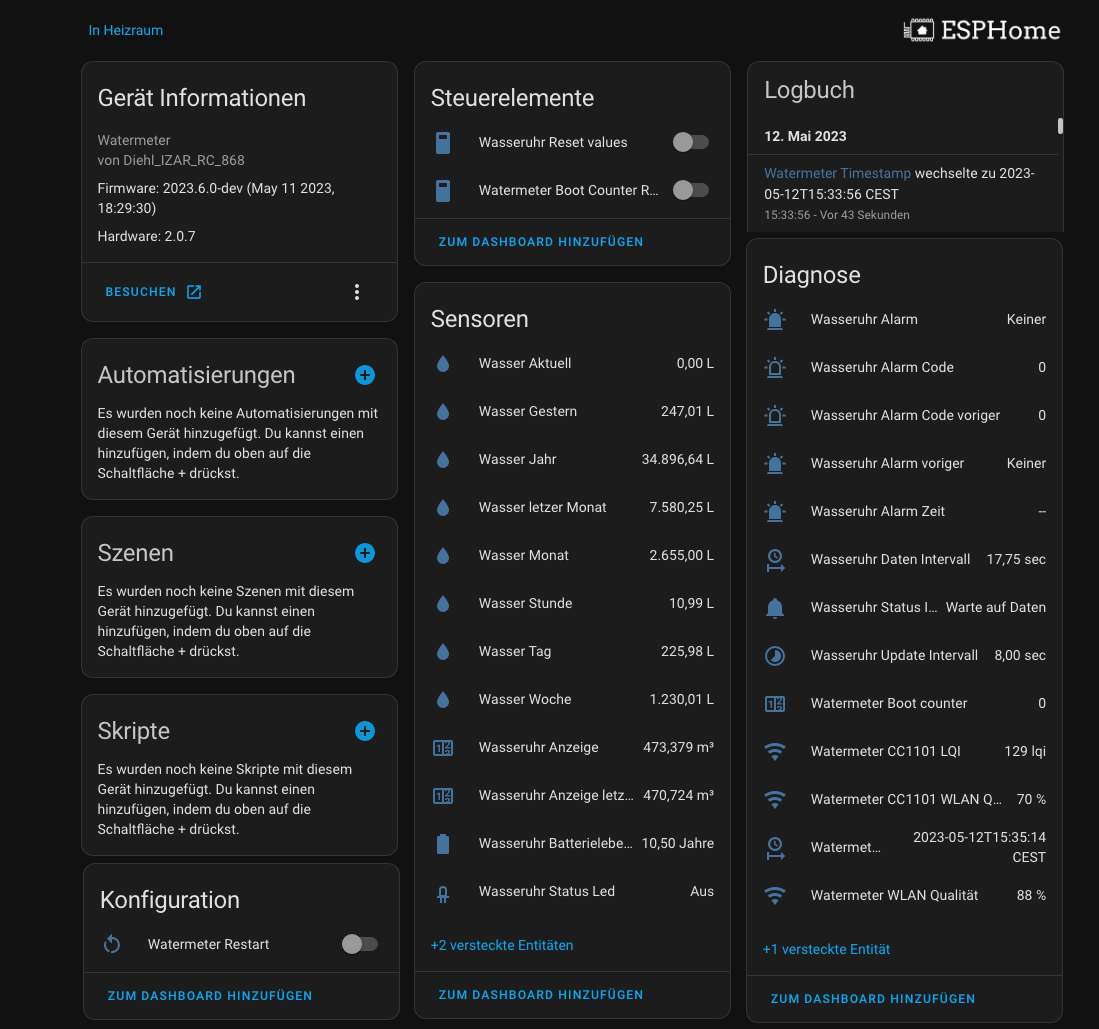
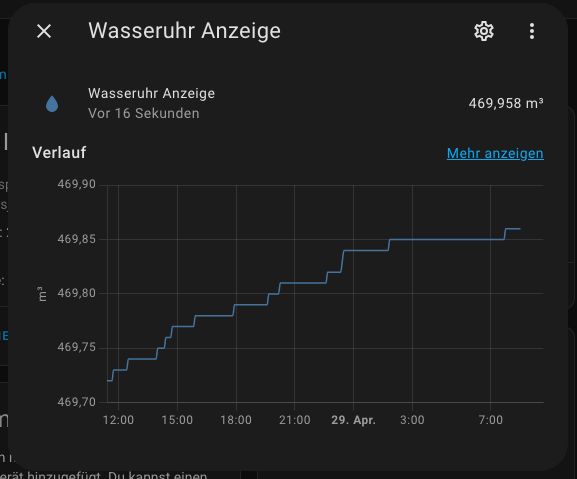
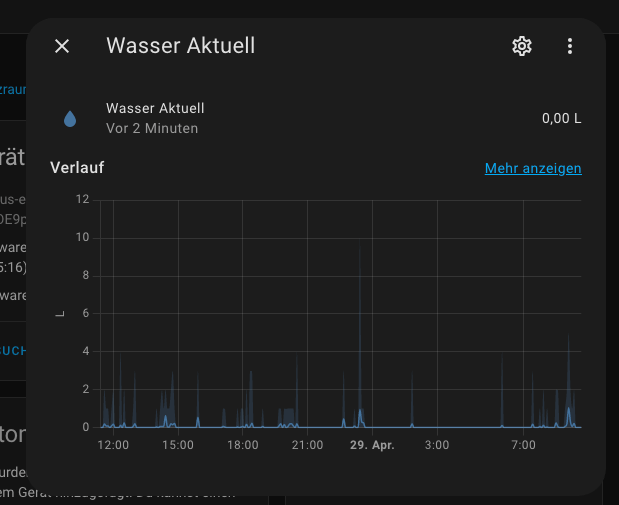
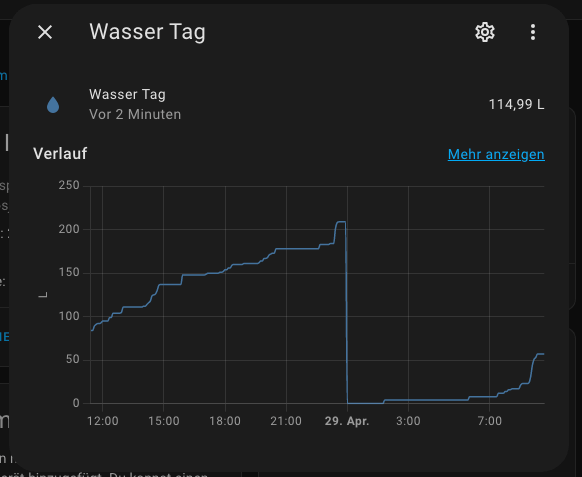
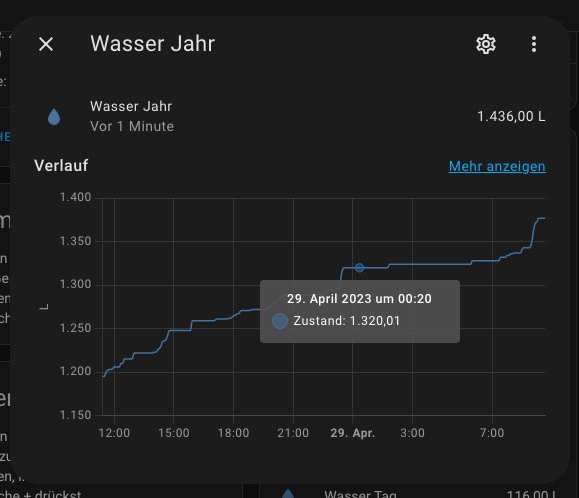
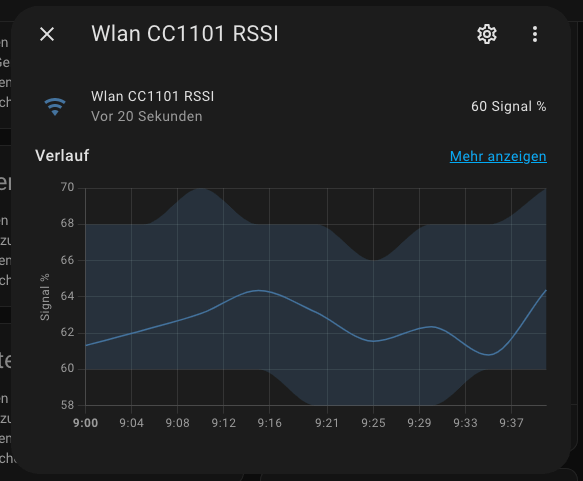
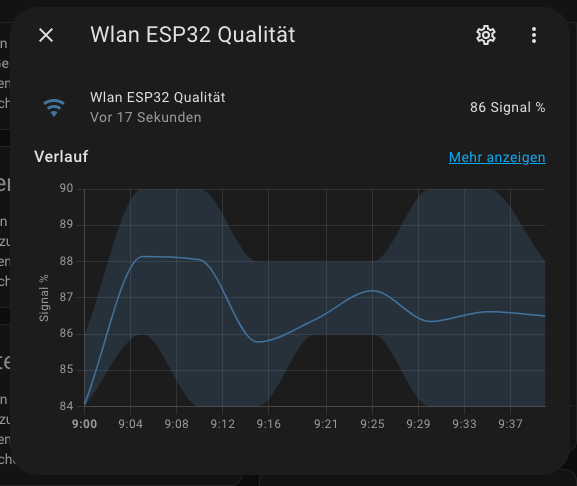 ### Update Values with HA Service
With the service development tool you can call every available service in Home Assistant. You can use the following service to reset the history values:
```yaml
service: esphome.water_meter_esp_set_watermeter_esp_data
data:
water_val_hour: 0.03
water_val_day: 0.248
water_val_yesterday: 0.178
water_val_week: 0.248
water_val_month: 1.94
water_val_year: 14.256
water_val_lastmonth: 9.59
```
## Tools
### WMBUS - Telegram Decoder
Analyze wmbus or mbus telegrams using wmbusmeters.
Source code
The wmbusmeters software acquires utility meter readings through wmbus or plain mbus.
The readings can then be published using MQTT, curled to a REST api,
inserted into a database or stored in a log file. Wiki
This service is identical to running locally: wmbusmeters --analyze=:
[Online Telegram Decoder](https://wmbusmeters.org/)
### Update Values with HA Service
With the service development tool you can call every available service in Home Assistant. You can use the following service to reset the history values:
```yaml
service: esphome.water_meter_esp_set_watermeter_esp_data
data:
water_val_hour: 0.03
water_val_day: 0.248
water_val_yesterday: 0.178
water_val_week: 0.248
water_val_month: 1.94
water_val_year: 14.256
water_val_lastmonth: 9.59
```
## Tools
### WMBUS - Telegram Decoder
Analyze wmbus or mbus telegrams using wmbusmeters.
Source code
The wmbusmeters software acquires utility meter readings through wmbus or plain mbus.
The readings can then be published using MQTT, curled to a REST api,
inserted into a database or stored in a log file. Wiki
This service is identical to running locally: wmbusmeters --analyze=:
[Online Telegram Decoder](https://wmbusmeters.org/)
### ESPHome-Flasher
ESPHome-Flasher is a utility app for the ESPHome framework and is designed to make flashing ESPs with ESPHome as simple as possible by:
Having pre-built binaries for most operating systems.
Hiding all non-essential options for flashing. All necessary options for flashing (bootloader, flash mode) are automatically extracted from the binary.
This project was originally intended to be a simple command-line tool, but then I decided that a GUI would be nice. As I don't like writing graphical front end code, the GUI largely is based on the NodeMCU PyFlasher project.
[Self-contained NodeMCU flasher with GUI based on esptool.py and wxPython](https://github.com/marcelstoer/nodemcu-pyflasher)
The flashing process is done using the esptool library by espressif.
[esphome-flasher, a tool to flash ESPs over USB](https://github.com/esphome/esphome-flasher)
### WMBUSMETERS custom components
- [Szczepan's esphome custom components](https://github.com/SzczepanLeon/esphome-components)
- [izar-wmbus-esp (maciekn)](https://github.com/maciekn/izar-wmbus-esp)
- [ESPhome-IZAR-meter-reader (MariuszWoszczynski)](https://github.com/MariuszWoszczynski/ESPhome-IZAR-meter-reader)
### Informations
- SmartRC-CC1101-Driver-Lib:
- CC1101 Tools:
- CC1101 Adapter Platine:
- EBYTE TI CC1101: