# dsh-plugin-tetris
**Play a round of Tetris in the DSH Web GUI while the agent is working.**
[中文](README.md) | [English](README.en.md)
[](https://www.npmjs.com/package/dsh-plugin-tetris) [](https://github.com/topics/dsh-plugin)
| Mode menu | Playing |
|:---:|:---:|
| 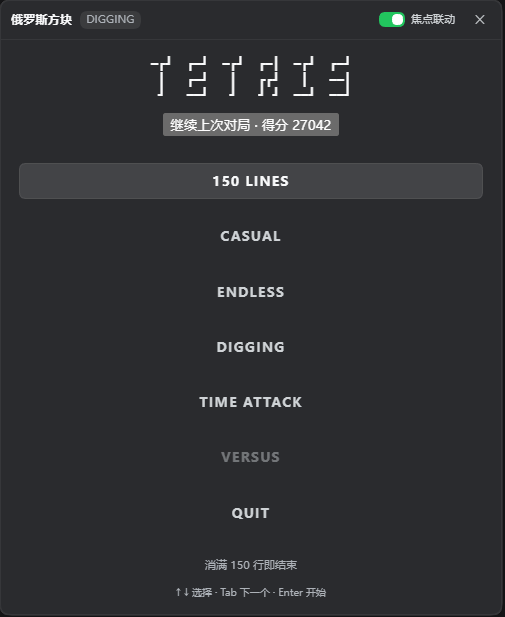 | 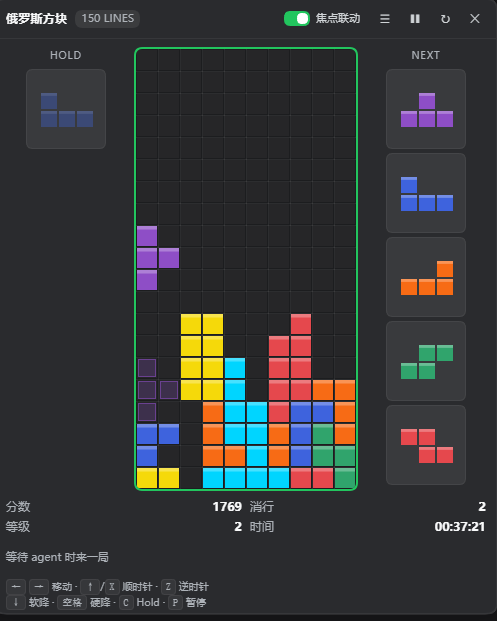 |
## Background
While coding with DSH, waiting for the agent to finish leaves you with a few dozen idle
seconds — so this became a plugin. The game panel lives in DSH's frame-level overlay and
appears on its own when the agent starts working. A circular T-tetrimino icon stays in the
bottom-right corner, and the panel opens right where that icon sits.
The engine is not a throwaway: it is a line-by-line TypeScript port of my other project
[**tetris-terminal**](https://github.com/zlh124/tetris-terminal) (a Python terminal Tetris).
7-bag, SRS wall kicks, Hold, Ghost, T-Spin, Back-to-Back and the line-clear animation all
match the terminal version, quirks included. The rules and feel came from there first.
> If you enjoy this, go give [**tetris-terminal**](https://github.com/zlh124/tetris-terminal) a ⭐.
## Controls
| Key | Action |
|---|---|
| `←` `→` / `A` `D` | Move left / right |
| `↑` / `W` / `X` | Rotate clockwise |
| `Z` | Rotate counter-clockwise |
| `↓` / `S` | Soft drop |
| `Space` | Hard drop |
| `C` | Hold |
| `P` | Pause / resume |
Click the board once before using the keyboard; a green ring shows it has focus. The
"焦点联动" slider in the title bar toggles *pause on blur* and *focus returns when the
conversation ends*.
## Install
```bash
dsh plugin --profile web add dsh-plugin-tetris
```
No page refresh needed. Uninstall:
```bash
dsh plugin --profile web remove dsh-plugin-tetris
```
Working from source: `npm install && npm run build`, then
`dsh plugin --profile web add link:"$PWD"`.
> The built `lib/` is committed, so a git install works too:
> `dsh plugin --profile web add git+https://github.com//dsh-plugin-tetris.git`.
## License
MIT. The engine logic comes from [tetris-terminal](https://github.com/zlh124/tetris-terminal)
(MIT, jayzhu).