中文 | English
# AI Screenshot Translator [](https://www.qt.io/) [](https://developer.microsoft.com/en-us/microsoft-edge/webview2/)
 [](https://github.com/Diraw/AI-Screenshot-Translator/releases/)
A screenshot translation and archiving tool built with **Qt 6 + WebView2**:
- Screenshot → AI Translation → Rich Text Results (Markdown/Code Highlighting/LaTeX)
- Result window supports keyboard shortcuts for page navigation/editing/viewing original image/tags
- Archive window supports filtering, batch operations, and keyboard navigation
- Multiple configuration files, proxy support, connectivity testing
> Note: Currently Windows-only; cross-platform support is planned for the future.
## Use Cases (Pain Points We Address)
1. Avoid the heavy workflow of "whole-document translation"
2. Formulas (LaTeX) often break or become unusable after copying from PDFs
3. Scanned PDFs where text cannot be copied
4. Word-selection/screenshot translation tools that often fail to correctly recognize and render formulas
## Key Features
- **Global Hotkeys**: Screenshot, open archive, open settings (customizable)
- **Screenshot Workflow**: Select region → Preview card (drag/zoom/optional border) → Result window
- **AI Providers**: OpenAI / Gemini / Claude (extensible), customizable prompts, proxy support
- **Result Window**: Always-on-top lock, page navigation, Markdown editing, view original image, tag popup, keyboard shortcuts
- **Archive Window**: Date/tag filtering, batch select/delete/add-remove tags, keyboard switching between view/edit/screenshot preview
- **Local History**: `storage/history.json` + `storage/images/*` (deleting images sync-deletes entries)
- **Multiple Config Files**: `%AppData%/AI-Screenshot-Translator-Cpp/profiles/*.json`, with import/export/copy/rename support
- **Debug Logs**: Enable Debug Mode in settings to output to `debug.log` in the working directory
## Demo Video
https://github.com/user-attachments/assets/458abdde-0d36-4b84-b486-8638194c3555
## Quick Start
1. Launch the program (from Release package or self-built).
2. The settings window will automatically open on first launch:
- Select a Provider
- Enter your API Key
- (Optional) Set Base URL / Endpoint / Proxy
3. Use the tray menu or keyboard shortcuts to start screenshot translation.
### Default Hotkeys
- **Screenshot**: `Ctrl+Alt+S`
- **Open Archive**: `Alt+S`
- **Result Window**: Previous `Z` / Next `X`; Tags `T`
- **Archive Window**: Edit `E`, Toggle View `R`, Screenshot Preview `S`
- **Editing Shortcuts**: Bold/Underline/Highlight: `Ctrl+B / Ctrl+U / Ctrl+H`
## API Configuration
### How Base URL + Endpoint Are Combined
- The request URL is constructed as `Base URL + Endpoint`.
- Default Endpoints (customizable):
- OpenAI: `/chat/completions`
- Gemini: `/v1beta`
- Claude: `/v1/messages`
> **Note**: If your Base URL already includes a version path (e.g., `.../v1`), don't add `/v1/...` again in the Endpoint to avoid duplicate paths.
### Connectivity Testing
The settings page provides a "Test" button to quickly verify:
- Whether the proxy is connectable (if Proxy is configured)
- Whether the API endpoint is accessible (based on current Base URL + Endpoint)
## Directory Structure
- `src/`: Core code: App, configuration, services (API/history/translation), UI windows and widgets, platform wrappers (GlobalHotkey), WebView wrapper
- `assets/`: Static resources and frontend libraries (marked/highlight/katex, fonts, icons, templates, etc.)
- `webview2_pkg/`: WebView2 SDK dependencies
- `build/`: Build output (locally generated)
## Environment & Dependencies
- Windows + MSVC (VS 2022 toolchain recommended)
- CMake ≥ 3.16
- Qt 6 (Widgets, Network, Gui, Core)
- WebView2 Runtime (included by default in Windows 11; may require separate installation on Windows 10)
- WebView2 SDK included in the repo (`webview2_pkg`) and frontend libraries (`assets/libs`)
### WebView2 Package Notes
- The repo includes the official NuGet package **Microsoft.Web.WebView2 1.0.2903.40** (trimmed; keeps `build/native/x64/WebView2Loader.dll(.lib)`, `WebView2.h/.idl/.tlb`, and `LICENSE/NOTICE`). Clone and build directly.
- If `webview2_pkg/` is not included in the repo, run:
```powershell
nuget install Microsoft.Web.WebView2 -Version 1.0.2903.40 -OutputDirectory third_party
```
Then extract the generated `.nupkg` to `webview2_pkg/` in the repo root.
## Local Build
1. Install Qt 6 and set `CMAKE_PREFIX_PATH` (or use `-DCMAKE_PREFIX_PATH=".../Qt/6.x/msvc2019_64/lib/cmake"` in the VS Developer Command Prompt).
2. Generate and build:
```powershell
cmake -S . -B build -G "Visual Studio 17 2022" -A x64
cmake --build build --config Release
```
3. Run:
```powershell
.\build\Release\AI-Screenshot-Translator-Cpp.exe
```
## Packaging
After building, you can gather runtime dependencies into `build/Release/`:
```powershell
# 1) Build
cmake --build build --config Release
# 2) Deploy Qt runtime (replace QTDIR with your Qt installation path; --compiler-runtime will also copy MSVC runtime libraries)
& "$Env:QTDIR\bin\windeployqt.exe" --release --compiler-runtime --no-translations build\Release\AI-Screenshot-Translator-Cpp.exe
# If windeployqt reports that it cannot find Visual Studio (e.g., VCINSTALLDIR not set), please run the above command in
# "x64 Native Tools Command Prompt/Developer PowerShell for VS 2022" to ensure MSVC runtime DLLs are also copied to the Release directory.
# 3) Copy assets and WebView2 Loader
cmake -E copy_directory assets build/Release/assets
cmake -E copy_if_different webview2_pkg/build/native/x64/WebView2Loader.dll build/Release/
```
After completion, the exe + DLL + assets in `build/Release/` form a distributable package.
## FAQ
### 1) Connectivity test passes but actual requests fail?
- Double-check that Base URL and Endpoint don't duplicate version paths (e.g., `/v1`).
- If you're using an "OpenAI-compatible" third-party service, the Endpoint may not be `/chat/completions`; adjust according to the service documentation.
### 2) WebView2 Related Issues
- Windows 10 may require separate installation of WebView2 Runtime.
- If the window is blank/crashes, first confirm that the system WebView2 Runtime is functioning properly, then check whether `WebView2Loader.dll` was copied to the same directory as the exe during packaging.
## License
The included `webview.h` is under the MIT license; for other code, please refer to the actual license in the repository.
## Support
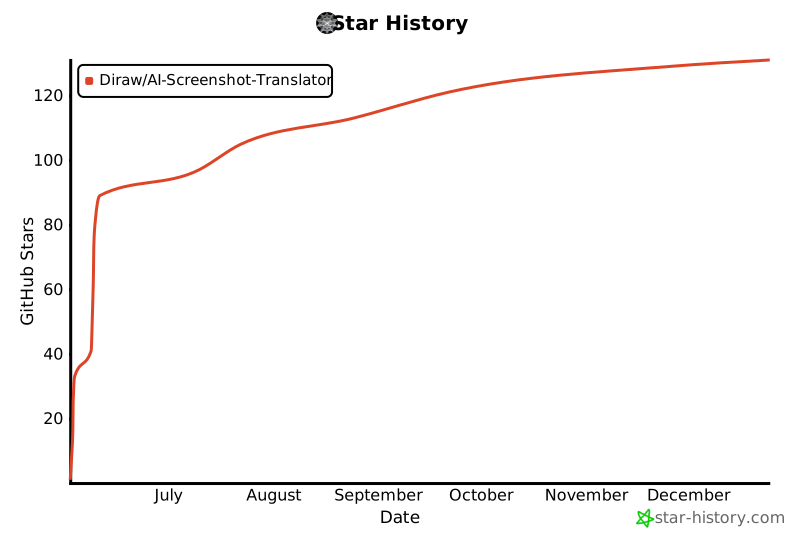
If you like this project, please give it a star ⭐
[](https://www.star-history.com/#Diraw/AI-Screenshot-Translator&Date)
[](https://github.com/Diraw/AI-Screenshot-Translator/releases/)
A screenshot translation and archiving tool built with **Qt 6 + WebView2**:
- Screenshot → AI Translation → Rich Text Results (Markdown/Code Highlighting/LaTeX)
- Result window supports keyboard shortcuts for page navigation/editing/viewing original image/tags
- Archive window supports filtering, batch operations, and keyboard navigation
- Multiple configuration files, proxy support, connectivity testing
> Note: Currently Windows-only; cross-platform support is planned for the future.
## Use Cases (Pain Points We Address)
1. Avoid the heavy workflow of "whole-document translation"
2. Formulas (LaTeX) often break or become unusable after copying from PDFs
3. Scanned PDFs where text cannot be copied
4. Word-selection/screenshot translation tools that often fail to correctly recognize and render formulas
## Key Features
- **Global Hotkeys**: Screenshot, open archive, open settings (customizable)
- **Screenshot Workflow**: Select region → Preview card (drag/zoom/optional border) → Result window
- **AI Providers**: OpenAI / Gemini / Claude (extensible), customizable prompts, proxy support
- **Result Window**: Always-on-top lock, page navigation, Markdown editing, view original image, tag popup, keyboard shortcuts
- **Archive Window**: Date/tag filtering, batch select/delete/add-remove tags, keyboard switching between view/edit/screenshot preview
- **Local History**: `storage/history.json` + `storage/images/*` (deleting images sync-deletes entries)
- **Multiple Config Files**: `%AppData%/AI-Screenshot-Translator-Cpp/profiles/*.json`, with import/export/copy/rename support
- **Debug Logs**: Enable Debug Mode in settings to output to `debug.log` in the working directory
## Demo Video
https://github.com/user-attachments/assets/458abdde-0d36-4b84-b486-8638194c3555
## Quick Start
1. Launch the program (from Release package or self-built).
2. The settings window will automatically open on first launch:
- Select a Provider
- Enter your API Key
- (Optional) Set Base URL / Endpoint / Proxy
3. Use the tray menu or keyboard shortcuts to start screenshot translation.
### Default Hotkeys
- **Screenshot**: `Ctrl+Alt+S`
- **Open Archive**: `Alt+S`
- **Result Window**: Previous `Z` / Next `X`; Tags `T`
- **Archive Window**: Edit `E`, Toggle View `R`, Screenshot Preview `S`
- **Editing Shortcuts**: Bold/Underline/Highlight: `Ctrl+B / Ctrl+U / Ctrl+H`
## API Configuration
### How Base URL + Endpoint Are Combined
- The request URL is constructed as `Base URL + Endpoint`.
- Default Endpoints (customizable):
- OpenAI: `/chat/completions`
- Gemini: `/v1beta`
- Claude: `/v1/messages`
> **Note**: If your Base URL already includes a version path (e.g., `.../v1`), don't add `/v1/...` again in the Endpoint to avoid duplicate paths.
### Connectivity Testing
The settings page provides a "Test" button to quickly verify:
- Whether the proxy is connectable (if Proxy is configured)
- Whether the API endpoint is accessible (based on current Base URL + Endpoint)
## Directory Structure
- `src/`: Core code: App, configuration, services (API/history/translation), UI windows and widgets, platform wrappers (GlobalHotkey), WebView wrapper
- `assets/`: Static resources and frontend libraries (marked/highlight/katex, fonts, icons, templates, etc.)
- `webview2_pkg/`: WebView2 SDK dependencies
- `build/`: Build output (locally generated)
## Environment & Dependencies
- Windows + MSVC (VS 2022 toolchain recommended)
- CMake ≥ 3.16
- Qt 6 (Widgets, Network, Gui, Core)
- WebView2 Runtime (included by default in Windows 11; may require separate installation on Windows 10)
- WebView2 SDK included in the repo (`webview2_pkg`) and frontend libraries (`assets/libs`)
### WebView2 Package Notes
- The repo includes the official NuGet package **Microsoft.Web.WebView2 1.0.2903.40** (trimmed; keeps `build/native/x64/WebView2Loader.dll(.lib)`, `WebView2.h/.idl/.tlb`, and `LICENSE/NOTICE`). Clone and build directly.
- If `webview2_pkg/` is not included in the repo, run:
```powershell
nuget install Microsoft.Web.WebView2 -Version 1.0.2903.40 -OutputDirectory third_party
```
Then extract the generated `.nupkg` to `webview2_pkg/` in the repo root.
## Local Build
1. Install Qt 6 and set `CMAKE_PREFIX_PATH` (or use `-DCMAKE_PREFIX_PATH=".../Qt/6.x/msvc2019_64/lib/cmake"` in the VS Developer Command Prompt).
2. Generate and build:
```powershell
cmake -S . -B build -G "Visual Studio 17 2022" -A x64
cmake --build build --config Release
```
3. Run:
```powershell
.\build\Release\AI-Screenshot-Translator-Cpp.exe
```
## Packaging
After building, you can gather runtime dependencies into `build/Release/`:
```powershell
# 1) Build
cmake --build build --config Release
# 2) Deploy Qt runtime (replace QTDIR with your Qt installation path; --compiler-runtime will also copy MSVC runtime libraries)
& "$Env:QTDIR\bin\windeployqt.exe" --release --compiler-runtime --no-translations build\Release\AI-Screenshot-Translator-Cpp.exe
# If windeployqt reports that it cannot find Visual Studio (e.g., VCINSTALLDIR not set), please run the above command in
# "x64 Native Tools Command Prompt/Developer PowerShell for VS 2022" to ensure MSVC runtime DLLs are also copied to the Release directory.
# 3) Copy assets and WebView2 Loader
cmake -E copy_directory assets build/Release/assets
cmake -E copy_if_different webview2_pkg/build/native/x64/WebView2Loader.dll build/Release/
```
After completion, the exe + DLL + assets in `build/Release/` form a distributable package.
## FAQ
### 1) Connectivity test passes but actual requests fail?
- Double-check that Base URL and Endpoint don't duplicate version paths (e.g., `/v1`).
- If you're using an "OpenAI-compatible" third-party service, the Endpoint may not be `/chat/completions`; adjust according to the service documentation.
### 2) WebView2 Related Issues
- Windows 10 may require separate installation of WebView2 Runtime.
- If the window is blank/crashes, first confirm that the system WebView2 Runtime is functioning properly, then check whether `WebView2Loader.dll` was copied to the same directory as the exe during packaging.
## License
The included `webview.h` is under the MIT license; for other code, please refer to the actual license in the repository.
## Support
If you like this project, please give it a star ⭐
[](https://www.star-history.com/#Diraw/AI-Screenshot-Translator&Date)