# hexo-theme-A4
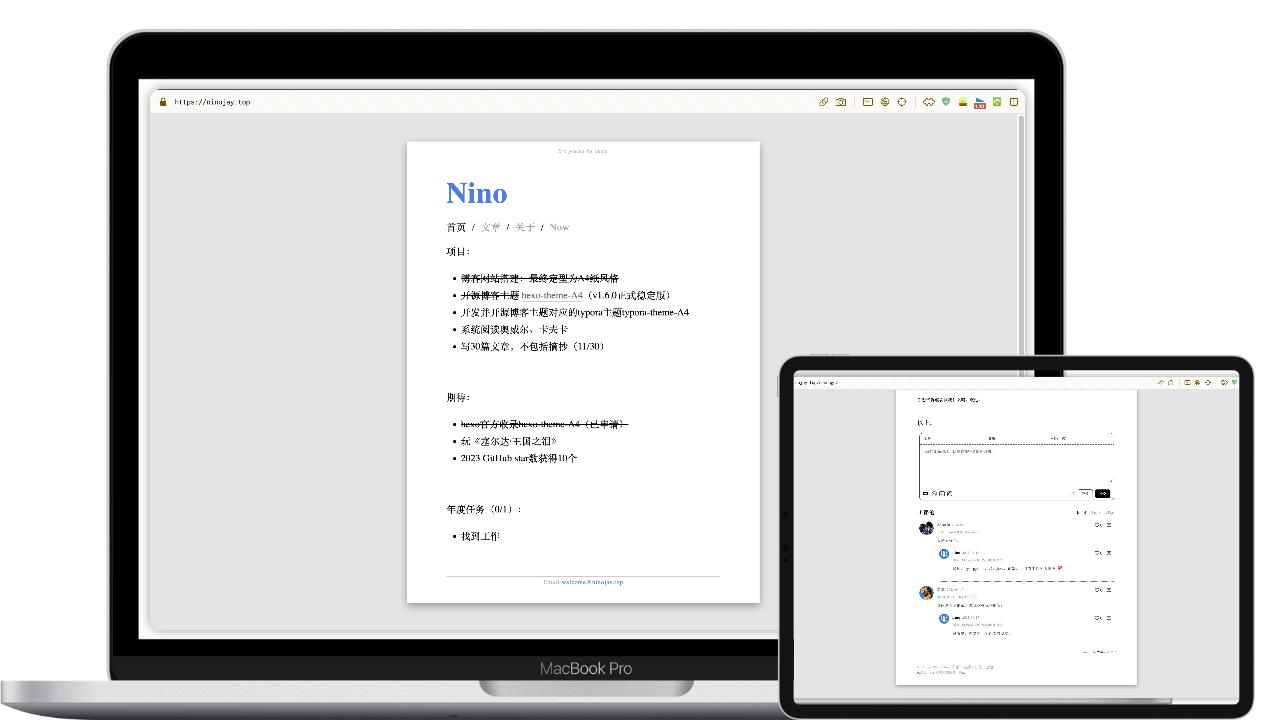
模仿A4紙張的一個hexo極簡主題。主打一個簡潔,體積小,配置少。
[]()
[](https://hexo.io/zh-cn/index.html)
[](https://nodejs.org/en)
「讓讀者專注於閱讀文字,作者專注於寫作。」➡️ [效果展示](https://ninojay.top) ➡️ [使用文檔](https://doc.ninojay.top)
_右上角一個star,更快更新功能_
[](https://github.com/HiNinoJay/hexo-theme-A4)
## 🏹️特點
- [x] 博客網站基本功能:歸檔/標籤/分類/目錄
- [x] 首頁簡歷化,word化,內容自定義化
- [x] 頁面的頁腳頁眉自定義
- [x] 文章可單獨配置:隱藏文章、開關評論、開關目錄、文章置頂、[數學公式支持](https://ninojay.top/hexoplugin/hexo-filter-mathjax/)、[文章加密訪問](https://ninojay.top/hexoplugin/hexo-blog-encrypt/)
- [x] [**全局色調可自定義配置,預覽多種配色**](https://ninojay.top/hexoplugin/A4-color-change/)
- [x] 採用最美評論模塊waline
- [x] 預置md可使用的css樣式
- [x] 自帶CDN加速國內訪問速度
- [x] [可壓縮圖片/css/js資源大幅度提升網站訪問速度](https://ninojay.top/hexoplugin/hexo-all-minifier/)
- [x] [詳細的使用文檔](https://doc.ninojay.top)
- [x] [經過作者驗證可支持的hexo插件](https://ninojay.top/tags/hexoPlugin/)
- [x] [mathjax 數學公式](https://ninojay.top/hexoplugin/hexo-filter-mathjax/)
- [x] [encrypt 特定文章加密訪問](https://ninojay.top/hexoplugin/hexo-blog-encrypt/)
- [x] [github-emojis 語法支持](https://ninojay.top/hexoplugin/hexo-filter-github-emojis/)
- [x] [reference 腳標支持](https://ninojay.top/hexoplugin/hexo-reference/)
- [x] [minifier 壓縮網站圖片/css/js等資源](https://ninojay.top/hexoplugin/hexo-all-minifier/)
## 🔥效果展示
### 多種主題配色
#### 灰白配色(默認)

#### 綠金配色(已預置|可一鍵啟用)

`顏色搭配是一門學問`,除A4推薦的兩種配色外,你可以自行調色,並把顏色方案分享給大家。更多配色請看:[預覽](https://ninojay.top/hexoplugin/A4-color-change/)。
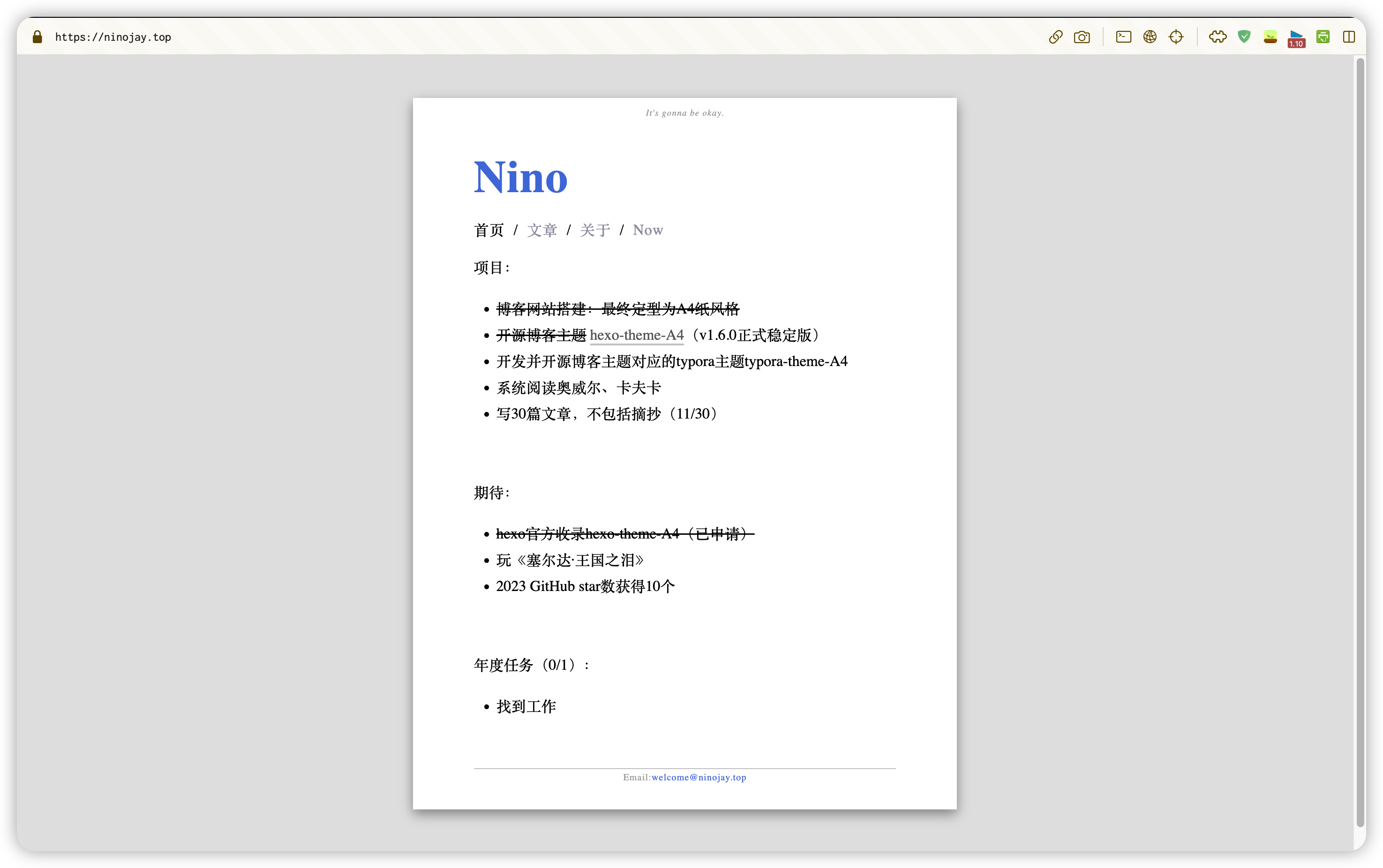
### 首頁
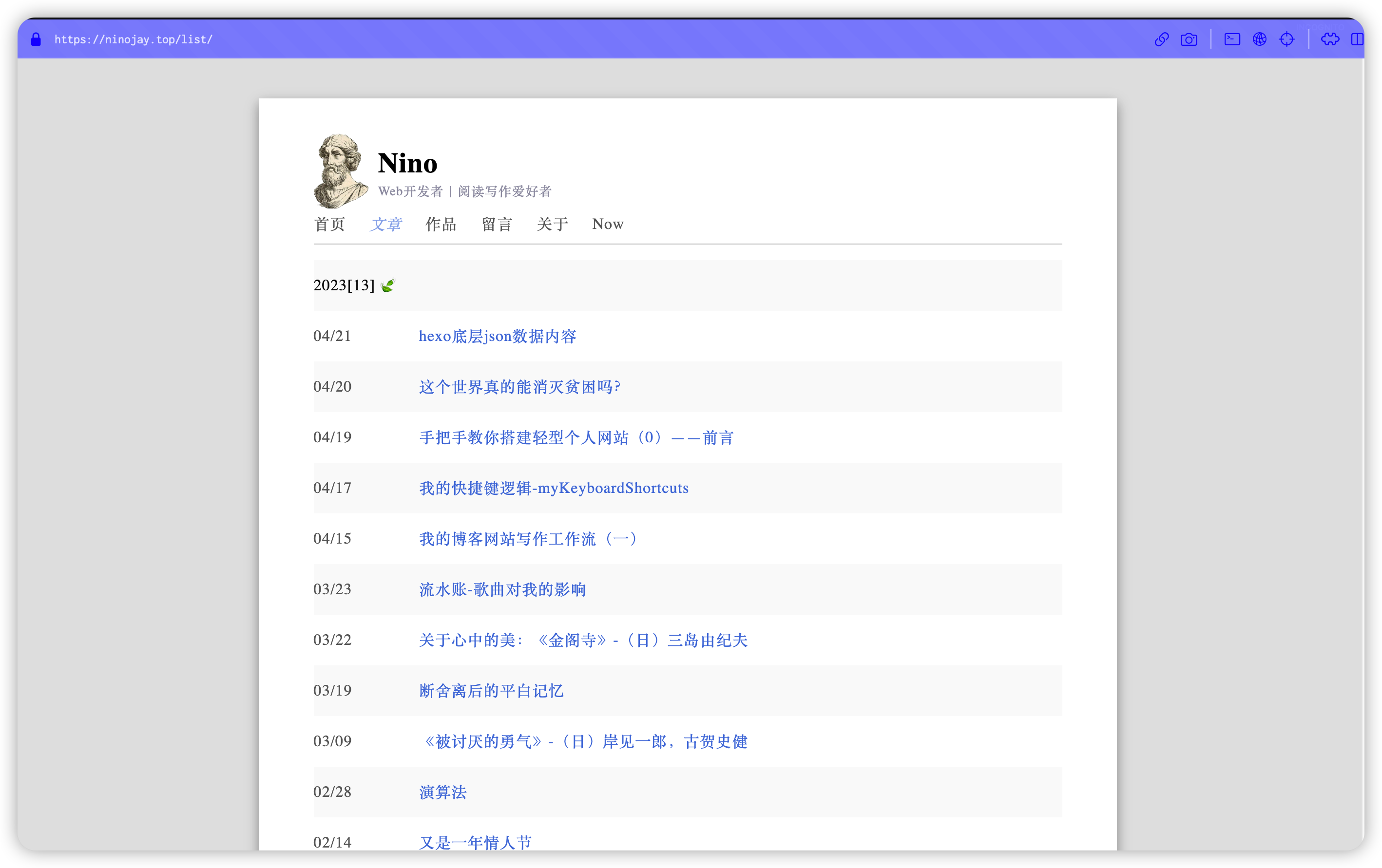
### 文章列表
### 文章標籤和分類信息
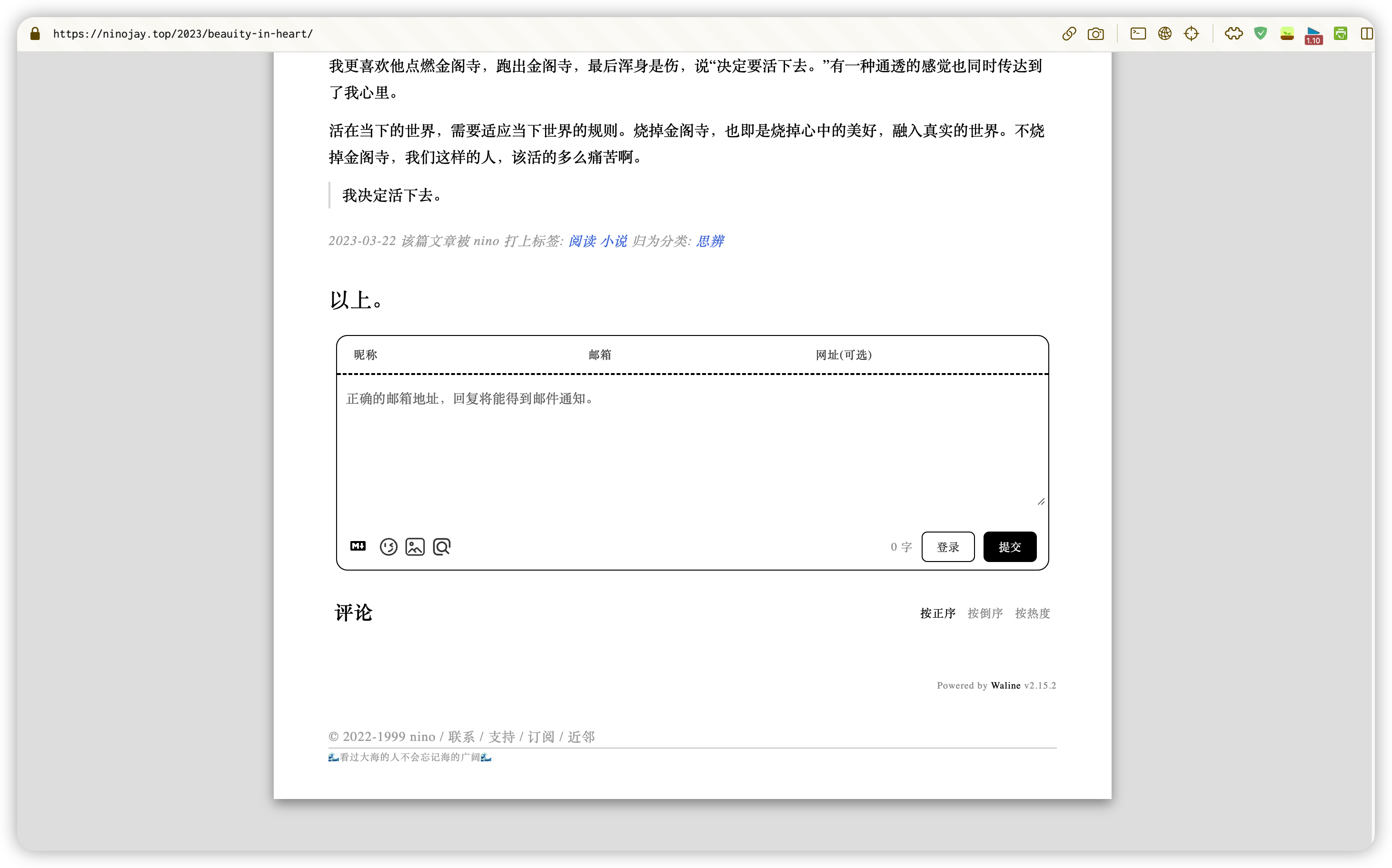
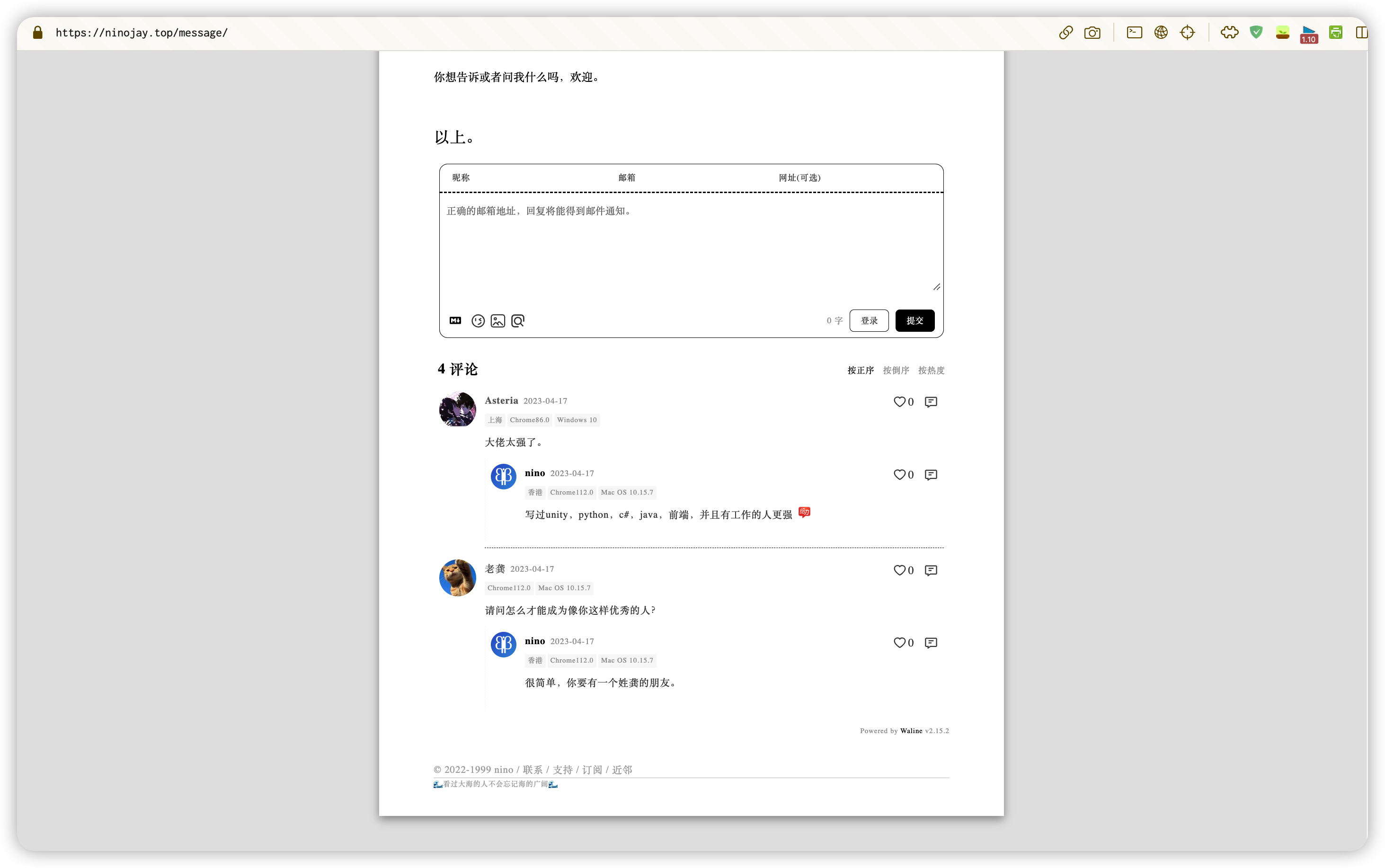
### 評論
## 👋如何使用
- 確認已通過命令`hexo init`創建好了文件夾,這裡舉例你的文件夾名為`website`
- `命令行`進入到`website`文件夾路徑下
- 將`website`文件夾下的`_config.yml`文件中將主題設置為A4
- 接下來正式安裝`a4主題`,有兩種方式,任選其一
### npm方式(推薦)
- 執行命令 `npm install hexo-theme-a4@latest`
- 在`website`文件夾路徑下創建`_config.a4.yml`文件,將[這裡的內容](https://github.com/HiNinoJay/hexo-theme-A4/blob/main/_config.yml)複製進去
- 對主題的所有個性化配置都將在`_config.a4.yml`文件中進行,可按照文件中的註釋自行配置
- 執行命令:`hexo s` 運行項目查看效果
### git方式
- 執行命令:`git clone git@github.com:HiNinoJay/hexo-theme-A4.git themes/A4`
- 在`website`文件夾路徑下創建`_config.a4.yml`文件,將[這裡的內容](https://github.com/HiNinoJay/hexo-theme-A4/blob/main/_config.yml) 複製進去
- 對主題的所有個性化配置都將在`_config.a4.yml`文件中進行,可按照文件中的註釋自行配置
- 執行命令:`hexo s` 運行項目查看效果
## ⚠️必讀配置
首頁和文章列表頁需要手動生成,執行以下命令即可:
```shell
hexo new page index
hexo new page list
```
其他詳細配置請看:
➡️ [使用文檔](https://doc.ninojay.top),已上線。
## ⬆️如何更新
根據你`安裝`的方式,選擇`對應的`更新方式。
### npm方式
命令行進入到你的博客網站`根目錄`下
執行命令:
```shell
npm install hexo-theme-a4@latest
```
### git方式
命令行進入到`themes/A4`目錄下
執行命令:
```shell
git pull
```
---
### 注意
以上兩種方式更新後,請去該[github頁面](https://github.com/HiNinoJay/hexo-theme-A4/releases)查看最新的版本,作者會告訴配置文件有無新增/修改。
如果有,則需要複製最新的[該文件](https://github.com/HiNinoJay/hexo-theme-A4/blob/main/_config.yml)對應到你的`_config.a4.yml`新增/修改的部分。
## ☕️支持
歡迎提交 pull request 或 issue,請提交至dev分支。
其他任何想交流的事,可發送郵件至:welcome@ninojay.top
如果覺得我做的不錯,請給該專案一個star,或者[請我喝杯咖啡☕️](https://ninojay.top/supportbymoney/)
## 💗感謝
由衷感謝A4支持者們:https://github.com/HiNinoJay/hexo-theme-A4/blob/main/DONATION.md
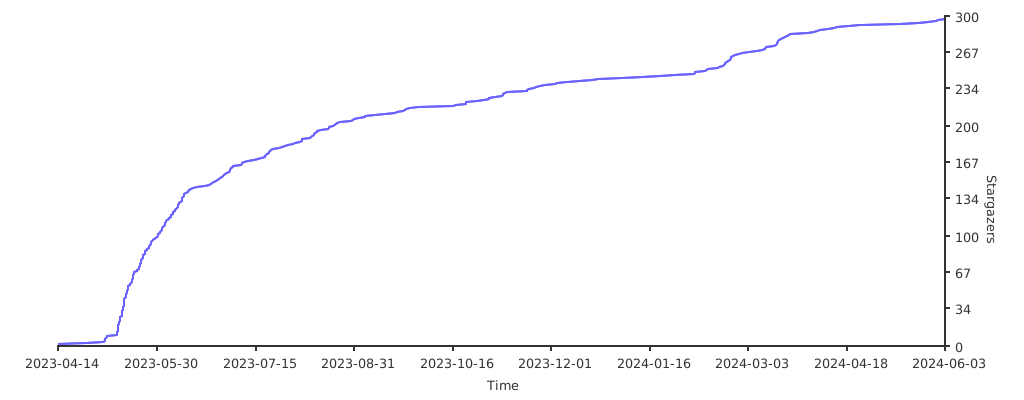
## Stargazers over time
[](https://starchart.cc/HiNinoJay/hexo-theme-A4)