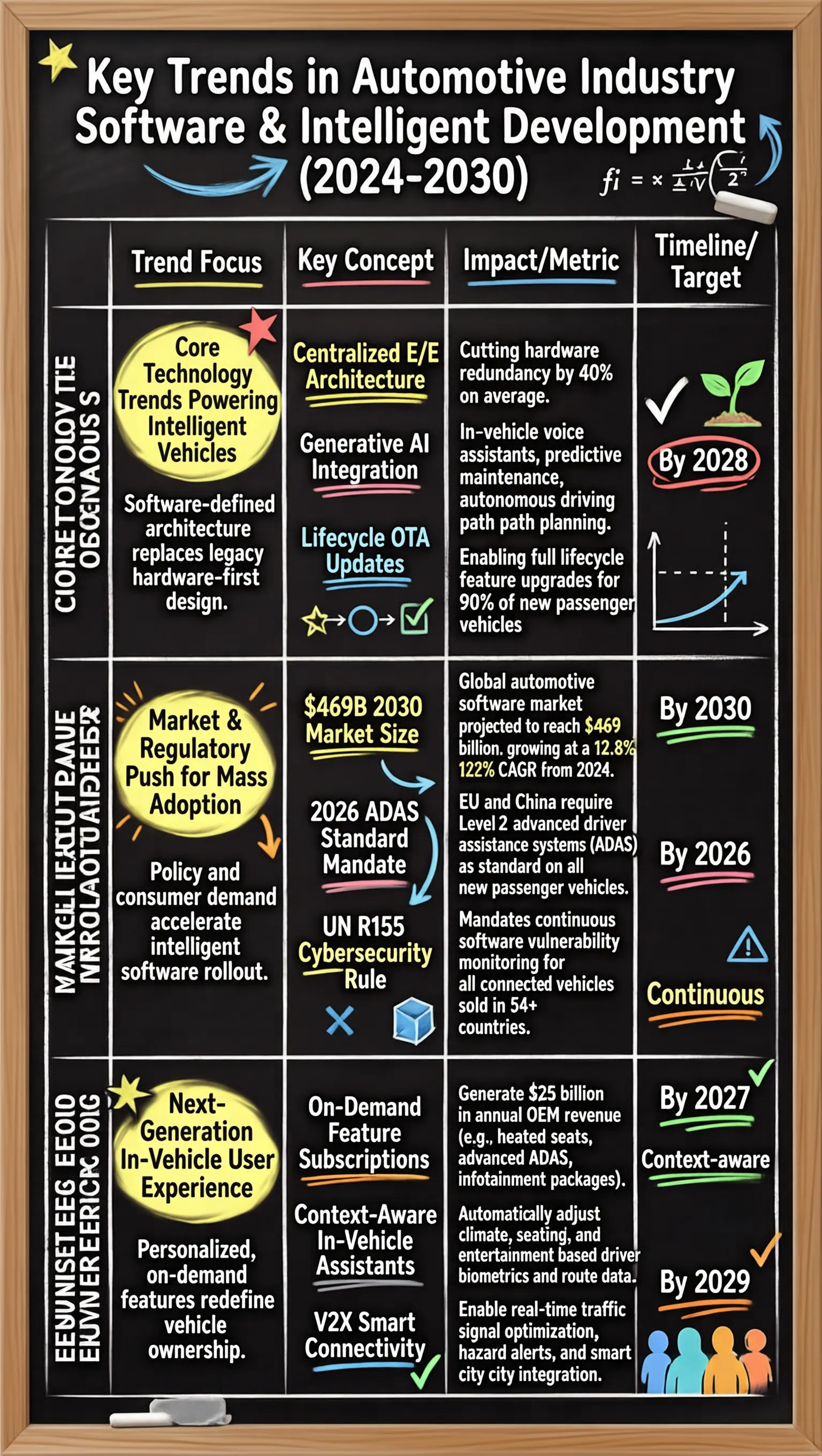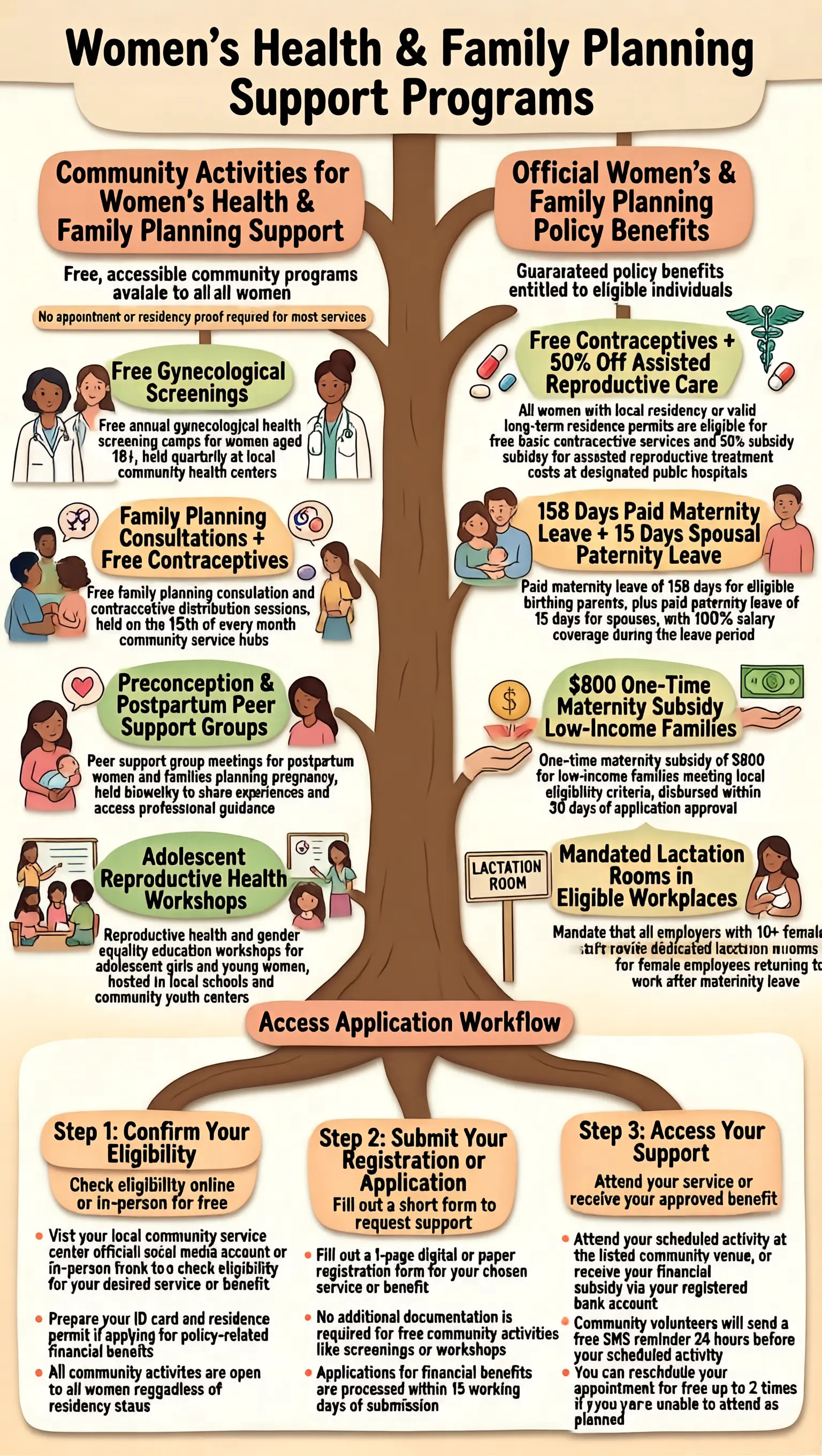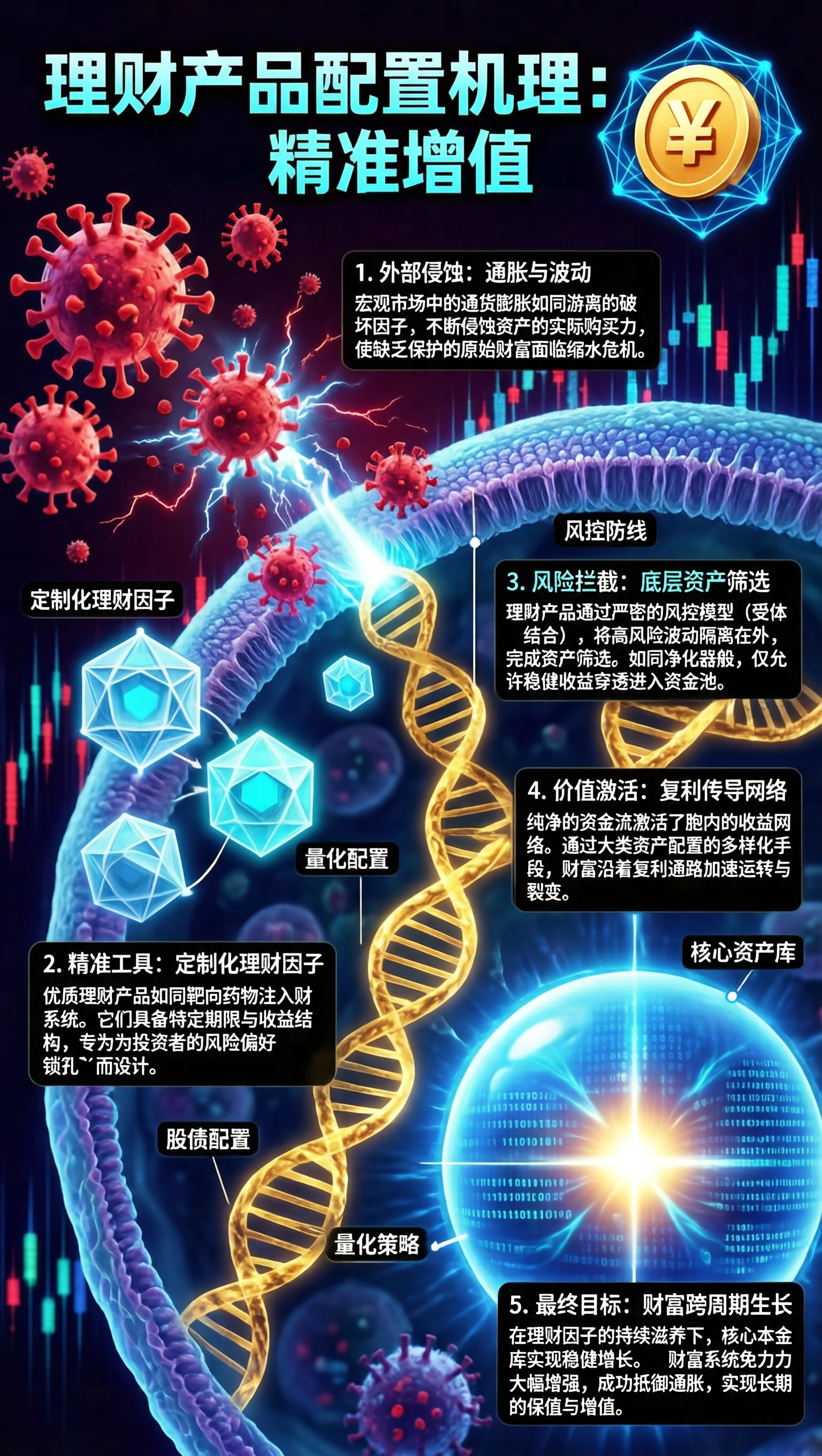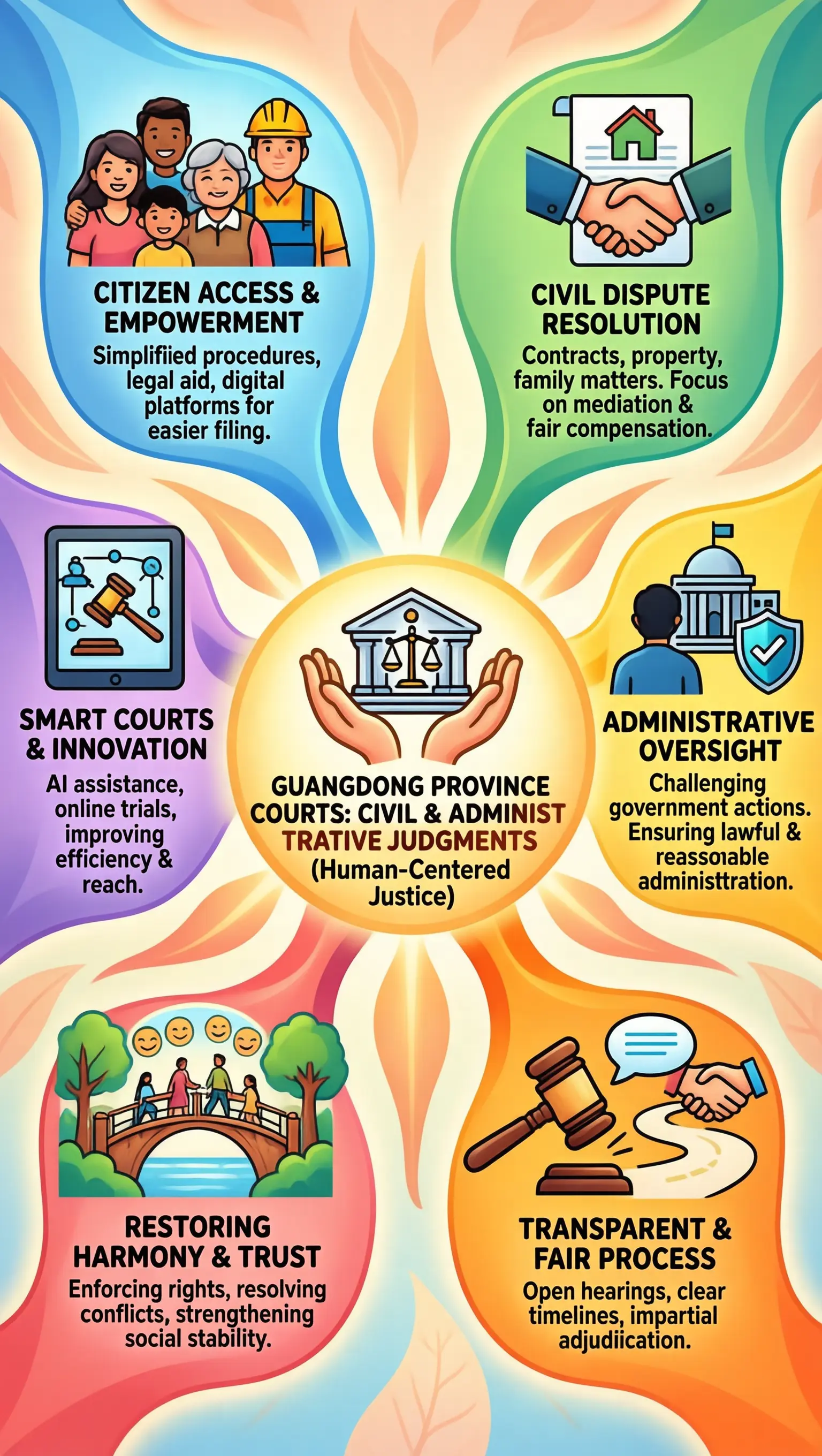
# SenseNova-U 系列:从第一性原理出发基于 NEO-unify的原生统一范式

English | 简体中文

arXiv Hugging Face 上的 SenseNova-U1.5 ModelScope 上的 SenseNova-U1.5 Hugging Face 上的 SenseNova-U1 NEO-unify License SenseNova-U Demo Discord

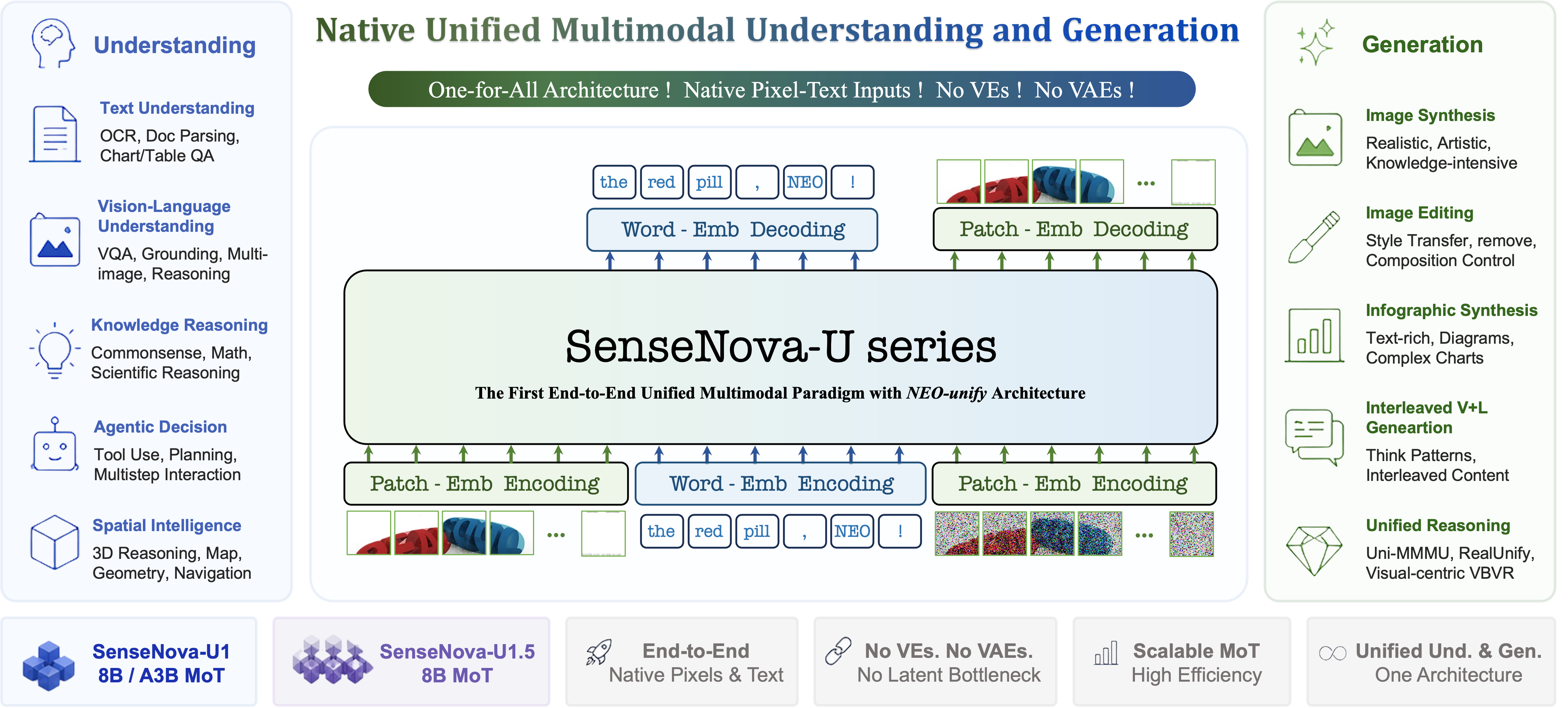
SenseNova-U1.5 原生统一多模态架构

## 📣 最新动态 - `[2026.08.20]` 正式发布 [SenseNova-U1.5-8B-MoT](https://huggingface.co/sensenova/SenseNova-U1.5-8B-MoT),进一步提升指令遵循、文字与版式、原生 4K 生成、图像编辑和视觉控制能力;同时发布 [SenseNova-U1.5-8B-MoT-LoRA-8step](https://huggingface.co/sensenova/SenseNova-U1.5-8B-MoT-LoRAs/blob/main/SenseNova-U1.5-8B-MoT-LoRA-8step.safetensors),用于更快速、更高效的推理,使用方法参见[推理示例脚本](docs/base_vs_distill.md#sensenova-u15-recommended)。我们也在准备技术报告和从 SFT、RL 到 MOPD 的完整训练流程,后续将陆续开源。 - `[2026.08.04]` 社区贡献者 Hugging Face 用户 [smthem](https://huggingface.co/smthem)(GitHub [@smthemex](https://github.com/smthemex))发布了 [SenseNova-U1.5-8B-MoT-Preview 的 Q8 GGUF 权重](https://huggingface.co/smthem/SenseNova-U1-8B-MoT-Merger-gguf/blob/main/SenseNova-U1.5-8B-MoT-Preview-Q8.gguf)(19.9 GB)。感谢作者持续维护并向社区分享 SenseNova-U1 系列量化权重。 - `[2026.07.31]` 发布 [SenseNova-U1.5-8B-MoT-Preview](https://huggingface.co/sensenova/SenseNova-U1.5-8B-MoT-Preview)。本次预览重点升级原生 4K 图像生成、局部纹理与真实质感和复杂版式生成,以及图像编辑中的主体与非编辑区域保持能力。更多细节请参阅 [U1.5 Preview 文档](docs/u1.5_preview_CN.md)。
点击展开 SenseNova-U1 更早的更新记录 - `[2026.07.16]` 发布 [SenseNova-U1-8B-MoT-Infographic-V3 📊](https://huggingface.co/sensenova/SenseNova-U1-8B-MoT-Infographic-V3)。新版本同时支持信息图的生成和编辑,在保留信息图生成能力的基础上,重点增强局部文字、局部内容、全局风格和全局布局等信息图编辑能力,可支持在密集文本中精确的修复文字。更多模型细节及基准测试结果请参阅 [✨ U1 Infographic Model Series](docs/u1_infographic_model_CN.md)。并更新了对应支持的 [ComfyUI workflow](apps/comfyui/example_workflows/infographic_series_t2i_edit.json)。 - `[2026.06.29]` 发布 [SenseNova-U1-8B-MoT-Infographic-V2 📊](https://huggingface.co/sensenova/SenseNova-U1-8B-MoT-Infographic-V2),新版信息图模型提升密集小字渲染能力,文字边缘更加锐利清晰;增强复杂密集图的排版能力,并提升整体画面美观和谐度。此外修复背景变黑问题。模型细节及可视化效果可见 [✨ U1 Infographic Model Series](docs/u1_infographic_model_CN.md)。 - `[2026.06.12]` 发布 [SenseNova-U1-8B-MoT-Infographic-LoRA-8step-V1.0](https://huggingface.co/sensenova/SenseNova-U1-8B-MoT-LoRAs/blob/main/SenseNova-U1-8B-MoT-Infographic-LoRA-8step-V1.0.safetensors),用于快速生成信息图。请查看[推理示例脚本](docs/base_vs_distill.md#run-base-and-distilled-model)。 - `[2026.06.11]` 发布 [SenseNova-U1-8B-MoT-Interleaved 📖](https://huggingface.co/sensenova/SenseNova-U1-8B-MoT-Interleaved),专门针对图文交错生成进行优化,在绘本、故事书、多页 PPT、图文教程等多页内容上的叙事连贯性、角色与风格一致性以及图文对齐等方面有显著提升。 - `[2026.05.21]` 发布 SenseNova-U1 的全参微调[训练代码](https://github.com/OpenSenseNova/SenseNova-U1/blob/main/training/README.md)。 - `[2026.05.15]` 发布 [SenseNova-U1-8B-MoT-Infographic 📊](https://huggingface.co/sensenova/SenseNova-U1-8B-MoT-Infographic) 模型,提升了信息图生成能力。模型细节可见 [U1 Infographic Model Series](docs/u1_infographic_model_CN.md),100个生成案例可见 [✨ Infographic Showcases ](docs/u1_infographic_showcases.md)。 - `[2026.05.10]` 发布 [🔥SenseNova-U1 技术报告🔥](https://github.com/OpenSenseNova/SenseNova-U1/blob/main/docs/pdf/SenseNOVA_U1.pdf),并开源 [SenseNova-U1-A3B-MoT-SFT](https://huggingface.co/sensenova/SenseNova-U1-A3B-MoT-SFT) 与 [SenseNova-U1-A3B-MoT](https://huggingface.co/sensenova/SenseNova-U1-A3B-MoT) 模型权重。 - `[2026.05.08]` 新增 **GGUF 量化权重支持** 与 **分层加载 VRAM 模式**,便于在单卡低显存环境下推理,详见 [低显存推理(GGUF + VRAM 模式)](#-低显存推理gguf--vram-模式)。`SenseNova-U1-8B-MoT-Merger` 的 GGUF 权重已上传至 [🤗 smthem/SenseNova-U1-8B-MoT-Merger-gguf](https://huggingface.co/smthem/SenseNova-U1-8B-MoT-Merger-gguf),特别感谢 [@smthemex](https://github.com/smthemex) 为社区贡献量化权重。 - `[2026.05.06]` 发布[SenseNova-U1-8B-MoT-LoRA-8step-V1.0](https://huggingface.co/sensenova/SenseNova-U1-8B-MoT-LoRAs/blob/main/SenseNova-U1-8B-MoT-LoRA-8step-V1.0.safetensors). 请查看[推理示例脚本](docs/base_vs_distill.md#run-base-and-distilled-model)。 - `[2026.04.30]` 发布8步推理模型的预览版 [SenseNova-U1-8B-MoT-8step-preview](https://huggingface.co/sensenova/SenseNova-U1-8B-MoT-8step-preview). 在大多数情况下,该模型的图像生成质量与基础模型非常接近 (查看 [效果对比和存在的问题](docs/base_vs_distill.md))。要测试该模型,可以参考[推理脚本](examples/README.md), 但需替换如下参数: ```--cfg_scale 1.0 --num_steps 8```。 - `[2026.04.27]` 首发 [SenseNova-U1-8B-MoT-SFT](https://huggingface.co/sensenova/SenseNova-U1-8B-MoT-SFT) 与 [SenseNova-U1-8B-MoT](https://huggingface.co/sensenova/SenseNova-U1-8B-MoT) 模型权重。 - `[2026.04.27]` 首发 SenseNova-U1 的[推理代码](https://github.com/OpenSenseNova/SenseNova-U1/blob/main/examples/README_CN.md)。
## 🚀 SenseNova-U1.5

SenseNova-U1.5 原生统一多模态架构

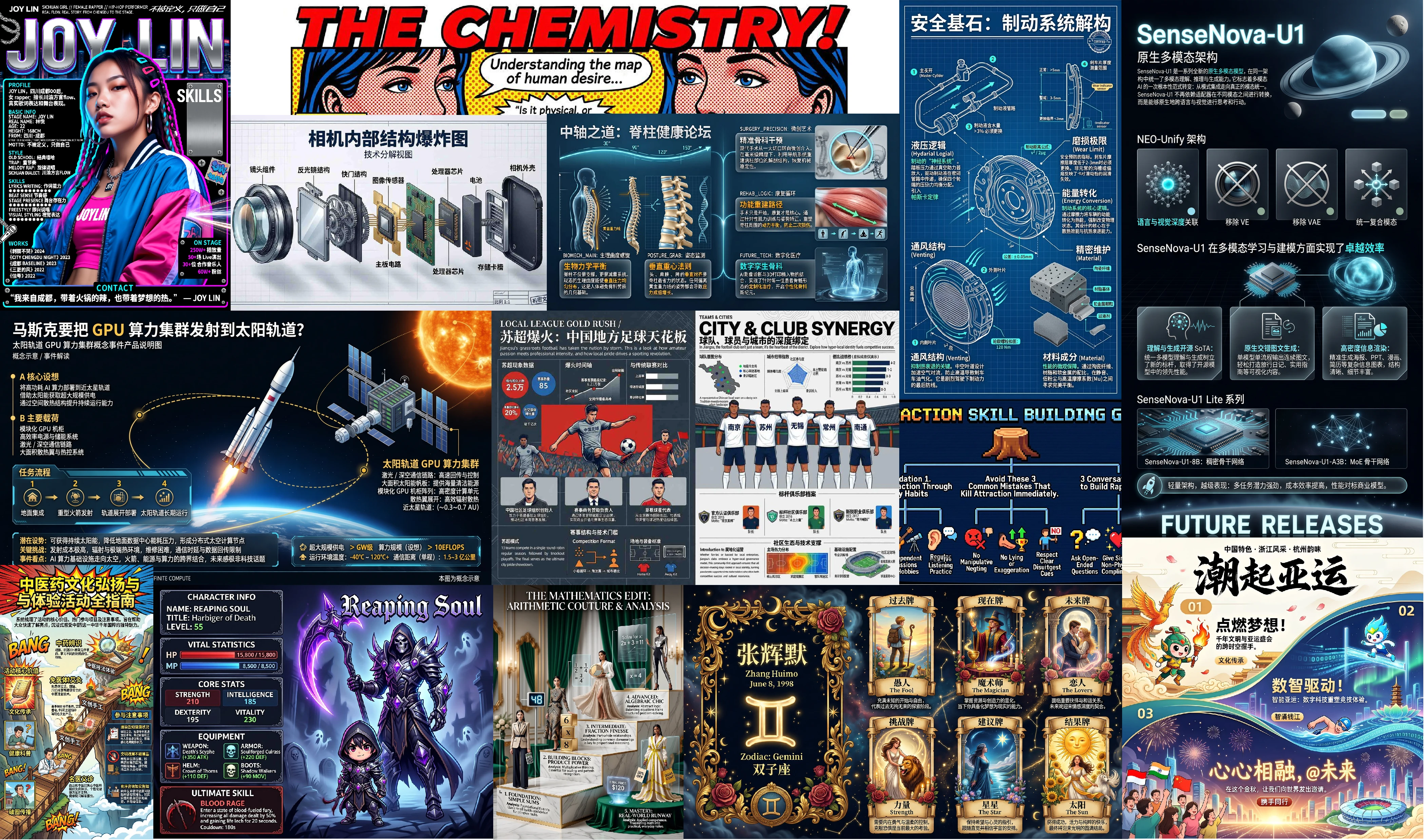
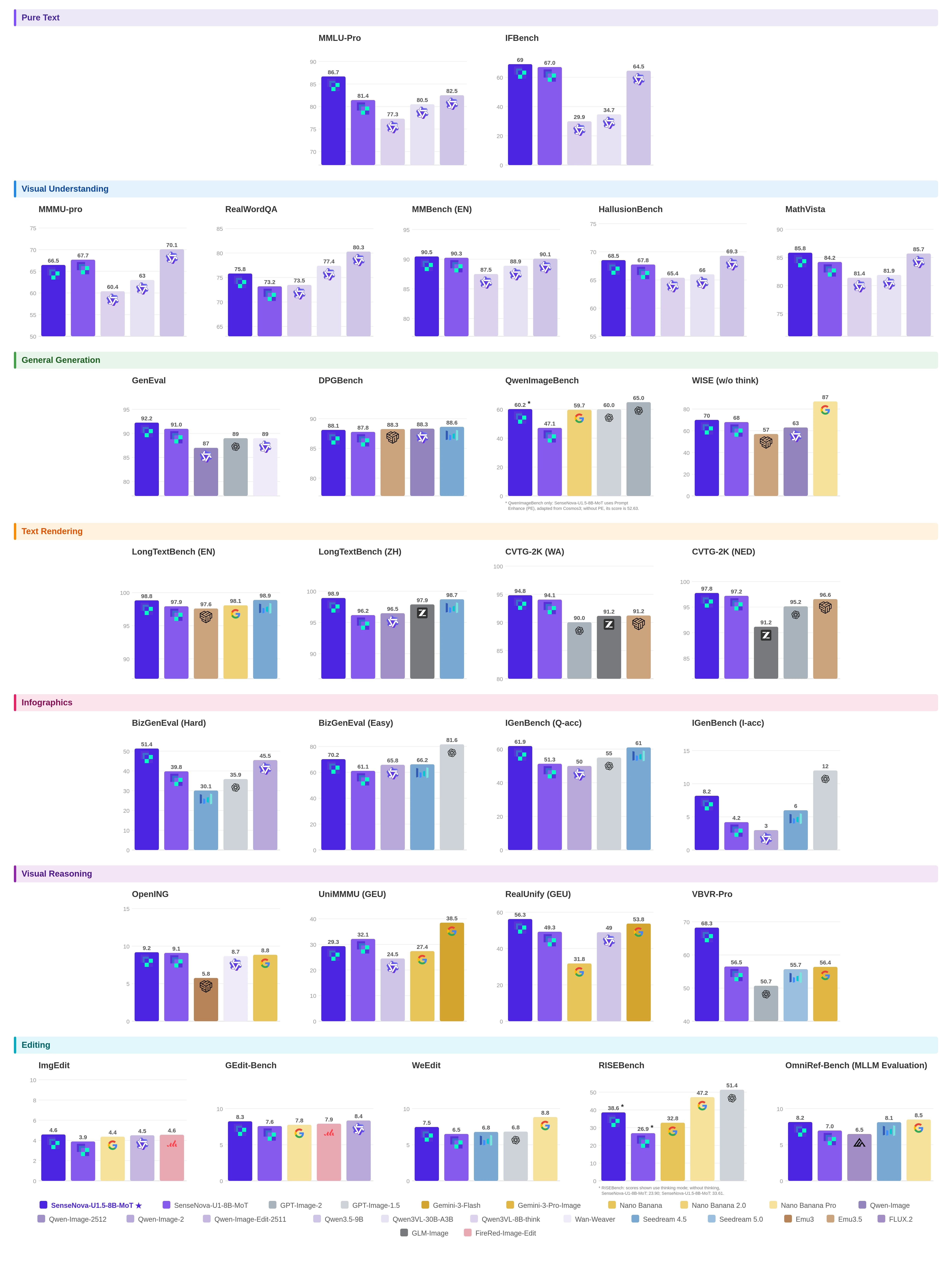
### 🌟 概述 **[SenseNova-U1.5-8B-MoT](https://huggingface.co/sensenova/SenseNova-U1.5-8B-MoT)** 是我们最新的原生统一多模态权重,面向更准确、更一致、更可靠且更具审美表现力的视觉创作。基于 [NEO-unify](https://huggingface.co/blog/sensenova/neo-unify),我们进一步强化了 patchify 层、数据质量与分布、任务定义、Prompt 增强和后训练流程。 正式版重点提升了六项用户可感知的能力: - **更高质量的图像生成:** 提升构图、色彩和谐度、材质渲染、光照、真实感与细粒度细节。 - **更好的文字渲染与信息图生成:** 提升中英文文字可读性,并在海报、信息图、品牌素材及其他文字密集设计中呈现更清晰的信息层级。 - **更高效的原生 4K 生成:** 提升全局结构连贯性、高分辨率输出稳定性与生成效率。 - **更可靠的原生图像编辑:** 在局部编辑、文字编辑、多参考图编辑、插入与替换等任务中,更好地保持主体身份与非编辑内容。 - **更强的复杂指令遵循:** 更稳定地执行对象数量、空间关系、版式、风格及单个请求中的多项约束。 - **更精确的视觉控制:** 通过边界框、视觉标记以及单图或多图参考,实现更准确的区域级与对象级控制。 ### 📊 核心评测

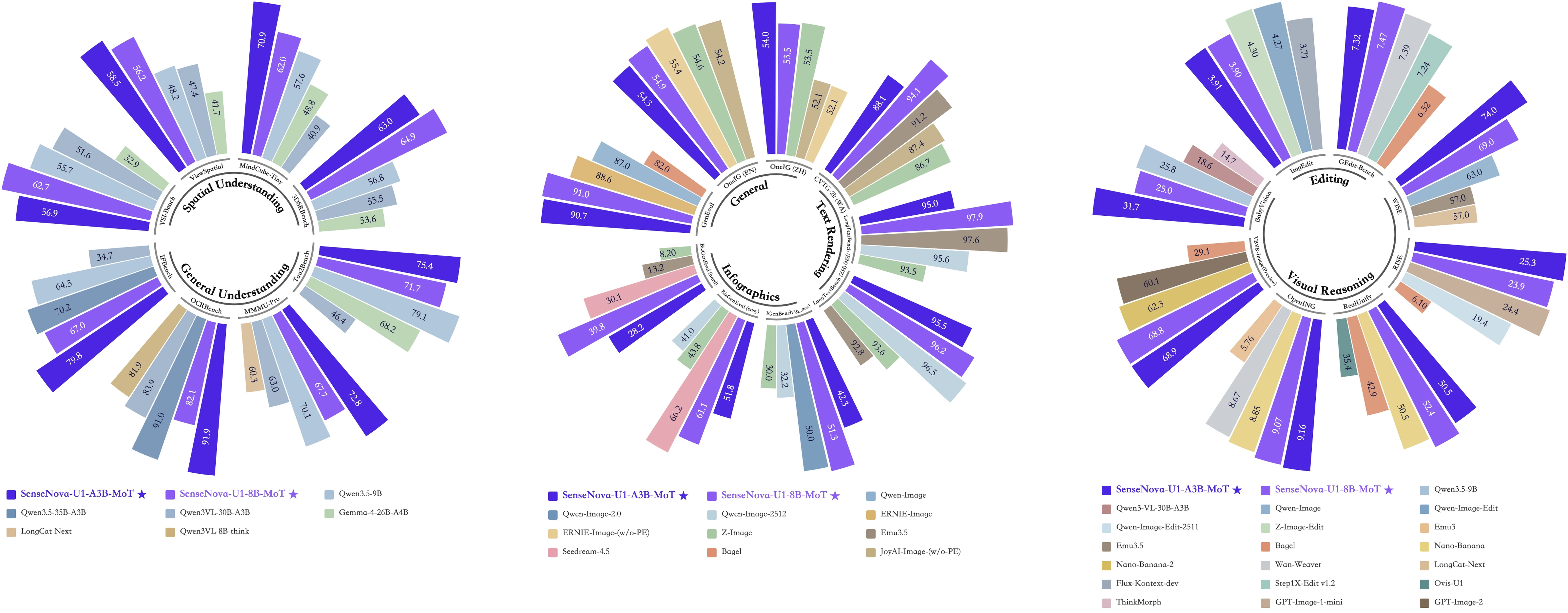
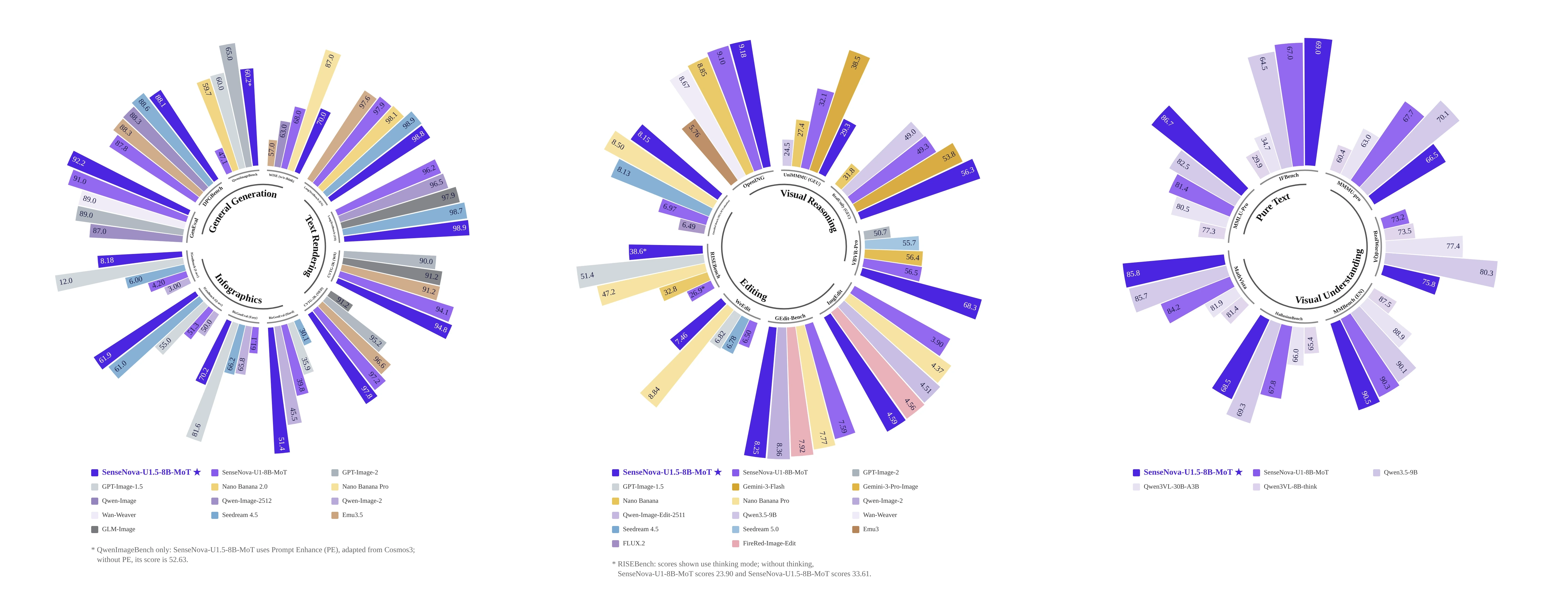
SenseNova-U1.5 基准评测概览

查看详细评测结果

SenseNova-U1.5 详细基准评测结果

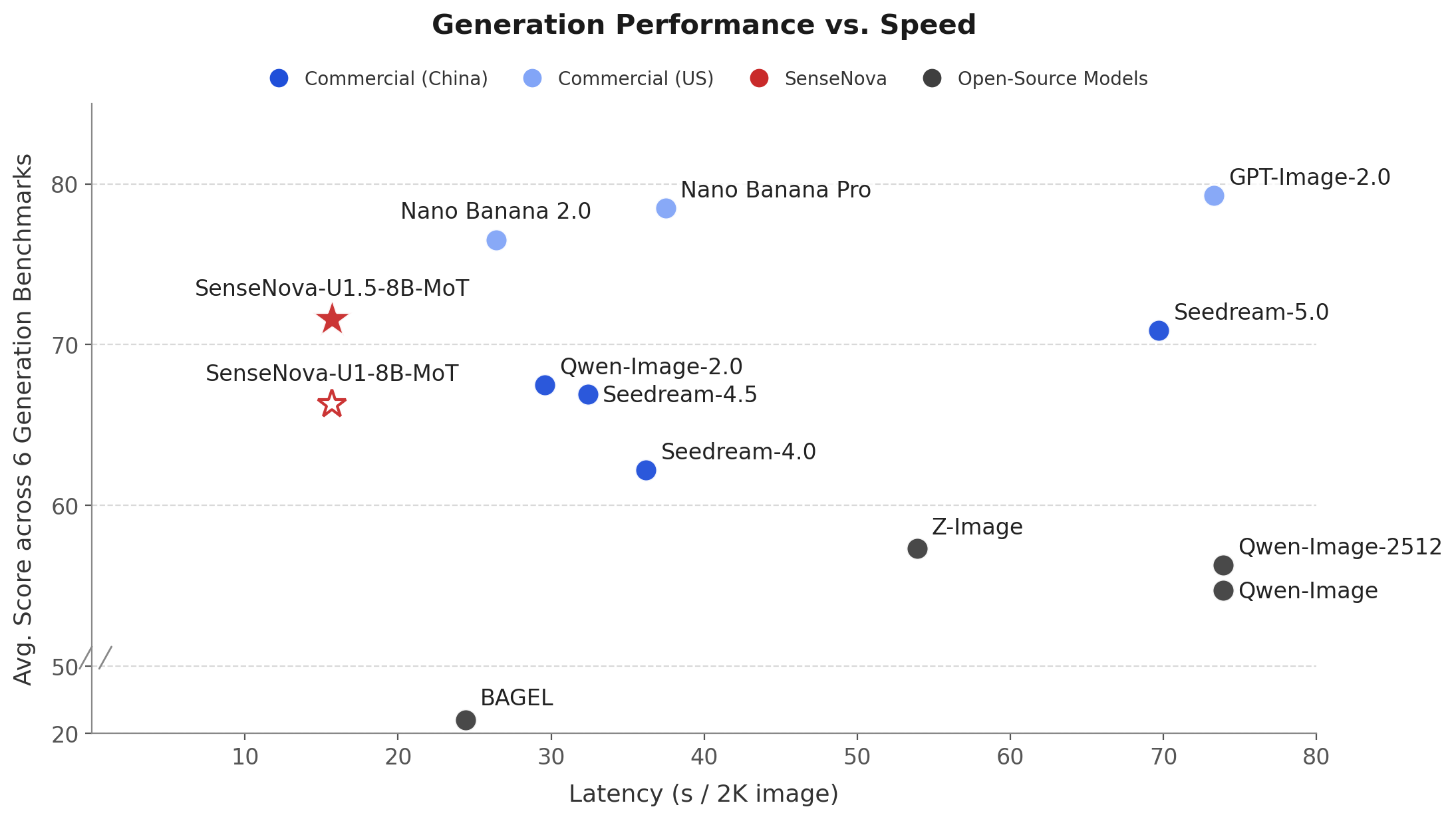
### ⚡ 性能与速度

SenseNova-U1.5 生成性能与速度对比

在 OneIG(EN、ZH)、LongText(EN、ZH)、BizGenEval(Easy、Hard)、CVTG、IGenBench 与 Qwen-Image-Bench 上的生成延迟与平均性能对比。

### 🎦 最佳实践 [强烈推荐] 对于主体明确、约束较少的任务,直接使用自然语言 Prompt 通常即可。复杂生成或编辑任务可在需要额外规划时使用 PE,同时明确写出必须保持不变的内容;如果高频细节或色彩过强,可逐步降低 `cfg_scale`。工作流建议、安装说明和可视化对比请参见 **[U1.5 效果展示与最佳实践](docs/u1.5_best_practices_CN.md)**。SenseNova U1.5 也将在 **[SenseNova-Studio](https://unify.light-ai.top/)** 上线,届时大家可以直接体验模型。 ### ⚠️ 进行中的改进 正式版在预览版基础上有所改进,但以下方面仍存在挑战: - 细节或色彩过强:部分 Prompt 可能产生过多高频细节或过饱和色彩,通常可通过降低 `cfg_scale` 缓解。 - 密集文字错误:密集、较长、小字号或中英文混排文字仍可能出现错误。 - 高约束版式偏差:高约束版式中的精确计数、对齐或层级可能不完全准确。 - 细粒度细节不稳定:小尺寸人脸、手部、肢体与细粒度物体结构仍可能不稳定。 - 复杂编辑偏移:大范围、多轮或多参考图编辑仍可能发生偏移,尤其是同时需要保留多个区域时。 ### ⚙️ 部署指南 - **使用 Transformers 快速开始** ```bash # 文生图 python examples/t2i/inference.py \ --model_path sensenova/SenseNova-U1.5-8B-MoT \ --prompt "A formal portrait depicts a man in 18th-century attire seated with a scroll, wearing a red cloak and ornate medals, against a classical landscape with ancient ruins and inscriptions." \ --output output.png # 图像编辑 python examples/editing/inference.py \ --model_path sensenova/SenseNova-U1.5-8B-MoT \ --image examples/editing/data/images/1.webp \ --prompt "Change the jacket of the person on the left to bright yellow." \ --output edited.png # 图文交错生成 python examples/interleave/inference.py \ --model_path sensenova/SenseNova-U1.5-8B-MoT \ --prompt "I want to learn how to cook tomato and egg stir-fry. Please give me a beginner-friendly illustrated tutorial." \ --resolution "16:9" \ --output_dir outputs/interleave/ \ --stem demo \ --profile # 视觉理解 python examples/vqa/inference.py \ --model_path sensenova/SenseNova-U1.5-8B-MoT \ --image examples/vqa/data/images/menu.jpg \ --question "My friend and I are dining together tonight. Looking at this menu, can you recommend a good combination of dishes for 2 people? We want a balanced meal — a mix of mains and maybe a starter or dessert. Budget-conscious but want to try the highlights." \ --output outputs/answer.txt \ --max_new_tokens 8192 \ --do_sample \ --temperature 0.6 \ --top_p 0.95 \ --top_k 20 \ --repetition_penalty 1.05 \ --profile ``` - **生产部署:** 使用 LightLLM + LightX2V 进行生产部署,请参见[部署指南](docs/deployment_CN.md)。 - **GGUF 量化推理:** SenseNova-U1.5-Lite GGUF 权重即将发布,其推理流程将与社区提供的 [SenseNova-U1.5-8B-MoT-Preview Q8 GGUF 权重](https://huggingface.co/smthem/SenseNova-U1-8B-MoT-Merger-gguf/blob/main/SenseNova-U1.5-8B-MoT-Preview-Q8.gguf)类似。请确保 `--model_path` 指向与 GGUF 权重匹配的基础模型。 ```bash # 首次使用时安装可选依赖 uv pip install -e ".[gguf]" # 或:pip install "gguf>=0.10.0" "diffusers>=0.30.0" python examples/t2i/inference.py \ --model_path sensenova/SenseNova-U1.5-8B-MoT-Preview \ --gguf_checkpoint /path/to/SenseNova-U1.5-8B-MoT-Preview-Q8.gguf \ --prompt "A male peacock trying to attract a female" \ --output output_gguf.png ``` ## 🚀 SenseNova-U1
展开查看 SenseNova-U1 的概述、案例与部署方式

SenseNova-U1 可视化

### 🌟 概述 🚀 **SenseNova-U1** 是全新一代原生多模态模型系列,在单一架构中统一了多模态理解、推理与生成。 它代表着多模态 AI 的根本性范式转变:**从模态集成走向真正的统一**。SenseNova-U1 不再依赖适配器在不同模态之间进行翻译,而是以原生方式跨语言与视觉进行思考与行动。 以端到端架构打通从像素到文字的视觉理解与生成,开启了巨大的可能性,使模型能够以原生多模态方式高效完成理解、生成和图文交错推理。

雷达图

#### 🏗️ *核心支柱:* SenseNova-U1 的核心是 **[NEO-unify](https://huggingface.co/blog/sensenova/neo-unify)** —— 一个为多模态 AI 而设计、从第一性原理出发的全新架构:*它彻底摒弃了视觉编码器(VE)与变分自编码器(VAE),因为像素与文字信息在本质上是深度相关的。* 其主要特性如下: - 🔗 端到端统一建模语言与视觉信息。 - 🖼️ 兼顾丰富的语义表达与像素级视觉保真度。 - 🧠 借助原生 MoT 高效完成跨模态推理,并减少模态冲突。 #### ✨ *能力突破:* 基于这一全新的核心架构,SenseNova-U1 在多模态学习中展现出卓越的效率:

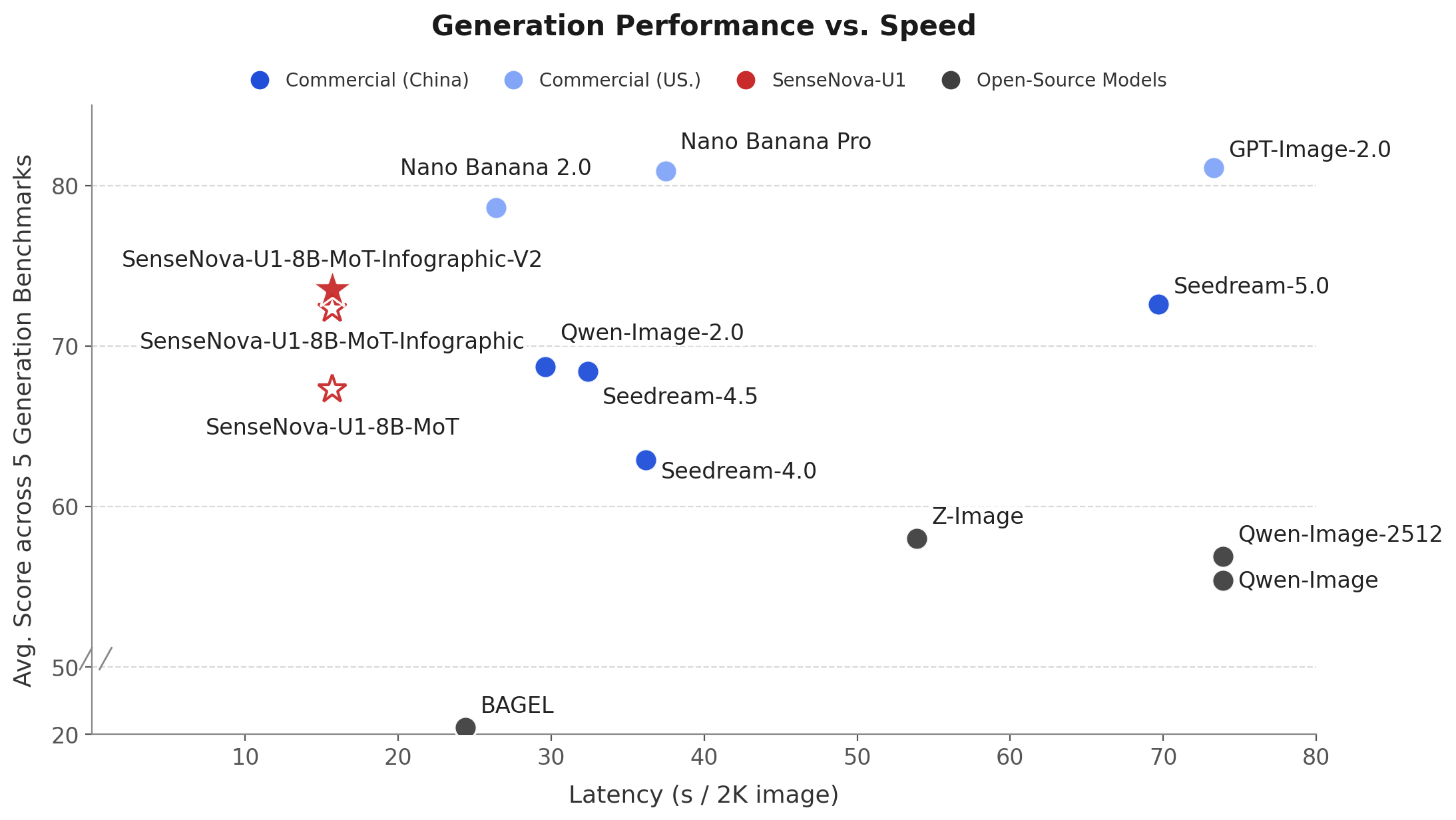
左图:在 OneIG(EN、ZH)、LongText(EN、ZH)、CVTG、BizGenEval(Easy、Hard)与 IGenBench 上的生成延迟与平均性能对比。
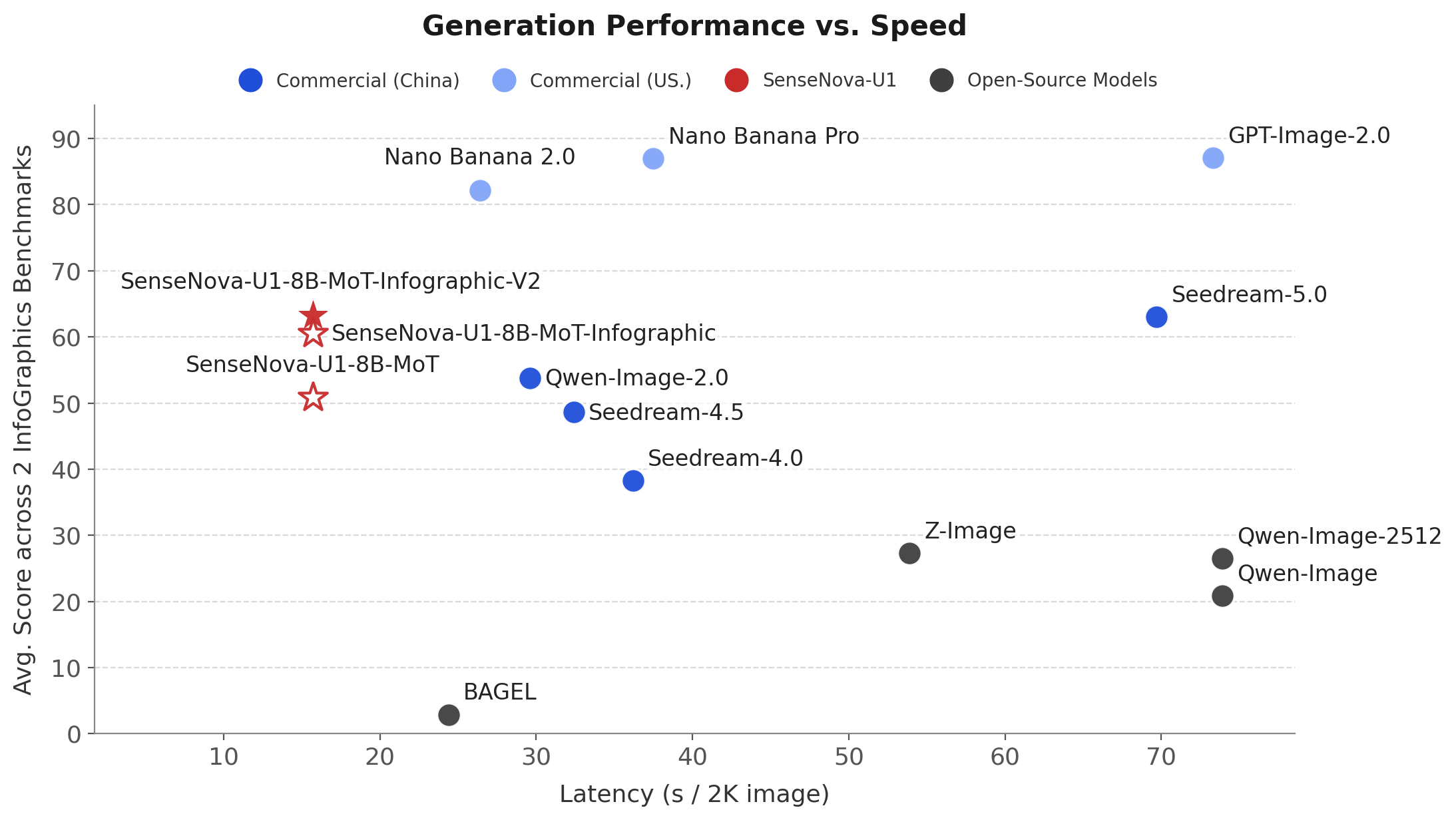
右图:在信息图基准(BizGenEval(Easy、Hard)、IGenBench)上的生成延迟与平均性能对比。
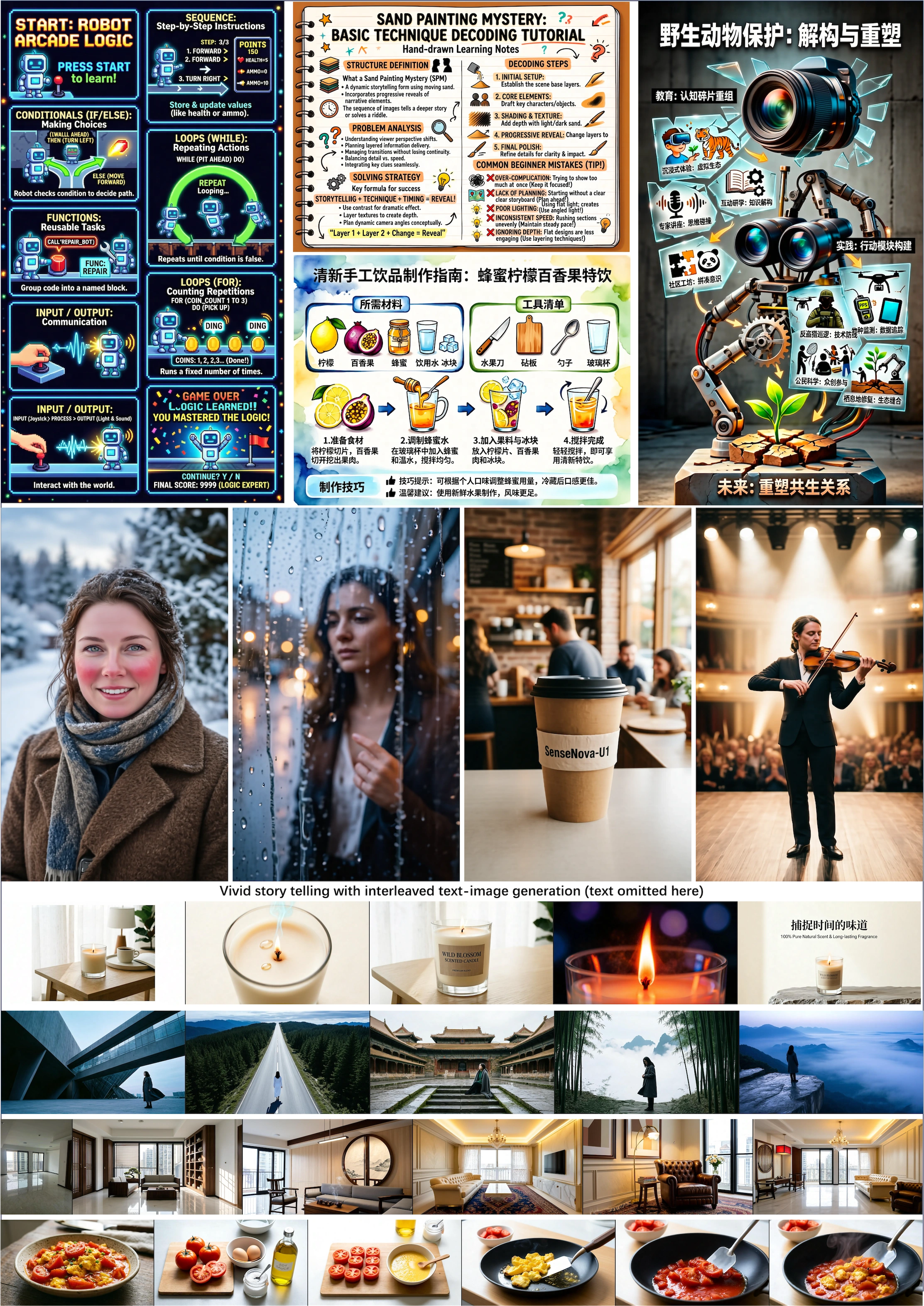
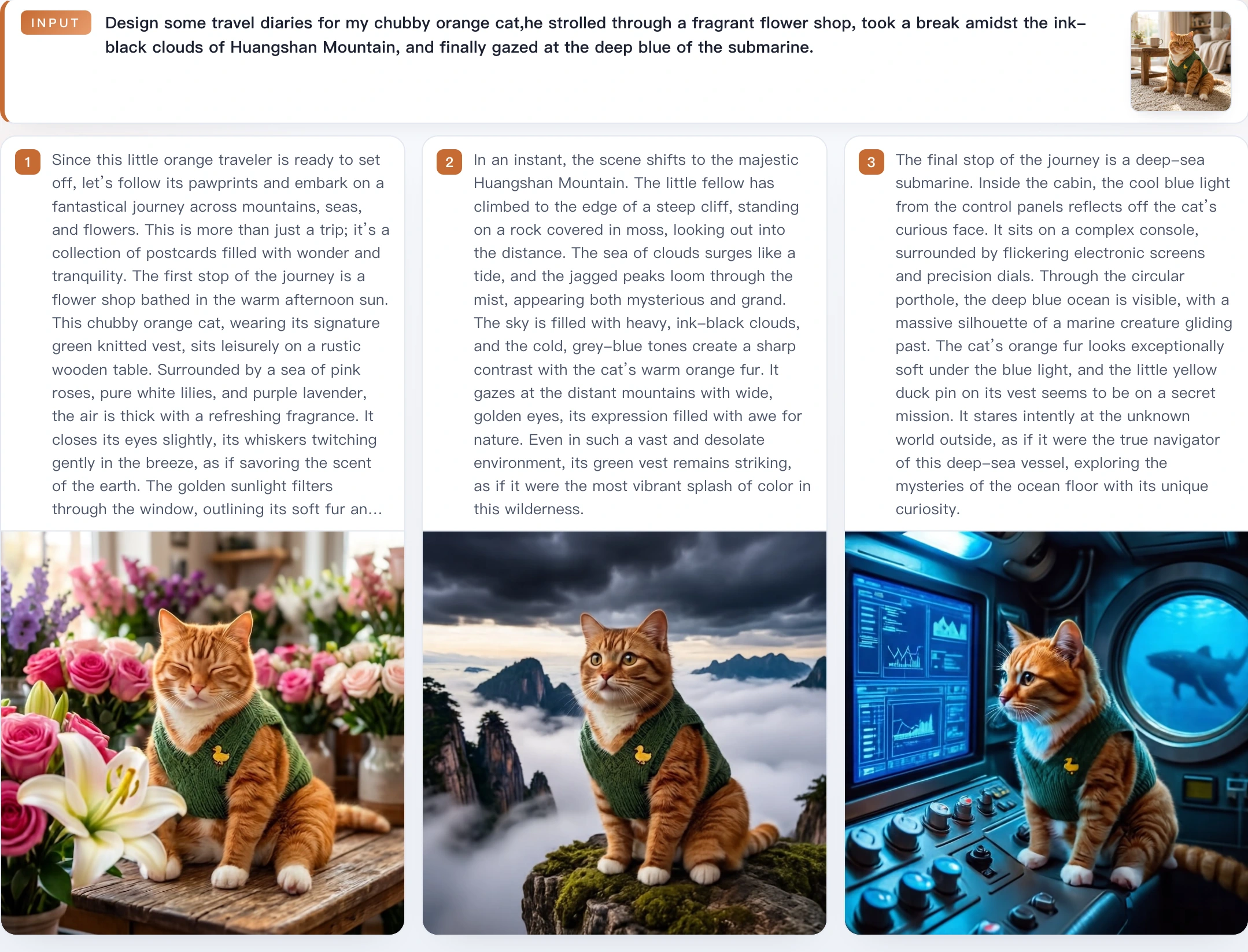
- 🏆 **理解与生成均达到开源 SoTA**:SenseNova-U1 在统一多模态理解与生成上树立了新的标杆,在多种理解、推理与生成基准上均达到开源模型中最先进的水平。 - 📖 **原生图文交错生成**:SenseNova-U1 可以用单一模型在单次生成流程中连贯产出图文交错内容,支持生活指南、旅行日记等既需要清晰表达又富有叙事性与表现力的场景,把复杂信息转化为直观的视觉内容。 - 📰 **高密度信息呈现**:SenseNova-U1 在高密度视觉信息表达上展现出强大能力,能够生成结构丰富、排版复杂的内容,适用于知识图解、海报、PPT、漫画、简历等多种信息密集型场景。 #### 🌍 *不止于多模态:* - 🤖 视觉-语言-动作(VLA) - 🌐 世界建模(WM) ### 📋 项目状态 - [x] SenseNova-U1 训练代码 - [x] SenseNova-U1 最终版权重与技术报告 ### 🎨 效果展示
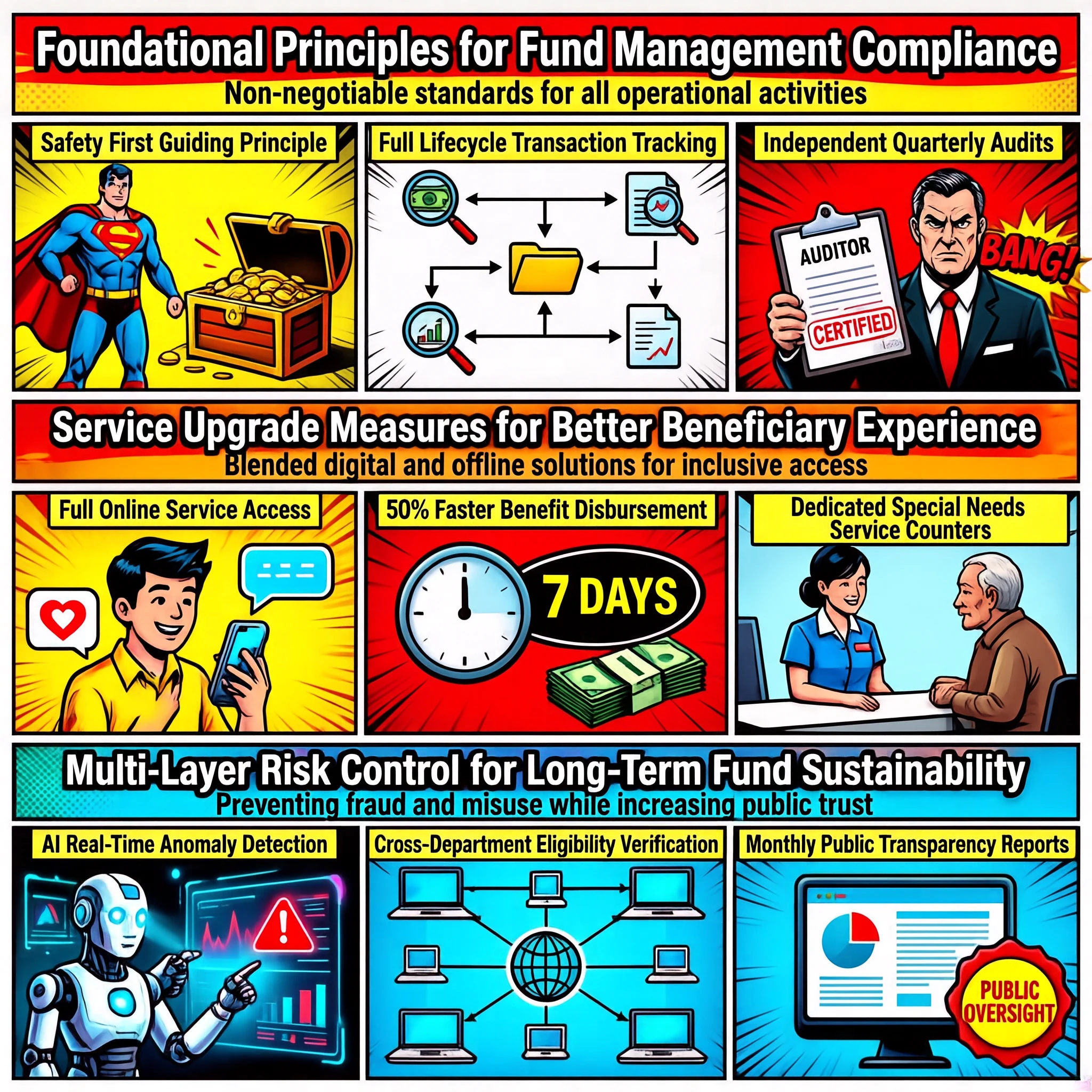
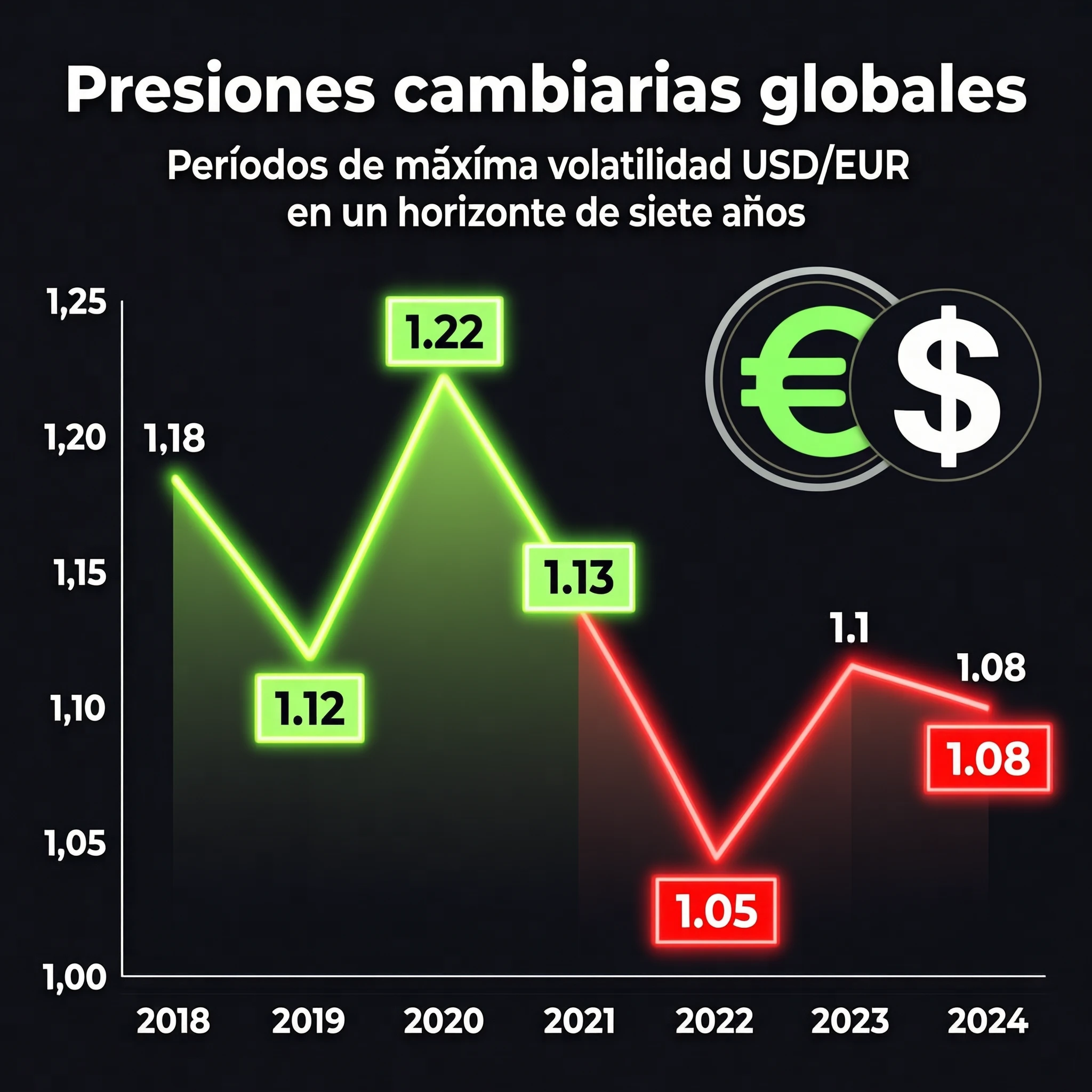
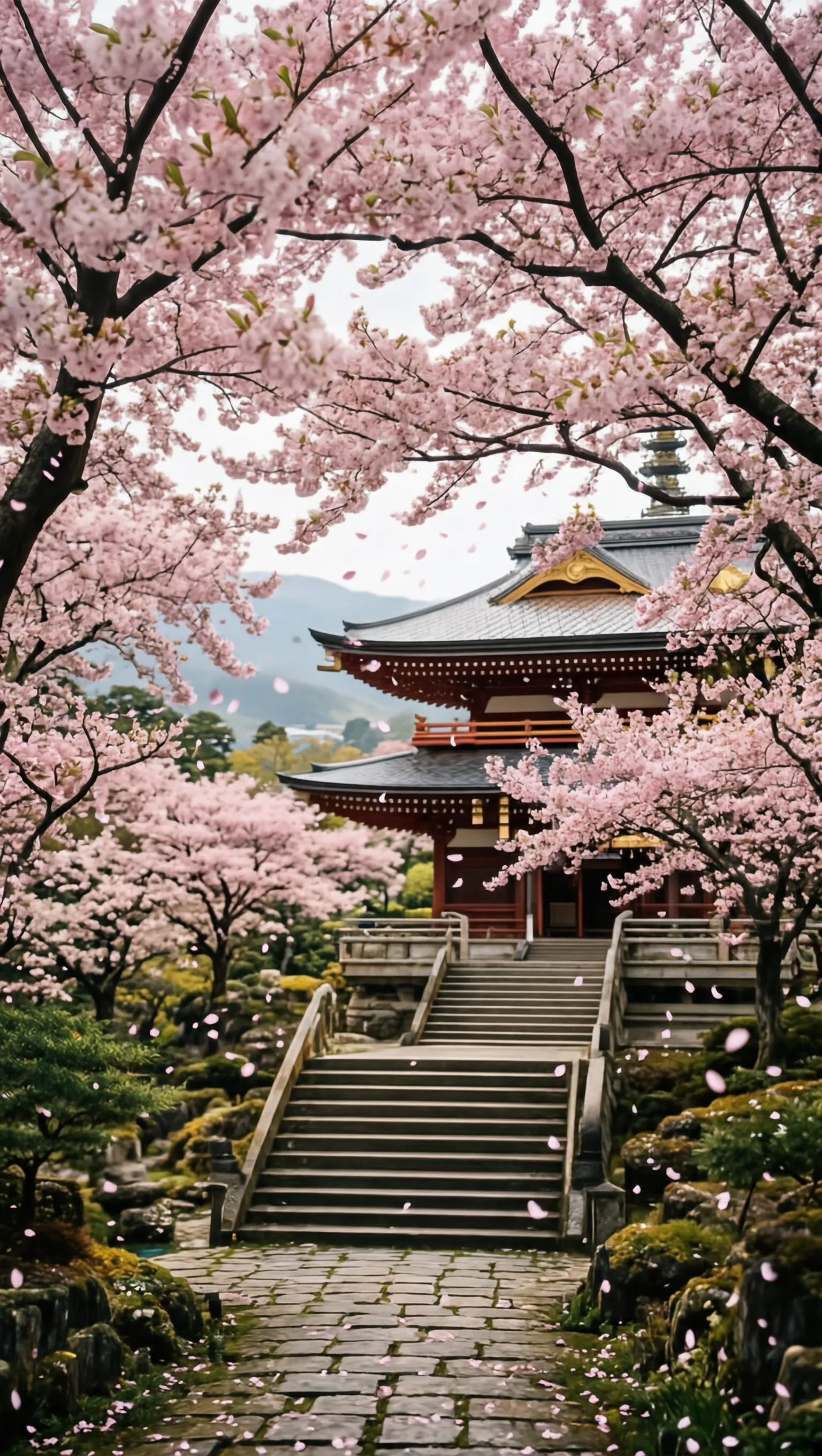
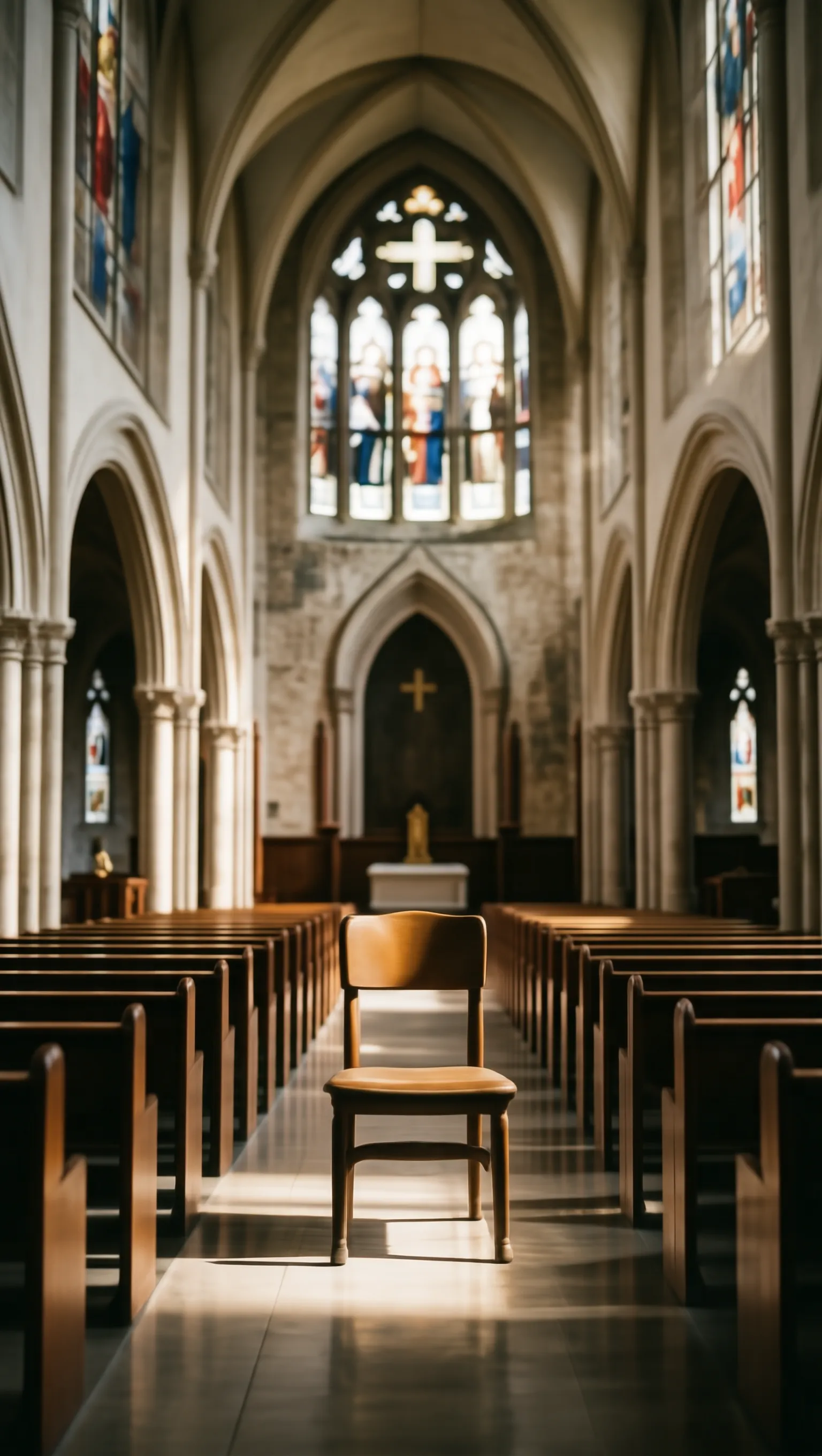
🖼️ 文生图(通用) | | | | | :---: | :---: | :---: | | [t2i general dense face hd 07](./docs/assets/showcases/t2i_general/16_9_dense_face_hd_07.webp) | [t2i general dense text rendering 18](./docs/assets/showcases/t2i_general/16_9_dense_text_rendering_18.webp) | [t2i general dense text rendering 12](./docs/assets/showcases/t2i_general/16_9_dense_text_rendering_12.webp) | | [t2i general face hd 13](./docs/assets/showcases/t2i_general/1_1_face_hd_13.webp) | [t2i general face hd 17](./docs/assets/showcases/t2i_general/1_1_face_hd_17.webp) | [t2i general face hd 07](./docs/assets/showcases/t2i_general/1_1_dense_artistic_10.webp) | | [t2i general landscape 06](./docs/assets/showcases/t2i_general/1_1_landscape_06.webp) | [t2i general dense landscape 12](./docs/assets/showcases/t2i_general/1_1_dense_landscape_12.webp) | [t2i general landscape 07](./docs/assets/showcases/t2i_general/1_1_landscape_07.webp) | | [t2i general portrait artistic 02 a](./docs/assets/showcases/t2i_general/9_16_dense_face_hd_10.webp) | [t2i general portrait artistic 02 b](./docs/assets/showcases/t2i_general/9_16_human_pose_11.webp) | [t2i general portrait artistic 07](./docs/assets/showcases/t2i_general/9_16_artistic_07.webp) | | [t2i general portrait text rendering 02](./docs/assets/showcases/t2i_general/9_16_sensenova_u1_31.webp) | [t2i general portrait dense landscape 05](./docs/assets/showcases/t2i_general/9_16_dense_landscape_05.webp) | [t2i general portrait dense artistic 11](./docs/assets/showcases/t2i_general/9_16_dense_artistic_11.webp) |
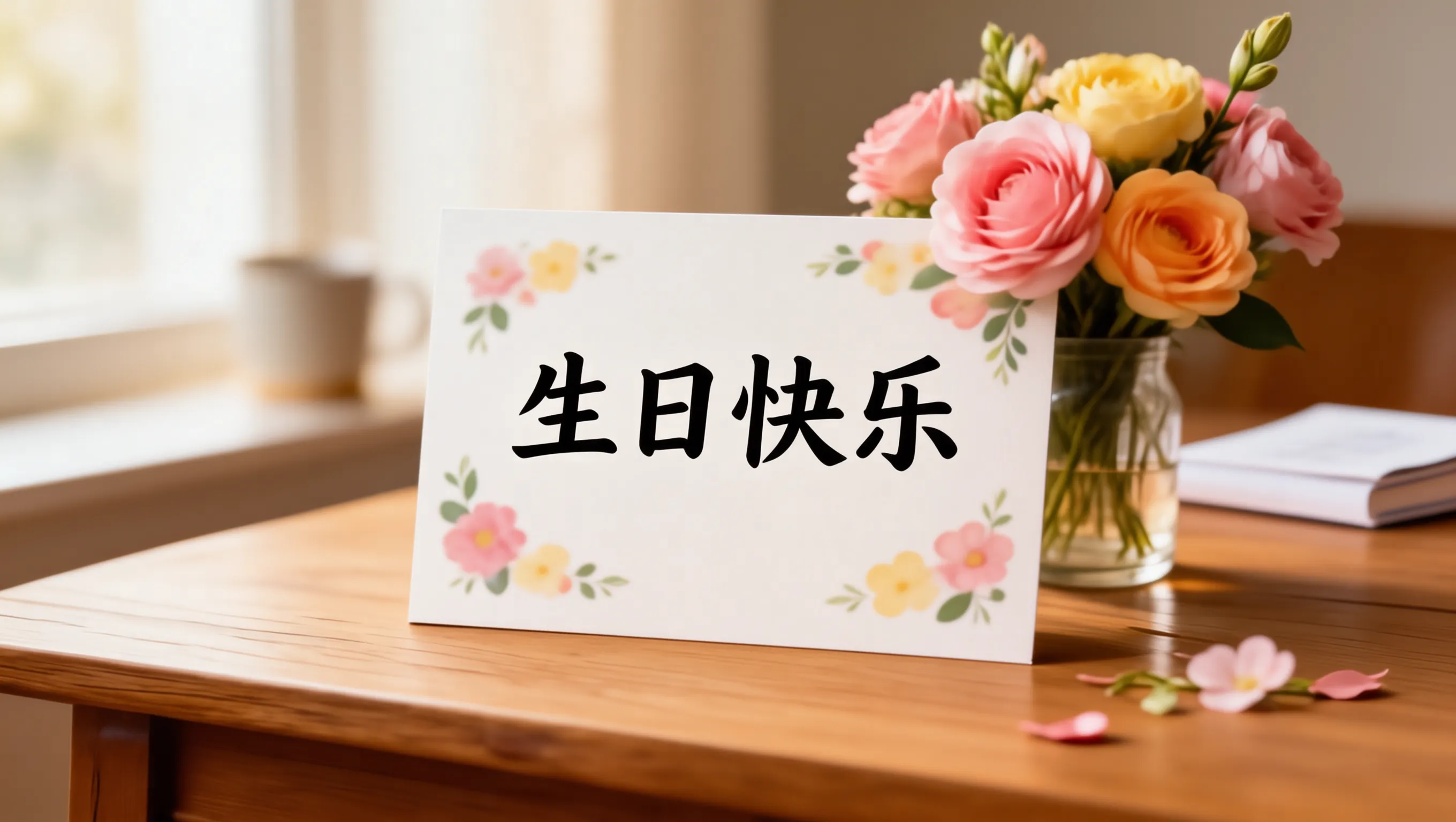
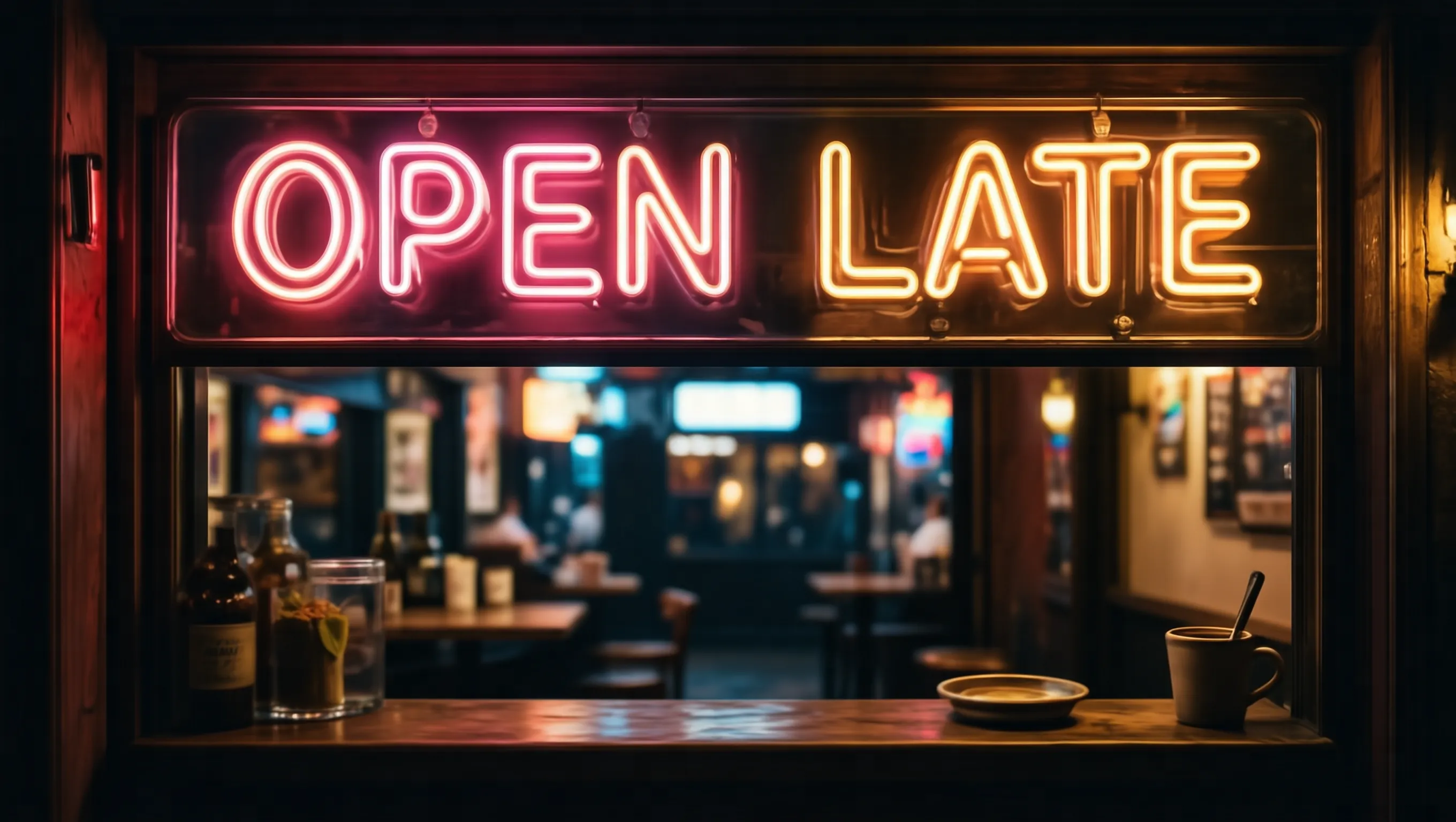
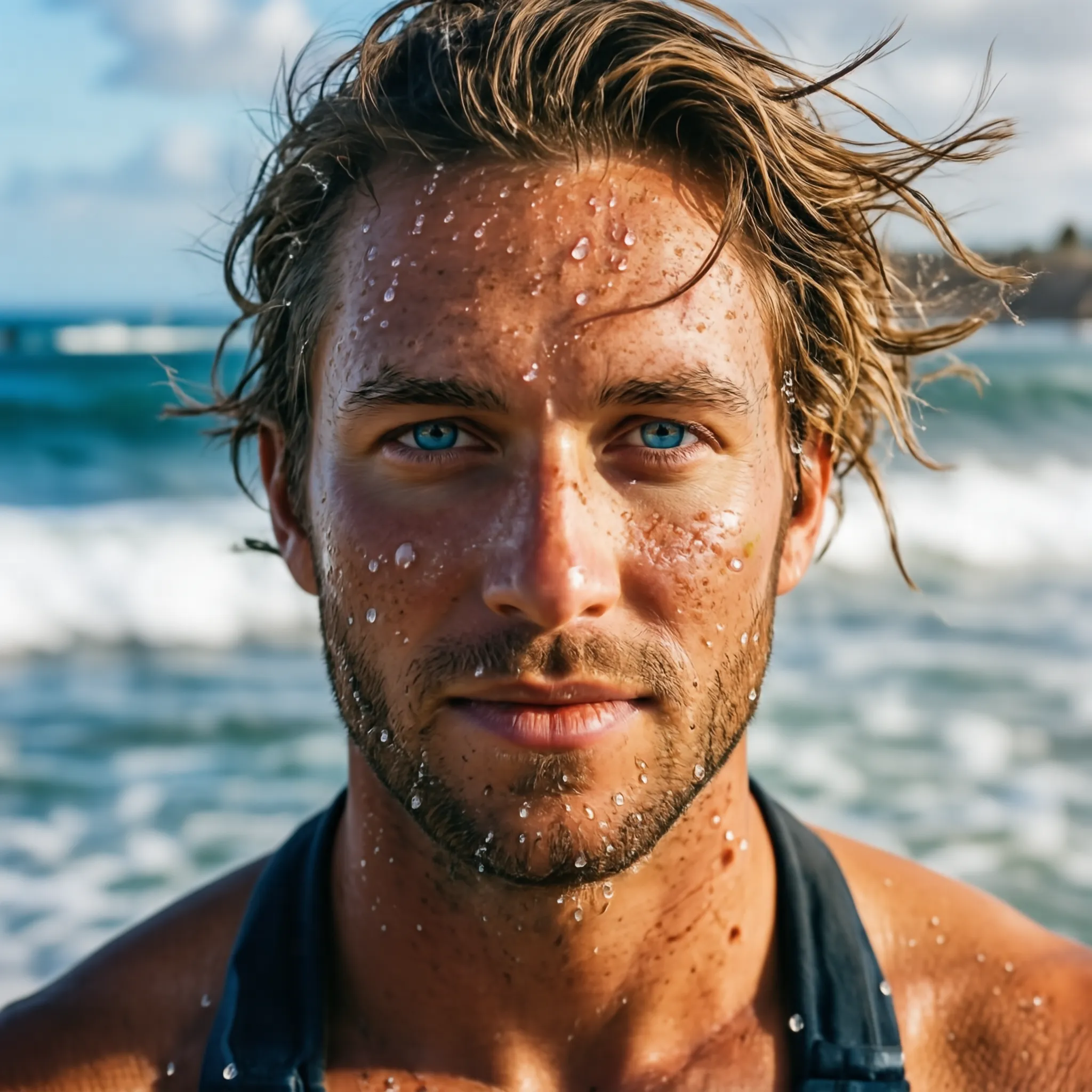
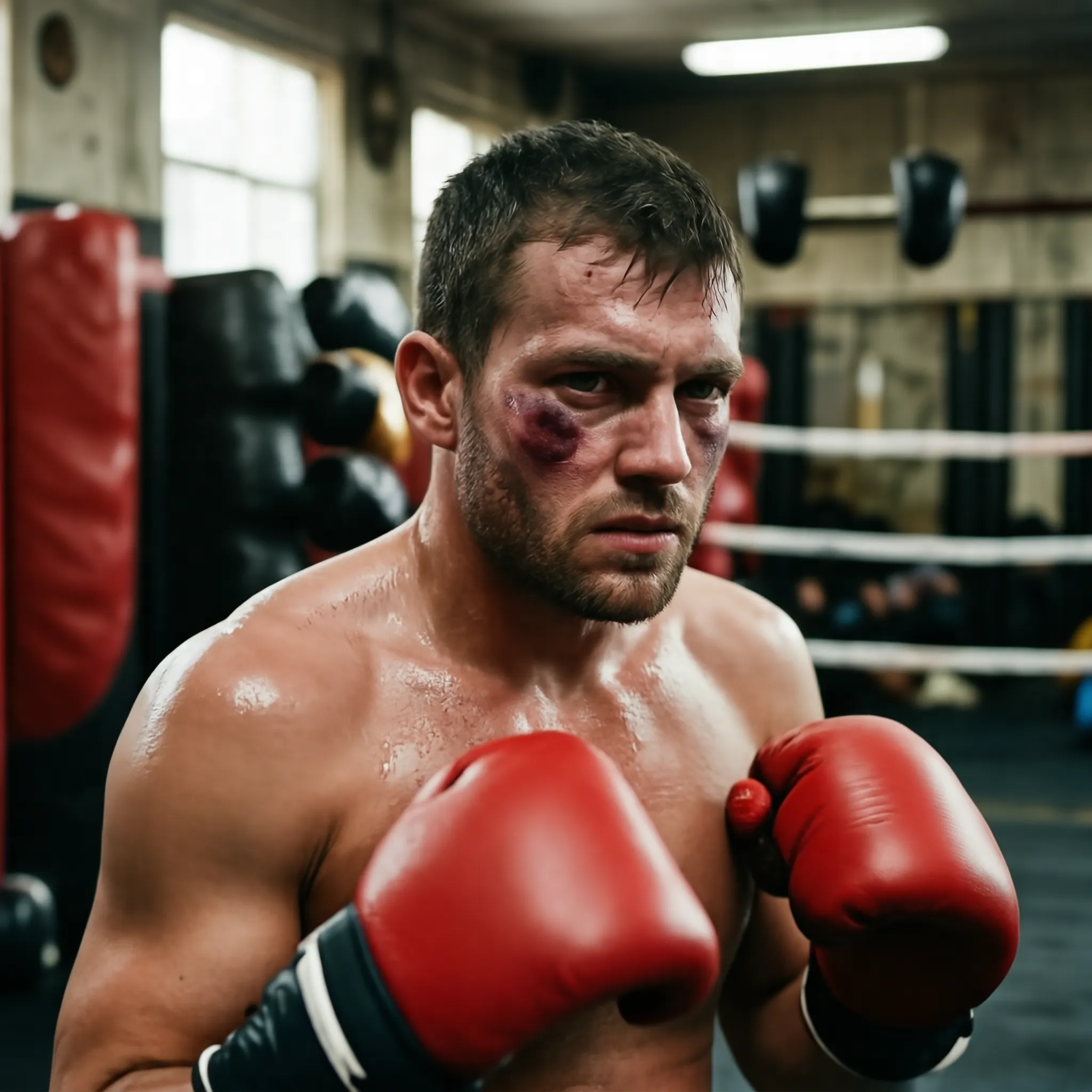
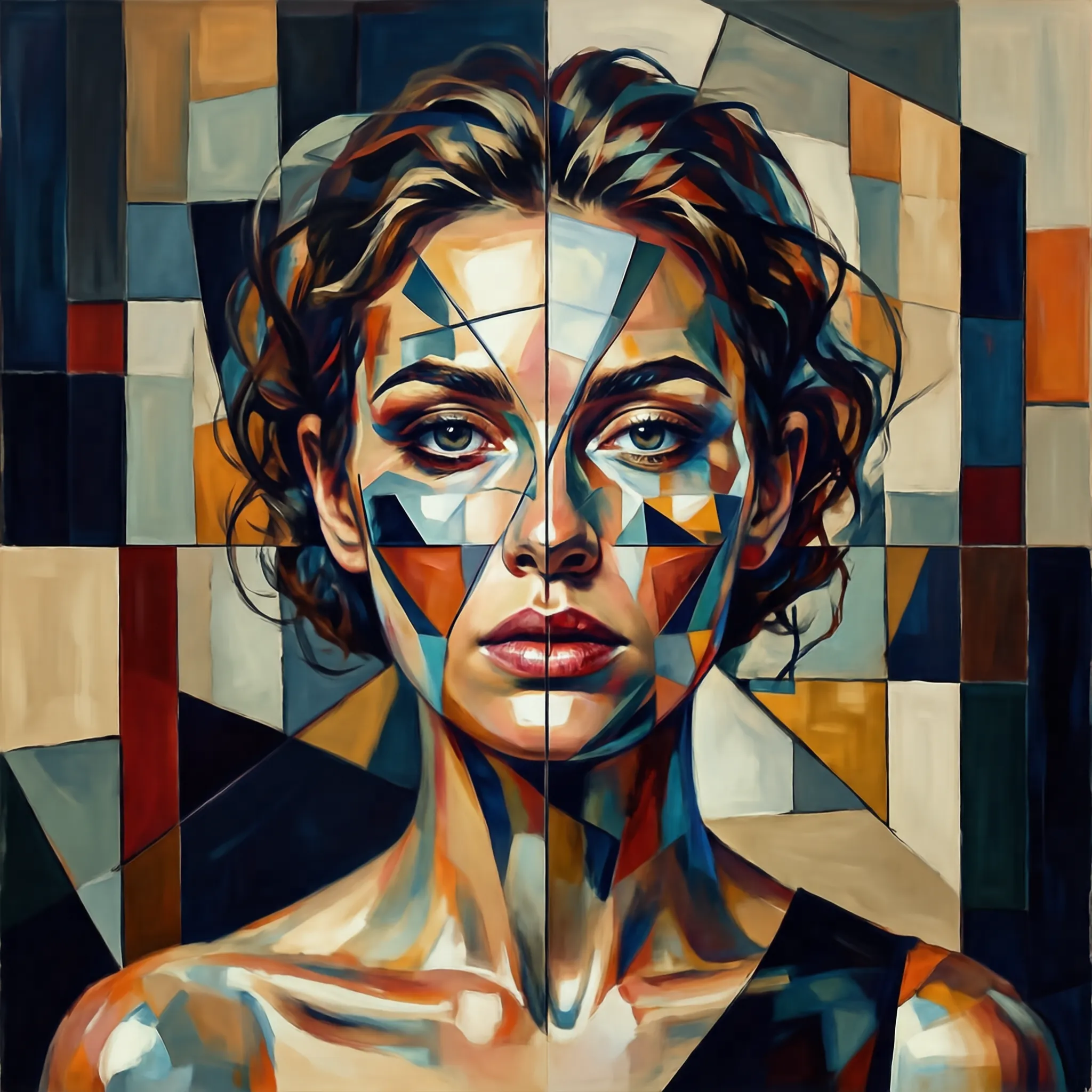
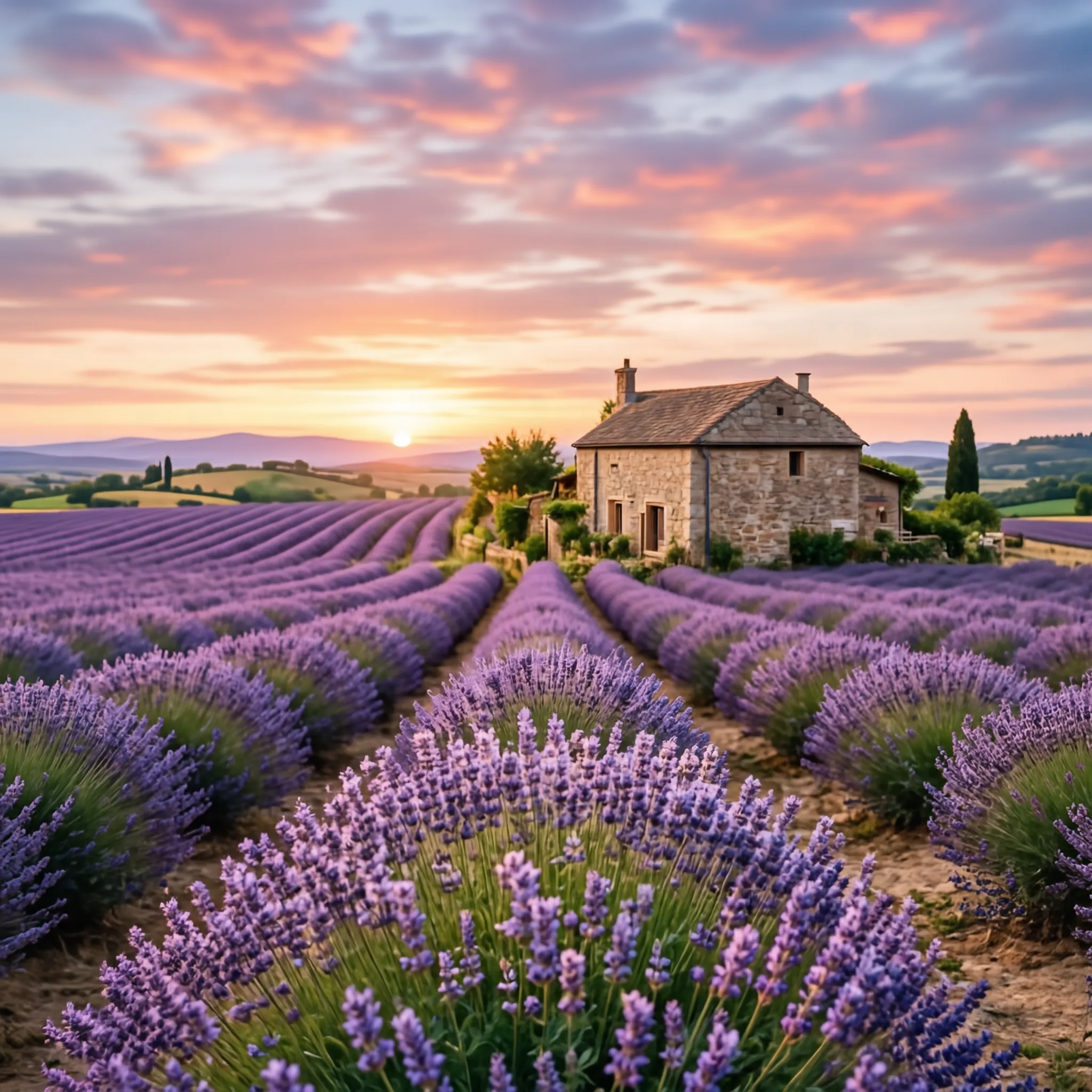
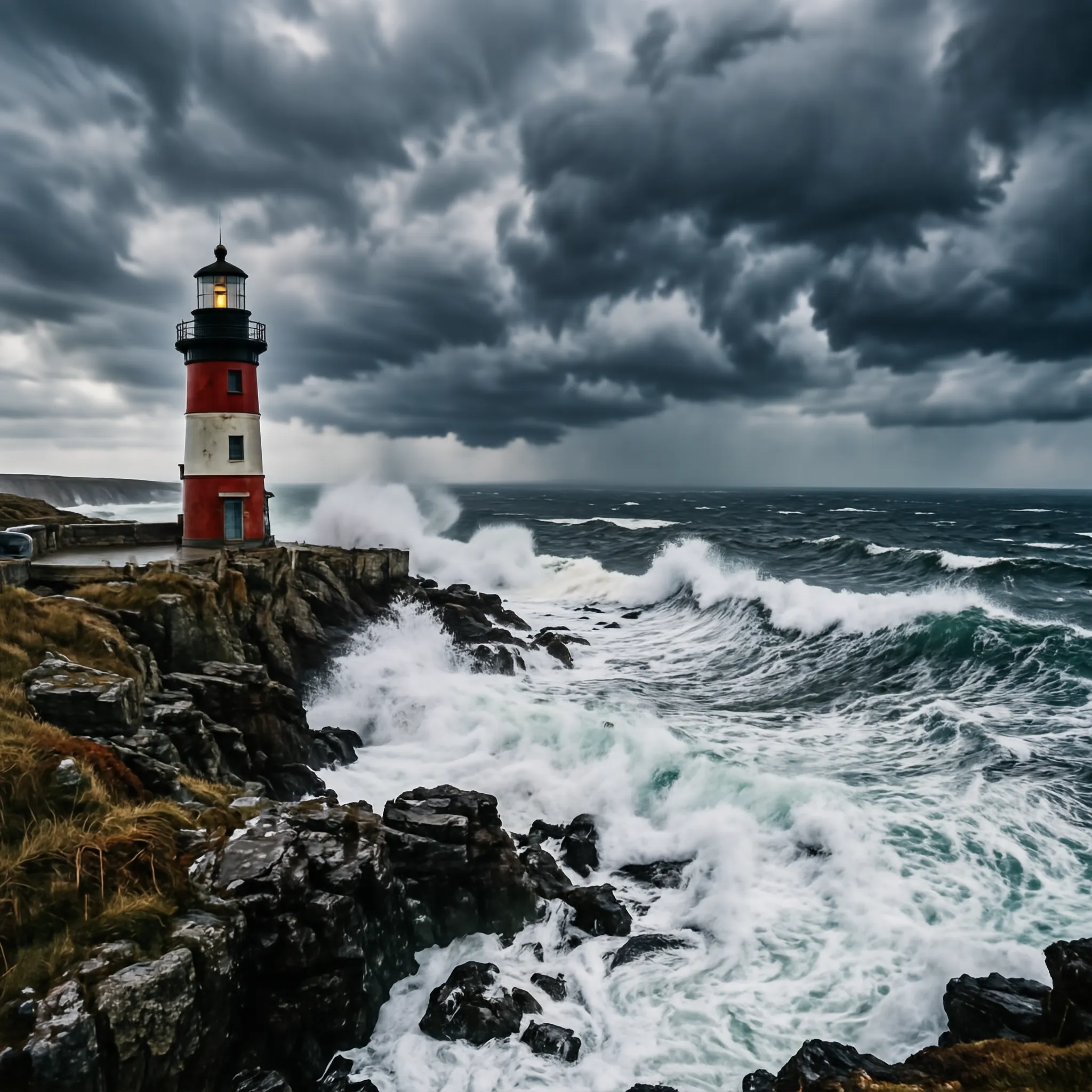
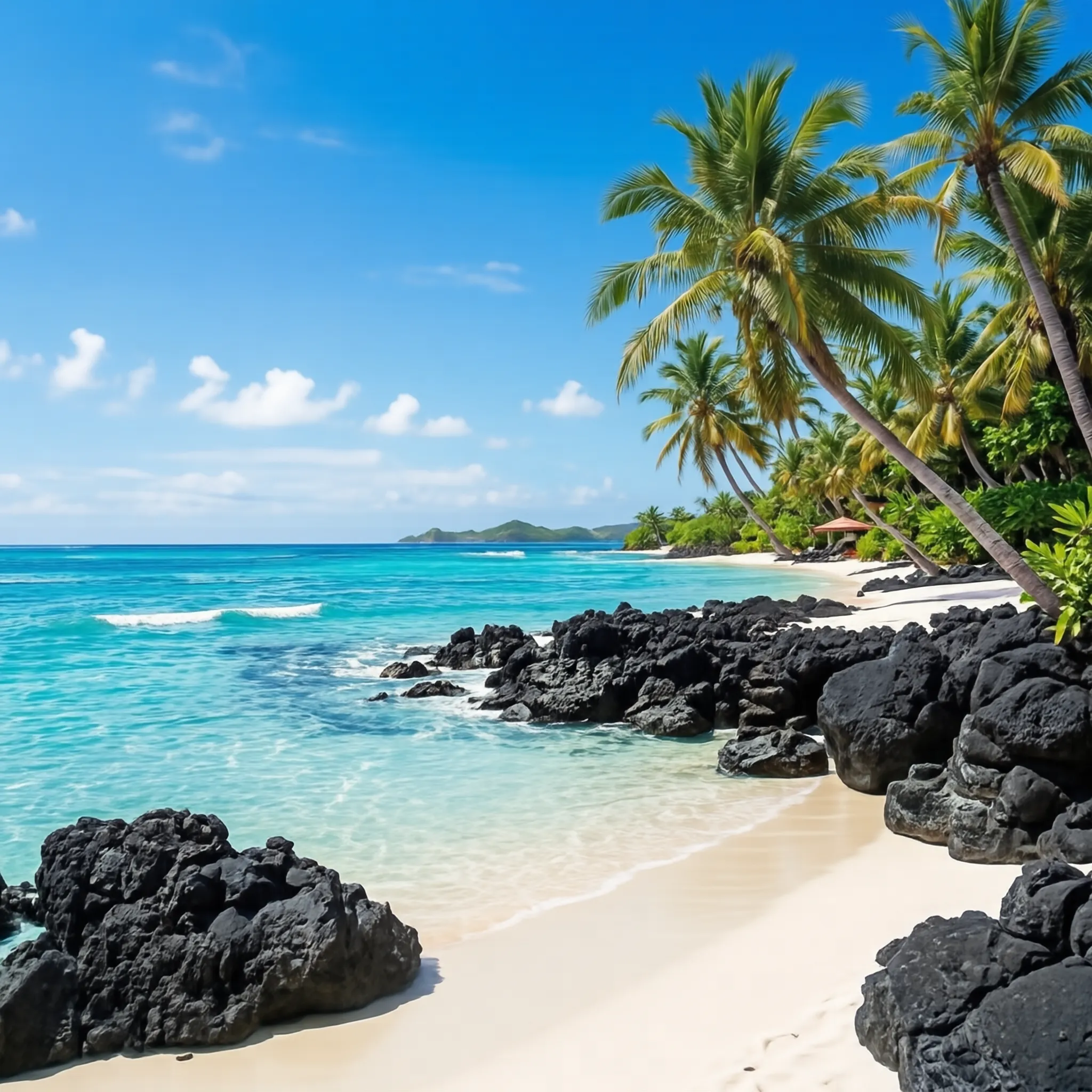
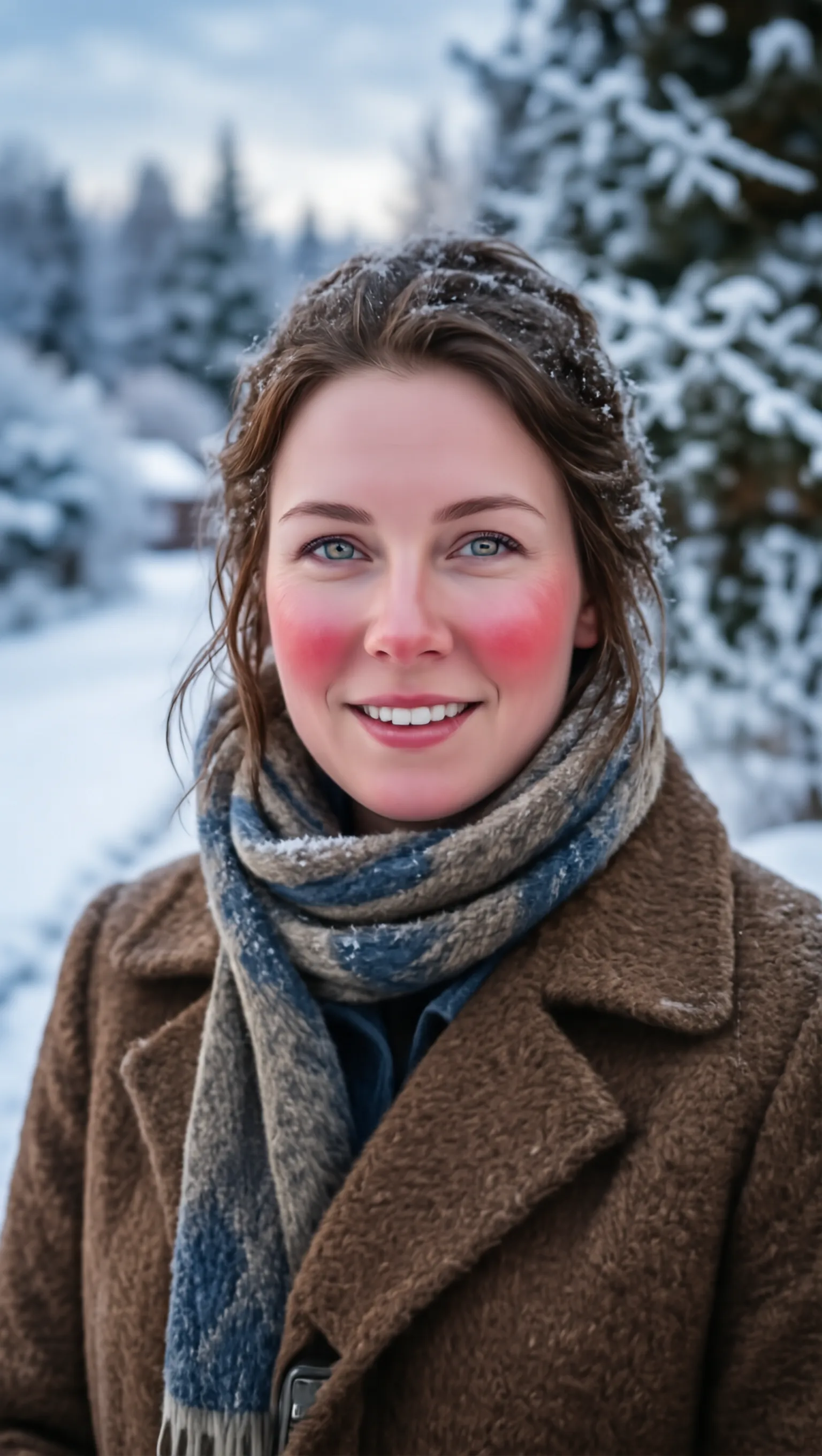
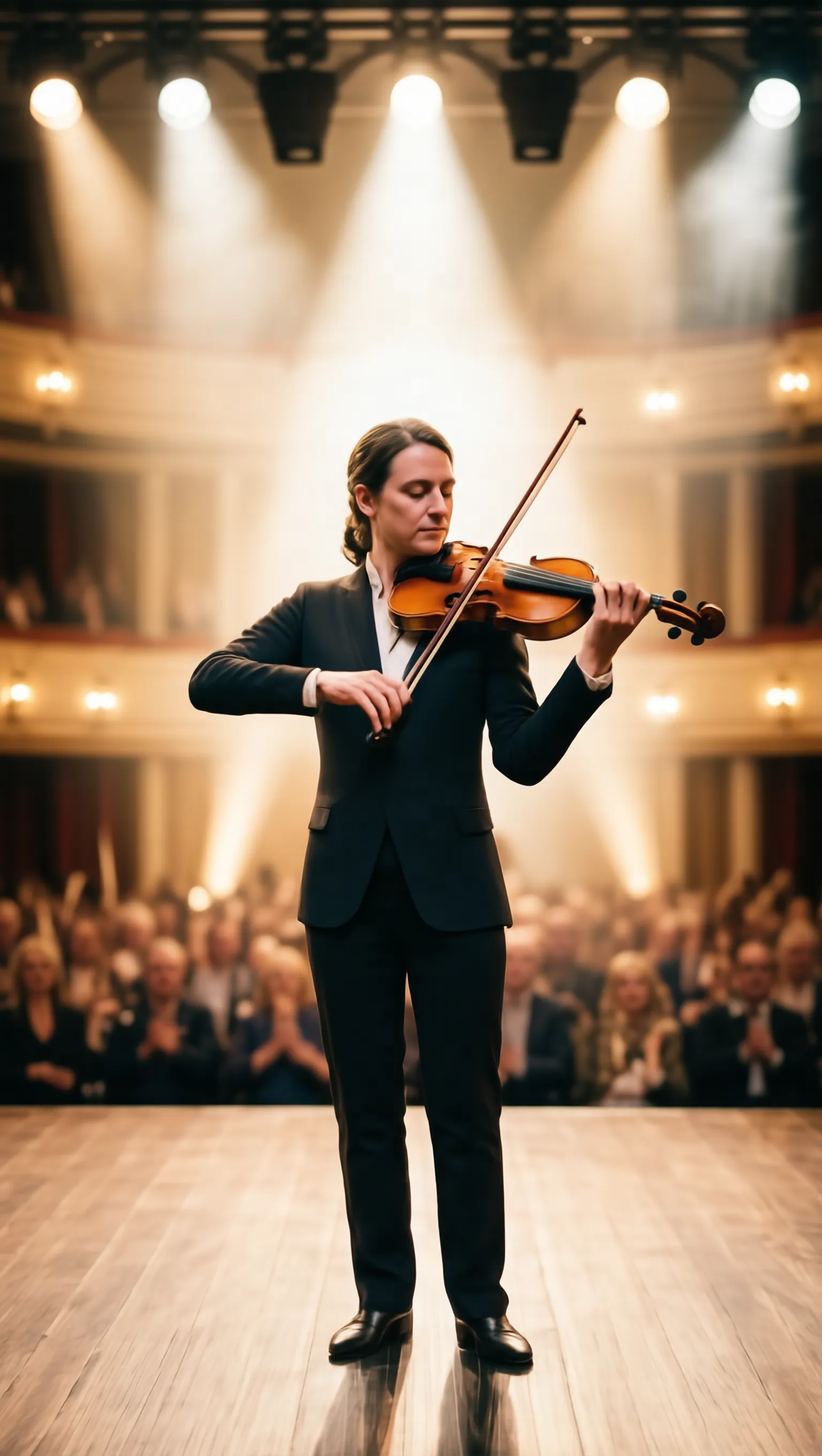
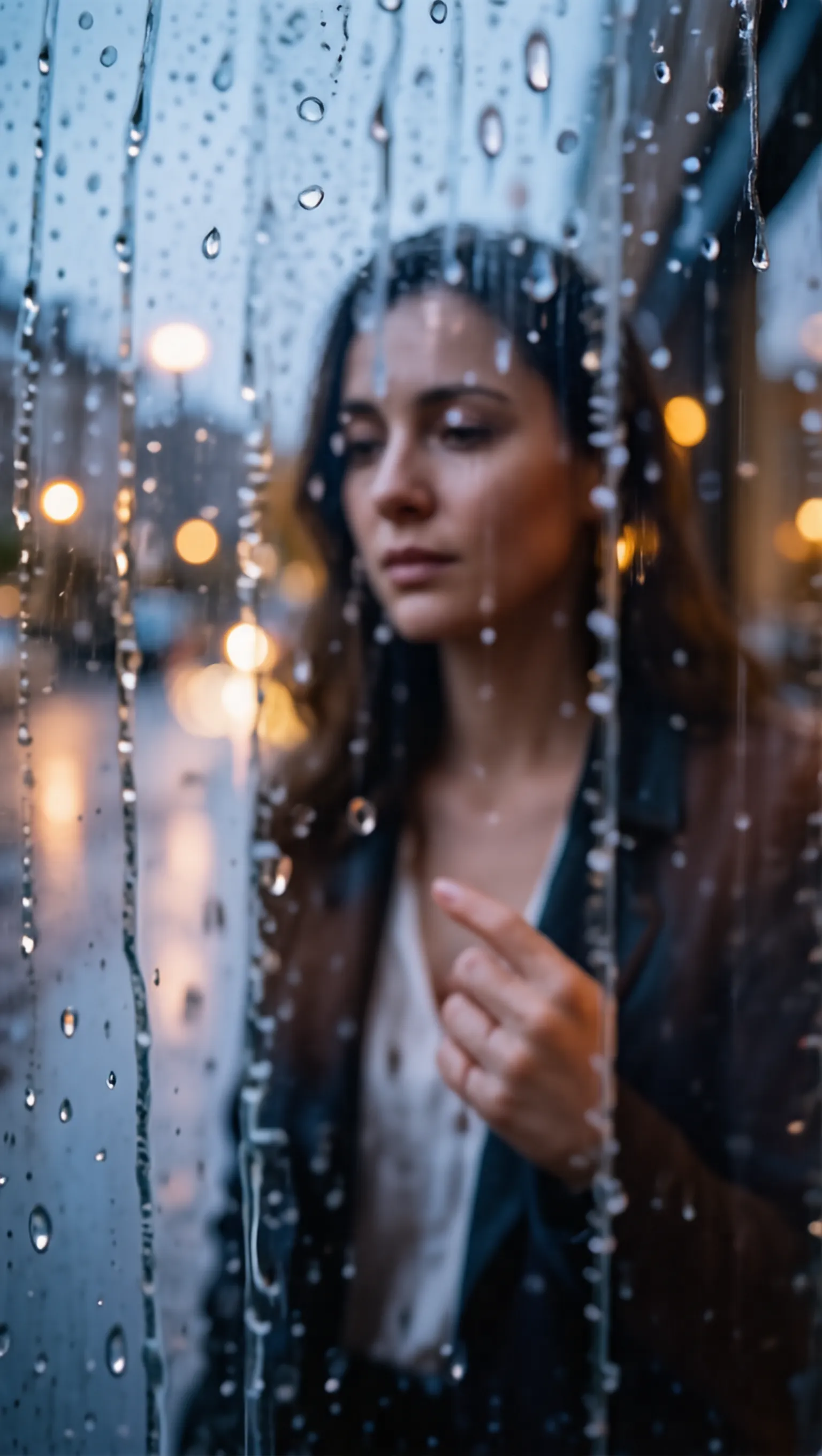
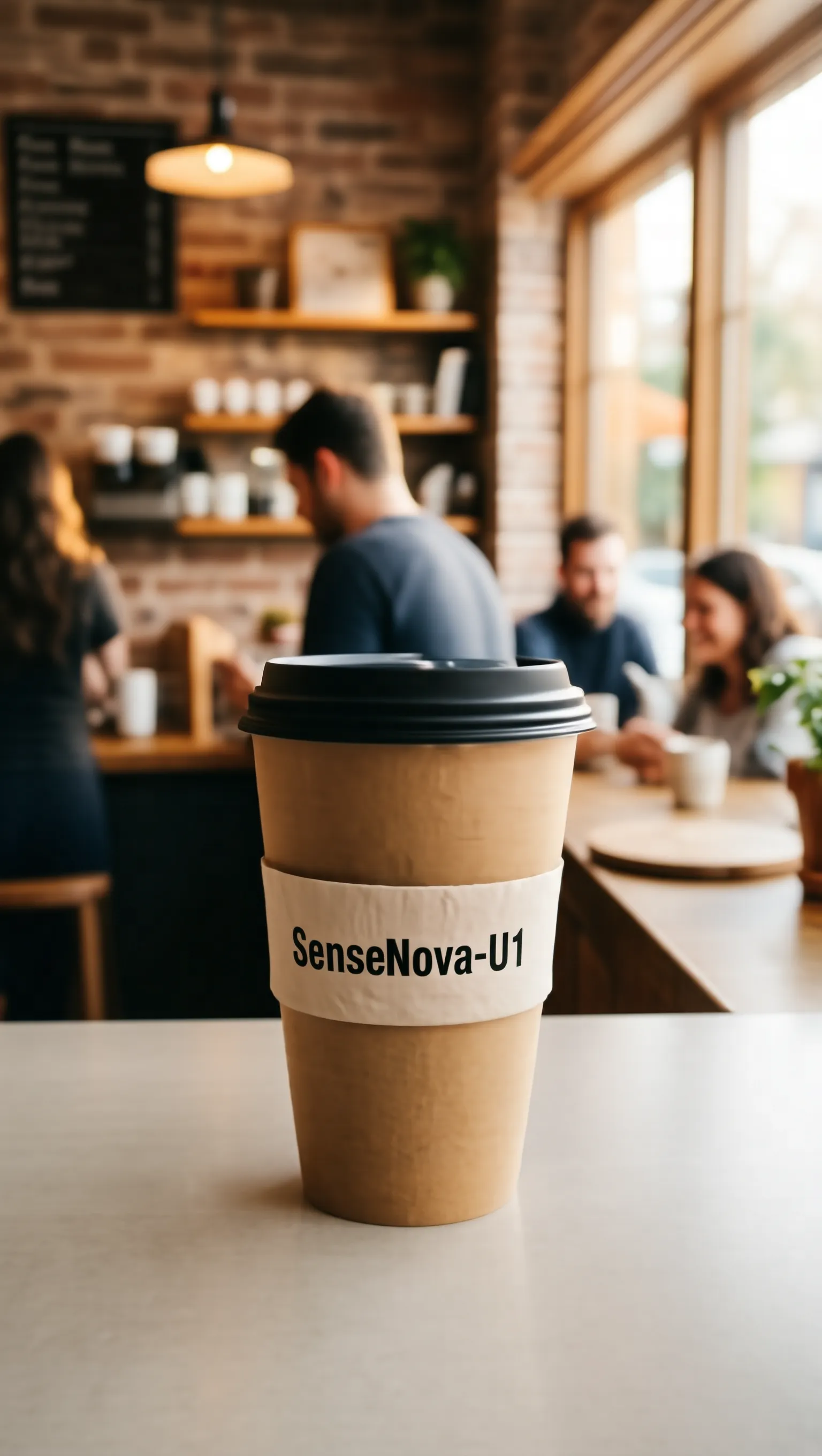
🖼️ 文生图(推理)
原始文本 推理过程 生成图像
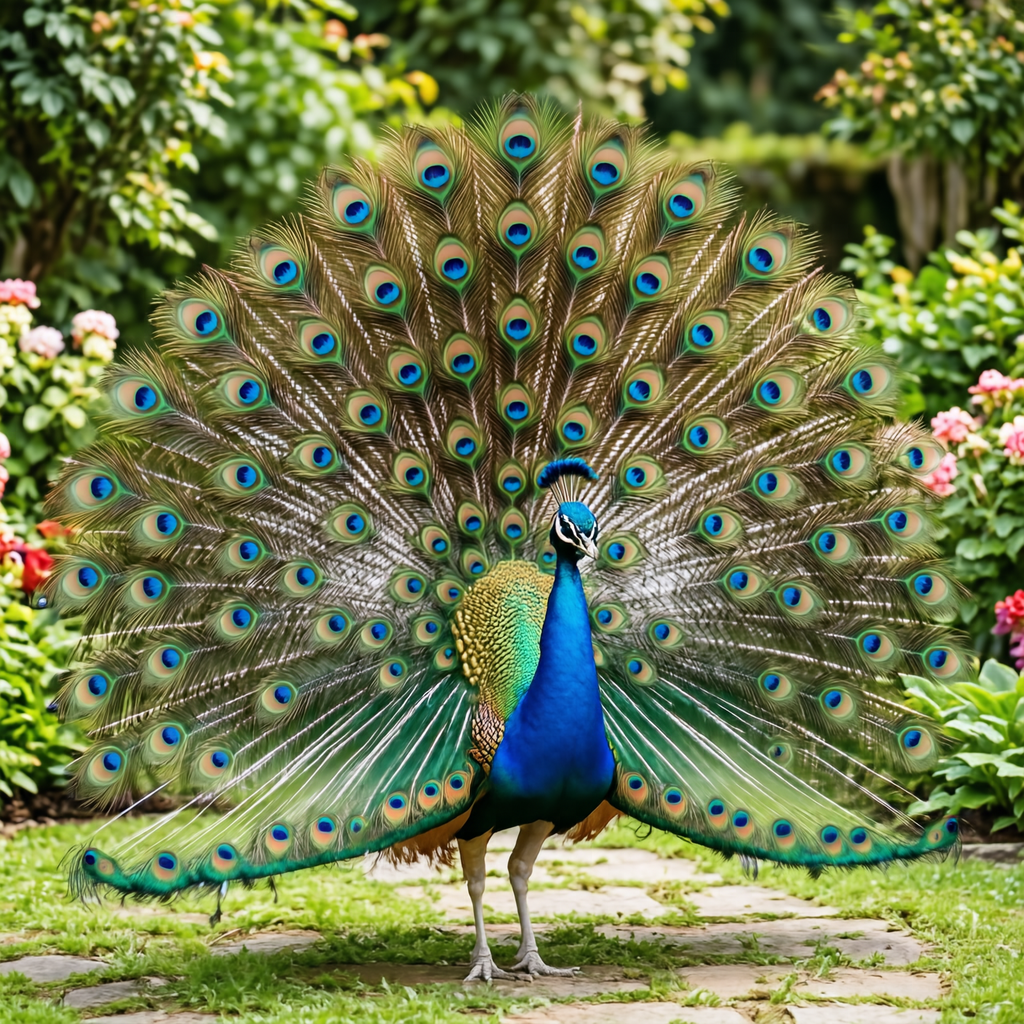
A male peacock trying to attract a female
1. Instruction Understanding: The core subject is a single male peacock. The action involves the male peacock trying to attract a female. 2. Reasoning Process: Male peacocks perform this ritual by fanning their tail feathers into a massive, colorful circular display. 3. Establish the frame: The frame captures the male peacock in a full-body shot to show the entire display. The angle is eye-level to emphasize the height of the tail feathers. 4. Set the lighting and color: Natural lighting illuminates the colorful circular display with soft shadows. The palette features vibrant blues and greens on the tail feathers. 5. Lock the style: The style is a realistic photograph with sharp focus on the male peacock. The finish is natural without artistic filters. 6. Explicit Prompt: A vibrant male peacock with his tail feathers fully fanned out in a wide, iridescent display of blues and greens, standing in a garden.
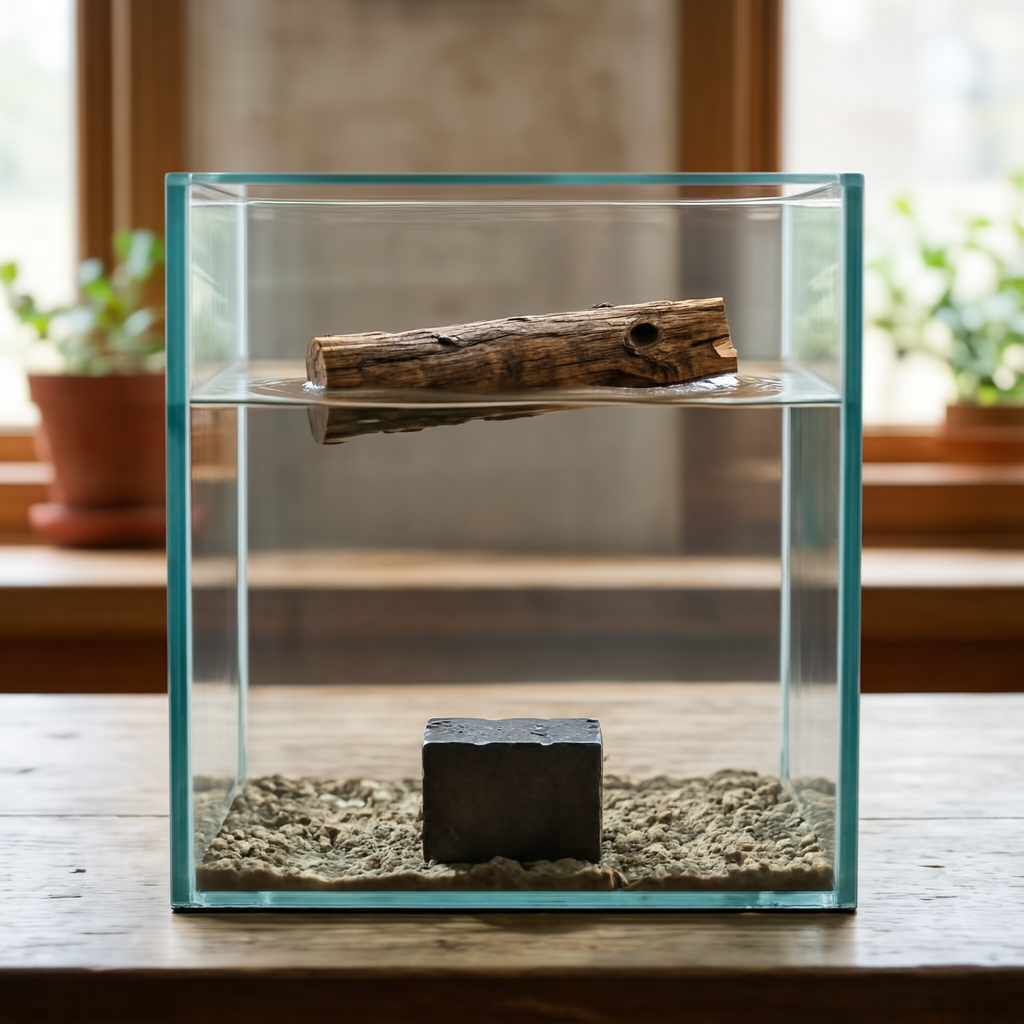
A small piece of dry wood and a dense iron block are in a transparent water tank
1. Instruction Understanding: The core subjects are a small piece of dry wood and a dense iron block positioned within a transparent water tank. The wood is floating on the surface while the iron block is submerged at the bottom. 2. Reasoning Process: The wood is less dense than water so it will float, while the iron is denser and will sink to the bottom. 3. Establish the frame: The composition is a vertical medium shot centering the rectangular tank within the frame. The camera angle is eye-level to clearly display the water line and the submerged base. Focus is sharp across the entire depth of the tank to ensure both materials are distinct. 4. Build the environment: The scene is contained entirely within the clear glass walls of the water tank. The water fills the majority of the volume, providing a medium for the floating wood and sunken iron block. The background remains out of focus to keep attention on the tank's interior. 5. Set the lighting and color: Soft natural light illuminates the scene from the left, creating gentle reflections on the water surface. The color palette features the brown grain of the wood contrasting against the dark grey metallic finish of the iron. Shadows are soft and diffused through the liquid. 6. Explicit Prompt: A realistic photo of a transparent water tank showing a piece of wood floating on the surface and an iron block resting at the bottom.
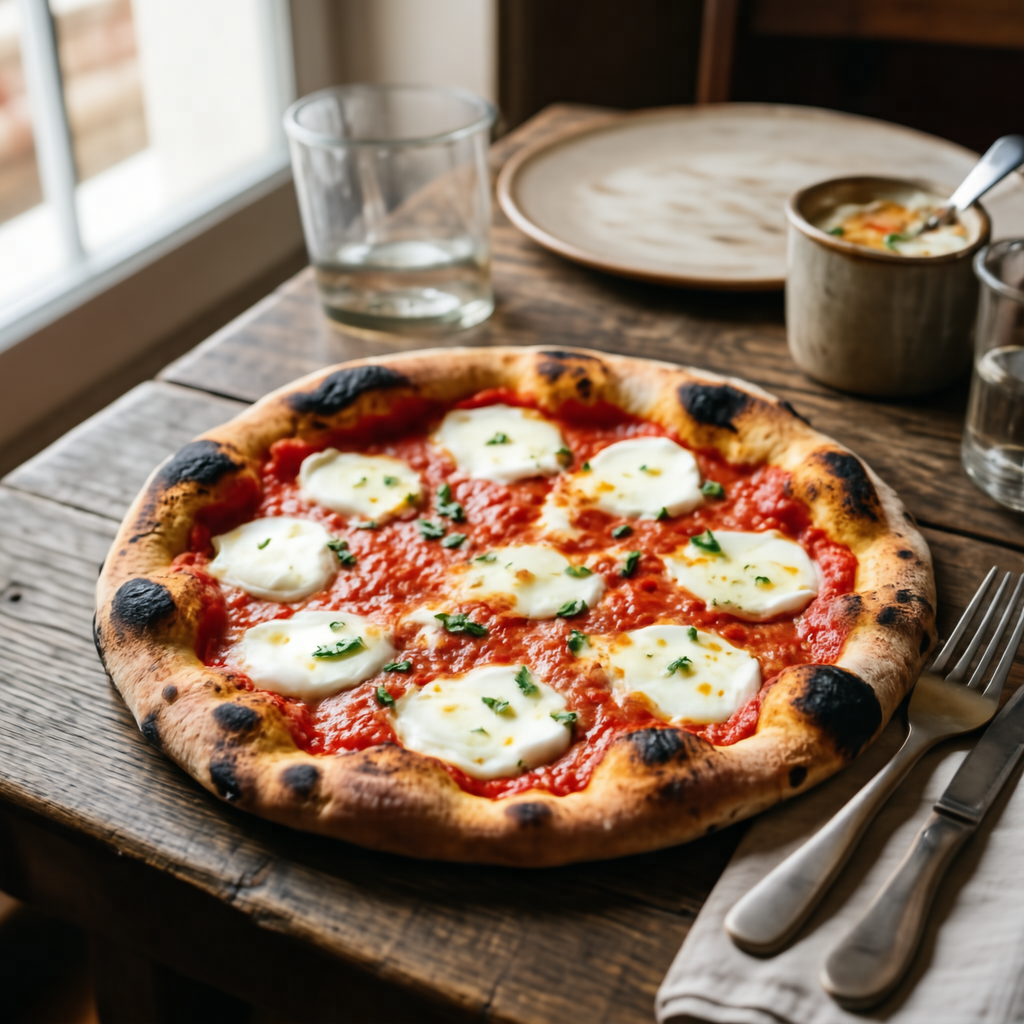
A typical dish from the country where Naples is located
1. Instruction Understanding: The core subject is a Neapolitan pizza presented as a typical dish. The context specifies Naples, Italy, as the country of origin for this food item. 2. Reasoning Process: Naples is in Italy, and a classic dish is a Neapolitan pizza. 3. Establish the frame: The Neapolitan pizza is captured in a close-up shot that fills the central frame. The angle is slightly elevated to show the round form of the dish clearly. 4. Set the lighting and color: Soft lighting illuminates the surface of the Neapolitan pizza to reveal texture. Warm tones dominate the color palette, emphasizing the baked nature of the dish. 5. Lock the style: The image utilizes a realistic photographic style with sharp focus on the main subject. The finish appears natural and appetizing, suitable for food documentation. 6. Explicit Prompt: A delicious Neapolitan pizza with a soft, charred crust, tomato sauce, and fresh mozzarella, served on a rustic wooden table, realistic food photography.
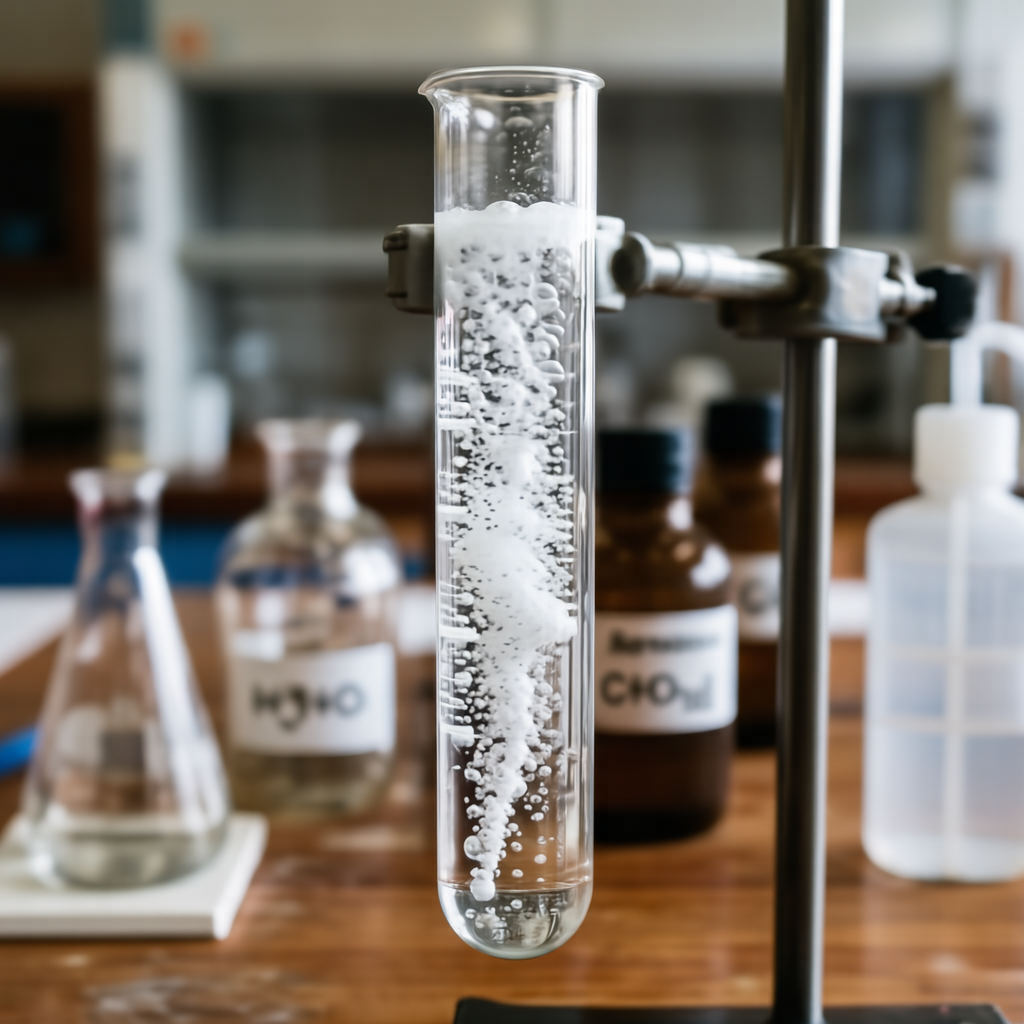
A solution of calcium carbonate reacting with acetic acid
1. Instruction Understanding: The core subject is a solution of calcium carbonate and acetic acid. The prompt specifies the reacting state of the chemical mixture. 2. Reasoning Process: The reaction produces carbon dioxide gas, which would be visible as a steady stream of bubbles rising through the liquid. 3. Establish the frame: The camera frames the solution closely to capture the details of the reaction. The composition centers on the liquid where the gas is visible. 4. Set the lighting and color: The liquid appears clear, allowing the white bubbles to stand out distinctly. The lighting is bright and even to illuminate the stream of gas. 5. Lock the style: The image maintains a realistic photographic style suitable for scientific observation. The focus is sharp on the reacting solution and bubbles. 6. Explicit Prompt: A test tube filled with a clear liquid and a rapid, effervescent stream of carbon dioxide bubbles rising to the surface, laboratory experiment.
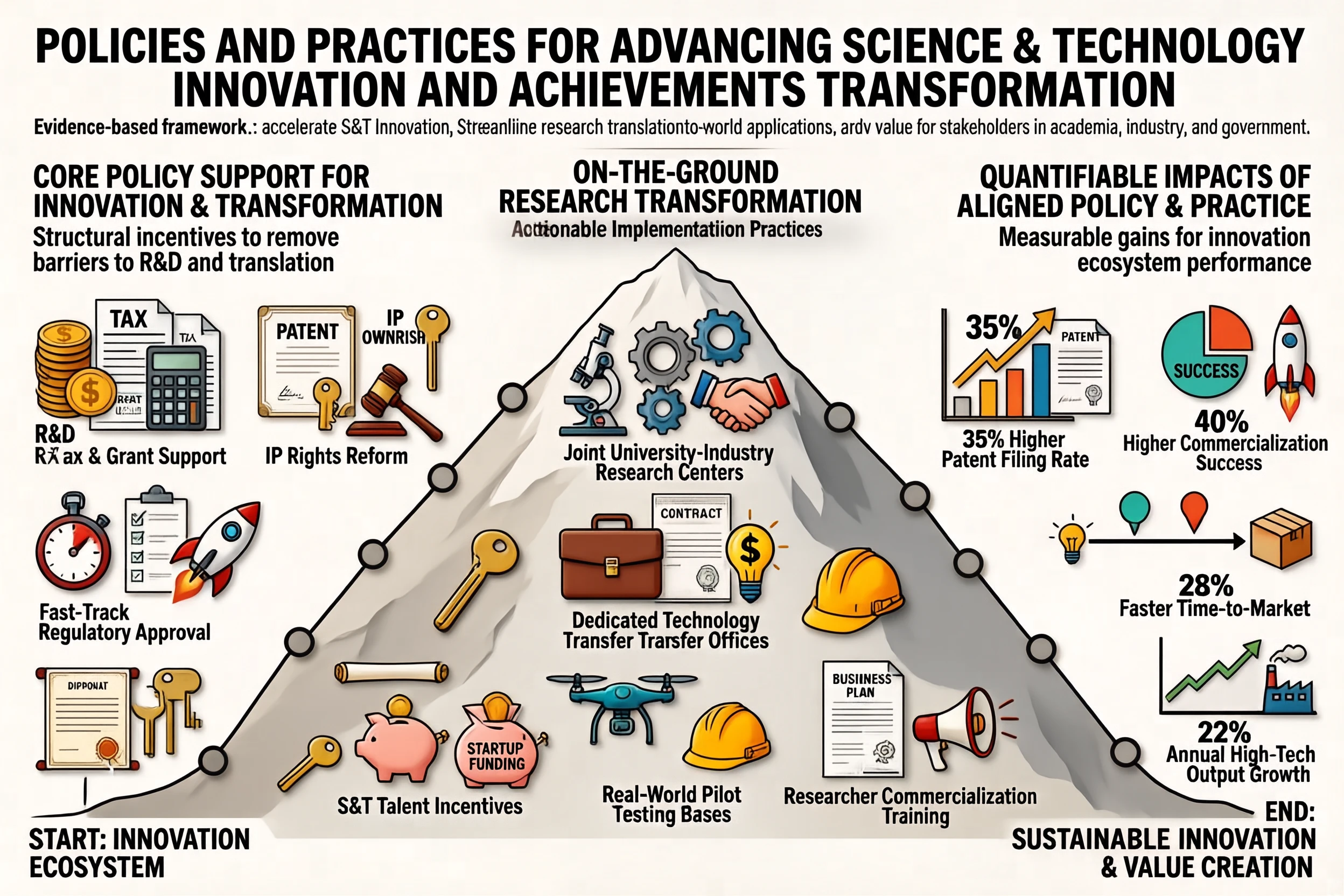
🖼️ 文生图(信息图)
t2i landscape 0001 t2i landscape 0002 t2i landscape 0003
t2i landscape 0004 t2i landscape 0005 t2i landscape 0006
t2i landscape 0007 t2i landscape 0008 t2i landscape 0009
t2i landscape 0010 t2i landscape 0011 t2i landscape 0012 t2i landscape 0012
t2i image 0022 t2i image 0020 t2i image 0021 t2i image 0023
t2i image 0024 t2i image 0025 t2i image 0026 t2i image 0027
t2i image 0028 t2i image 0029 t2i image 0030 t2i image 0031
> 📸 **更多生成样例:** 参见 [文生图样例集](./docs/showcases_CN.md#文生图)。
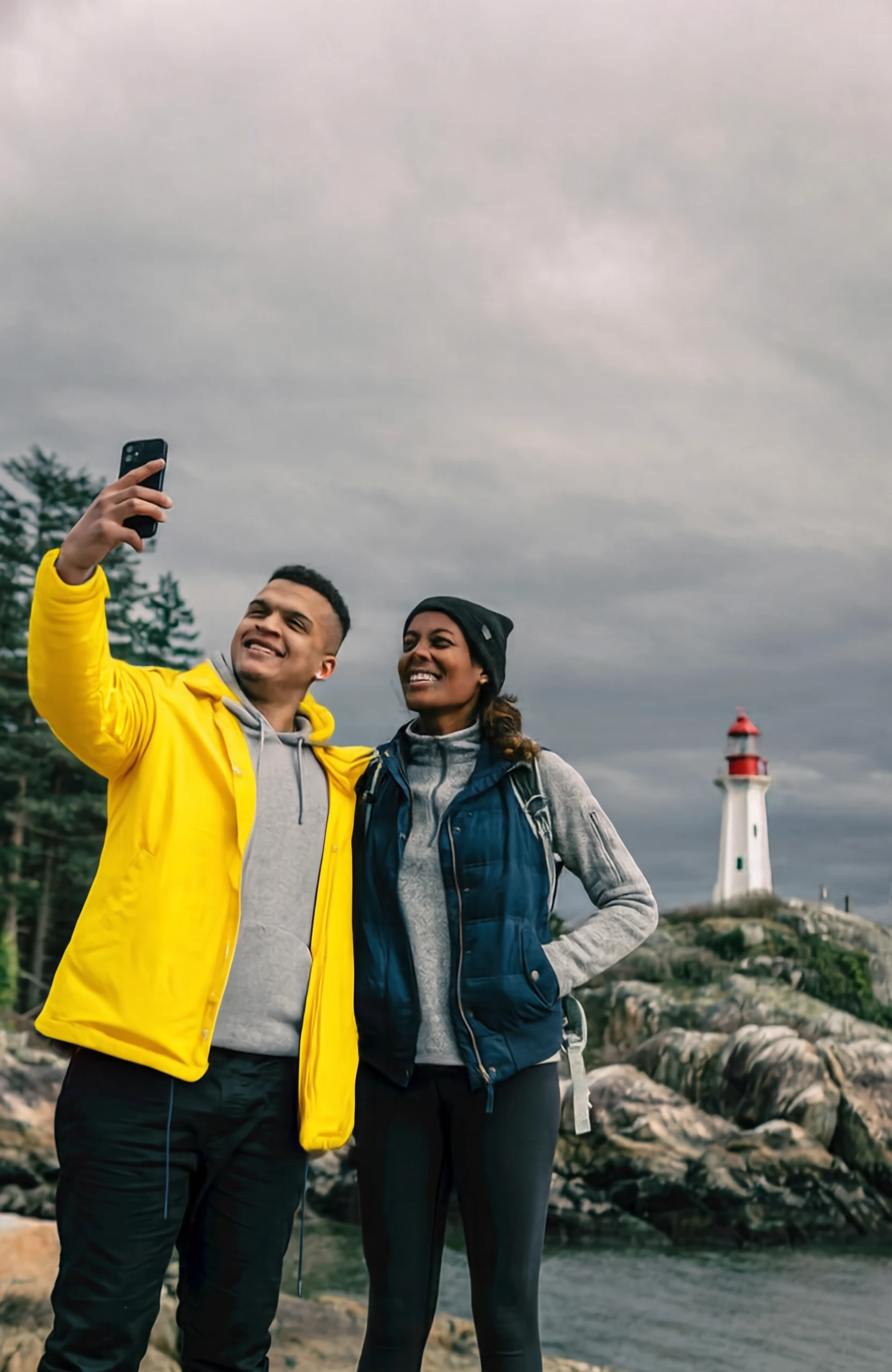
✏️ 图像编辑(通用) | | | | :---: | :---: | |
editing input 1 editing output 1
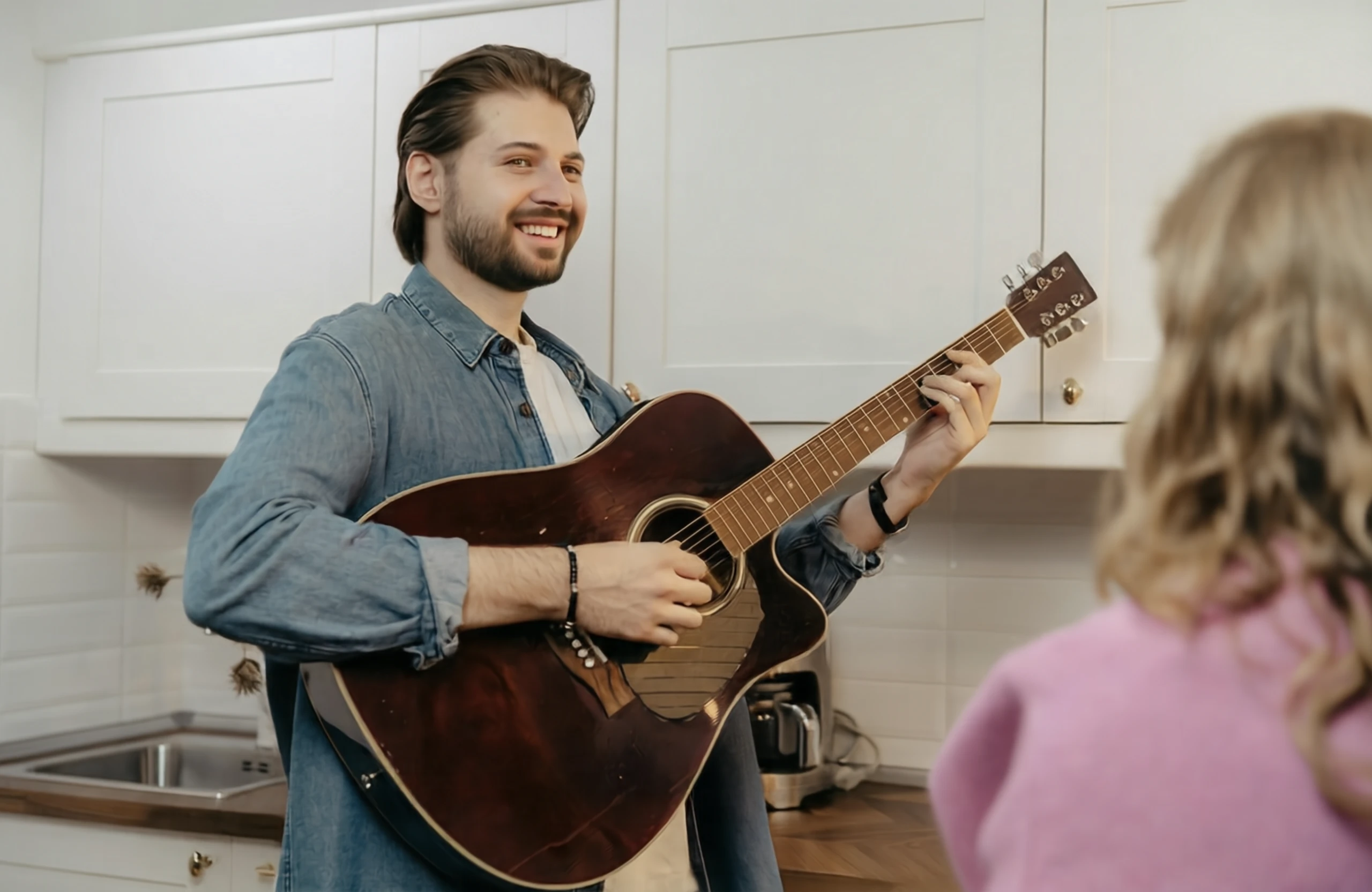
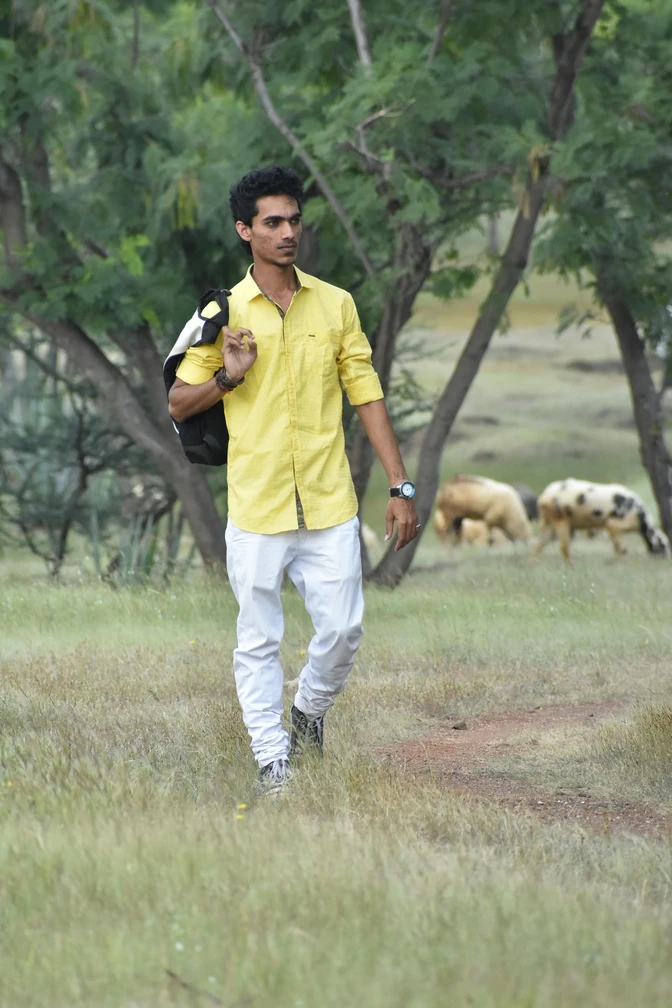
Change the jacket of the person on the left to bright yellow.
|
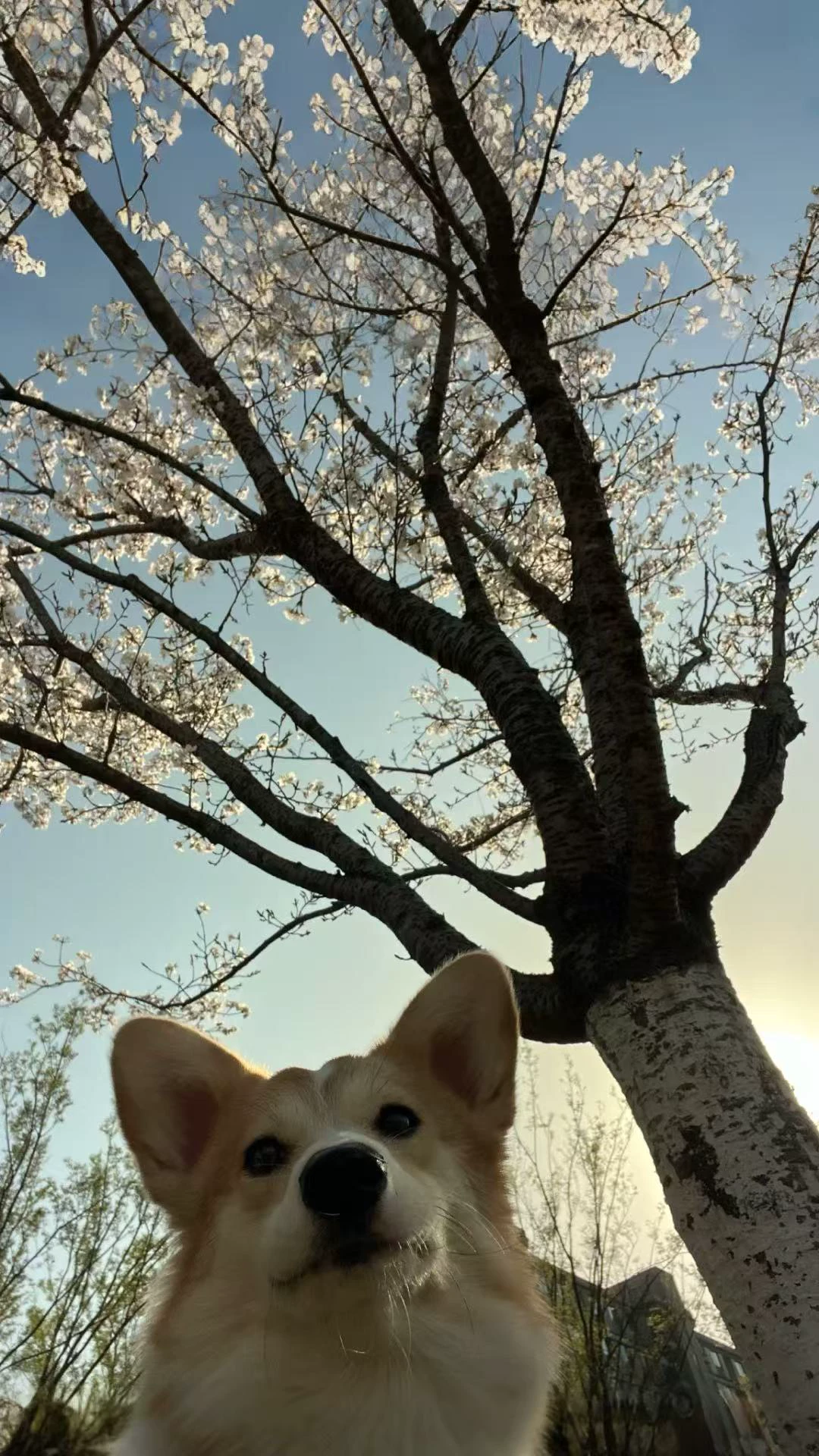
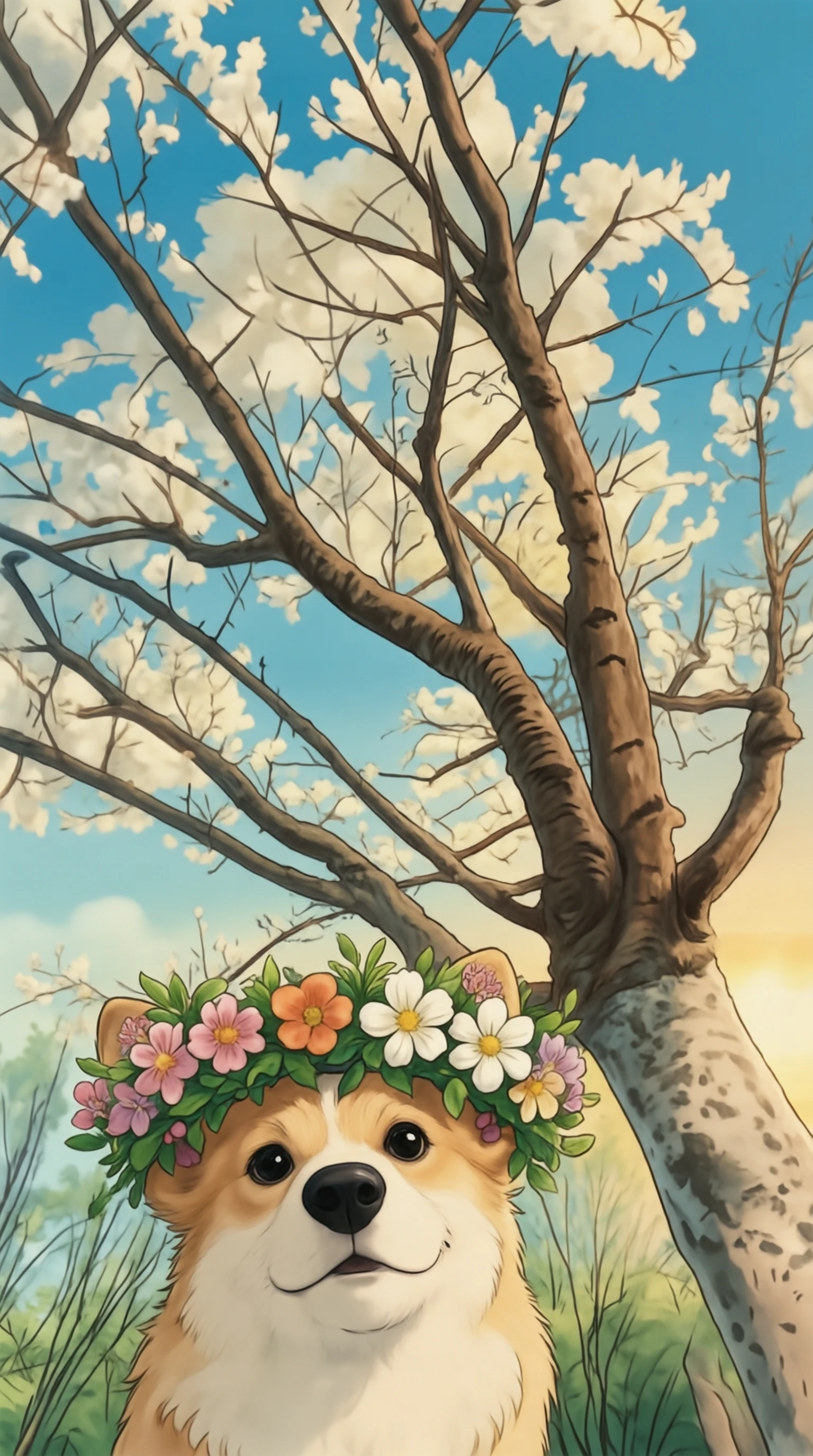
editing input 3 editing output 3
在小狗头上放一个花环,并且把图片变为吉卜力风格。
| |
editing input 2 editing output 2
Make the person in the image smile.
|
editing input 4 editing output 4
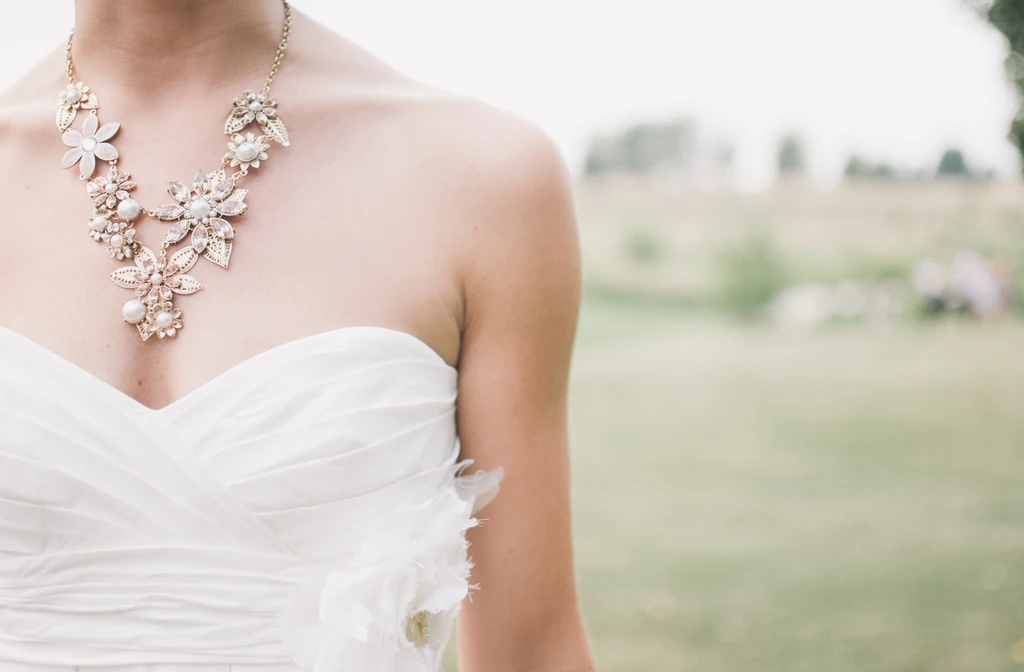
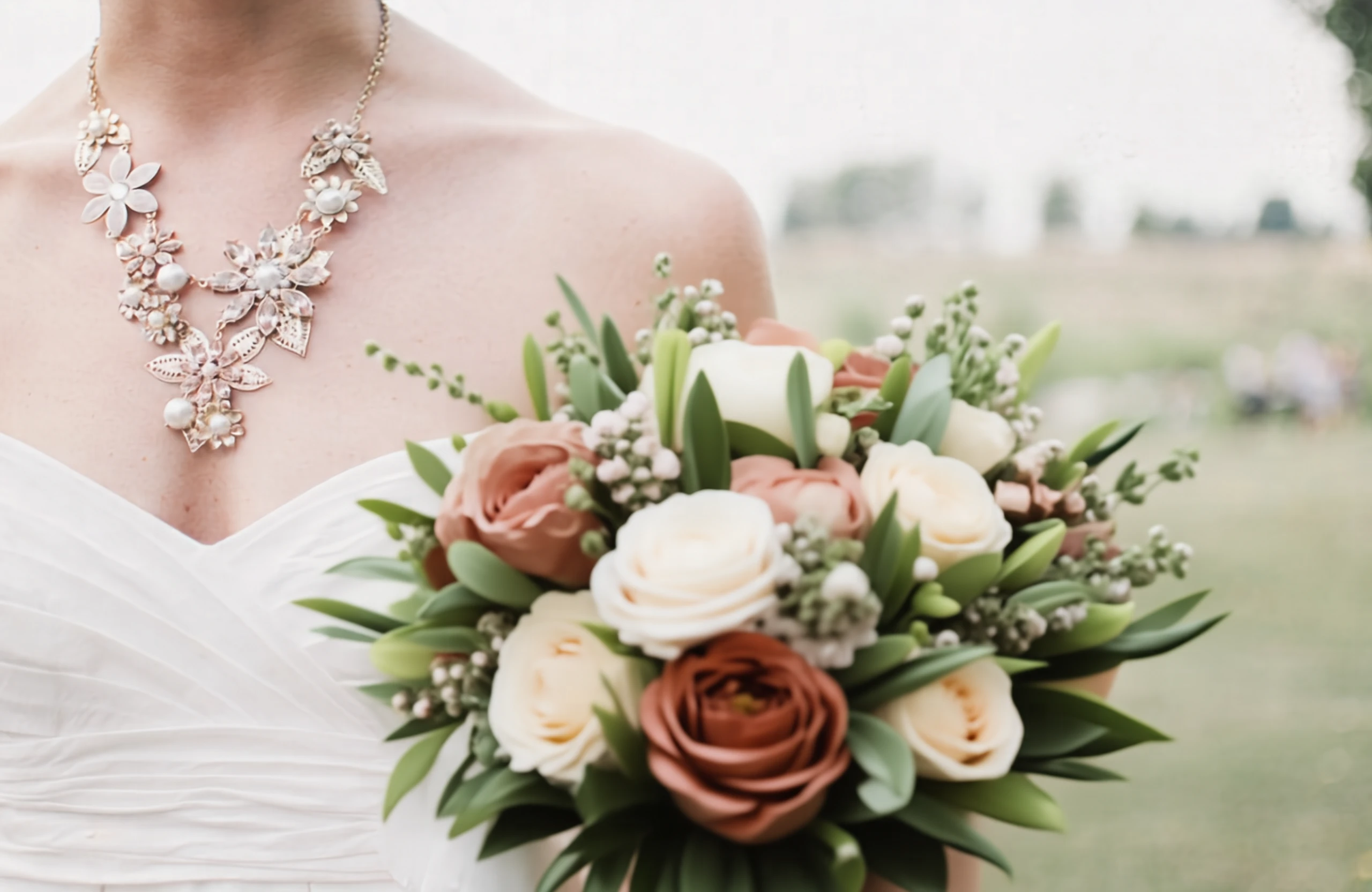
Add a bouquet of flowers.
| |
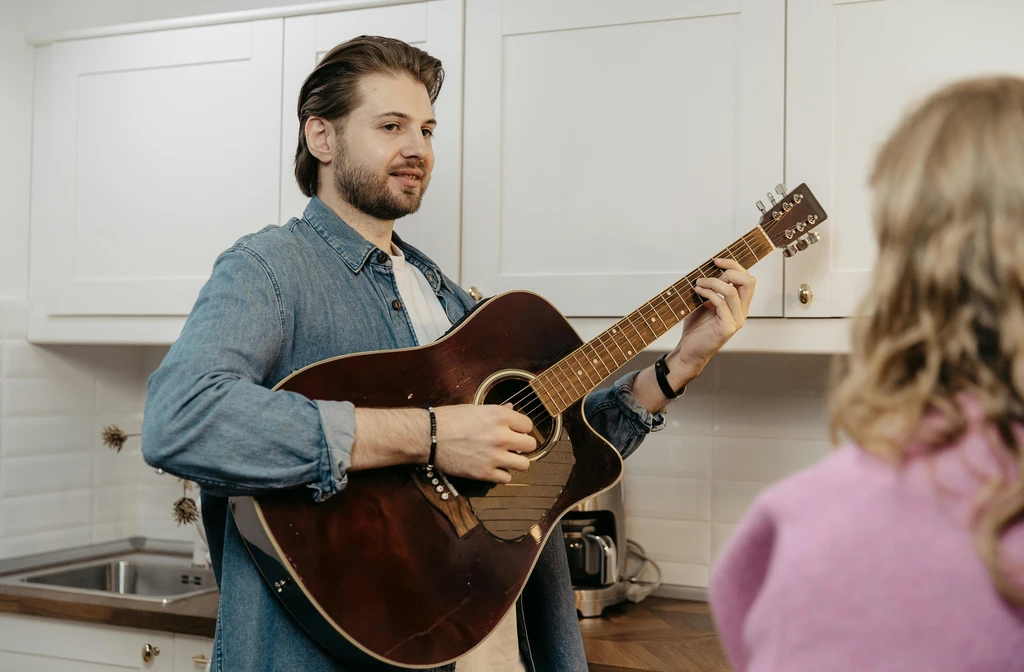
editing input 8 editing output 8
Replace the man with a woman.
|
editing input 6 editing output 6
Replace the text "WARFIGHTER" to "BATTLEFIELD" in the bold orange-red font.
|
✏️ 图像编辑(推理)
编辑指令 原始图像 推理过程 编辑结果
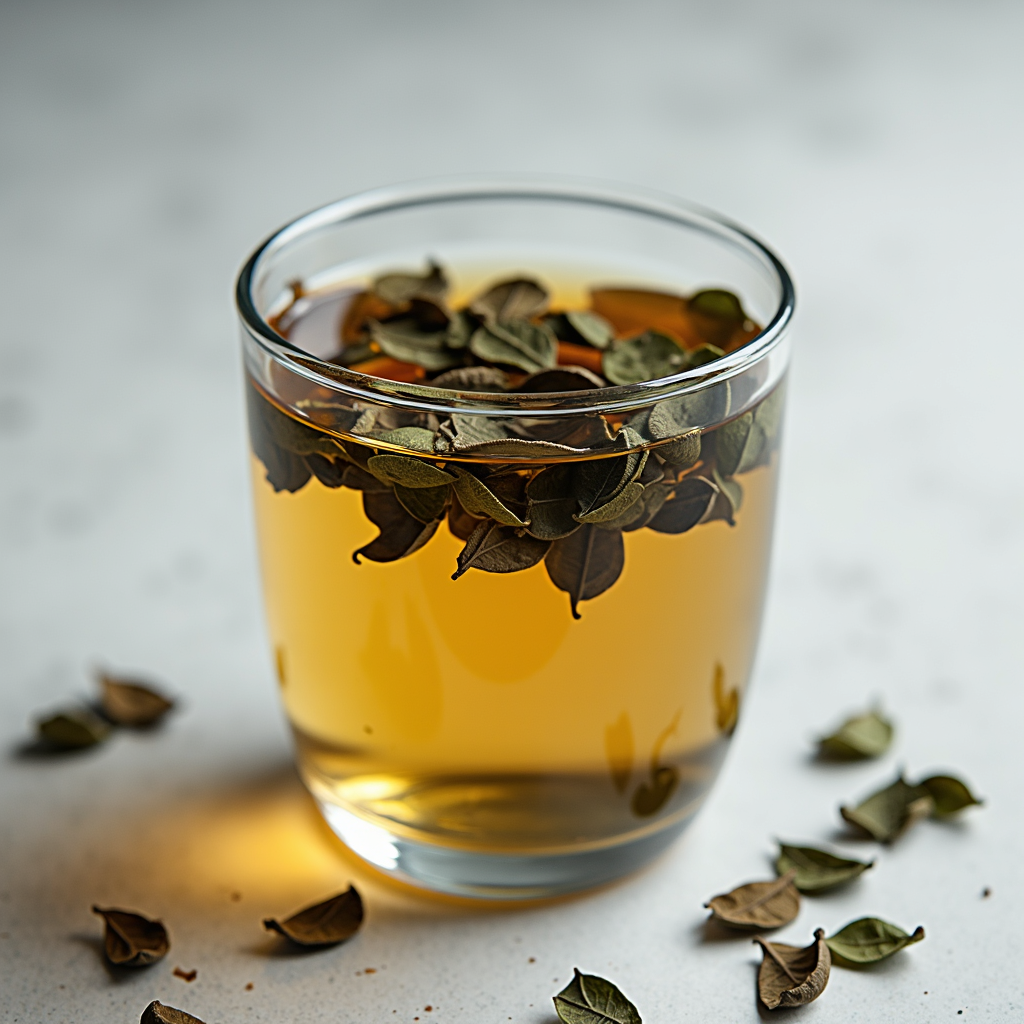
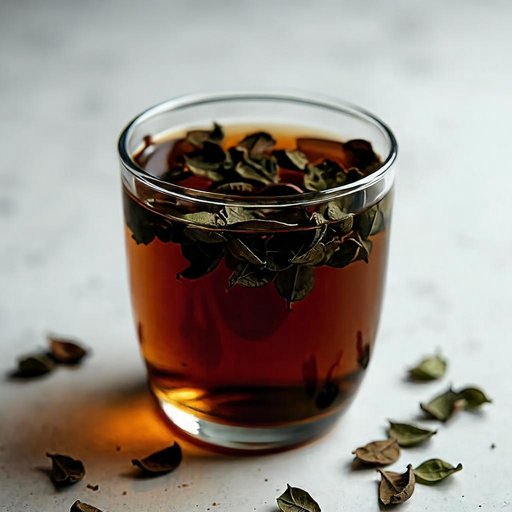
Draw what it will look like one hour later.
1. Source Image Analysis: The source image shows a glass cup of hot tea with steeping tea leaves, and the water appears relatively clear. 2. Instruction Understanding: The instruction asks for the appearance one hour later. 3. Reasoning Process: Over time, tannins and pigments leach out, making the tea noticeably darker and more uniformly colored, and the leaves may look more swollen and darker from soaking. 4. Expected Visual Changes: The expected visible result is a deeper amber-to-brown tea color and more fully saturated liquid. 5. Elements to Preserve: The glass cup, scattered leaves around it, background, and camera angle should remain unchanged. 6. Explicit Edit Prompt: Edit the tea liquid to a much darker, more saturated amber-brown color as if fully steeped, and make the tea leaves look slightly darker and more swollen, while keeping the glass cup, surrounding leaves, background, and framing unchanged.
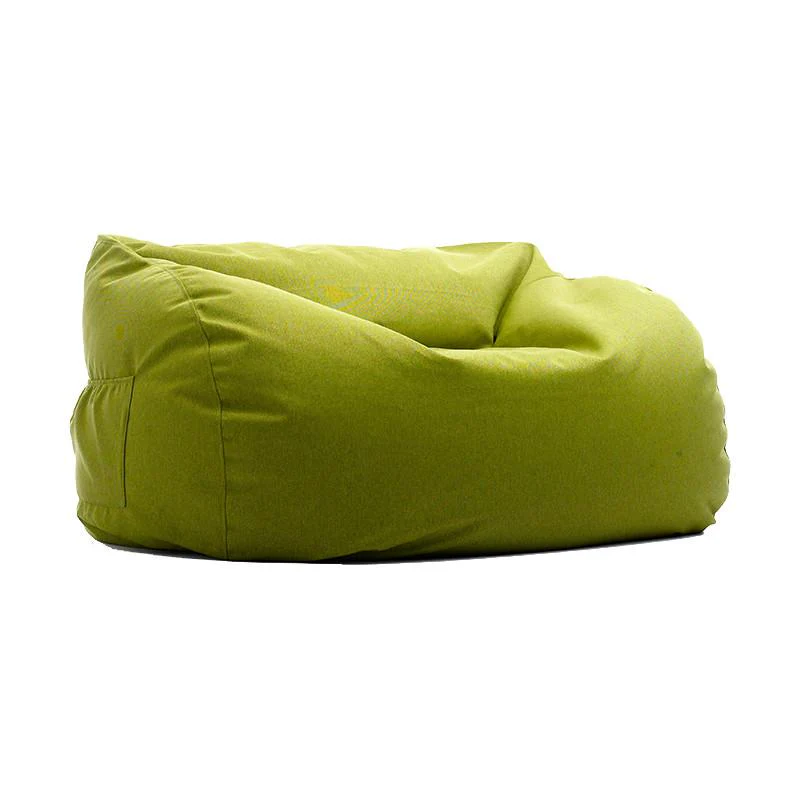
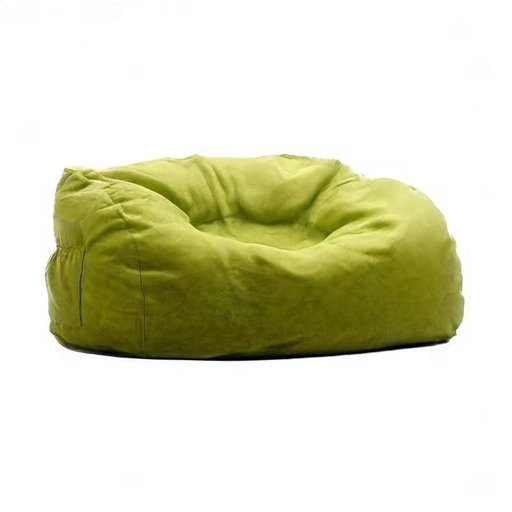
Draw what it will look like immediately after someone stands up from sitting on it for a long time.
1. Source Image Analysis: The source image shows a fluffy lime-green beanbag chair that looks evenly plump and undisturbed on a white background. 2. Instruction Understanding: The edit instruction asks for its appearance immediately after someone stood up from sitting there for a long time. 3. Reasoning Process: Prolonged weight compresses the fabric and internal fill, leaving a depressed seat area, wrinkles radiating outward, and a slowly recovering shape. 4. Expected Visual Changes: The visible result should be a noticeable dip and creasing where a person was seated. 5. Elements to Preserve: The background, beanbag color, lighting, and camera angle should remain unchanged while only the beanbag’s shape shows the compression. 6. Explicit Edit Prompt: Edit the beanbag chair to show a clear seated depression in the center with surrounding wrinkles and slightly compressed fabric, while keeping the white background, lighting, and camera angle unchanged.
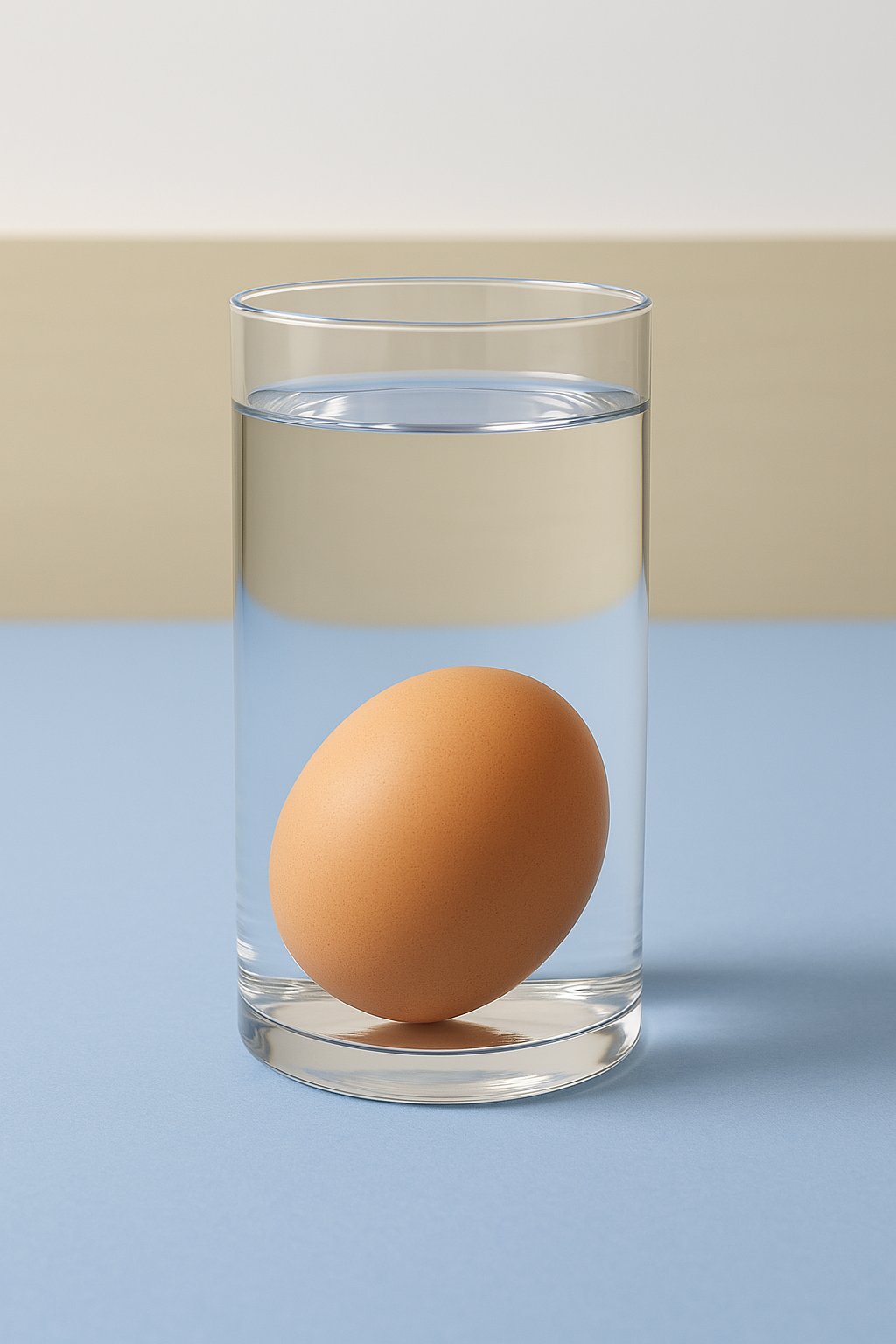
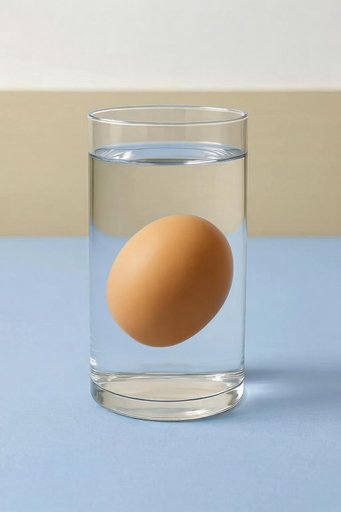
Change the water to high-concentration saltwater
1. Source Image Analysis: The source image shows an egg resting at the bottom of a glass of water. 2. Instruction Understanding: The instruction asks to change the medium to high-concentration saltwater. 3. Reasoning Process: Saltwater is denser than fresh water, which increases the buoyant force on the egg. 4. Expected Visual Changes: As density increases, the egg will overcome gravity and float higher or suspend in the middle of the liquid. 5. Elements to Preserve: The glass and the egg's appearance should remain consistent, focusing on the shift in the egg's vertical position. 6. Explicit Edit Prompt: Edit the position of the egg so it is floating in the middle of the liquid instead of resting on the bottom, while keeping the glass and the egg's appearance unchanged.
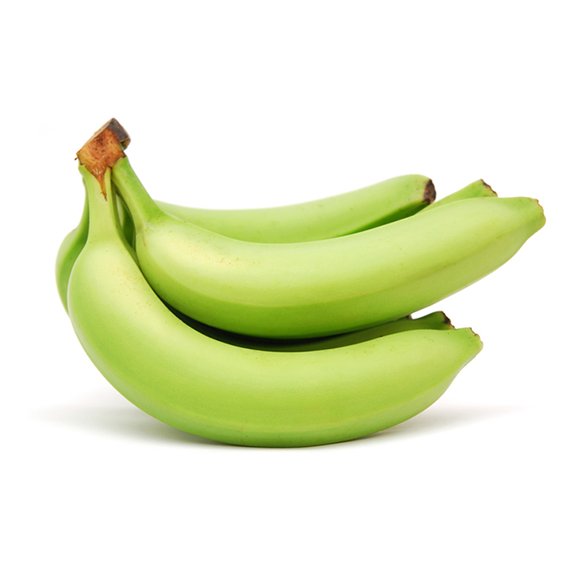
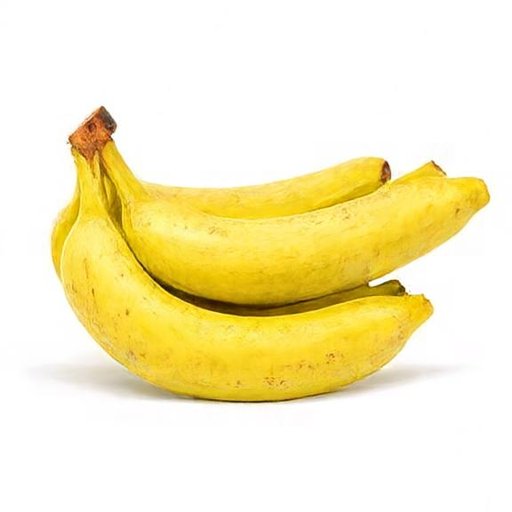
What the fruit looks like when ripe in the picture
1. Source Image Analysis: The source image shows green, unripe bananas. 2. Instruction Understanding: The instruction asks for the appearance of the fruit when ripe. 3. Reasoning Process: Ripening involves a breakdown of chlorophyll and the production of sugars, which turns the skin from green to yellow and often causes small brown sugar spots to appear. 4. Expected Visual Changes: The color and texture of the peel should transition to a ripe state. 5. Elements to Preserve: The shape of the bananas and the white background should remain constant. 6. Explicit Edit Prompt: Edit the green bananas to be bright yellow with small brown spots, while keeping the original shape and white background unchanged.
> 📸 **更多编辑样例:** 参见 [图像编辑样例集](./docs/showcases_CN.md#图像编辑)。
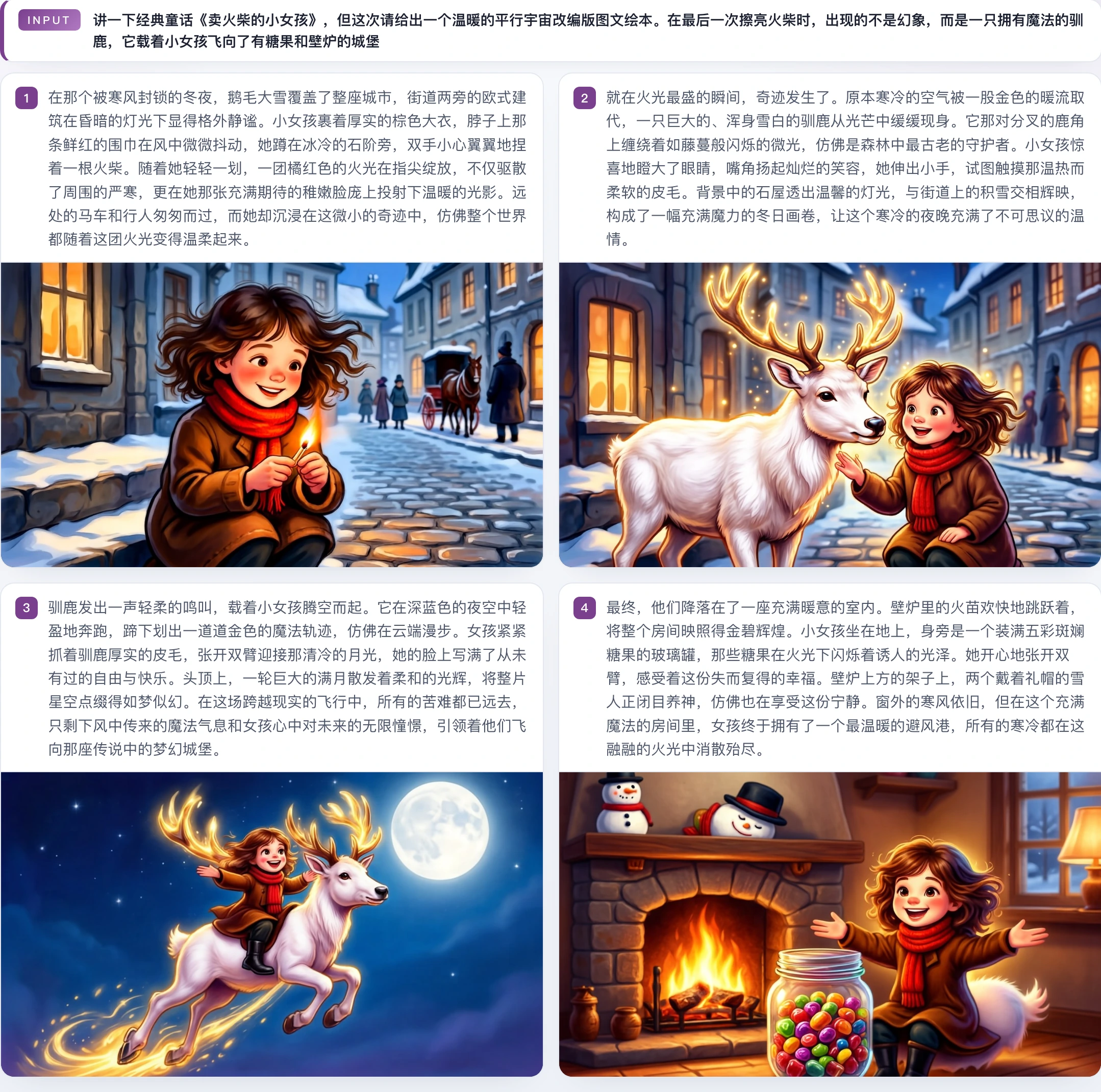
♻️ 图文交错生成(通用) | | | :---: | | [interleave case 05](./docs/assets/showcases/interleave/case_0005_matchgirl_warm_au.webp) | | [interleave case 06](./docs/assets/showcases/interleave/case_0006_orange_cat_travel.webp) |
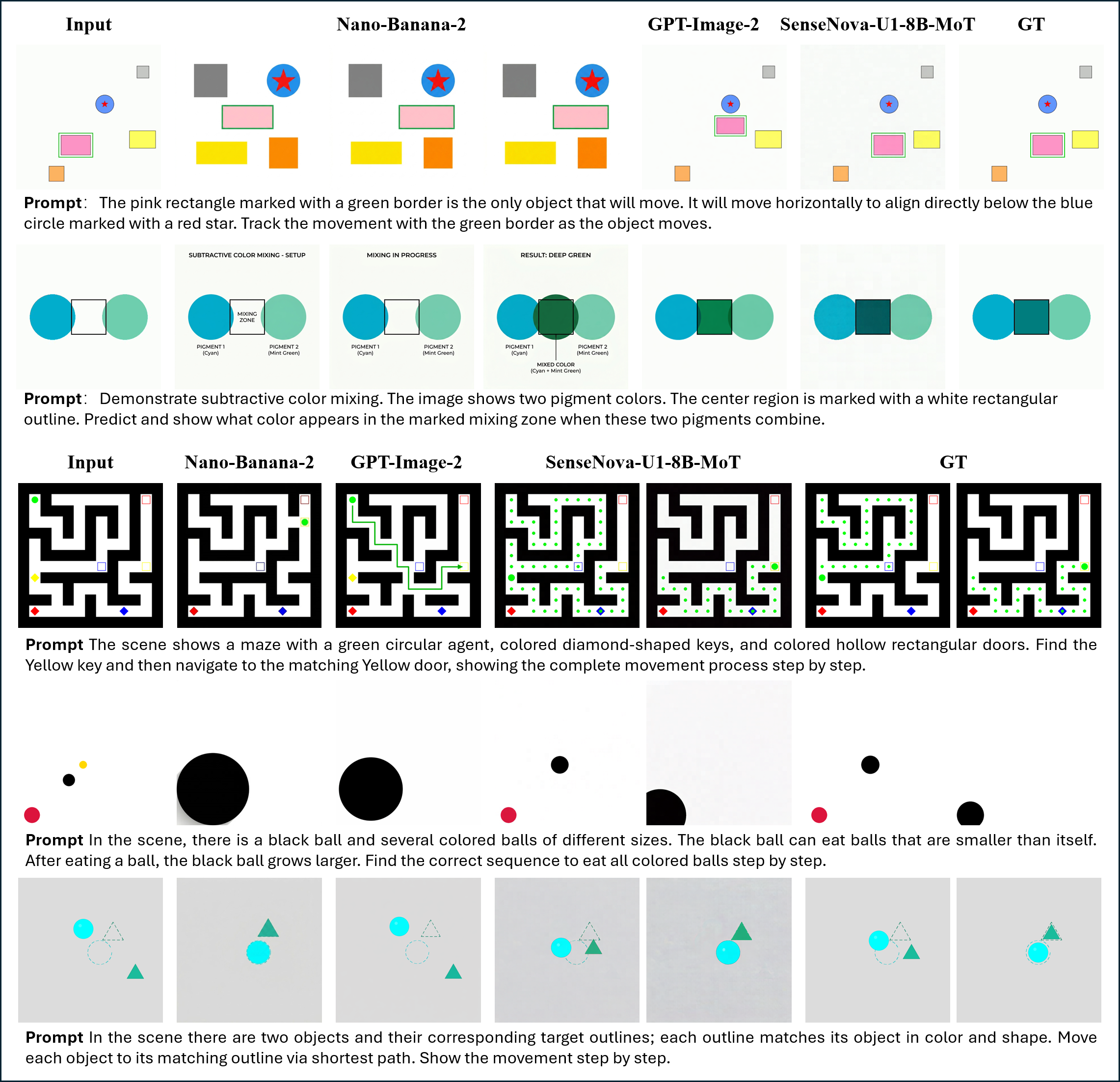
♻️ 图文交错生成(推理) | | | :---: | | [interleave reasoning case](./docs/assets/showcases/interleave/reasoning.png) |
> 📸 **更多图文交错样例:** 参见 [图文交错生成样例集](./docs/showcases_CN.md#图文交错生成)。
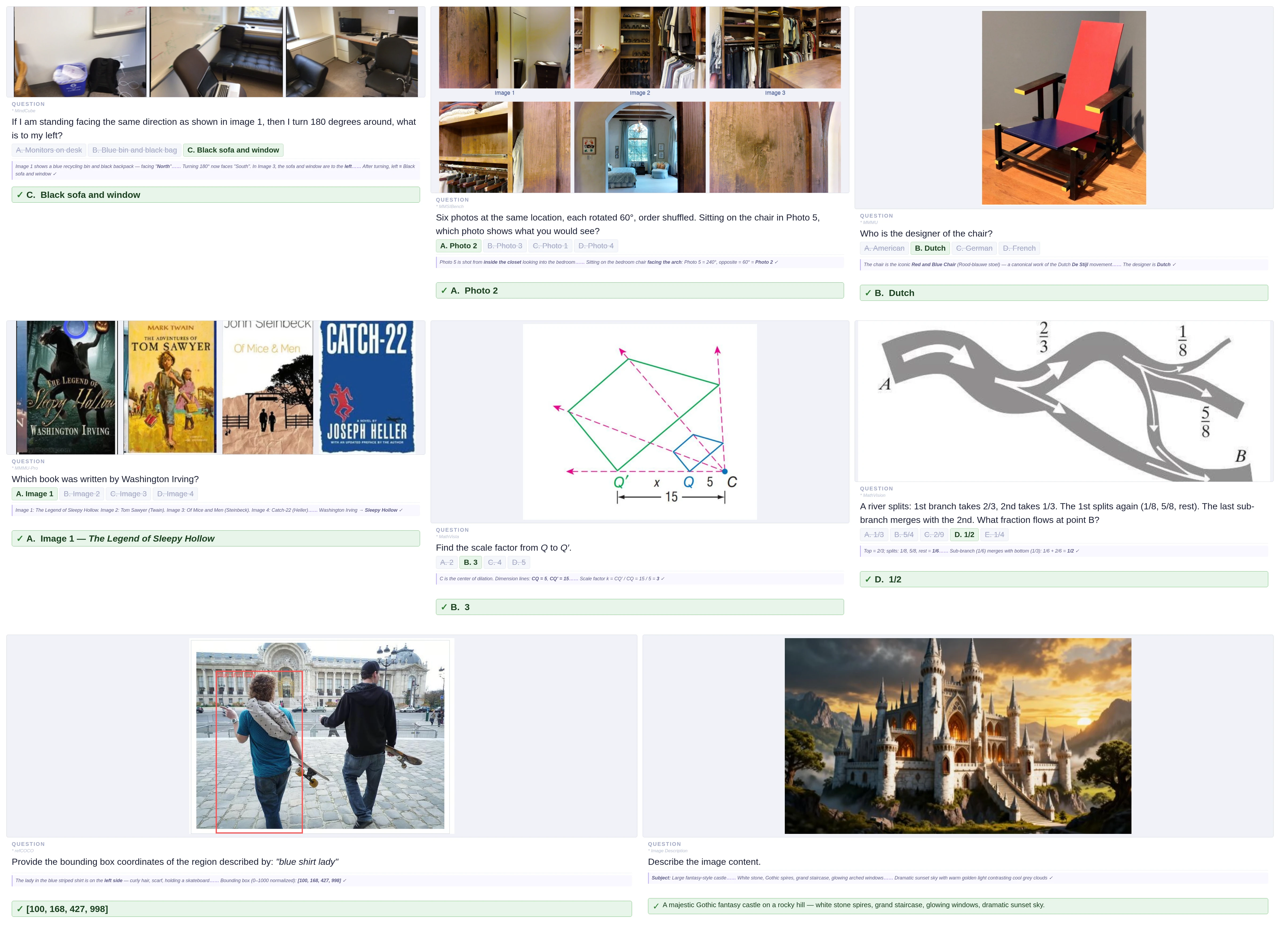
📝 视觉理解(通用) | | | :---: | | [vqa general cases](./docs/assets/showcases/vqa/general_case.webp) |
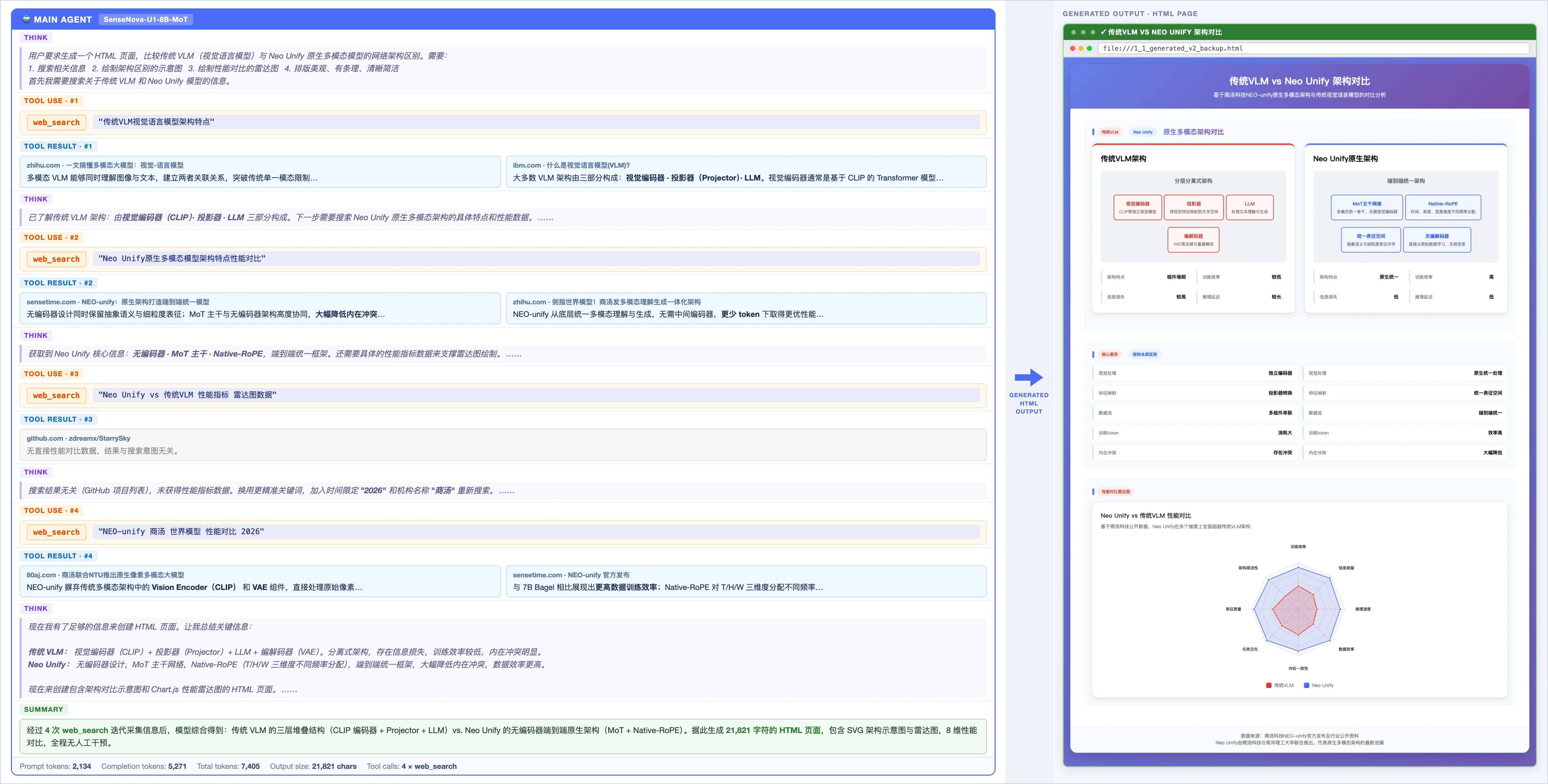
📝 视觉理解(智能体) | | | :---: | | [vqa agentic case](./docs/assets/showcases/vqa/agentic_case.webp) |
> 📸 **更多视觉理解样例:** 参见 [视觉理解样例集](./docs/showcases_CN.md#视觉理解)。
🦾 视觉语言动作 [![YouTube](./docs/assets/showcases/vla/1.png)](https://www.youtube.com/watch?v=3mvBPPgv8vo) [![YouTube](./docs/assets/showcases/vla/2.png)](https://www.youtube.com/watch?v=2QZY8gf0Vsk) [![YouTube](./docs/assets/showcases/vla/3.png)](https://www.youtube.com/watch?v=tznVbuYf0yw)
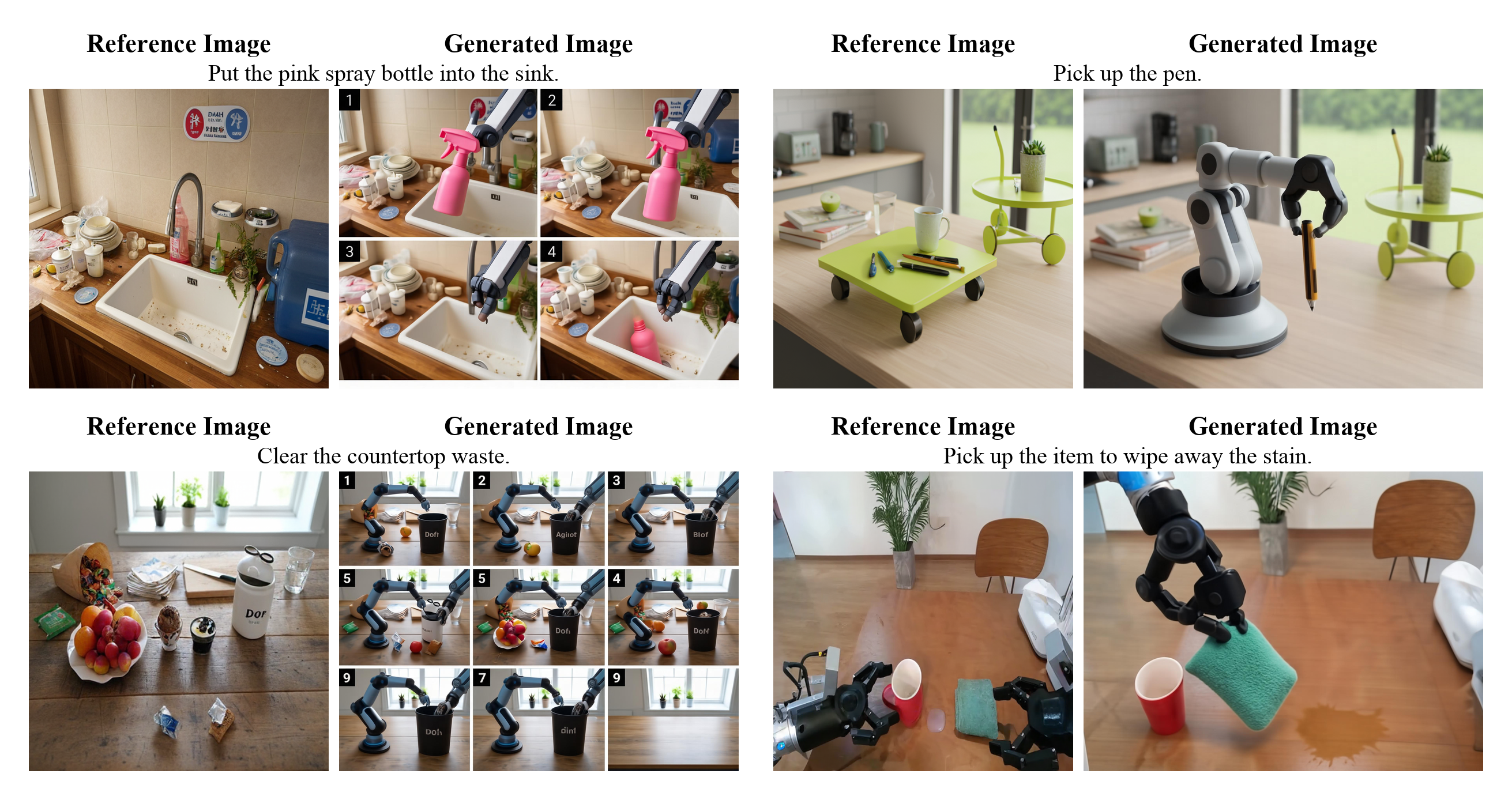
🦾 世界建模 | | | :---: | | [world modeling case](./docs/assets/showcases/wm/1.png) |
### 📊 核心评测
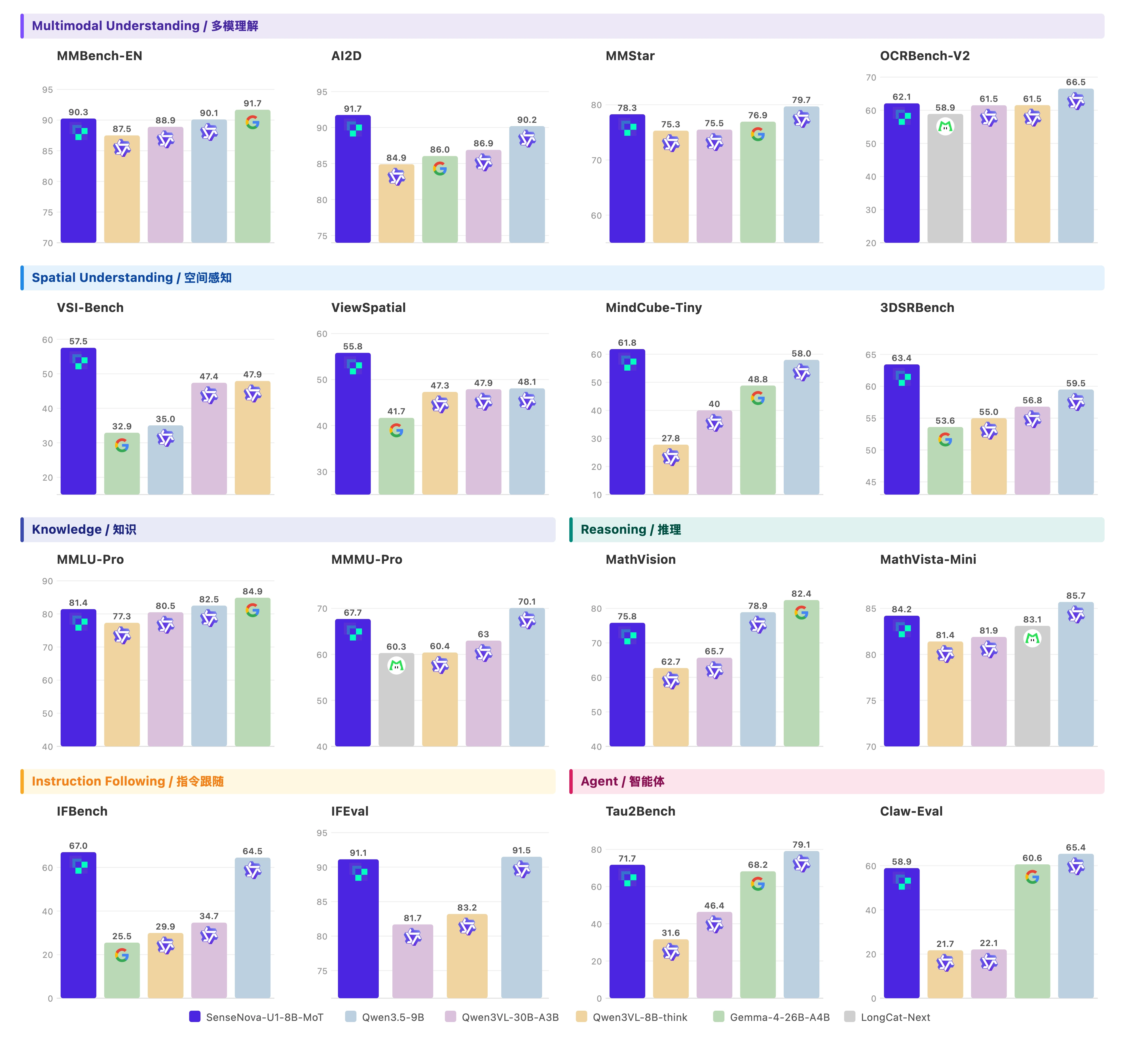
📝 视觉理解

视觉理解评测

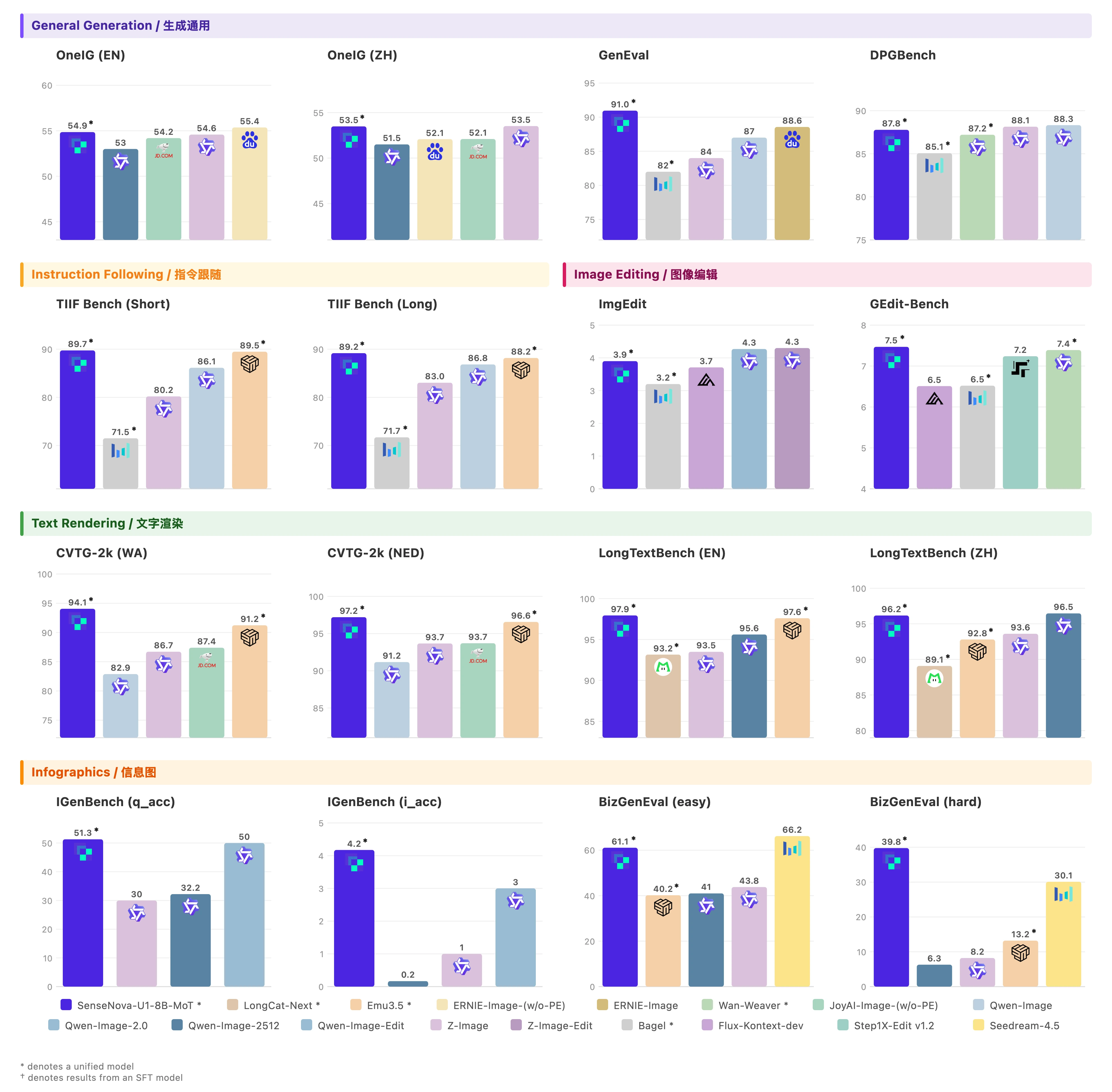
🖼️ 视觉生成

视觉生成评测

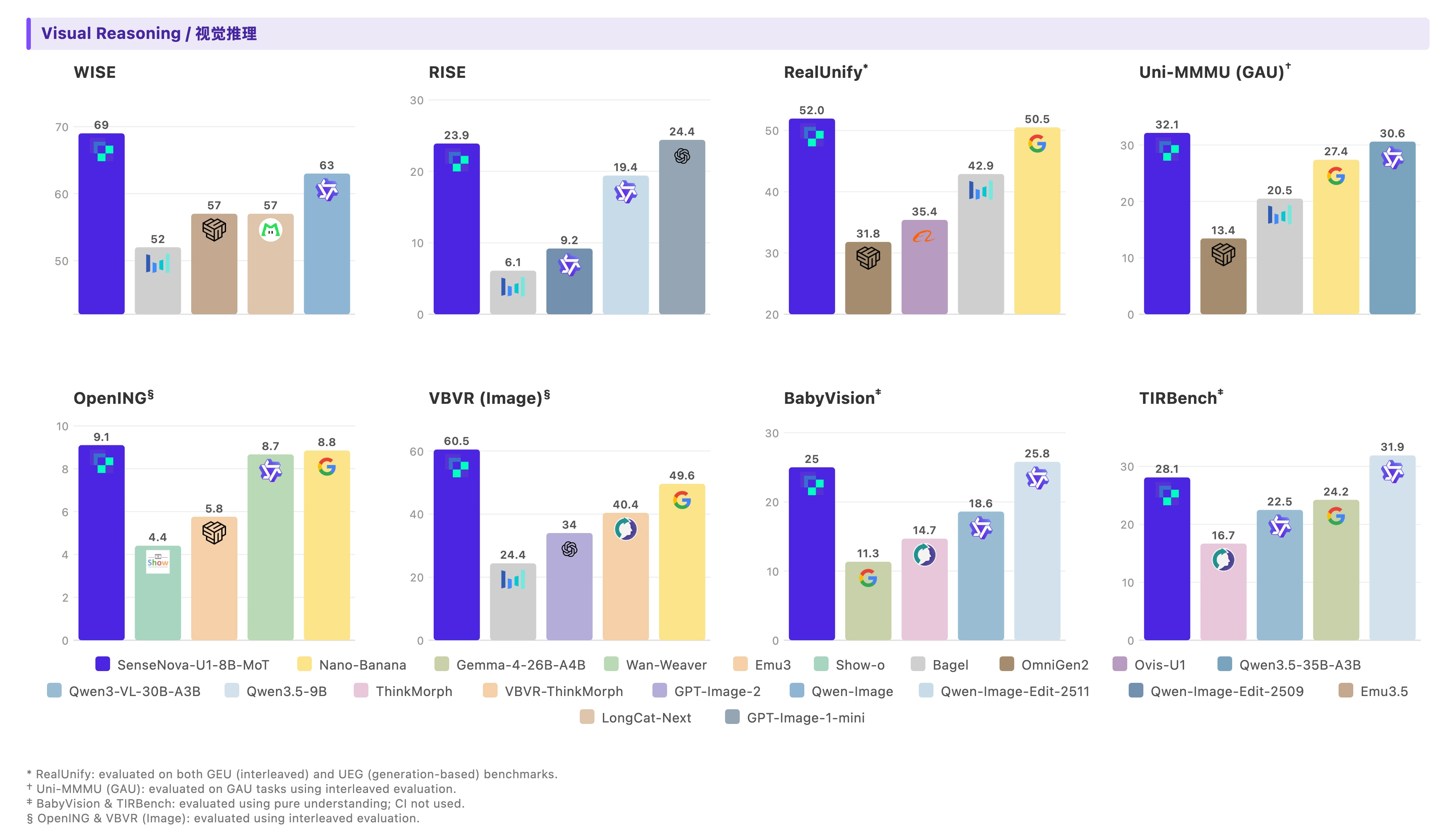
♻️ 视觉推理

图文交错评测

> 评测脚本与榜单复现指南已提供在 [`evaluation`](./evaluation/README_CN.md)。 ### ⚠️ 进行中的改进 以下局限针对原始 SenseNova-U1 权重。SenseNova-U1.5 的已知局限与 CFG 调节说明请参见上方 U1.5 概述。 尽管在各项任务上表现优异,当前版本仍有若干已知局限有待改进: * **视觉理解**: 当前模型支持的上下文长度最长为 **32K** tokens,在需要更长或更复杂视觉上下文的场景下可能受到限制。 * **人体生成**: 对人体细粒度细节的处理仍有挑战,尤其是当人物在画面中占比较小,或与周围物体存在复杂交互时。 * **文字生成**: 文字渲染有时会出现拼写错误、字符变形或格式不一致的问题,且对 prompt 的措辞较为敏感,在文字密集场景下尤为明显。(最佳实践请参见 [`提示词增强`](./docs/prompt_enhancement_CN.md)) * **图文交错生成**: * 作为实验性功能,图文交错生成仍在持续演进中,性能可能尚未达到专用文生图(T2I)流程的水平。 * **Beta 状态:** 强化学习尚未针对图像编辑、推理及图文交错任务进行专项优化,当前性能与 SFT 模型相当。 我们将上述方向列为持续迭代的重点,期待在后续版本中不断改进。 ### 🛠️ 使用与部署 > 💡 提示: 如果在配置或运行过程中遇到任何问题,请参考我们的 [常见问题](docs/FAQ_CN.md) #### 🌐 使用 SenseNova-Studio 体验 SenseNova-U1 最便捷的方式是通过 **[SenseNova-Studio](https://unify.light-ai.top/)** —— 一个 🆓 免费的在线体验平台,无需安装、无需 GPU,直接在浏览器中即可试用。 > **注:** 为服务更多用户,U1-Fast 经过步数蒸馏和 CFG 蒸馏,专供信息图生成使用。 #### 🦞 使用 SenseNova-Skills(OpenClaw) 将 SenseNova-U1 集成进自己的智能体或应用,最简单的方式是使用配套仓库 **[SenseNova-Skills (OpenClaw) 🦞](https://github.com/OpenSenseNova/SenseNova-Skills)**——它将 SenseNova-U1 封装为开箱即用的技能,并提供统一的工具调用接口。 > 安装与使用详情请参考 [SenseNova-Skills README](https://github.com/OpenSenseNova/SenseNova-Skills)。
✨ 通过我们 Skills 和 Studio 制作的有趣案例

Skill 案例

#### 🤗 使用 transformers 运行 > **环境准备:** 按照[安装指南](./docs/installation_CN.md)克隆仓库并用 [uv](https://github.com/astral-sh/uv) 安装依赖。
📝 视觉理解 ```bash python examples/vqa/inference.py --model_path sensenova/SenseNova-U1-8B-MoT --image examples/vqa/data/images/menu.jpg --question "My friend and I are dining together tonight. Looking at this menu, can you recommend a good combination of dishes for 2 people? We want a balanced meal — a mix of mains and maybe a starter or dessert. Budget-conscious but want to try the highlights." --output outputs/answer.txt --max_new_tokens 8192 --do_sample --temperature 0.6 --top_p 0.95 --top_k 20 --repetition_penalty 1.05 --profile ```
> 批量推理、生成参数和 JSONL 格式请参见 [`examples/README_CN.md`](./examples/README_CN.md#视觉理解vqa)。
🖼️ 文生图 ```bash python examples/t2i/inference.py --model_path sensenova/SenseNova-U1-8B-MoT --prompt "这张信息图的标题是“SenseNova-U1”,采用现代极简科技矩阵风格。整体布局为水平三列网格结构,背景是带有极浅银灰色细密点阵的哑光纯白高级纸张纹理,画面长宽比为16:9。\n\n排版采用严谨的视觉层级:主标题使用粗体无衬线黑体字,正文使用清晰的现代等宽字体。配色方案极其克制,以纯白色为底,深炭黑为主视觉文字和边框,浅石板灰用于背景色块和次要信息区分,图标采用精致的银灰色线框绘制。\n\n在画面正上方居中位置,使用醒目的深炭黑粗体字排布着大标题“SenseNova-U1”。标题正下方是浅石板灰色的等宽字体副标题“新一代端到端统一多模态大模型家族”。\n\n画面主体分为左、中、右三个相等的垂直信息区块,区块之间通过充足的负空间进行物理隔离。\n\n左侧区块的主题是概述。顶部有一个银灰色线框绘制的、由放大镜和齿轮交织的图标,旁边是粗体小标题“Overview”。该区块内从上到下垂直排列着三个要点:第一个要点旁边是一个代表文档与照片重叠的极简图标,紧跟着文字“多模态模型家族,统一文本/图像理解和生成”。向下是由两个相连的同心圆组成的架构图标,配有文字“基于NEO-Unify架构(端到端统一理解和生成)”。最下方是一个带有斜线划掉的眼睛和漏斗形状的图标,明确指示文本“无需视觉编码器(VE)和变分自编码器(VAE)”。\n\n中间区块展示模型矩阵。顶部是一个包含两个分支节点的树状网络图标,旁边是粗体小标题“两个模型规格”。区块内分为上下两个包裹在浅石板灰色极细边框内的卡片。上方的卡片内画着一个代表高密度的实心几何立方体图标,大字标注“SenseNova-U1-8B-MoT”,下方是等宽字体说明“8B MoT 密集主干模型”。下方的卡片内画着一个带有闪电符号的网状发光大脑图标,大字标注“SenseNova-U1-A3B-MoT”,下方是等宽字体说明“A3B MoT 混合专家(MoE)主干模型”。在这两个独立卡片的正下方,左侧放置一个笑脸轮廓图标搭配文字“将在HF等平台公开”,右侧放置一个带有折角的书面报告图标搭配文字“将发布技术报告”。\n\n右侧区块呈现核心优势。顶部是一个代表巅峰的上升阶梯折线图图标,旁边是粗体小标题“Highlights”。该区块内部垂直分布着四个带有浅石板灰底色的长方形色块,每个色块内部左侧对应一个具体的图标,右侧为文字。第一个色块内是一个无缝相连的莫比乌斯环图标,配文“原生统一架构,无VE和VAE”。第二个色块内是一个顶端带有星星的奖杯图标,配文“单一统一模型在理解和生成任务上均达到SOTA性能”。第三个色块内是代表文本行与拍立得照片交替穿插的图标,配文“强大的原生交错推理能力(模型原生生成图像进行推理)”。最后一个色块内是一个被切分出一小块的硬币与详细饼状图结合的图标,配文“能生成复杂信息图表,性价比出色”。" --width 2720 --height 1536 --cfg_scale 4.0 --cfg_norm none --timestep_shift 3.0 --num_steps 50 --output output.png --profile ```
> 默认分辨率为 2048×2048(1:1)。其它长宽比请参见[支持的分辨率档位](./examples/README_CN.md#推荐分辨率档位)。 > 当进行信息图生成时,建议先使用[提示词增强](./docs/prompt_enhancement_CN.md)以获得最佳效果。
✏️ 图像编辑 ```bash python examples/editing/inference.py --model_path sensenova/SenseNova-U1-8B-MoT --prompt "Change the animal's fur color to a darker shade." --image examples/editing/data/images/1.webp --cfg_scale 4.0 --img_cfg_scale 1.0 --cfg_norm none --timestep_shift 3.0 --num_steps 50 --output output_edited.png --profile --compare ```
> 💡 为获得最佳效果,建议在推理前将输入按原长宽比预缩放至约 2048×2048 分辨率(参见 [`examples/editing/resize_inputs.py`](./examples/editing/resize_inputs.py))。
♻️ 图文交错生成 ```bash python examples/interleave/inference.py --model_path sensenova/SenseNova-U1-8B-MoT --prompt "I want to learn how to cook tomato and egg stir-fry. Please give me a beginner-friendly illustrated tutorial." --resolution "16:9" --output_dir outputs/interleave/ --stem demo --profile ```
> 批量推理、JSONL 格式、prompt 增强、分辨率档位及完整参数说明请参见 [`examples/README_CN.md`](./examples/README_CN.md)。 > 显存性能分析请参见 [`性能分析`](./docs/gpu_mem_profiler_CN.md)。 #### 💾 低显存推理(GGUF + VRAM 模式) 针对单张消费级显卡的部署场景,我们在 `transformers` 路径上提供两项可独立启用、也可组合使用的低显存特性。 ##### GGUF 量化权重 在四个推理脚本(`t2i`、`editing`、`interleave`、`vqa`)中传入 `--gguf_checkpoint`,即可使用 `diffusers` GGUF Linear 层加载量化后的 `.gguf` 权重,替代原始 bf16 safetensors 权重。`--model_path` 仍需指定(用于加载 tokenizer / config 及非语言模型权重)。 ```bash # install the optional extra once uv pip install -e ".[gguf]" # or: pip install "gguf>=0.10.0" "diffusers>=0.30.0" python examples/t2i/inference.py \ --model_path sensenova/SenseNova-U1-8B-MoT \ --gguf_checkpoint /path/to/SenseNova-U1-8B-MoT-Merger-Q4_K_M.gguf \ --prompt "A male peacock trying to attract a female" \ --output output.png ``` 社区维护的 GGUF 权重如下: | 模型 | GGUF 权重 | 量化类型 | 大小 | HF 链接 | | :--- | :-------- | :------- | :--- | :------ | | SenseNova-U1 8B 系列变体 | 多个文件 | Q4 / Q6 / Q8 | 依文件而定 | [🤗 仓库](https://huggingface.co/smthem/SenseNova-U1-8B-MoT-Merger-gguf/tree/main) | | SenseNova-U1.5-8B-MoT-Preview | `SenseNova-U1.5-8B-MoT-Preview-Q8.gguf` | Q8 | 19.9 GB | [🤗 下载](https://huggingface.co/smthem/SenseNova-U1-8B-MoT-Merger-gguf/blob/main/SenseNova-U1.5-8B-MoT-Preview-Q8.gguf) | 使用上表中社区贡献的 **U1.5 预览版** GGUF 时,`--model_path` 应指向 `sensenova/SenseNova-U1.5-8B-MoT-Preview`,并通过 `--gguf_checkpoint` 传入下载的 Q8 文件。该量化权重针对预览版,不适用于正式版 `SenseNova-U1.5-8B-MoT`,并由社区贡献者独立于 SenseNova 官方模型版本进行维护。 > 🙏 特别感谢 Hugging Face 用户 [smthem](https://huggingface.co/smthem) / GitHub [@smthemex](https://github.com/smthemex) 制作并持续维护这些社区量化权重。 ##### `--vram_mode`:单卡分层卸载 `--vram_mode` 用于控制语言模型层的驻留方式和 CPU→GPU 流式搬运,激活值仍保留在显卡上。 | 模式 | 行为 | 适用场景 | | :--- | :--- | :--- | | `full`(默认) | 不做卸载,整模放在 GPU 上 | 显存充裕,追求最快速度 | | `fast` | 异步预取,并在显存预算内常驻 generation 层 | 24 GB 级显卡、接近 full 的速度 | | `low` | 同步逐层 CPU↔GPU 交换 | 显存最为紧张 | | `balanced` | 异步预取,将 H2D 拷贝与计算重叠 | 显存吃紧但希望恢复部分速度 | `fast` 默认使用 90% 自动显存预算、2 GiB 可复用显存余量和 4 GiB 激活预留,均可从外部配置: ```bash python examples/t2i/inference.py \ --model_path sensenova/SenseNova-U1-8B-MoT \ --vram_mode fast \ --fast_vram_fraction 0.90 \ --fast_vram_headroom_gib 2 \ --fast_activation_reserve_gib 4 \ --fast_vram_budget_gib 20.5 \ --prompt "..." --output output.png ``` `--fast_vram_budget_gib` 为可选的绝对预算,会覆盖 fraction 自动预算;不传时保持自动计算。 ```bash python examples/t2i/inference.py \ --model_path sensenova/SenseNova-U1-8B-MoT \ --vram_mode balanced \ --prompt "..." --output output.png ``` `--gguf_checkpoint` 与 `--vram_mode` 可叠加:在约 10–12 GB 显存的消费级显卡上,推荐使用 `Q4 GGUF + balanced` 组合。 #### ⚡ 使用 LightLLM + LightX2V 运行(推荐) 面向生产环境的部署,我们在 **[LightLLM](https://github.com/ModelTC/lightllm)**(理解)和 **[LightX2V](https://github.com/ModelTC/lightx2v)**(生成)之上协同设计了一套专用推理栈。两个引擎以解耦方式运行,可以各自使用独立的并行策略与资源配额,中间通过低开销传输通道连接。 在单节点 `TP2 + CFG2` 配置下,该推理栈在 H100 / H200 上为 **2048×2048** 图像提供约 **~0.15 s/step**、**~9 s 端到端**的表现;相较 Triton 基线,我们基于 FA3 的混合掩码注意力带来 ~**2.4–3.2×** 的 prefill 加速。完整的单卡性能数据见 [`docs/inference_infra_CN.md`](./docs/inference_infra_CN.md)。 我们提供了官方 Docker 镜像,一行命令即可完成部署: ```bash docker pull lightx2v/lightllm_lightx2v:20260407 ``` > ⚙️ **部署指南(Docker、启动参数、模式、量化、API 测试):** 参见 [`docs/deployment_CN.md`](./docs/deployment_CN.md)。 > > 📖 **完整架构设计与性能剖析:** 参见 [`docs/inference_infra_CN.md`](./docs/inference_infra_CN.md)。
## 🦁 模型库 当前主力权重为 **[SenseNova-U1.5-8B-MoT](https://huggingface.co/sensenova/SenseNova-U1.5-8B-MoT)**。请注意,模型库仍保留原始 SenseNova-U1 权重与不同任务特化版本: - SenseNova-U1.5-8B-MoT — Dense + MoT 主干网络 - SenseNova-U1-8B-MoT — Dense + MoT 主干网络 - SenseNova-U1-A3B-MoT — MoE + MoT 主干网络 | 模型 | 参数量 | HF 权重 | | :---- | :------- | :--------- | | **SenseNova-U1.5-8B-MoT** | 8B MoT | [🤗 链接](https://huggingface.co/sensenova/SenseNova-U1.5-8B-MoT) | | **SenseNova-U1.5-8B-MoT-SFT** | 8B MoT | [🤗 链接](https://huggingface.co/sensenova/SenseNova-U1.5-8B-MoT-SFT) | | **SenseNova-U1.5-8B-MoT-LoRA-8step** | 0.4B | [🤗 链接](https://huggingface.co/sensenova/SenseNova-U1.5-8B-MoT-LoRAs/blob/main/SenseNova-U1.5-8B-MoT-LoRA-8step.safetensors) | | SenseNova-U1.5-8B-MoT-Preview | 8B MoT | [🤗 链接](https://huggingface.co/sensenova/SenseNova-U1.5-8B-MoT-Preview) | | SenseNova-U1-8B-MoT-Interleaved | 8B MoT | [🤗 链接](https://huggingface.co/sensenova/SenseNova-U1-8B-MoT-Interleaved) | | SenseNova-U1-8B-MoT-Infographic-V3 | 8B MoT | [🤗 链接](https://huggingface.co/sensenova/SenseNova-U1-8B-MoT-Infographic-V3) | | SenseNova-U1-8B-MoT-Infographic-V2 | 8B MoT | [🤗 链接](https://huggingface.co/sensenova/SenseNova-U1-8B-MoT-Infographic-V2) | | SenseNova-U1-8B-MoT-Infographic | 8B MoT | [🤗 链接](https://huggingface.co/sensenova/SenseNova-U1-8B-MoT-Infographic) | | SenseNova-U1-8B-MoT-Infographic-LoRA-8step-V1.0 | 0.4B | [🤗 链接](https://huggingface.co/sensenova/SenseNova-U1-8B-MoT-LoRAs/blob/main/SenseNova-U1-8B-MoT-Infographic-LoRA-8step-V1.0.safetensors) | | SenseNova-U1-8B-MoT-LoRA-8step-V1.0 | 0.4B | [🤗 链接](https://huggingface.co/sensenova/SenseNova-U1-8B-MoT-LoRAs/blob/main/SenseNova-U1-8B-MoT-LoRA-8step-V1.0.safetensors) | | **SenseNova-U1-8B-MoT** | 8B MoT | [🤗 链接](https://huggingface.co/sensenova/SenseNova-U1-8B-MoT) | | **SenseNova-U1-8B-MoT-SFT** | 8B MoT | [🤗 链接](https://huggingface.co/sensenova/SenseNova-U1-8B-MoT-SFT)| | SenseNova-U1-A3B-MoT | A3B MoT | [🤗 链接](https://huggingface.co/sensenova/SenseNova-U1-A3B-MoT) | | SenseNova-U1-A3B-MoT-SFT | A3B MoT | [🤗 链接](https://huggingface.co/sensenova/SenseNova-U1-A3B-MoT-SFT)| 其中,**微调模型**(*×32 下采样比例*)分别经过理解预热训练、生成预训练、统一中期训练和统一微调训练等四个阶段;**最终模型**则在此基础上进一步进行多专家强化学习和在线蒸馏训练。 > 💡 `SenseNova-U1-8B-MoT` 中的 `8B-MoT` 指的是约 8B 理解参数**与**约 8B 生成参数。详细信息请参见[模型参数分解](docs/parameter_breakdown_CN.md)。 ## 🌐 加入社区! 加入我们的社区,分享反馈、获取支持,并第一时间了解 SenseNova-U1.5 与 SenseNova-U1 系列的最新进展——期待与你交流!
Discord 飞书群
## ✒️ 引用 如果这个项目对您的研究有帮助,请考虑点个项目Star ⭐ 和论文引用 📝: ```bibtex @misc{sensenova2026neounify, title = {NEO-unify: Building Native Multimodal Unified Models End to End}, author = {SenseNova}, journal = {Hugging Face blog}, url = {https://huggingface.co/blog/sensenova/neo-unify}, year = {2026} } @article{sensenova2026sensenovau1, title = {SenseNova-U1: Unifying Multimodal Understanding and Generation with NEO-unify Architecture}, author = {Diao, Haiwen and Wu, Penghao and Deng, Hanming and Wang, Jiahao and Bai, Shihao and Wu, Silei and Fan, Weichen and Ye, Wenjie and Tong, Wenwen and Fan, Xiangyu and others}, journal = {arXiv preprint arXiv:2605.12500}, year = {2026} } ``` ## ⚖️ 许可证 本项目基于 [Apache 2.0 License](./LICENSE) 开源发布。